Chapter 21: Jenkins Pipeline and Jenkinsfile
21.10 Troubleshooting
Why: the problem
Every Jenkins learner sees red builds. The skill is not avoiding red. The skill is reading red fast. Think of an on-call engineer at Ola at night. A build is red and a release is waiting. She has ten minutes. She does not guess. She reads the console from the bottom, finds the first real error line, sorts it into one of a few types, and fixes it. Most Jenkinsfile problems fall into five types. Syntax errors in the file. Missing plugins or steps. Missing tools on the agent. Credentials and permissions. And real app failures like a broken test. In this lesson you will make each type happen on purpose, read the exact message, and fix it with a clear method.
What we will build
You will break the badge Jenkinsfile five ways, one at a time. For each, you will find the key line in the console, name the type, and fix it. You will also use the linter, Replay and the Pipeline Steps view.
What: every term in plain English
- Console Output — The full text log of a build.
- WorkflowScript — The name Jenkins gives your Jenkinsfile in error messages, with line and column.
- Linter — A checker that reads the Jenkinsfile without running it.
- Replay — Run a past build again with an edited Jenkinsfile.
- Pipeline Steps — A view listing each step with its status and log.
- Exit code — The number a command returns. Not 0 means fail.
- Stack trace — Long Java error text. The useful line is usually near the top.
- Blue Ocean or Pipeline Graph View — Visual views of stages. Use them to click to the failed step.
How: step by step
-
Read from the bottom
Console Output > scroll to endWhat it does: The last lines show the result and often the cause.
Output
ERROR: script returned exit code 1 Finished: FAILURE -
Find the first error
Search the page for ERROR or the first + command before itWhat it does: The first error is the real one; later ones follow from it.
Output
+ npm test FAIL test/badge.test.js -
Name the type
Syntax, plugin, tool, credential, or appWhat it does: Each type has a standard fix.
Output
Type: app (test failed) -
Lint before push
curl -s -X POST -u admin:API_TOKEN -F "jenkinsfile=@Jenkinsfile" http://localhost:8080/pipeline-model-converter/validateWhat it does: Catches syntax errors in a second.
Output
Jenkinsfile successfully validated. -
Try a fix with Replay
Build page > Replay > edit > RunWhat it does: Tests the fix without a commit.
Output
Replayed #12 -
Commit the fix
git commit -am "ci: fix" && git pushWhat it does: Make the fix permanent.
Output
[main 3c4d5e6] ci: fix
Example 1: Syntax error: a missing brace
Stack. Declarative linter
Goal. Syntax error: a missing brace.
Jenkinsfile (broken)
pipeline {
  agent any
  stages {
    stage('Test') {
      steps { sh 'npm test'
    }
  }
}
What each line does
steps { sh ...— The steps block is never closed.WorkflowScript line— Jenkins points near where it got confused.Fix— Add the missing } and lint again.
Green output
org.codehaus.groovy.control.MultipleCompilationErrorsException: startup failed:
WorkflowScript: 8: expecting '}', found '' @ line 8, column 2.
   }
    ^
1 error
Finished: FAILURE
Expected result. Syntax errors fail in under a second with no stage run. Lint catches them first.
Example 2: Plugin or step missing, and tool missing
Stack. Jenkins
Goal. Plugin or step missing, and tool missing.
Jenkinsfile (broken)
pipeline {
  agent any
  stages {
    stage('Report') {
      steps {
        sh 'npm test'
        publishHTML(target: [reportDir: 'coverage', reportFiles: 'index.html', reportName: 'Coverage'])
      }
    }
  }
}
What each line does
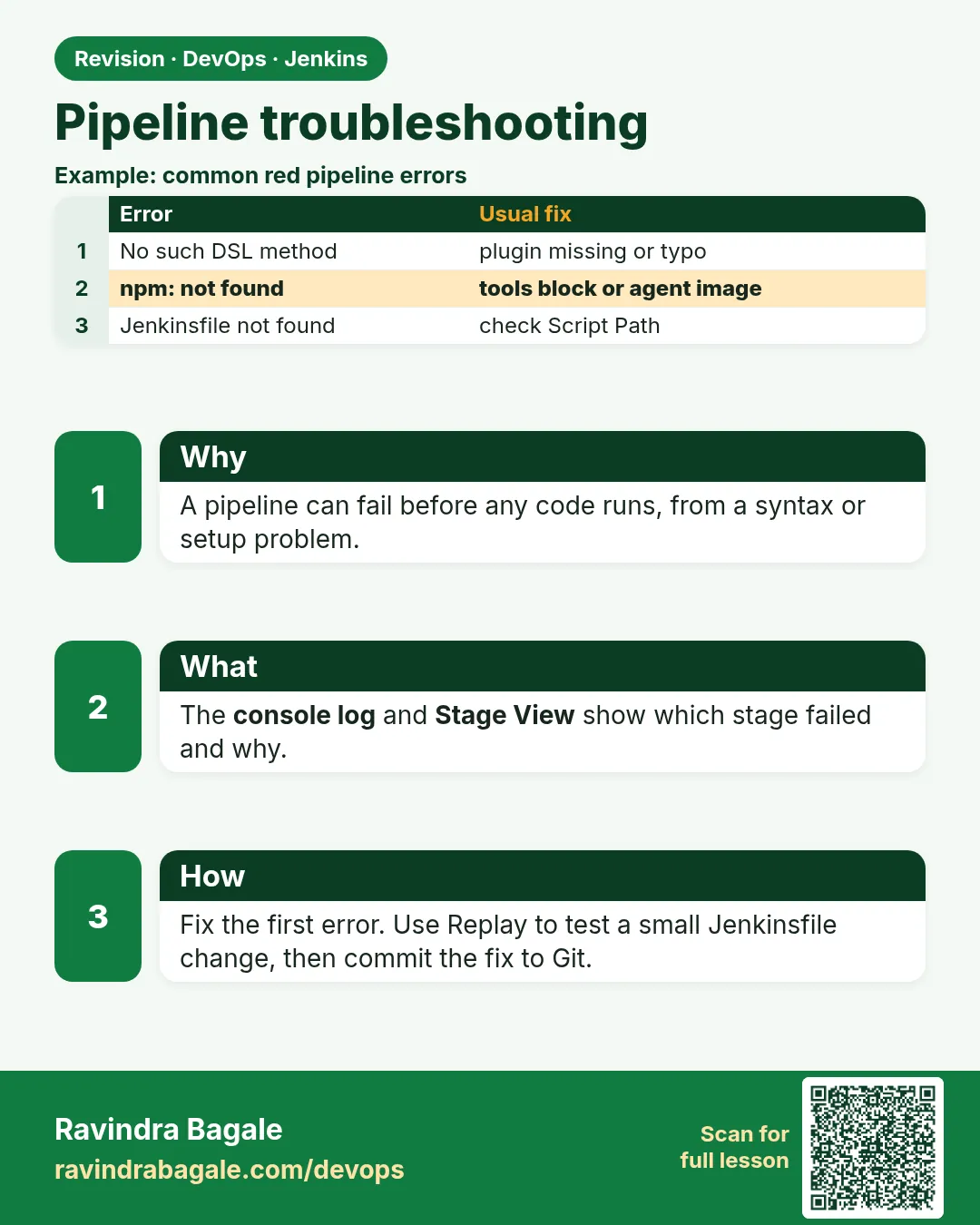
publishHTML— Comes from the HTML Publisher plugin.No such DSL method— The step does not exist because the plugin is missing.npm not found— A tool problem, fixed in lesson 21.7.
Green output
+ npm test
/var/jenkins_home/workspace/badge@tmp/durable-1a2b/script.sh: 1: npm: not found
ERROR: script returned exit code 127

(after fixing node)
java.lang.NoSuchMethodError: No such DSL method 'publishHTML' found among steps [archiveArtifacts, bat, checkout, echo, junit, sh, ...]
Expected result. Exit code 127 means command not found. No such DSL method means plugin missing.
Example 3: Credential and app errors
Stack. Jenkins credentials, Jest
Goal. Credential and app errors.
Jenkinsfile (broken)
pipeline {
  agent any
  stages {
    stage('Login') {
      steps {
        withCredentials([string(credentialsId: 'api-tokn', variable: 'T')]) {
          sh 'echo ok'
        }
      }
    }
    stage('Test') { steps { sh 'npm test' } }
  }
}
What each line does
credentialsId: 'api-tokn'— A typo. The real ID is api-token.App failure— After fixing the ID, the test itself fails, which is a real bug for developers.Who fixes— Pipeline errors you fix; app errors go to the developer.
Green output
ERROR: Could not find credentials entry with ID 'api-tokn'
Finished: FAILURE

(after fix)
+ npm test
  x makes a badge
    Expected: "svg-badge build: passing"
    Received: "svg-badge build: pasing"
ERROR: script returned exit code 1
Finished: FAILURE
Expected result. Know which errors are yours and which belong to the app team.
Example 4: Make the log tell you more before it fails
Stack. Jenkins
Goal. Make the log tell you more before it fails.
Jenkinsfile
pipeline {
  agent any
  options { timestamps() }
  stages {
    stage('Debug info') {
      steps {
        sh 'set -x; whoami; pwd; df -h . | tail -1; node --version || true; git rev-parse --short HEAD'
        sh 'env | sort | grep -E "^(BRANCH|BUILD|JOB|NODE|WORKSPACE)" || true'
      }
    }
    stage('Test') { steps { sh 'npm ci --loglevel=warn && npm test -- --verbose' } }
  }
}
What each line does
set -x— Prints each command before it runs.df -h .— Disk space. A full disk causes strange errors.git rev-parse --short HEAD— Which commit is in the workspace.env | grep— Shows the Jenkins variables, without secrets.--verbose— Jest prints every test name.
Green output
11:30:01  + whoami
11:30:01  jenkins
11:30:01  + pwd
11:30:01  /var/jenkins_home/workspace/badge-scm
11:30:01  /dev/xvda1  20G  19G  1.0G  95% /
11:30:01  v20.15.1
11:30:01  4b2d9e1
11:30:02  BRANCH_NAME=main
11:30:02  BUILD_NUMBER=18
11:30:02  WORKSPACE=/var/jenkins_home/workspace/badge-scm
Expected result. The disk is 95 percent full. That explains a later ENOSPC error. A debug stage saves many guesses.
Verify: did it work?
-
Open the failed step only
Build > Pipeline Steps > red step > Console iconWhat it does: Shows only that step log.
Output
+ npm test ... exit code 1 -
Download the log
curl -s -u admin:API_TOKEN http://localhost:8080/job/badge-scm/lastBuild/consoleText -o build.log && grep -n ERROR build.logWhat it does: Search the log on your laptop.
Output
52:ERROR: script returned exit code 1
When it is red 1
script returned exit code 127
Cause. Command not found on the agent.
Fix, step by step
- Install the tool or use tools/docker agent.
When it is red 2
script returned exit code 1
Cause. The command ran and failed.
Fix, step by step
- Read the lines just above.
When it is red 3
java.io.NotSerializableException
Cause. Scripted code kept an object Jenkins cannot save.
Fix, step by step
- Move logic into a @NonCPS method or a shell script.
When it is red 4
Required context class hudson.FilePath is missing
Cause. A step like sh ran outside any agent, often with agent none.
Fix, step by step
- Add an agent to the stage.
Cleanup
-
Delete broken builds
Build > Delete buildWhat it does: Keeps history clean after practice.
Output
Deleted -
Remove the downloaded log
rm -f build.logWhat it does: Cleans the laptop.
Output
(no output)
Ravindra Bagale's Tip
Log khalun vacha, pahila ERROR shodha. Ghabru naka, 5 prakar aahet. Lakshat theva!
Practice tasks
Easy Lint a file
Why: Fast checks.
What to do: Validate a broken file.
- curl validate.
Check: Error shown.
Medium Five breaks
Why: Learn the messages.
What to do: Break five ways.
- One at a time.
Check: Table of five.
Hard Fix by Replay
Why: Speed under pressure.
What to do: Fix one with Replay.
- Then commit.
Check: Green build.
Easy Say Jenkinsfile troubleshooting in two lines
Why: If you can say it simply, you understand it. Juniors and interviewers want the short version first.
What to do: Write two short lines about Jenkinsfile troubleshooting for a fresher who knows only Linux basics.
- Write what problem it solves.
- Write the one command or menu you use for it.
- Read it aloud to a friend.
Check: A fresher understands it without asking a question.
Easy Start a fresh lab Jenkins
Why: Practice needs a throwaway Jenkins. If you break it, you delete it and start again.
What to do: Run Jenkins LTS in Docker with a named volume.
- docker volume create jenkins_home
- docker run -d --name jenkins -p 8080:8080 -v jenkins_home:/var/jenkins_home jenkins/jenkins:lts-jdk17
- docker exec jenkins cat /var/jenkins_home/secrets/initialAdminPassword
Check: The Jenkins unlock page opens on localhost:8080.
Medium Break it on purpose
Why: You must know the red message by face. During an outage there is no time to read slowly.
What to do: Cause one error from the "When it is red" part of this lesson and fix it.
- Follow the error section.
- Copy the exact message into your notes.
- Write the fix in one line.
Check: You fixed it using only the steps, without searching the web.
Medium Write a one-page runbook
Why: At 2 a.m. nobody remembers where a file lives. A short page saves the on-call person.
What to do: Write a runbook page for this lesson.
- Title, when to use, exact command, how to check, how to undo.
Check: A teammate can follow it alone.
Medium Repeat it on a cloud VM
Why: A laptop is not a server. Real Jenkins runs on EC2 or a company VM.
What to do: Do the main steps of this lesson again on a small Ubuntu 22.04 EC2 instance.
- Launch t3.small with 20 GB disk.
- Open port 22 only to your IP.
- Repeat the steps and compare the output.
Check: Same green output on the VM as on your laptop.
Hard Explain it like an interview
Why: Interviewers want real stories, not definitions.
What to do: Record a 60 second answer about this lesson.
- Say the problem, the command you ran, and one error you hit.
Check: Your answer has a real command and a real error message.
Hard Draw the flow top to bottom
Why: A drawing shows who talks to whom and in what order.
What to do: Draw this lesson as boxes from top to bottom.
- Start at the developer push, go through the controller and agent, end at the result.
Check: Each box matches a real thing you saw on screen.
Homework: try at home
Try at home
At home, break your Jenkinsfile in the five ways. For each, copy the key error line and write the type and fix in a table.
Recap
- Read the log from the bottom.
- Find the first real error.
- Sort into syntax, plugin, tool, credential or app.
- Lint before push, Replay to test fixes.
- Give app failures to the app team with the exact line.
FAQ
Why is the stack trace so long?
It is Java. Look for WorkflowScript or the first ERROR line.
Can I lint in VS Code?
Yes, with a Jenkins linter extension that calls your Jenkins.
What is the @tmp folder?
Jenkins writes temporary scripts there; errors show its path.
Does Replay change Git?
No. Commit the fix after.
How do I find slow steps?
timestamps and Pipeline Overview times.
What does ENOSPC mean?
No space left on device. Clean old workspaces and images on the agent.
Interview questions
-
How do you debug a failing pipeline?
Read from the bottom, find the first error, classify it, reproduce with Replay, fix and commit.
-
Exit code 127 vs 1?
127 means command not found; 1 means the command ran and failed.
-
How do you catch syntax errors early?
Use the Declarative linter before pushing.
-
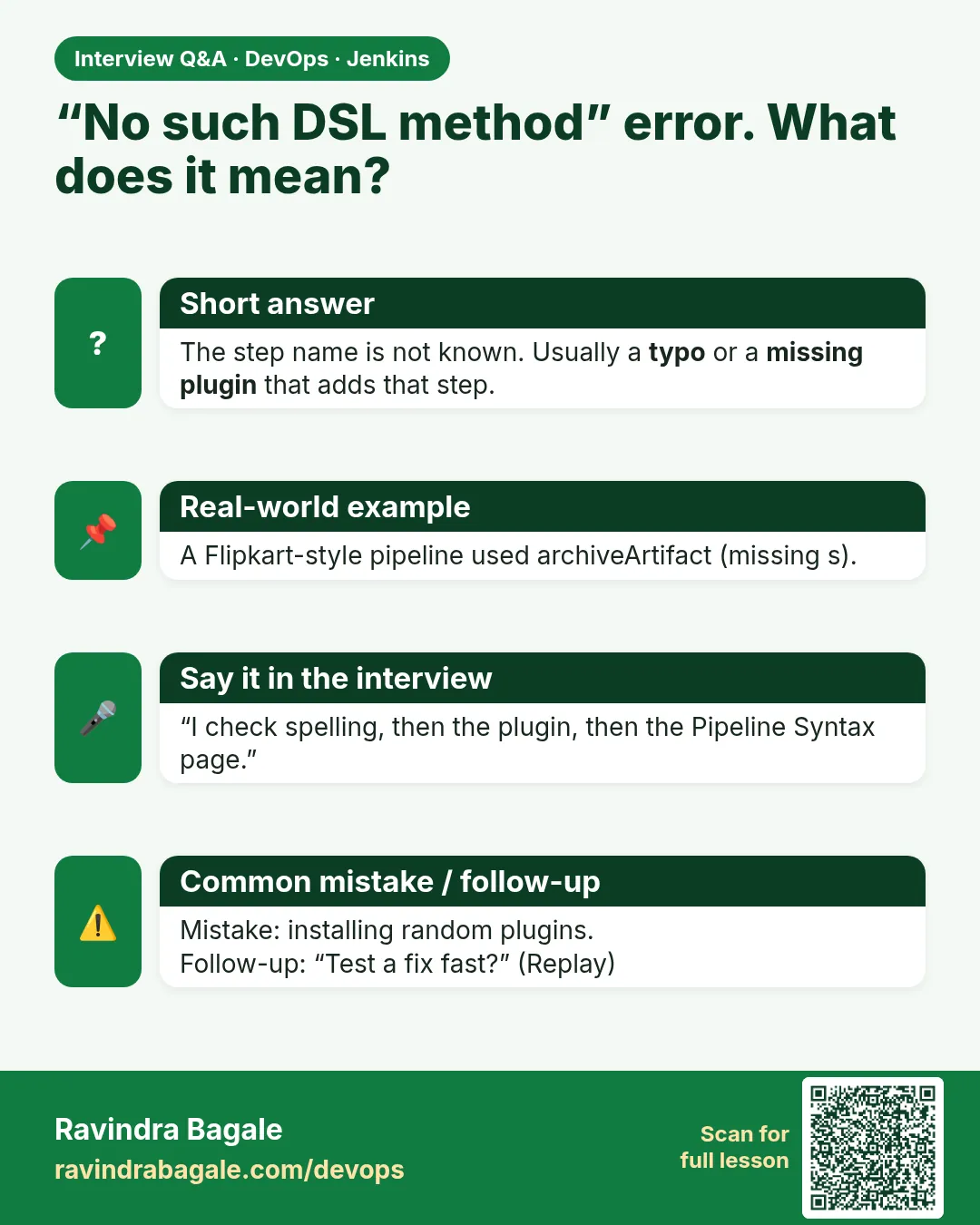
What does No such DSL method mean?
The step is unknown, usually a missing plugin or typo.
-
Who fixes a failing unit test?
The app developer; you share the exact failing test line.
Quick quiz
Q1. Where do you start reading a red log?
At the bottom, then find the first error.
Q2. What does exit code 127 mean?
Command not found.
Q3. What does No such DSL method mean?
The step or plugin is missing.
Q4. How do you test a fix without a commit?
Replay.
Q5. Which error type belongs to developers?
App failures like tests.
Samajla ka?
 Revision card
 Interview card