Chapter 21: Jenkins Pipeline and Jenkinsfile
21.4 Same Node.js app — project shape reminder
Why: the problem
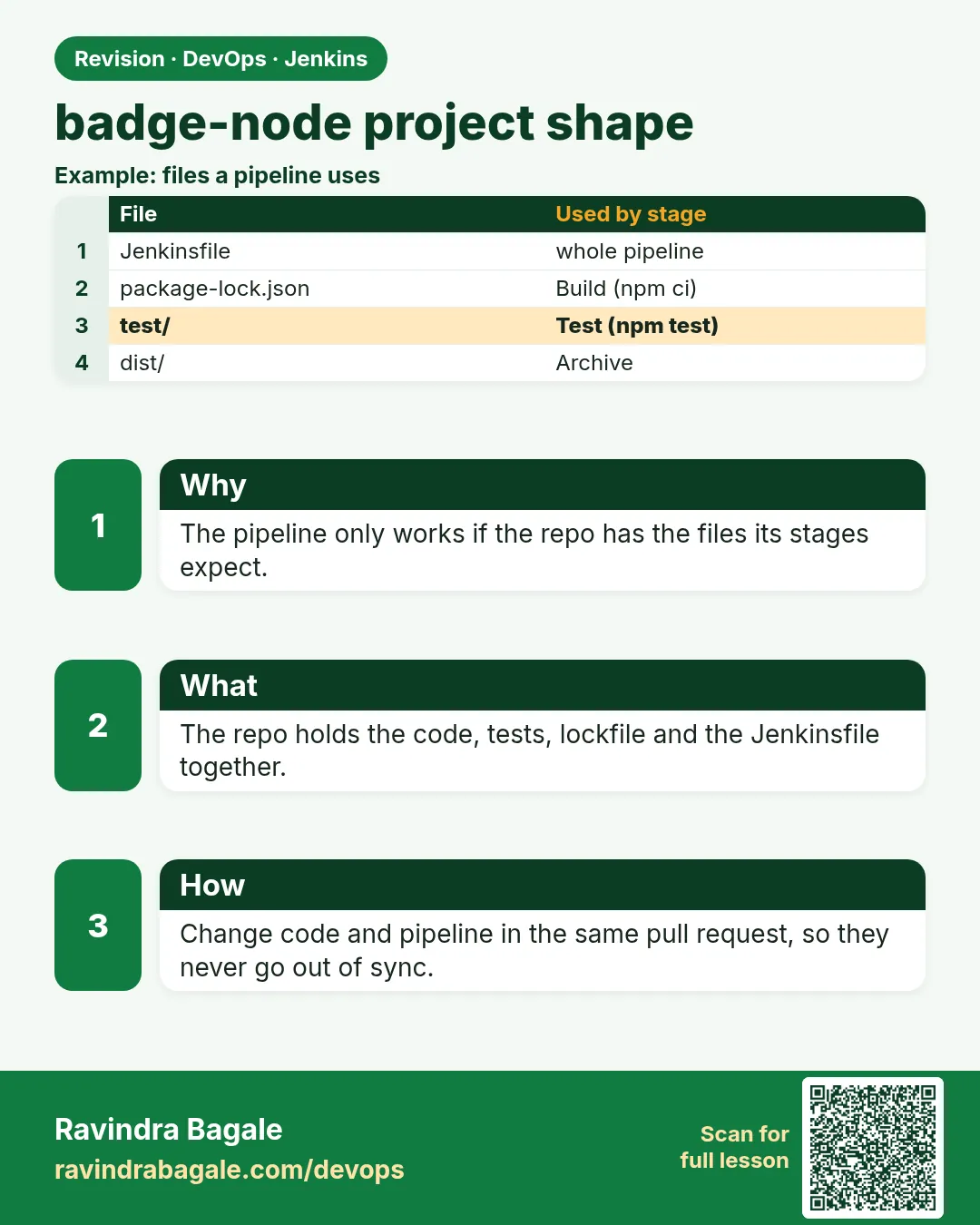
Before you write a big Jenkinsfile, you must know the app. A pipeline only runs commands that already work on a laptop. Think of a Swiggy developer. If npm test fails on her laptop, Jenkins will fail too. Jenkins is not magic. It is a clean machine that runs your commands in order. So first we fix the shape of the badge Node app. It must install with npm ci, build into a dist folder, and test with npm test. Each command must exit with 0 when good and non zero when bad. Jenkins reads only that exit code. In this lesson you will make the project from zero, run every command by hand, and only then hand it to Jenkins.
What we will build
You will create the badge Node app with package.json, a tiny build script and a test. You will run npm ci, npm run build and npm test by hand and check exit codes. Then you will add the Jenkinsfile and see the same output in Jenkins.
What: every term in plain English
- package.json — The Node project file. It lists scripts and packages.
- package-lock.json — Exact versions of every package, so all machines install the same thing.
- npm ci — Clean install from the lock file. Fails if the lock file and package.json do not match.
- npm run build — Runs the build script from package.json.
- npm test — Runs the test script.
- Exit code — A number a command returns. 0 means good. Anything else means failed.
- dist — The output folder made by the build.
- Workspace — The folder on the agent where Jenkins clones and builds.
How: step by step
-
Create the project
mkdir badge-node && cd badge-node
npm init -y
What it does: Makes a blank package.json.
Output
Wrote to /home/asha/badge-node/package.json -
Add a test tool
npm install --save-dev jest@29What it does: Adds Jest and writes package-lock.json.
Output
added 270 packages in 12s -
Run the build by hand
npm run build; echo "exit=$?"What it does: Checks the build and its exit code.
Output
build done: dist/index.html exit=0 -
Run the tests by hand
npm test; echo "exit=$?"What it does: Checks the tests and their exit code.
Output
Tests: 2 passed, 2 total exit=0 -
Clean install check
rm -rf node_modules && npm ciWhat it does: Proves a fresh machine can install.
Output
added 270 packages in 8s -
Commit
git init && git add . && git commit -m "badge app"What it does: The app is ready for Jenkins.
Output
[main (root-commit) 1f7e8a0] badge app
Example 1: The app files
Stack. Node.js 20, npm
Goal. The app files.
package.json
{
  "name": "badge-node",
  "version": "1.0.0",
  "scripts": {
    "build": "node build.js",
    "test": "jest --ci"
  },
  "devDependencies": {
    "jest": "^29.7.0"
  }
}
build.js
const fs = require('fs');
const { badge } = require('./src/badge');
fs.mkdirSync('dist', { recursive: true });
fs.writeFileSync('dist/index.html', badge('build', 'passing'));
console.log('build done: dist/index.html');
src/badge.js
function badge(label, status) {
  if (!label) throw new Error('label required');
  return 'svg-badge ' + label + ': ' + status;
}
module.exports = { badge };
What each line does
scripts.build— npm run build runs node build.js.scripts.test— npm test runs jest in CI mode.fs.mkdirSync dist— Makes the output folder.badge()— The tiny function we test.throw new Error— Bad input fails loudly.
Green output
$ npm run build
> badge-node@1.0.0 build
> node build.js
build done: dist/index.html
Expected result. The build works on the laptop and writes dist/index.html.
Example 2: The test and a failing test on purpose
Stack. Jest 29
Goal. The test and a failing test on purpose.
test/badge.test.js
const { badge } = require('../src/badge');
test('makes a badge', () => {
  expect(badge('build', 'passing')).toBe('svg-badge build: passing');
});
test('needs a label', () => {
  expect(() => badge('', 'x')).toThrow('label required');
});
break it
sed -i 's/passing/failing/' test/badge.test.js
npm test; echo "exit=$?"
What each line does
test()— One test case with a name.expect().toBe()— Checks the exact value.toThrow— Checks that bad input throws an error.sed -i— Changes the test to fail on purpose.echo exit— Shows the exit code Jenkins will see.
Green output
FAIL test/badge.test.js
  x makes a badge
    Expected: "svg-badge build: failing"
    Received: "svg-badge build: passing"
Tests: 1 failed, 1 passed, 2 total
exit=1
Expected result. Exit code 1 is what makes a Jenkins stage red. Undo with git checkout test/.
Example 3: The same commands in Jenkins
Stack. Jenkins Pipeline, Node.js 20
Goal. The same commands in Jenkins.
Jenkinsfile
pipeline {
  agent any
  stages {
    stage('Install') { steps { sh 'node --version && npm ci' } }
    stage('Build')   { steps { sh 'npm run build && ls -l dist' } }
    stage('Test')    { steps { sh 'npm test' } }
  }
}
What each line does
node --version— Proves Node exists on the agent first.npm ci— Same clean install as the laptop.ls -l dist— Shows the build output in the log.npm test— Exit 0 green, exit 1 red.
Green output
[Pipeline] stage (Install)
+ node --version
v20.15.1
+ npm ci
added 270 packages in 9s
[Pipeline] stage (Build)
build done: dist/index.html
-rw-r--r-- 1 jenkins jenkins 31 Oct 25 10:12 index.html
[Pipeline] stage (Test)
Tests: 2 passed, 2 total
Finished: SUCCESS
Expected result. Jenkins output matches the laptop output. That is the goal.
Example 4: Pin the Node version so laptop and Jenkins match
Stack. Node.js, nvm, Jenkins
Goal. Pin the Node version so laptop and Jenkins match.
.nvmrc
20.15.1
package.json (part)
{
  "engines": { "node": "20.x" }
}
Jenkinsfile stage
stage('Check Node') {
  steps {
    sh 'echo "wanted $(cat .nvmrc) got $(node --version)"'
    sh 'node -e "process.exit(process.version.startsWith(\'v20\') ? 0 : 1)"'
  }
}
What each line does
.nvmrc— One line with the Node version. nvm use reads it on the laptop.engines— Tells npm which Node the app needs.process.version.startsWith— Fails the stage when the agent has the wrong major version.Why— Most passes on laptop but fails in Jenkins problems are version gaps.
Green output
+ echo wanted 20.15.1 got v20.15.1
wanted 20.15.1 got v20.15.1
+ node -e ...
Finished: SUCCESS

(on an agent with Node 18)
wanted 20.15.1 got v18.20.4
ERROR: script returned exit code 1
Expected result. The build stops early with a clear reason, not a strange error ten minutes later.
Verify: did it work?
-
Check the workspace
docker exec jenkins ls /var/jenkins_home/workspace/badge-scm/distWhat it does: The build output is on the agent.
Output
index.html -
Check exit code idea
bash -c "exit 3"; echo $?What it does: Any non zero code fails a sh step.
Output
3
When it is red 1
npm ERR! `npm ci` can only install packages when your package.json and package-lock.json are in sync.
Cause. You changed package.json without updating the lock file.
Fix, step by step
- Run npm install on the laptop.
- Commit package-lock.json.
When it is red 2
sh: 1: npm: not found
Cause. Node is not installed on the agent.
Fix, step by step
- Install Node on the agent or use tools (lesson 21.7).
- Or run in a node:20 Docker agent.
When it is red 3
Error: Cannot find module ./src/badge
Cause. A file is missing in Git.
Fix, step by step
- Run git status.
- Add and push the file.
Cleanup
-
Remove build output
rm -rf dist node_modulesWhat it does: Cleans the laptop folder.
Output
(no output) -
Reset test change
git checkout -- test/What it does: Undoes the failing test.
Output
(no output)
Ravindra Bagale's Tip
Aadhi laptop var command chalvun bagha, mag Jenkins madhe. Exit code 0 mhanje green. Lakshat theva!
Practice tasks
Easy Create the app
Why: You need a working app.
What to do: Make badge-node.
- npm init, jest.
Check: npm test passes.
Medium See exit codes
Why: Exit codes drive Jenkins.
What to do: Break and fix a test.
- echo exit.
Check: You see 1 then 0.
Hard Fresh install check
Why: Agents are clean machines.
What to do: Delete node_modules and use npm ci.
- Commit the lock file.
Check: Install works from zero.
Easy Say the badge Node app shape in two lines
Why: If you can say it simply, you understand it. Juniors and interviewers want the short version first.
What to do: Write two short lines about the badge Node app shape for a fresher who knows only Linux basics.
- Write what problem it solves.
- Write the one command or menu you use for it.
- Read it aloud to a friend.
Check: A fresher understands it without asking a question.
Easy Start a fresh lab Jenkins
Why: Practice needs a throwaway Jenkins. If you break it, you delete it and start again.
What to do: Run Jenkins LTS in Docker with a named volume.
- docker volume create jenkins_home
- docker run -d --name jenkins -p 8080:8080 -v jenkins_home:/var/jenkins_home jenkins/jenkins:lts-jdk17
- docker exec jenkins cat /var/jenkins_home/secrets/initialAdminPassword
Check: The Jenkins unlock page opens on localhost:8080.
Medium Break it on purpose
Why: You must know the red message by face. During an outage there is no time to read slowly.
What to do: Cause one error from the "When it is red" part of this lesson and fix it.
- Follow the error section.
- Copy the exact message into your notes.
- Write the fix in one line.
Check: You fixed it using only the steps, without searching the web.
Medium Write a one-page runbook
Why: At 2 a.m. nobody remembers where a file lives. A short page saves the on-call person.
What to do: Write a runbook page for this lesson.
- Title, when to use, exact command, how to check, how to undo.
Check: A teammate can follow it alone.
Medium Repeat it on a cloud VM
Why: A laptop is not a server. Real Jenkins runs on EC2 or a company VM.
What to do: Do the main steps of this lesson again on a small Ubuntu 22.04 EC2 instance.
- Launch t3.small with 20 GB disk.
- Open port 22 only to your IP.
- Repeat the steps and compare the output.
Check: Same green output on the VM as on your laptop.
Hard Explain it like an interview
Why: Interviewers want real stories, not definitions.
What to do: Record a 60 second answer about this lesson.
- Say the problem, the command you ran, and one error you hit.
Check: Your answer has a real command and a real error message.
Hard Draw the flow top to bottom
Why: A drawing shows who talks to whom and in what order.
What to do: Draw this lesson as boxes from top to bottom.
- Start at the developer push, go through the controller and agent, end at the result.
Check: Each box matches a real thing you saw on screen.
Homework: try at home
Try at home
At home, create the badge app, run each command by hand with echo exit, then run it in Jenkins and compare the logs.
Recap
- A pipeline runs commands that already work.
- Use npm ci, npm run build and npm test.
- Exit code 0 means green.
- Commit package-lock.json.
- Print tool versions first in Jenkins.
FAQ
Why npm ci and not npm install?
npm ci is clean, fast and fails on lock mismatch, which is safer in CI.
Do I commit node_modules?
No. Agents install it with npm ci.
Do I commit dist?
No. Jenkins builds it and archives it.
Can I use yarn or pnpm?
Yes. Use their frozen lock install command.
Why does it pass locally but fail in Jenkins?
Different Node version, missing file in Git or missing env variable.
Interview questions
-
Why must CI commands work locally first?
The pipeline only automates commands. If they fail locally they fail in Jenkins.
-
How does Jenkins know a step failed?
From the exit code of the shell command.
-
npm ci vs npm install?
npm ci installs exactly from the lock file and removes node_modules first.
-
A build passes locally and fails in Jenkins. What do you check?
Tool versions, uncommitted files, environment variables and agent OS.
-
Why print node --version in CI?
To prove which tool version ran, for faster debugging.
Quick quiz
Q1. Which command installs from the lock file?
npm ci.
Q2. What exit code means success?
0.
Q3. Why run commands on the laptop first?
Jenkins only runs commands that already work.
Q4. What makes a stage red?
A non zero exit code.
Q5. Where does Jenkins build?
In the workspace on the agent.
Samajla ka?
 Revision card
 Interview card