Chapter 21: Jenkins Pipeline and Jenkinsfile
21.16 Triggers written in the Jenkinsfile
Why: the problem
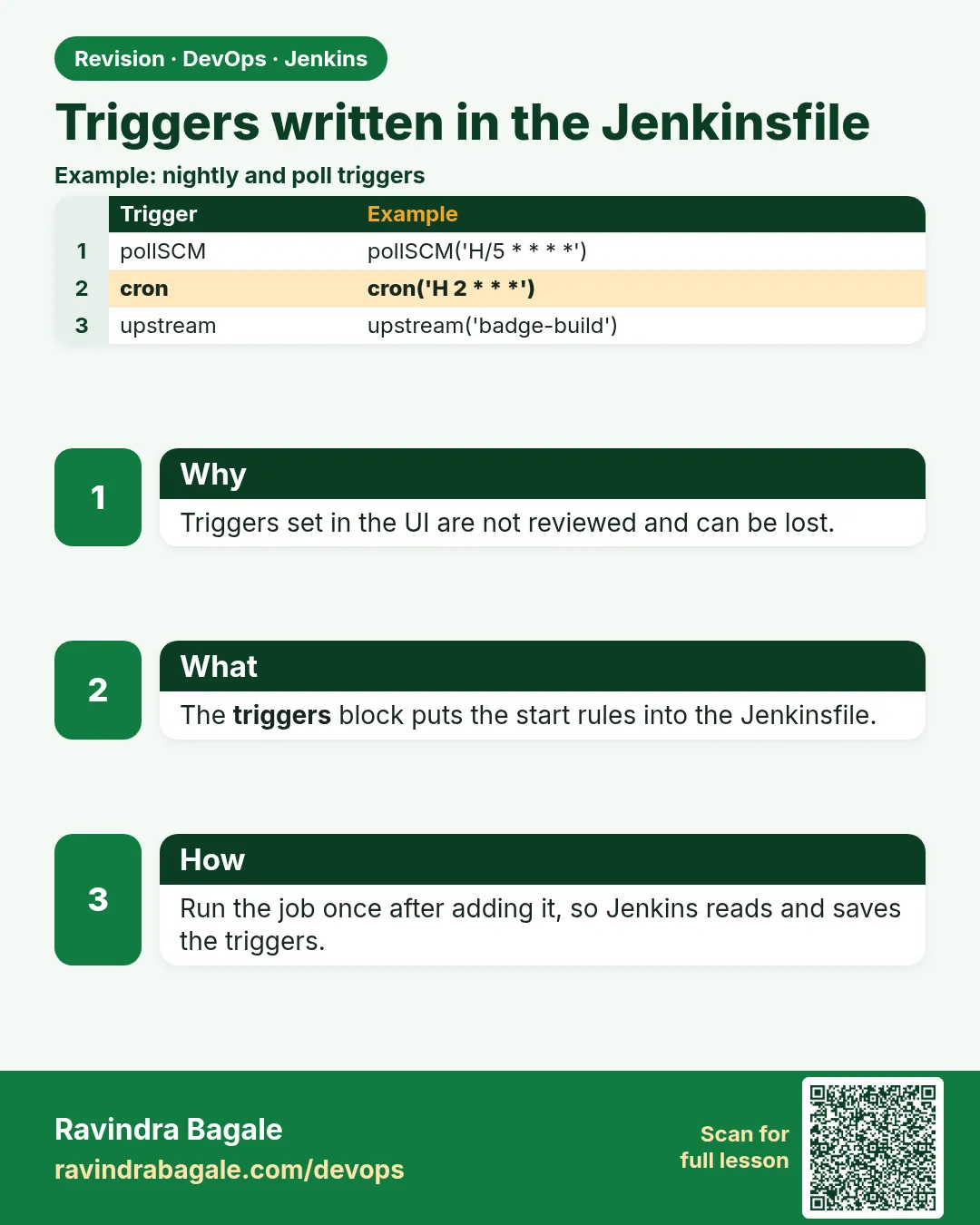
A pipeline must start by itself at the right time. Think of Swiggy. Every push to main should build in seconds. Every night at 2 a.m. a full test should run. When the shared library job finishes, the app job should build again. Clicking Build Now for all this is not possible. Triggers in the Jenkinsfile handle it. There are three main kinds. cron runs on a schedule. pollSCM checks Git on a schedule and builds only if there is a new commit. upstream starts this job when another job finishes. A webhook from GitLab or Bitbucket is the fastest way and is set on the Git side. In this lesson you add each trigger, see the cause on the build page, and learn why webhooks beat polling.
What we will build
You will add a nightly cron, a pollSCM check, and an upstream trigger to the badge pipeline. You will see Started by timer, Started by an SCM change and Started by upstream project in the logs. You will then add a webhook and remove polling.
What: every term in plain English
- triggers — Declarative block for automatic starts.
- cron — Time schedule in five fields: minute hour day month weekday.
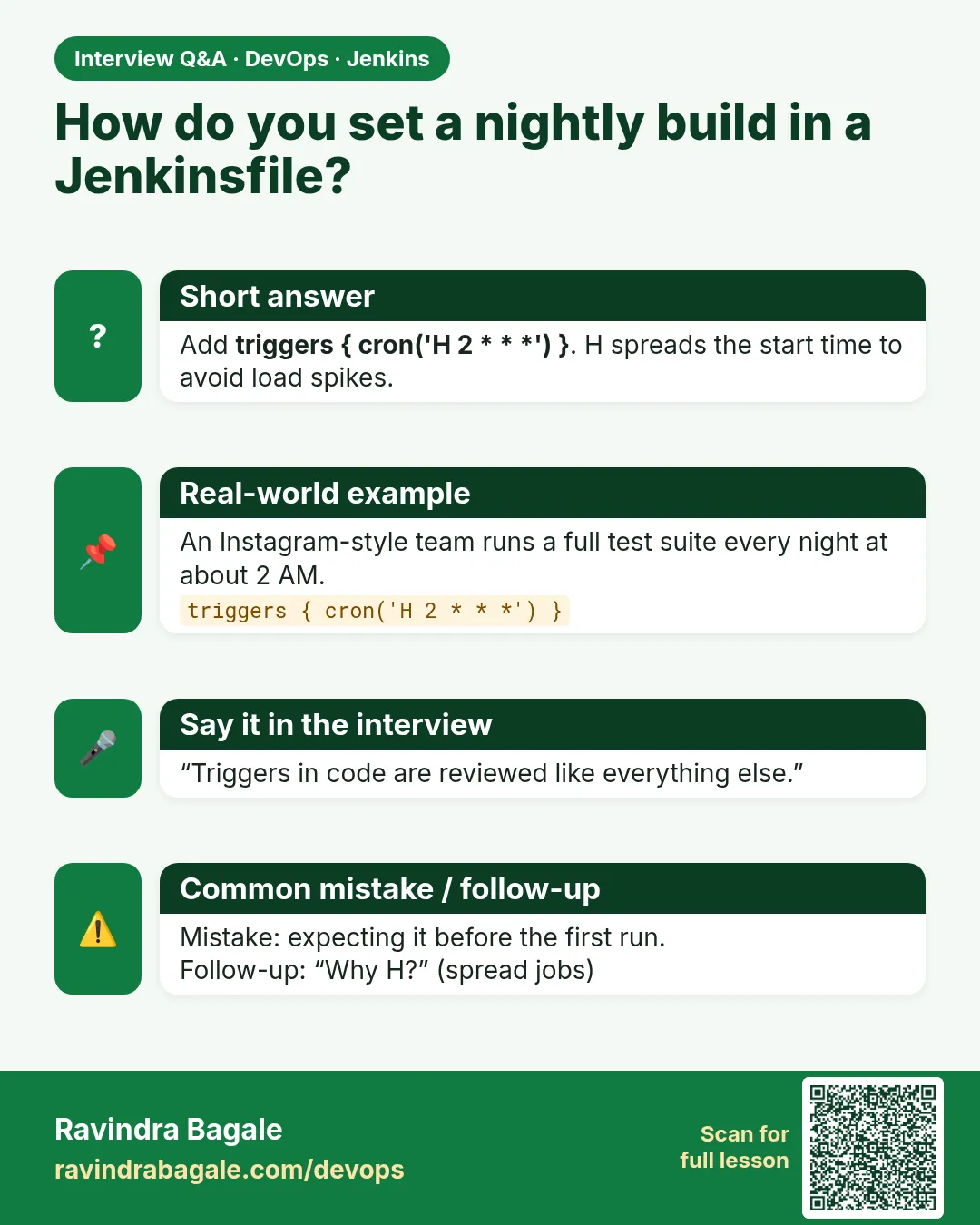
- H — Jenkins hash symbol that spreads start times.
- pollSCM — Checks Git on a schedule, builds only on new commits.
- upstream — Starts this job when another job finishes.
- Webhook — The Git server calls Jenkins on push.
- Build cause — The reason a build started, shown at the top of the log.
- TZ — Time zone setting for cron, like TZ=Asia/Kolkata.
How: step by step
-
Add cron
triggers { cron("TZ=Asia/Kolkata\nH 2 * * 1-5") }What it does: Nightly on weekdays, India time.
Output
(file saved) -
Run once
Build NowWhat it does: Jenkins registers triggers on first run.
Output
Finished: SUCCESS -
Check the job config
Job > View Configuration > Build TriggersWhat it does: Shows the trigger from the file.
Output
Build periodically: H 2 * * 1-5 -
Add pollSCM
triggers { pollSCM("H/5 * * * *") }What it does: Check Git every 5 minutes.
Output
Polling Log: No changes -
Add upstream
triggers { upstream(upstreamProjects: 'badge-lib', threshold: hudson.model.Result.SUCCESS) }What it does: Build after badge-lib passes.
Output
Started by upstream project badge-lib -
Add webhook
GitLab > Settings > Webhooks > https://jenkins.example.com/project/badge-scmWhat it does: Builds start in seconds.
Output
Hook executed successfully: HTTP 200
Example 1: Nightly cron in India time
Stack. Jenkins cron trigger
Goal. Nightly cron in India time.
Jenkinsfile
pipeline {
  agent any
  triggers {
    cron('TZ=Asia/Kolkata\nH 2 * * 1-5')
  }
  stages {
    stage('Nightly') {
      steps {
        echo "Cause: ${currentBuild.getBuildCauses()[0].shortDescription}"
        sh 'npm ci && npm test'
      }
    }
  }
}
What each line does
TZ=Asia/Kolkata— Times are India time, not server UTC.H 2 * * 1-5— Some minute in hour 2, Monday to Friday.getBuildCauses()— Tells why the build started.First run— Needed so Jenkins reads the trigger.
Green output
Started by timer
Cause: Started by timer
Tests: 2 passed, 2 total
Finished: SUCCESS
Expected result. The build ran at night by itself.
Example 2: pollSCM and upstream
Stack. Jenkins triggers
Goal. pollSCM and upstream.
Jenkinsfile
pipeline {
  agent any
  triggers {
    pollSCM('H/5 * * * *')
    upstream(upstreamProjects: 'badge-lib', threshold: hudson.model.Result.SUCCESS)
  }
  stages {
    stage('Build') { steps { sh 'npm ci && npm run build' } }
  }
}
What each line does
pollSCM('H/5 * * * *')— Every 5 minutes, check for new commits.upstreamProjects— Comma list of jobs to watch.threshold SUCCESS— Only when the upstream job passed.Polling Log— Job page link that shows each check.
Green output
Polling Log
Started on Oct 25, 2026, 11:45:00 AM
Using strategy: Default
 > git ls-remote -h https://git.example.com/team/badge-node.git
Changes found
...
Started by an SCM change
Finished: SUCCESS

Started by upstream project "badge-lib" build number 7
Finished: SUCCESS
Expected result. Two different causes, both automatic.
Example 3: Webhook instead of polling
Stack. GitLab plugin webhook
Goal. Webhook instead of polling.
Jenkinsfile
pipeline {
  agent any
  triggers {
    gitlab(triggerOnPush: true, triggerOnMergeRequest: true, branchFilterType: 'All')
  }
  stages {
    stage('Build') { steps { echo "Pushed by ${env.gitlabUserName} on ${env.gitlabBranch}" } }
  }
}
test the hook
curl -s -o /dev/null -w "%{http_code}" -X POST \
  -H "X-Gitlab-Token: $HOOK_SECRET" \
  -H "Content-Type: application/json" \
  -d @push-sample.json https://jenkins.example.com/project/badge-scm
What each line does
gitlab(...)— GitLab plugin trigger; it listens for the webhook.triggerOnPush— Build on push.X-Gitlab-Token— The shared secret, stored as a credential, never in Git.No pollSCM— The webhook replaces polling. Keep a slow poll only as backup.
Green output
200
Started by GitLab push by Asha Patil
Pushed by Asha Patil on main
Finished: SUCCESS
Expected result. Build started within seconds of push. No polling load on Git.
Example 4: Trigger another job from a step and pass parameters
Stack. Jenkins build step
Goal. Trigger another job from a step and pass parameters.
Jenkinsfile (parent)
pipeline {
  agent any
  stages {
    stage('Build') { steps { sh 'npm ci && npm run build' } }
    stage('Start smoke test') {
      steps {
        build job: 'badge-smoke',
              wait: true,
              propagate: true,
              parameters: [string(name: 'COMMIT', value: env.GIT_COMMIT ?: 'none'),
                           booleanParam(name: 'FULL', value: false)]
      }
    }
  }
}
Jenkinsfile (badge-smoke)
pipeline {
  agent any
  parameters {
    string(name: 'COMMIT', defaultValue: 'none')
    booleanParam(name: 'FULL', defaultValue: false)
  }
  stages { stage('Smoke') { steps { echo "Smoke test for ${params.COMMIT}, full=${params.FULL}" } } }
}
What each line does
build job:— Starts another job from a step.wait: true— The parent waits for the child to finish.propagate: true— If the child fails, the parent fails too.parameters— Values passed into the child job form.
Green output
[Pipeline] build (Building badge-smoke)
Scheduling project: badge-smoke
Starting building: badge-smoke #3
Build badge-smoke #3 completed: SUCCESS
...
(in badge-smoke #3)
Started by upstream project "badge-scm" build number 22
Smoke test for 4b2d9e1a7f3c0e55a8b21d9f0c6e7a4b1d2c3e4f, full=false
Expected result. The parent pushes work to a child with exact inputs. upstream triggers pull; build job pushes.
Verify: did it work?
-
See the cause
Top of Console OutputWhat it does: Shows why it started.
Output
Started by timer / SCM change / upstream / GitLab push -
Check hook deliveries
GitLab > Webhooks > Edit > Recent eventsWhat it does: Shows each call and status.
Output
200 OK
When it is red 1
Cron trigger did not run
Cause. The job never ran once after adding triggers.
Fix, step by step
- Run Build Now once.
When it is red 2
Builds at wrong hour
Cause. Server time is UTC.
Fix, step by step
- Add TZ=Asia/Kolkata as the first line.
When it is red 3
Hook executed: HTTP 403
Cause. Wrong secret token or CSRF settings.
Fix, step by step
- Match the secret.
- Use the plugin project URL.
When it is red 4
Polling every minute is slow
Cause. Too many polls load the Git server.
Fix, step by step
- Use a webhook and H/15 backup polling.
Cleanup
-
Remove the cron
Delete triggers and run onceWhat it does: Stops nightly builds in the lab.
Output
(saved) -
Delete the webhook
GitLab > Webhooks > DeleteWhat it does: Stops push builds.
Output
Webhook deleted
Ravindra Bagale's Tip
Webhook sarvat vegvan. Cron madhe TZ=Asia/Kolkata lihaa. Pahila build haathane chalva. Lakshat theva!
Practice tasks
Easy Nightly cron
Why: Regular checks.
What to do: Add cron with TZ.
- Run once.
Check: Started by timer.
Medium Upstream
Why: Chain jobs.
What to do: Trigger on badge-lib.
- threshold.
Check: Started by upstream.
Hard Webhook
Why: Fast builds.
What to do: GitLab hook.
- Secret.
Check: Started by GitLab push.
Easy Say triggers in the Jenkinsfile in two lines
Why: If you can say it simply, you understand it. Juniors and interviewers want the short version first.
What to do: Write two short lines about triggers in the Jenkinsfile for a fresher who knows only Linux basics.
- Write what problem it solves.
- Write the one command or menu you use for it.
- Read it aloud to a friend.
Check: A fresher understands it without asking a question.
Easy Start a fresh lab Jenkins
Why: Practice needs a throwaway Jenkins. If you break it, you delete it and start again.
What to do: Run Jenkins LTS in Docker with a named volume.
- docker volume create jenkins_home
- docker run -d --name jenkins -p 8080:8080 -v jenkins_home:/var/jenkins_home jenkins/jenkins:lts-jdk17
- docker exec jenkins cat /var/jenkins_home/secrets/initialAdminPassword
Check: The Jenkins unlock page opens on localhost:8080.
Medium Break it on purpose
Why: You must know the red message by face. During an outage there is no time to read slowly.
What to do: Cause one error from the "When it is red" part of this lesson and fix it.
- Follow the error section.
- Copy the exact message into your notes.
- Write the fix in one line.
Check: You fixed it using only the steps, without searching the web.
Medium Write a one-page runbook
Why: At 2 a.m. nobody remembers where a file lives. A short page saves the on-call person.
What to do: Write a runbook page for this lesson.
- Title, when to use, exact command, how to check, how to undo.
Check: A teammate can follow it alone.
Medium Repeat it on a cloud VM
Why: A laptop is not a server. Real Jenkins runs on EC2 or a company VM.
What to do: Do the main steps of this lesson again on a small Ubuntu 22.04 EC2 instance.
- Launch t3.small with 20 GB disk.
- Open port 22 only to your IP.
- Repeat the steps and compare the output.
Check: Same green output on the VM as on your laptop.
Hard Explain it like an interview
Why: Interviewers want real stories, not definitions.
What to do: Record a 60 second answer about this lesson.
- Say the problem, the command you ran, and one error you hit.
Check: Your answer has a real command and a real error message.
Hard Draw the flow top to bottom
Why: A drawing shows who talks to whom and in what order.
What to do: Draw this lesson as boxes from top to bottom.
- Start at the developer push, go through the controller and agent, end at the result.
Check: Each box matches a real thing you saw on screen.
Homework: try at home
Try at home
At home, add a nightly cron with TZ, an upstream trigger, and a webhook. Screenshot the three build causes.
Recap
- triggers block starts builds automatically.
- cron for schedules, with TZ.
- pollSCM checks for commits.
- upstream chains jobs.
- Webhooks are fastest; keep slow polling as backup.
FAQ
Do triggers work in Multibranch?
Use webhooks and scan triggers there; cron also works per branch.
Can I trigger another job?
Yes, with build job: name in a step.
What does @midnight mean?
A cron alias for some time between 0:00 and 2:59.
Can a webhook carry secrets?
Use a secret token stored in Jenkins credentials.
Why did a cron build run twice?
Two jobs or two branches have the same trigger.
upstream trigger or build step?
Use build job when the parent must pass values or wait for the result. Use upstream when the child simply follows.
Interview questions
-
How do you schedule a Jenkins pipeline?
triggers with cron, using H and TZ, then run once to register.
-
pollSCM vs webhook?
pollSCM asks Git every few minutes; a webhook pushes an event at once. Webhooks are faster and lighter.
-
How do you chain jobs?
upstream trigger or a build step in the parent job.
-
Builds run at the wrong time. Why?
Server timezone; add TZ in the cron.
-
How do you see why a build started?
The build cause at the top of the console.
Quick quiz
Q1. Which trigger runs on a schedule?
cron.
Q2. Which trigger builds only on new commits?
pollSCM.
Q3. Why use H?
To spread start times.
Q4. Fastest way to start on push?
Webhook.
Q5. Why run once after adding triggers?
Jenkins reads the trigger on first run.
Lab
- Commit the section 21.5 Jenkinsfile to your badge-node repo.
- Create Pipeline job
badge-node-pipelinewith Pipeline script from SCM. - Build Now. Confirm green stages and archived dist/**.
- Break a test, push, confirm red Test and no new lab-live copy.
- Fix the test. Confirm green again.
Practice task
Draw the flow Developer → Git → Controller → Agent → Build → Test → Artifact → Lab Live. Under each box write the Jenkinsfile line that owns it.
Thodkyaat sangaycha tar
- Declarative Jenkinsfile in Git replaces Freestyle UI boxes for the same npm commands.
- Pipeline script from SCM + Script Path Jenkinsfile.
- Stages: Checkout, Build (npm ci + build), Test, lab Live folder copy.
- Credentials by id only. options for timeout and concurrency.
- pollSCM is the honest laptop trigger until Jenkins is reachable.
Samajla ka?
 Revision card
 Interview card