Chapter 21: Jenkins Pipeline and Jenkinsfile
21.5 Full Declarative Jenkinsfile for badge Node
Why: the problem
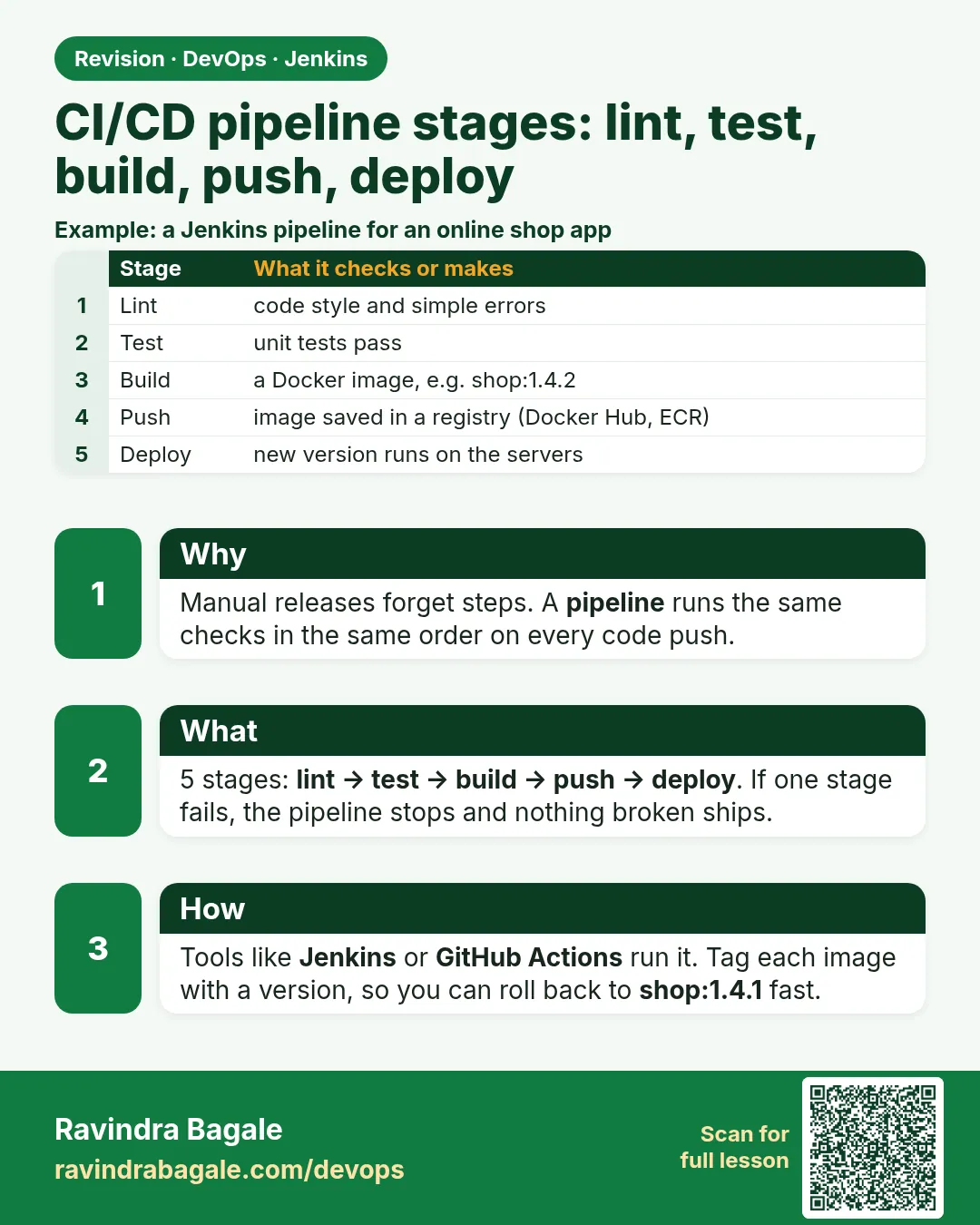
Now we write the full Jenkinsfile for the badge Node app. Think of Myntra before a big sale. Every change to the shop app must pass the same checks, in the same order, every time. Checkout the code. Install. Build. Test. Copy the result to a place where people can try it. Keep the build output safe. Tell the team if it broke. If a human does this by hand, one step gets skipped on a busy day. A full Jenkinsfile never skips. It also stops at the first red stage, so a broken build never reaches the live folder. In this lesson you will build the file in three rounds. First the simple stages. Then options and environment. Then post actions, archive and test reports. Each round runs green before the next.
What we will build
You will write the complete badge Node Jenkinsfile with Checkout, Install, Build, Test and Lab Live stages. You will add timestamps, a timeout, an environment block, JUnit test reports, archived artifacts and post messages. You will run it green, break a test, and see the Live stage skipped.
What: every term in plain English
- checkout scm — Clones the exact commit this build is for.
- options — Settings for the whole pipeline, like timeout and timestamps.
- environment — Variables for every stage.
- archiveArtifacts — Saves files on the build page for download.
- junit — Reads test result XML and shows a test trend chart.
- post — Actions after the stages: always, success, failure, unstable, cleanup.
- Lab Live — A folder on the agent that acts as our practice live server.
- Skipped stage — A stage that did not run because an earlier one failed.
How: step by step
-
Add a JUnit reporter
npm install --save-dev jest-junitWhat it does: Lets Jest write test results as XML.
Output
added 6 packages in 2s -
Tell Jest to write XML
npm pkg set scripts.test="jest --ci --reporters=default --reporters=jest-junit"What it does: Writes junit.xml on every test run.
Output
(no output) -
Write the Jenkinsfile
nano JenkinsfileWhat it does: Full file from example 2 below.
Output
(file saved) -
Push
git add . && git commit -m "ci: full pipeline" && git pushWhat it does: Jenkins sees the new file.
Output
[main 7d3e2a1] ci: full pipeline -
Run
Build NowWhat it does: All five stages run.
Output
Finished: SUCCESS -
Open the reports
Build page > Test Result and Build ArtifactsWhat it does: Shows 2 tests passed and dist/index.html.
Output
Test Result (no failures) dist/index.html 31 B -
Break and watch
Change one expect, push, buildWhat it does: Test is red, Live is skipped.
Output
Stage "Live" skipped due to earlier failure(s)
Example 1: Round 1: the five stages
Stack. Jenkins Declarative, Node.js 20
Goal. Round 1: the five stages.
Jenkinsfile
pipeline {
  agent any
  stages {
    stage('Checkout') { steps { checkout scm } }
    stage('Install')  { steps { sh 'npm ci' } }
    stage('Build')    { steps { sh 'npm run build' } }
    stage('Test')     { steps { sh 'npm test' } }
    stage('Live') {
      steps {
        sh 'mkdir -p "$HOME/lab-live/badge-node"'
        sh 'cp -r dist/* "$HOME/lab-live/badge-node/"'
        sh 'ls -l "$HOME/lab-live/badge-node"'
      }
    }
  }
}
What each line does
checkout scm— Clones the commit. Declarative does this anyway; writing it makes it visible.mkdir -p— Makes the live folder if missing, no error if it exists."$HOME/..."— Single quotes in Groovy, so the shell expands HOME, not Groovy.cp -r dist/*— Copies the build to the lab live folder.
Green output
[Pipeline] stage (Checkout)
[Pipeline] stage (Install)
added 276 packages in 8s
[Pipeline] stage (Build)
build done: dist/index.html
[Pipeline] stage (Test)
Tests: 2 passed, 2 total
[Pipeline] stage (Live)
+ ls -l /var/jenkins_home/lab-live/badge-node
-rw-r--r-- 1 jenkins jenkins 31 Oct 25 10:30 index.html
Finished: SUCCESS
Expected result. Five green boxes. The live folder has the new file.
Example 2: Round 2 and 3: the full file
Stack. Jenkins, Jest, jest-junit, Workspace Cleanup plugin
Goal. Round 2 and 3: the full file.
Jenkinsfile
pipeline {
  agent any
  options {
    timestamps()
    timeout(time: 15, unit: 'MINUTES')
    buildDiscarder(logRotator(numToKeepStr: '20'))
    disableConcurrentBuilds()
  }
  environment {
    APP = 'badge-node'
    LIVE_DIR = "${env.HOME}/lab-live/badge-node"
    CI = 'true'
  }
  stages {
    stage('Checkout') { steps { checkout scm } }
    stage('Install')  { steps { sh 'node --version && npm ci' } }
    stage('Build')    { steps { sh 'npm run build' } }
    stage('Test') {
      steps { sh 'npm test' }
      post { always { junit 'junit.xml' } }
    }
    stage('Live') {
      steps {
        sh 'mkdir -p "$LIVE_DIR" && cp -r dist/* "$LIVE_DIR/"'
        echo "Lab live updated for ${APP} build ${BUILD_NUMBER}"
      }
    }
  }
  post {
    success { archiveArtifacts artifacts: 'dist/**', fingerprint: true }
    failure { echo "FAILED: ${APP} #${BUILD_NUMBER} see ${BUILD_URL}console" }
    always  { echo "Result: ${currentBuild.currentResult} in ${currentBuild.durationString}" }
    cleanup { cleanWs() }
  }
}
What each line does
timestamps()— Time on every log line.timeout(time: 15, unit: 'MINUTES')— Kills a stuck build after 15 minutes.buildDiscarder— Keeps only the last 20 builds, saves disk.disableConcurrentBuilds()— One build of this job at a time.environment APP, LIVE_DIR, CI— Variables for all stages. CI=true makes tools act non interactive.junit 'junit.xml'— Shows test results, inside a stage post always so it runs even when tests fail.fingerprint: true— Tracks this file across jobs.cleanup { cleanWs() }— Deletes the workspace at the very end. Needs the Workspace Cleanup plugin.
Green output
10:41:02  [Pipeline] stage (Install)
10:41:02  + node --version
10:41:02  v20.15.1
10:41:10  added 276 packages in 8s
10:41:11  [Pipeline] stage (Test)
10:41:14  Tests: 2 passed, 2 total
10:41:14  Recording test results
10:41:15  [Pipeline] stage (Live)
10:41:15  Lab live updated for badge-node build 5
10:41:15  Archiving artifacts
10:41:15  Result: SUCCESS in 14 sec
10:41:16  [WS-CLEANUP] Deleting project workspace...
Finished: SUCCESS
Expected result. A real company shape: time limits, history limits, test reports, artifacts and clean workspace.
Example 3: Break a test and read the red build
Stack. Jenkins Declarative
Goal. Break a test and read the red build.
terminal
sed -i 's/passing/oops/' test/badge.test.js
git commit -am "test: break on purpose"
git push
What each line does
sed -i— Makes one test fail.git commit -am— Commits changed tracked files.Live skipped— Declarative skips later stages after a failure.junit still runs— Because it is in post always of the Test stage.
Green output
[Pipeline] stage (Test)
FAIL test/badge.test.js
  x makes a badge
Tests: 1 failed, 1 passed, 2 total
script returned exit code 1
Recording test results
[Pipeline] stage (Live)
Stage "Live" skipped due to earlier failure(s)
FAILED: badge-node #6 see http://localhost:8080/job/badge-scm/6/console
Result: FAILURE in 9.2 sec
Finished: FAILURE
Expected result. The broken code never reached the live folder. The test chart shows one failure. Revert with git revert HEAD.
Verify: did it work?
-
Check the live folder
docker exec jenkins ls -l /var/jenkins_home/lab-live/badge-nodeWhat it does: Only green builds update it.
Output
index.html -
Test trend
Job page > Test Result TrendWhat it does: A chart of pass and fail over builds.
Output
Chart shows build 6 red
When it is red 1
No test report files were found. Configuration error?
Cause. junit.xml was not written, or the path is wrong.
Fix, step by step
- Check the test script uses jest-junit.
- Run ls in the Test stage.
When it is red 2
No such DSL method 'cleanWs' found among steps
Cause. The Workspace Cleanup plugin is missing.
Fix, step by step
- Install Workspace Cleanup.
- Or use deleteDir().
When it is red 3
Timeout has been exceeded
Cancelling nested steps due to timeout
Cause. A step hung, like npm waiting for input.
Fix, step by step
- Set CI=true.
- Find the slow step with timestamps.
When it is red 4
cp: cannot stat dist/*: No such file or directory
Cause. Build did not create dist.
Fix, step by step
- Check the build script.
- Add ls -l dist after build.
Cleanup
-
Clear the lab live folder
docker exec jenkins rm -rf /var/jenkins_home/lab-live/badge-nodeWhat it does: Removes the practice live copy.
Output
(no output) -
Revert the broken test
git revert --no-edit HEAD && git pushWhat it does: Back to green.
Output
[main 8e1f0b2] Revert "test: break on purpose"
Ravindra Bagale's Tip
Test fail zala tar Live skip hoto, he changla aahe. junit post always madhe theva. Lakshat theva!
Practice tasks
Easy Write round 1
Why: Start simple.
What to do: Five stages only.
- Run green.
Check: Five green boxes.
Medium Add options and reports
Why: Real jobs need limits and reports.
What to do: Add timeout, junit and archive.
- jest-junit.
Check: Test Result page shows.
Hard Fail safely
Why: Live must stay safe.
What to do: Break a test and prove Live is skipped.
- Check the live folder.
Check: Old file still there.
Easy Say the full badge Jenkinsfile in two lines
Why: If you can say it simply, you understand it. Juniors and interviewers want the short version first.
What to do: Write two short lines about the full badge Jenkinsfile for a fresher who knows only Linux basics.
- Write what problem it solves.
- Write the one command or menu you use for it.
- Read it aloud to a friend.
Check: A fresher understands it without asking a question.
Easy Start a fresh lab Jenkins
Why: Practice needs a throwaway Jenkins. If you break it, you delete it and start again.
What to do: Run Jenkins LTS in Docker with a named volume.
- docker volume create jenkins_home
- docker run -d --name jenkins -p 8080:8080 -v jenkins_home:/var/jenkins_home jenkins/jenkins:lts-jdk17
- docker exec jenkins cat /var/jenkins_home/secrets/initialAdminPassword
Check: The Jenkins unlock page opens on localhost:8080.
Medium Break it on purpose
Why: You must know the red message by face. During an outage there is no time to read slowly.
What to do: Cause one error from the "When it is red" part of this lesson and fix it.
- Follow the error section.
- Copy the exact message into your notes.
- Write the fix in one line.
Check: You fixed it using only the steps, without searching the web.
Medium Write a one-page runbook
Why: At 2 a.m. nobody remembers where a file lives. A short page saves the on-call person.
What to do: Write a runbook page for this lesson.
- Title, when to use, exact command, how to check, how to undo.
Check: A teammate can follow it alone.
Medium Repeat it on a cloud VM
Why: A laptop is not a server. Real Jenkins runs on EC2 or a company VM.
What to do: Do the main steps of this lesson again on a small Ubuntu 22.04 EC2 instance.
- Launch t3.small with 20 GB disk.
- Open port 22 only to your IP.
- Repeat the steps and compare the output.
Check: Same green output on the VM as on your laptop.
Hard Explain it like an interview
Why: Interviewers want real stories, not definitions.
What to do: Record a 60 second answer about this lesson.
- Say the problem, the command you ran, and one error you hit.
Check: Your answer has a real command and a real error message.
Hard Draw the flow top to bottom
Why: A drawing shows who talks to whom and in what order.
What to do: Draw this lesson as boxes from top to bottom.
- Start at the developer push, go through the controller and agent, end at the result.
Check: Each box matches a real thing you saw on screen.
Homework: try at home
Try at home
At home, write the full Jenkinsfile, add jest-junit, run it green, then break a test and screenshot the skipped Live stage and the test chart.
Recap
- Build the Jenkinsfile in rounds.
- Use options for timeout, timestamps and history.
- Put junit in post always.
- Archive artifacts only on success.
- A failed stage skips the rest.
FAQ
Why junit in the stage post and not the pipeline post?
It runs right after tests even if they fail, and keeps the report next to the stage.
Do I need checkout scm in Declarative?
No, but writing it is clear. Use skipDefaultCheckout to control it.
Why disableConcurrentBuilds?
Two builds writing to the same live folder can mix files.
What does fingerprint do?
It lets you see which jobs used the same file.
Is the lab live folder a real deploy?
No. Real deploys go to servers with SSH, Docker or Kubernetes in later chapters.
Interview questions
-
Walk me through your Jenkinsfile.
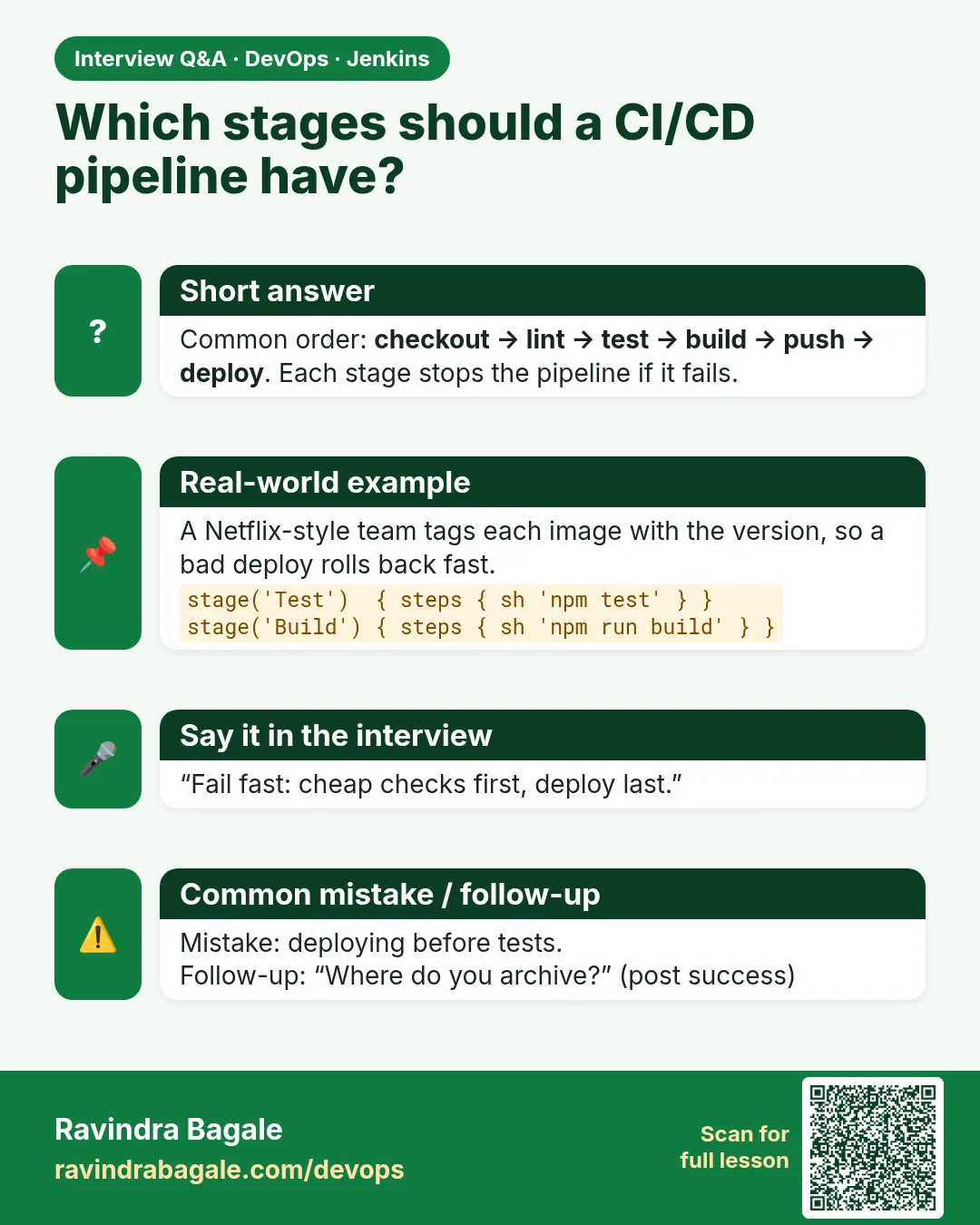
Checkout, install, build, test with junit, deploy step, post actions for archive, notify and cleanup, with timeout and history options.
-
How do you show tests in Jenkins?
Write JUnit XML and call junit in post always.
-
How do you stop a hung build?
timeout in options or around a step.
-
How do you save build output?
archiveArtifacts with fingerprint in post success.
-
What happens after a failed stage?
Later stages are skipped and post failure and always run.
Quick quiz
Q1. Which option stops a stuck build?
timeout.
Q2. Where should junit go?
In post always of the Test stage.
Q3. What happens to Live when Test fails?
It is skipped.
Q4. Which post block runs last?
cleanup.
Q5. What does buildDiscarder do?
Deletes old builds.
Samajla ka?
 Revision card
 Interview card