Chapter 2: Git, GitHub and Git Bash
2.9 git log — read the story
Why: the problem
At 3 a.m. the Zomato order page breaks after a release. The on-call engineer has one question: what changed? git log answers it. It shows every commit, who made it, when and why. With the right flags it shows only the last day, only one file, only one author, or the exact lines. Good engineers read history like a story before they touch anything. In this lesson you will make a small history in hello-shop and then read it many ways: one line per commit, with a graph, by date, by author, by file, with the patch, and by searching for a word. You will also use git blame to find who last changed a line, and git show to open one commit.
What we will build
You will create eight commits from two authors in hello-shop, then answer real incident questions with git log, git show and git blame: what changed today, who changed the price line, and which commit added a word.
What: every term in plain English
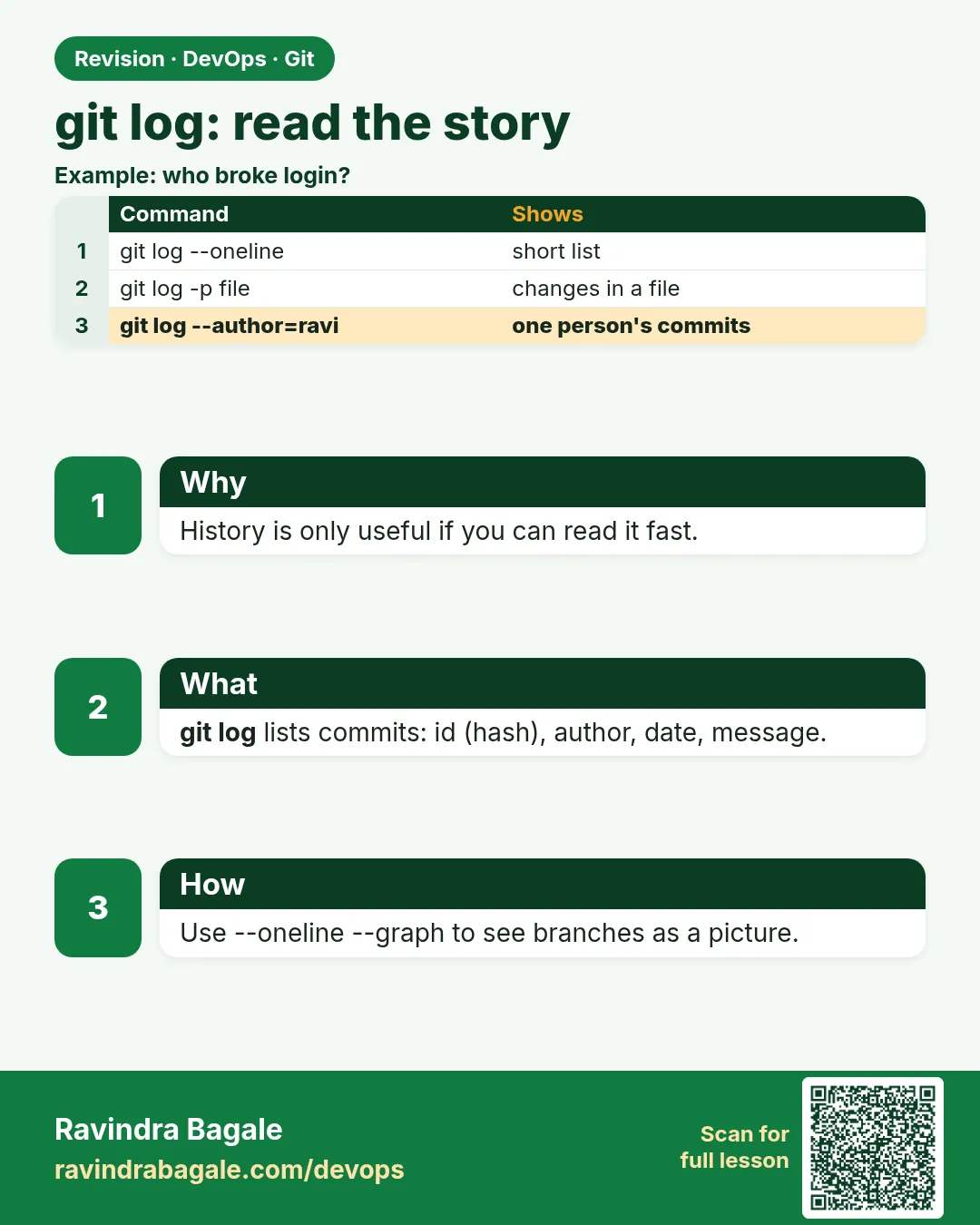
- git log — Shows commits, newest first.
- --oneline — One short line per commit.
- --graph — Draws branch lines in text.
- --since / --until — Filter by date.
- --author — Filter by who made the commit.
- -p — Show the patch: the lines that changed.
- -S WORD — Find commits that added or removed WORD.
- git blame — Shows the last commit and author for each line of a file.
How: step by step
-
Go to the repo
cd ~/devops-lab/hello-shopWhat it does: Use the same repo.
Output
(no output) -
Make a history
bash make-history.shWhat it does: Script from Example 1.
Output
8 commits created -
Short log
git log --oneline -5What it does: Last five commits.
Output
e1f2a3b Set price to 149 d4c5b6a Add discount banner c7d8e9f Fix health route b0a1c2d Add price 129 a3b4c5d Add cart file -
Log with graph
git log --oneline --graph --decorate -5What it does: Shows branches and tags too.
Output
* e1f2a3b (HEAD -> main) Set price to 149 -
Filter by author
git log --author="Asha" --onelineWhat it does: Only Asha's commits.
Output
d4c5b6a Add discount banner b0a1c2d Add price 129 -
Filter by file
git log --oneline -- cart.txtWhat it does: Only commits that touched cart.txt.
Output
e1f2a3b Set price to 149 b0a1c2d Add price 129 a3b4c5d Add cart file -
Who changed this line
git blame cart.txtWhat it does: Commit, author and date per line.
Output
e1f2a3b (Ravi Learner 2026-10-25 11:05:12 +0530 1) price=149
Example 1: Make a realistic history with two authors
Stack. Bash, Git
Goal. Make a realistic history with two authors.
make-history.sh
#!/usr/bin/env bash
set -euo pipefail
cd ~/devops-lab/hello-shop
c(){ git -c user.name="$1" -c user.email="$2@example.com" commit -qam "$3" || true; }
echo "price=99"  > cart.txt; git add cart.txt; c "Ravi Learner" ravi "Add cart file"
echo "price=129" > cart.txt; c "Asha Patil" asha "Add price 129"
echo "fix" >> app.py;        c "Ravi Learner" ravi "Fix health route"
echo "banner=10% off" >> cart.txt; c "Asha Patil" asha "Add discount banner"
sed -i 's/price=129/price=149/' cart.txt; c "Ravi Learner" ravi "Set price to 149"
echo "8 commits created"
What each line does
c(){ ... }— A tiny function to commit as a given author.git -c user.name=...— Set the author for one command only.commit -qam— Stage tracked changes and commit quietly.|| true— Do not stop if nothing changed.
Green output
8 commits created
Expected result. Now there is a story worth reading.
Example 2: Answer incident questions in seconds
Stack. Git
Goal. Answer incident questions in seconds.
incident.sh
git log --since="6 hours ago" --oneline
git log -1 -p -- cart.txt
git log -S "10% off" --oneline
git show --stat HEAD~1
git log --format="%h %an %ar %s" -3
What each line does
--since="6 hours ago"— What changed today.-1 -p -- cart.txt— The last change to cart.txt with lines.-S "10% off"— Which commit added the banner text.git show --stat— Files touched by one commit.--format— Custom one-line view: hash, author, how long ago, message.
Green output
e1f2a3b Set price to 149
d4c5b6a Add discount banner
-price=129
+price=149
d4c5b6a Add discount banner
 cart.txt | 1 +
e1f2a3b Ravi Learner 5 minutes ago Set price to 149
d4c5b6a Asha Patil 6 minutes ago Add discount banner
c7d8e9f Ravi Learner 7 minutes ago Fix health route
Expected result. You know what changed, who did it and when, without asking anyone at 3 a.m.
Example 3: Make a log alias for daily use and a release note
Stack. Git
Goal. Make a log alias for daily use and a release note.
alias.sh
git config --global alias.lg "log --oneline --graph --decorate --all -20"
git lg
git tag v1.0 HEAD~2
git log --oneline v1.0..HEAD
git shortlog -sn
What each line does
alias.lg— Short name for a long command.git tag v1.0 HEAD~2— Mark an older commit as a release.v1.0..HEAD— Commits after the release: your release notes.git shortlog -sn— Commit count per author.
Green output
* e1f2a3b (HEAD -> main) Set price to 149
* d4c5b6a Add discount banner
* c7d8e9f (tag: v1.0) Fix health route
e1f2a3b Set price to 149
d4c5b6a Add discount banner
     5  Ravi Learner
     3  Asha Patil
Expected result. Release notes in one command. Many teams paste this into the release page.
Example 4: Find the commit that broke the app with git bisect
Stack. Git
Goal. Find the commit that broke the app with git bisect.
bisect.sh
cd ~/devops-lab/hello-shop
git bisect start
git bisect bad HEAD
git bisect good HEAD~5
# Git checks out a middle commit. Test it:
grep -q "price=149" cart.txt && git bisect bad || git bisect good
# repeat until Git prints the first bad commit
git bisect run sh -c '! grep -q "price=149" cart.txt'
git bisect reset
What each line does
git bisect start— Begin a binary search over history.bisect bad HEAD— The newest commit is broken.bisect good HEAD~5— Five commits ago it worked.git bisect run CMD— Git runs the test on each step for you. Exit 0 means good.git bisect reset— Go back to where you started.
Green output
Bisecting: 2 revisions left to test after this (roughly 1 step)
[c7d8e9f] Fix health route
e1f2a3b is the first bad commit
commit e1f2a3b
Author: Ravi Learner
    Set price to 149
Previous HEAD position was c7d8e9f Fix health route
Expected result. In a history of 1,000 commits, bisect finds the bad one in about 10 tests.
Verify: did it work?
-
Count commits
git rev-list --count HEADWhat it does: Matches your history.
Output
8 -
Blame works
git blame -L1,1 cart.txtWhat it does: First line has an author.
Output
e1f2a3b (Ravi Learner ... 1) price=149 -
Search works
git log -S banner --oneline | wc -lWhat it does: At least 1.
Output
1
When it is red 1
fatal: your current branch 'main' does not have any commits yet
Cause. Empty repo.
Fix, step by step
- Make a first commit, then run git log.
When it is red 2
fatal: ambiguous argument 'cart.txt': unknown revision or path not in the working tree.
Cause. Git thinks the file name is a branch name.
Fix, step by step
- Put -- before file names: git log -- cart.txt
When it is red 3
(END) and the terminal seems stuck
Cause. git log opened a pager.
Fix, step by step
- Press q to quit.
- Use --no-pager or -n 10 for short output.
Cleanup
-
Remove the tag
git tag -d v1.0What it does: Local tag only.
Output
Deleted tag 'v1.0'
Ravindra Bagale's Tip
Outage madhe aadhi git log bagha: kay badalla? Mag ch hatt lava.
Practice tasks
Easy Read five ways
Why: Practice the flags.
What to do: Run log with --oneline, --graph, --author, -- file and -p.
- One command each
Check: Five different views.
Medium Blame a line
Why: Finding owners is common.
What to do: Use git blame -L on one line.
- git blame -L 1,1 FILE
Check: You name the commit and author.
Hard Release notes
Why: Teams publish notes.
What to do: Tag a commit and list commits after it.
- git log TAG..HEAD
Check: A clean list for a release page.
Easy Say git log and blame in two lines
Why: If you can say it simply, you understand it. Interviewers want the short version first.
What to do: Write two short lines about git log and blame for a fresher who knows only basic Linux.
- Write the problem it solves.
- Write one real command or file that shows it.
- Read it aloud to a friend.
Check: A fresher understands it without asking a question.
Easy Make a safe lab folder
Why: Practice needs a place you can throw away. Then mistakes cost nothing.
What to do: Create a lab folder for this chapter and work only inside it.
- mkdir -p ~/devops-lab && cd ~/devops-lab
- Run every command of this lesson from here.
- Check with pwd before you delete anything.
Check: All lab files live in ~/devops-lab.
Medium Repeat it in a container
Why: Your laptop is not the server. A clean Ubuntu container shows what a fresh server needs.
What to do: Run the main steps of this lesson again inside an Ubuntu container.
- docker run --rm -it -v "$PWD":/lab -w /lab ubuntu:24.04 bash
- apt update and install what is missing.
- Note every missing tool.
Check: Same result inside the container, or a list of what you had to install.
Medium Break it on purpose
Why: You must know the red message by face. In an outage there is no time to read slowly.
What to do: Cause one error from the "When it is red" part of this lesson and fix it.
- Follow the error section.
- Copy the exact message into your notes.
- Write the fix in one line.
Check: You fixed it using only the steps, without searching the web.
Medium Write a one-page runbook
Why: At 2 a.m. nobody remembers the right command. A short page saves the on-call person.
What to do: Write a runbook page for this lesson.
- Title, when to use, exact command, how to check, how to undo.
Check: A teammate can follow it alone.
Hard Explain it like an interview
Why: Interviewers want real stories, not definitions.
What to do: Record a 60 second answer about this lesson.
- Say the problem, the command or file you used, and one error you hit.
Check: Your answer has a real command and a real error message.
Hard Draw the flow top to bottom
Why: A drawing shows who does what and in which order.
What to do: Draw this lesson as boxes from top to bottom.
- Start at the developer laptop, end at the user on the website.
Check: Each box matches a real thing you ran.
Homework: try at home
Try at home
Use git log to write release notes for your last 5 commits, and find who last changed one line with git blame.
Recap
- git log tells the story of the repo.
- Filters: --since, --author, -- file, -S.
- -p shows the real lines.
- git blame finds the last change per line.
- Aliases make daily log fast.
FAQ
Is blame for blaming people?
No. It finds context: which commit and why. Then you read the message.
Why is my log so long?
Use -n 10 or --oneline.
Can I see deleted files in log?
Yes: git log --diff-filter=D --name-only.
Does log show remote commits?
Only after fetch, with --all or origin/main.
What is %ar?
Relative date, like 2 hours ago.
When should I use bisect instead of log?
When you know it worked before and broke later, but the log does not show which commit is to blame.
Interview questions
-
How do you find what changed in the last release?
git log PREV_TAG..HEAD --oneline, and git diff PREV_TAG HEAD --stat.
-
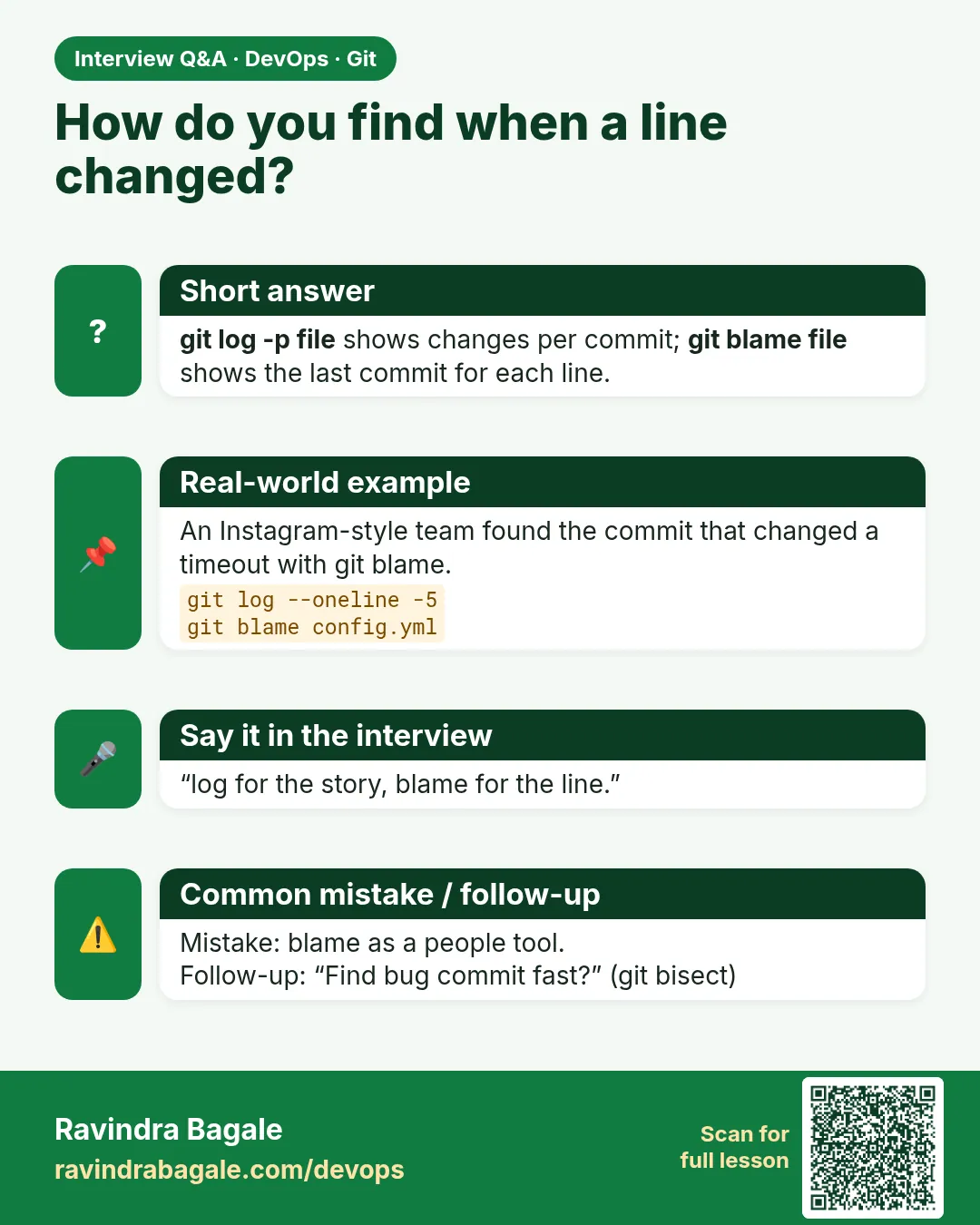
How do you find who changed a line and why?
git blame for the commit, then git show COMMIT to read the message and diff.
-
How to search history for a string?
git log -S "text" or git log -G regex.
-
How do you view history of one file across renames?
git log --follow -- FILE.
-
What is the difference between git log and git reflog?
log shows commit history of a branch; reflog shows where HEAD moved on your machine.
Quick quiz
Q1. Which flag shows one line per commit?
--oneline
Q2. How do you see only one file's history?
git log -- FILE
Q3. How do you find which commit added a word?
git log -S WORD
Q4. What does git blame show?
The last commit and author for every line.
Q5. How do you quit the log pager?
Press q.
Samajla ka?
 Revision card
 Interview card