Chapter 2: Git, GitHub and Git Bash
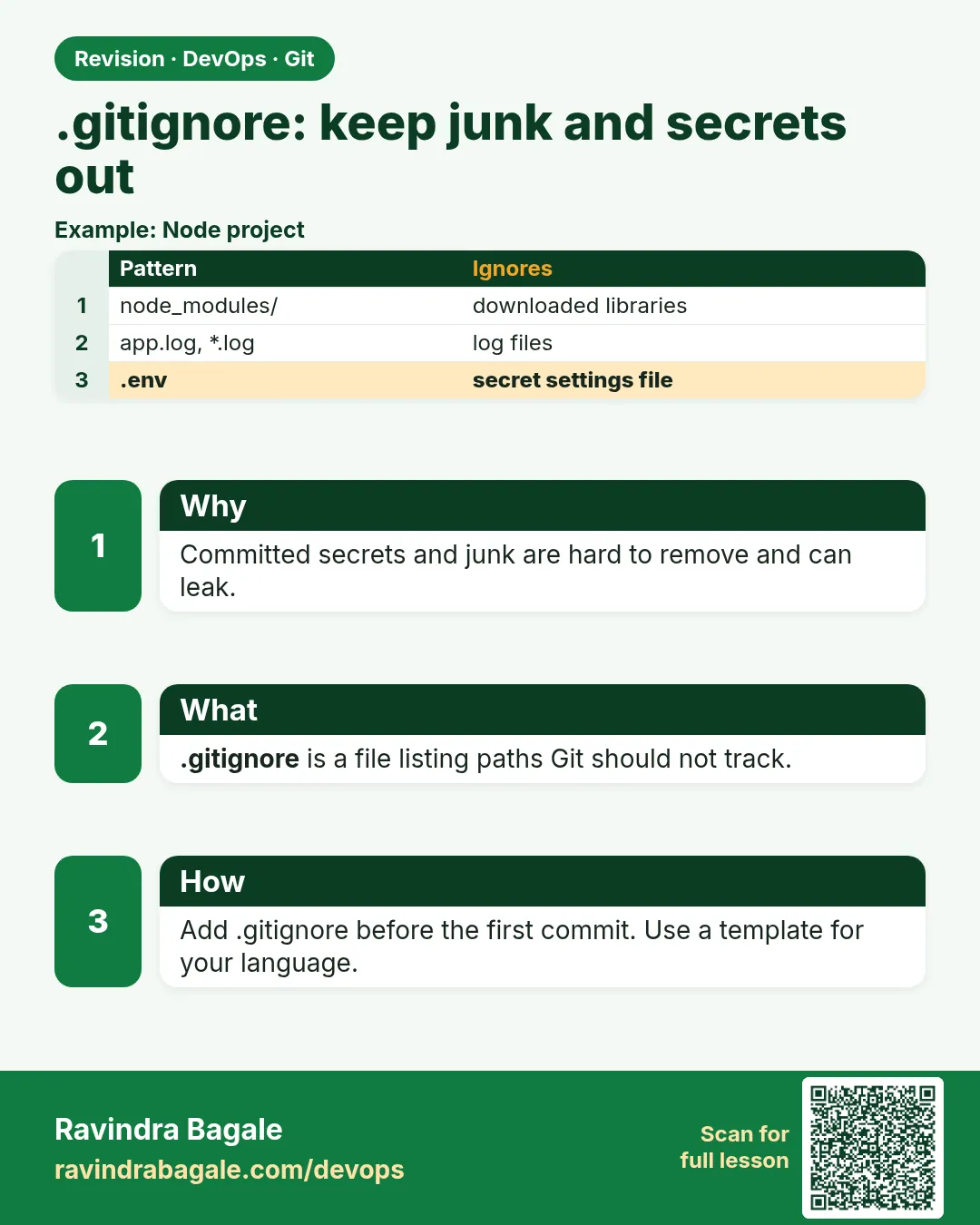
2.8 .gitignore — keep junk and secrets out
Why: the problem
In 2023 and later, many companies in India and abroad leaked cloud keys because someone committed a .env file. Bots scan public repos all day and find keys in minutes. Then a bill of lakhs of rupees arrives. The fix is simple: a file called .gitignore. It tells Git which files to never track: secrets, logs, build output, node_modules and editor junk. In this lesson you will write a real .gitignore for hello-shop, test it with git check-ignore, handle a file that was committed before you added the rule, and use a global ignore file for your own editor files. You will also see why .gitignore does not remove a secret that is already in history.
What we will build
You will create junk and secret files in hello-shop, write a .gitignore, prove each rule with git check-ignore -v, and clean up a log file that was tracked by mistake.
What: every term in plain English
- .gitignore — A text file of patterns Git should not track.
- Pattern — A rule like *.log or node_modules/.
- ! (negation) — Keep a file even if an earlier rule ignores it.
- git check-ignore -v — Shows which rule ignores a file.
- git rm --cached — Stop tracking a file but keep it on disk.
- Global ignore — A personal ignore file for all repos, set with core.excludesFile.
- .env — A file with secrets and settings. Never commit it.
- .env.example — A safe sample with fake values that you do commit.
How: step by step
-
Go to the repo
cd ~/devops-lab/hello-shopWhat it does: Use the same repo.
Output
(no output) -
Make junk files
mkdir -p logs __pycache__ && touch logs/app.log __pycache__/x.pyc .env .DS_StoreWhat it does: Typical noise and a secret.
Output
(no output) -
See the mess
git status --shortWhat it does: Git wants to track all of it.
Output
?? .DS_Store ?? .env ?? __pycache__/ ?? logs/ -
Write .gitignore
nano .gitignoreWhat it does: Paste the file from Example 1.
Output
(file saved) -
See the result
git status --shortWhat it does: Only .gitignore remains.
Output
?? .gitignore -
Prove a rule
git check-ignore -v .envWhat it does: Shows the line that matched.
Output
.gitignore:2:.env .env -
Commit the rules
git add .gitignore && git commit -m "Add gitignore for secrets and junk"What it does: Rules are shared with the team.
Output
[main 7f8a9b0] Add gitignore for secrets and junk
Example 1: A real
Stack. Git, Python
Goal. A real .gitignore for a Python web app.
.gitignore
# secrets and local env
.env
*.pem
*.key
!.env.example

# Python
__pycache__/
*.pyc
.venv/

# logs and build output
logs/
*.log
dist/

# OS and editor
.DS_Store
.idea/
.vscode/
.env.example
DB_HOST=localhost
DB_USER=shop
DB_PASSWORD=change-me
What each line does
.env— Never track the real secrets file.*.pem / *.key— Private keys stay off the repo.!.env.example— Keep the safe sample.__pycache__/— Python build cache.logs/ and *.log— Logs change all the time..DS_Store, .idea/, .vscode/— OS and editor junk.
Green output
$ git status --short
?? .env.example
?? .gitignore
Expected result. Secrets and junk are hidden. The sample file and rules are shared.
Example 2: Stop tracking a log file that was committed before
Stack. Git
Goal. Stop tracking a log file that was committed before.
untrack.sh
echo "old log" > server.log
git add -f server.log && git commit -qm "Oops add log"
echo "server.log" >> .gitignore
echo "new line" >> server.log
git status --short
git rm --cached server.log
git commit -qam "Stop tracking server.log"
git status --short
ls server.log
What each line does
git add -f— Force add, to make the mistake on purpose.Rule added later— .gitignore does not affect already tracked files.M server.log— Git still tracks changes.git rm --cached— Remove from Git, keep on disk.ls server.log— The file is still there.
Green output
 M .gitignore
 M server.log
rm 'server.log'
server.log
Expected result. The log is no longer tracked, and future changes are ignored.
Example 3: A global ignore file for your own editor junk
Stack. Git
Goal. A global ignore file for your own editor junk.
global.sh
printf ".DS_Store\n*.swp\n.idea/\n" > ~/.gitignore_global
git config --global core.excludesFile ~/.gitignore_global
cd ~/devops-lab/hello-shop
touch notes.swp
git check-ignore -v notes.swp
rm notes.swp
What each line does
~/.gitignore_global— Your personal rules for every repo.core.excludesFile— Tells Git to use it.check-ignore -v— Proves the global file matched.
Green output
/home/ravi/.gitignore_global:2:*.swp notes.swp
Expected result. Project rules stay about the project. Personal junk is handled on your laptop.
Example 4: Block secrets before they reach a commit with a pre-commit check
Stack. Git hooks, Bash
Goal. Block secrets before they reach a commit with a pre-commit check.
.git/hooks/pre-commit
#!/usr/bin/env bash
# stop commits that contain obvious secrets
if git diff --cached --name-only | grep -E '(^|/)\.env$|\.pem$'; then
  echo "BLOCKED: secret file staged. Unstage it with: git restore --staged FILE"
  exit 1
fi
if git diff --cached | grep -E 'AKIA[0-9A-Z]{16}'; then
  echo "BLOCKED: looks like an AWS access key"
  exit 1
fi
exit 0
test.sh
chmod 755 .git/hooks/pre-commit
echo "DB_PASSWORD=x" > .env
git add -f .env
git commit -m "try"
git restore --staged .env && rm .env
What each line does
git diff --cached --name-only— The list of staged files.grep -E ... .env / .pem— Look for secret file names.AKIA[0-9A-Z]{16}— The shape of an AWS access key ID.exit 1— Stops the commit.chmod 755— Makes the hook runnable for you, readable for others.
Green output
.env
BLOCKED: secret file staged. Unstage it with: git restore --staged FILE
Expected result. The commit is stopped on your laptop. Teams use tools like gitleaks in the same way, and in CI too.
Verify: did it work?
-
No secret tracked
git ls-files | grep -c "^.env$"What it does: 0 means .env is not tracked.
Output
0 -
Sample tracked
git add .env.example && git commit -qm "Add env sample" && git ls-files | grep envWhat it does: Only the sample.
Output
.env.example -
Ignored list
git status --ignored --shortWhat it does: !! marks ignored files.
Output
!! .env
!! logs/
When it is red 1
The following paths are ignored by one of your .gitignore files:
.env
hint: Use -f if you really want to add them.
Cause. Git protects you from adding an ignored file.
Fix, step by step
- Good. Do not use -f for secrets.
- Commit .env.example instead.
When it is red 2
server.log still shows as modified after adding it to .gitignore
Cause. The file was tracked before the rule.
Fix, step by step
- git rm --cached server.log
- Commit.
When it is red 3
A real key was committed and pushed
Cause. .gitignore does not remove history.
Fix, step by step
- Rotate the key now in the cloud console.
- Remove it from history with git filter-repo, then force push with team approval.
- Add the rule so it never happens again.
Cleanup
-
Remove lab files
rm -rf logs __pycache__ .DS_Store .env server.logWhat it does: Local junk only.
Output
(no output)
Ravindra Bagale's Tip
.env kadhihi commit karu naka. Chukun push zala tar aadhi key badla, mag history saaf kara.
Practice tasks
Easy Hide five files
Why: Practice patterns.
What to do: Ignore .env, logs, cache, OS and editor files.
- Write .gitignore
Check: git status shows only real code.
Medium Untrack a file
Why: Mistakes happen.
What to do: Untrack a committed log.
- git rm --cached
Check: File on disk, not in Git.
Hard Secret drill
Why: Speed matters in a leak.
What to do: Write the four steps you take if a key is pushed.
- Rotate, remove, force push, add rule
Check: A short runbook.
Easy Say .gitignore in two lines
Why: If you can say it simply, you understand it. Interviewers want the short version first.
What to do: Write two short lines about .gitignore for a fresher who knows only basic Linux.
- Write the problem it solves.
- Write one real command or file that shows it.
- Read it aloud to a friend.
Check: A fresher understands it without asking a question.
Easy Make a safe lab folder
Why: Practice needs a place you can throw away. Then mistakes cost nothing.
What to do: Create a lab folder for this chapter and work only inside it.
- mkdir -p ~/devops-lab && cd ~/devops-lab
- Run every command of this lesson from here.
- Check with pwd before you delete anything.
Check: All lab files live in ~/devops-lab.
Medium Repeat it in a container
Why: Your laptop is not the server. A clean Ubuntu container shows what a fresh server needs.
What to do: Run the main steps of this lesson again inside an Ubuntu container.
- docker run --rm -it -v "$PWD":/lab -w /lab ubuntu:24.04 bash
- apt update and install what is missing.
- Note every missing tool.
Check: Same result inside the container, or a list of what you had to install.
Medium Break it on purpose
Why: You must know the red message by face. In an outage there is no time to read slowly.
What to do: Cause one error from the "When it is red" part of this lesson and fix it.
- Follow the error section.
- Copy the exact message into your notes.
- Write the fix in one line.
Check: You fixed it using only the steps, without searching the web.
Medium Write a one-page runbook
Why: At 2 a.m. nobody remembers the right command. A short page saves the on-call person.
What to do: Write a runbook page for this lesson.
- Title, when to use, exact command, how to check, how to undo.
Check: A teammate can follow it alone.
Hard Explain it like an interview
Why: Interviewers want real stories, not definitions.
What to do: Record a 60 second answer about this lesson.
- Say the problem, the command or file you used, and one error you hit.
Check: Your answer has a real command and a real error message.
Hard Draw the flow top to bottom
Why: A drawing shows who does what and in which order.
What to do: Draw this lesson as boxes from top to bottom.
- Start at the developer laptop, end at the user on the website.
Check: Each box matches a real thing you ran.
Homework: try at home
Try at home
Write a .gitignore for a Node.js project (node_modules, .env, dist, logs). Test five files with git check-ignore -v.
Recap
- .gitignore keeps secrets and junk out.
- Commit a .env.example with fake values.
- check-ignore -v explains rules.
- git rm --cached untracks old files.
- If a secret is pushed, rotate it first.
FAQ
Should .gitignore be committed?
Yes. The whole team needs the same rules.
Can I have .gitignore in subfolders?
Yes. Rules apply to that folder and below.
Why is my folder still shown?
A file inside was tracked before. Use git rm -r --cached.
Where do I find templates?
Most hosting sites offer templates when you create a project.
Is deleting a secret commit enough?
No. Bots may already have it. Rotate the key.
Can a hook replace .gitignore?
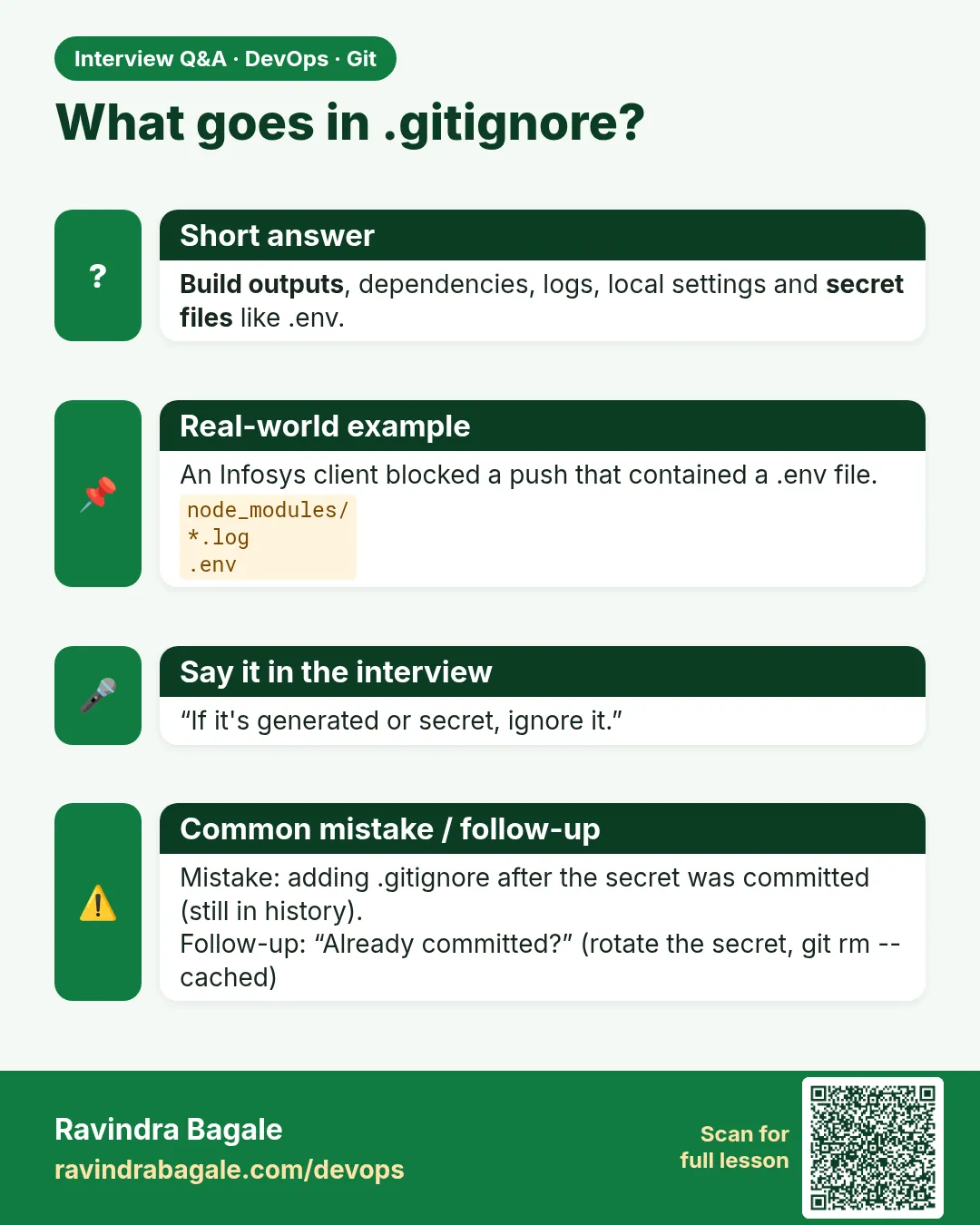
No. Use both. .gitignore hides files; a hook or gitleaks catches secrets inside normal files.
Interview questions
-
How do you stop tracking a file that is already committed?
Add it to .gitignore and run git rm --cached FILE, then commit.
-
What do you do if a secret is pushed?
Rotate it, remove it from history with git filter-repo, force push with approval, and add a rule.
-
Difference between .gitignore and .git/info/exclude?
.gitignore is shared; info/exclude is local to your clone.
-
How do you debug ignore rules?
git check-ignore -v FILE.
-
What should never be in Git?
Secrets, keys, large build output, dependencies and logs.
Quick quiz
Q1. What does .gitignore do?
Tells Git not to track matching files.
Q2. Does .gitignore remove a tracked file?
No. Use git rm --cached.
Q3. What does ! do?
Un-ignores a file.
Q4. Which command explains why a file is ignored?
git check-ignore -v FILE.
Q5. A key was pushed. First step?
Rotate the key immediately.
Samajla ka?
 Revision card
 Interview card