Chapter 2: Git, GitHub and Git Bash
2.4 Install check and first vocabulary
Why: the problem
On your first day at a new job, the laptop is fresh. Before you write one line of code, Git must be installed and set up. If you skip setup, every commit will say "root" or a random name, and your manager cannot see who did the work. Some companies even block pushes when the email does not match the company email. In this lesson you will install Git on Ubuntu, Windows and Mac, check the version, set your name and email, choose a default branch name and editor, and learn the first words you will hear every day: working tree, staging area, commit, branch and HEAD. These words come again in every later lesson, so learn them here with real commands, not just definitions.
What we will build
You will install Git, write a clean global config, see where Git stores it, and make one test repo where you can point to the working tree, the staging area, a commit, a branch and HEAD with a real command each.
What: every term in plain English
- git config --global — Settings for your user, saved in ~/.gitconfig.
- git config --local — Settings for one repo only, saved in .git/config.
- user.name and user.email — The author shown on every commit.
- init.defaultBranch — The branch name for new repos. Most teams use main.
- core.editor — The editor Git opens for messages, like nano or VS Code.
- Working tree — Your normal files.
- Staging area (index) — The list of changes picked for the next commit.
- HEAD — A pointer to the commit you are on now.
How: step by step
-
Install on Ubuntu
sudo apt update && sudo apt install -y gitWhat it does: Installs Git from Ubuntu packages.
Output
Setting up git (1:2.43.0-1ubuntu7) ... -
Install on Windows
Download Git for Windows, keep the defaults, finishWhat it does: Also installs Git Bash.
Output
Git for Windows 2.47 installed -
Install on Mac
xcode-select --install (or: brew install git)What it does: Mac has Git with the developer tools.
Output
git version 2.39.5 (Apple Git-154) -
Check the version
git --versionWhat it does: Version 2.30 or newer is fine for this course.
Output
git version 2.43.0 -
Set name and email
git config --global user.name "Ravi Learner" && git config --global user.email "ravi@example.com"What it does: Use your work email at a job.
Output
(no output) -
Set branch name and editor
git config --global init.defaultBranch main && git config --global core.editor nanoWhat it does: New repos start on main. Messages open in nano.
Output
(no output) -
List the config
git config --global --listWhat it does: Check every value once.
Output
user.name=Ravi Learner
user.email=ravi@example.com
init.defaultbranch=main
core.editor=nano
Example 1: Write a full starter config for a new laptop
Stack. Git
Goal. Write a full starter config for a new laptop.
~/.gitconfig
[user]
    name = Ravi Learner
    email = ravi@example.com
[init]
    defaultBranch = main
[core]
    editor = nano
    autocrlf = input
[pull]
    rebase = true
[alias]
    st = status -sb
    lg = log --oneline --graph --decorate -15
What each line does
[user]— Author for all commits.defaultBranch = main— No more master by default.autocrlf = input— Fixes Windows line endings when you commit.pull.rebase = true— git pull keeps history straight.st and lg— Short aliases for daily commands.
Green output
$ git st
## main
$ git lg
* 3f2a1c9 (HEAD -> main) First commit
Expected result. One file makes every new repo behave the same. Many teams share a starter file like this.
Example 2: Point to the working tree, staging area, commit and HEAD
Stack. Git
Goal. Point to the working tree, staging area, commit and HEAD.
vocab.sh
mkdir -p ~/devops-lab/vocab && cd ~/devops-lab/vocab
git init -q
echo "hello" > a.txt
git status --short
git add a.txt
git status --short
git commit -qm "Add a.txt"
git log --oneline
cat .git/HEAD
git branch
What each line does
?? a.txt— In the working tree, not tracked yet.A a.txt— Added to the staging area.git commit— Staged change becomes a commit.cat .git/HEAD— HEAD points to the branch main.git branch— The star shows your current branch.
Green output
?? a.txt
A  a.txt
8a1b2c3 Add a.txt
ref: refs/heads/main
* main
Expected result. Each word now has a command you can show. That is how you explain it in an interview.
Example 3: Use a different email for work repos only
Stack. Git
Goal. Use a different email for work repos only.
work-email.sh
mkdir -p ~/devops-lab/work-repo && cd ~/devops-lab/work-repo
git init -q
git config --local user.email "ravi@company.example.com"
git config user.email
git config --show-origin user.email
git config --global user.email
What each line does
--local— Only for this repo.git config user.email— The value Git will really use here.--show-origin— Which file the value comes from.--global user.email— Your personal email stays for other repos.
Green output
ravi@company.example.com
file:.git/config    ravi@company.example.com
ravi@example.com
Expected result. Work commits use the work email, home projects use the home email.
Example 4: Set up Git inside a clean Ubuntu container, like a fresh CI runner
Stack. Docker, Ubuntu 24.04, Git
Goal. Set up Git inside a clean Ubuntu container, like a fresh CI runner.
fresh-runner.sh
docker run --rm -it ubuntu:24.04 bash
apt update -qq && apt install -y -qq git
git --version
git config --global user.name  "CI Bot"
git config --global user.email "ci@example.com"
git config --global init.defaultBranch main
git config --global --list
mkdir /work && cd /work && git init -q && git status
What each line does
docker run --rm -it ubuntu:24.04 bash— A brand new Linux with nothing set up, deleted on exit.apt install -y -qq git— Install Git quietly.git config --global ...— A CI runner also needs a name and email to make commits.git init -q && git status— Proves Git works in the new machine.
Green output
git version 2.43.0
user.name=CI Bot
user.email=ci@example.com
init.defaultbranch=main
On branch main
No commits yet
nothing to commit (create/copy files and use "git add" to track)
Expected result. Jenkins agents and GitLab runners start like this. If a pipeline says "Please tell me who you are", this is the missing step.
Verify: did it work?
-
Check version
git --versionWhat it does: Git is ready.
Output
git version 2.43.0 -
Check author
git config user.name; git config user.emailWhat it does: Both must print values.
Output
Ravi Learner ravi@example.com -
Check default branch
git config --global init.defaultBranchWhat it does: Should be main.
Output
main
When it is red 1
hint: Using 'master' as the name for the initial branch.
Cause. init.defaultBranch is not set.
Fix, step by step
- git config --global init.defaultBranch main
- For this repo: git branch -m master main
When it is red 2
error: cannot run vim: No such file or directory
Cause. Git tries an editor that is not installed.
Fix, step by step
- git config --global core.editor nano
- Or use git commit -m "message".
When it is red 3
warning: in the working copy of 'app.sh', LF will be replaced by CRLF
Cause. Windows line ending setting.
Fix, step by step
- git config --global core.autocrlf input
- Add a .gitattributes file with * text=auto.
Cleanup
-
Remove test repos
rm -rf ~/devops-lab/vocab ~/devops-lab/work-repoWhat it does: Your global config stays.
Output
(no output)
Ravindra Bagale's Tip
Pahila divas setup cha. Naav aani email barobar theva, nahitar commit var "root" disel aani manager vicharel kon ha?
Practice tasks
Easy Install and check
Why: Every job starts with setup.
What to do: Install Git and print the version.
- git --version
Check: Version 2.30 or newer.
Medium Add two aliases
Why: Aliases save typing every day.
What to do: Add st and lg aliases.
- git config --global alias.st "status -sb"
Check: git st works.
Hard Two emails
Why: Work and personal must not mix.
What to do: Set a local email in one repo.
- git config --local user.email ...
Check: git log shows the work email in that repo only.
Easy Say Git setup and first words in two lines
Why: If you can say it simply, you understand it. Interviewers want the short version first.
What to do: Write two short lines about Git setup and first words for a fresher who knows only basic Linux.
- Write the problem it solves.
- Write one real command or file that shows it.
- Read it aloud to a friend.
Check: A fresher understands it without asking a question.
Easy Make a safe lab folder
Why: Practice needs a place you can throw away. Then mistakes cost nothing.
What to do: Create a lab folder for this chapter and work only inside it.
- mkdir -p ~/devops-lab && cd ~/devops-lab
- Run every command of this lesson from here.
- Check with pwd before you delete anything.
Check: All lab files live in ~/devops-lab.
Medium Repeat it in a container
Why: Your laptop is not the server. A clean Ubuntu container shows what a fresh server needs.
What to do: Run the main steps of this lesson again inside an Ubuntu container.
- docker run --rm -it -v "$PWD":/lab -w /lab ubuntu:24.04 bash
- apt update and install what is missing.
- Note every missing tool.
Check: Same result inside the container, or a list of what you had to install.
Medium Break it on purpose
Why: You must know the red message by face. In an outage there is no time to read slowly.
What to do: Cause one error from the "When it is red" part of this lesson and fix it.
- Follow the error section.
- Copy the exact message into your notes.
- Write the fix in one line.
Check: You fixed it using only the steps, without searching the web.
Medium Write a one-page runbook
Why: At 2 a.m. nobody remembers the right command. A short page saves the on-call person.
What to do: Write a runbook page for this lesson.
- Title, when to use, exact command, how to check, how to undo.
Check: A teammate can follow it alone.
Hard Explain it like an interview
Why: Interviewers want real stories, not definitions.
What to do: Record a 60 second answer about this lesson.
- Say the problem, the command or file you used, and one error you hit.
Check: Your answer has a real command and a real error message.
Hard Draw the flow top to bottom
Why: A drawing shows who does what and in which order.
What to do: Draw this lesson as boxes from top to bottom.
- Start at the developer laptop, end at the user on the website.
Check: Each box matches a real thing you ran.
Homework: try at home
Try at home
Install Git on your machine, write the starter ~/.gitconfig, and make one commit. Then explain working tree, staging area, commit and HEAD using your own output.
Recap
- Install Git with apt, Git for Windows, or xcode tools.
- Set user.name, user.email and init.defaultBranch first.
- Global config is ~/.gitconfig; local is .git/config.
- Working tree, staging area and commit are the three places.
- HEAD shows where you are now.
FAQ
Do I need the newest Git?
No. 2.30 or newer is enough.
Can I change my name later?
Yes, for new commits. Old commits keep the old name.
Should I use my personal email at work?
No. Use the company email in work repos.
What is the index?
Another name for the staging area.
Is VS Code fine as editor?
Yes: git config --global core.editor "code --wait".
Why does my pipeline say "Please tell me who you are"?
The runner has no user.name and user.email. Set them in the job before any commit.
Interview questions
-
How do you set up Git on a new machine?
Install it, then set user.name, user.email, init.defaultBranch and an editor, and check with git config --list.
-
Difference between global and local config?
Global applies to your user in ~/.gitconfig; local applies to one repo in .git/config and wins.
-
What are the three areas in Git?
Working tree, staging area and the repository of commits.
-
What is HEAD?
The current commit, usually via the current branch reference.
-
Why set core.autocrlf?
To avoid line ending changes between Windows and Linux.
Quick quiz
Q1. Where is the global config file?
~/.gitconfig
Q2. What is HEAD?
A pointer to the current commit, usually through a branch.
Q3. What does ?? mean in git status --short?
The file is untracked.
Q4. Which setting picks the first branch name?
init.defaultBranch
Q5. How do you see where a setting comes from?
git config --show-origin NAME
Samajla ka?
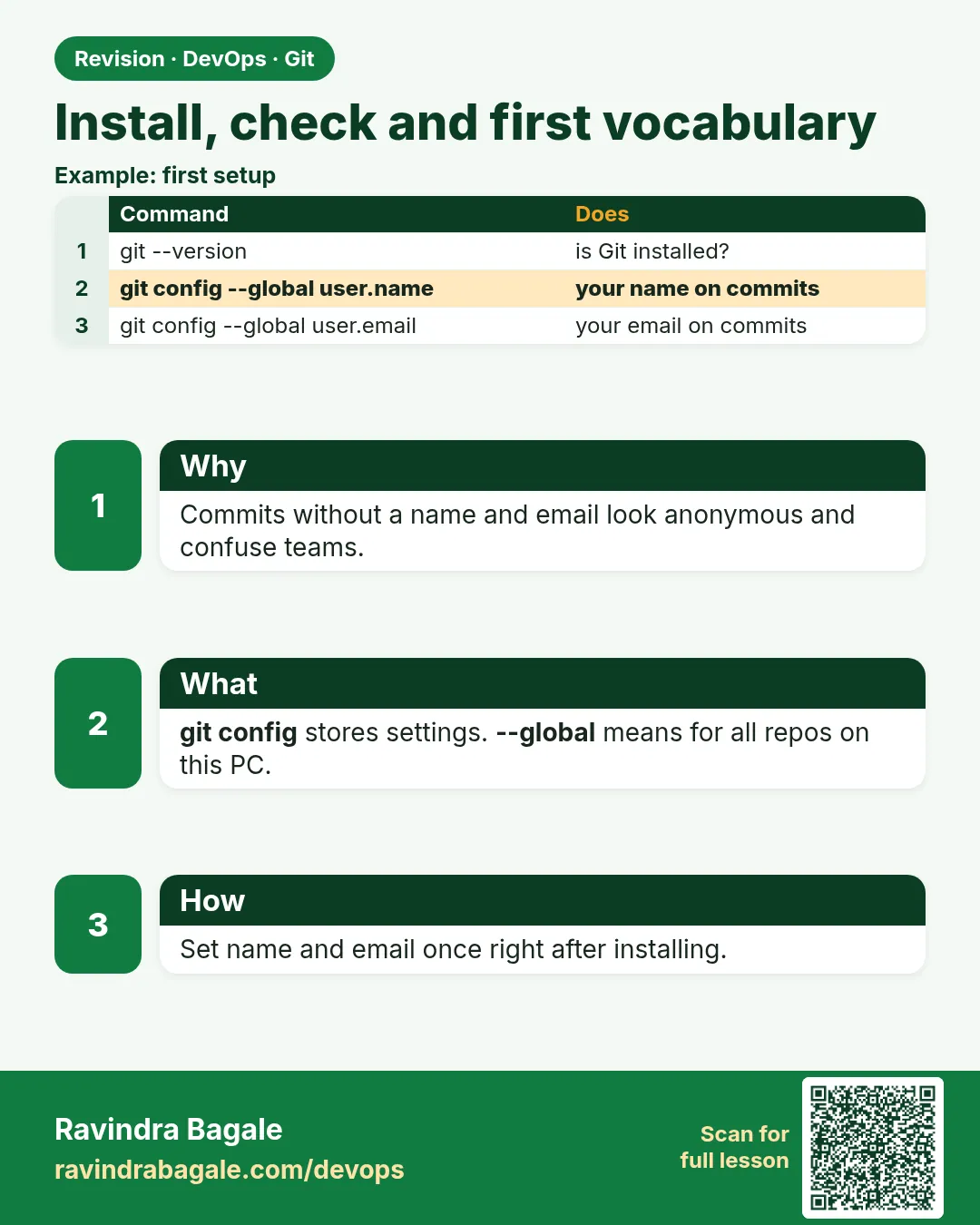 Revision card
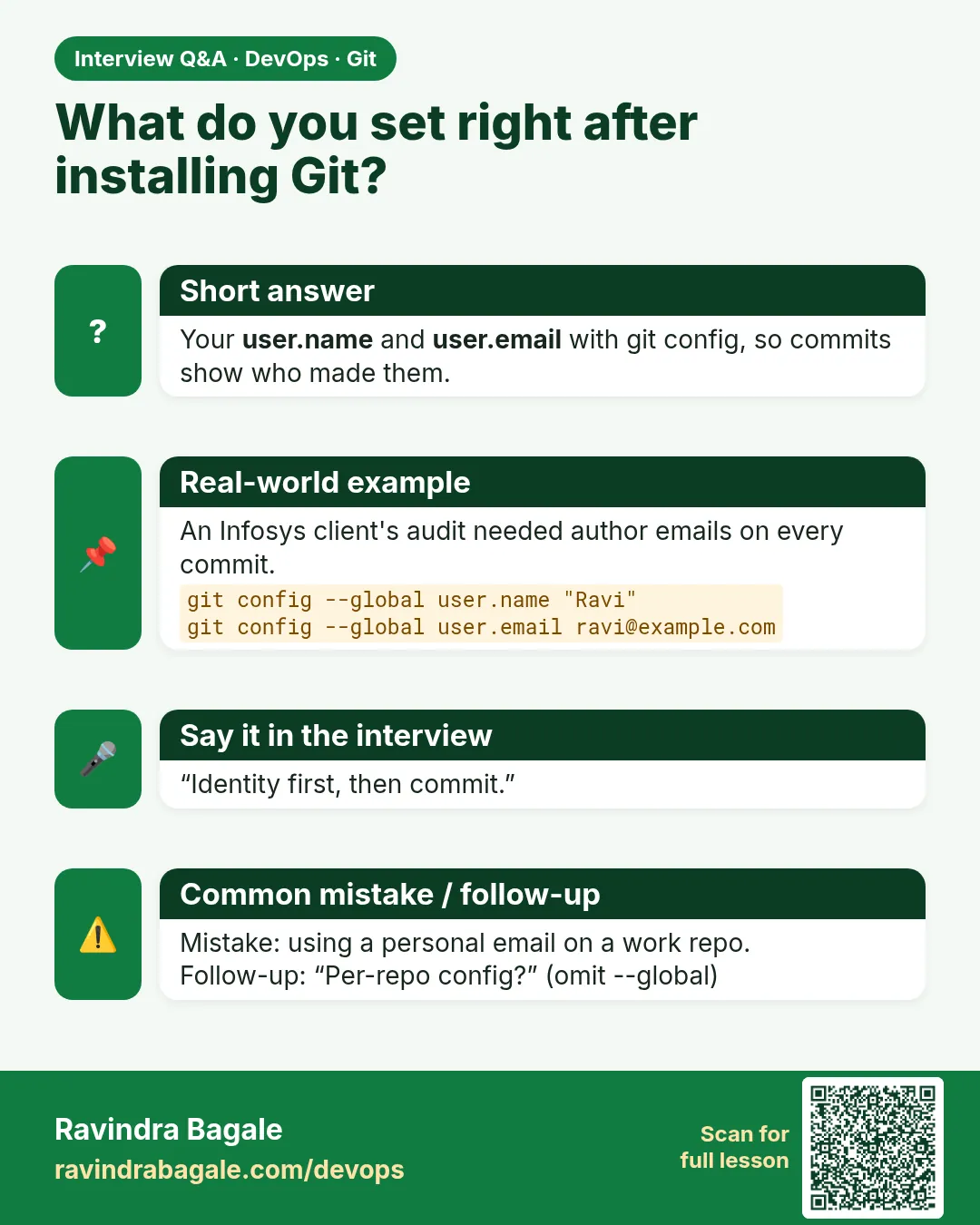 Interview card