Chapter 19: Kubernetes Services, Ingress and Volumes
19.9 PersistentVolume, claim and StorageClass
Why: the problem
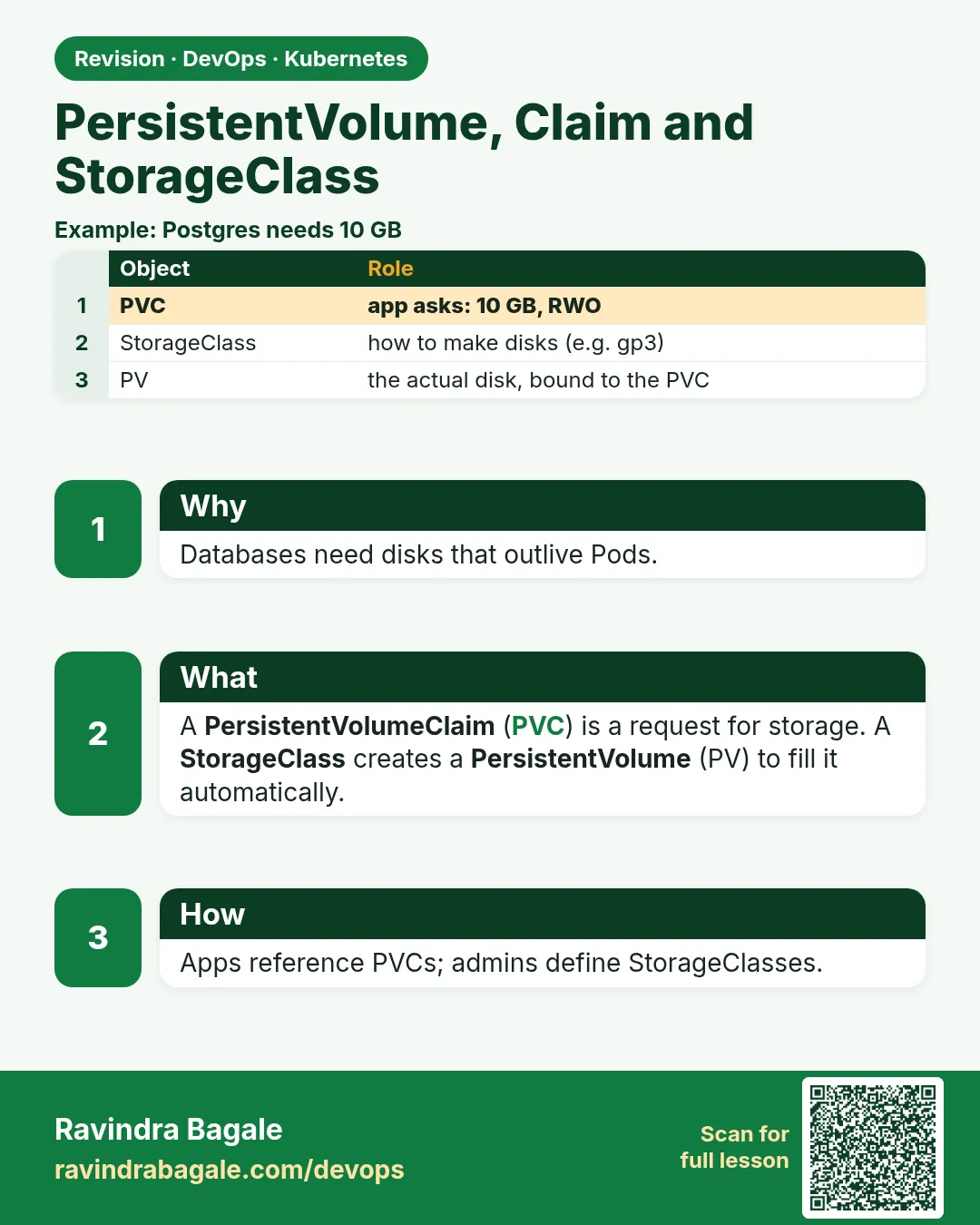
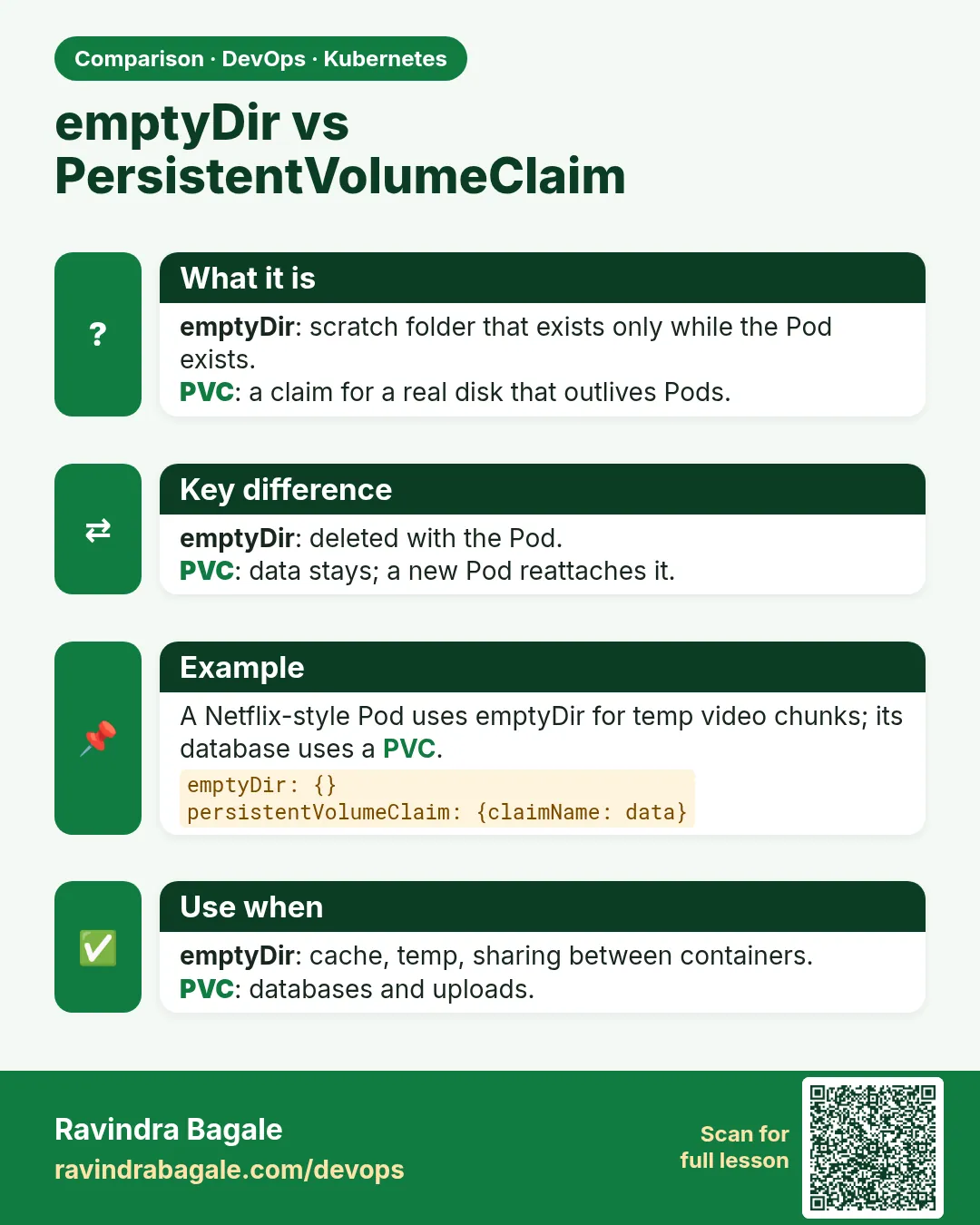
An Ola team runs PostgreSQL in Kubernetes for a test environment. They use emptyDir. A node is patched, the Pod moves, and the whole test database is gone. They need storage that lives outside the Pod and can follow it. Kubernetes splits this into three objects. A PersistentVolume (PV) is a piece of real storage, like an EBS disk. A PersistentVolumeClaim (PVC) is a request from an app: "I need 1 GB that one node can write". A StorageClass says how to make PVs on demand, like "gp3 EBS volumes". Usually you write only the PVC; the StorageClass creates the PV for you. This is called dynamic provisioning. In this lesson you will use kind's built-in local-path StorageClass, create a PVC, write data, delete the Pod and see the data survive, look at reclaim policy, and read the EKS gp3 StorageClass you would use at work.
What we will build
You will create a 1 Gi PVC, mount it in a Postgres Pod, add a row, delete the Pod, start a new one with the same PVC and read the row back. Then you will make a static PV by hand and see how binding works.
What: every term in plain English
- PersistentVolume (PV) — A piece of real storage registered in the cluster.
- PersistentVolumeClaim (PVC) — A request for storage by size and access mode.
- StorageClass — A recipe for making PVs automatically.
- Dynamic provisioning — The StorageClass creates a PV when a PVC asks.
- Access mode — ReadWriteOnce (one node), ReadOnlyMany, ReadWriteMany (many nodes, like EFS).
- Bound — The PVC is matched to a PV.
- Reclaim policy — What happens to the PV after the PVC is deleted: Delete or Retain.
- volumeBindingMode WaitForFirstConsumer — Wait to create the disk until a Pod is scheduled, so it lands in the right zone.
- EBS CSI driver — The add-on that creates AWS EBS volumes for EKS.
How: step by step
-
Start a lab cluster
kind create cluster --name lab
kubectl get nodes
What it does: Creates a one-node Kubernetes cluster inside Docker. On minikube use: minikube start.
Output
Creating cluster "lab" ... ✓ Ensuring node image (kindest/node:v1.30.0) ✓ Preparing nodes Set kubectl context to "kind-lab" NAME STATUS ROLES AGE VERSION lab-control-plane Ready control-plane 40s v1.30.0 -
Make a practice namespace
kubectl create namespace practice
kubectl config set-context --current --namespace=practice
What it does: Keeps all lab objects in one folder that is easy to delete.
Output
namespace/practice created Context "kind-lab" modified. -
See the StorageClass
kubectl get storageclassWhat it does: kind has local-path as default.
Output
NAME PROVISIONER RECLAIMPOLICY VOLUMEBINDINGMODE standard (default) rancher.io/local-path Delete WaitForFirstConsumer -
Create the PVC
kubectl apply -f pvc.yaml && kubectl get pvcWhat it does: Pending until a Pod uses it (WaitForFirstConsumer).
Output
persistentvolumeclaim/pgdata created NAME STATUS VOLUME CAPACITY ACCESS MODES STORAGECLASS pgdata Pending standard -
Start Postgres with the PVC
kubectl apply -f pg.yaml && kubectl wait --for=condition=ready pod/pg --timeout=90sWhat it does: The Pod triggers the PV creation.
Output
pod/pg created pod/pg condition met -
See it bound
kubectl get pvc,pvWhat it does: A PV was made automatically.
Output
NAME                           STATUS   VOLUME                                     CAPACITY
persistentvolumeclaim/pgdata   Bound    pvc-5b1c2d3e-...                           1Gi
NAME                          CAPACITY   RECLAIM POLICY   STATUS   CLAIM
persistentvolume/pvc-5b1c...  1Gi        Delete           Bound    practice/pgdata
Example 1: A PVC and a Postgres Pod that uses it
Stack. postgres 16-alpine, local-path provisioner
Goal. A PVC and a Postgres Pod that uses it.
pvc.yaml
apiVersion: v1
kind: PersistentVolumeClaim
metadata:
  name: pgdata
spec:
  accessModes: ["ReadWriteOnce"]
  resources:
    requests:
      storage: 1Gi
pg.yaml
apiVersion: v1
kind: Pod
metadata:
  name: pg
spec:
  containers:
  - name: pg
    image: postgres:16-alpine
    env:
    - {name: POSTGRES_PASSWORD, value: lab-only-pass}
    - {name: PGDATA, value: /var/lib/postgresql/data/pgdata}
    volumeMounts:
    - name: data
      mountPath: /var/lib/postgresql/data
  volumes:
  - name: data
    persistentVolumeClaim:
      claimName: pgdata
What each line does
accessModes ReadWriteOnce— One node can mount it read-write.storage: 1Gi— The size you ask for.no storageClassName— Uses the default StorageClass.PGDATA subfolder— Postgres wants an empty folder; a subfolder avoids the lost+found problem on real disks.claimName: pgdata— Mount the claim into the Pod.lab-only-pass— A lab value. Real passwords go in a Secret.
Green output
persistentvolumeclaim/pgdata created
pod/pg created
Expected result. Postgres now writes to a volume that lives outside the Pod.
Example 2: Delete the Pod and get the data back
Stack. PVC lifecycle
Goal. Delete the Pod and get the data back.
terminal
kubectl exec pg -- psql -U postgres -c "CREATE TABLE rides(id int, city text); INSERT INTO rides VALUES (1,'Pune');"
kubectl delete pod pg
kubectl apply -f pg.yaml
kubectl wait --for=condition=ready pod/pg --timeout=90s
kubectl exec pg -- psql -U postgres -c "SELECT * FROM rides;"
What each line does
CREATE TABLE ... INSERT— Writes one row.delete pod pg— The Pod is gone. The PVC stays.apply pg.yaml— A brand new Pod with the same claim.SELECT— Reads the row written by the old Pod.
Green output
CREATE TABLE
INSERT 0 1
pod "pg" deleted
pod/pg created
pod/pg condition met
 id | city
----+------
  1 | Pune
(1 row)
Expected result. The data survived the Pod. This is the whole point of a PVC.
Example 3: The EKS StorageClass for gp3 EBS disks, with Retain
Stack. EKS 1.30, aws-ebs-csi-driver
Goal. The EKS StorageClass for gp3 EBS disks, with Retain.
gp3.yaml
apiVersion: storage.k8s.io/v1
kind: StorageClass
metadata:
  name: gp3-retain
provisioner: ebs.csi.aws.com
parameters:
  type: gp3
  encrypted: "true"
reclaimPolicy: Retain
volumeBindingMode: WaitForFirstConsumer
allowVolumeExpansion: true
terminal (EKS with the EBS CSI add-on)
kubectl apply -f gp3.yaml
kubectl patch pvc pgdata -p '{"spec":{"resources":{"requests":{"storage":"2Gi"}}}}'
aws ec2 describe-volumes --filters Name=tag:kubernetes.io/created-for/pvc/name,Values=pgdata \
  --query "Volumes[].[VolumeId,Size,VolumeType,Encrypted]" --output table
What each line does
provisioner ebs.csi.aws.com— The EBS CSI driver makes the disks.type gp3, encrypted— Modern, cheaper SSD, encrypted at rest.reclaimPolicy: Retain— Keep the EBS disk if the PVC is deleted. Safer for databases.WaitForFirstConsumer— Create the disk in the same zone as the Pod.allowVolumeExpansion— Lets you grow a PVC by patching its size.
Green output
storageclass.storage.k8s.io/gp3-retain created
persistentvolumeclaim/pgdata patched
------------------------------------------------
|               DescribeVolumes                |
+------------------------+----+------+---------+
|  vol-0a1b2c3d4e5f67890 |  2 | gp3  |  True   |
+------------------------+----+------+---------+
Expected result. On EKS the same PVC YAML creates an encrypted gp3 EBS disk. Retain protects the data from an accidental delete.
Verify: did it work?
-
Check binding
kubectl get pvc pgdata -o jsonpath="{.status.phase}"What it does: Must print Bound.
Output
Bound -
Where is the data on the kind node?
docker exec lab-control-plane ls /var/local-path-provisioner/What it does: local-path keeps it in a node folder.
Output
pvc-5b1c2d3e-..._practice_pgdata
When it is red 1
pod has unbound immediate PersistentVolumeClaims
Cause. No StorageClass can make a PV, or no static PV matches.
Fix, step by step
- kubectl get storageclass; is one marked default?
- Install the CSI driver (EBS CSI on EKS).
- Check size and access mode match.
When it is red 2
Multi-Attach error for volume "pvc-..." Volume is already exclusively attached to one node
Cause. An RWO disk is still attached to the old node while a new Pod starts elsewhere.
Fix, step by step
- Wait for the old Pod to stop fully.
- Use a Deployment strategy Recreate or a StatefulSet for RWO volumes.
When it is red 3
initdb: error: directory "/var/lib/postgresql/data" exists but is not empty
Cause. The disk has a lost+found folder.
Fix, step by step
- Set PGDATA to a subfolder, as in Example 1.
Cleanup
-
Delete the Pod and PVC
kubectl delete pod pg && kubectl delete pvc pgdataWhat it does: With reclaim policy Delete, the PV and its data are deleted too.
Output
pod "pg" deleted persistentvolumeclaim "pgdata" deleted -
Check the PV is gone
kubectl get pvWhat it does: Empty with Delete. With Retain, the PV stays as Released.
Output
No resources found -
Delete the practice namespace
kubectl delete namespace practiceWhat it does: Deletes every object you made in this lesson in one go.
Output
namespace "practice" deleted
Ravindra Bagale's Tip
Database cha data Pod madhe nako, PVC madhe. Mahatvacha data asel tar Retain policy vapra!
Practice tasks
Easy Read the default class
Why: Know what you get.
What to do: Find the default StorageClass.
- kubectl get sc
Check: You can name it.
Medium Grow a PVC
Why: Disks fill up.
What to do: Patch a PVC from 1Gi to 2Gi on a class with expansion.
- kubectl patch pvc ...
Check: kubectl get pvc shows 2Gi.
Hard EFS for many nodes
Why: Shared uploads need RWX.
What to do: On EKS, install the EFS CSI driver and use an RWX PVC in two Pods.
- Create an EFS file system.
- StorageClass efs.csi.aws.com.
Check: Both Pods see the same file.
Easy Say PersistentVolume in two lines
Why: If you can say it simply, you understand it. Interviewers want the short version first.
What to do: Write two short lines about PersistentVolume for a fresher who knows only Docker basics.
- Write what problem it solves.
- Write the one kubectl command you use for it.
- Read it aloud to a friend.
Check: A fresher understands it without asking a question.
Easy Start a fresh lab cluster
Why: Practice needs a throwaway cluster. If you break it, you delete it and start again.
What to do: Create a kind cluster, or a minikube cluster, and check the node is Ready.
- kind create cluster --name lab
- kubectl get nodes
- kubectl get pods -A
Check: One node shows STATUS Ready and the kube-system Pods are Running.
Medium Break it on purpose
Why: You must know the red message by face. During an outage there is no time to read slowly.
What to do: Cause one error from the "When it is red" part of this lesson and fix it.
- Follow the error section.
- Copy the exact message and the kubectl describe Events into your notes.
- Write the fix in one line.
Check: You fixed it using only the steps, without searching the web.
Medium Write a one-page runbook
Why: At 2 a.m. nobody remembers the right command. A short page saves the on-call person.
What to do: Write a runbook page for this lesson.
- Title, when to use, exact kubectl command, how to check, how to undo.
Check: A teammate can follow it alone.
Medium Repeat it on a cloud cluster
Why: kind is a laptop toy. Real clusters run on EKS, GKE, AKS or k3s on a VM.
What to do: Do the main steps of this lesson again on a small k3s VM or a free-tier managed cluster.
- Install k3s on one Ubuntu 22.04 VM: curl -sfL https://get.k3s.io | sh -
- Copy the kubeconfig.
- Apply the same YAML and compare the output.
Check: Same output on the cloud cluster as on kind.
Hard Explain it like an interview
Why: Interviewers want real stories, not definitions.
What to do: Record a 60 second answer about this lesson.
- Say the problem, the YAML field you used, the kubectl command you ran, and one error you hit.
Check: Your answer has a real command and a real error message.
Hard Draw the flow top to bottom
Why: A drawing shows who talks to whom and in what order.
What to do: Draw this lesson as boxes from top to bottom.
- Start at kubectl apply, go through the API server, controller and scheduler, end at the running container.
Check: Each box matches a real thing you saw in kubectl output.
Homework: try at home
Try at home
At home, make a static PV with hostPath /tmp/pv1 and storageClassName manual, and a PVC that asks for storageClassName manual. Watch them bind. Then delete the PVC and see the PV become Released because a manual PV defaults to Retain.
Recap
- A PV is real storage; a PVC is a request; a StorageClass makes PVs.
- Data on a PVC outlives Pods.
- RWO for one node (EBS), RWX for many (EFS).
- Use Retain for important data.
- WaitForFirstConsumer keeps disks in the Pod's zone.
FAQ
Should I run databases on Kubernetes?
You can, with StatefulSets and good storage. Many teams use RDS instead, to save effort.
Can two Pods use one RWO PVC?
Only on the same node. For many nodes use RWX storage.
Is EBS shared across zones?
No. An EBS disk lives in one zone.
What is CSI?
Container Storage Interface, the plug-in standard for storage drivers.
How do I back up a PVC?
VolumeSnapshots with the CSI driver, or tools like Velero.
Interview questions
-
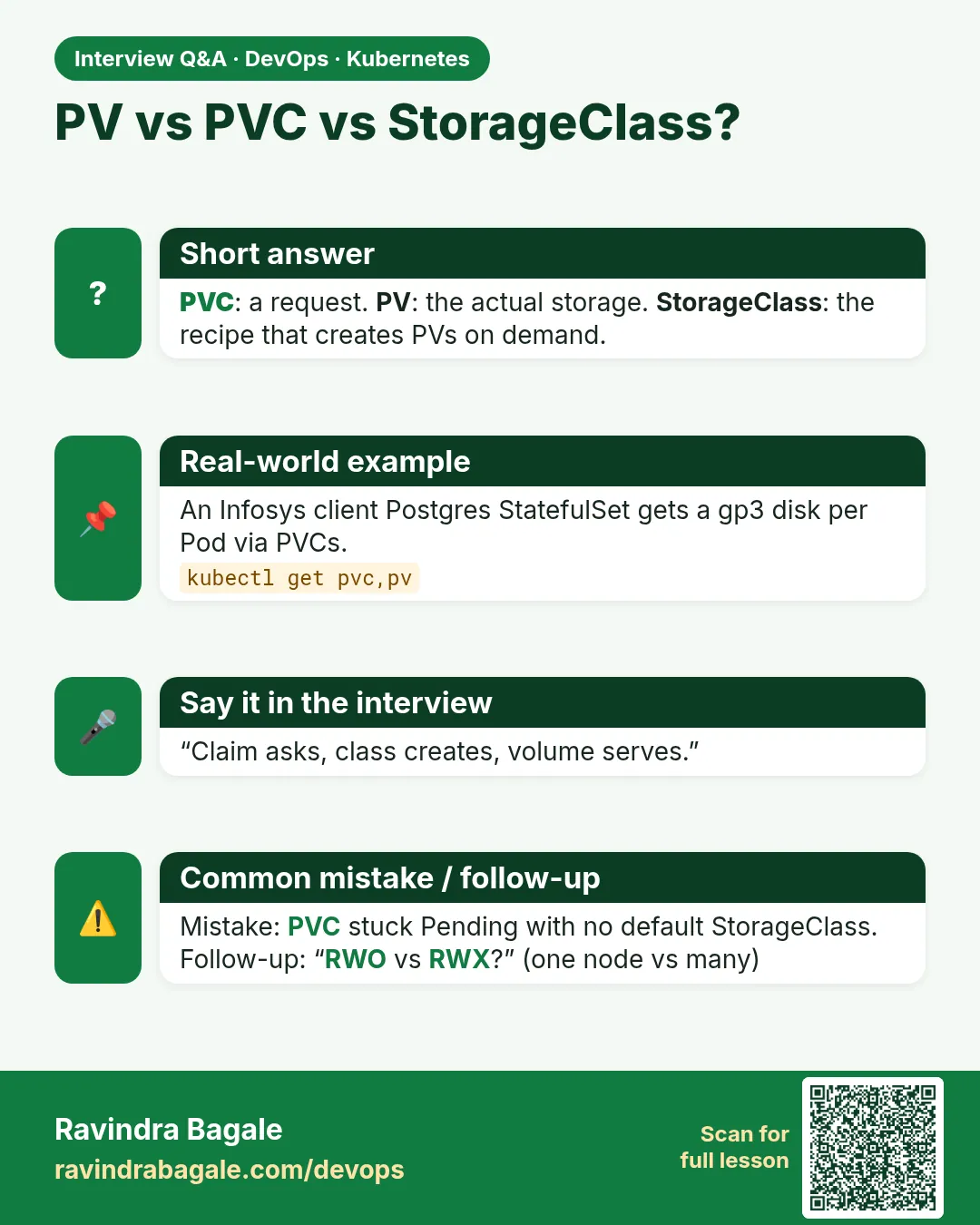
Explain PV, PVC and StorageClass.
PV is storage, PVC is a claim for storage, StorageClass provisions PVs dynamically.
-
What are access modes?
RWO, ROX, RWX and RWOP describe how many nodes can mount and how.
-
What is the difference between Delete and Retain?
Delete removes the backing disk with the PVC; Retain keeps it for manual recovery.
-
Why does a PVC stay Pending?
No default StorageClass, missing CSI driver, or WaitForFirstConsumer with no Pod yet.
-
How do StatefulSets use storage?
volumeClaimTemplates create one PVC per Pod that follows the Pod name.
Quick quiz
Q1. Which object does an app usually write?
The PVC.
Q2. What creates PVs automatically?
A StorageClass with a provisioner.
Q3. What does ReadWriteOnce mean?
One node can mount it read-write.
Q4. What does reclaimPolicy Retain do?
Keeps the disk after the PVC is deleted.
Q5. Why WaitForFirstConsumer?
The disk is created in the zone where the Pod runs.
Samajla ka?
 Revision card
 Interview card
 Comparison card