Chapter 19: Kubernetes Services, Ingress and Volumes
19.11 From a Git commit to a running Deployment
Why: the problem
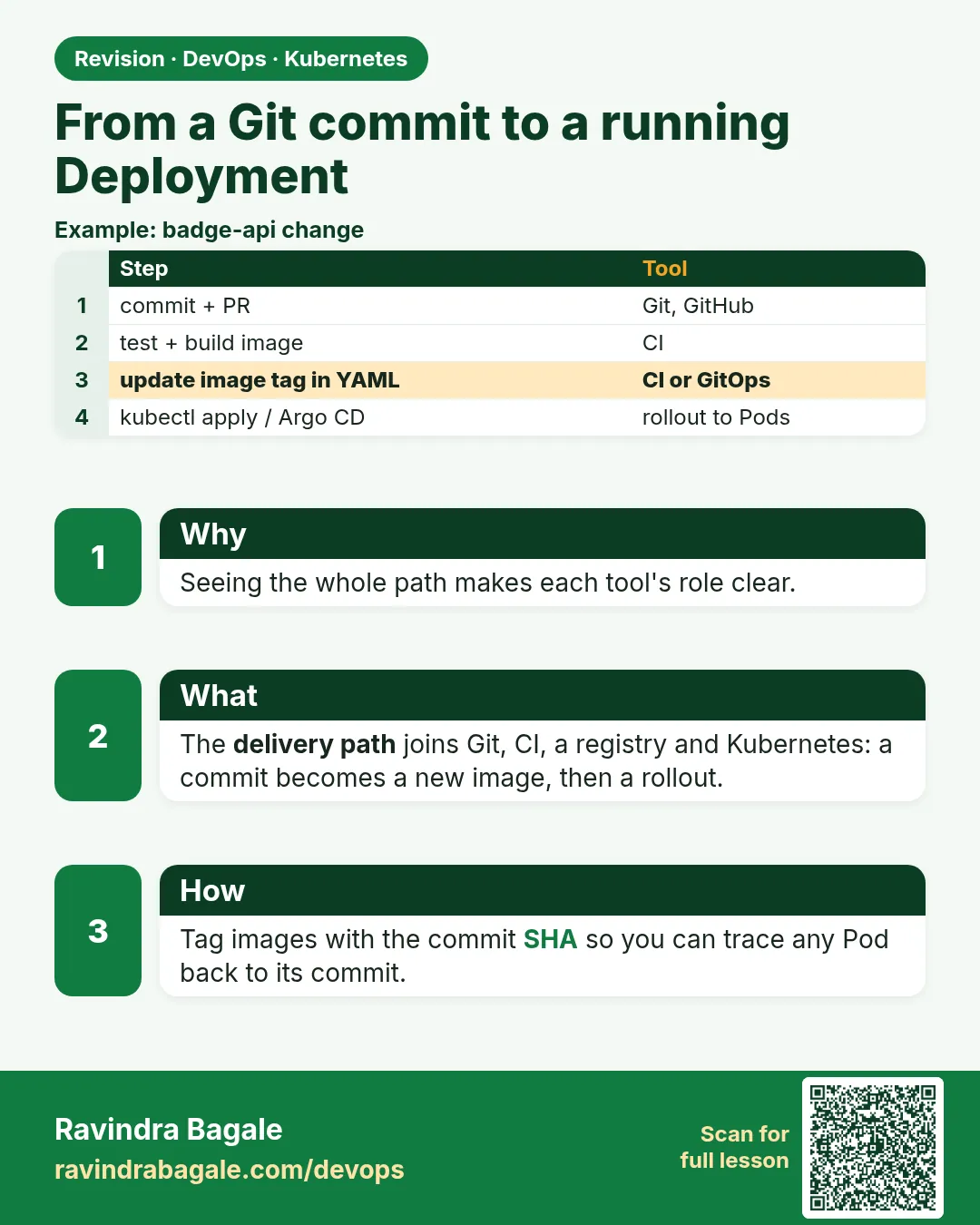
At a company like Zomato, nobody types kubectl run in production. A developer pushes a commit. CI builds an image and tags it with the short Git commit hash, like shop:3f9c2ab. Then the Deployment YAML is updated to that tag and applied, by a pipeline or by a GitOps tool like Argo CD. Why the commit hash and not latest? Because latest changes every day, so you cannot tell what is running, and rollback is guesswork. With the hash, kubectl get deploy tells you the exact commit in production, and rolling back means going to the previous hash. In this lesson you will do this loop by hand on kind: make a tiny app in a local Git repo, build an image tagged with the commit, load it into kind, apply a Deployment, Service and PVC, make a second commit, roll out, watch zero-downtime replacement, and roll back.
What we will build
You will build shop:COMMIT from a local Git repo, load it into kind, deploy it with a Service, change the code, deploy the new commit, and roll back with kubectl rollout undo. Every step shows which commit is running.
What: every term in plain English
- Commit hash — A unique ID for a Git commit; the short form has 7 characters.
- Immutable tag — An image tag that never points to different content, like the commit hash.
- kind load docker-image — Copies a local image into the kind node, no registry needed.
- Rolling update — Kubernetes replaces Pods a few at a time so the app stays up.
- rollout status — Waits until the new version is fully running.
- rollout undo — Goes back to the previous ReplicaSet.
- change-cause — An annotation that records why a rollout happened.
- GitOps — The cluster state is kept in Git and a tool syncs it.
How: step by step
-
Start a lab cluster
kind create cluster --name lab
kubectl get nodes
What it does: Creates a one-node Kubernetes cluster inside Docker. On minikube use: minikube start.
Output
Creating cluster "lab" ... ✓ Ensuring node image (kindest/node:v1.30.0) ✓ Preparing nodes Set kubectl context to "kind-lab" NAME STATUS ROLES AGE VERSION lab-control-plane Ready control-plane 40s v1.30.0 -
Make a practice namespace
kubectl create namespace practice
kubectl config set-context --current --namespace=practice
What it does: Keeps all lab objects in one folder that is easy to delete.
Output
namespace/practice created Context "kind-lab" modified. -
Make the app repo
mkdir shop && cd shop && git init -q && printf 'FROM nginx:1.27-alpine\nCOPY index.html /usr/share/nginx/html/\n' > Dockerfile && echo "shop v1" > index.html && git add . && git commit -qm "v1" && git log --onelineWhat it does: A tiny static app with one commit.
Output
3f9c2ab v1 -
Build with the commit tag
TAG=$(git rev-parse --short HEAD) && docker build -q -t shop:$TAG . && echo $TAGWhat it does: The tag is the commit hash.
Output
sha256:8d1e... 3f9c2ab -
Load into kind
kind load docker-image shop:$TAG --name labWhat it does: kind nodes cannot see your laptop images until you load them.
Output
Image: "shop:3f9c2ab" with ID "sha256:8d1e..." not yet present on node "lab-control-plane", loading...
Example 1: Deploy the commit with a Deployment and Service
Stack. kind, Docker, Git
Goal. Deploy the commit with a Deployment and Service.
deploy.yaml
apiVersion: apps/v1
kind: Deployment
metadata:
  name: shop
spec:
  replicas: 3
  strategy:
    rollingUpdate: {maxUnavailable: 0, maxSurge: 1}
  selector:
    matchLabels: {app: shop}
  template:
    metadata:
      labels: {app: shop}
    spec:
      containers:
      - name: shop
        image: shop:TAG
        imagePullPolicy: IfNotPresent
        ports: [{containerPort: 80}]
        readinessProbe:
          httpGet: {path: /, port: 80}
---
apiVersion: v1
kind: Service
metadata:
  name: shop
spec:
  selector: {app: shop}
  ports: [{port: 80}]
terminal
sed "s/TAG/$TAG/" deploy.yaml | kubectl apply -f -
kubectl annotate deploy shop kubernetes.io/change-cause="commit $TAG" --overwrite
kubectl rollout status deploy/shop
kubectl get deploy shop -o jsonpath="{.spec.template.spec.containers[0].image}{'\n'}"
kubectl run t --rm -i --image=curlimages/curl:8.8.0 --restart=Never -- curl -s shop
What each line does
maxUnavailable 0, maxSurge 1— Add one new Pod before removing an old one. No downtime.image: shop:TAG— sed replaces TAG with the commit hash.imagePullPolicy IfNotPresent— Use the image loaded into kind; do not pull.readinessProbe— Traffic goes to a Pod only when it answers.change-cause— Recorded in rollout history.
Green output
deployment.apps/shop created
service/shop created
deployment "shop" successfully rolled out
shop:3f9c2ab
shop v1
Expected result. You can see the exact commit running in the cluster.
Example 2: Second commit, rolling update
Stack. Deployment rolling update
Goal. Second commit, rolling update.
terminal
echo "shop v2 - new offers" > index.html && git commit -qam "v2 offers"
TAG=$(git rev-parse --short HEAD); docker build -q -t shop:$TAG . && kind load docker-image shop:$TAG --name lab
kubectl set image deploy/shop shop=shop:$TAG
kubectl annotate deploy shop kubernetes.io/change-cause="commit $TAG" --overwrite
kubectl rollout status deploy/shop
kubectl run t --rm -i --image=curlimages/curl:8.8.0 --restart=Never -- curl -s shop
What each line does
git commit -am— Commit the change.new TAG— A new hash, so a new image tag.kubectl set image— Changes the image in the Deployment and starts a rollout.rollout status— Waits while Pods are replaced one by one.
Green output
Waiting for deployment "shop" rollout to finish: 1 out of 3 new replicas have been updated...
Waiting for deployment "shop" rollout to finish: 2 out of 3 new replicas have been updated...
deployment "shop" successfully rolled out
shop v2 - new offers
Expected result. The new commit is live with no downtime.
Example 3: Roll back to the previous commit
Stack. kubectl rollout
Goal. Roll back to the previous commit.
terminal
kubectl rollout history deploy/shop
kubectl rollout undo deploy/shop
kubectl rollout status deploy/shop
kubectl get deploy shop -o jsonpath="{.spec.template.spec.containers[0].image}{'\n'}"
What each line does
rollout history— Lists revisions with change-cause.rollout undo— Back to the previous revision.jsonpath image— Confirms which commit runs now.
Green output
deployment.apps/shop
REVISION  CHANGE-CAUSE
1         commit 3f9c2ab
2         commit 7b21e04
deployment.apps/shop rolled back
deployment "shop" successfully rolled out
shop:3f9c2ab
Expected result. Rollback took seconds, and the tag tells you exactly which code is back.
Verify: did it work?
-
See ReplicaSets per commit
kubectl get rs -l app=shop -o wideWhat it does: Each commit has its own ReplicaSet.
Output
NAME DESIRED CURRENT READY IMAGES shop-6d9f7c8b5d 3 3 3 shop:3f9c2ab shop-85c4b9f6d7 0 0 0 shop:7b21e04 -
Match the commit to Git
git log --onelineWhat it does: The running tag is in your history.
Output
7b21e04 v2 offers
3f9c2ab v1
When it is red 1
ErrImagePull / ImagePullBackOff for shop:3f9c2ab
Cause. The image was not loaded into kind, or pull policy is Always.
Fix, step by step
- Run kind load docker-image.
- Set imagePullPolicy IfNotPresent.
When it is red 2
error: deployment "shop" exceeded its progress deadline
Cause. New Pods never became Ready.
Fix, step by step
- kubectl describe pod for probe failures.
- kubectl rollout undo deploy/shop.
When it is red 3
fatal: not a git repository
Cause. You ran git rev-parse outside the repo.
Fix, step by step
- cd shop first.
Cleanup
-
Delete the app
kubectl delete deploy,svc shopWhat it does: Removes the Deployment and Service.
Output
deployment.apps "shop" deleted service "shop" deleted -
Remove the repo and images
cd .. && rm -rf shop && docker image rm $(docker images shop -q) -fWhat it does: Cleans your laptop.
Output
Untagged: shop:3f9c2ab Untagged: shop:7b21e04 -
Delete the practice namespace
kubectl delete namespace practiceWhat it does: Deletes every object you made in this lesson in one go.
Output
namespace "practice" deleted -
Delete the lab cluster
kind delete cluster --name labWhat it does: Removes the whole cluster container. On minikube use: minikube delete.
Output
Deleting cluster "lab" ...
Deleted nodes: ["lab-control-plane"]
Ravindra Bagale's Tip
Image la latest tag nako, commit hash dya. Mag kay chalu aahe te nakki kalta, ani rollback ek command!
Practice tasks
Easy Show the running commit
Why: Know what is live.
What to do: Print the image of the Deployment.
- jsonpath on containers[0].image
Check: You see shop:HASH.
Medium Bad commit
Why: Practise a failed rollout.
What to do: Commit a Dockerfile that breaks nginx and roll out.
- Watch rollout status.
- Undo.
Check: Old Pods kept serving.
Hard Kustomize
Why: Avoid sed.
What to do: Use kustomize edit set image shop=shop:$TAG.
- kubectl apply -k .
Check: Same result, no sed.
Easy Say Git commit to Deployment in two lines
Why: If you can say it simply, you understand it. Interviewers want the short version first.
What to do: Write two short lines about Git commit to Deployment for a fresher who knows only Docker basics.
- Write what problem it solves.
- Write the one kubectl command you use for it.
- Read it aloud to a friend.
Check: A fresher understands it without asking a question.
Easy Start a fresh lab cluster
Why: Practice needs a throwaway cluster. If you break it, you delete it and start again.
What to do: Create a kind cluster, or a minikube cluster, and check the node is Ready.
- kind create cluster --name lab
- kubectl get nodes
- kubectl get pods -A
Check: One node shows STATUS Ready and the kube-system Pods are Running.
Medium Break it on purpose
Why: You must know the red message by face. During an outage there is no time to read slowly.
What to do: Cause one error from the "When it is red" part of this lesson and fix it.
- Follow the error section.
- Copy the exact message and the kubectl describe Events into your notes.
- Write the fix in one line.
Check: You fixed it using only the steps, without searching the web.
Medium Write a one-page runbook
Why: At 2 a.m. nobody remembers the right command. A short page saves the on-call person.
What to do: Write a runbook page for this lesson.
- Title, when to use, exact kubectl command, how to check, how to undo.
Check: A teammate can follow it alone.
Medium Repeat it on a cloud cluster
Why: kind is a laptop toy. Real clusters run on EKS, GKE, AKS or k3s on a VM.
What to do: Do the main steps of this lesson again on a small k3s VM or a free-tier managed cluster.
- Install k3s on one Ubuntu 22.04 VM: curl -sfL https://get.k3s.io | sh -
- Copy the kubeconfig.
- Apply the same YAML and compare the output.
Check: Same output on the cloud cluster as on kind.
Hard Explain it like an interview
Why: Interviewers want real stories, not definitions.
What to do: Record a 60 second answer about this lesson.
- Say the problem, the YAML field you used, the kubectl command you ran, and one error you hit.
Check: Your answer has a real command and a real error message.
Hard Draw the flow top to bottom
Why: A drawing shows who talks to whom and in what order.
What to do: Draw this lesson as boxes from top to bottom.
- Start at kubectl apply, go through the API server, controller and scheduler, end at the running container.
Check: Each box matches a real thing you saw in kubectl output.
Homework: try at home
Try at home
At home, write a small script deploy.sh that does build, load, set image, annotate and rollout status in one go for the current commit. Then make it refuse to deploy if git status shows uncommitted changes.
Recap
- CI builds an image tagged with the commit hash.
- The Deployment is updated to that tag.
- Rolling updates with readiness keep the app up.
- rollout history and undo give quick rollbacks.
- GitOps tools automate the same loop.
FAQ
Do real teams use kind load?
No, they push to a registry like ECR. kind load is for labs.
Is the full or short hash better?
Short is common and readable; full is safest.
Where does Argo CD fit?
It watches a Git repo of YAML and applies changes automatically.
Should I also tag versions like 1.4.0?
Yes, many teams push both a version tag and the commit tag.
How many old ReplicaSets are kept?
revisionHistoryLimit, 10 by default.
Interview questions
-
How do you deploy a commit to Kubernetes?
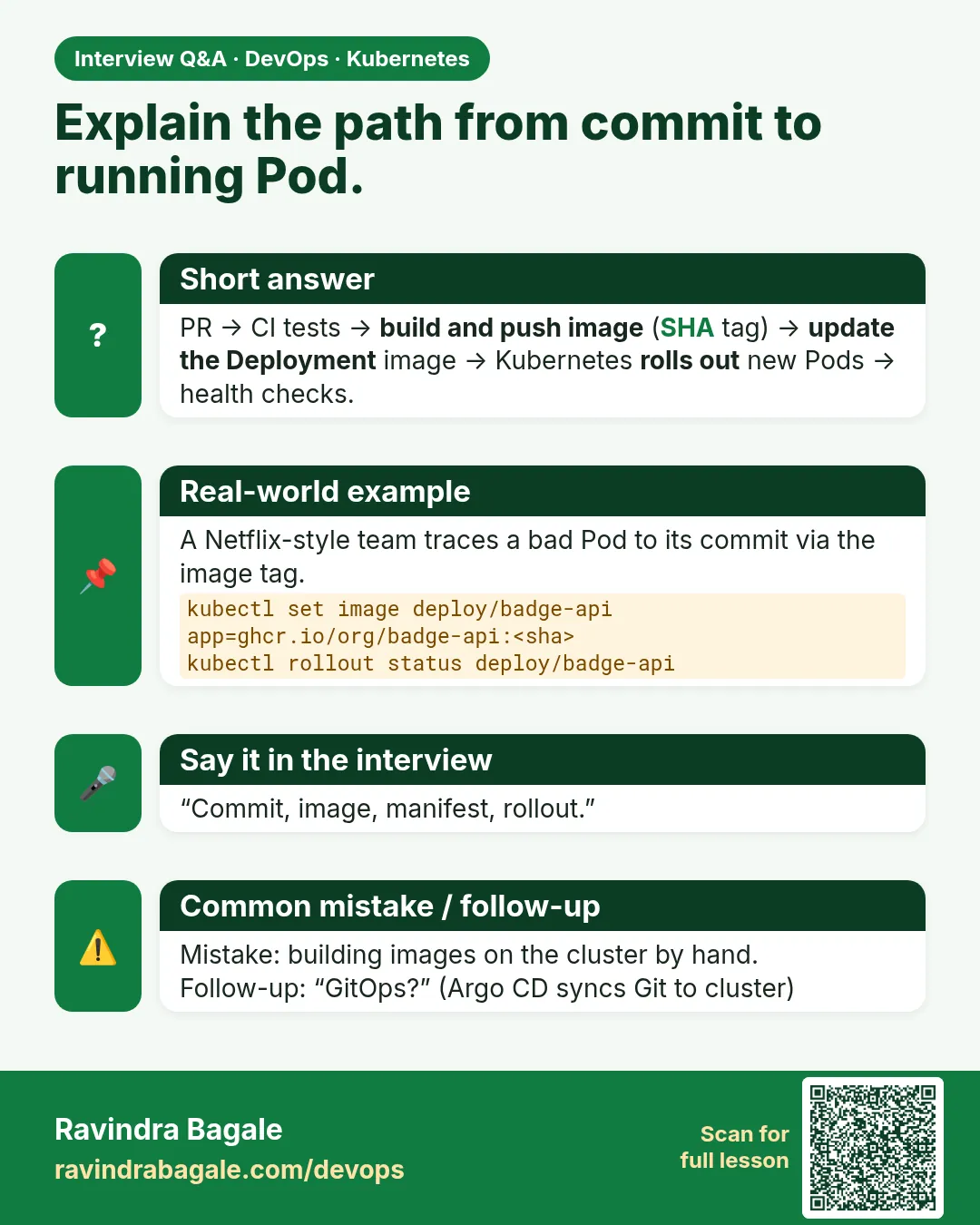
Build and push an image tagged with the commit, update the Deployment image, and watch rollout status.
-
How do you roll back a Deployment?
kubectl rollout undo, or revert the image tag in Git with GitOps.
-
Why avoid the latest tag?
It is mutable and makes rollbacks and audits unreliable.
-
What controls rolling update speed?
maxSurge and maxUnavailable.
-
What is GitOps?
Using Git as the source of truth for cluster state, synced by a controller.
Quick quiz
Q1. Why tag images with the commit hash?
You know exactly what runs and can roll back to a known version.
Q2. Why not latest?
It changes over time, so you cannot tell what runs.
Q3. How does kind see local images?
kind load docker-image.
Q4. Which command rolls back?
kubectl rollout undo.
Q5. What keeps the rollout zero-downtime?
maxUnavailable 0 with readiness probes.
Samajla ka?
 Revision card
 Interview card