Chapter 19: Kubernetes Services, Ingress and Volumes
19.5 ExternalName — an alias to a name outside
Why: the problem
The Swiggy order service on Kubernetes must talk to a database that is not in the cluster. It is an Amazon RDS MySQL with a long name like orders-db.abc123.ap-south-1.rds.amazonaws.com. If every app writes that long name in its config, moving the database means changing ten apps. Worse, dev, test and prod use different databases. An ExternalName Service fixes this. You make a Service called mysql whose only job is to say "mysql means orders-db.abc123...". Kubernetes DNS answers with a CNAME record. No proxy, no ports, no Pods. Apps always connect to mysql:3306. To move the database, you change one Service. In this lesson you will create an ExternalName Service, see the CNAME in DNS, use it for a public API and a fake RDS name, and learn the limits: no port mapping, and HTTPS hosts must match the certificate.
What we will build
You will make two ExternalName Services: one for a real public name (example.com) and one that stands for an RDS endpoint. You will see the CNAME with nslookup, call it with curl, and switch it to another target with one patch.
What: every term in plain English
- ExternalName — A Service type that is only a DNS alias to an outside name.
- CNAME — A DNS record that says "this name is another name".
- CoreDNS — The DNS server inside the cluster.
- RDS — Amazon Relational Database Service, managed databases on AWS.
- Endpoint name — The long DNS name AWS gives your RDS database.
- Service without selector — A Service with manual Endpoints, used for outside IPs instead of names.
- Host header — The name an HTTP client sends. Some servers reject names they do not know.
How: step by step
-
Start a lab cluster
kind create cluster --name lab
kubectl get nodes
What it does: Creates a one-node Kubernetes cluster inside Docker. On minikube use: minikube start.
Output
Creating cluster "lab" ... ✓ Ensuring node image (kindest/node:v1.30.0) ✓ Preparing nodes Set kubectl context to "kind-lab" NAME STATUS ROLES AGE VERSION lab-control-plane Ready control-plane 40s v1.30.0 -
Make a practice namespace
kubectl create namespace practice
kubectl config set-context --current --namespace=practice
What it does: Keeps all lab objects in one folder that is easy to delete.
Output
namespace/practice created Context "kind-lab" modified. -
Create the alias
kubectl create service externalname web-out --external-name example.comWhat it does: Makes web-out mean example.com.
Output
service/web-out created -
Look at it
kubectl get svc web-outWhat it does: No ClusterIP; EXTERNAL-IP shows the target name.
Output
NAME TYPE CLUSTER-IP EXTERNAL-IP PORT(S) web-out ExternalName none example.com none -
Ask DNS
kubectl run d --rm -it --image=busybox:1.36 --restart=Never -- nslookup web-outWhat it does: CoreDNS returns a CNAME to example.com.
Output
web-out.practice.svc.cluster.local canonical name = example.com Name: example.com Address: 93.184.215.14 -
Call it
kubectl run t --rm -it --image=curlimages/curl:8.8.0 --restart=Never -- curl -s -H "Host: example.com" web-out | grep -o "Example Domain" | head -1What it does: The Host header must be the real name for many web servers.
Output
Example Domain
Example 1: An alias for an RDS database, so apps use one short name
Stack. EKS + RDS MySQL 8.0
Goal. An alias for an RDS database, so apps use one short name.
mysql-ext.yaml
apiVersion: v1
kind: Service
metadata:
  name: mysql
spec:
  type: ExternalName
  externalName: orders-db.abc123xyz.ap-south-1.rds.amazonaws.com
app config (env)
env:
- name: DB_HOST
  value: mysql
- name: DB_PORT
  value: "3306"
What each line does
type: ExternalName— Only an alias, nothing else.externalName— The RDS endpoint shown in the RDS console under Connectivity.DB_HOST: mysql— The app uses the short name in every environment.DB_PORT 3306— ExternalName cannot change ports, so use the real one.
Green output
$ kubectl apply -f mysql-ext.yaml
service/mysql created
$ kubectl run d --rm -it --image=busybox:1.36 --restart=Never -- nslookup mysql
mysql.practice.svc.cluster.local  canonical name = orders-db.abc123xyz.ap-south-1.rds.amazonaws.com
Expected result. Apps say mysql. Only this Service knows the real endpoint. Dev and prod namespaces can each point mysql to their own database.
Example 2: Move the database with one patch
Stack. kubectl patch
Goal. Move the database with one patch.
terminal
kubectl patch svc mysql -p '{"spec":{"externalName":"orders-db-new.abc123xyz.ap-south-1.rds.amazonaws.com"}}'
kubectl get svc mysql
kubectl run d --rm -it --image=busybox:1.36 --restart=Never -- nslookup mysql | grep canonical
What each line does
kubectl patch— Changes one field in place.externalName new value— The new database endpoint, for example after a restore.nslookup mysql— DNS now points to the new name.
Green output
service/mysql patched
NAME    TYPE           EXTERNAL-IP
mysql   ExternalName   orders-db-new.abc123xyz.ap-south-1.rds.amazonaws.com
mysql.practice.svc.cluster.local  canonical name = orders-db-new.abc123xyz.ap-south-1.rds.amazonaws.com
Expected result. No app was changed or redeployed. New connections go to the new database. (Apps with long-lived connection pools should be restarted to reconnect.)
Example 3: An outside service known only by IP: a Service without a selector
Stack. Kubernetes EndpointSlice API
Goal. An outside service known only by IP: a Service without a selector.
legacy-db.yaml
apiVersion: v1
kind: Service
metadata:
  name: legacy-db
spec:
  ports:
  - port: 5432
---
apiVersion: discovery.k8s.io/v1
kind: EndpointSlice
metadata:
  name: legacy-db-1
  labels:
    kubernetes.io/service-name: legacy-db
addressType: IPv4
ports:
- port: 5432
endpoints:
- addresses: ["10.0.12.34"]
What each line does
Service with no selector— Kubernetes will not look for Pods.EndpointSlice— You list the outside IP yourself.kubernetes.io/service-name— Links the slice to the Service.10.0.12.34— For example, an old Postgres VM inside the VPC.
Green output
$ kubectl apply -f legacy-db.yaml
service/legacy-db created
endpointslice.discovery.k8s.io/legacy-db-1 created
$ kubectl get svc legacy-db
NAME        TYPE        CLUSTER-IP     PORT(S)
legacy-db   ClusterIP   10.96.200.17   5432/TCP
Expected result. Use ExternalName when the outside thing has a DNS name, and a selector-less Service with an EndpointSlice when it has only an IP.
Verify: did it work?
-
List the aliases
kubectl get svc --field-selector spec.type=ExternalNameWhat it does: Shows only ExternalName Services.
Output
NAME TYPE EXTERNAL-IP mysql ExternalName orders-db-new.abc123xyz.ap-south-1.rds.amazonaws.com web-out ExternalName example.com -
Check the YAML
kubectl get svc mysql -o yaml | grep -E "type|externalName"What it does: Confirms the type and target.
Output
externalName: orders-db-new.abc123xyz.ap-south-1.rds.amazonaws.com
type: ExternalName
When it is red 1
SSL: no alternative certificate subject name matches target host name 'web-out'
Cause. HTTPS checks the name in the certificate. web-out is not in it.
Fix, step by step
- Call the real name for HTTPS, or set the Host / SNI to the real name.
- Use ExternalName mainly for DB and TCP endpoints.
When it is red 2
ERROR 2005 (HY000): Unknown MySQL server host 'mysql'
Cause. The app is in another namespace, or the Service is missing.
Fix, step by step
- Use mysql.practice or create the Service in the app's namespace.
- Check kubectl get svc -A | grep mysql.
When it is red 3
404 Not Found from the outside server
Cause. The outside web server saw Host: web-out and did not know it.
Fix, step by step
- Send the right Host header.
- Or call the real name directly.
Cleanup
-
Delete the Services
kubectl delete svc web-out mysql legacy-dbWhat it does: Removes the aliases.
Output
service "web-out" deleted service "mysql" deleted service "legacy-db" deleted -
Delete the practice namespace
kubectl delete namespace practiceWhat it does: Deletes every object you made in this lesson in one go.
Output
namespace "practice" deleted
Ravindra Bagale's Tip
RDS cha lamb naav app madhe lihu naka. ExternalName banva, naav ek, target kadhihi badla!
Practice tasks
Easy Alias a public API
Why: Practise the command.
What to do: Create an ExternalName for api.example.com.
- kubectl create service externalname api --external-name api.example.com
Check: nslookup api shows the CNAME.
Medium Per-namespace targets
Why: Same app config everywhere.
What to do: Point mysql to two names in dev and prod.
- Two namespaces.
- Two Services.
Check: Each namespace resolves differently.
Hard Real RDS
Why: Full flow on AWS.
What to do: Create a small RDS MySQL in a lab VPC and alias it from EKS.
- Allow port 3306 from the node security group.
- mysql -h mysql -u admin -p
Check: You connect using the short name.
Easy Say ExternalName in two lines
Why: If you can say it simply, you understand it. Interviewers want the short version first.
What to do: Write two short lines about ExternalName for a fresher who knows only Docker basics.
- Write what problem it solves.
- Write the one kubectl command you use for it.
- Read it aloud to a friend.
Check: A fresher understands it without asking a question.
Easy Start a fresh lab cluster
Why: Practice needs a throwaway cluster. If you break it, you delete it and start again.
What to do: Create a kind cluster, or a minikube cluster, and check the node is Ready.
- kind create cluster --name lab
- kubectl get nodes
- kubectl get pods -A
Check: One node shows STATUS Ready and the kube-system Pods are Running.
Medium Break it on purpose
Why: You must know the red message by face. During an outage there is no time to read slowly.
What to do: Cause one error from the "When it is red" part of this lesson and fix it.
- Follow the error section.
- Copy the exact message and the kubectl describe Events into your notes.
- Write the fix in one line.
Check: You fixed it using only the steps, without searching the web.
Medium Write a one-page runbook
Why: At 2 a.m. nobody remembers the right command. A short page saves the on-call person.
What to do: Write a runbook page for this lesson.
- Title, when to use, exact kubectl command, how to check, how to undo.
Check: A teammate can follow it alone.
Medium Repeat it on a cloud cluster
Why: kind is a laptop toy. Real clusters run on EKS, GKE, AKS or k3s on a VM.
What to do: Do the main steps of this lesson again on a small k3s VM or a free-tier managed cluster.
- Install k3s on one Ubuntu 22.04 VM: curl -sfL https://get.k3s.io | sh -
- Copy the kubeconfig.
- Apply the same YAML and compare the output.
Check: Same output on the cloud cluster as on kind.
Hard Explain it like an interview
Why: Interviewers want real stories, not definitions.
What to do: Record a 60 second answer about this lesson.
- Say the problem, the YAML field you used, the kubectl command you ran, and one error you hit.
Check: Your answer has a real command and a real error message.
Hard Draw the flow top to bottom
Why: A drawing shows who talks to whom and in what order.
What to do: Draw this lesson as boxes from top to bottom.
- Start at kubectl apply, go through the API server, controller and scheduler, end at the running container.
Check: Each box matches a real thing you saw in kubectl output.
Homework: try at home
Try at home
At home, make two namespaces, dev and prod. In each, make an ExternalName Service called mysql that points to a different name. From a Pod in each namespace, run nslookup mysql and show that the same name gives different targets.
Recap
- ExternalName is a DNS alias (CNAME) to an outside name.
- It has no IP, no proxy and no port mapping.
- Great for RDS and other managed services.
- Change the target with one patch, no app changes.
- For outside IPs use a selector-less Service with an EndpointSlice.
FAQ
Does ExternalName load balance?
No. DNS of the outside name does that.
Is it secure?
It is only DNS. Use security groups and TLS for the real protection.
Can I use it for HTTPS sites?
Yes, but the client must use the real host name for the certificate.
Will apps see the change at once?
New DNS lookups will. Apps that cache connections may need a restart.
Can I point it to another Service in another namespace?
Yes, for example svc-name.other-ns.svc.cluster.local.
Interview questions
-
What is an ExternalName Service?
A Service that returns a CNAME to an external DNS name, with no proxying.
-
When do you use it?
To give in-cluster apps a stable name for managed services like RDS, or to migrate services.
-
What are its limits?
No port remapping, no selectors, TLS name mismatches.
-
How do you point a Service to an external IP?
Create a Service without selector and add an EndpointSlice with the IP.
-
How would you switch from an in-cluster DB to RDS without changing apps?
Replace the ClusterIP Service with an ExternalName Service of the same name pointing to RDS.
Quick quiz
Q1. What DNS record does ExternalName create?
A CNAME.
Q2. Does ExternalName have a ClusterIP?
No.
Q3. Can ExternalName map port 3306 to 5432?
No, it does not touch ports.
Q4. What do you use for an outside IP with no name?
A Service without a selector plus an EndpointSlice.
Q5. Why is ExternalName useful for RDS?
Apps use one short name; you change the target in one place.
Samajla ka?
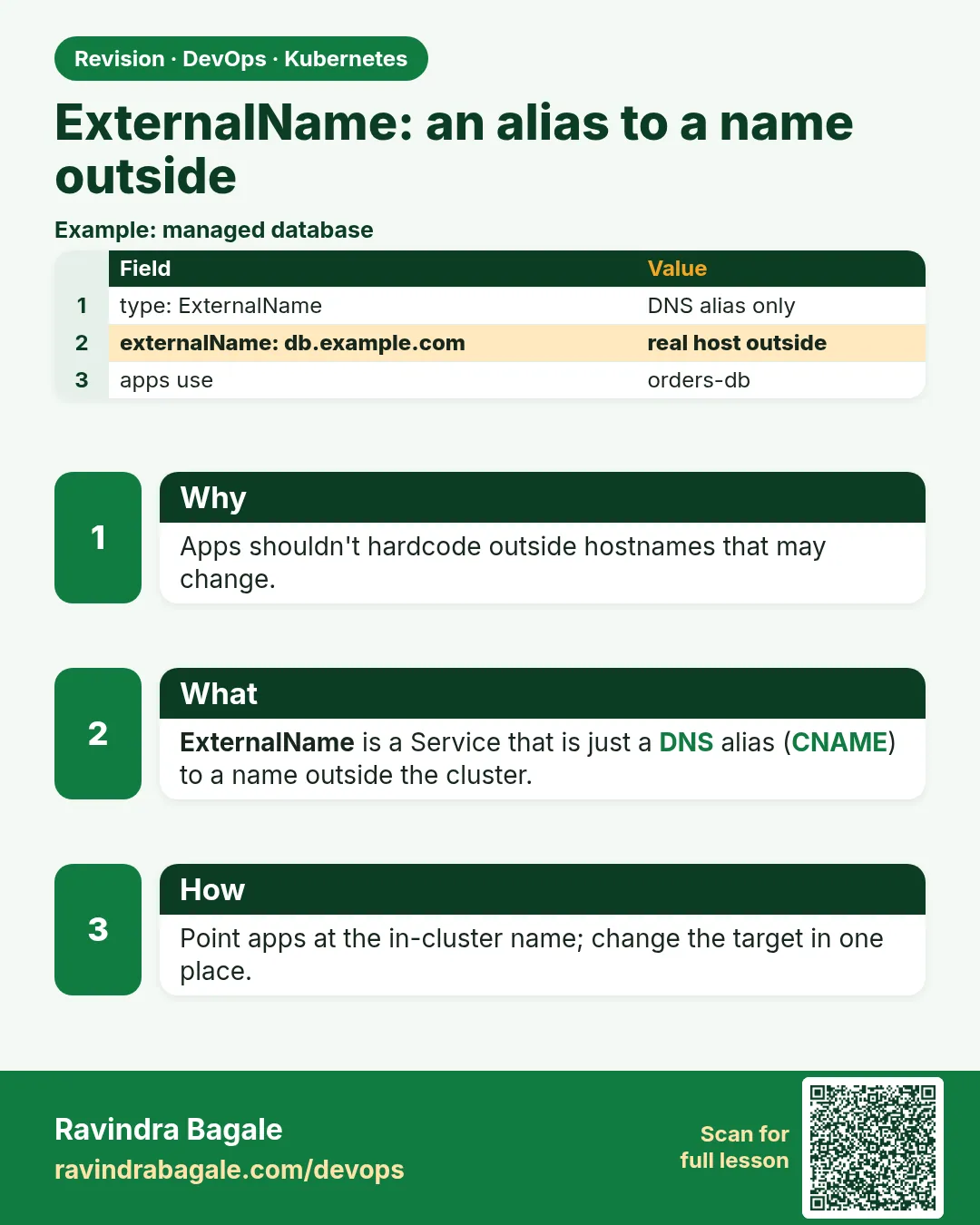 Revision card
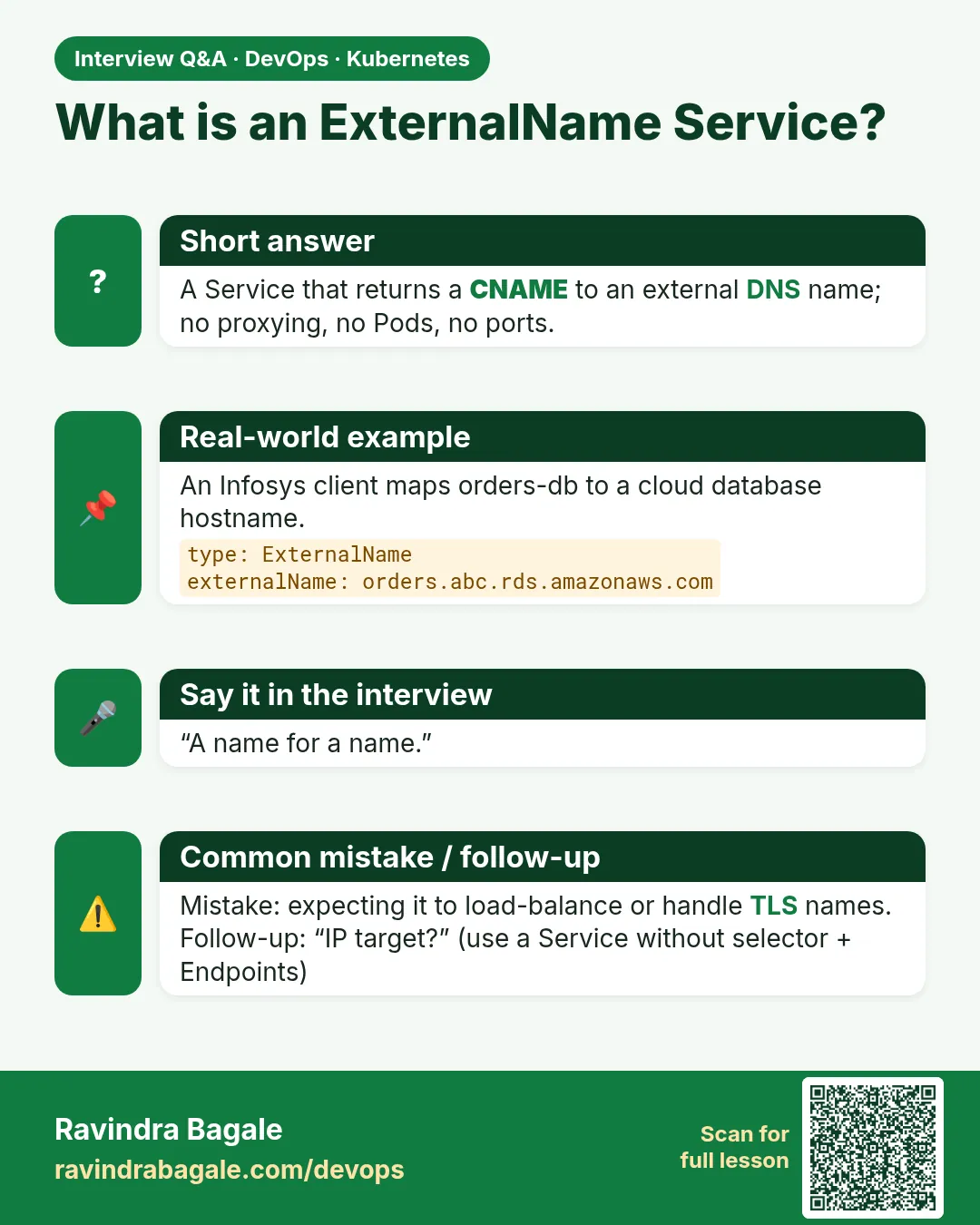 Interview card