Chapter 19: Kubernetes Services, Ingress and Volumes
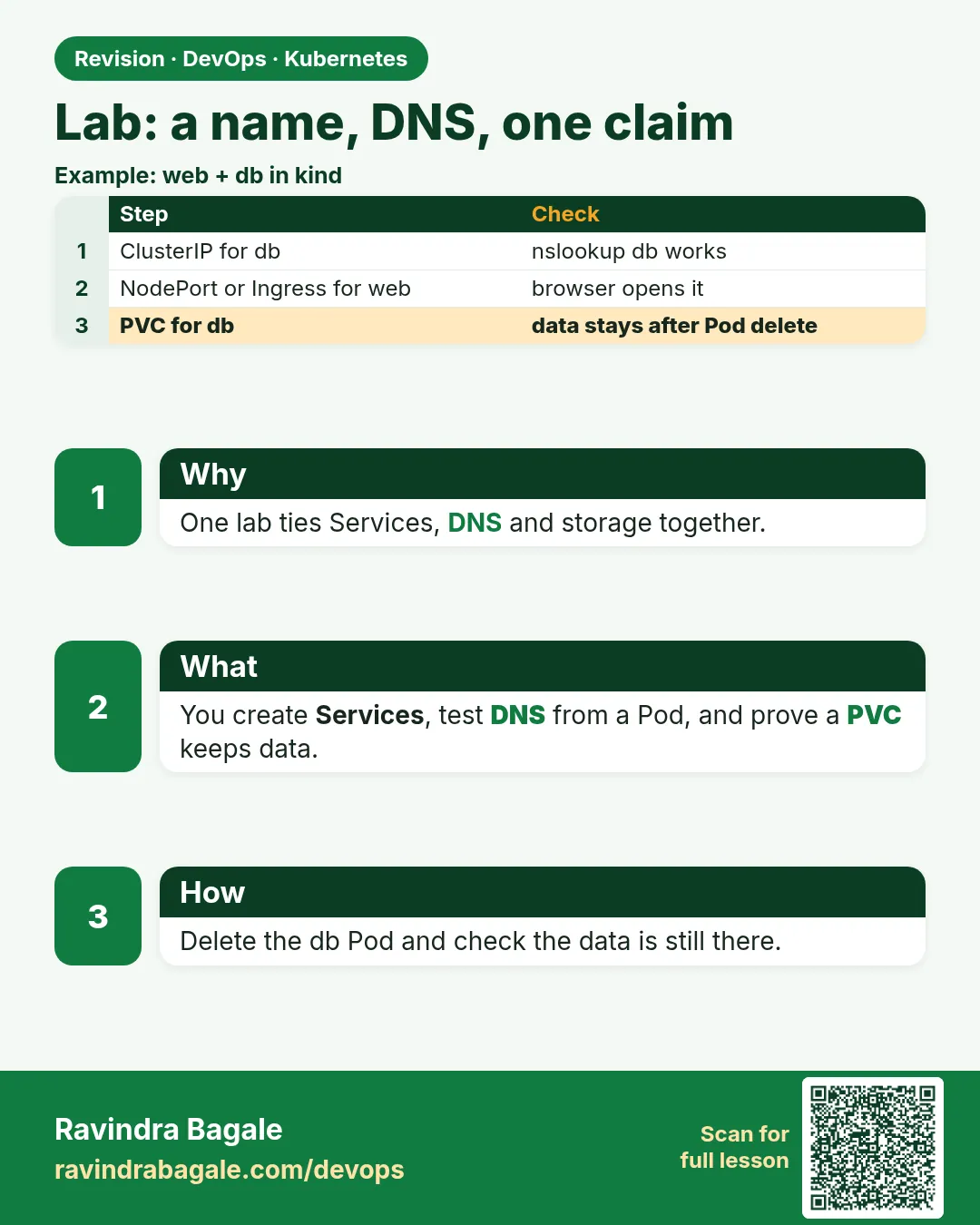
19.12 Lab — name, DNS, one claim
Why: the problem
This lab joins the chapter together, like a real first day on a platform team. A small notes service needs three things: a stable name other Pods can call, DNS that works from any namespace, and one disk that keeps notes when Pods restart. You will build it from scratch on kind: a Deployment with one replica (because the disk is ReadWriteOnce), a ClusterIP Service named notes, a PVC, and an Ingress at notes.local. You will test the DNS name from another namespace, write a note, kill the Pod, and read the note back. Then you will break three things on purpose and fix them. If you can do this lab without looking, you understand Services and volumes well enough for interviews and for real work.
What we will build
You will deploy a notes app that saves files to a PVC, expose it as Service notes, call it as notes.lab.svc.cluster.local from another namespace, route notes.local through Ingress, and prove the data survives a Pod delete.
What: every term in plain English
- One claim — A single PVC used by the app.
- Recreate strategy — Stop the old Pod before starting the new one, needed for RWO disks.
- FQDN — Full DNS name: service.namespace.svc.cluster.local.
- Cross-namespace call — A Pod in one namespace calling a Service in another.
- End-to-end test — Checking the whole path: Ingress to Service to Pod to disk.
How: step by step
-
Create kind with port 80
kind create cluster --name lab --config kind-ing.yamlWhat it does: Same config as lesson 19.7.
Output
Set kubectl context to "kind-lab" -
Install ingress-nginx
kubectl apply -f https://kind.sigs.k8s.io/examples/ingress/deploy-ingress-nginx.yaml && kubectl -n ingress-nginx wait --for=condition=ready pod -l app.kubernetes.io/component=controller --timeout=120sWhat it does: The router for notes.local.
Output
pod/ingress-nginx-controller-6b8f5d8b5c-x2k9p condition met -
Make namespaces
kubectl create ns lab && kubectl create ns otherWhat it does: lab holds the app; other is for the DNS test.
Output
namespace/lab created namespace/other created -
Apply the app
kubectl -n lab apply -f notes.yamlWhat it does: PVC, Deployment, Service and Ingress in one file.
Output
persistentvolumeclaim/notes-data created deployment.apps/notes created service/notes created ingress.networking.k8s.io/notes created -
Wait
kubectl -n lab rollout status deploy/notesWhat it does: The Pod is Ready and the PVC Bound.
Output
deployment "notes" successfully rolled out
Example 1: The full notes
Stack. kind, ingress-nginx, local-path
Goal. The full notes.yaml.
notes.yaml
apiVersion: v1
kind: PersistentVolumeClaim
metadata: {name: notes-data}
spec:
  accessModes: ["ReadWriteOnce"]
  resources: {requests: {storage: 1Gi}}
---
apiVersion: apps/v1
kind: Deployment
metadata: {name: notes}
spec:
  replicas: 1
  strategy: {type: Recreate}
  selector: {matchLabels: {app: notes}}
  template:
    metadata: {labels: {app: notes}}
    spec:
      containers:
      - name: web
        image: nginx:1.27-alpine
        ports: [{containerPort: 80}]
        volumeMounts:
        - {name: data, mountPath: /usr/share/nginx/html}
      volumes:
      - name: data
        persistentVolumeClaim: {claimName: notes-data}
---
apiVersion: v1
kind: Service
metadata: {name: notes}
spec:
  selector: {app: notes}
  ports: [{port: 80, targetPort: 80}]
---
apiVersion: networking.k8s.io/v1
kind: Ingress
metadata: {name: notes}
spec:
  ingressClassName: nginx
  rules:
  - host: notes.local
    http:
      paths:
      - path: /
        pathType: Prefix
        backend: {service: {name: notes, port: {number: 80}}}
What each line does
PVC 1Gi RWO— The one claim.replicas 1, Recreate— An RWO disk can attach to one node; Recreate avoids two Pods fighting.mountPath html— nginx serves files from the disk.Service notes— The stable name.Ingress notes.local— The outside door.
Green output
persistentvolumeclaim/notes-data created
deployment.apps/notes created
service/notes created
ingress.networking.k8s.io/notes created
Expected result. Four objects make a complete small service with a name, a door and a disk.
Example 2: Write a note, test DNS from another namespace and through Ingress
Stack. CoreDNS, ingress-nginx
Goal. Write a note, test DNS from another namespace and through Ingress.
terminal
kubectl -n lab exec deploy/notes -- sh -c 'echo "buy milk" > /usr/share/nginx/html/index.html'
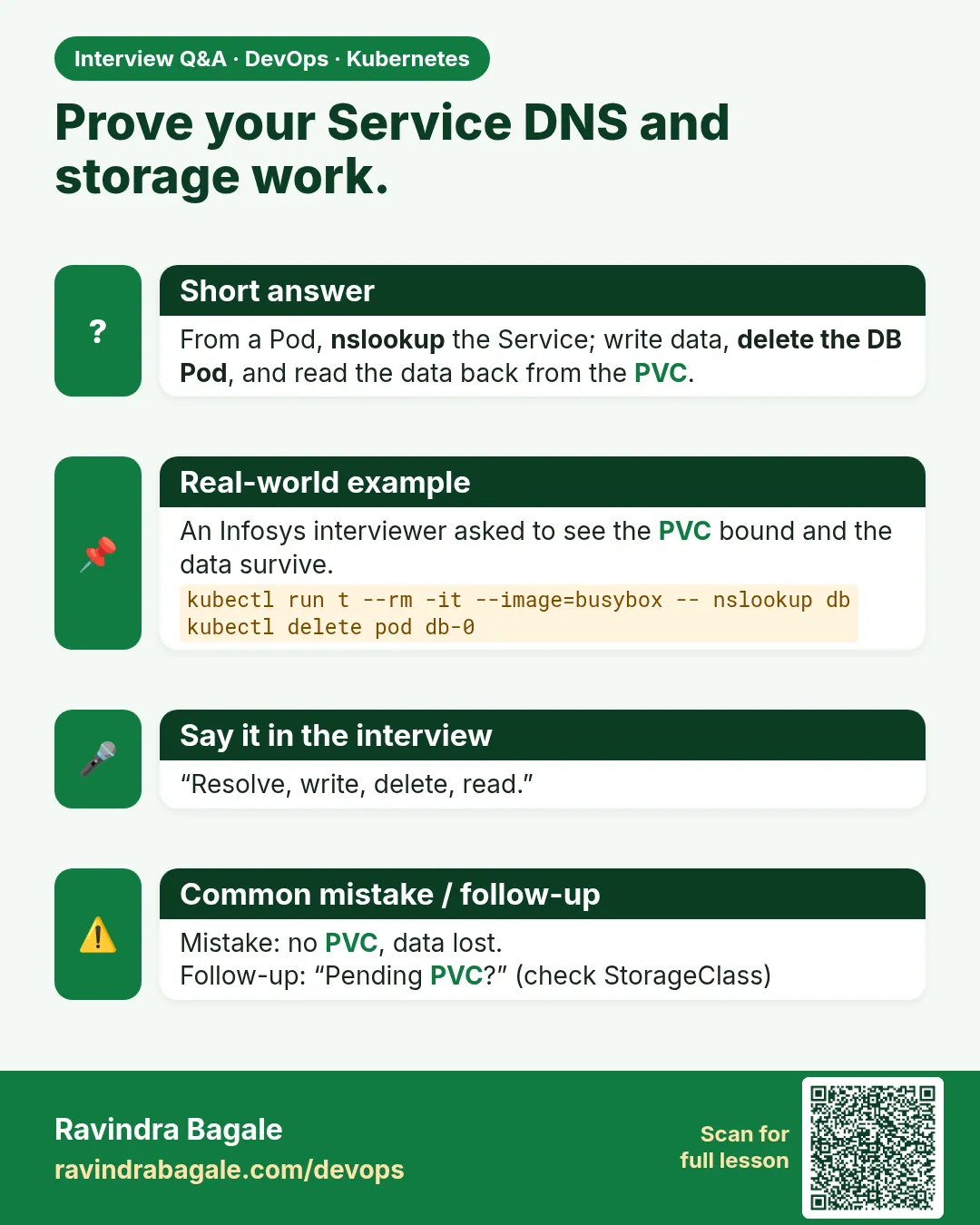
kubectl -n other run t --rm -i --image=curlimages/curl:8.8.0 --restart=Never -- curl -s notes.lab.svc.cluster.local
kubectl -n other run t2 --rm -i --image=curlimages/curl:8.8.0 --restart=Never -- curl -s -m 3 notes || echo "short name fails across namespaces"
curl -s -H "Host: notes.local" localhost
What each line does
echo into html— Writes the note to the PVC.notes.lab.svc.cluster.local— Full name works from any namespace.short name notes from other— Fails, because the short name only works in the same namespace.Host: notes.local— Tests the Ingress without editing /etc/hosts.
Green output
buy milk
curl: (6) Could not resolve host: notes
short name fails across namespaces
buy milk
Expected result. DNS and Ingress both reach the same Pod and the same disk.
Example 3: Kill the Pod and read the note back
Stack. PVC + Deployment
Goal. Kill the Pod and read the note back.
terminal
kubectl -n lab delete pod -l app=notes
kubectl -n lab rollout status deploy/notes
kubectl -n lab get pods,pvc
curl -s -H "Host: notes.local" localhost
What each line does
delete pod— The Deployment makes a new Pod.get pods,pvc— A new Pod name, the same Bound PVC.curl— The note is still there.
Green output
pod "notes-7c9d6b8f5-abcde" deleted
deployment "notes" successfully rolled out
NAME                        READY   STATUS    RESTARTS   AGE
pod/notes-7c9d6b8f5-kx2lm   1/1     Running   0          6s
NAME                               STATUS   VOLUME             CAPACITY
persistentvolumeclaim/notes-data   Bound    pvc-91ab...        1Gi
buy milk
Expected result. The Pod changed, the name and the data did not. That is the goal of this chapter.
Verify: did it work?
-
Break 1: wrong selector
kubectl -n lab patch svc notes -p '{"spec":{"selector":{"app":"notez"}}}' && curl -s -o /dev/null -w "%{http_code}\n" -H "Host: notes.local" localhostWhat it does: No endpoints, so Ingress returns 503. Fix by setting app: notes again.
Output
503 -
Break 2: scale to 2
kubectl -n lab scale deploy notes --replicas=2 && kubectl -n lab get podsWhat it does: On kind (one node) both Pods may run; on a multi-node cluster the second shows Multi-Attach error. Scale back to 1.
Output
NAME READY STATUS notes-7c9d6b8f5-kx2lm 1/1 Running notes-7c9d6b8f5-p8q7r 1/1 Running -
Break 3: delete the PVC while in use
kubectl -n lab delete pvc notes-data --wait=false && kubectl -n lab get pvcWhat it does: It stays Terminating while a Pod uses it (protection finalizer).
Output
NAME         STATUS        VOLUME
notes-data   Terminating   pvc-91ab...
When it is red 1
503 Service Temporarily Unavailable
Cause. The Service selector does not match the Pod labels.
Fix, step by step
- kubectl -n lab get endpointslices.
- Fix the selector.
When it is red 2
Could not resolve host: notes
Cause. Short name used from another namespace.
Fix, step by step
- Use notes.lab or the full FQDN.
When it is red 3
PVC stuck in Terminating
Cause. A Pod still uses it; kubernetes.io/pvc-protection keeps it.
Fix, step by step
- Delete the Deployment first.
- Then the PVC finishes deleting.
Cleanup
-
Delete both namespaces
kubectl delete ns lab otherWhat it does: Deletes the app, the PVC and the PV (reclaim Delete).
Output
namespace "lab" deleted namespace "other" deleted -
Delete the lab cluster
kind delete cluster --name labWhat it does: Removes the whole cluster container. On minikube use: minikube delete.
Output
Deleting cluster "lab" ...
Deleted nodes: ["lab-control-plane"]
Ravindra Bagale's Tip
Naav (Service), patta (DNS), ani tijori (PVC) — hi teen ekatra jamli ki tumcha pahila kharakhura app tayar!
Practice tasks
Easy Redo from memory
Why: Lock in the skill.
What to do: Build the lab without notes.
- Start from an empty folder.
Check: curl shows your note.
Medium Add HTTPS
Why: Combine with 19.7.
What to do: Add a TLS Secret and spec.tls for notes.local.
- openssl and kubectl create secret tls.
Check: curl -k https works.
Hard StatefulSet version
Why: Scale stateful apps.
What to do: Use a StatefulSet with volumeClaimTemplates and a headless Service.
- clusterIP: None.
Check: notes-0.notes.lab resolves.
Easy Say Lab in two lines
Why: If you can say it simply, you understand it. Interviewers want the short version first.
What to do: Write two short lines about Lab for a fresher who knows only Docker basics.
- Write what problem it solves.
- Write the one kubectl command you use for it.
- Read it aloud to a friend.
Check: A fresher understands it without asking a question.
Easy Start a fresh lab cluster
Why: Practice needs a throwaway cluster. If you break it, you delete it and start again.
What to do: Create a kind cluster, or a minikube cluster, and check the node is Ready.
- kind create cluster --name lab
- kubectl get nodes
- kubectl get pods -A
Check: One node shows STATUS Ready and the kube-system Pods are Running.
Medium Break it on purpose
Why: You must know the red message by face. During an outage there is no time to read slowly.
What to do: Cause one error from the "When it is red" part of this lesson and fix it.
- Follow the error section.
- Copy the exact message and the kubectl describe Events into your notes.
- Write the fix in one line.
Check: You fixed it using only the steps, without searching the web.
Medium Write a one-page runbook
Why: At 2 a.m. nobody remembers the right command. A short page saves the on-call person.
What to do: Write a runbook page for this lesson.
- Title, when to use, exact kubectl command, how to check, how to undo.
Check: A teammate can follow it alone.
Medium Repeat it on a cloud cluster
Why: kind is a laptop toy. Real clusters run on EKS, GKE, AKS or k3s on a VM.
What to do: Do the main steps of this lesson again on a small k3s VM or a free-tier managed cluster.
- Install k3s on one Ubuntu 22.04 VM: curl -sfL https://get.k3s.io | sh -
- Copy the kubeconfig.
- Apply the same YAML and compare the output.
Check: Same output on the cloud cluster as on kind.
Hard Explain it like an interview
Why: Interviewers want real stories, not definitions.
What to do: Record a 60 second answer about this lesson.
- Say the problem, the YAML field you used, the kubectl command you ran, and one error you hit.
Check: Your answer has a real command and a real error message.
Hard Draw the flow top to bottom
Why: A drawing shows who talks to whom and in what order.
What to do: Draw this lesson as boxes from top to bottom.
- Start at kubectl apply, go through the API server, controller and scheduler, end at the running container.
Check: Each box matches a real thing you saw in kubectl output.
Homework: try at home
Try at home
At home, redo this lab from an empty folder without looking. Then change it to a StatefulSet with volumeClaimTemplates and 2 replicas, and see that each Pod gets its own PVC, notes-data-notes-0 and notes-data-notes-1.
Recap
- A Service gives a stable name; DNS makes it reachable by name.
- The full FQDN works across namespaces.
- A PVC keeps data across Pod restarts.
- RWO disks need one replica or a StatefulSet.
- Ingress adds an HTTP door by host.
FAQ
Can I run 3 replicas of this app?
Not with one RWO disk. Use RWX storage or a StatefulSet with one disk each.
Why Recreate instead of RollingUpdate?
So the old Pod releases the disk before the new one starts.
Is this how production runs notes apps?
The shape is the same; production uses a registry image, real DNS, TLS and backups.
What if the node dies?
On kind, data is lost with the node. On EKS, the EBS disk reattaches to a new node in the same zone.
How do I back up the PVC?
VolumeSnapshots or Velero.
Interview questions
-
Design a small stateful service on Kubernetes.
Deployment or StatefulSet, a Service for a stable name, a PVC for data, an Ingress with TLS for outside access.
-
How do Pods in other namespaces reach a Service?
Using service.namespace or the full FQDN.
-
What happens to a PVC when a Pod is deleted?
Nothing; it stays Bound and the next Pod mounts it.
-
Why might a rollout hang with an RWO volume?
Multi-Attach: the new Pod waits for the disk held by the old Pod on another node.
-
What protects a PVC in use from deletion?
The pvc-protection finalizer.
Quick quiz
Q1. Why replicas 1 with an RWO PVC?
An RWO disk attaches to one node at a time.
Q2. Which DNS name works from another namespace?
notes.lab.svc.cluster.local (or notes.lab).
Q3. What does a 503 from Ingress mean here?
The Service has no ready endpoints.
Q4. Why does a PVC stay Terminating?
A Pod still uses it.
Q5. What changed after deleting the Pod?
Only the Pod name; the Service and data stayed.
Lab
Copy the YAML fences from this chapter. The kind cluster and the Deployment from Chapter 18 should already be up.
- Apply the ClusterIP Service.
kubectl get svc,endpointslices -n lab. Write the ClusterIP and the number of ready addresses. - Run the
wgetPod from section 19.2. Save the first line of the reply. - Write the four DNS steps for
badge-apiin namespacelab, including the full namebadge-api.lab.svc.cluster.local. - Apply the Ingress.
kubectl get ingress -n lab. Write down whether ADDRESS is empty, and why kind did not createbadge.example.comfor you. kubectl get storageclass. If a class exists, apply the PVC andkubectl get pvc -n lab. If it stays Pending, paste the event fromkubectl describe pvc.- Say where a real MySQL password must not go.
Practice task
Which Service type load-balances ready Pods inside the cluster, which type is only a DNS alias, and which kind from Chapter 18 do you edit when the image tag changes?
Thodkyaat sangaycha tar
- ClusterIP is the in-cluster load balancer. NodePort opens a high port on the node. LoadBalancer asks a cloud for an external address. ExternalName is an alias, not a pool of Pods.
- DNS is
my-svc.my-ns.svc.cluster.local. The answer is the ClusterIP. kube-proxy and the EndpointSlice pick a ready Pod. Readiness decides membership. - Ingress maps a hostname to a Service only after a controller is installed. kind does not give you a public domain for free.
- emptyDir is scratch. hostPath is a warning. ConfigMap and Secret mount as files. PVC plus StorageClass holds MySQL. StatefulSet claims are created from
volumeClaimTemplates. - Git commit, image tag, Deployment, Service. Do not commit real passwords. Do not run privileged. Pull from a registry you trust.
Samajla ka?
 Revision card
 Interview card