Chapter 19: Kubernetes Services, Ingress and Volumes
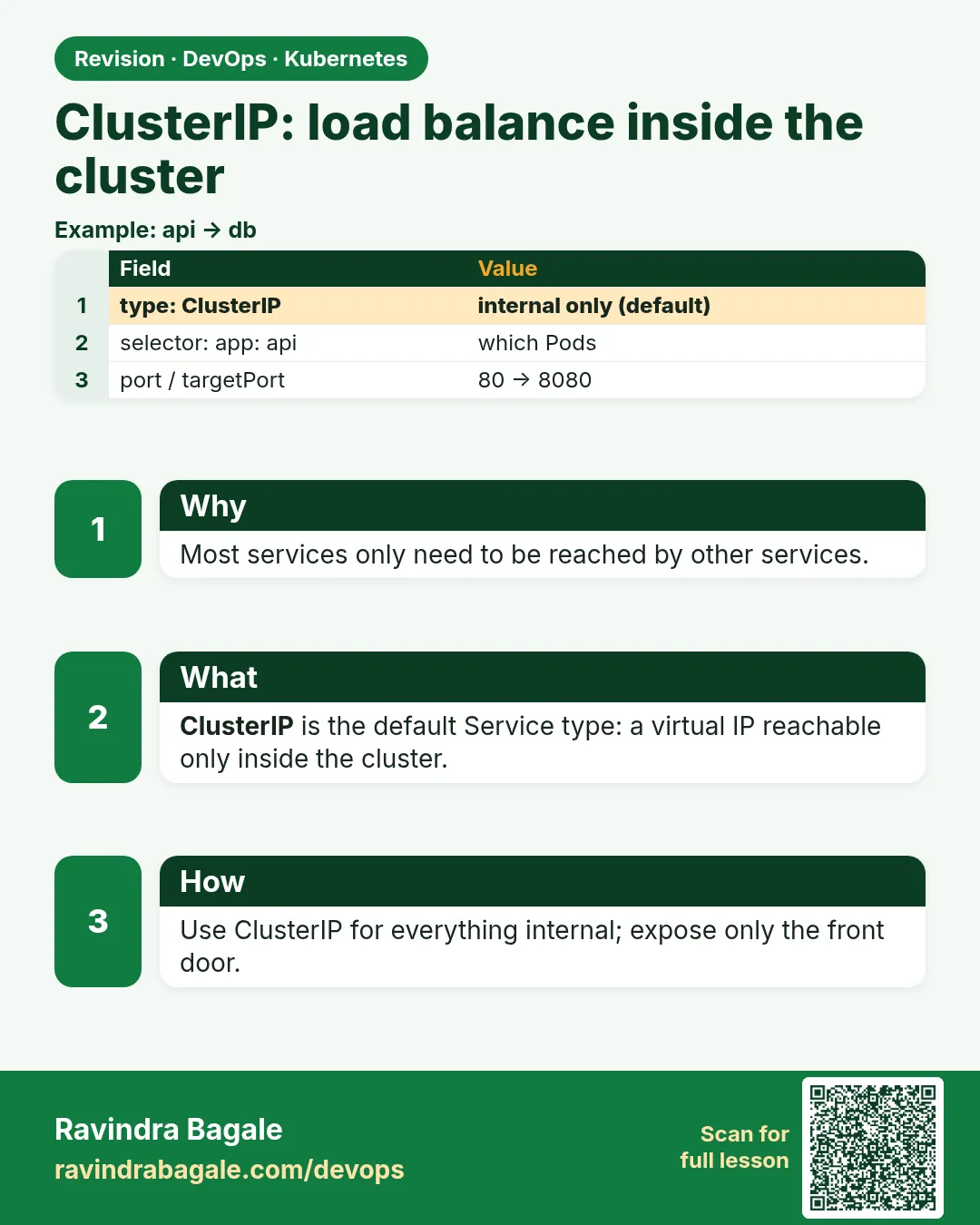
19.2 ClusterIP — load balance inside the cluster
Why: the problem
Inside Zomato's cluster, the order service calls the restaurant service, the payment service and the notification service. None of these should be reachable from the internet. They only talk to each other. For this inside-only traffic you use the default Service type, ClusterIP. It gets a virtual IP from the cluster's service range, like 10.96.0.0/12, and a DNS name. Only Pods inside the cluster can reach it. kube-proxy on each node turns calls to that IP into calls to one of the ready Pods. That is simple load balancing, built in. In this lesson you will create a ClusterIP Service, prove traffic spreads, use a named port, see how sessionAffinity keeps one client on one Pod, and make a headless Service (clusterIP: None) that returns the Pod IPs directly, which StatefulSets need.
What we will build
You will make three ClusterIP Services over the same whoami Pods: a normal one, one with sessionAffinity ClientIP, and a headless one. You will call each from a test Pod and compare the answers and the DNS records.
What: every term in plain English
- ClusterIP — The default Service type. A virtual IP reachable only inside the cluster.
- Service CIDR — The IP range the cluster uses for Service IPs.
- Named port — A port with a name, like http, so the Service can refer to it by name.
- sessionAffinity — A setting that sends the same client to the same Pod.
- Headless Service — A Service with clusterIP: None. DNS returns Pod IPs instead of one virtual IP.
- iptables mode — The default kube-proxy mode. It writes Linux firewall rules that pick a Pod at random.
- nslookup — A tool that asks DNS for the IP of a name.
How: step by step
-
Start a lab cluster
kind create cluster --name lab
kubectl get nodes
What it does: Creates a one-node Kubernetes cluster inside Docker. On minikube use: minikube start.
Output
Creating cluster "lab" ... ✓ Ensuring node image (kindest/node:v1.30.0) ✓ Preparing nodes Set kubectl context to "kind-lab" NAME STATUS ROLES AGE VERSION lab-control-plane Ready control-plane 40s v1.30.0 -
Make a practice namespace
kubectl create namespace practice
kubectl config set-context --current --namespace=practice
What it does: Keeps all lab objects in one folder that is easy to delete.
Output
namespace/practice created Context "kind-lab" modified. -
Run the whoami Deployment
kubectl apply -f who.yaml && kubectl rollout status deploy/whoWhat it does: Same three Pods as lesson 19.1.
Output
deployment "who" successfully rolled out -
Create the normal Service
kubectl expose deploy who --port=80 --target-port=80 --name=whoWhat it does: kubectl expose writes a ClusterIP Service for you.
Output
service/who exposed -
See its type and IP
kubectl get svc whoWhat it does: TYPE is ClusterIP. EXTERNAL-IP is none.
Output
NAME TYPE CLUSTER-IP EXTERNAL-IP PORT(S) who ClusterIP 10.96.81.14 none 80/TCP -
Call it 6 times
kubectl run t --rm -it --image=curlimages/curl:8.8.0 --restart=Never -- sh -c 'for i in 1 2 3 4 5 6; do curl -s who | grep Hostname; done'What it does: Different Pods answer.
Output
Hostname: who-6c8f7d9b5-4kq2x Hostname: who-6c8f7d9b5-tm2zr Hostname: who-6c8f7d9b5-9xw7m Hostname: who-6c8f7d9b5-4kq2x Hostname: who-6c8f7d9b5-9xw7m Hostname: who-6c8f7d9b5-tm2zr -
Try it from your laptop
curl -s -m 3 10.96.81.14 || echo "not reachable from outside"What it does: A ClusterIP is inside only.
Output
not reachable from outside
Example 1: A ClusterIP Service written in YAML with a named port
Stack. Kubernetes 1.30
Goal. A ClusterIP Service written in YAML with a named port.
who-svc.yaml
apiVersion: v1
kind: Service
metadata:
  name: who-named
spec:
  type: ClusterIP
  selector:
    app: who
  ports:
  - name: http
    port: 8080
    targetPort: 80
terminal
kubectl apply -f who-svc.yaml
kubectl run t --rm -it --image=curlimages/curl:8.8.0 --restart=Never -- curl -s who-named:8080 | head -2
What each line does
type: ClusterIP— Inside-only. This is also the default if you leave it out.name: http— A port name. Ingress and probes can refer to it.port: 8080— Callers use who-named:8080.targetPort: 80— Traffic lands on Pod port 80. The two ports do not need to match.
Green output
service/who-named created
Hostname: who-6c8f7d9b5-9xw7m
IP: 127.0.0.1
Expected result. Callers use port 8080, Pods still listen on 80. The Service maps between them.
Example 2: Sticky sessions with sessionAffinity: ClientIP
Stack. Kubernetes Service sessionAffinity
Goal. Sticky sessions with sessionAffinity: ClientIP.
who-sticky.yaml
apiVersion: v1
kind: Service
metadata:
  name: who-sticky
spec:
  selector:
    app: who
  sessionAffinity: ClientIP
  sessionAffinityConfig:
    clientIP:
      timeoutSeconds: 600
  ports:
  - port: 80
    targetPort: 80
terminal
kubectl apply -f who-sticky.yaml
kubectl run t --rm -it --image=curlimages/curl:8.8.0 --restart=Never -- sh -c 'for i in 1 2 3 4 5; do curl -s who-sticky | grep Hostname; done'
What each line does
sessionAffinity: ClientIP— The same client IP always goes to the same Pod.timeoutSeconds: 600— After 10 minutes of silence, the client may land on another Pod.the loop— Five calls from one Pod.
Green output
Hostname: who-6c8f7d9b5-tm2zr
Hostname: who-6c8f7d9b5-tm2zr
Hostname: who-6c8f7d9b5-tm2zr
Hostname: who-6c8f7d9b5-tm2zr
Hostname: who-6c8f7d9b5-tm2zr
Expected result. All five calls hit one Pod. Useful for old apps that keep sessions in memory. Better: store sessions in Redis.
Example 3: A headless Service returns every Pod IP
Stack. CoreDNS, busybox 1.36
Goal. A headless Service returns every Pod IP.
who-headless.yaml
apiVersion: v1
kind: Service
metadata:
  name: who-headless
spec:
  clusterIP: None
  selector:
    app: who
  ports:
  - port: 80
terminal
kubectl apply -f who-headless.yaml
kubectl run d --rm -it --image=busybox:1.36 --restart=Never -- sh -c 'nslookup who; nslookup who-headless'
What each line does
clusterIP: None— No virtual IP. This makes it headless.nslookup who— A normal Service returns one IP, the ClusterIP.nslookup who-headless— A headless Service returns one A record per ready Pod.
Green output
Name:   who.practice.svc.cluster.local
Address: 10.96.81.14

Name:   who-headless.practice.svc.cluster.local
Address: 10.244.0.7
Address: 10.244.0.8
Address: 10.244.0.9
Expected result. Headless Services let a client pick Pods itself. StatefulSets use them to give each Pod its own DNS name.
Verify: did it work?
-
List all Services
kubectl get svcWhat it does: Four Services over the same Pods.
Output
NAME TYPE CLUSTER-IP PORT(S) who ClusterIP 10.96.81.14 80/TCP who-headless ClusterIP None 80/TCP who-named ClusterIP 10.96.12.200 8080/TCP who-sticky ClusterIP 10.96.150.3 80/TCP -
Check the iptables rules on a node
docker exec lab-control-plane iptables -t nat -L KUBE-SERVICES | grep who | head -3What it does: kube-proxy rules that make the ClusterIP work.
Output
KUBE-SVC-ABC123 tcp -- anywhere 10.96.81.14 /* practice/who cluster IP */ tcp dpt:http
When it is red 1
curl: (7) Failed to connect to who-named port 80
Cause. You called port 80, but this Service listens on 8080.
Fix, step by step
- Run kubectl get svc who-named and read PORT(S).
- Call who-named:8080.
When it is red 2
The Service "who" is invalid: spec.clusterIP: Invalid value: "None": field is immutable
Cause. You tried to change a normal Service into a headless one.
Fix, step by step
- Delete it: kubectl delete svc who.
- Create it again with clusterIP: None.
When it is red 3
** server can't find who-headless: NXDOMAIN
Cause. No ready Pods match, so DNS has nothing to return.
Fix, step by step
- Check kubectl get pods -l app=who.
- Check the selector and readiness.
Cleanup
-
Delete the Services
kubectl delete svc who who-named who-sticky who-headlessWhat it does: Removes all four Services. The Pods stay.
Output
service "who" deleted service "who-named" deleted service "who-sticky" deleted service "who-headless" deleted -
Delete the practice namespace
kubectl delete namespace practiceWhat it does: Deletes every object you made in this lesson in one go.
Output
namespace "practice" deleted
Ravindra Bagale's Tip
Aatlya services sathi ClusterIP. Bahercha jag tyala bagu shakat nahi. StatefulSet la headless lagto, lakshat theva!
Practice tasks
Easy Expose with kubectl
Why: The quick way is good for labs.
What to do: Expose an nginx Deployment with kubectl expose.
- kubectl create deploy web --image=nginx:1.27
- kubectl expose deploy web --port=80
Check: kubectl get svc web shows ClusterIP.
Medium Watch endpoints change
Why: See the Service update itself.
What to do: Watch endpoints while scaling.
- kubectl get endpointslices -w
- kubectl scale deploy/who --replicas=5
Check: The list grows to 5 IPs.
Hard Compare with IPVS
Why: Big clusters may use IPVS.
What to do: Read your kube-proxy mode.
- kubectl -n kube-system get cm kube-proxy -o yaml | grep mode
Check: You can say iptables or ipvs.
Easy Say ClusterIP in two lines
Why: If you can say it simply, you understand it. Interviewers want the short version first.
What to do: Write two short lines about ClusterIP for a fresher who knows only Docker basics.
- Write what problem it solves.
- Write the one kubectl command you use for it.
- Read it aloud to a friend.
Check: A fresher understands it without asking a question.
Easy Start a fresh lab cluster
Why: Practice needs a throwaway cluster. If you break it, you delete it and start again.
What to do: Create a kind cluster, or a minikube cluster, and check the node is Ready.
- kind create cluster --name lab
- kubectl get nodes
- kubectl get pods -A
Check: One node shows STATUS Ready and the kube-system Pods are Running.
Medium Break it on purpose
Why: You must know the red message by face. During an outage there is no time to read slowly.
What to do: Cause one error from the "When it is red" part of this lesson and fix it.
- Follow the error section.
- Copy the exact message and the kubectl describe Events into your notes.
- Write the fix in one line.
Check: You fixed it using only the steps, without searching the web.
Medium Write a one-page runbook
Why: At 2 a.m. nobody remembers the right command. A short page saves the on-call person.
What to do: Write a runbook page for this lesson.
- Title, when to use, exact kubectl command, how to check, how to undo.
Check: A teammate can follow it alone.
Medium Repeat it on a cloud cluster
Why: kind is a laptop toy. Real clusters run on EKS, GKE, AKS or k3s on a VM.
What to do: Do the main steps of this lesson again on a small k3s VM or a free-tier managed cluster.
- Install k3s on one Ubuntu 22.04 VM: curl -sfL https://get.k3s.io | sh -
- Copy the kubeconfig.
- Apply the same YAML and compare the output.
Check: Same output on the cloud cluster as on kind.
Hard Explain it like an interview
Why: Interviewers want real stories, not definitions.
What to do: Record a 60 second answer about this lesson.
- Say the problem, the YAML field you used, the kubectl command you ran, and one error you hit.
Check: Your answer has a real command and a real error message.
Hard Draw the flow top to bottom
Why: A drawing shows who talks to whom and in what order.
What to do: Draw this lesson as boxes from top to bottom.
- Start at kubectl apply, go through the API server, controller and scheduler, end at the running container.
Check: Each box matches a real thing you saw in kubectl output.
Homework: try at home
Try at home
At home, make a ClusterIP Service for an nginx Deployment with port 9090 and targetPort 80. Call it from a test Pod. Then make it headless and compare nslookup before and after.
Recap
- ClusterIP is the default, inside-only Service type.
- port is what callers use; targetPort is on the Pod.
- sessionAffinity ClientIP keeps one client on one Pod.
- clusterIP: None makes a headless Service that returns Pod IPs.
- kube-proxy turns the ClusterIP into real Pod traffic.
FAQ
When should I use ClusterIP?
For any service that only other services call, like a database or an internal API.
Is load balancing round robin?
In iptables mode it is random. IPVS mode supports round robin and others.
Is sessionAffinity a good idea?
Only for old apps. Store sessions outside the Pod instead.
Why would I use a headless Service?
For StatefulSets, databases and clients that pick Pods themselves.
Can I choose the ClusterIP?
Yes, with spec.clusterIP, if it is free and in range. Usually let Kubernetes pick.
Interview questions
-
What is a ClusterIP Service?
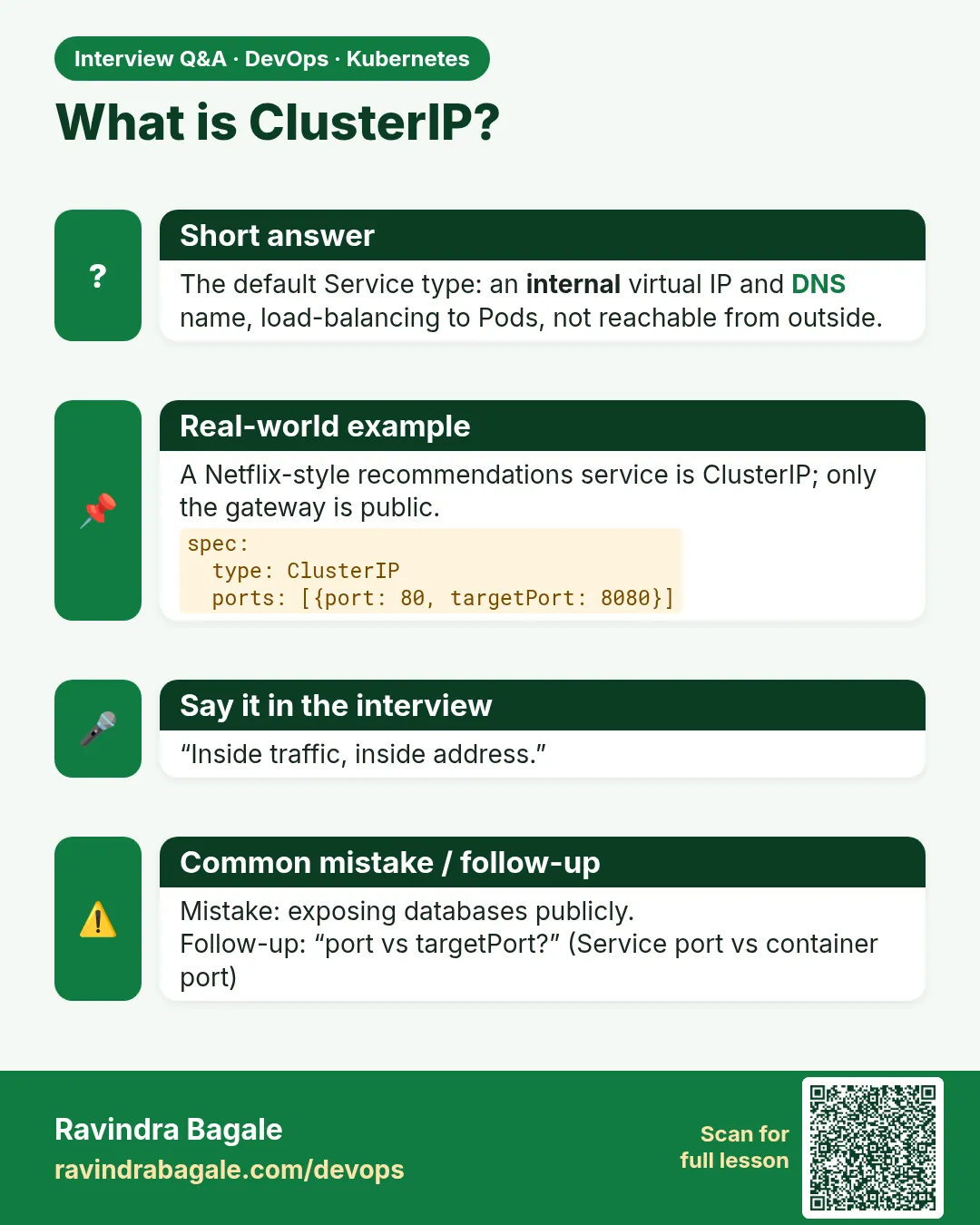
The default type, giving a stable internal virtual IP and DNS name that load balances to matching ready Pods.
-
What is a headless Service and when do you use it?
A Service with clusterIP None; DNS returns Pod IPs. Used with StatefulSets and client-side load balancing.
-
Difference between port, targetPort and containerPort?
port is the Service port, targetPort is where traffic goes on the Pod, containerPort documents the port the container listens on.
-
How does kube-proxy load balance?
It programs iptables (random) or IPVS (several algorithms) rules on every node.
-
How do you make sessions sticky?
sessionAffinity ClientIP on the Service, or cookie affinity on the Ingress.
Quick quiz
Q1. Can you reach a ClusterIP from your laptop?
No, only from inside the cluster.
Q2. What does sessionAffinity: ClientIP do?
Sends the same client to the same Pod.
Q3. How do you make a Service headless?
Set clusterIP: None.
Q4. Do port and targetPort have to match?
No. port is for callers, targetPort is on the Pod.
Q5. Which component writes the iptables rules?
kube-proxy.
Samajla ka?
 Revision card
 Interview card
 Comparison card