Chapter 19: Kubernetes Services, Ingress and Volumes
19.6 Service DNS, step by step
Why: the problem
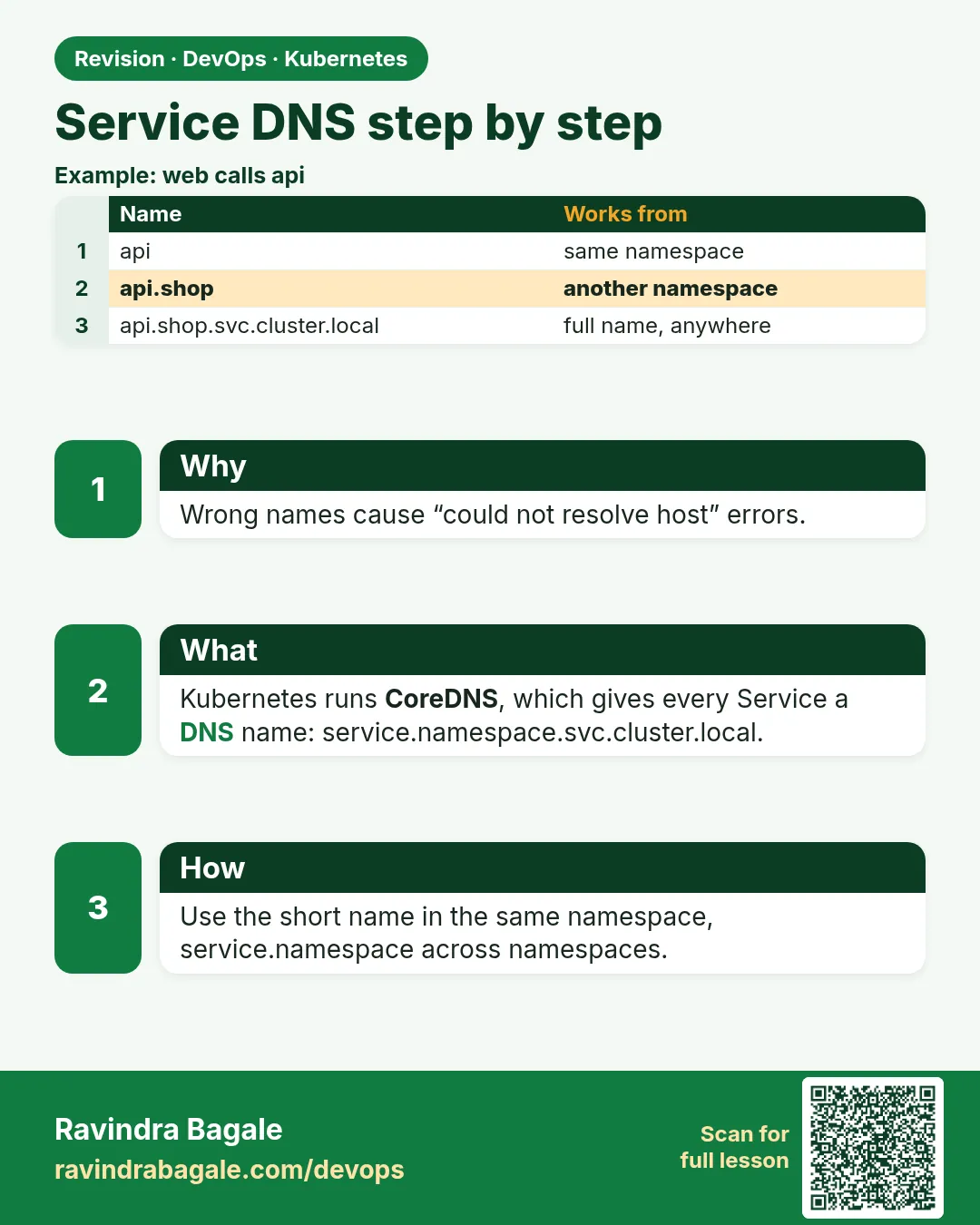
A new developer at PhonePe writes http://payments in the code and it works. Another writes http://payments.svc and it fails. A third calls http://payments from another namespace and gets "could not resolve host". All three are confused because nobody showed them how cluster DNS works. Every Service gets a DNS name built from its name, its namespace and the cluster domain: payments.prod.svc.cluster.local. Inside the same namespace the short name is enough, because each Pod's /etc/resolv.conf has search domains that fill in the rest. From another namespace you need at least payments.prod. CoreDNS answers these names. In this lesson you will read resolv.conf, resolve short, medium and full names from two namespaces, see SRV records for named ports, and debug a broken lookup step by step.
What we will build
You will make two namespaces, shop and pay. In pay you run the whoami Service. From a Pod in shop and a Pod in pay, you will resolve every form of the name, read /etc/resolv.conf, query SRV records and break DNS on purpose to learn the fix.
What: every term in plain English
- DNS — The system that turns names into IP addresses.
- CoreDNS — The DNS server that runs as Pods in kube-system.
- FQDN — Fully qualified domain name, like who.pay.svc.cluster.local.
- Search domains — Suffixes the resolver tries automatically, like pay.svc.cluster.local.
- resolv.conf — The file in each Pod that says which DNS server and search domains to use.
- ndots — How many dots a name needs before it is tried as a full name first.
- SRV record — A DNS record that also gives the port, like _http._tcp.who.pay.svc.cluster.local.
- dig — A tool that shows detailed DNS answers.
How: step by step
-
Start a lab cluster
kind create cluster --name lab
kubectl get nodes
What it does: Creates a one-node Kubernetes cluster inside Docker. On minikube use: minikube start.
Output
Creating cluster "lab" ... ✓ Ensuring node image (kindest/node:v1.30.0) ✓ Preparing nodes Set kubectl context to "kind-lab" NAME STATUS ROLES AGE VERSION lab-control-plane Ready control-plane 40s v1.30.0 -
Make two namespaces
kubectl create ns shop && kubectl create ns payWhat it does: shop calls pay.
Output
namespace/shop created namespace/pay created -
Run whoami and its Service in pay
kubectl -n pay create deploy who --image=traefik/whoami:v1.10 --replicas=2
kubectl -n pay expose deploy who --port=80 --name=who
What it does: A Service named who in namespace pay.
Output
deployment.apps/who created service/who exposed -
Start a DNS tools Pod in shop
kubectl -n shop run dns --image=nicolaka/netshoot:v0.13 -- sleep 3600What it does: netshoot has dig, nslookup and curl.
Output
pod/dns created -
Read resolv.conf
kubectl -n shop exec dns -- cat /etc/resolv.confWhat it does: Shows the DNS server and search list.
Output
search shop.svc.cluster.local svc.cluster.local cluster.local nameserver 10.96.0.10 options ndots:5 -
Try the short name from shop
kubectl -n shop exec dns -- nslookup whoWhat it does: Fails: shop.svc.cluster.local has no who.
Output
** server can't find who: NXDOMAIN -
Try namespace-qualified
kubectl -n shop exec dns -- nslookup who.payWhat it does: Works through the svc.cluster.local search domain.
Output
Name:   who.pay.svc.cluster.local
Address: 10.96.140.22
Example 1: Every name form, from both namespaces
Stack. busybox nslookup, CoreDNS
Goal. Every name form, from both namespaces.
dns-test.sh
for ns in shop pay; do
  kubectl -n $ns run q --rm -i --image=busybox:1.36 --restart=Never -- sh -c '
    for n in who who.pay who.pay.svc who.pay.svc.cluster.local; do
      if nslookup $n > /dev/null 2>&1; then echo "OK   $n"; else echo "FAIL $n"; fi
    done' | sed "s/^/[$ns] /"
done
What each line does
for ns in shop pay— Run the test from both namespaces.who— Short name. Works only inside pay.who.pay— Name plus namespace. Works everywhere.who.pay.svc.cluster.local— The full name. Always works.sed "s/^/[$ns] /"— Adds the namespace to each line.
Green output
[shop] FAIL who
[shop] OK   who.pay
[shop] OK   who.pay.svc
[shop] OK   who.pay.svc.cluster.local
[pay] OK   who
[pay] OK   who.pay
[pay] OK   who.pay.svc
[pay] OK   who.pay.svc.cluster.local
Expected result. Rule: same namespace, use the short name. Different namespace, use name.namespace.
Example 2: SRV records give the port, and dig shows the details
Stack. netshoot dig
Goal. SRV records give the port, and dig shows the details.
terminal
kubectl -n pay patch svc who --type=json -p '[{"op":"add","path":"/spec/ports/0/name","value":"http"}]'
kubectl -n shop exec dns -- dig +short SRV _http._tcp.who.pay.svc.cluster.local
kubectl -n shop exec dns -- dig +noall +answer who.pay.svc.cluster.local
What each line does
patch ... name http— Gives the port a name, which creates an SRV record.dig SRV _http._tcp...— Asks for the port and target of the http port.+noall +answer— Shows only the answer lines.30 in the answer— TTL: how many seconds the answer may be cached.
Green output
0 100 80 who.pay.svc.cluster.local.
who.pay.svc.cluster.local. 30 IN A 10.96.140.22
Expected result. The SRV answer says port 80 on who.pay. Tools like Kafka clients and gRPC can use SRV to find ports.
Example 3: Debug a broken DNS lookup step by step
Stack. CoreDNS 1.11
Goal. Debug a broken DNS lookup step by step.
terminal
kubectl -n kube-system scale deploy coredns --replicas=0
kubectl -n shop exec dns -- nslookup -timeout=2 who.pay
kubectl -n kube-system get pods -l k8s-app=kube-dns
kubectl -n kube-system get endpointslices -l kubernetes.io/service-name=kube-dns
kubectl -n kube-system scale deploy coredns --replicas=2
kubectl -n kube-system rollout status deploy coredns
kubectl -n shop exec dns -- nslookup who.pay | tail -2
What each line does
scale coredns to 0— Breaks DNS on purpose, only in your lab.nslookup -timeout=2— Times out because no DNS server answers.get pods -l k8s-app=kube-dns— Step 1: are CoreDNS Pods running?endpointslices kube-dns— Step 2: does the DNS Service have endpoints?scale back to 2— The fix.
Green output
;; connection timed out; no servers could be reached
No resources found in kube-system namespace.
NAME             ADDRESSTYPE   PORTS   ENDPOINTS
kube-dns-abc12   IPv4          53      none
deployment "coredns" successfully rolled out
Name:   who.pay.svc.cluster.local
Address: 10.96.140.22
Expected result. The order is: resolv.conf, CoreDNS Pods, kube-dns endpoints, CoreDNS logs. That finds almost every DNS problem.
Verify: did it work?
-
Check CoreDNS health
kubectl -n kube-system get deploy corednsWhat it does: READY must be 2/2.
Output
NAME READY UP-TO-DATE AVAILABLE coredns 2/2 2 2 -
Read CoreDNS logs
kubectl -n kube-system logs -l k8s-app=kube-dns --tail=3What it does: Look for errors like SERVFAIL or loop.
Output
.:53
CoreDNS-1.11.1
linux/amd64, go1.20.7
When it is red 1
** server can't find who: NXDOMAIN
Cause. You used the short name from another namespace.
Fix, step by step
- Use who.pay or the full name.
- Check kubectl get svc -n pay who.
When it is red 2
;; connection timed out; no servers could be reached
Cause. CoreDNS is down or blocked by a NetworkPolicy.
Fix, step by step
- kubectl -n kube-system get pods -l k8s-app=kube-dns.
- Check endpoints of kube-dns.
- Allow UDP and TCP 53 to kube-system in NetworkPolicies.
When it is red 3
[FATAL] plugin/loop: Loop (127.0.0.1:53 -> :53) detected
Cause. CoreDNS forwards to a node resolver that points back to itself (common on Ubuntu with systemd-resolved).
Fix, step by step
- Point kubelet resolvConf to /run/systemd/resolve/resolv.conf.
- Or change the forward line in the CoreDNS ConfigMap to 8.8.8.8.
- Restart CoreDNS.
Cleanup
-
Delete the namespaces
kubectl delete ns shop payWhat it does: Removes both namespaces and everything in them.
Output
namespace "shop" deleted namespace "pay" deleted -
Delete the lab cluster
kind delete cluster --name labWhat it does: Removes the whole cluster container. On minikube use: minikube delete.
Output
Deleting cluster "lab" ...
Deleted nodes: ["lab-control-plane"]
Ravindra Bagale's Tip
Same namespace la chhota naav, dusrya namespace la naav.namespace. DNS bigadla tar aadhi CoreDNS pods bagha!
Practice tasks
Easy Read your resolv.conf
Why: Know where search domains come from.
What to do: cat /etc/resolv.conf in any Pod.
- kubectl exec POD -- cat /etc/resolv.conf
Check: You can name the nameserver IP.
Medium See the CoreDNS config
Why: The Corefile controls DNS.
What to do: Read the coredns ConfigMap.
- kubectl -n kube-system get cm coredns -o yaml
Check: You find the forward line.
Hard Measure ndots cost
Why: ndots:5 causes extra lookups for outside names.
What to do: Use dig with +search for example.com and count queries.
- Run tcpdump in netshoot on port 53.
Check: You see several lookups before the real one.
Easy Say Service DNS in two lines
Why: If you can say it simply, you understand it. Interviewers want the short version first.
What to do: Write two short lines about Service DNS for a fresher who knows only Docker basics.
- Write what problem it solves.
- Write the one kubectl command you use for it.
- Read it aloud to a friend.
Check: A fresher understands it without asking a question.
Easy Start a fresh lab cluster
Why: Practice needs a throwaway cluster. If you break it, you delete it and start again.
What to do: Create a kind cluster, or a minikube cluster, and check the node is Ready.
- kind create cluster --name lab
- kubectl get nodes
- kubectl get pods -A
Check: One node shows STATUS Ready and the kube-system Pods are Running.
Medium Break it on purpose
Why: You must know the red message by face. During an outage there is no time to read slowly.
What to do: Cause one error from the "When it is red" part of this lesson and fix it.
- Follow the error section.
- Copy the exact message and the kubectl describe Events into your notes.
- Write the fix in one line.
Check: You fixed it using only the steps, without searching the web.
Medium Write a one-page runbook
Why: At 2 a.m. nobody remembers the right command. A short page saves the on-call person.
What to do: Write a runbook page for this lesson.
- Title, when to use, exact kubectl command, how to check, how to undo.
Check: A teammate can follow it alone.
Medium Repeat it on a cloud cluster
Why: kind is a laptop toy. Real clusters run on EKS, GKE, AKS or k3s on a VM.
What to do: Do the main steps of this lesson again on a small k3s VM or a free-tier managed cluster.
- Install k3s on one Ubuntu 22.04 VM: curl -sfL https://get.k3s.io | sh -
- Copy the kubeconfig.
- Apply the same YAML and compare the output.
Check: Same output on the cloud cluster as on kind.
Hard Explain it like an interview
Why: Interviewers want real stories, not definitions.
What to do: Record a 60 second answer about this lesson.
- Say the problem, the YAML field you used, the kubectl command you ran, and one error you hit.
Check: Your answer has a real command and a real error message.
Hard Draw the flow top to bottom
Why: A drawing shows who talks to whom and in what order.
What to do: Draw this lesson as boxes from top to bottom.
- Start at kubectl apply, go through the API server, controller and scheduler, end at the running container.
Check: Each box matches a real thing you saw in kubectl output.
Homework: try at home
Try at home
At home, make three namespaces: web, api and db. Run a Service in each. From web, call api by its namespace name, and from api, call db by its full name. Then write a small table of which name forms worked from where.
Recap
- Service DNS is NAME.NAMESPACE.svc.cluster.local.
- Short names work only inside the same namespace.
- resolv.conf search domains fill in the rest.
- Named ports create SRV records.
- Debug DNS: resolv.conf, CoreDNS Pods, kube-dns endpoints, logs.
FAQ
Should I use the full name in code?
Use name.namespace. It works from anywhere and is short enough.
What is cluster.local?
The default cluster domain. Some clusters change it.
Why are lookups of outside names slow sometimes?
ndots:5 makes the resolver try search domains first. Add a trailing dot or lower ndots.
Do Pods get DNS names too?
Yes, in a dashed-IP form, and StatefulSet Pods get stable names through headless Services.
Can I add my own DNS entries?
Yes, with the CoreDNS hosts or rewrite plugins in its ConfigMap.
Interview questions
-
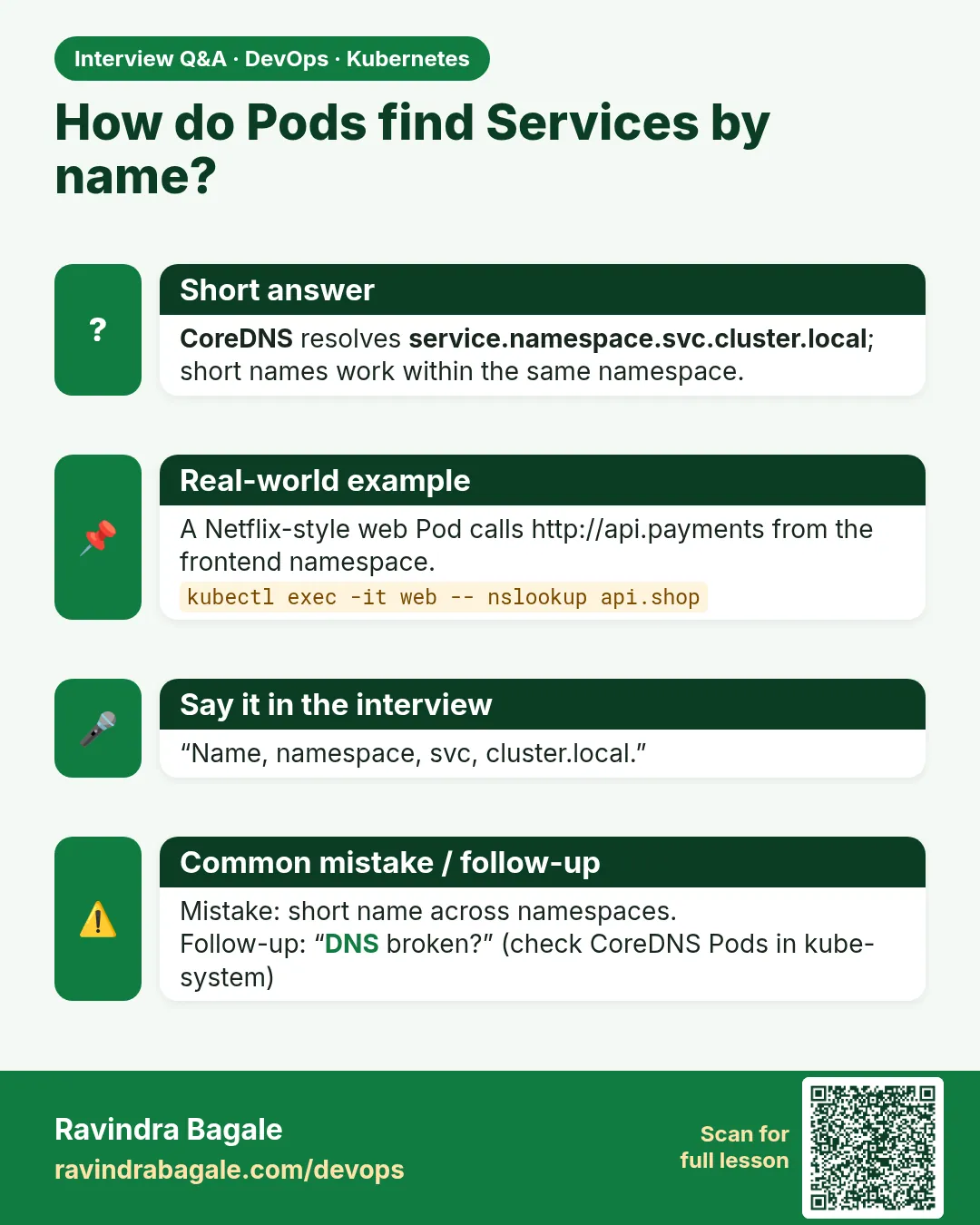
How does service discovery work in Kubernetes?
Every Service gets a DNS record in CoreDNS; Pods resolve it using search domains in resolv.conf.
-
What is the FQDN of a Service?
service.namespace.svc.cluster.local.
-
How do you debug DNS failures in a cluster?
Check resolv.conf, CoreDNS Pods and logs, kube-dns endpoints, and NetworkPolicies on port 53.
-
What is ndots and why does it matter?
The dot threshold for trying search domains first; high values add extra lookups for outside names.
-
What is an SRV record used for?
Discovering both host and port for a named Service port.
Quick quiz
Q1. What is the full DNS name of Service who in namespace pay?
who.pay.svc.cluster.local.
Q2. Why does the short name fail from another namespace?
The search domains start with the caller's own namespace.
Q3. Which Pods answer DNS in the cluster?
CoreDNS in kube-system.
Q4. What gives you the port in DNS?
An SRV record (needs a named port).
Q5. First two checks when DNS fails?
CoreDNS Pods running, and kube-dns endpoints present.
Samajla ka?
 Revision card
 Interview card