Chapter 19: Kubernetes Services, Ingress and Volumes
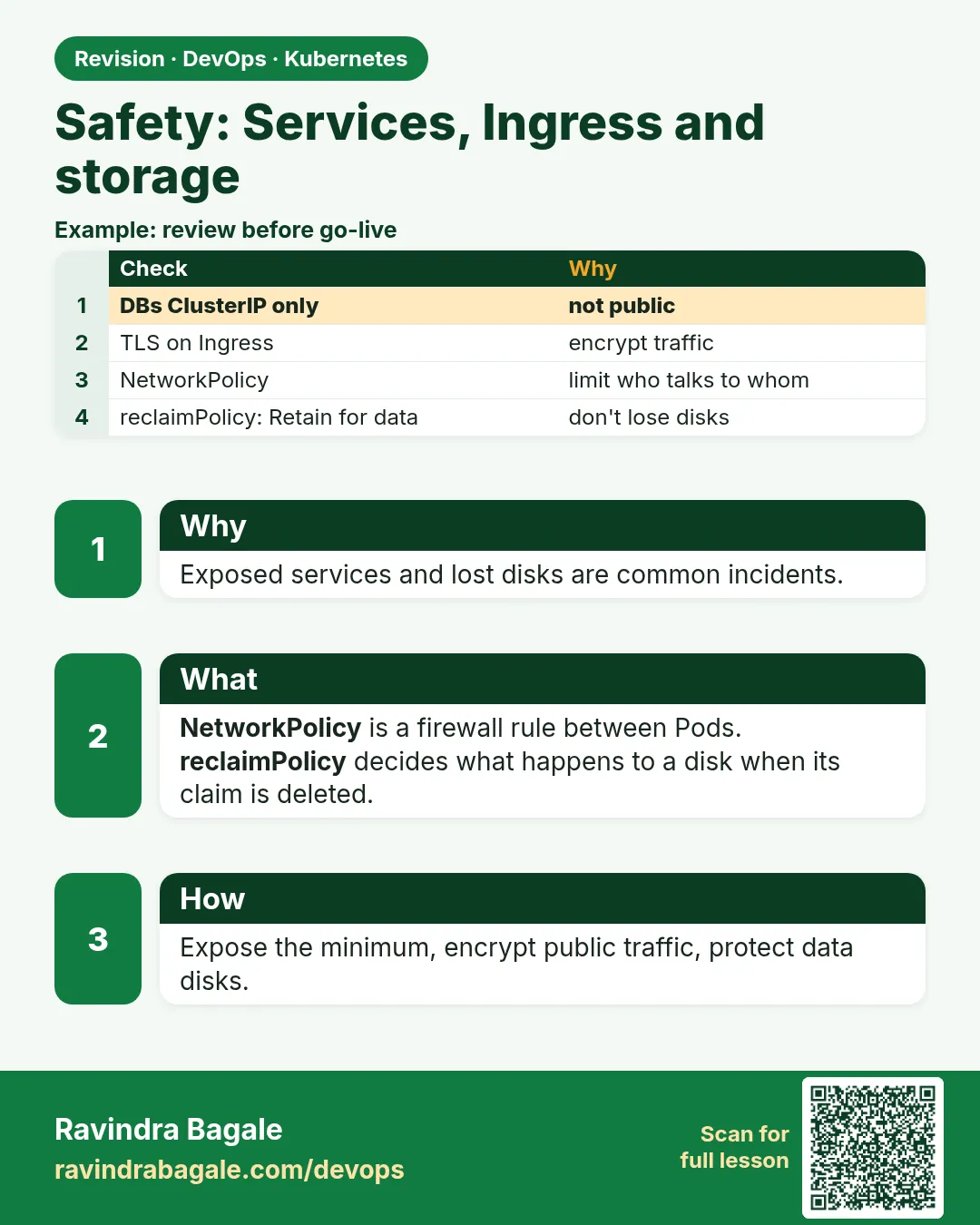
19.10 Safety
Why: the problem
In many clusters every Pod can talk to every other Pod. That is the default. Now imagine an attacker gets into the public blog Pod of a fintech like Razorpay through an old plugin. From there, with default settings, the attacker can reach the payments database Service directly. Services and volumes make apps easy to reach and data easy to share, so they also need guard rails. The main ones are simple. A NetworkPolicy says which Pods may talk to which. Secrets are mounted as read-only files instead of being baked into images or printed in logs. hostPath is avoided. Volumes are mounted read only when the app only reads. LoadBalancers are limited by source ranges or kept internal. Ingress uses TLS. In this lesson you will prove the risk first, then close it with a default-deny NetworkPolicy and an allow rule, mount a Secret read-only, and block hostPath with Pod Security Admission.
What we will build
You will run a db Service and two client Pods, web and blog. First both reach db. Then you will apply a default-deny policy and an allow rule so only web reaches db. Then you will mount a Secret read-only and see a namespace with the restricted Pod Security level refuse a hostPath Pod.
What: every term in plain English
- NetworkPolicy — Rules that say which Pods can send traffic to which Pods and ports.
- Default deny — A policy that blocks all incoming traffic unless another policy allows it.
- podSelector — Picks the Pods a policy applies to, by label.
- ingress rule — Allowed incoming traffic (not the same as an Ingress object).
- CNI — The network plug-in. It must support NetworkPolicy (Calico, Cilium, or kind v0.24+ which ships kube-network-policies).
- Pod Security Admission — A built-in check that refuses Pods breaking a security level.
- restricted level — The strictest level: no root, no hostPath, no privilege escalation.
- readOnly mount — The container can read the volume but not change it.
How: step by step
-
Create kind (v0.24 or newer enforces NetworkPolicy)
kind version && kind create cluster --name labWhat it does: Recent kindnet supports NetworkPolicy. On older kind, install Calico.
Output
kind v0.24.0 go1.22.6 linux/amd64 Set kubectl context to "kind-lab" -
Make a practice namespace
kubectl create namespace practice
kubectl config set-context --current --namespace=practice
What it does: Keeps all lab objects in one folder that is easy to delete.
Output
namespace/practice created Context "kind-lab" modified. -
Run the db and its Service
kubectl run db --image=traefik/whoami:v1.10 --labels=app=db --port=80 && kubectl expose pod db --port=80What it does: A stand-in for a database, labelled app=db.
Output
pod/db created service/db exposed -
Run two clients
kubectl run web --image=curlimages/curl:8.8.0 --labels=app=web -- sleep 3600
kubectl run blog --image=curlimages/curl:8.8.0 --labels=app=blog -- sleep 3600
What it does: web should reach db; blog should not.
Output
pod/web created pod/blog created -
Prove the risk
for p in web blog; do echo -n "$p: "; kubectl exec $p -- curl -s -m 2 -o /dev/null -w "%{http_code}\n" db; doneWhat it does: Both get 200. That is the problem.
Output
web: 200
blog: 200
Example 1: Default deny, then allow only web to db
Stack. NetworkPolicy, kindnet
Goal. Default deny, then allow only web to db.
netpol.yaml
apiVersion: networking.k8s.io/v1
kind: NetworkPolicy
metadata:
  name: default-deny-ingress
spec:
  podSelector: {}
  policyTypes: ["Ingress"]
---
apiVersion: networking.k8s.io/v1
kind: NetworkPolicy
metadata:
  name: db-allow-web
spec:
  podSelector:
    matchLabels: {app: db}
  policyTypes: ["Ingress"]
  ingress:
  - from:
    - podSelector:
        matchLabels: {app: web}
    ports:
    - {protocol: TCP, port: 80}
terminal
kubectl apply -f netpol.yaml
for p in web blog; do echo -n "$p: "; kubectl exec $p -- curl -s -m 2 -o /dev/null -w "%{http_code}\n" db || echo blocked; done
What each line does
podSelector: {}— Applies to every Pod in the namespace.policyTypes Ingress with no rules— Deny all incoming traffic.podSelector app: db— The second policy protects db.from podSelector app: web— Only Pods labelled web may connect.ports TCP 80— And only on port 80.
Green output
networkpolicy.networking.k8s.io/default-deny-ingress created
networkpolicy.networking.k8s.io/db-allow-web created
web: 200
blog: 000
blocked
Expected result. Only web reaches db now. A broken blog Pod can no longer touch the database.
Example 2: Mount a Secret as a read-only file, not an env var in logs
Stack. Secret volume
Goal. Mount a Secret as a read-only file, not an env var in logs.
secret-pod.yaml
apiVersion: v1
kind: Pod
metadata:
  name: app
  labels: {app: web}
spec:
  containers:
  - name: app
    image: busybox:1.36
    command: ["sh", "-c", "sleep 3600"]
    volumeMounts:
    - name: creds
      mountPath: /etc/creds
      readOnly: true
  volumes:
  - name: creds
    secret:
      secretName: db-creds
      defaultMode: 0400
terminal
kubectl create secret generic db-creds --from-literal=password=lab-only-pass
kubectl apply -f secret-pod.yaml && kubectl wait --for=condition=ready pod/app
kubectl exec app -- ls -l /etc/creds/
kubectl exec app -- sh -c "echo hack > /etc/creds/password" || true
What each line does
secretName db-creds— The Secret to mount.defaultMode: 0400— Files readable only by the owner.readOnly: true— The app cannot change it.lab-only-pass— A lab value. Real values come from a secret manager.echo hack— Fails, proving the mount is read only.
Green output
secret/db-creds created
pod/app condition met
lrwxrwxrwx 1 root root 15 Oct 25 05:10 password -> ..data/password
sh: can't create /etc/creds/password: Read-only file system
Expected result. The password is a read-only file. It does not show up in kubectl describe, and the app cannot overwrite it.
Example 3: Pod Security Admission blocks hostPath
Stack. Pod Security Admission (built in since 1.25)
Goal. Pod Security Admission blocks hostPath.
terminal
kubectl label ns practice pod-security.kubernetes.io/enforce=restricted --overwrite
kubectl run bad --image=busybox:1.36 --overrides='{"spec":{"volumes":[{"name":"h","hostPath":{"path":"/"}}],"containers":[{"name":"bad","image":"busybox:1.36","command":["sleep","3600"],"volumeMounts":[{"name":"h","mountPath":"/host"}]}]}}'
What each line does
label enforce=restricted— Turn on the strictest Pod Security level for this namespace.hostPath path /— Tries to mount the whole node disk. Very dangerous.--overrides— Passes a full Pod spec to kubectl run.
Green output
namespace/practice labeled
Error from server (Forbidden): pods "bad" is forbidden: violates PodSecurity "restricted:latest": restricted volume types (volume "h" uses restricted volume type "hostPath"), allowPrivilegeEscalation != false, runAsNonRoot != true
Expected result. The API server refused the Pod before it ran. The label protects the namespace from risky volumes and settings.
Verify: did it work?
-
List policies
kubectl get networkpolicyWhat it does: Shows both policies.
Output
NAME POD-SELECTOR AGE db-allow-web app=db 2m default-deny-ingress none 2m -
Check namespace labels
kubectl get ns practice --show-labelsWhat it does: Shows the Pod Security label.
Output
NAME       STATUS   LABELS
practice   Active   kubernetes.io/metadata.name=practice,pod-security.kubernetes.io/enforce=restricted
When it is red 1
NetworkPolicy applied but blog still gets 200
Cause. The CNI does not enforce NetworkPolicy (old kind, flannel).
Fix, step by step
- Check kind version is v0.24+ or install Calico or Cilium.
- Re-test.
When it is red 2
After default deny, DNS lookups fail
Cause. An egress default deny blocked port 53 to CoreDNS.
Fix, step by step
- Add an egress rule allowing UDP and TCP 53 to kube-system.
- Our example denies ingress only, so DNS keeps working.
When it is red 3
pods "app" is forbidden: violates PodSecurity "restricted:latest"
Cause. The restricted label also blocks Pods without securityContext.
Fix, step by step
- Add runAsNonRoot: true, allowPrivilegeEscalation: false, capabilities drop ALL and seccompProfile RuntimeDefault.
- Or use the baseline level for labs.
Cleanup
-
Delete the policies and Pods
kubectl delete networkpolicy --all && kubectl delete pod --all --nowWhat it does: Removes the lab objects.
Output
networkpolicy.networking.k8s.io "db-allow-web" deleted networkpolicy.networking.k8s.io "default-deny-ingress" deleted -
Delete the practice namespace
kubectl delete namespace practiceWhat it does: Deletes every object you made in this lesson in one go.
Output
namespace "practice" deleted -
Delete the lab cluster
kind delete cluster --name labWhat it does: Removes the whole cluster container. On minikube use: minikube delete.
Output
Deleting cluster "lab" ...
Deleted nodes: ["lab-control-plane"]
Ravindra Bagale's Tip
Default madhe sagle Pods ekmekanshi boltat. Aadhi sagla band kara (default deny), mag fakt garjeche darwaje ughda!
Practice tasks
Easy Prove the default
Why: See open traffic first.
What to do: Call db from blog before any policy.
- kubectl exec blog -- curl db
Check: You get 200.
Medium Allow by namespace
Why: Teams often allow a whole namespace.
What to do: Allow traffic to db from namespace frontend.
- Use namespaceSelector.
Check: Only Pods in frontend reach db.
Hard Egress lock-down
Why: Stop data leaving.
What to do: Deny all egress from blog except DNS.
- policyTypes Egress.
- Allow port 53.
Check: blog cannot curl example.com but can resolve names.
Easy Say Safety in two lines
Why: If you can say it simply, you understand it. Interviewers want the short version first.
What to do: Write two short lines about Safety for a fresher who knows only Docker basics.
- Write what problem it solves.
- Write the one kubectl command you use for it.
- Read it aloud to a friend.
Check: A fresher understands it without asking a question.
Easy Start a fresh lab cluster
Why: Practice needs a throwaway cluster. If you break it, you delete it and start again.
What to do: Create a kind cluster, or a minikube cluster, and check the node is Ready.
- kind create cluster --name lab
- kubectl get nodes
- kubectl get pods -A
Check: One node shows STATUS Ready and the kube-system Pods are Running.
Medium Break it on purpose
Why: You must know the red message by face. During an outage there is no time to read slowly.
What to do: Cause one error from the "When it is red" part of this lesson and fix it.
- Follow the error section.
- Copy the exact message and the kubectl describe Events into your notes.
- Write the fix in one line.
Check: You fixed it using only the steps, without searching the web.
Medium Write a one-page runbook
Why: At 2 a.m. nobody remembers the right command. A short page saves the on-call person.
What to do: Write a runbook page for this lesson.
- Title, when to use, exact kubectl command, how to check, how to undo.
Check: A teammate can follow it alone.
Medium Repeat it on a cloud cluster
Why: kind is a laptop toy. Real clusters run on EKS, GKE, AKS or k3s on a VM.
What to do: Do the main steps of this lesson again on a small k3s VM or a free-tier managed cluster.
- Install k3s on one Ubuntu 22.04 VM: curl -sfL https://get.k3s.io | sh -
- Copy the kubeconfig.
- Apply the same YAML and compare the output.
Check: Same output on the cloud cluster as on kind.
Hard Explain it like an interview
Why: Interviewers want real stories, not definitions.
What to do: Record a 60 second answer about this lesson.
- Say the problem, the YAML field you used, the kubectl command you ran, and one error you hit.
Check: Your answer has a real command and a real error message.
Hard Draw the flow top to bottom
Why: A drawing shows who talks to whom and in what order.
What to do: Draw this lesson as boxes from top to bottom.
- Start at kubectl apply, go through the API server, controller and scheduler, end at the running container.
Check: Each box matches a real thing you saw in kubectl output.
Homework: try at home
Try at home
At home, add a third Pod, api, and change db-allow-web so both web and api can reach db, but blog still cannot. Then add an egress policy on blog that allows only DNS.
Recap
- By default every Pod can reach every Pod.
- A default-deny policy plus allow rules limits traffic.
- Mount Secrets as read-only files.
- Avoid hostPath; enforce Pod Security levels.
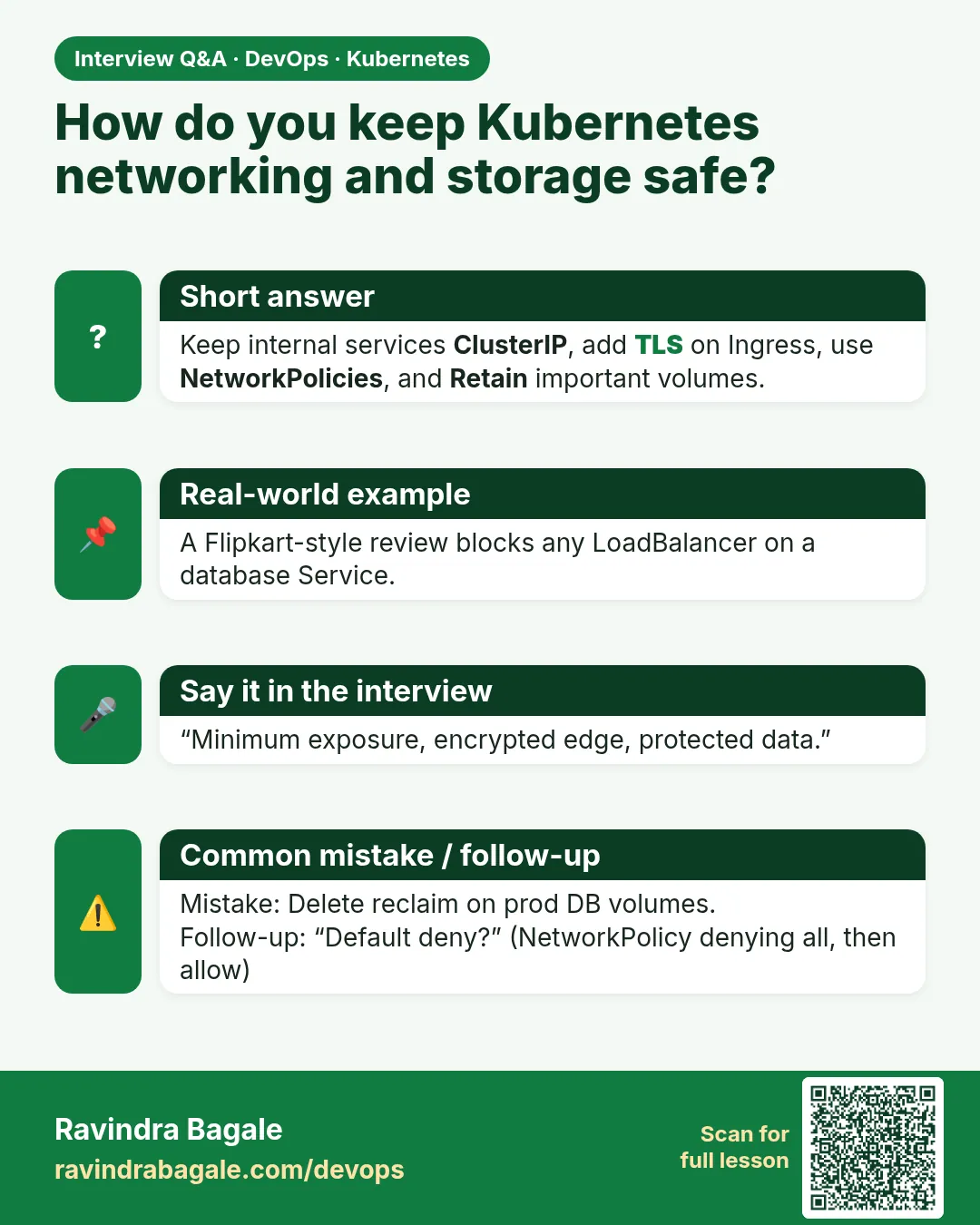
- Limit LoadBalancers with source ranges and use TLS on Ingress.
FAQ
Are Kubernetes Secrets encrypted?
They are base64, not encrypted, unless you turn on encryption at rest (EKS can use KMS).
Should I use env vars for secrets?
Files are safer. Env vars can leak in crash dumps and debug output.
Does NetworkPolicy need a special CNI?
Yes. Calico, Cilium and kind v0.24+ (built-in kube-network-policies) support it. Plain flannel does not.
What are the Pod Security levels?
privileged, baseline and restricted.
Can I test a policy without blocking?
Use the warn or audit labels of Pod Security; for NetworkPolicy, test in a lab namespace.
Interview questions
-
What is a NetworkPolicy?
A namespaced object that limits ingress and egress traffic for selected Pods, enforced by the CNI.
-
How do you isolate a database in Kubernetes?
Default-deny ingress plus a policy allowing only the app Pods on the DB port.
-
How should secrets be given to Pods?
From a secret manager via the Secrets Store CSI driver or Secrets, mounted read-only, never in images.
-
What is Pod Security Admission?
A built-in admission controller that enforces privileged, baseline or restricted standards per namespace.
-
Why is hostPath dangerous?
It gives access to the node file system and can lead to node takeover.
Quick quiz
Q1. What is the default network rule between Pods?
All Pods can talk to all Pods.
Q2. What does podSelector: {} in a policy mean?
All Pods in the namespace.
Q3. Why mount Secrets as read-only files?
The app cannot change them and they stay out of env dumps and logs.
Q4. What blocks hostPath at the namespace level?
Pod Security Admission with the restricted (or baseline) level.
Q5. What must the CNI support?
NetworkPolicy.
Samajla ka?
 Revision card
 Interview card