Ravi Sir's Cards › DevOps
Chapter 38: Terraform CLI Commands fmt validate plan apply state and more: मराठी Cards
English cards · Chapter उघडा
उजळणी (Revision) cards
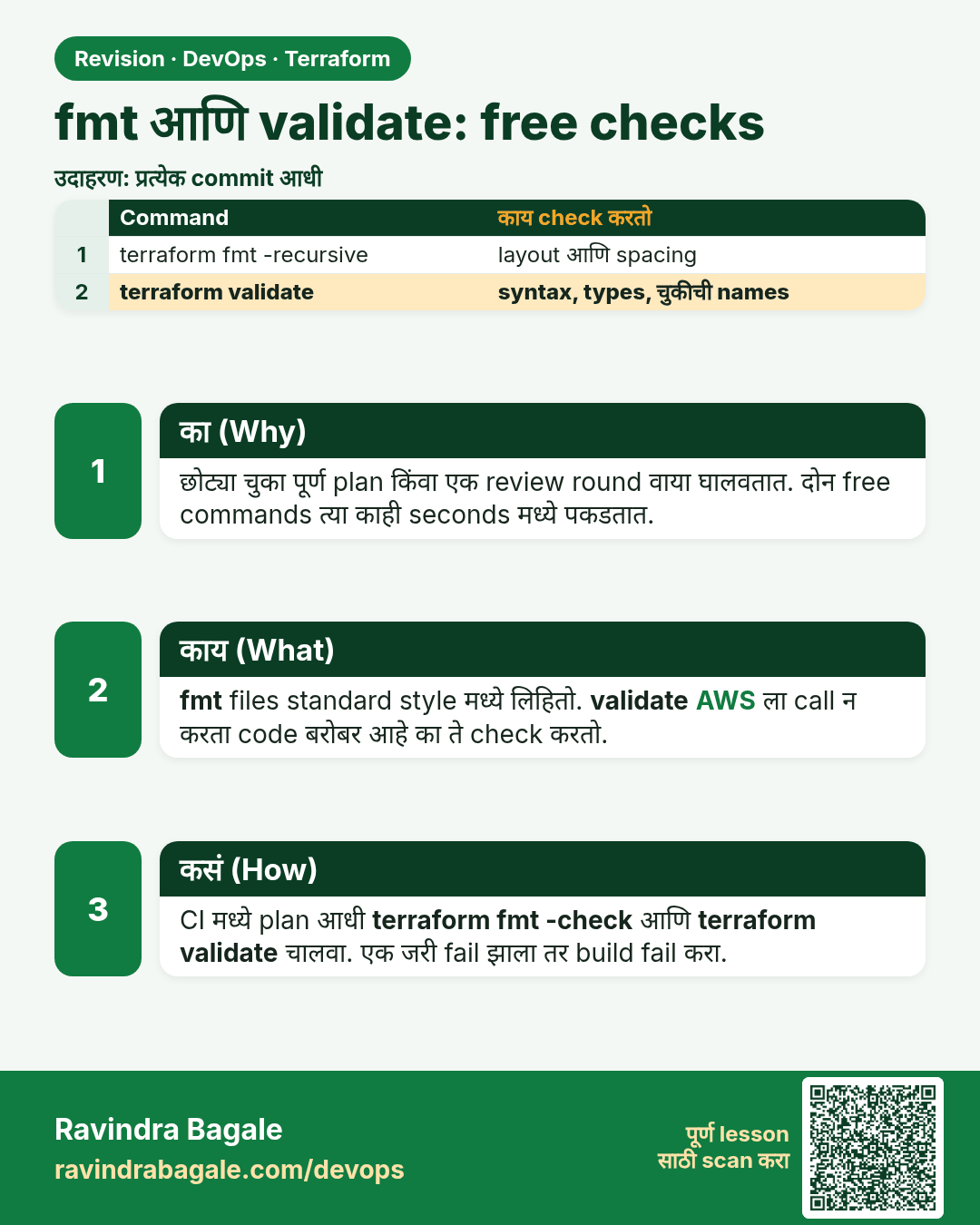
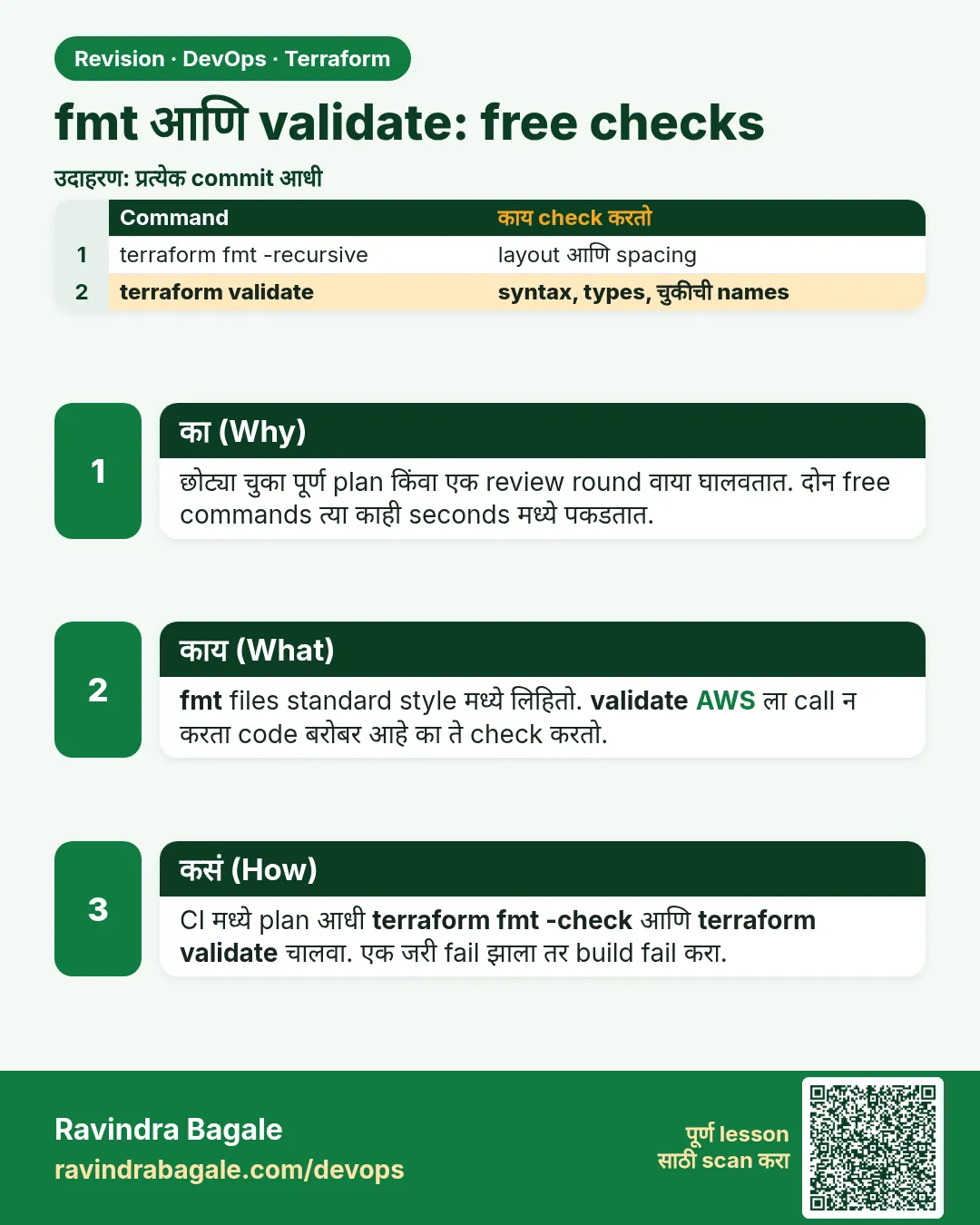 उजळणी (Revision) card 1 of 7: fmt आणि validate: free checks · PNG download करा · Card page उघडा
Lesson: 38.1 fmt and validate — the free checks
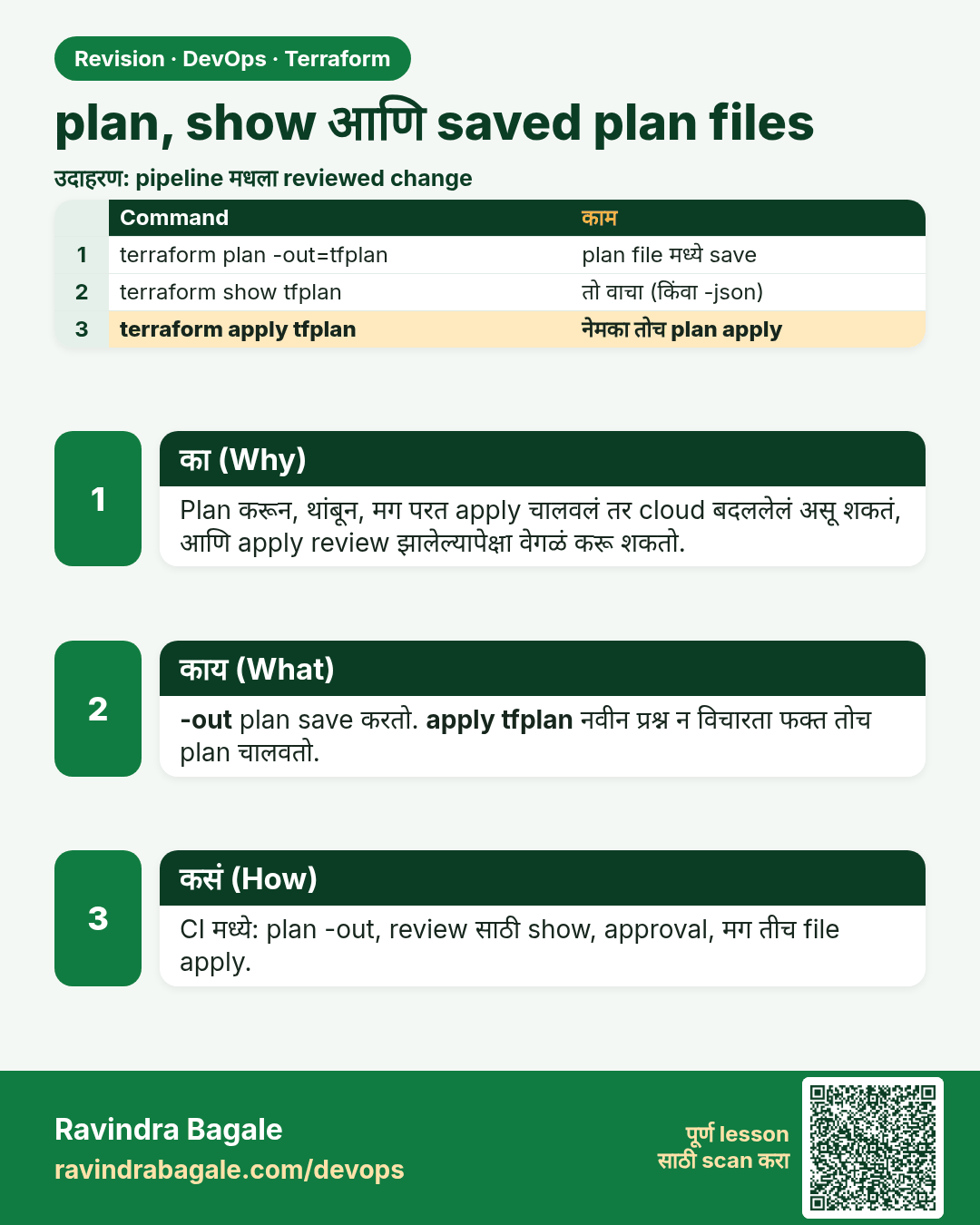
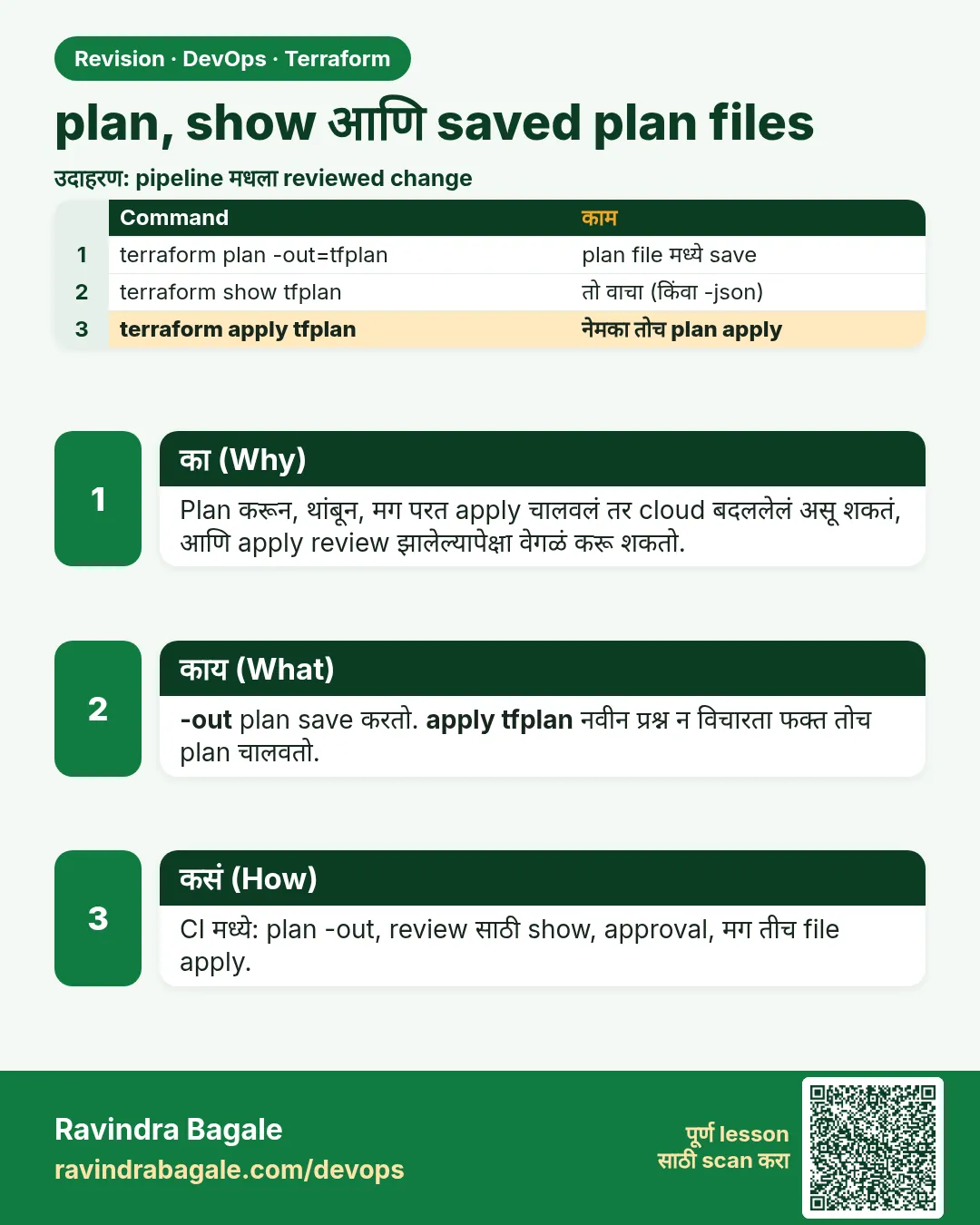 उजळणी (Revision) card 2 of 7: plan, show आणि saved plan files · PNG download करा · Card page उघडा
Lesson: 38.2 plan, show and saved plan files
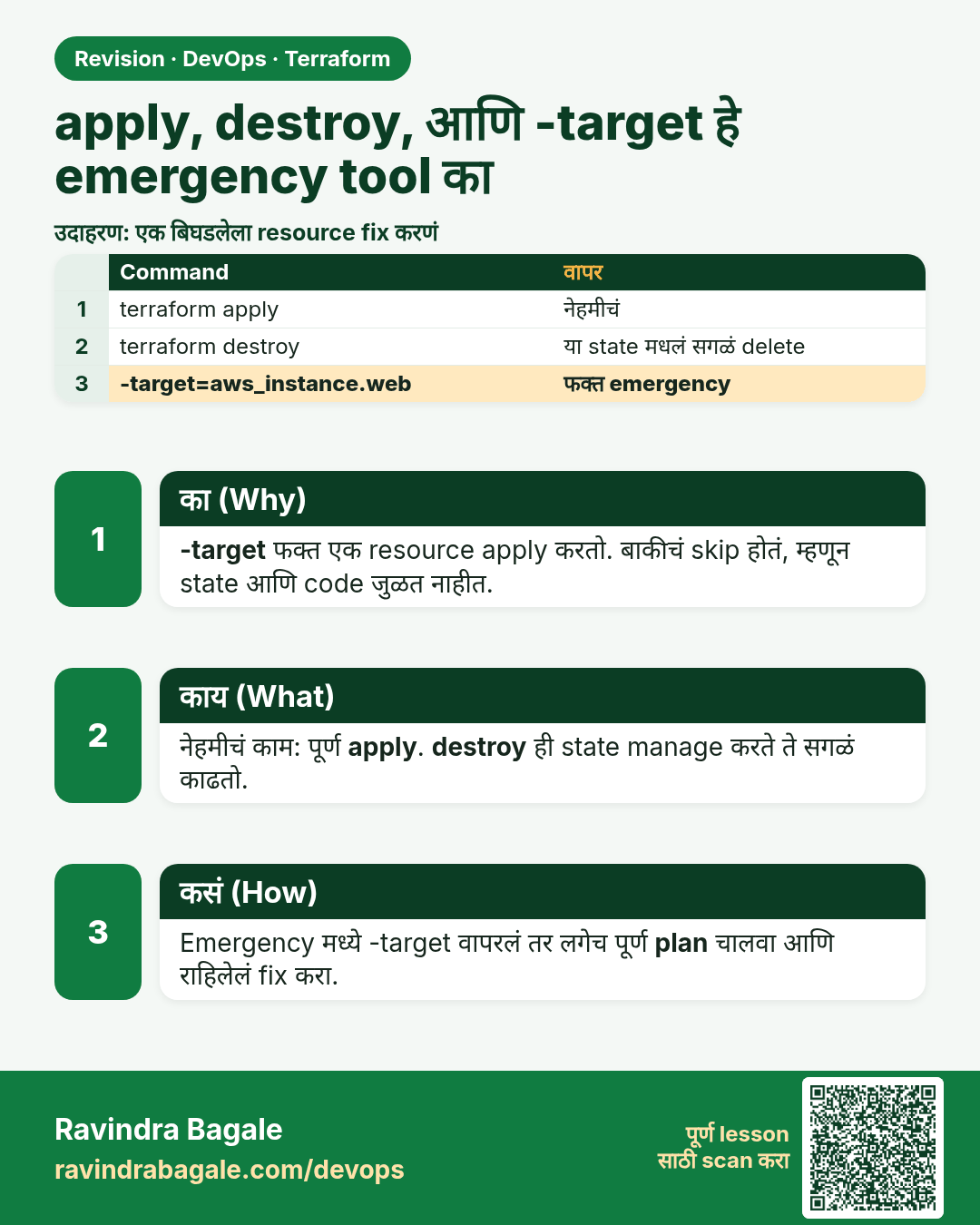
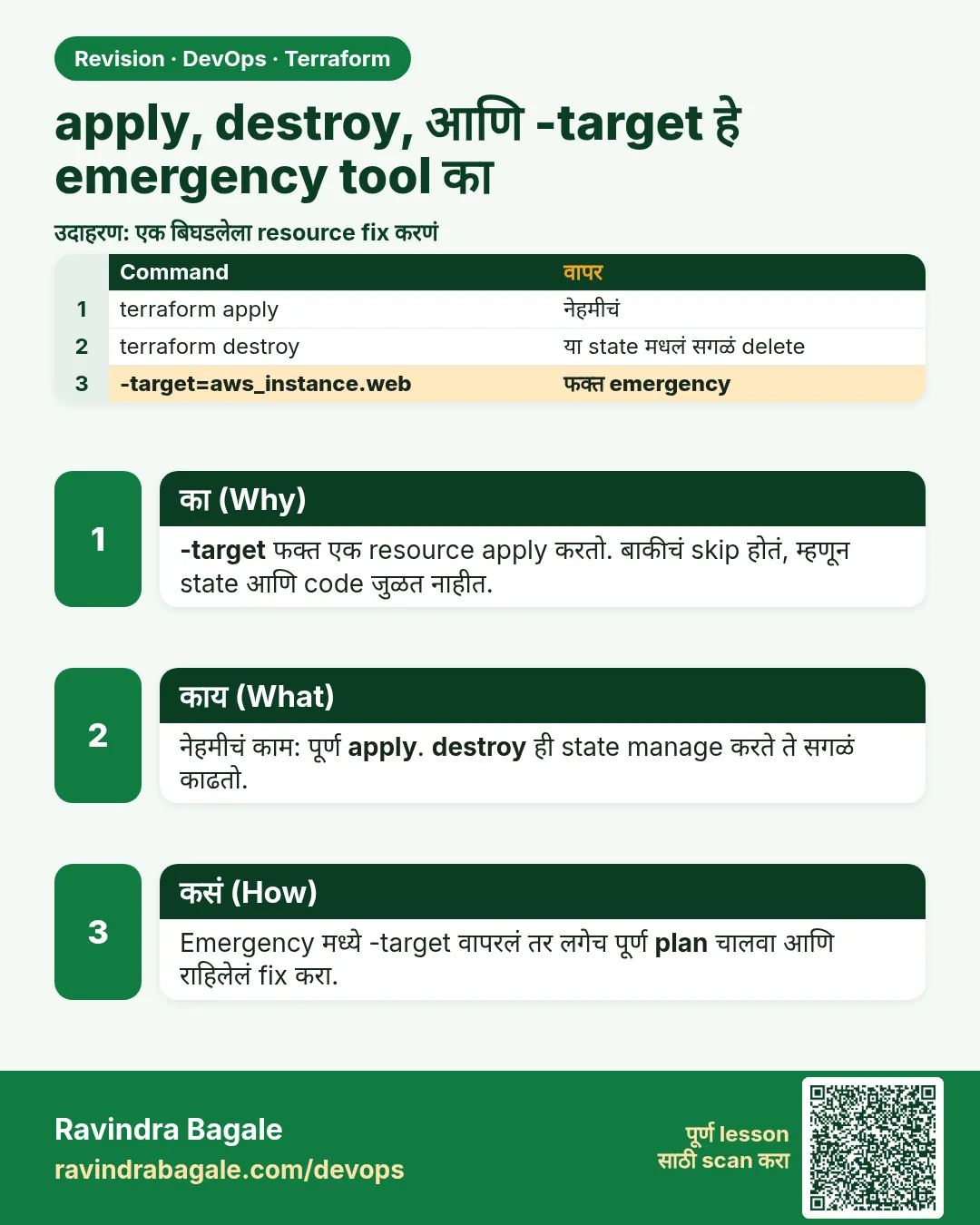 उजळणी (Revision) card 3 of 7: apply, destroy, आणि -target हे emergency tool का · PNG download करा · Card page उघडा
Lesson: 38.3 apply and destroy — and why -target is an emergency tool
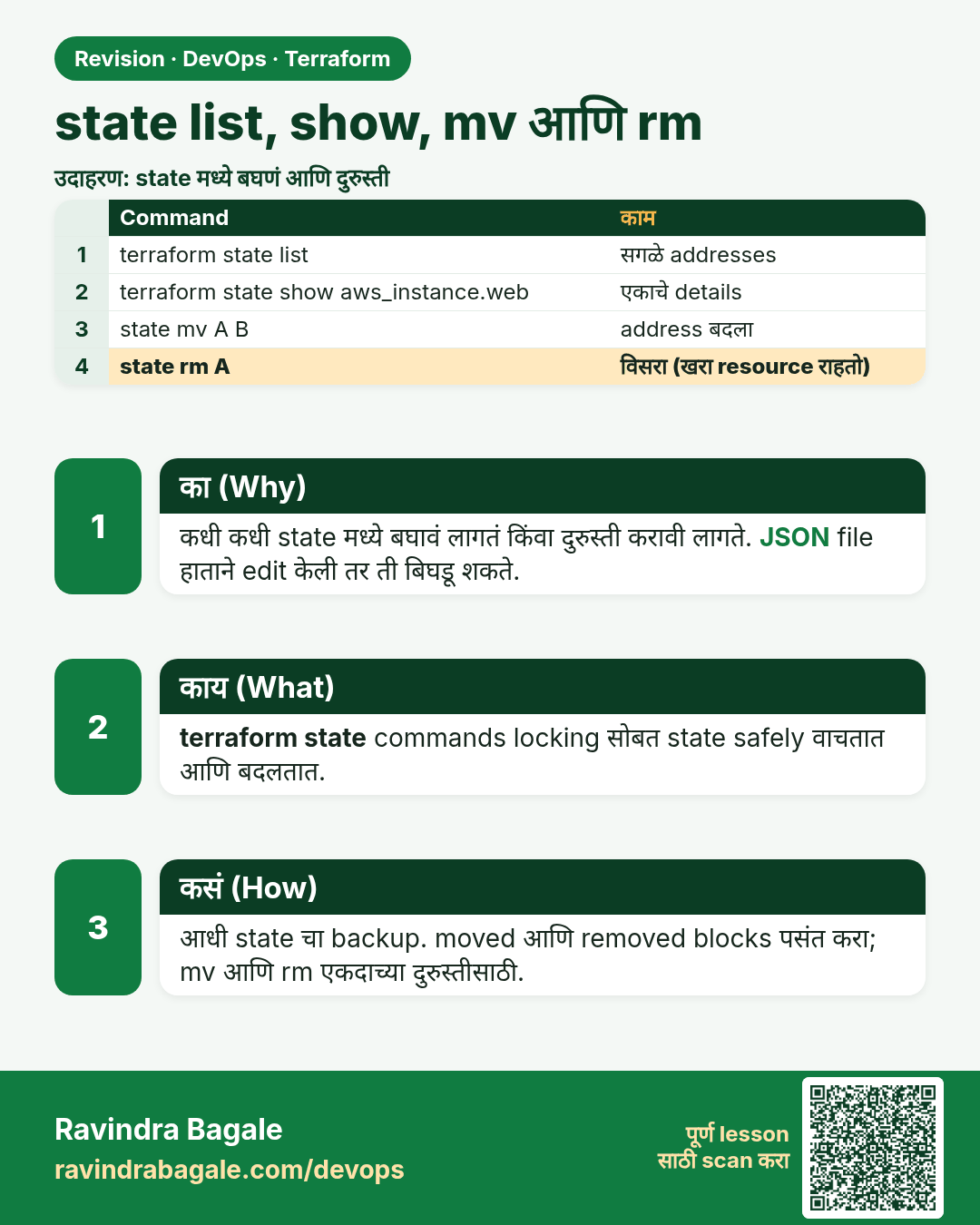
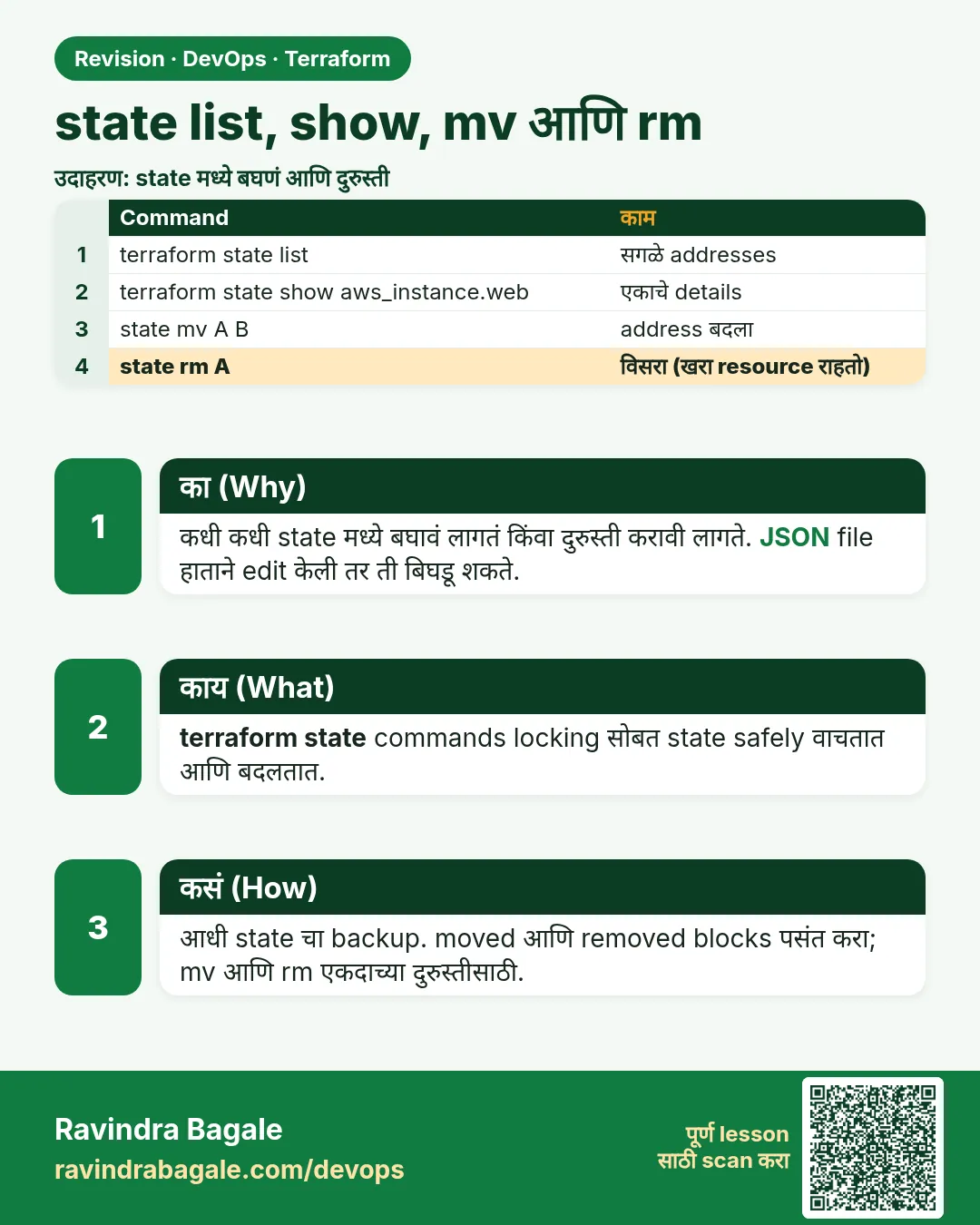 उजळणी (Revision) card 4 of 7: state list, show, mv आणि rm · PNG download करा · Card page उघडा
Lesson: 38.4 state list, show, mv and rm
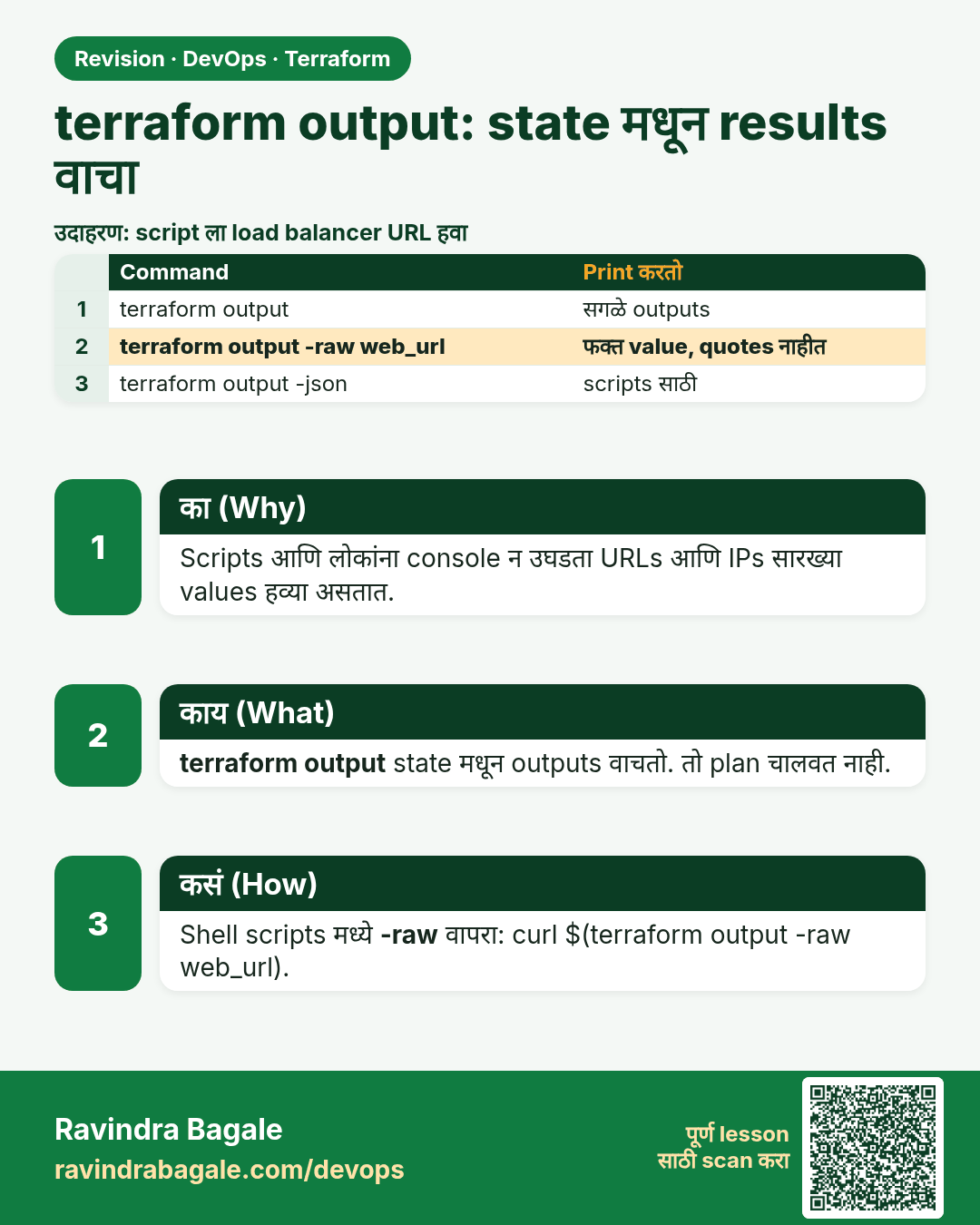
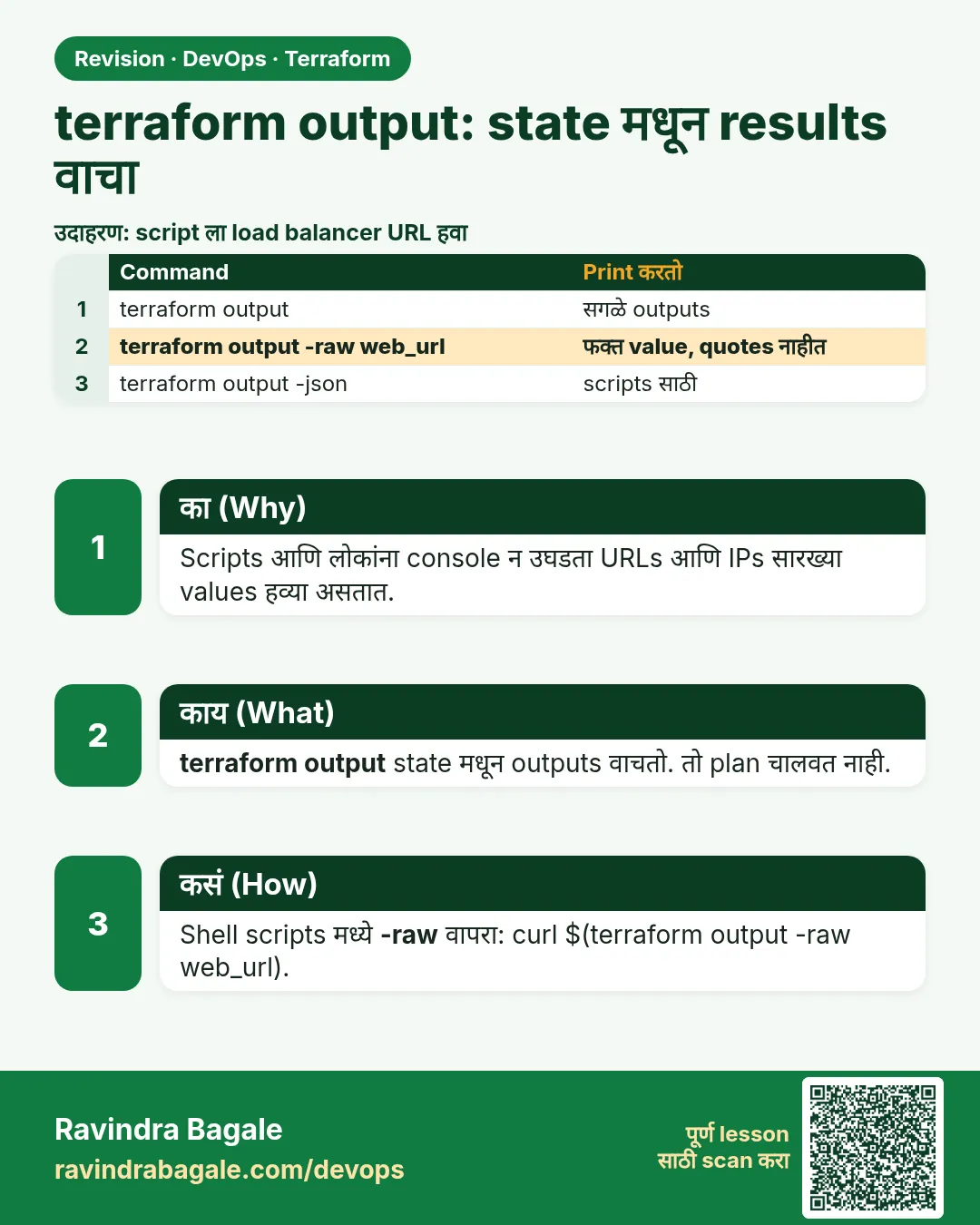 उजळणी (Revision) card 5 of 7: terraform output: state मधून results वाचा · PNG download करा · Card page उघडा
Lesson: 38.5 output — read results from state
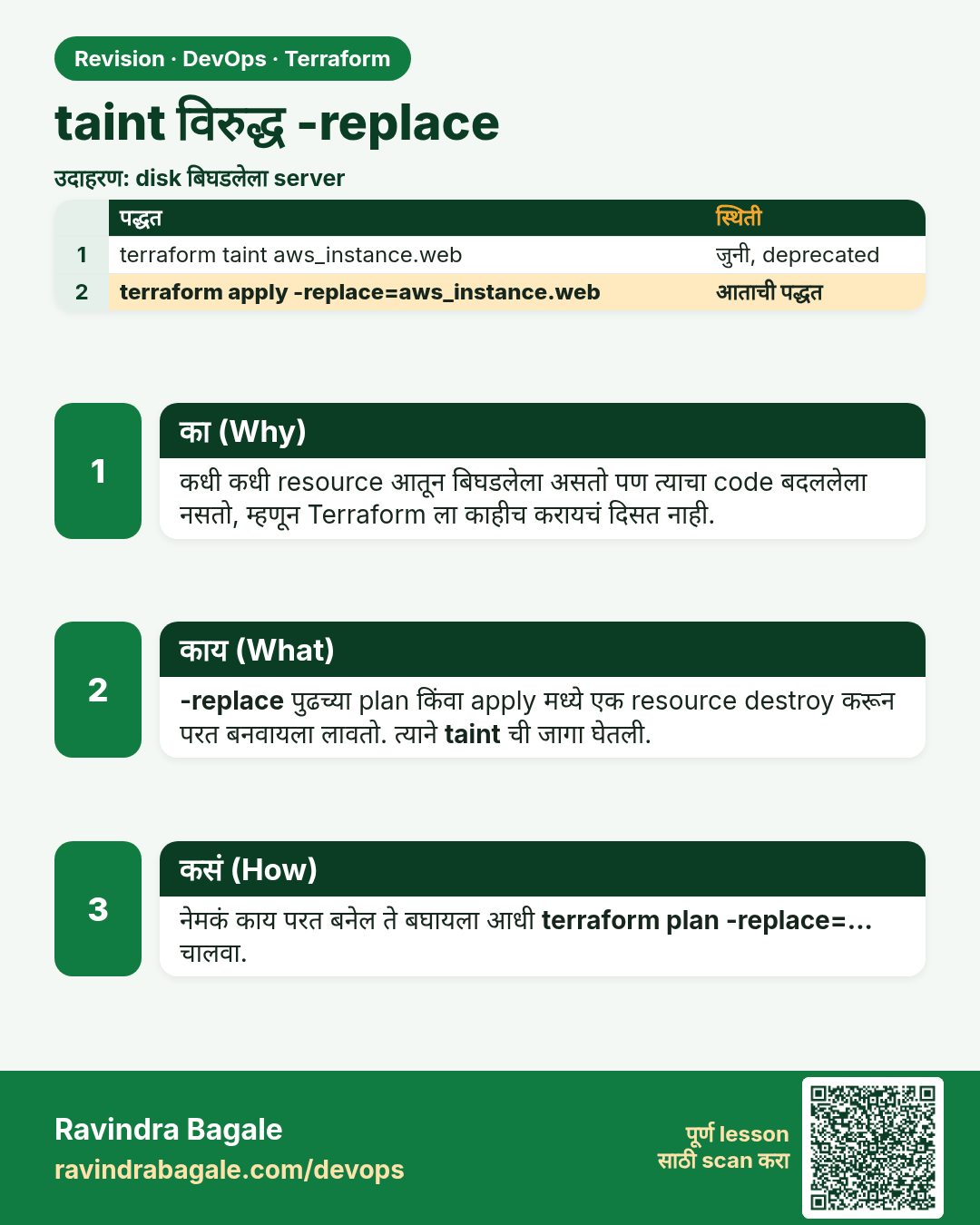
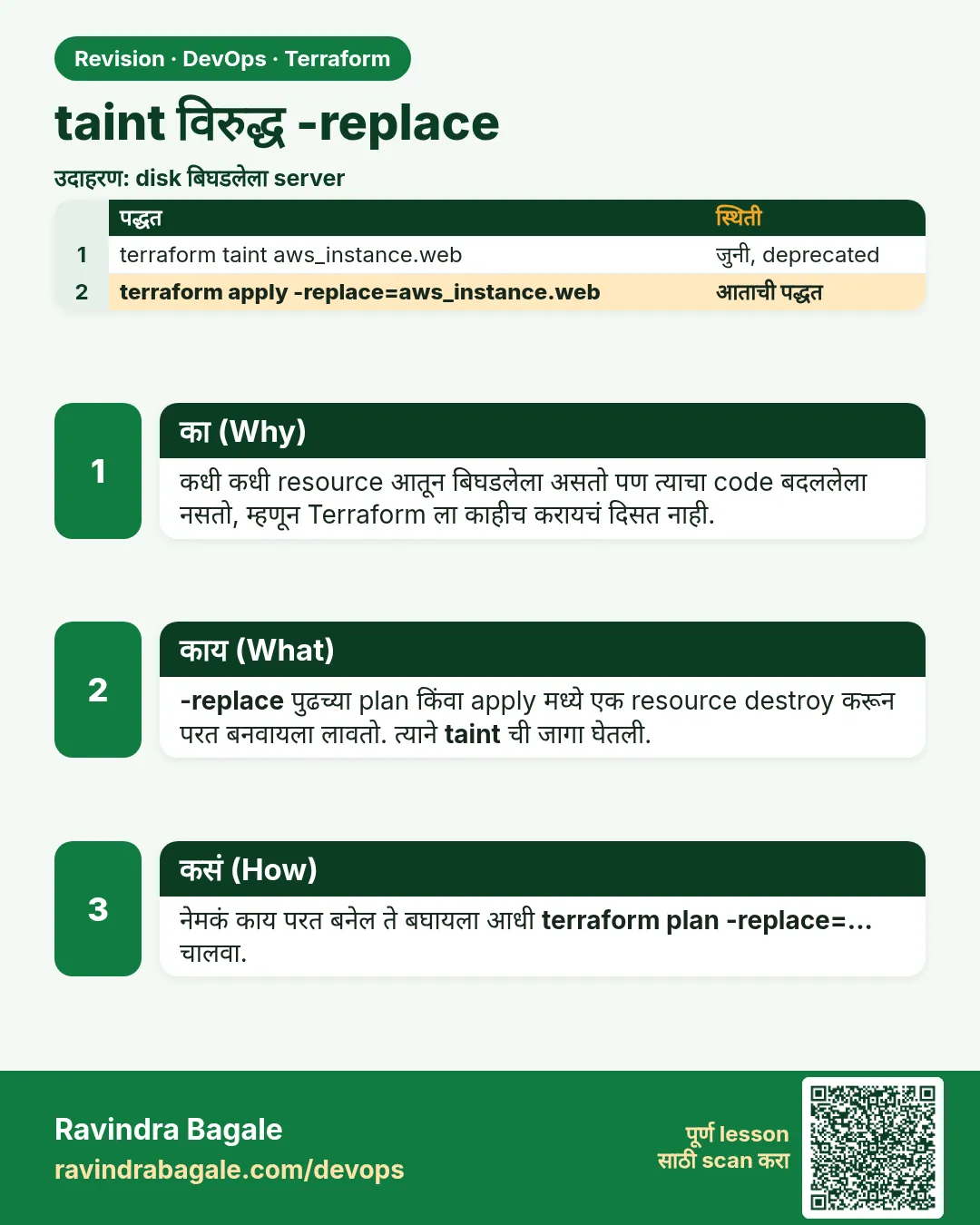 उजळणी (Revision) card 6 of 7: taint विरुद्ध -replace · PNG download करा · Card page उघडा
Lesson: 38.6 taint versus -replace
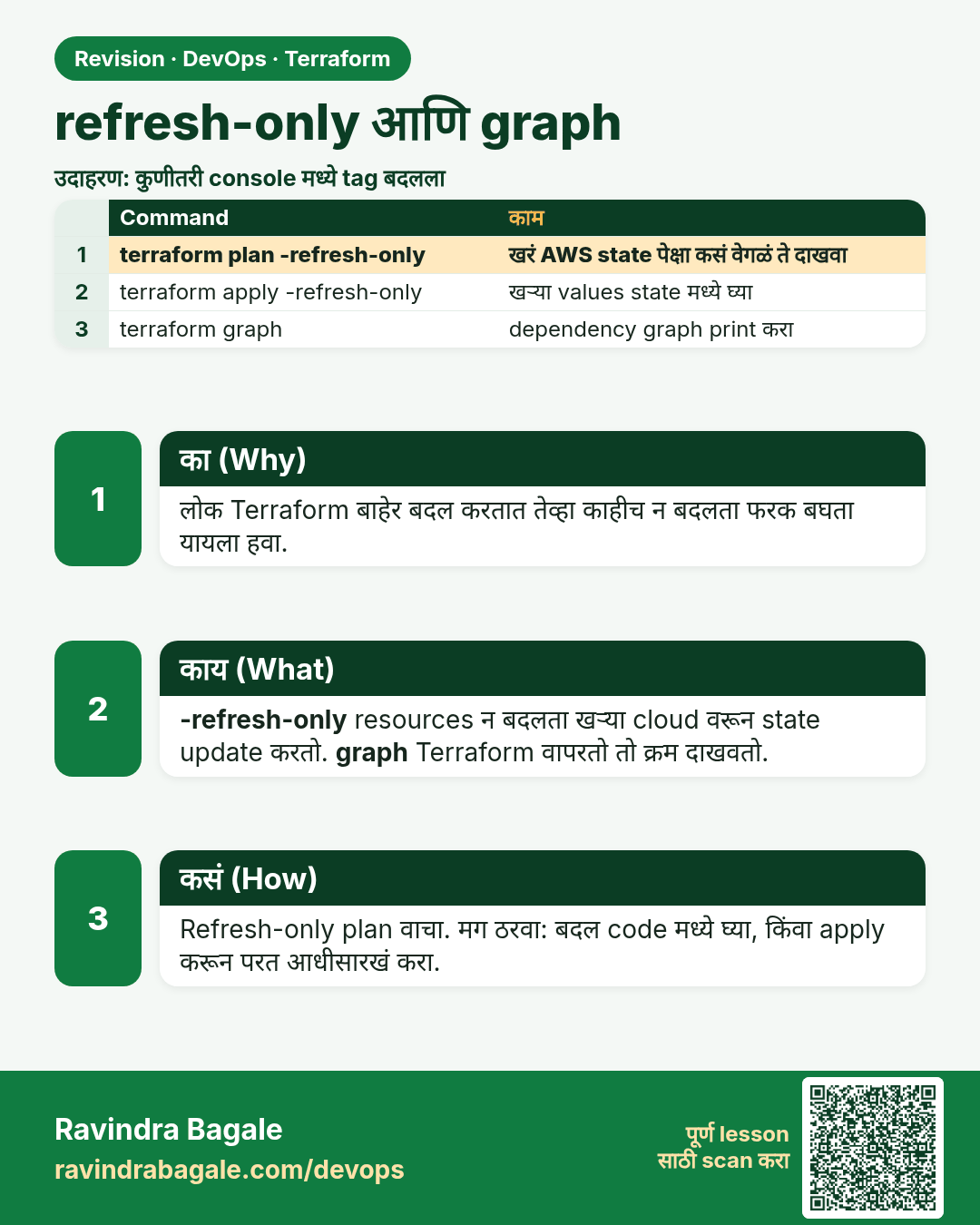
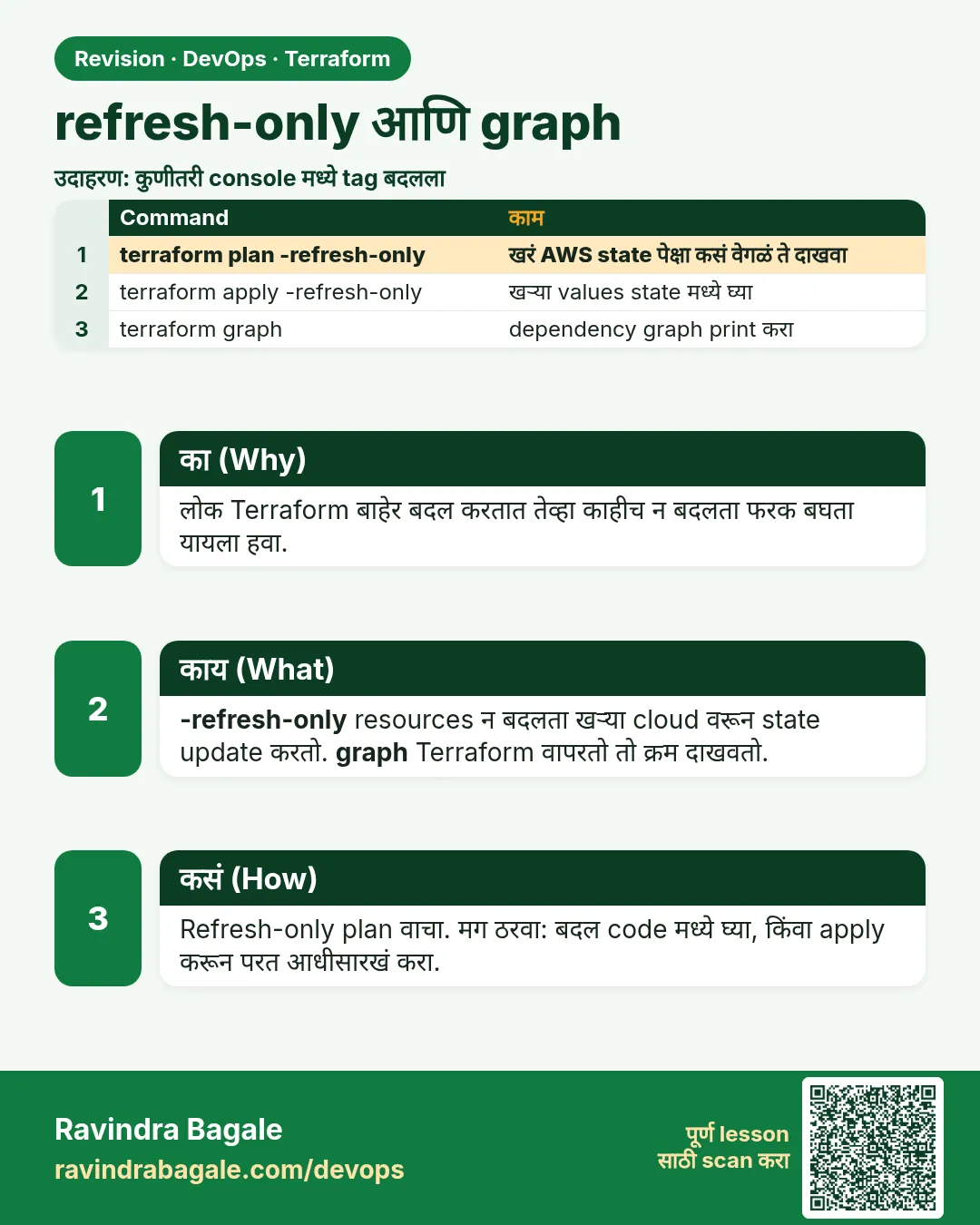 उजळणी (Revision) card 7 of 7: refresh-only आणि graph · PNG download करा · Card page उघडा
Lesson: 38.7 refresh-only and graph
मुलाखत (Interview) cards
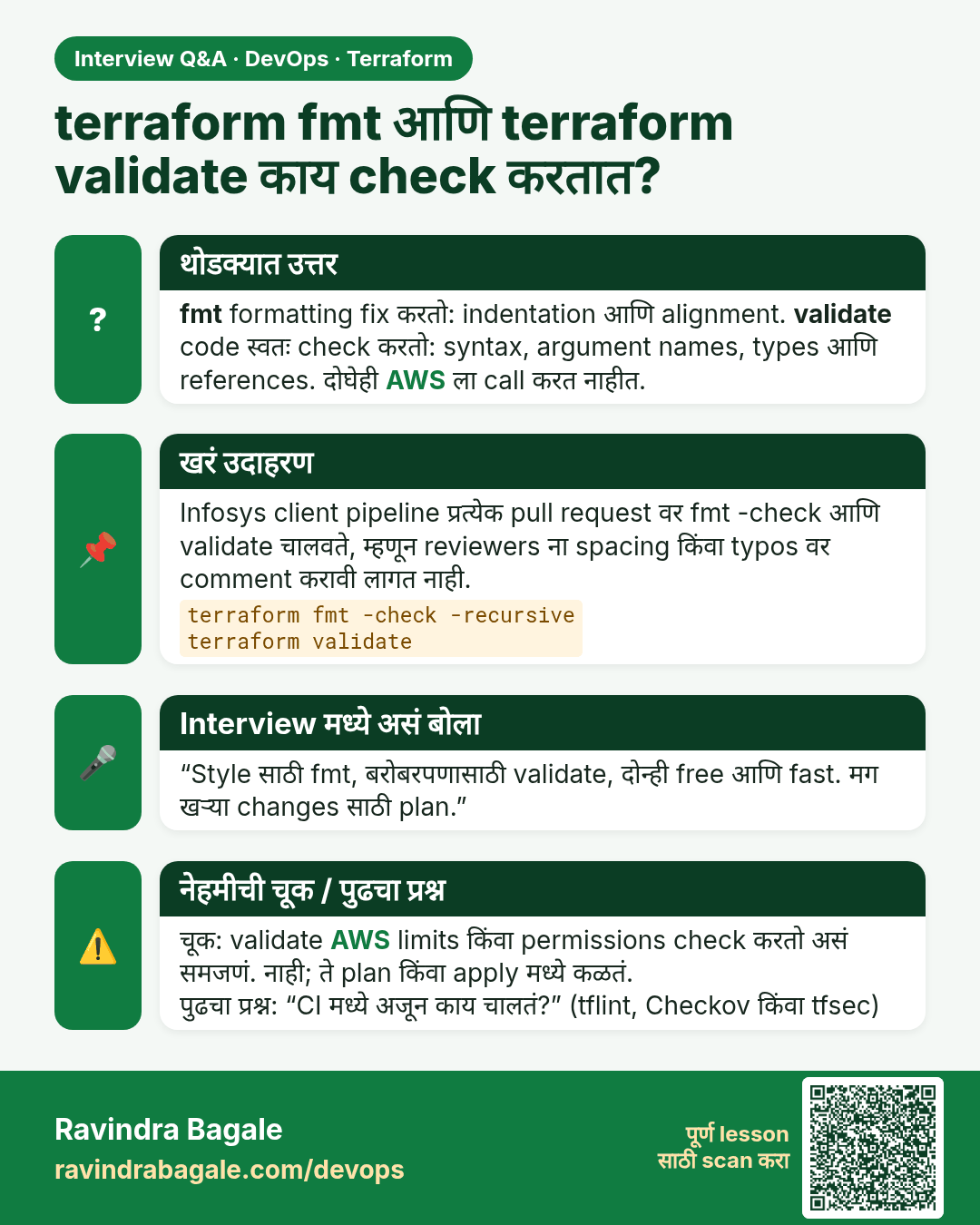
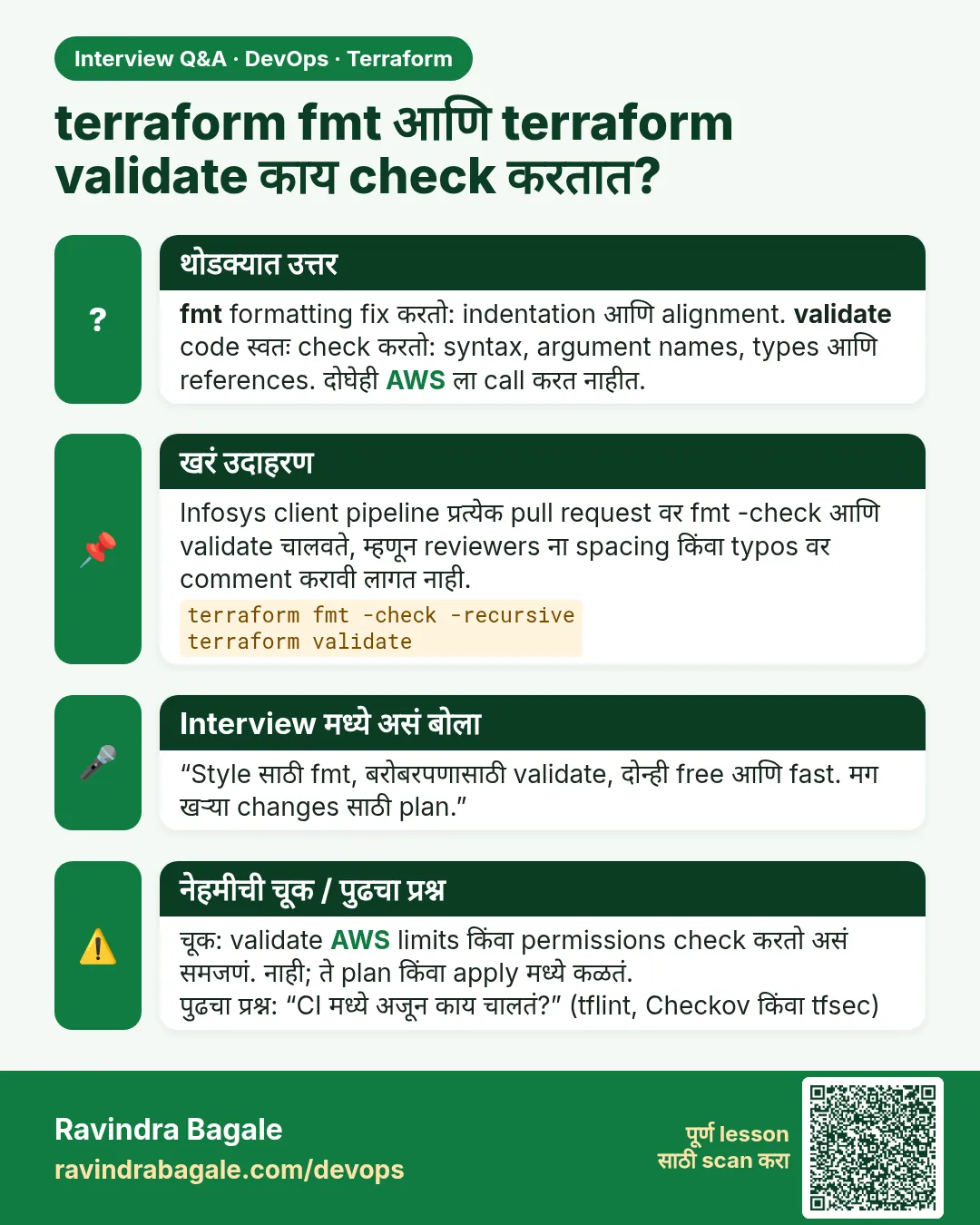 मुलाखत (Interview) card 1 of 7: terraform fmt आणि terraform validate काय check करतात? · PNG download करा · Card page उघडा
Lesson: 38.1 fmt and validate — the free checks
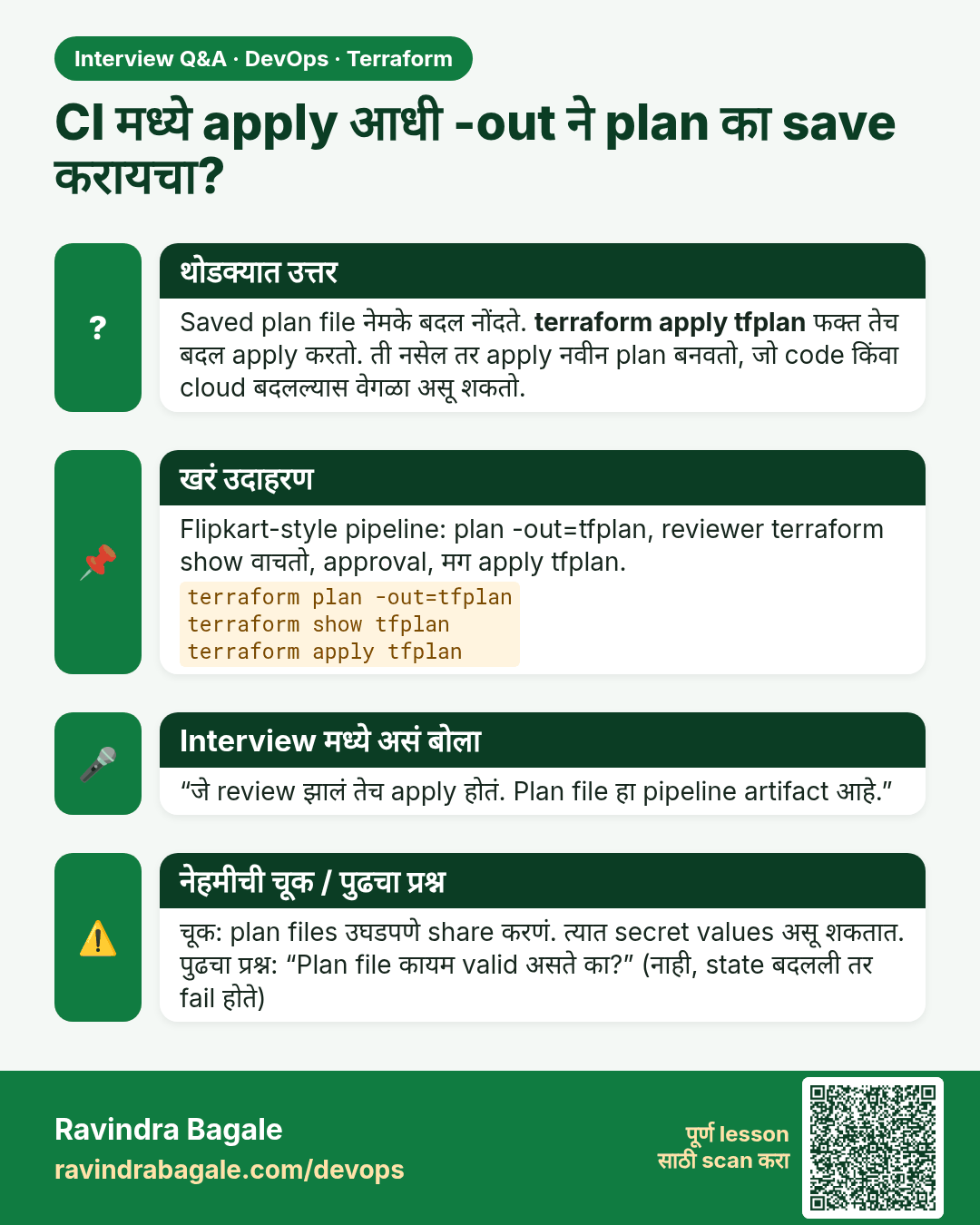
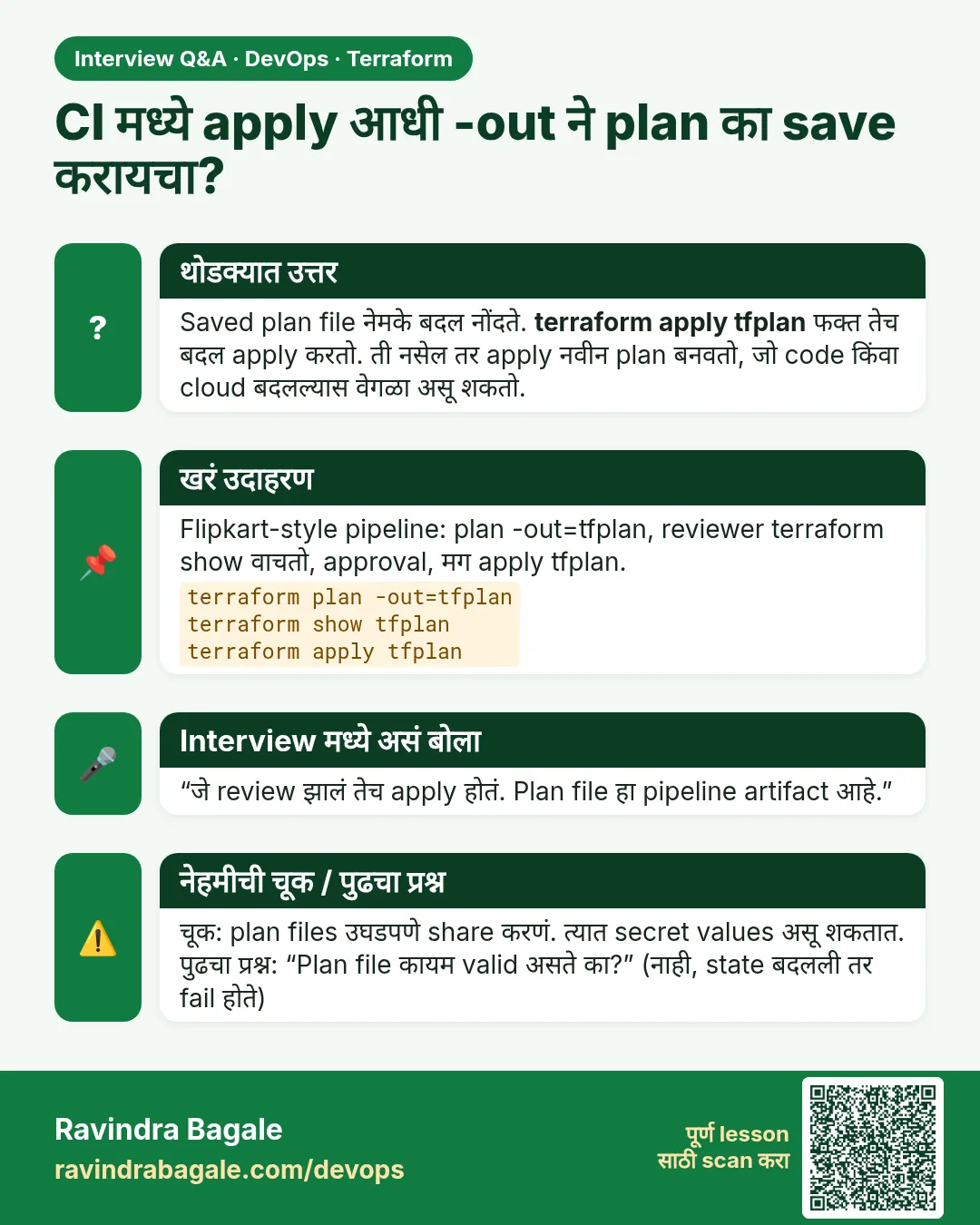 मुलाखत (Interview) card 2 of 7: CI मध्ये apply आधी -out ने plan का save करायचा? · PNG download करा · Card page उघडा
Lesson: 38.2 plan, show and saved plan files
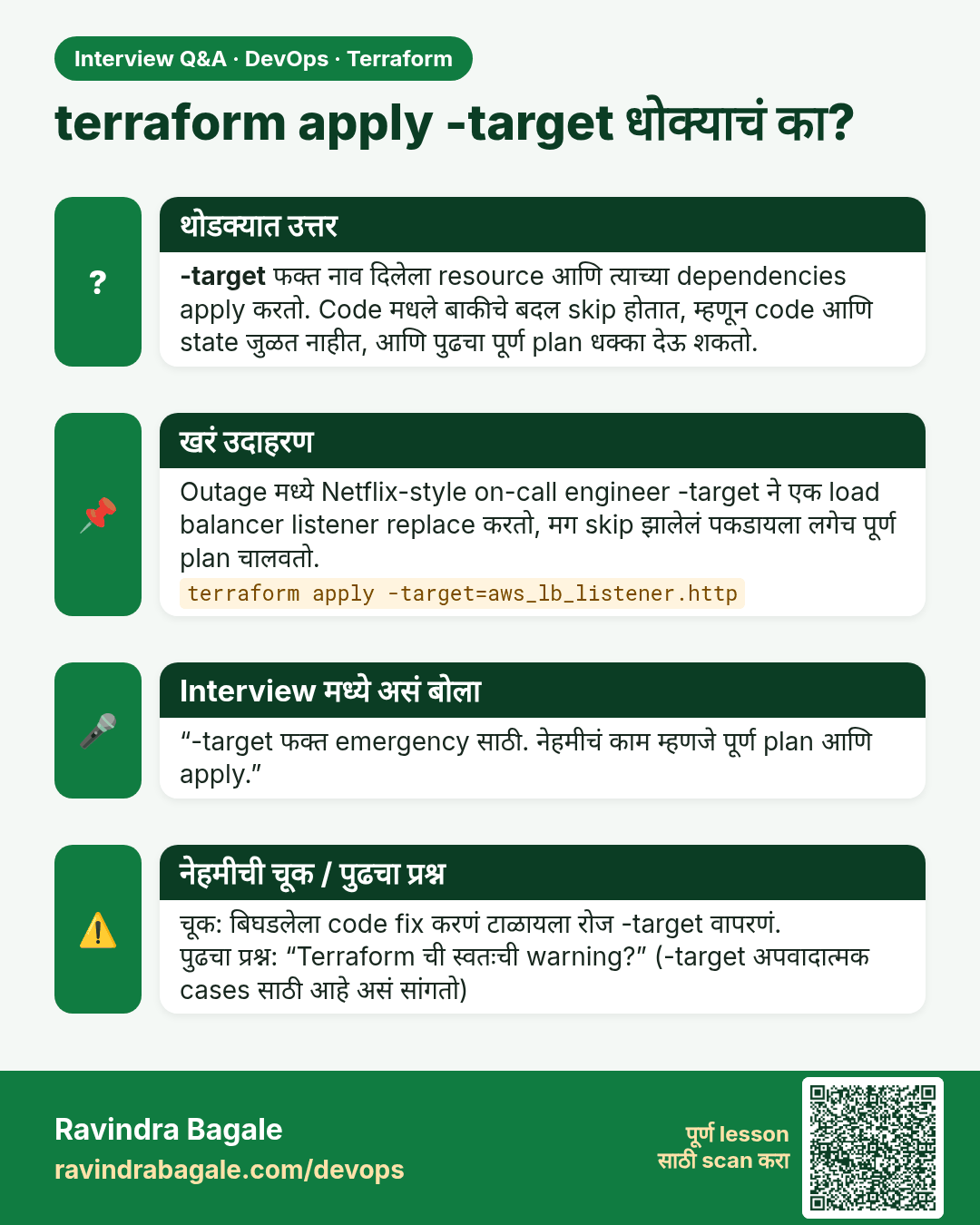
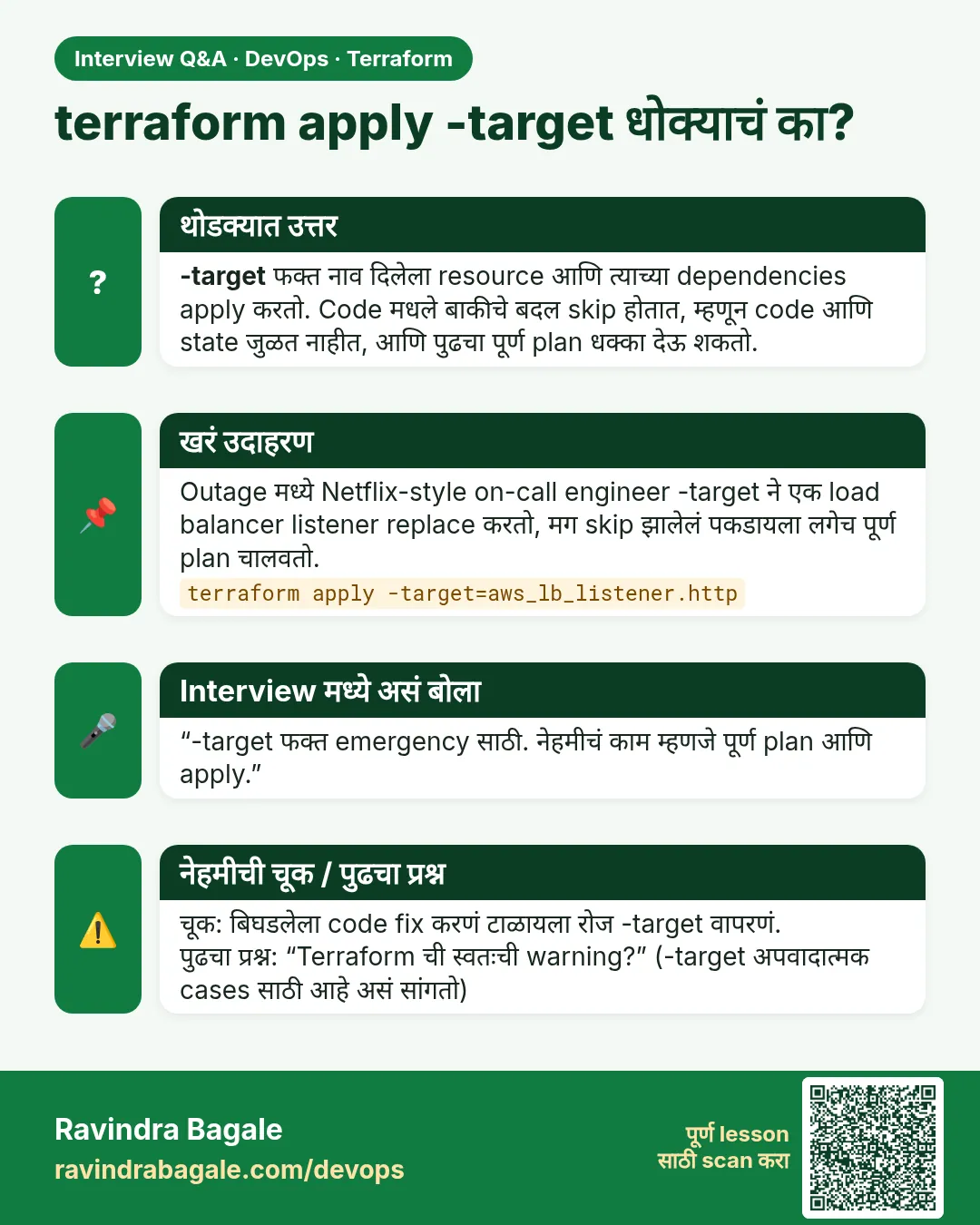 मुलाखत (Interview) card 3 of 7: terraform apply -target धोक्याचं का? · PNG download करा · Card page उघडा
Lesson: 38.3 apply and destroy — and why -target is an emergency tool
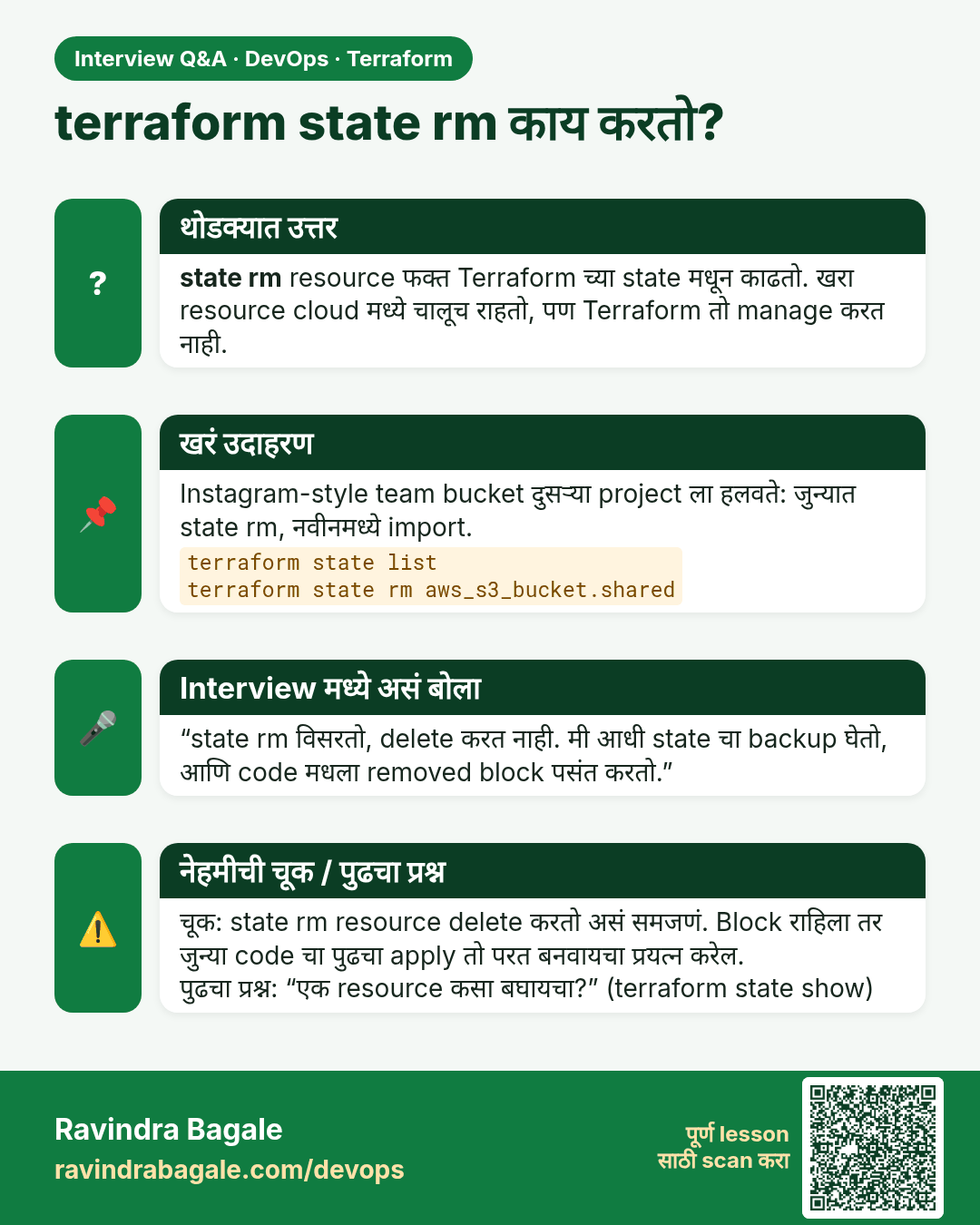
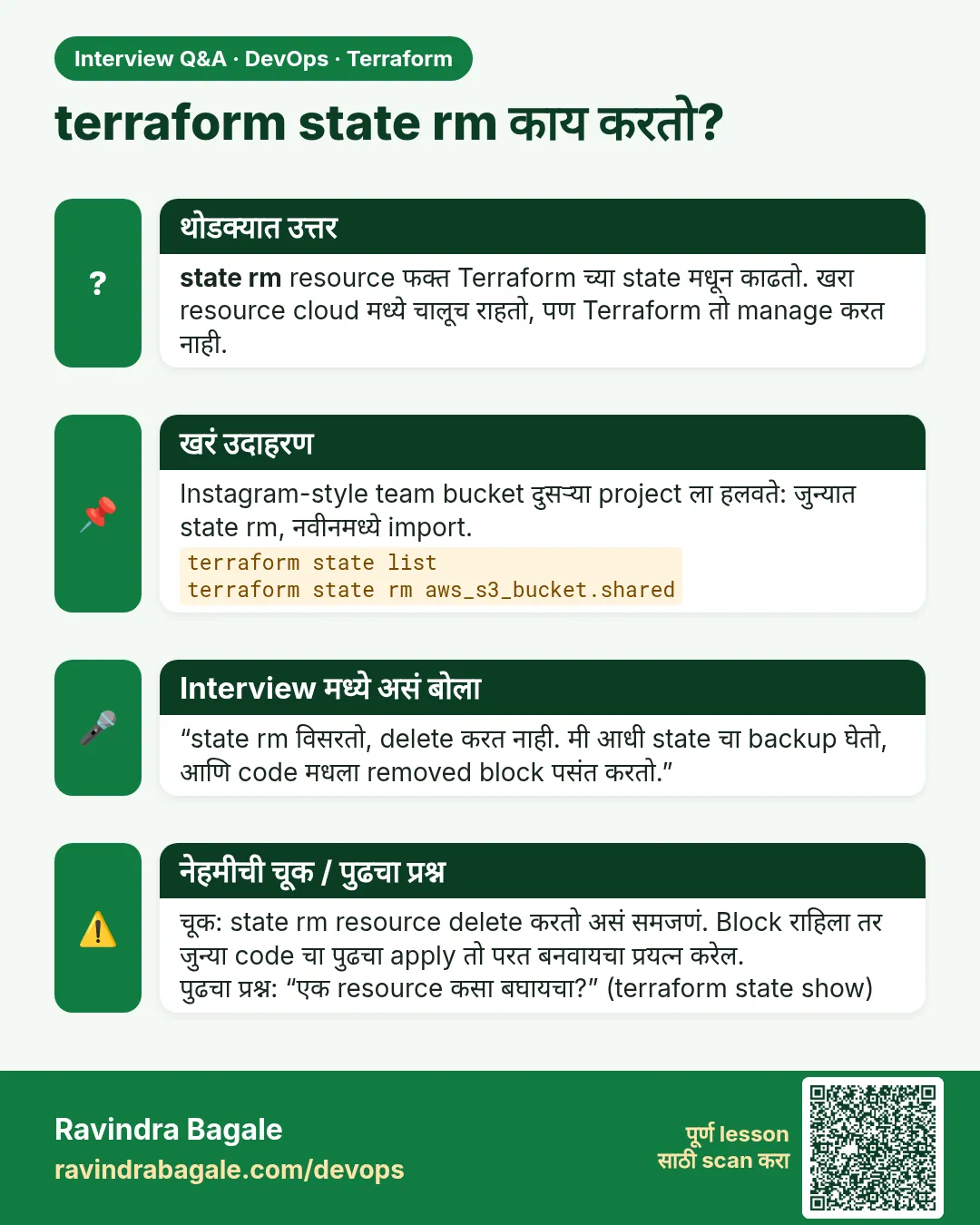 मुलाखत (Interview) card 4 of 7: terraform state rm काय करतो? · PNG download करा · Card page उघडा
Lesson: 38.4 state list, show, mv and rm
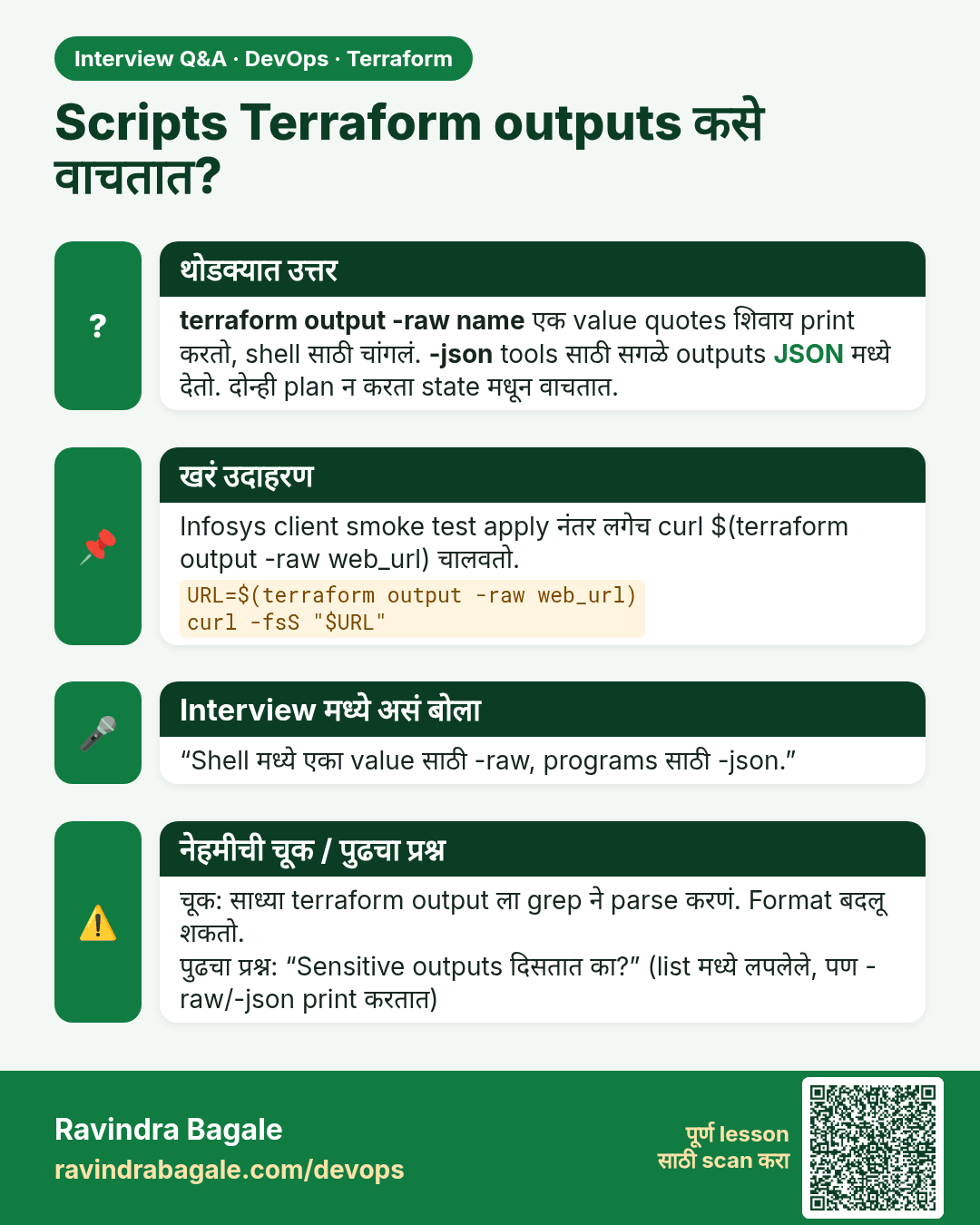
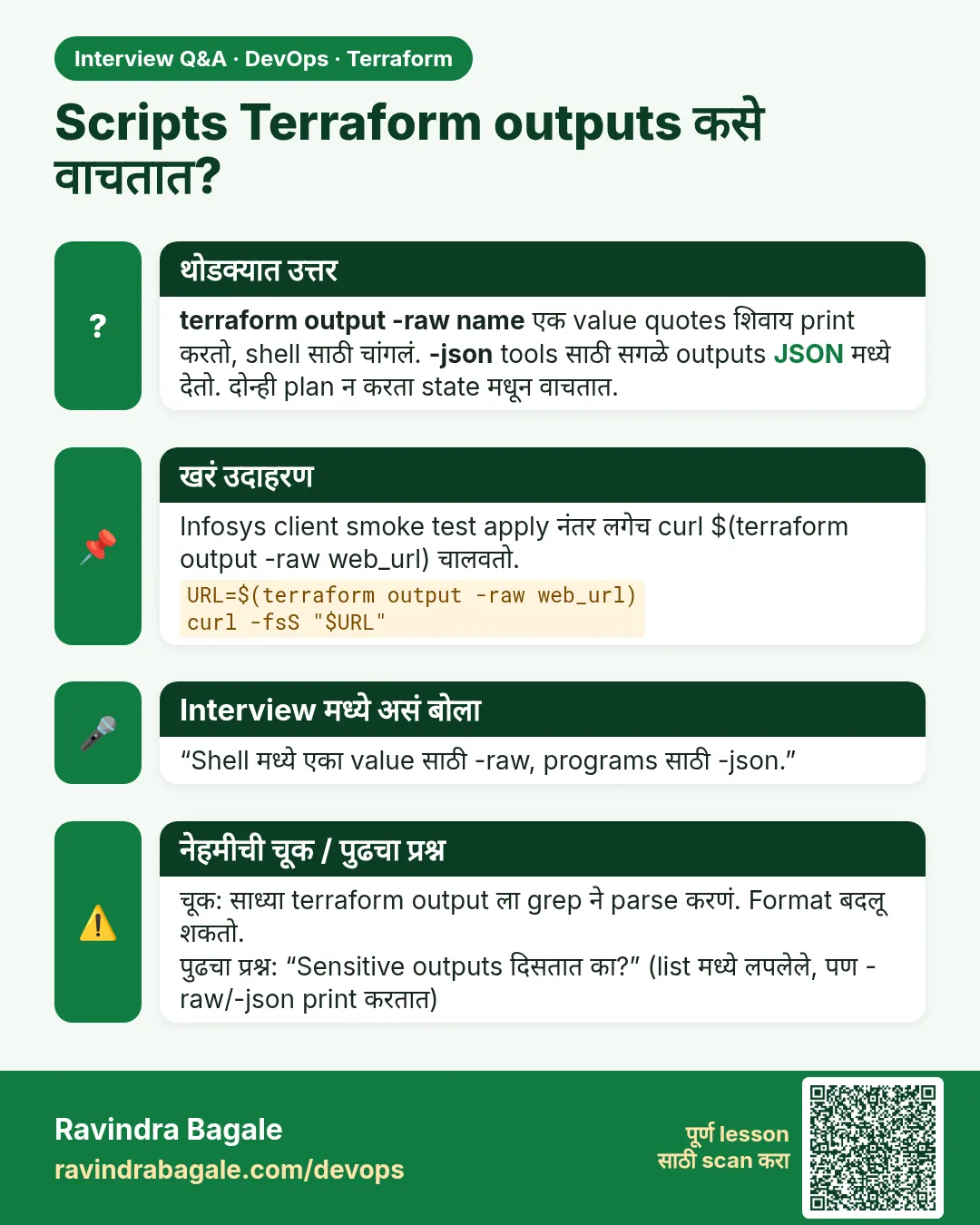 मुलाखत (Interview) card 5 of 7: Scripts Terraform outputs कसे वाचतात? · PNG download करा · Card page उघडा
Lesson: 38.5 output — read results from state
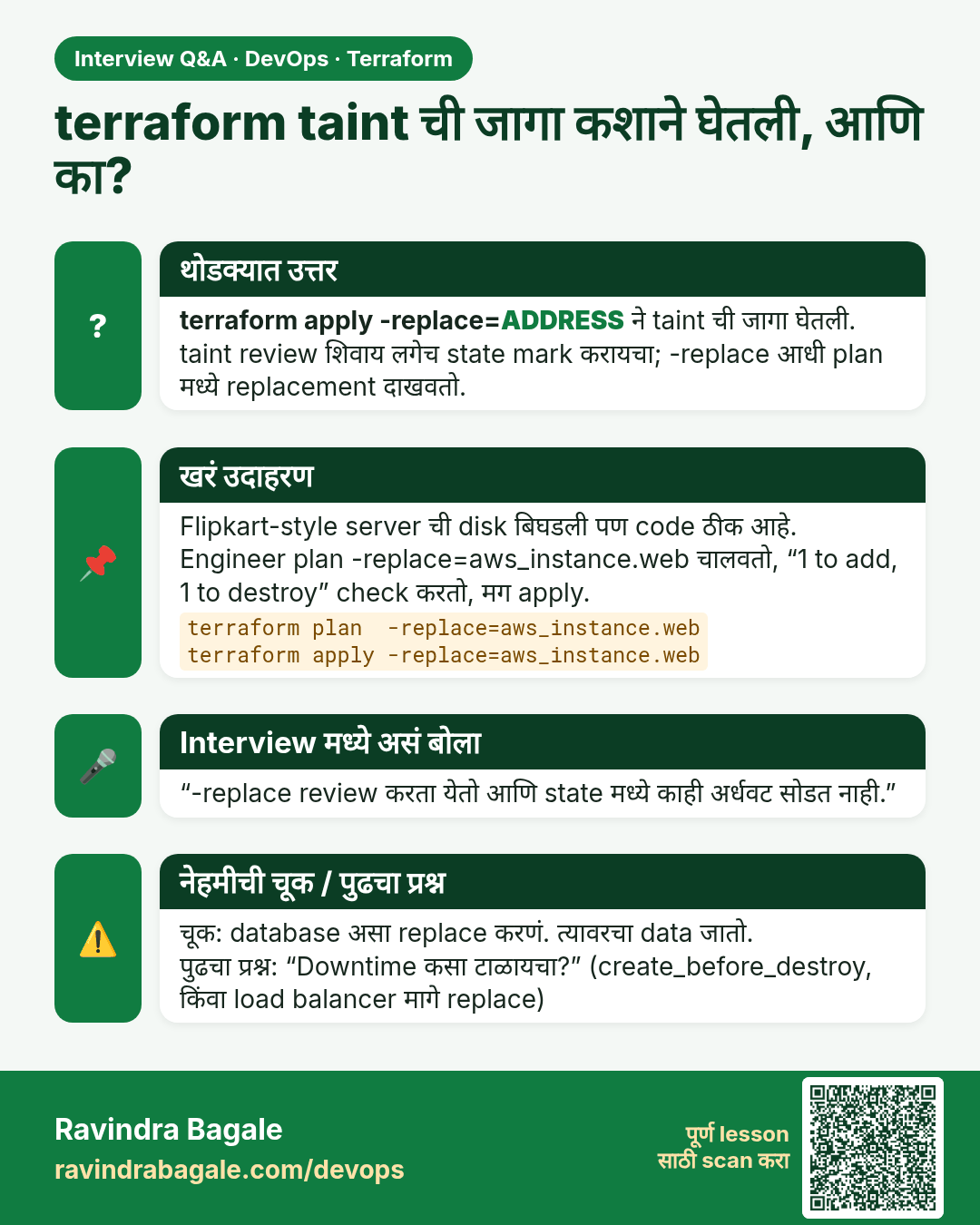
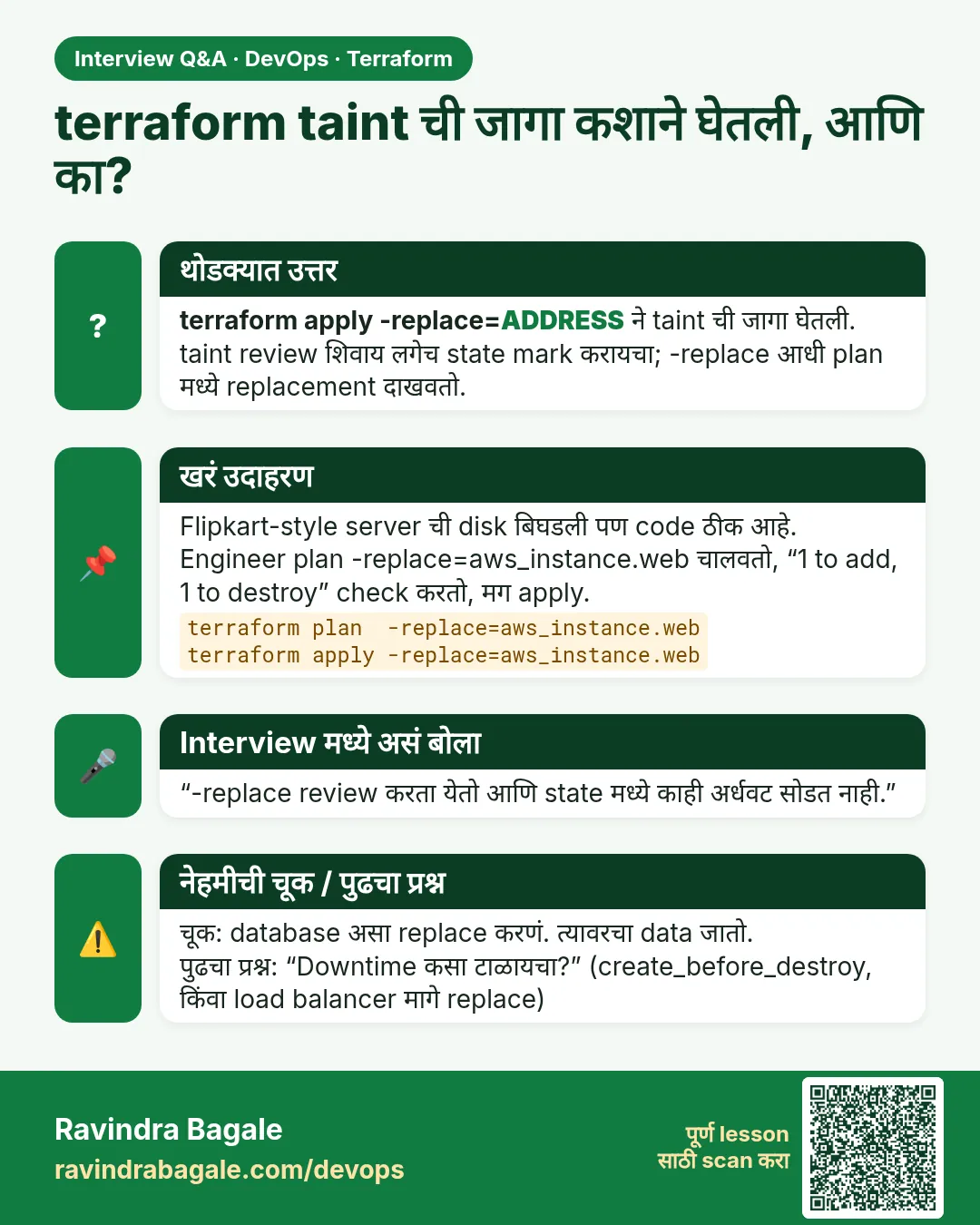 मुलाखत (Interview) card 6 of 7: terraform taint ची जागा कशाने घेतली, आणि का? · PNG download करा · Card page उघडा
Lesson: 38.6 taint versus -replace
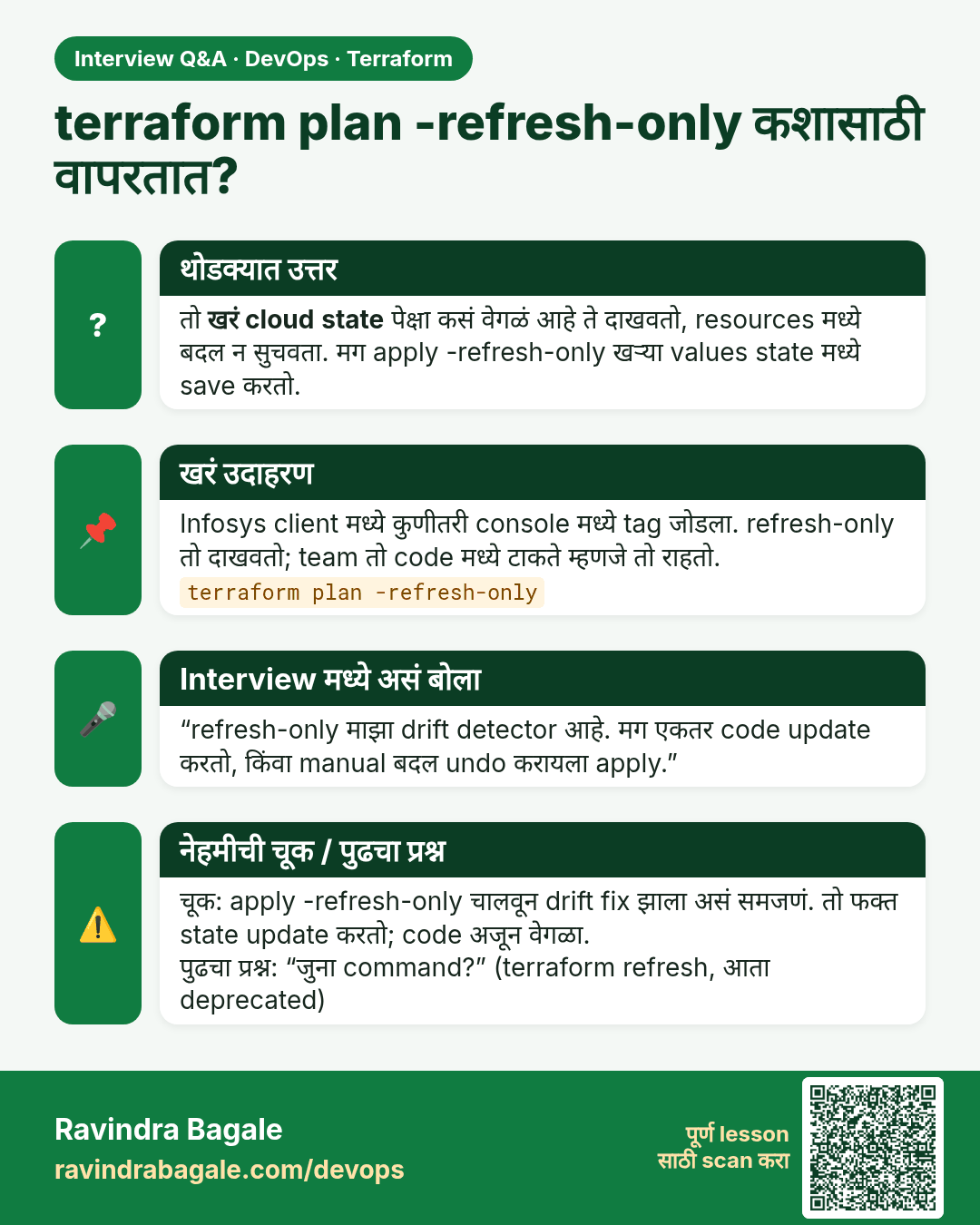
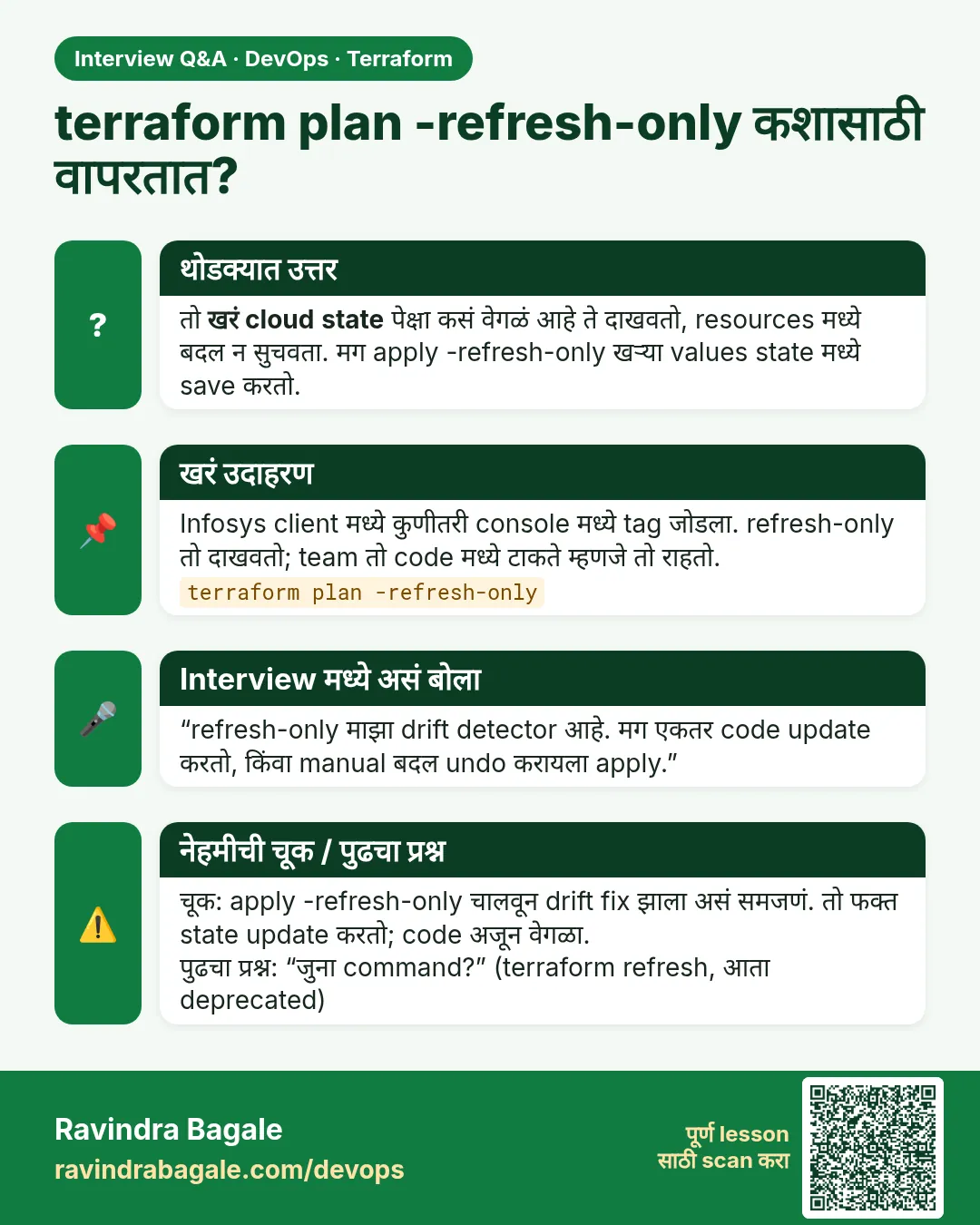 मुलाखत (Interview) card 7 of 7: terraform plan -refresh-only कशासाठी वापरतात? · PNG download करा · Card page उघडा
Lesson: 38.7 refresh-only and graph
तुलना (Comparison) cards
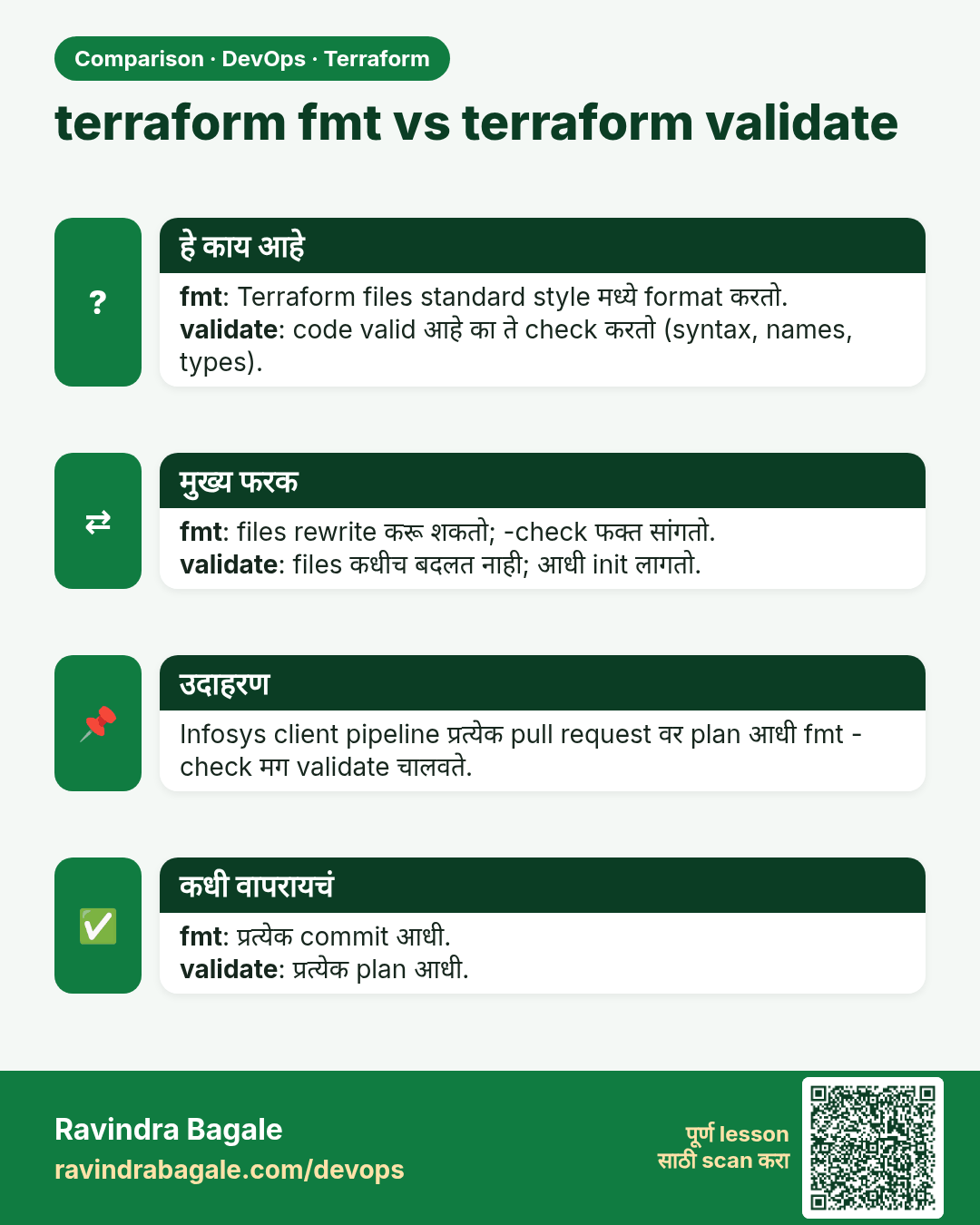
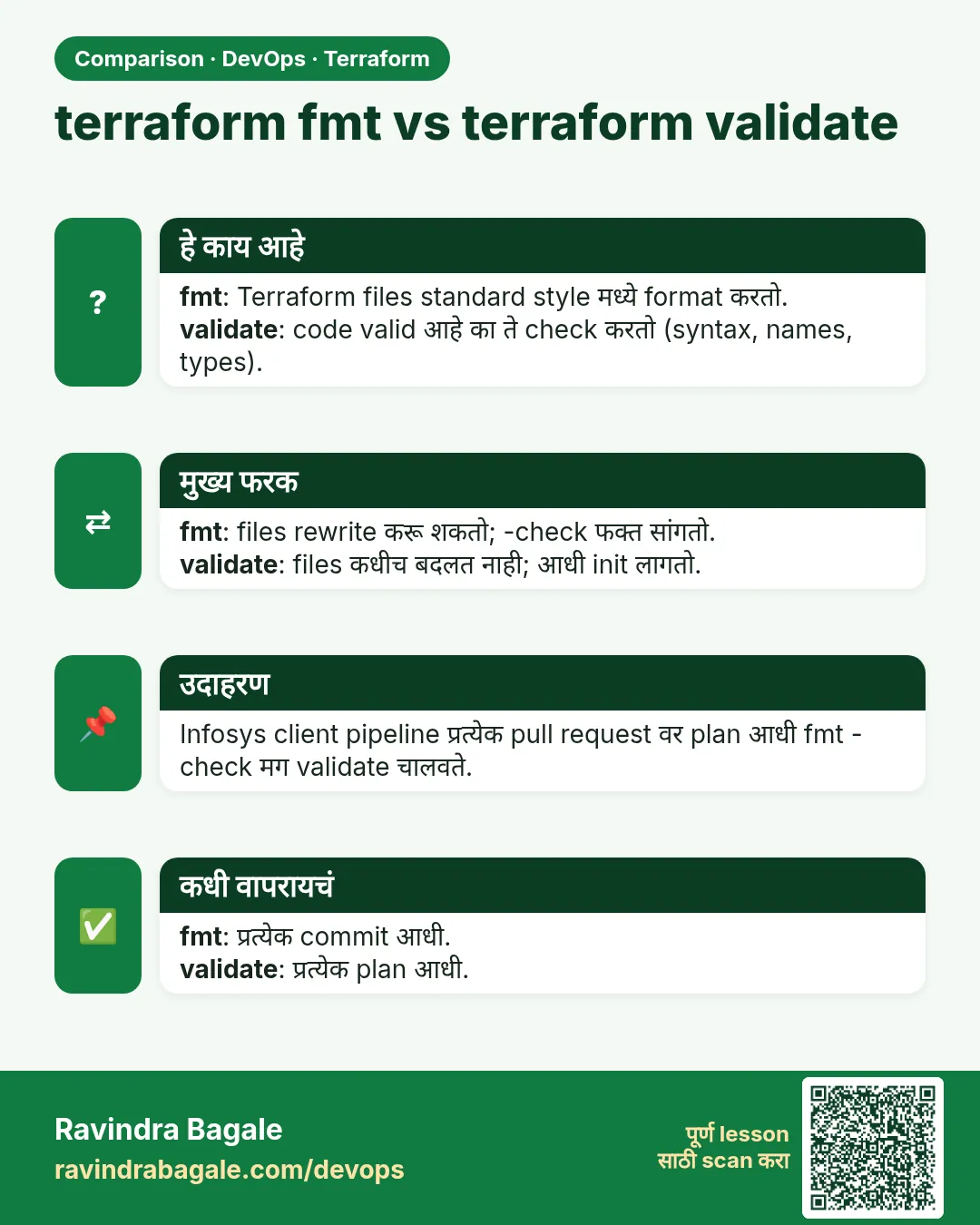 तुलना (Comparison) card 1 of 3: terraform fmt vs terraform validate · PNG download करा · Card page उघडा
Lesson: Chapter 38: Terraform CLI Commands fmt validate plan apply state and more
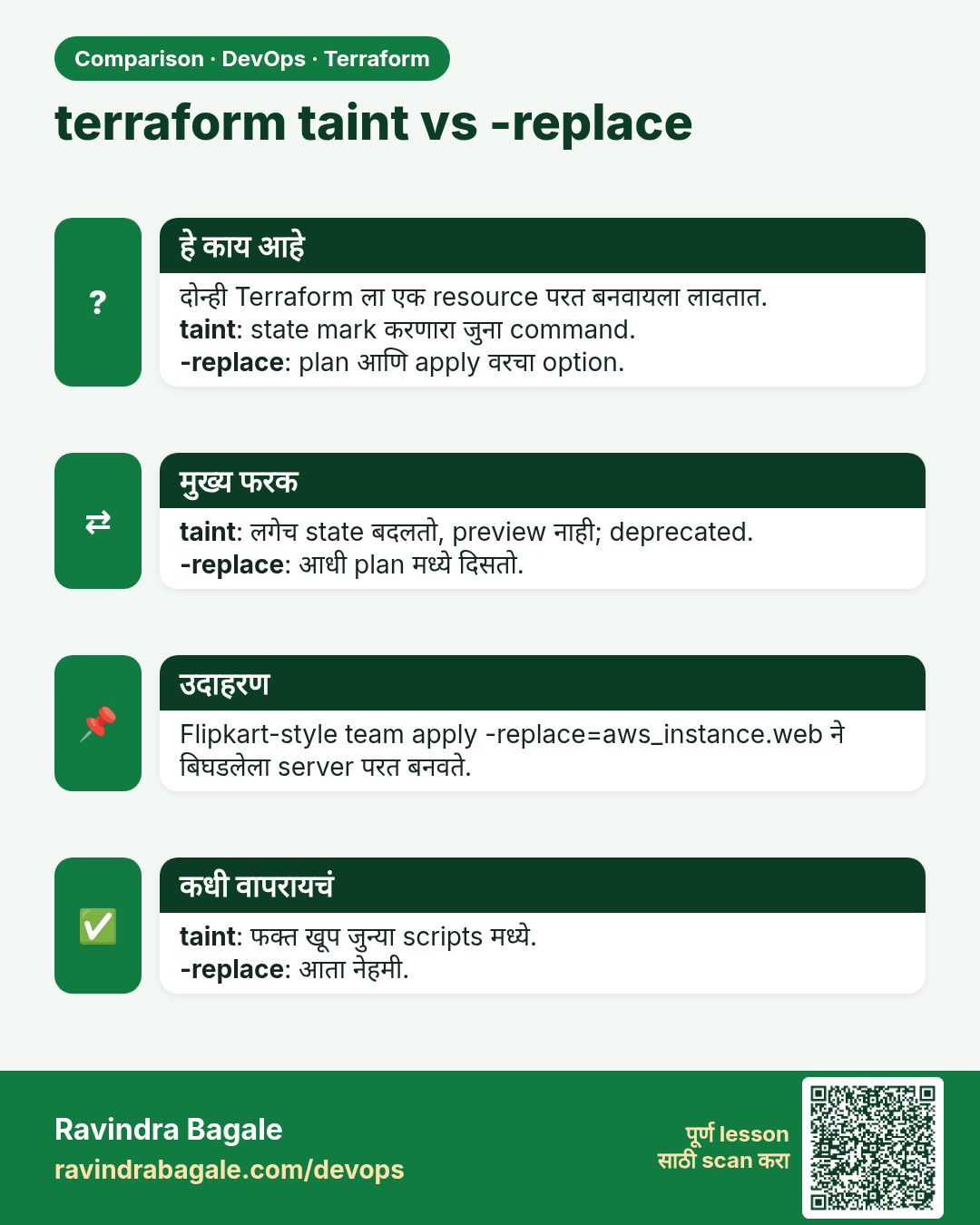
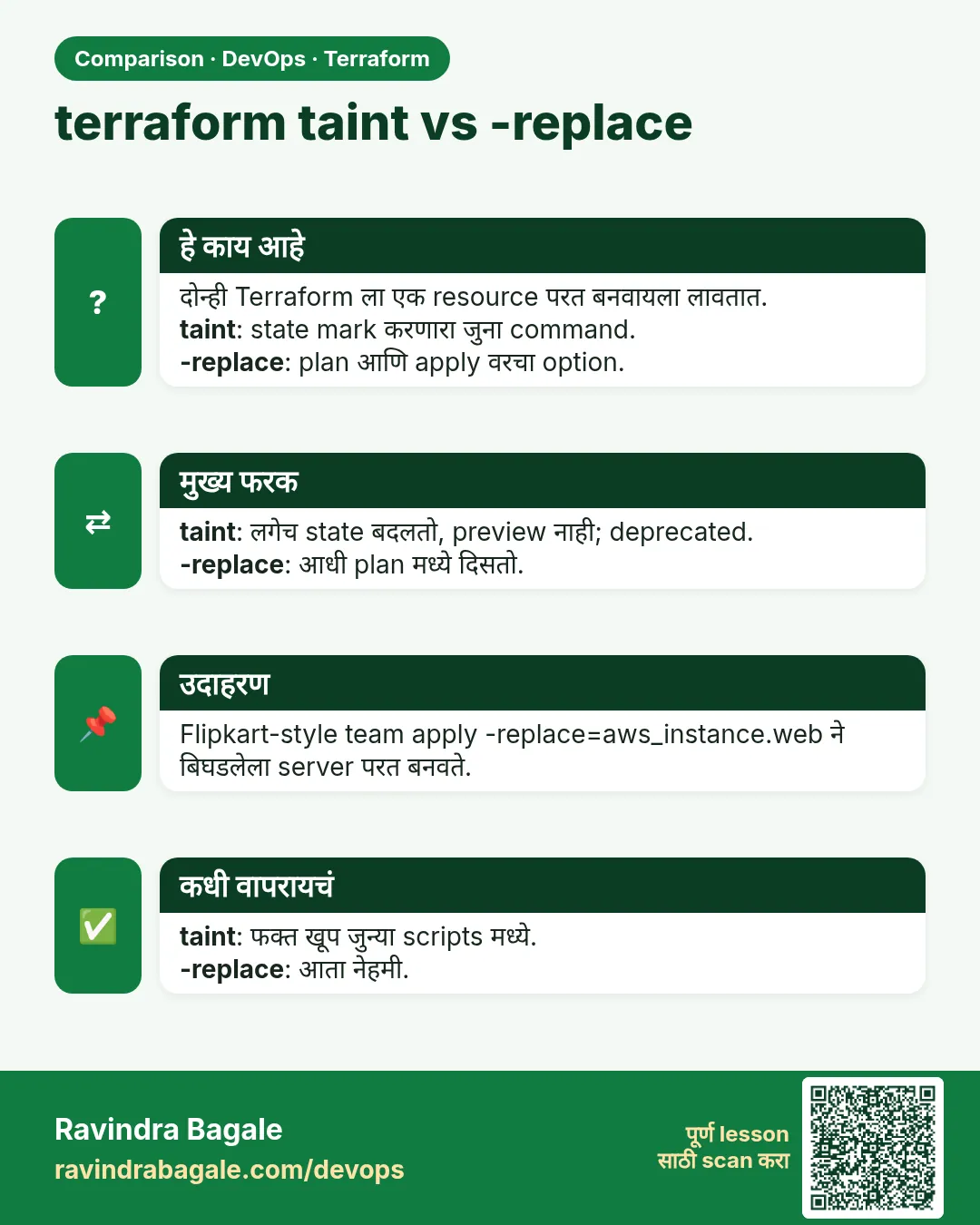 तुलना (Comparison) card 2 of 3: terraform taint vs -replace · PNG download करा · Card page उघडा
Lesson: Chapter 38: Terraform CLI Commands fmt validate plan apply state and more
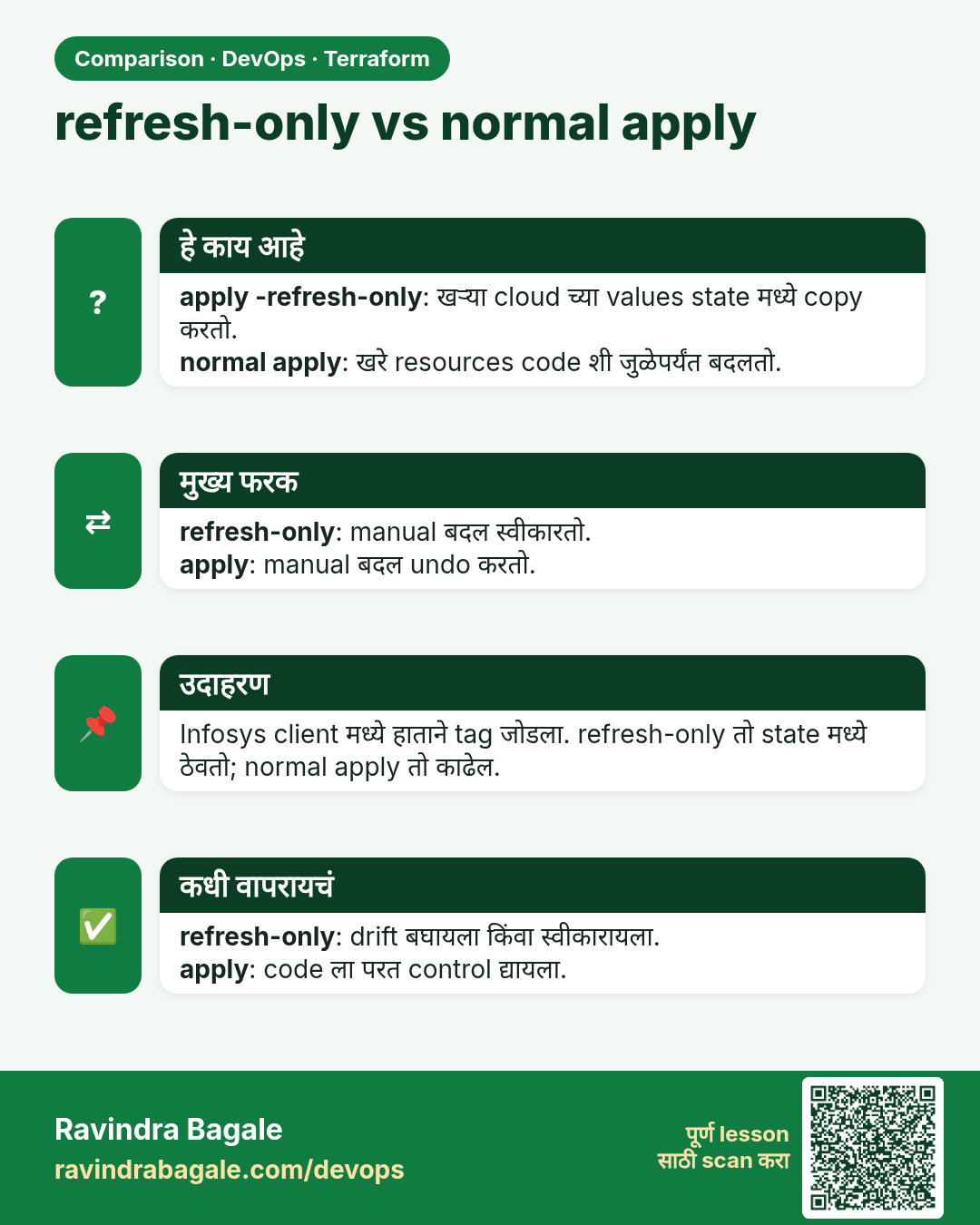
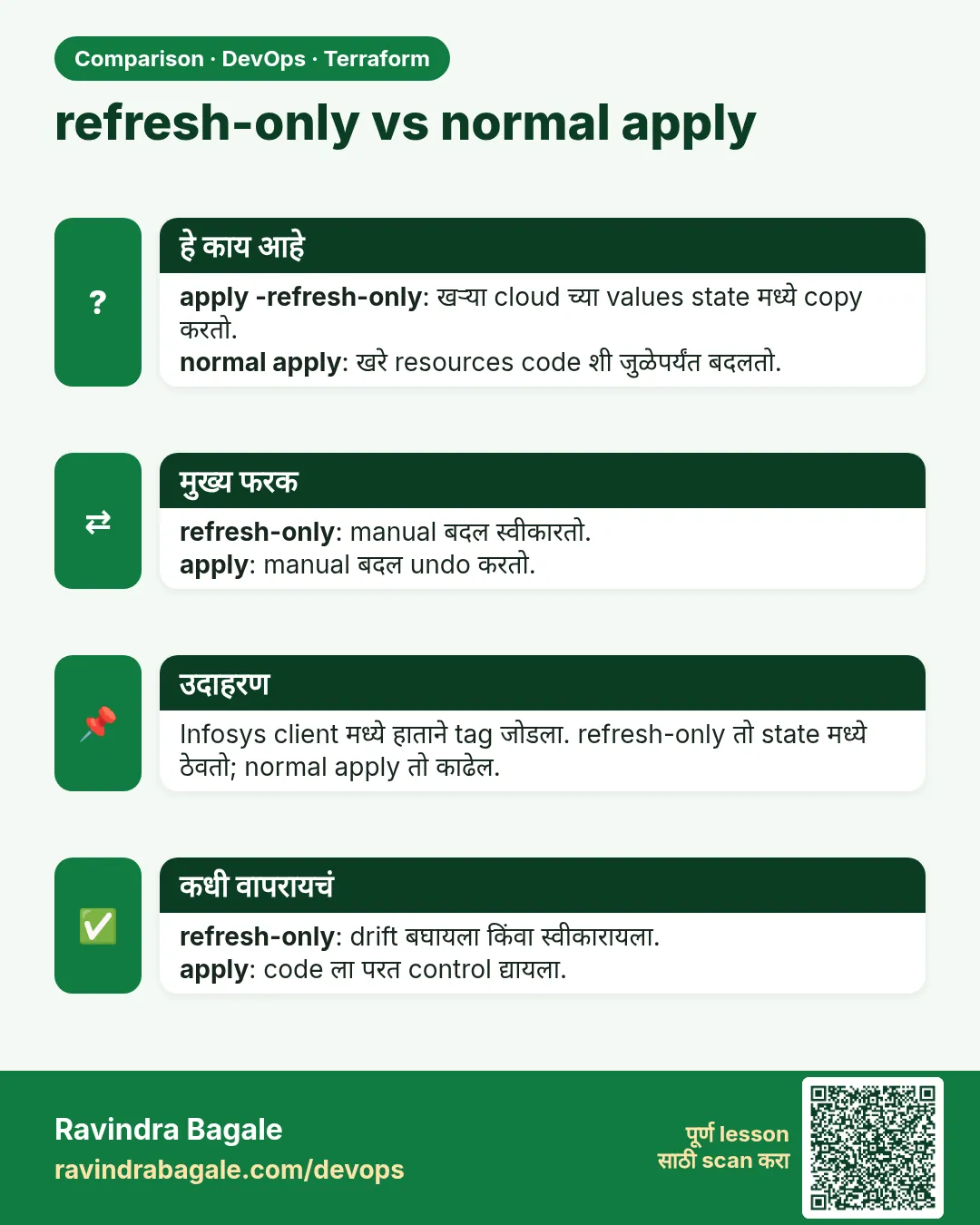 तुलना (Comparison) card 3 of 3: refresh-only vs normal apply · PNG download करा · Card page उघडा
Lesson: Chapter 38: Terraform CLI Commands fmt validate plan apply state and more