Chapter 38: Terraform CLI Commands fmt validate plan apply state and more
38.6 taint versus -replace
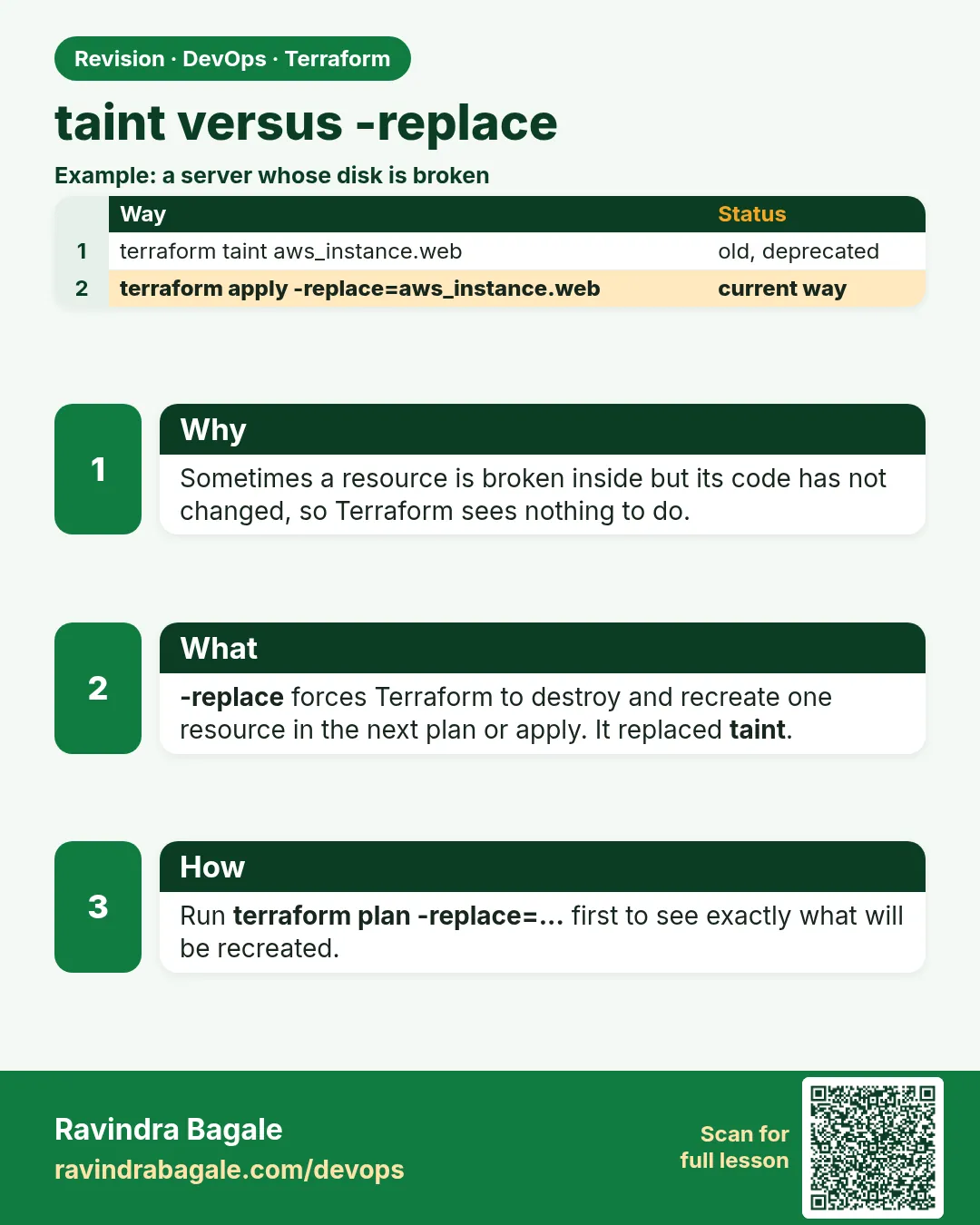
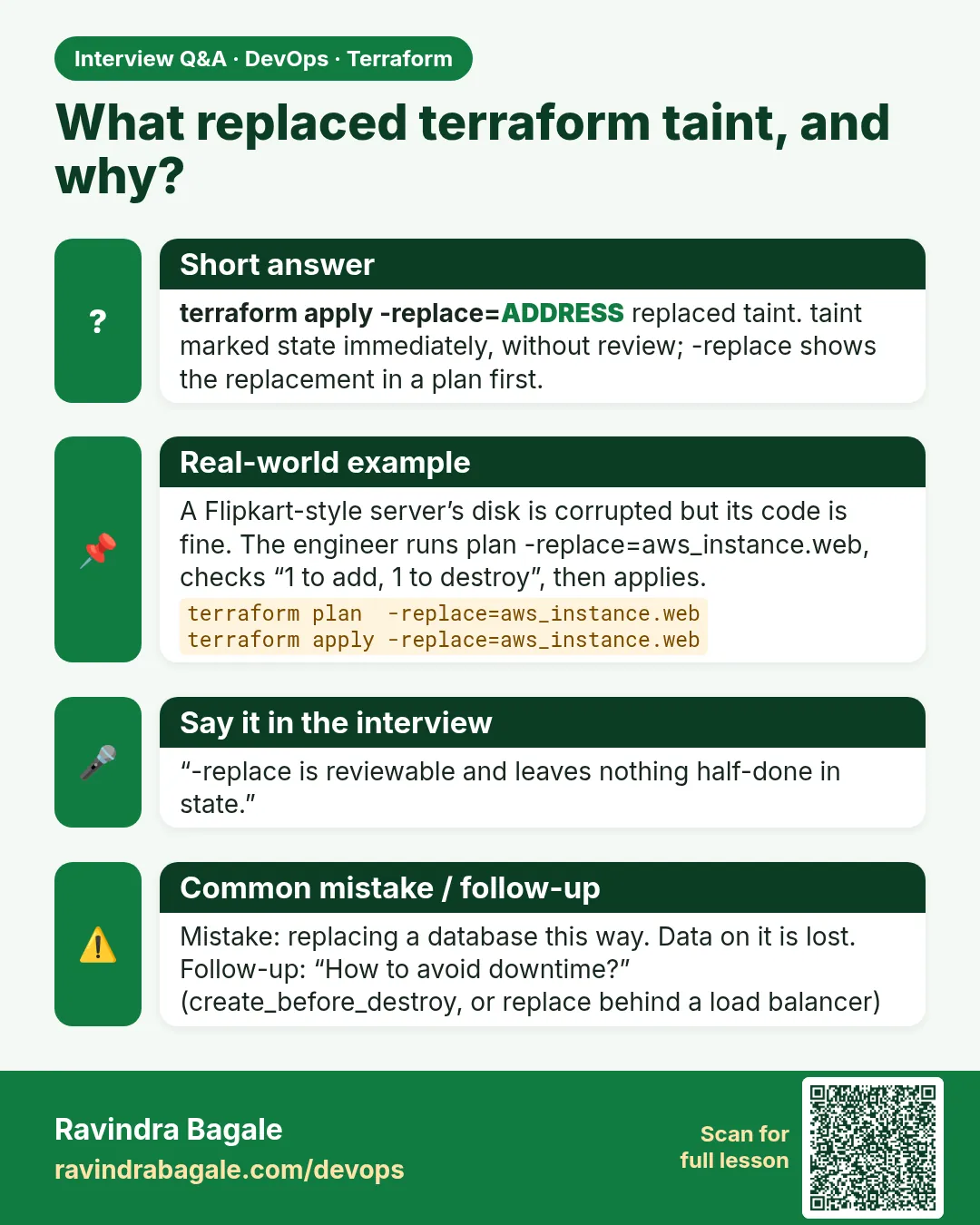
Story. An Instagram-style team had one EC2 instance whose disk got corrupted, while the code was still correct. They needed Terraform to rebuild just that server. The old way was terraform taint, which marks the resource in state and affects the next run for everyone. The current way is plan or apply with -replace, which shows the replacement in the same reviewed plan and leaves state untouched until apply.
terraform plan -replace="aws_instance.web" -out=tfplan
terraform apply tfplan

# deprecated, avoid
terraform taint aws_instance.web
terraform untaint aws_instance.web
What each line does
terraform plan -replace="aws_instance.web" -out=tfplan— Plans to destroy and recreate this one instance and saves that plan.terraform apply tfplan— Performs the replacement.terraform taint aws_instance.web— The old way: marks it in state so any later apply replaces it.terraform untaint aws_instance.web— Removes a taint mark if someone set it by mistake.
When it is green.
  # aws_instance.web will be replaced, as requested
-/+ resource "aws_instance" "web" {
Plan: 1 to add, 0 to change, 1 to destroy.
When it is red.
  # aws_instance.web is tainted, so must be replaced
Plan: 1 to add, 0 to change, 1 to destroy.
(a teammate's unrelated apply is about to rebuild your server)
Fix. Someone tainted a resource and forgot. Run terraform untaint if replacement is not wanted, and use -replace in future.
What: every term in plain English
- replace — Delete a resource and create it again with the same code.
- -replace=ADDRESS — Plan option that forces one replace. Shows in the plan. Preferred.
- taint — Old command that marks a resource in state for replace. Deprecated.
- untaint — Removes that mark.
- create_before_destroy — Lifecycle rule: build the new one first, then delete the old one.
Example 1: Rebuild a broken server with -replace
A server at a Pune startup has a full disk and a broken agent. The code is fine. Recreate it.
terraform apply -replace="aws_instance.web"
Output
  # aws_instance.web will be replaced, as requested
-/+ resource "aws_instance" "web" {
      ~ id        = "i-0abc12de34f567890" -> (known after apply)
      ~ public_ip = "13.233.45.67" -> (known after apply)
    }

Plan: 1 to add, 0 to change, 1 to destroy.
  Enter a value: yes
aws_instance.web: Destroying... [id=i-0abc12de34f567890]
aws_instance.web: Creating...
Apply complete! Resources: 1 added, 0 changed, 1 destroyed.
What it shows: as requested tells reviewers this was on purpose. The IP changes, so update DNS or use an Elastic IP.
Example 2: The old taint way, for reading legacy runbooks
Old company runbooks still say taint. Know it, but use -replace.
terraform taint aws_instance.web
terraform plan | grep -E "tainted|Plan:"
terraform untaint aws_instance.web
Output
Resource instance aws_instance.web has been marked as tainted.
  # aws_instance.web is tainted, so must be replaced
Plan: 1 to add, 0 to change, 1 to destroy.
Resource instance aws_instance.web has been successfully untainted.
What it shows: taint changes shared state at once, before review. -replace only lives inside your plan.
Example 3: Replace without downtime
For a web server behind a load balancer, build the new one before deleting the old one.
resource "aws_instance" "web" {
  ami           = data.aws_ami.al2023.id
  instance_type = "t3.micro"
  lifecycle {
    create_before_destroy = true
  }
}
terraform apply -replace="aws_instance.web" -auto-approve
Output
aws_instance.web: Creating...
aws_instance.web: Creation complete after 12s [id=i-0def45ab67c890123]
aws_instance.web (deposed object 3b1c9a2e): Destroying... [id=i-0abc12de34f567890]
aws_instance.web: Destruction complete after 40s
Apply complete! Resources: 1 added, 0 changed, 1 destroyed.
What it shows: Creating comes before Destroying. The old one is called deposed while it waits.
Example 4: Replace one item of a for_each
Only one of three servers is broken.
terraform plan -replace='aws_instance.app["b"]'
Output
  # aws_instance.app["b"] will be replaced, as requested
Plan: 1 to add, 0 to change, 1 to destroy.
What it shows: Use single quotes around the whole address so the shell keeps the double quotes.
Example 5: Pick up new user_data with a replace
You changed the boot script. AWS runs user_data only on first boot, so the old server never sees it.
resource "aws_instance" "web" {
  ami                         = data.aws_ami.al2023.id
  instance_type               = "t3.micro"
  user_data                   = templatefile("${path.module}/boot.sh.tftpl", { site = "Shopkart v2" })
  user_data_replace_on_change = true
  tags = {
    Name = "replace-lab"
  }
}
printf '%s\n' '#!/bin/bash' 'dnf install -y nginx' 'echo "${site}" > /usr/share/nginx/html/index.html' 'systemctl enable --now nginx' > boot.sh.tftpl
terraform apply -auto-approve
curl -s "http://$(terraform output -raw public_ip)"
Output
  # aws_instance.web must be replaced
-/+ resource "aws_instance" "web" {
      ~ user_data = "3f9a1c..." -> "8b2e7d..." # forces replacement
Apply complete! Resources: 1 added, 0 changed, 1 destroyed.
Shopkart v2
What it shows: With user_data_replace_on_change you do not need -replace at all. The plan says forces replacement.
Command cheat sheet
| Command | What it does | When to use it |
|---|---|---|
terraform plan -replace=ADDR |
Preview a forced rebuild | Before replacing |
terraform apply -replace=ADDR |
Rebuild one resource | Broken server |
terraform apply -replace='aws_instance.app["b"]' |
Rebuild one for_each item | One bad copy |
terraform taint ADDR |
Old mark for rebuild | Only in legacy runbooks |
terraform untaint ADDR |
Remove the old mark | Undo a taint |
create_before_destroy |
New copy first | Servers behind a load balancer |
name_prefix |
Unique names for new copies | With create_before_destroy |
Verify: did it work?
-
A new id after replace
terraform state show aws_instance.web | grep -m1 " id "Output
id = "i-0def45ab67c890123" -
Nothing left to do
terraform plan -detailed-exitcode; echo $?Output
No changes. Your infrastructure matches the configuration.
0
When it is red 1
Warning: Resource targeting is in effect
Cause. You mixed -target with -replace. Not needed.
Fix, step by step
- Use only -replace=ADDRESS.
When it is red 2
Error: Invalid character
  on  line 1:
  (source code not available)
This character is not used within the language.
Cause. The shell ate the quotes in a for_each address.
Fix, step by step
- Wrap it in single quotes: 'aws_instance.app["b"]'.
When it is red 3
Error: creating EC2 Instance: InvalidParameterValue: Duplicate name: web-lb-target
Cause. create_before_destroy failed because the new copy needs a unique name.
Fix, step by step
- Use name_prefix instead of name.
- Plan again.
When it is red 4
Error: Invalid replace address
The given address aws_instance.webs does not refer to a resource in the configuration.
Cause. Typo, or the resource is inside a module and needs the module prefix.
Fix, step by step
- Copy the address from terraform state list, for example module.app.aws_instance.web.
- Run the plan again with that address.
Cleanup
terraform destroy -auto-approve
Practice tasks
Easy Replace a random_pet
Why: No cost practice.
What to do: Use -replace on a random_pet.
- Apply.
- Apply -replace="random_pet.x".
Check: The name changes.
Medium Watch the order
Why: See create_before_destroy.
What to do: Replace with and without the lifecycle rule.
- Compare the order of Creating and Destroying.
Check: You can explain both orders.
Medium Untaint a mistake
Why: Undo a wrong mark.
What to do: Taint and then untaint a resource.
- Plan after each.
Check: Final plan says No changes.
Hard Rebuild behind an ALB
Why: Zero downtime in practice.
What to do: Replace a target and curl the ALB in a loop.
- Run while true; do curl -s ALB; sleep 1; done.
Check: No failed requests with create_before_destroy.
Easy Say it in two lines
Why: If you can say it simply, you understand it.
What to do: Write two short lines about this lesson for a fresher.
- Write the problem it solves.
- Write the one command or file you use.
- Read it aloud.
Check: A fresher understands it without a question.
Easy Start a safe lab folder
Why: Practice needs a throwaway place.
What to do: Make a new folder with versions.tf and a random_pet resource, so no AWS cost.
- mkdir tf-lab and cd into it.
- Add the hashicorp/random provider and one random_pet.
- Run terraform init and terraform apply.
Check: Apply complete! with 1 added.
Medium Break it on purpose
Why: You must know the red output by face.
What to do: Cause one error from the red part of this lesson and fix it.
- Follow one red section.
- Copy the exact message to your notes.
- Write the fix in one line.
Check: You fixed it without searching the web.
Medium Run it twice
Why: A second run must be quiet.
What to do: Run the same plan two times with no edits.
- Run terraform plan.
- Run it again.
- Explain any change it still shows.
Check: The second plan says No changes, or you can explain each line.
Medium Write a runbook page
Why: At 2 a.m. nobody remembers flags.
What to do: Write a one-page runbook for this lesson.
- Title, when to use, exact commands, how to check, how to undo.
Check: A teammate can follow it alone.
Medium Run it from a pipeline
Why: Real teams run Terraform from CI, not from laptops.
What to do: Run the main command of this lesson inside a GitHub Actions or Jenkins job.
- Add a job with hashicorp/setup-terraform or a Terraform Docker image.
- Give it AWS access through an IAM role, never a key in the file.
- Run init, then the command from this lesson.
Check: The job log shows the same output you saw on your laptop.
Medium Check the cost
Why: Labs left running cost real money.
What to do: Find what this lesson would cost per day if you forgot to destroy it.
- Open the AWS Pricing Calculator.
- Add each resource from your plan.
- Write the daily cost in your notes.
Check: You know the daily cost and you ran terraform destroy.
Hard Draw the flow top to bottom
Why: A drawing shows the order of work.
What to do: Draw this lesson as boxes from top to bottom.
- Start at your code, go through plan and state, end at AWS.
- Mark where each command reads or writes.
Check: Each box matches a real step you ran.
Hard Explain it like an interview
Why: Interviewers want real stories.
What to do: Record a 60 second answer about this lesson.
- Say the problem, the command, and one error you hit.
Check: Your answer has a real command and a real error message.
Homework: try at home
Try at home
On a random_pet lab, try taint, untaint and -replace. Write which one changed state before you said yes.
Recap
- -replace forces one recreate and shows in the plan.
- taint is deprecated; it edits state before review.
- create_before_destroy avoids downtime.
- IPs and ids change on replace.
- Quote for_each addresses with single quotes.
FAQ
Is taint removed?
Deprecated, still there. Use -replace.
Does replace keep data on the disk?
No. Root disks are new. Keep data on EBS volumes or S3.
Can I replace many at once?
Yes, repeat -replace for each address.
Does -replace work with plan?
Yes, plan -replace shows it first.
Why did the IP change?
A new instance gets a new IP. Use an Elastic IP or a load balancer.
Can I replace a whole module?
Repeat -replace for each resource in it; there is no module-wide flag.
Does -replace work on data sources?
No. Data sources are read again on every plan; there is nothing to replace.
Interview questions
-
taint vs -replace?
Both recreate. -replace is only in the plan and reviewed; taint edits shared state at once and is deprecated.
-
When would you force a replace?
Broken server, corrupted disk, or to pick up new user_data.
-
How to avoid downtime on replace?
create_before_destroy and a load balancer.
-
What is a deposed object?
The old copy waiting to be deleted after create_before_destroy.
-
Does replace change the address?
No, same address, new id.
Quick quiz
Q1. Which is preferred: taint or -replace?
-replace.
Q2. Which lifecycle rule builds first?
create_before_destroy.
Q3. What phrase shows in the plan?
will be replaced, as requested.
Q4. Does taint change state immediately?
Yes.
Q5. How do you remove a taint?
terraform untaint.
Samajla ka?
 Revision card
 Interview card