Chapter 38: Terraform CLI Commands fmt validate plan apply state and more
38.4 state list, show, mv and rm
Story. During an Infosys client clean-up, an engineer needed to see what one state file tracked and to split one resource out of it. The terraform state subcommands read and edit state directly. list and show are safe. mv and rm change state immediately without a plan, so back up first, and prefer moved and removed blocks when you can.
terraform state list
terraform state show aws_instance.web
terraform state pull > backup-$(date +%F).tfstate
terraform state mv aws_instance.web aws_instance.app
terraform state rm aws_cloudwatch_log_group.app
What each line does
terraform state list— Lists every tracked address.terraform state show aws_instance.web— Prints every recorded attribute of one resource.terraform state pull > backup-$(date +%F).tfstate— Downloads the current state to a dated local backup; keep it private.terraform state mv aws_instance.web aws_instance.app— Renames an address in state; same effect as a moved block but unreviewed.terraform state rm aws_cloudwatch_log_group.app— Forgets a resource without deleting it in AWS; same effect as a removed block.
When it is green.
aws_instance.web
aws_security_group.web
Move "aws_instance.web" to "aws_instance.app"
Successfully moved 1 object(s).
Removed aws_cloudwatch_log_group.app
Successfully removed 1 resource instance(s).
When it is red.
Error: Invalid target address
No matching objects found. To view the available instances, use "terraform state list".
Fix. The address is wrong; quote for_each keys in the shell, for example terraform state show 'aws_s3_bucket.svc["auth"]'.
What: every term in plain English
- state — A JSON file that maps your code addresses to real AWS ids.
- address — The name in code, such as aws_instance.web or module.vpc.aws_subnet.a[0].
- state list / show — Read-only. Safe any time.
- state pull — Prints the full state, even from S3. Use it for a backup.
- state mv — Renames an address in state now, with no plan.
- state rm — Forgets a resource. AWS keeps it.
Example 1: List and show what is tracked
Before any change, see what Terraform owns.
terraform state list
terraform state show aws_instance.web | head -8
Output
data.aws_ami.al2023
aws_instance.web
aws_security_group.web
# aws_instance.web:
resource "aws_instance" "web" {
    ami                          = "ami-0f58b397bc5c1f2e8"
    arn                          = "arn:aws:ec2:ap-south-1:111122223333:instance/i-0abc12de34f567890"
    id                           = "i-0abc12de34f567890"
    instance_type                = "t3.micro"
What it shows: list gives addresses. show gives every saved value of one.
Example 2: Back up, then rename with state mv
You renamed web to app in code. Without a move, Terraform would delete and recreate the server.
- Rename the resource in ec2.tf from web to app.
- Back up state.
- Move the address.
- Plan.
sed -i 's/"aws_instance" "web"/"aws_instance" "app"/; s/aws_instance.web/aws_instance.app/' ec2.tf
terraform state pull > backup-$(date +%F).tfstate
terraform state mv aws_instance.web aws_instance.app
terraform plan
Output
Move "aws_instance.web" to "aws_instance.app"
Successfully moved 1 object(s).

No changes. Your infrastructure matches the configuration.
What it shows: No changes means the server survived the rename. A moved block does the same in a reviewed way.
Example 3: The moved block, the reviewed way
Teams prefer a code change that shows in the pull request and the plan.
moved {
  from = aws_instance.web
  to   = aws_instance.app
}
terraform plan
Output
  # aws_instance.web has moved to aws_instance.app
    resource "aws_instance" "app" {
        id = "i-0abc12de34f567890"
    }

Plan: 0 to add, 0 to change, 0 to destroy.
What it shows: The move appears in the plan and runs at apply. Nobody edits state by hand.
Example 4: Forget a resource with state rm
A log group moves to another team. Their Terraform will own it now. You must stop managing it without deleting it.
terraform state rm aws_cloudwatch_log_group.app
terraform plan
aws logs describe-log-groups --log-group-name-prefix /shopkart/app --query "logGroups[].logGroupName"
Output
Removed aws_cloudwatch_log_group.app
Successfully removed 1 resource instance(s).

  # aws_cloudwatch_log_group.app will be created
Plan: 1 to add, 0 to change, 0 to destroy.
[
    "/shopkart/app"
]
What it shows: The log group still exists in AWS. Because it is still in code, plan wants to create it, so also delete the block from code, or use a removed block.
Example 5: Look inside remote state on S3 safely
In a team the state lives in S3. You still read it with the same commands, and you keep a dated copy before any edit.
- Check the backend block in versions.tf.
- Run init so Terraform connects to S3.
- List, then pull a backup, then count resources with jq.
terraform {
  backend "s3" {
    bucket       = "shopkart-tfstate-111122223333"
    key          = "dev/web/terraform.tfstate"
    region       = "ap-south-1"
    use_lockfile = true
    encrypt      = true
  }
}
terraform init
terraform state list | wc -l
terraform state pull > backup-dev-web-$(date +%F).tfstate
jq '.resources | length' backup-dev-web-$(date +%F).tfstate
jq -r '.serial' backup-dev-web-$(date +%F).tfstate
Output
Successfully configured the backend "s3"! Terraform will automatically
use this backend unless the backend configuration changes.
3
3
17
What it shows: serial goes up by one after every change. A higher serial in S3 than in your backup means someone applied after you.
Command cheat sheet
| Command | What it does | When to use it |
|---|---|---|
terraform state list |
All tracked addresses | First look at any stack |
terraform state show ADDR |
All values of one resource | Debugging |
terraform state pull |
Full state as JSON | Backups |
terraform state mv A B |
Rename in state now | Emergencies; prefer moved |
terraform state rm ADDR |
Forget, keep in AWS | Hand over; prefer removed |
terraform state push FILE |
Upload a state file | Restore in a lab only |
terraform force-unlock ID |
Remove a stuck lock | Only after a crashed run |
Verify: did it work?
-
The rename kept the same server id
terraform state show aws_instance.app | grep -m1 " id "Output
id = "i-0abc12de34f567890" -
No pending changes
terraform plan -detailed-exitcode; echo $?Output
No changes. Your infrastructure matches the configuration.
0
When it is red 1
Error: Invalid target address
Cannot move to aws_instance.app: there is already a resource instance at that address in the current state.
Cause. The target name is already used.
Fix, step by step
- Run terraform state list.
- Pick a free address, or remove the old one first.
When it is red 2
Error: Error acquiring the state lock
Cause. Another run holds the lock. State commands need it too.
Fix, step by step
- Wait, then try again.
- Never delete the lock without asking the team.
When it is red 3
Error: No matching objects found
To remove, an object must be in state. aws_instance.webb was not found.
Cause. Typo in the address.
Fix, step by step
- Copy the address from terraform state list.
- Quote addresses with brackets, such as 'aws_subnet.a["x"]'.
Practice tasks
Easy List a module
Why: Addresses get long in modules.
What to do: Run state list on a folder with a module.
- Use terraform state list module.vpc.
Check: You see module.vpc. prefixes.
Medium Rename with a moved block
Why: Reviewed beats hand edits.
What to do: Rename a resource using only a moved block.
- Rename in code.
- Add moved.
- Plan.
Check: Plan shows has moved and 0 to destroy.
Medium Restore from backup
Why: Backups must be tested.
What to do: Push your backup file into a lab state.
- Run terraform state push backup-DATE.tfstate in a lab only.
Check: state list matches the backup.
Hard Split a stack
Why: Big states are slow.
What to do: Move one bucket from folder A to folder B.
- state rm in A.
- import block in B.
Check: Both plans show No changes.
Easy Say it in two lines
Why: If you can say it simply, you understand it.
What to do: Write two short lines about this lesson for a fresher.
- Write the problem it solves.
- Write the one command or file you use.
- Read it aloud.
Check: A fresher understands it without a question.
Easy Start a safe lab folder
Why: Practice needs a throwaway place.
What to do: Make a new folder with versions.tf and a random_pet resource, so no AWS cost.
- mkdir tf-lab and cd into it.
- Add the hashicorp/random provider and one random_pet.
- Run terraform init and terraform apply.
Check: Apply complete! with 1 added.
Medium Break it on purpose
Why: You must know the red output by face.
What to do: Cause one error from the red part of this lesson and fix it.
- Follow one red section.
- Copy the exact message to your notes.
- Write the fix in one line.
Check: You fixed it without searching the web.
Medium Run it twice
Why: A second run must be quiet.
What to do: Run the same plan two times with no edits.
- Run terraform plan.
- Run it again.
- Explain any change it still shows.
Check: The second plan says No changes, or you can explain each line.
Medium Write a runbook page
Why: At 2 a.m. nobody remembers flags.
What to do: Write a one-page runbook for this lesson.
- Title, when to use, exact commands, how to check, how to undo.
Check: A teammate can follow it alone.
Medium Run it from a pipeline
Why: Real teams run Terraform from CI, not from laptops.
What to do: Run the main command of this lesson inside a GitHub Actions or Jenkins job.
- Add a job with hashicorp/setup-terraform or a Terraform Docker image.
- Give it AWS access through an IAM role, never a key in the file.
- Run init, then the command from this lesson.
Check: The job log shows the same output you saw on your laptop.
Medium Check the cost
Why: Labs left running cost real money.
What to do: Find what this lesson would cost per day if you forgot to destroy it.
- Open the AWS Pricing Calculator.
- Add each resource from your plan.
- Write the daily cost in your notes.
Check: You know the daily cost and you ran terraform destroy.
Hard Draw the flow top to bottom
Why: A drawing shows the order of work.
What to do: Draw this lesson as boxes from top to bottom.
- Start at your code, go through plan and state, end at AWS.
- Mark where each command reads or writes.
Check: Each box matches a real step you ran.
Hard Explain it like an interview
Why: Interviewers want real stories.
What to do: Record a 60 second answer about this lesson.
- Say the problem, the command, and one error you hit.
Check: Your answer has a real command and a real error message.
Homework: try at home
Try at home
In a lab, rename two resources, one with state mv and one with a moved block. Compare what a reviewer would see in each case.
Recap
- list and show are safe and read-only.
- Always state pull to a backup before mv or rm.
- mv renames; rm forgets but does not delete in AWS.
- Prefer moved and removed blocks: they are reviewed and planned.
- Keep backups private; state can hold secrets.
FAQ
Can I open terraform.tfstate in an editor?
You can read it, but never edit it by hand.
Does state rm delete the resource?
No. AWS keeps it. Terraform just forgets it.
Where is state stored?
Locally by default; in teams, in an S3 backend.
Is state mv the same as moved?
Same result, but moved is in code and shows in the plan.
How do I see one value quickly?
terraform state show ADDRESS.
Can two people run state mv at once?
No. The lock stops the second one.
Interview questions
-
When would you use terraform state rm?
When handing a resource to another stack or removing it from Terraform without deleting it.
-
How do you rename a resource without recreating it?
A moved block, or terraform state mv.
-
Why back up state before editing it?
mv and rm change state at once with no plan or undo.
-
What is in the state file?
Resource ids, attributes and dependencies. Sometimes secrets.
-
How do you move a resource between states?
state rm from the old, import block in the new.
Quick quiz
Q1. Which state commands are read-only?
list and show.
Q2. Does state rm delete from AWS?
No.
Q3. What should run before state mv?
A backup with state pull.
Q4. Which block replaces state mv?
moved.
Q5. Which command prints full remote state?
terraform state pull.
Samajla ka?
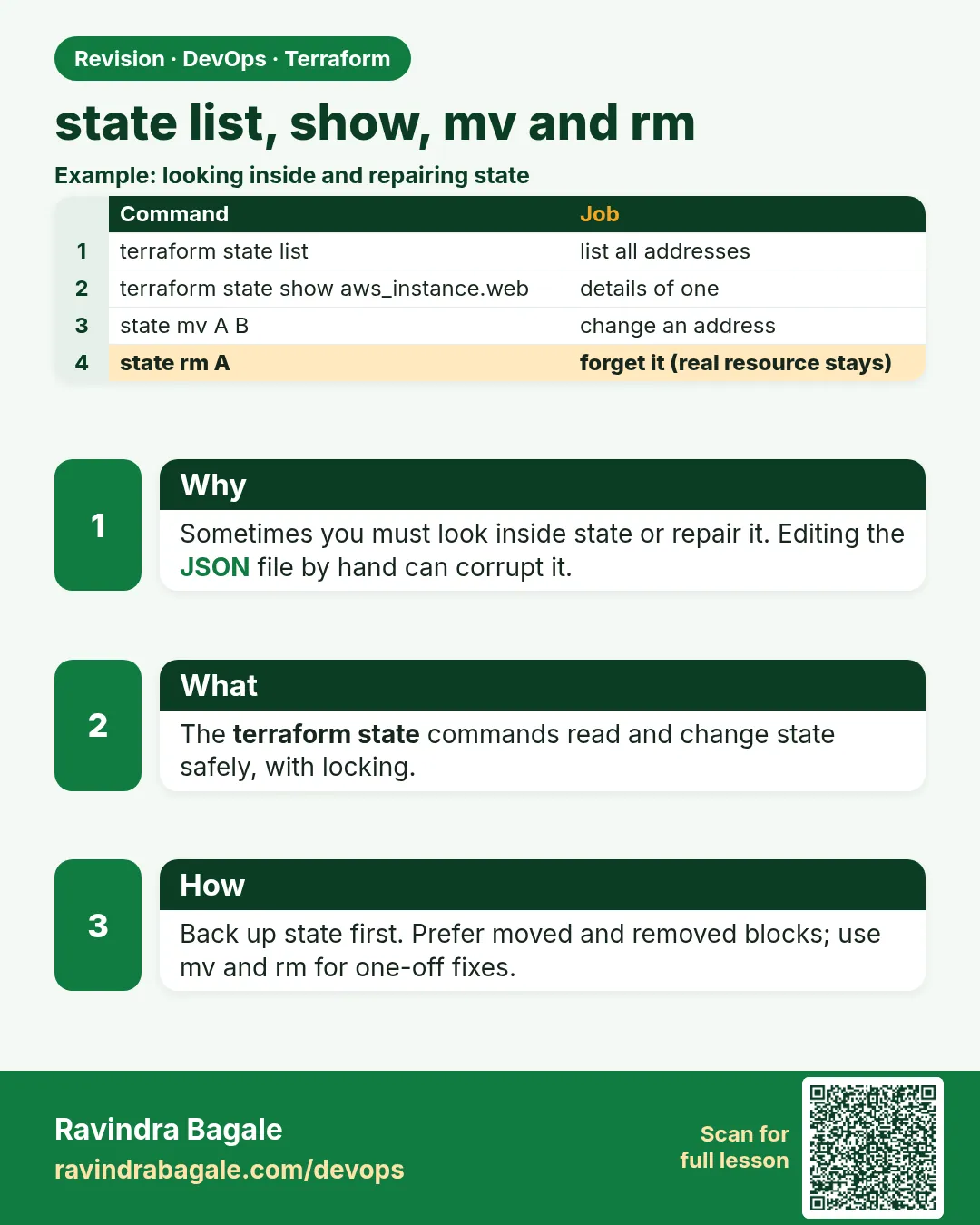 Revision card
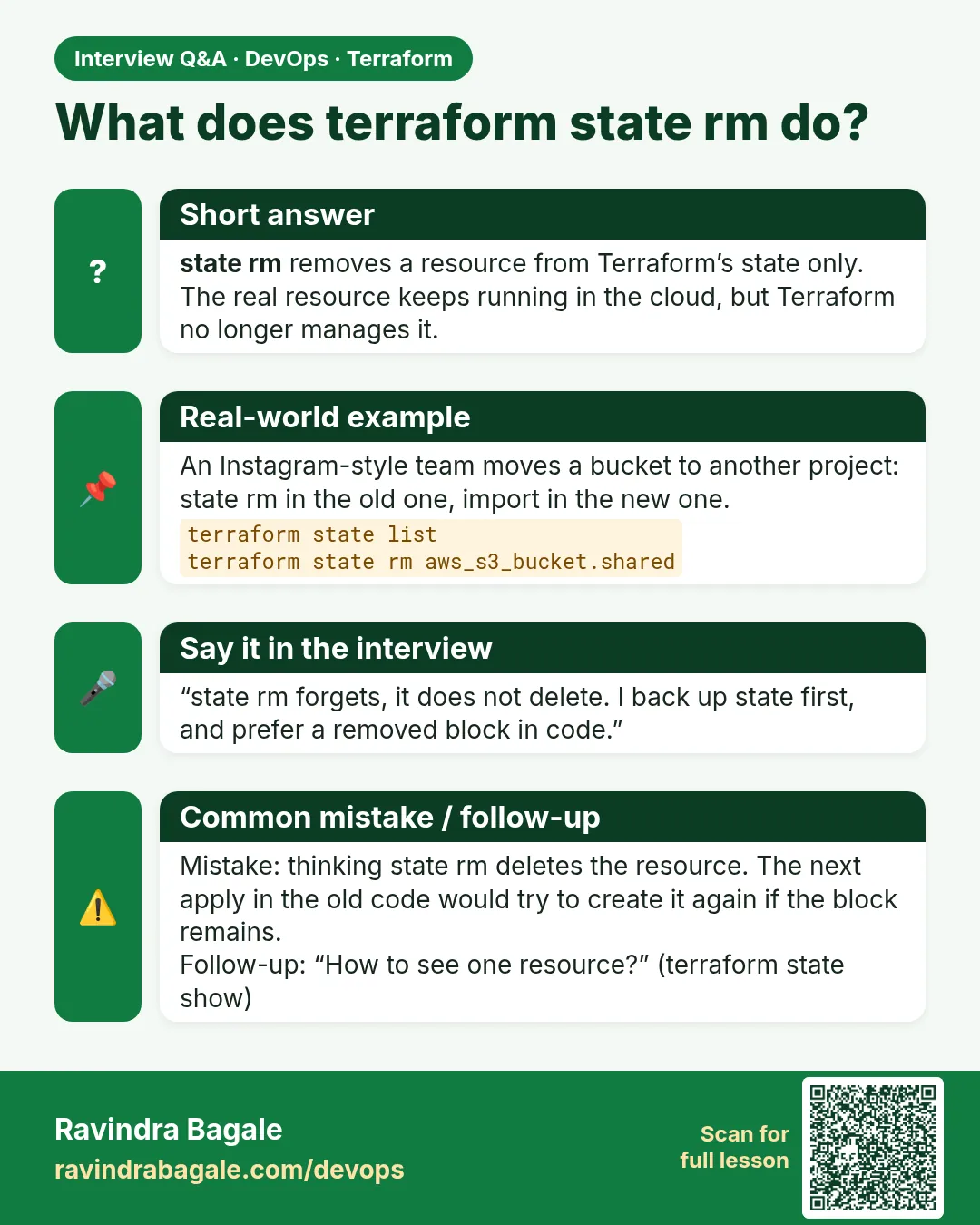 Interview card