Ravi Sir's Cards › DevOps
Chapter 23: Jenkins Fundamentals, Install and Architecture: Cards
मराठी cards · Open the chapter
Revision cards
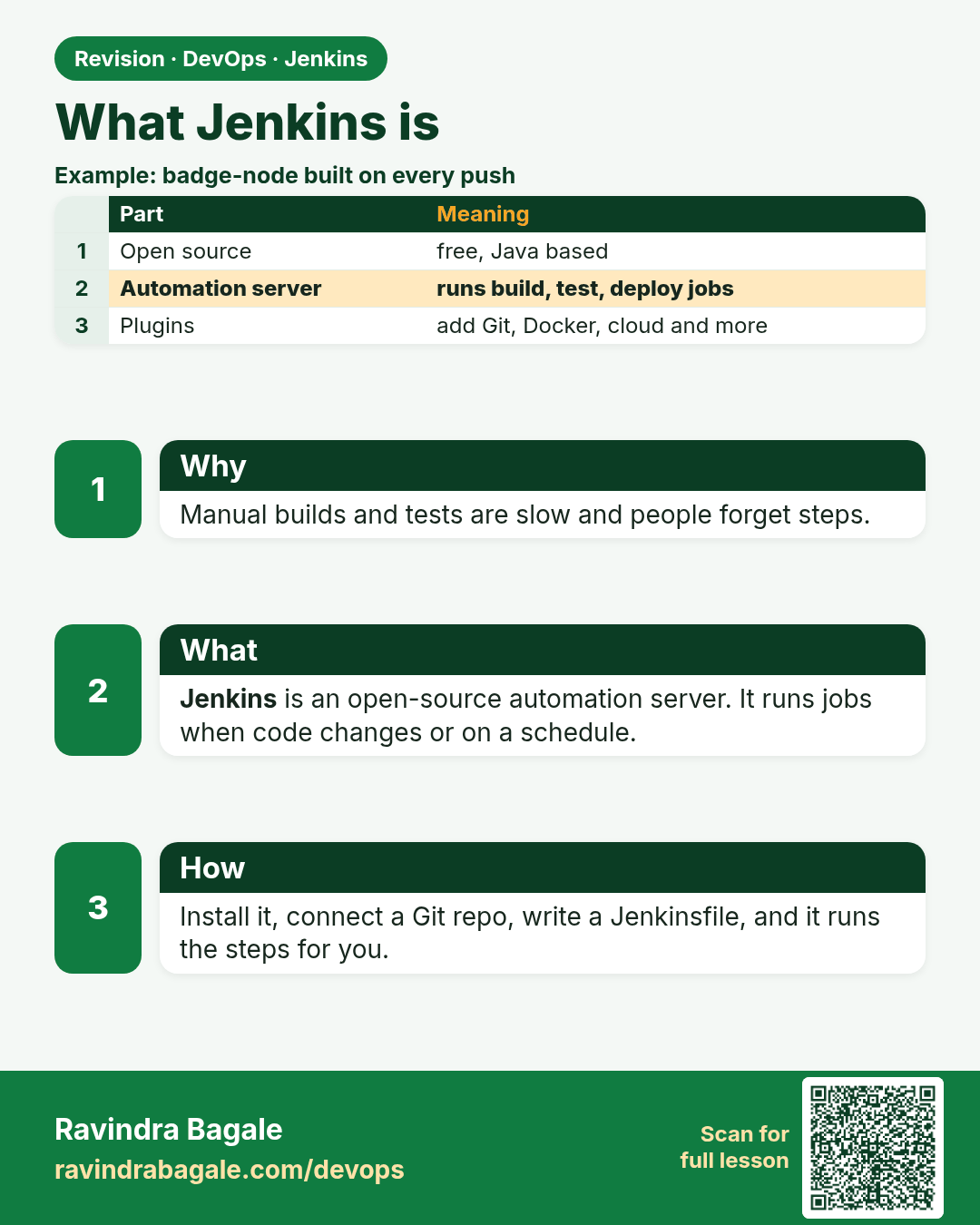
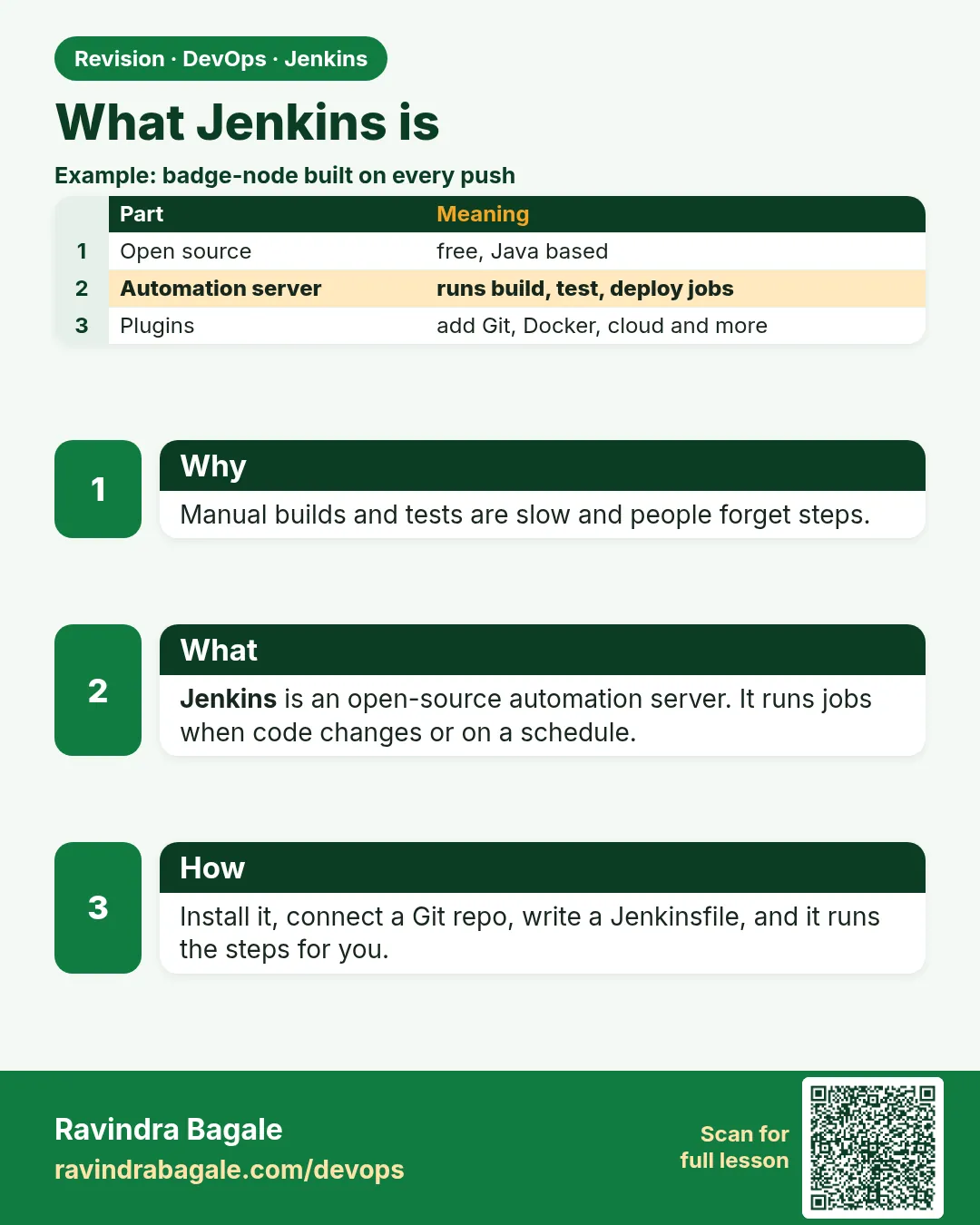 Revision card 1 of 8: What Jenkins is · Download PNG · Open card page
Lesson: 23.1 What Jenkins is
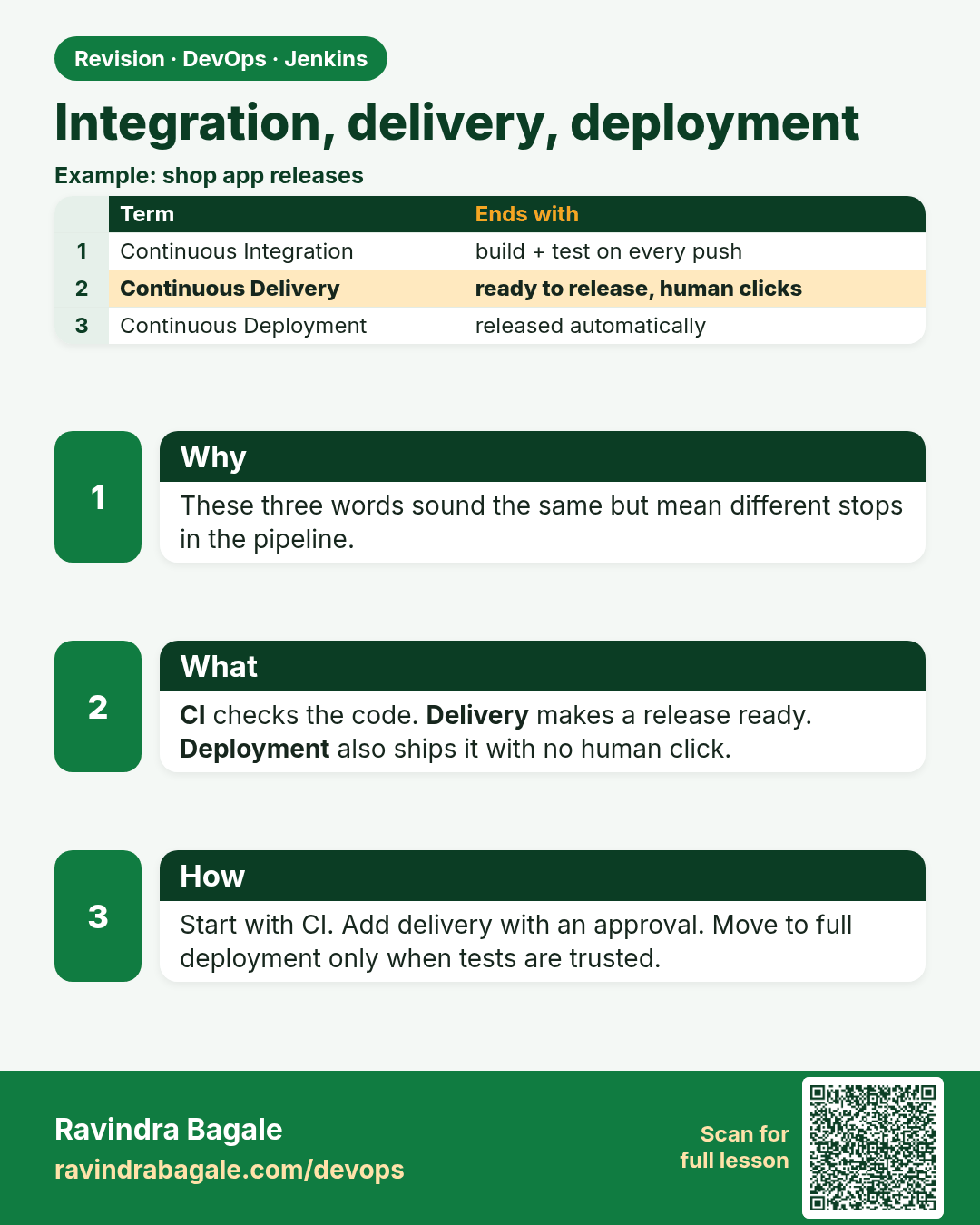
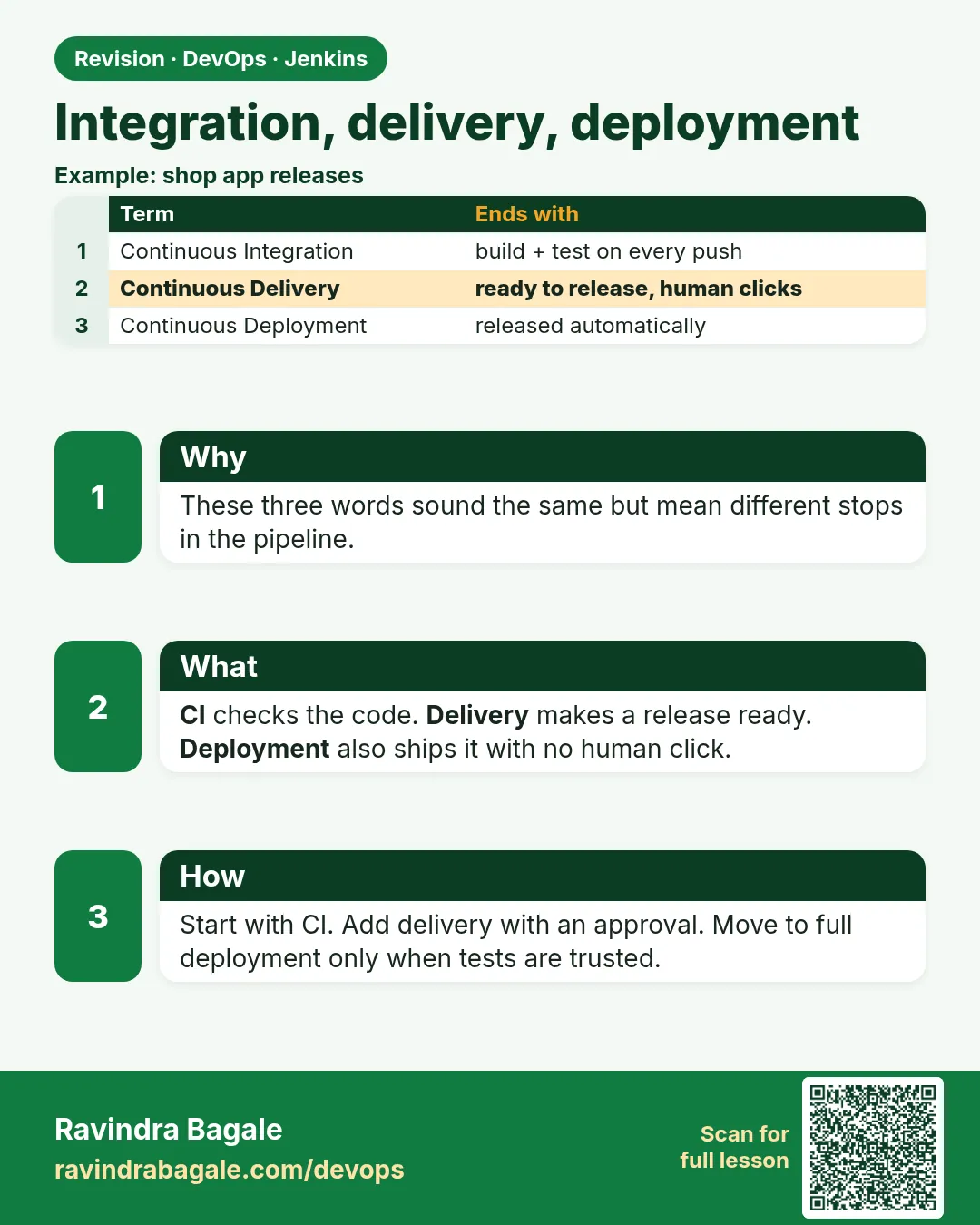 Revision card 2 of 8: Integration, delivery, deployment · Download PNG · Open card page
Lesson: 23.2 Integration, delivery, deployment
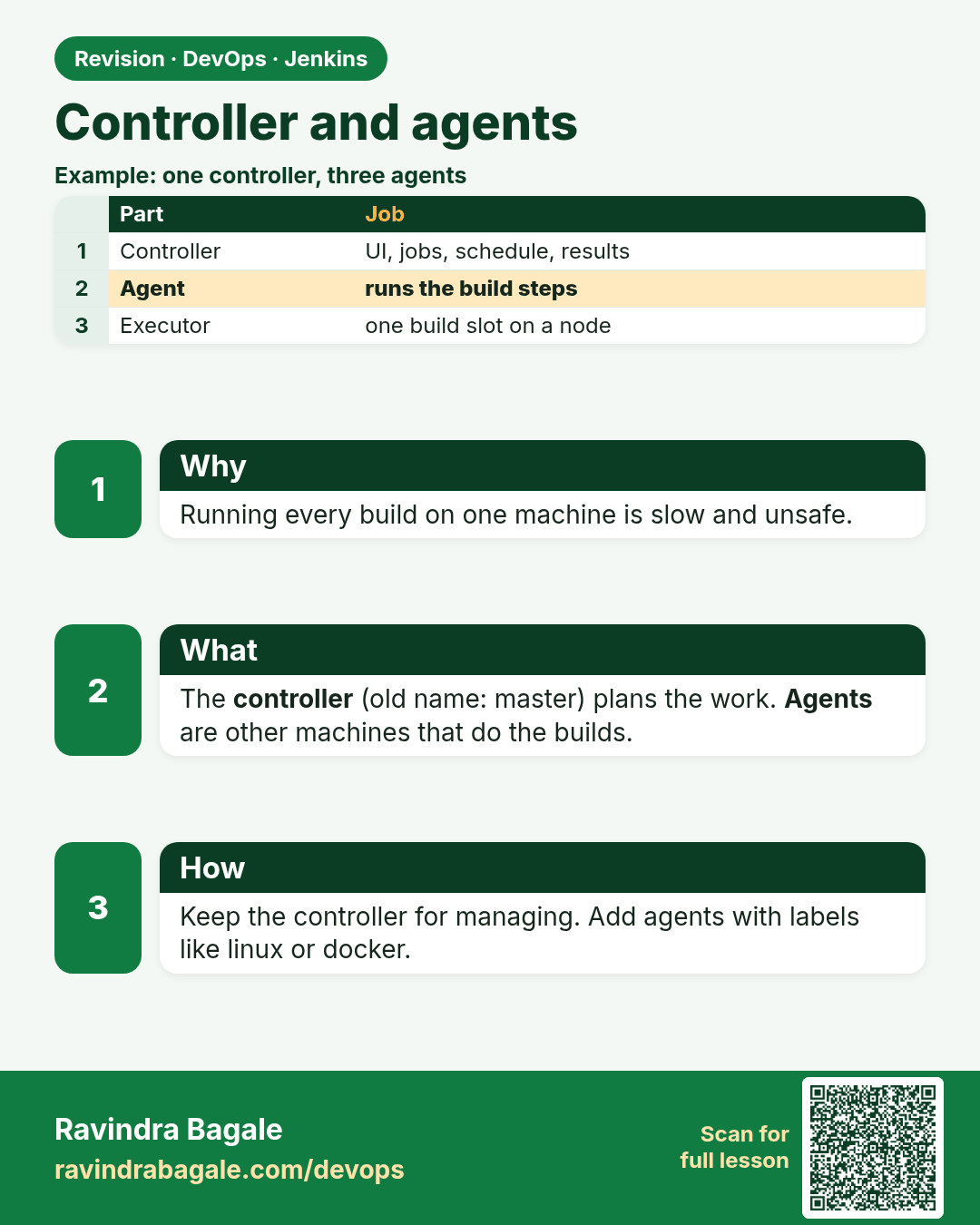
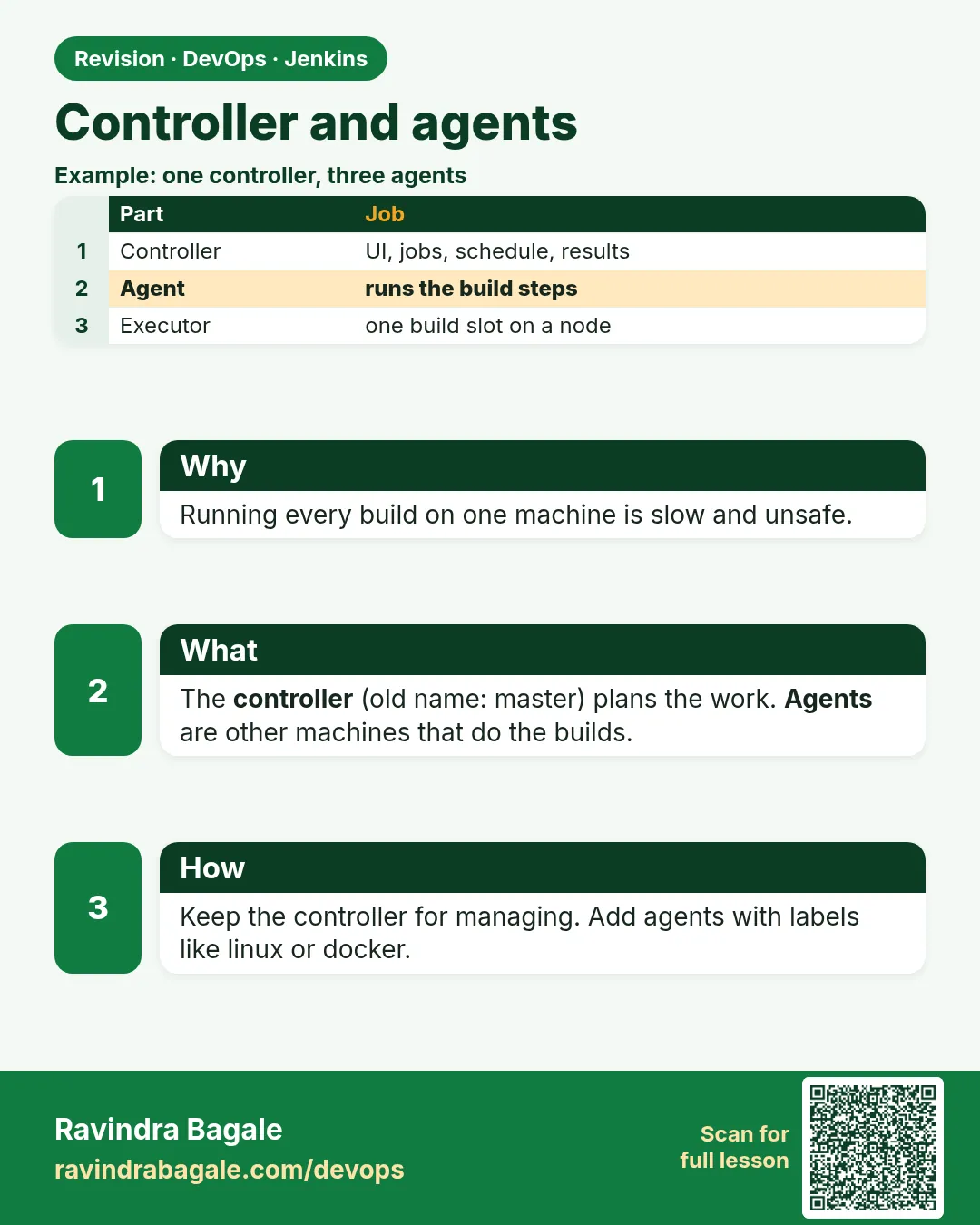 Revision card 3 of 8: Controller and agents · Download PNG · Open card page
Lesson: 23.3 Controller and agents
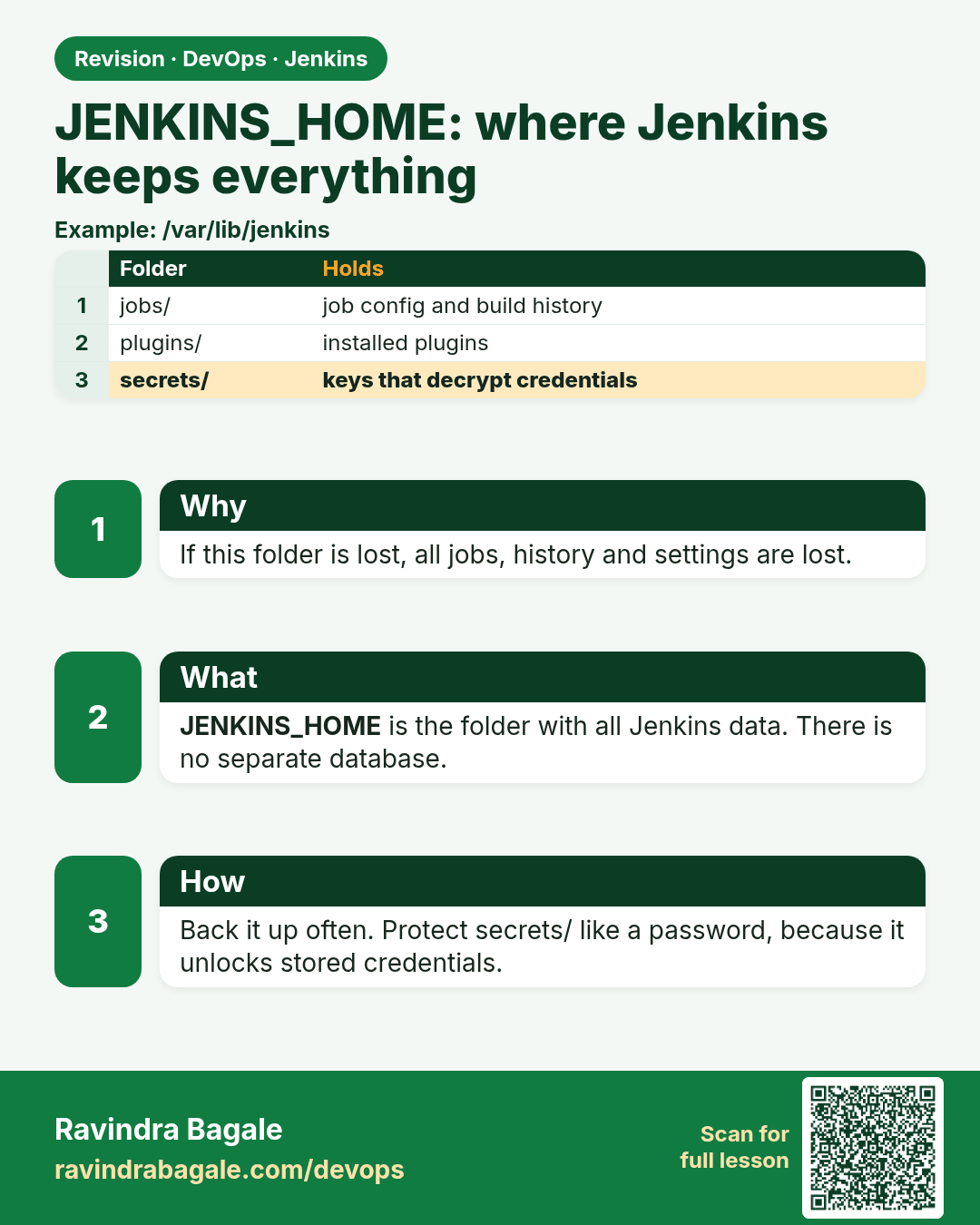
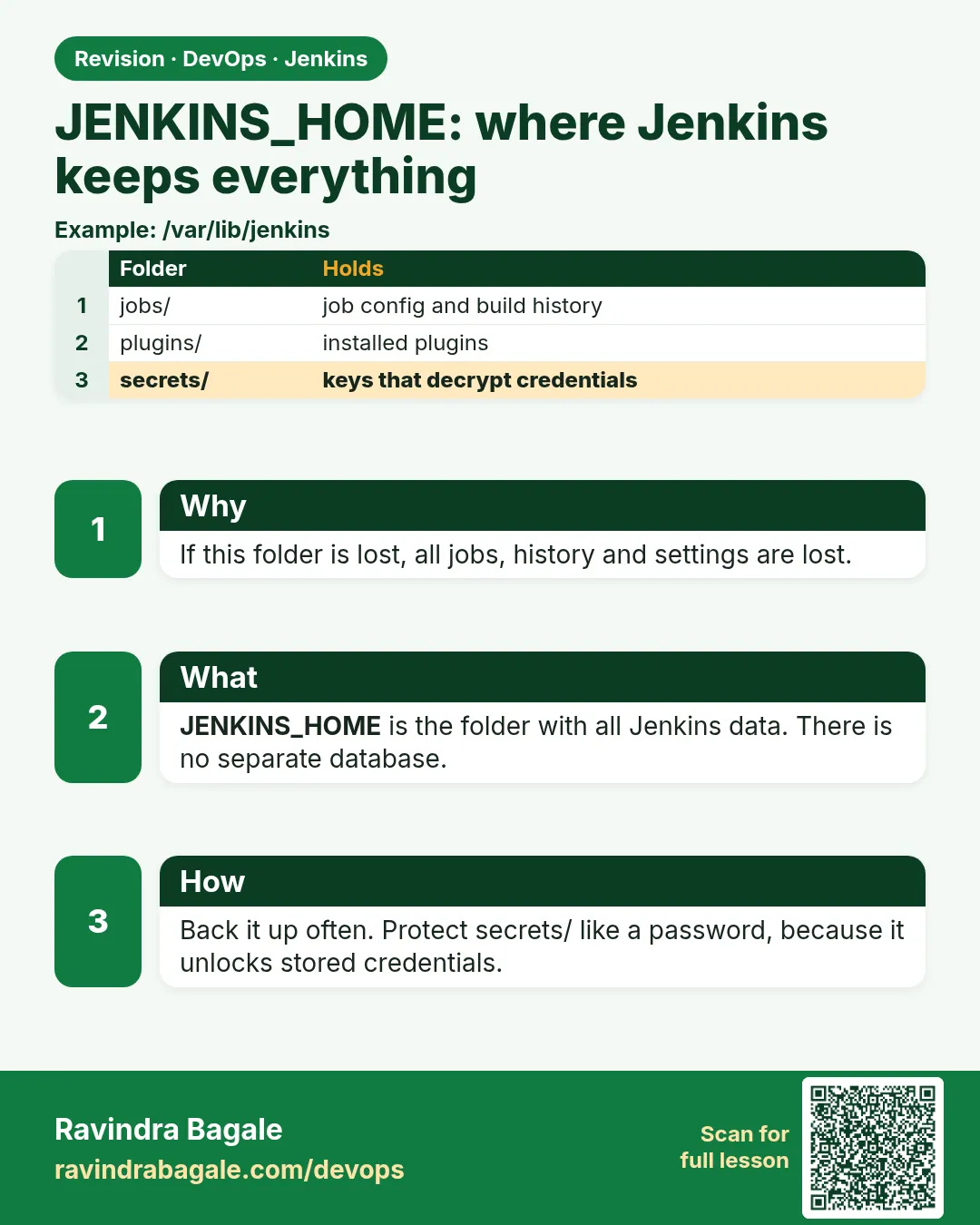 Revision card 4 of 8: JENKINS_HOME: where Jenkins keeps everything · Download PNG · Open card page
Lesson: 23.4 JENKINS_HOME
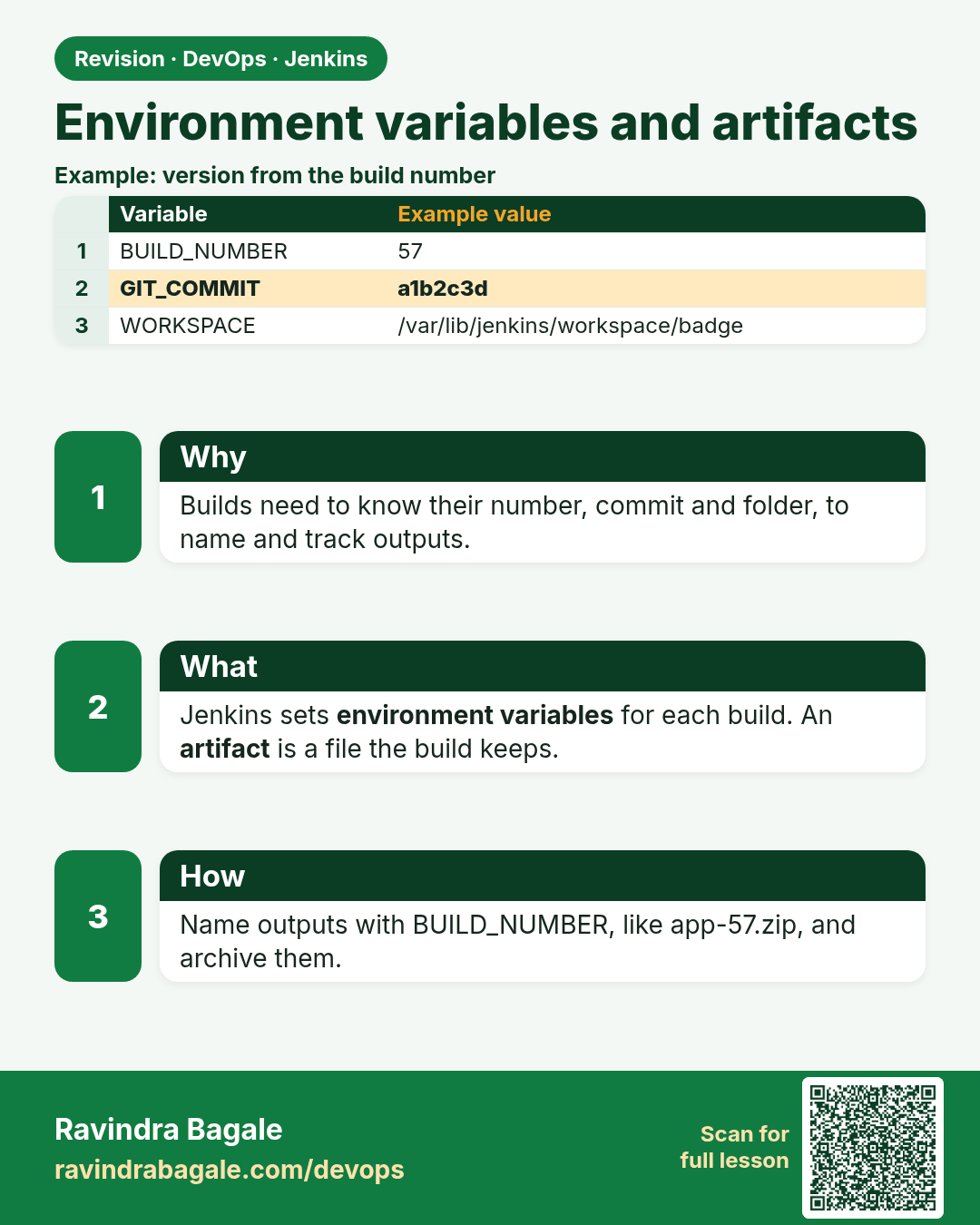
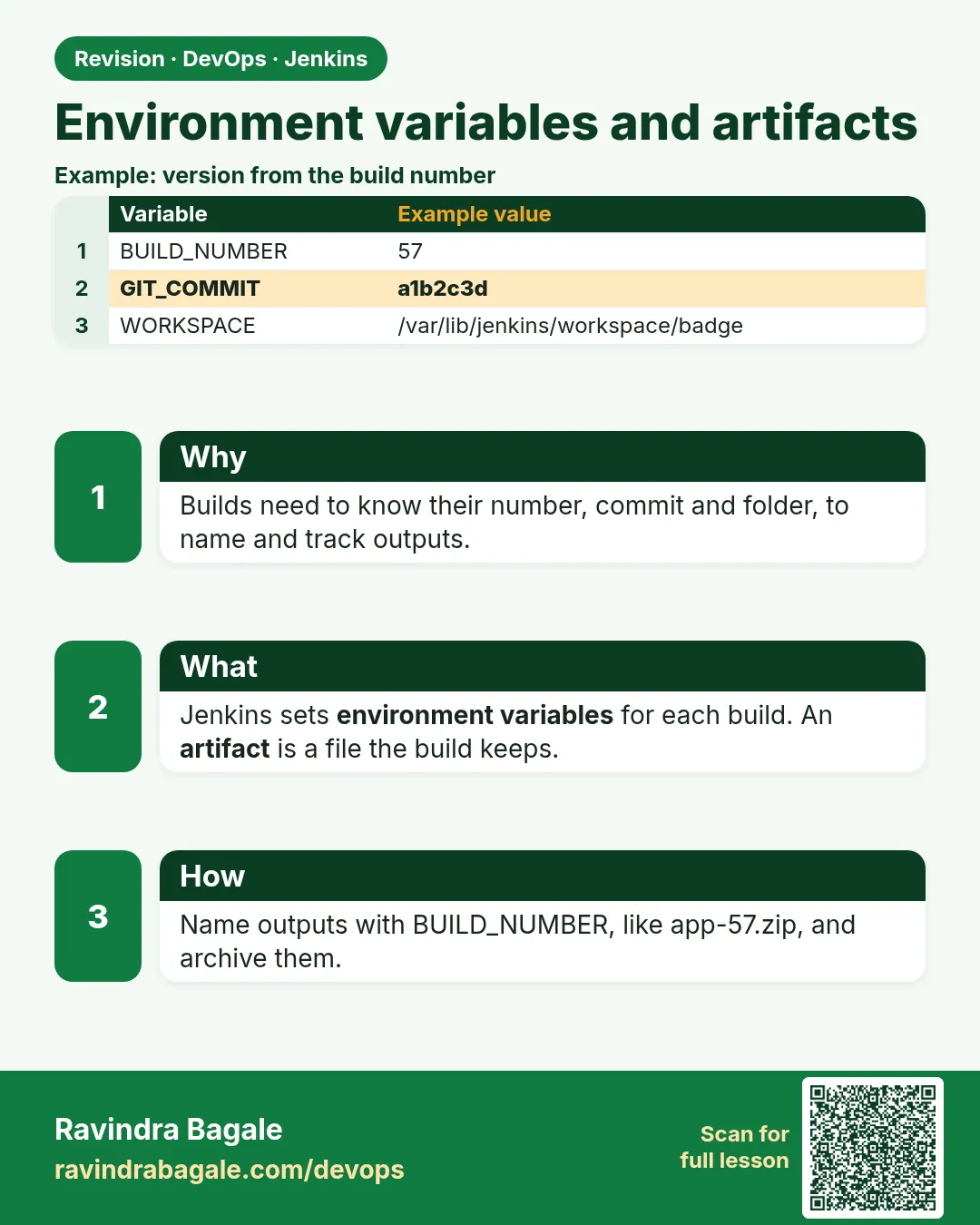 Revision card 5 of 8: Environment variables and artifacts · Download PNG · Open card page
Lesson: 23.5 Environment variables and artifacts
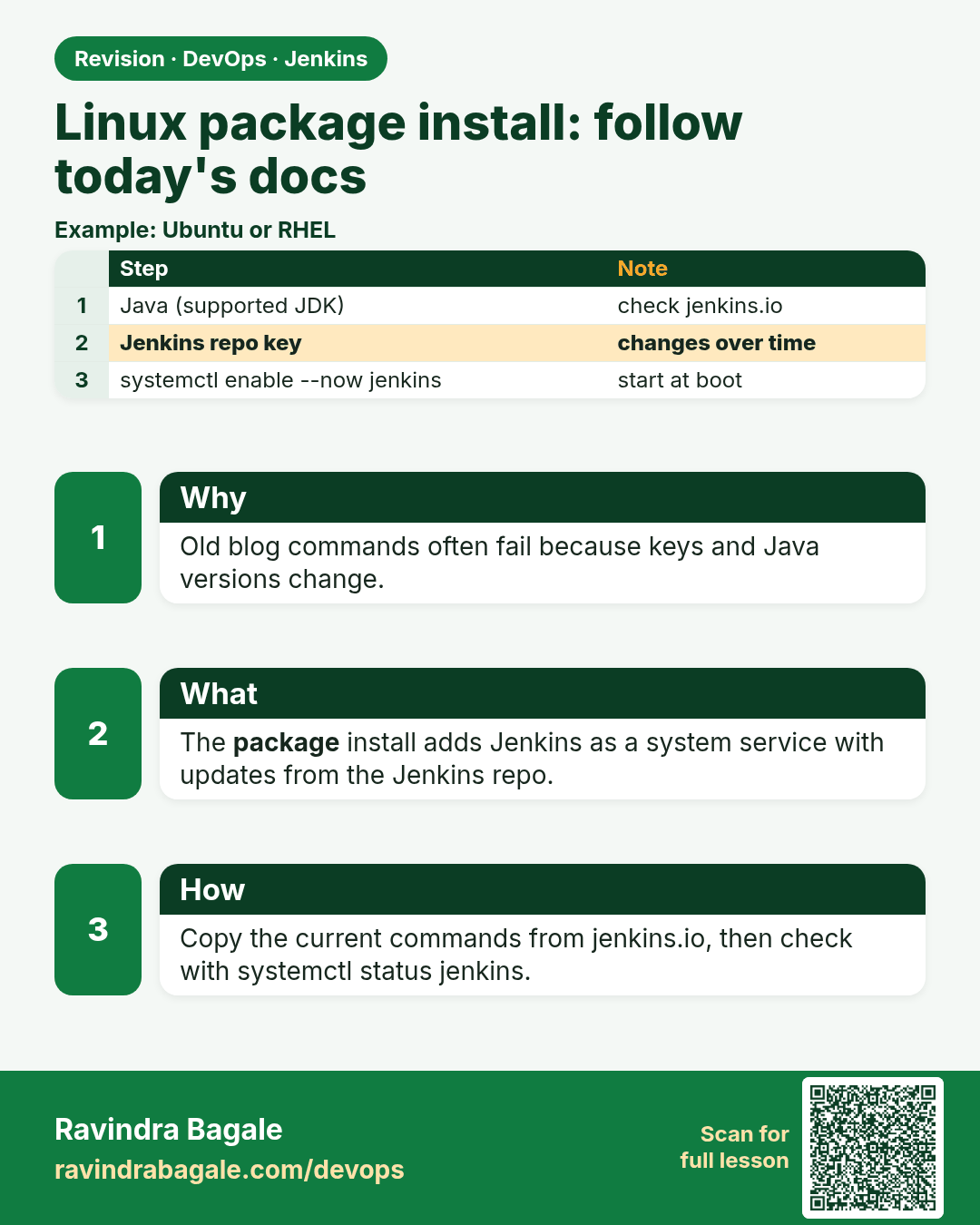
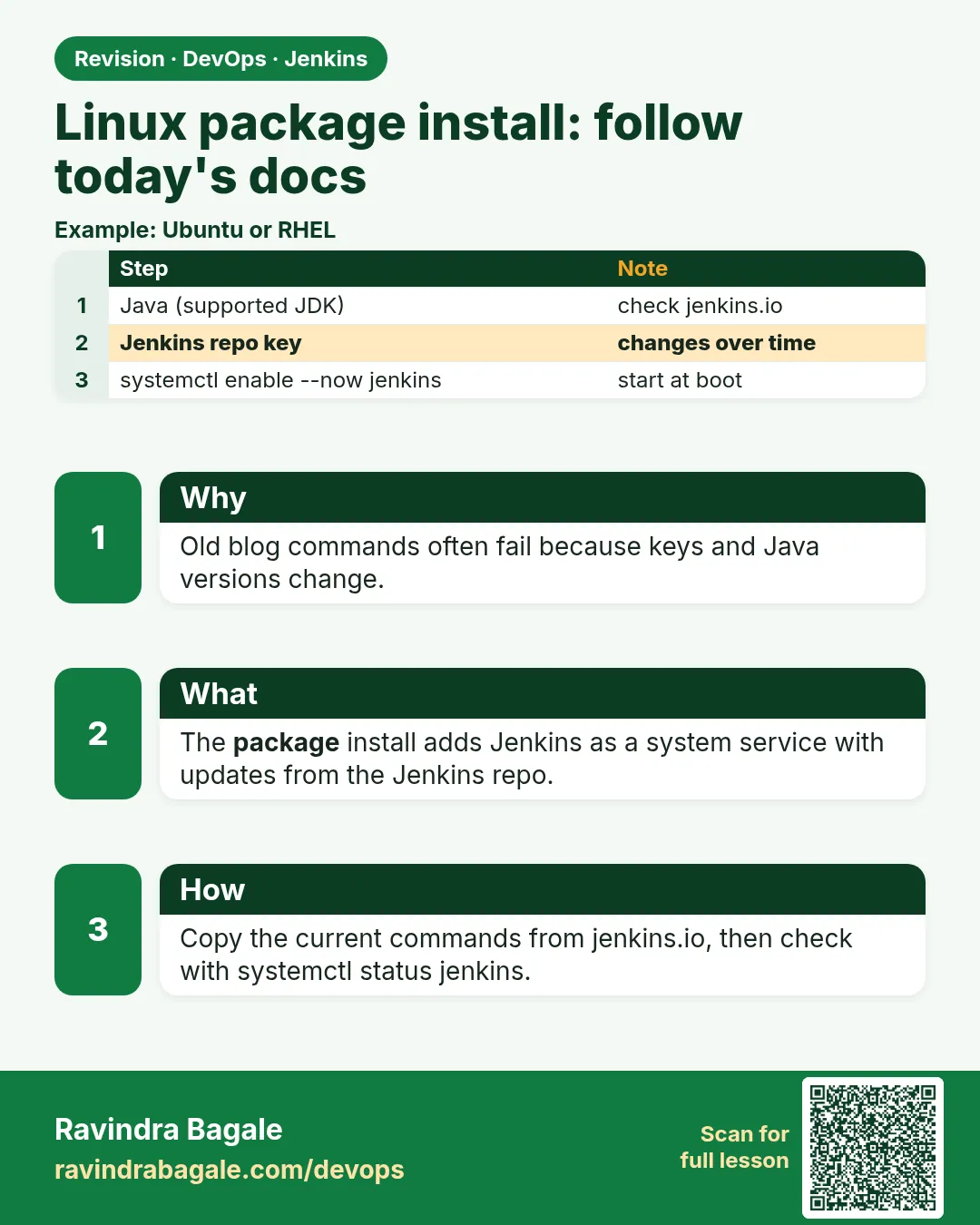 Revision card 6 of 8: Linux package install: follow today's docs · Download PNG · Open card page
Lesson: 23.6 Linux package install — follow today's docs
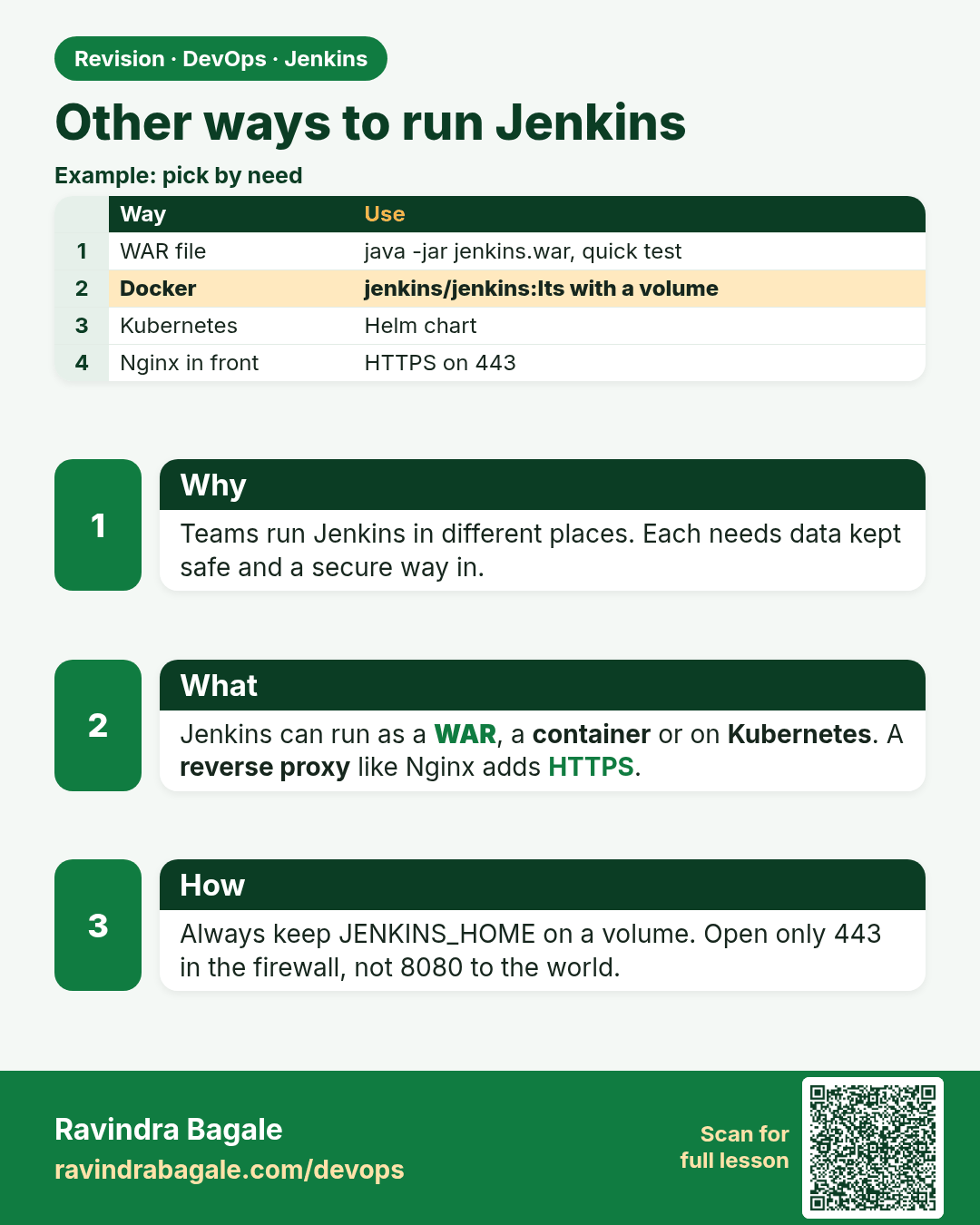
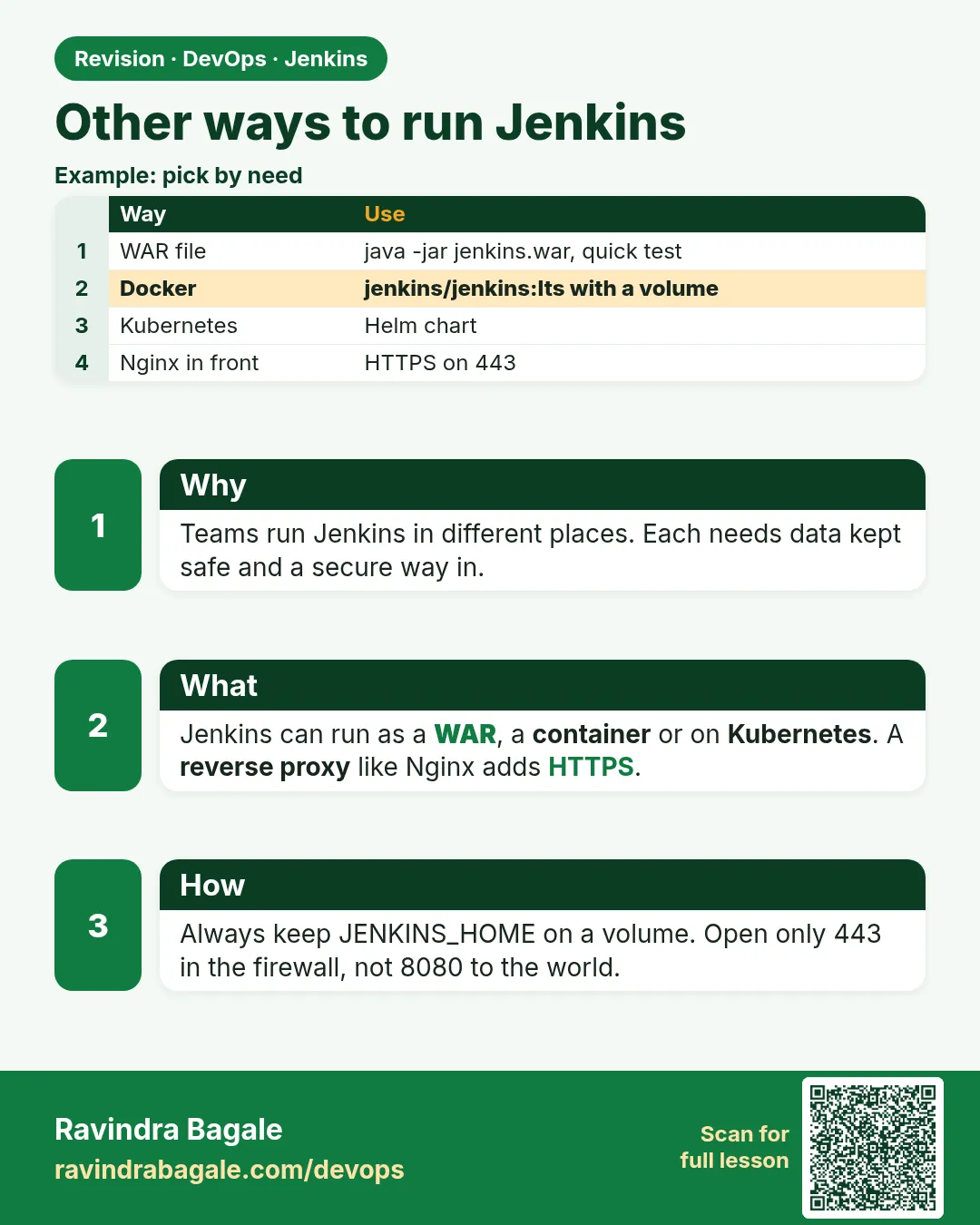 Revision card 7 of 8: Other ways to run Jenkins · Download PNG · Open card page
Lesson: 23.7 WAR, Docker, Kubernetes, Nginx, firewall
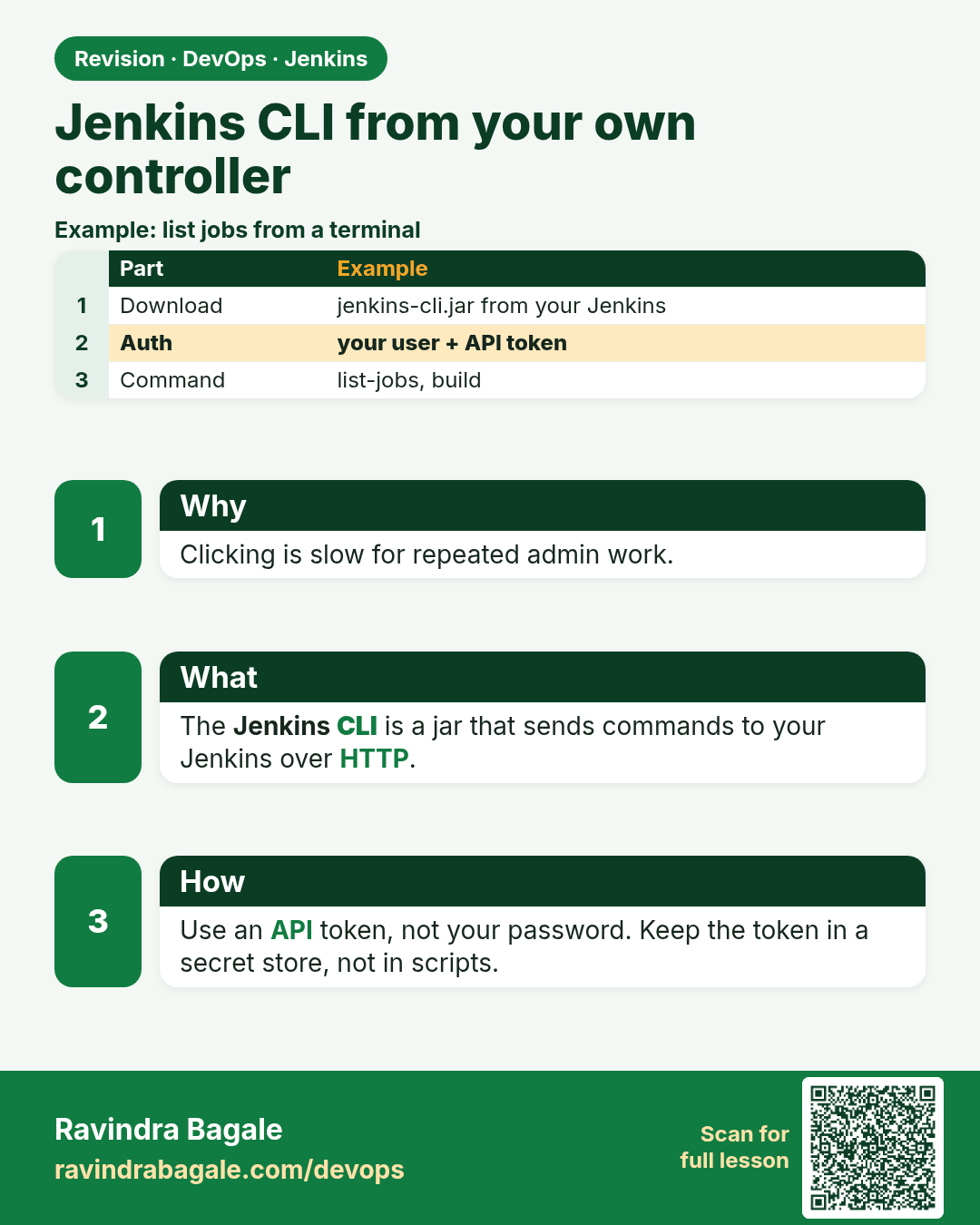
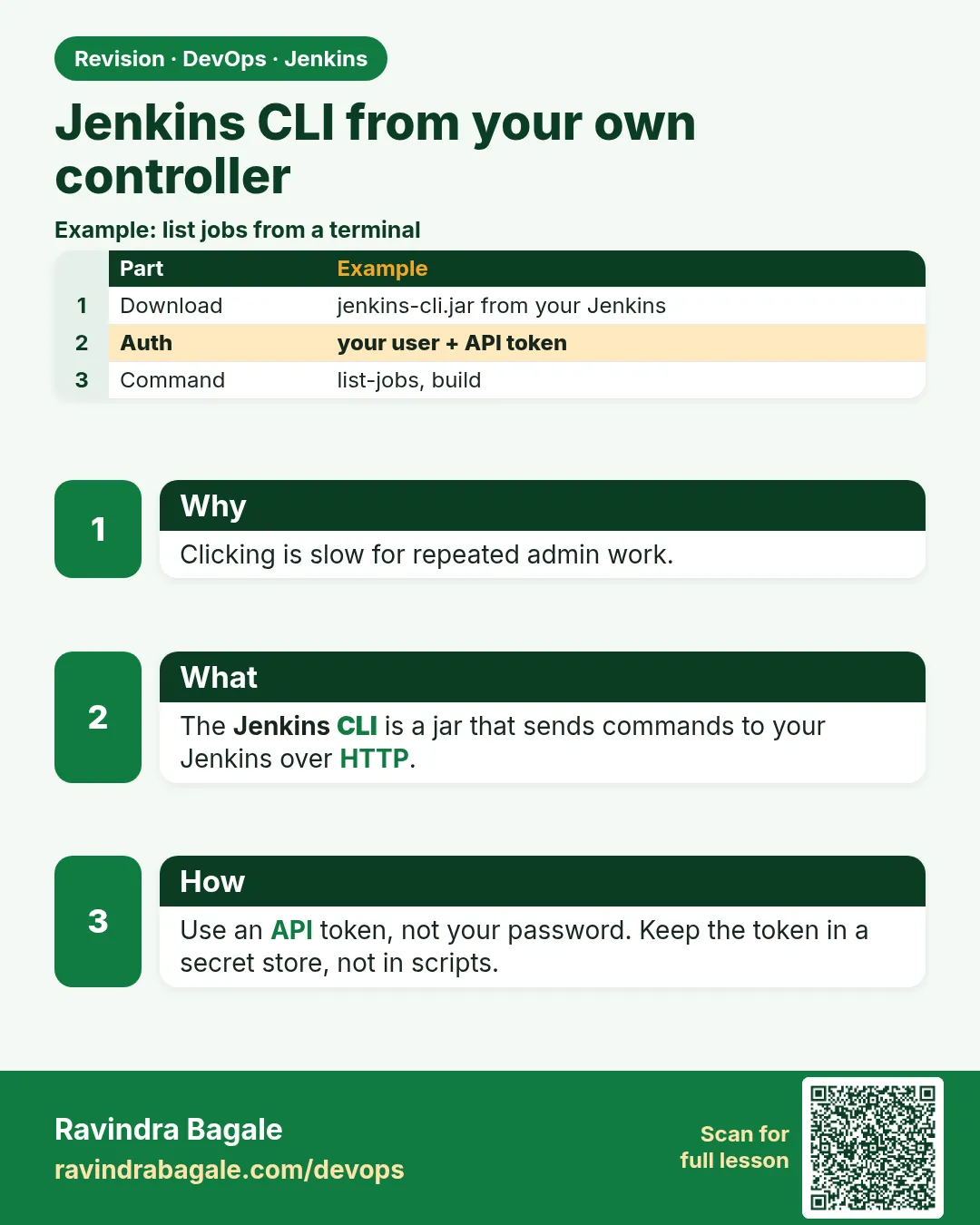 Revision card 8 of 8: Jenkins CLI from your own controller · Download PNG · Open card page
Lesson: 23.8 CLI, from your own controller
Interview cards
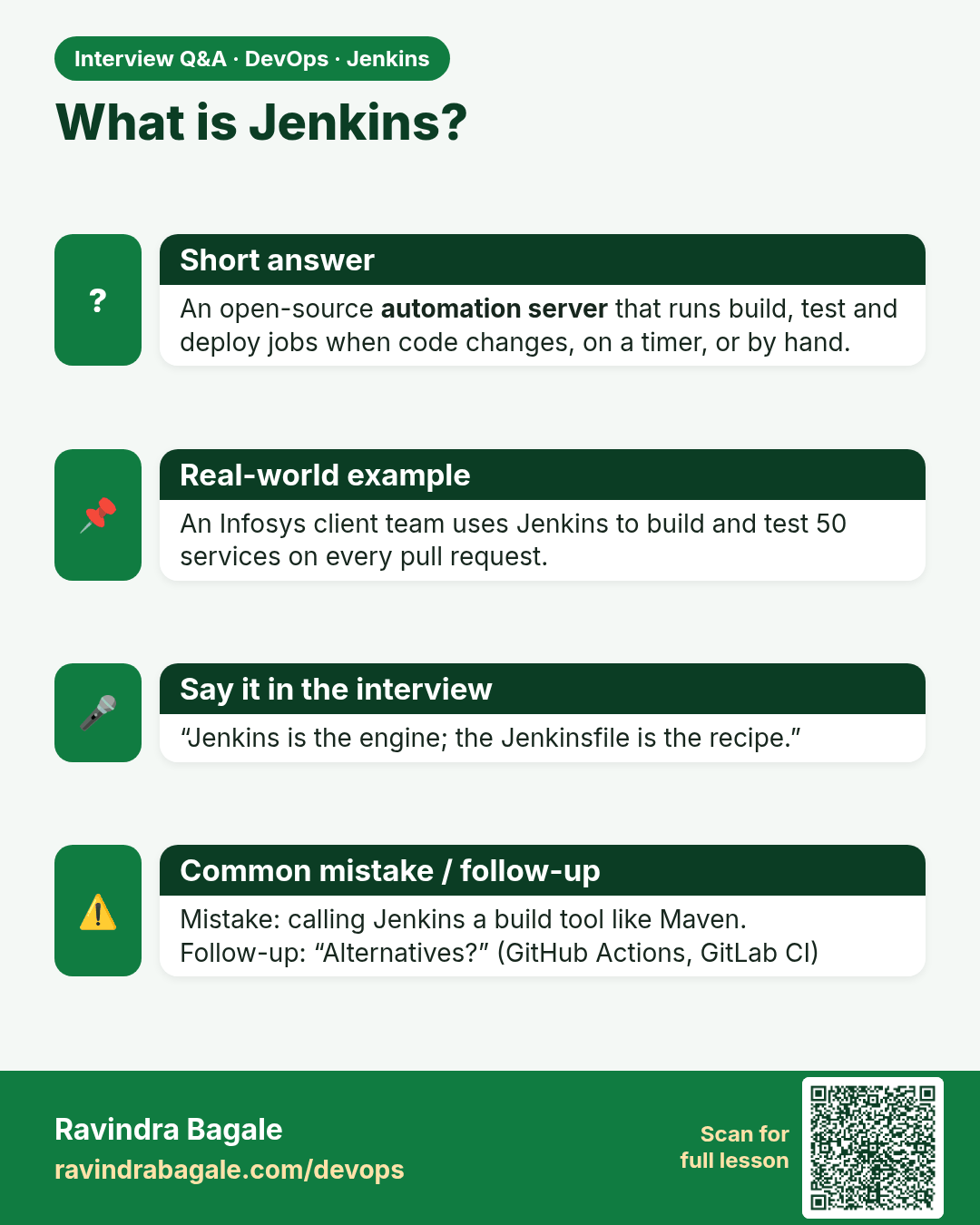
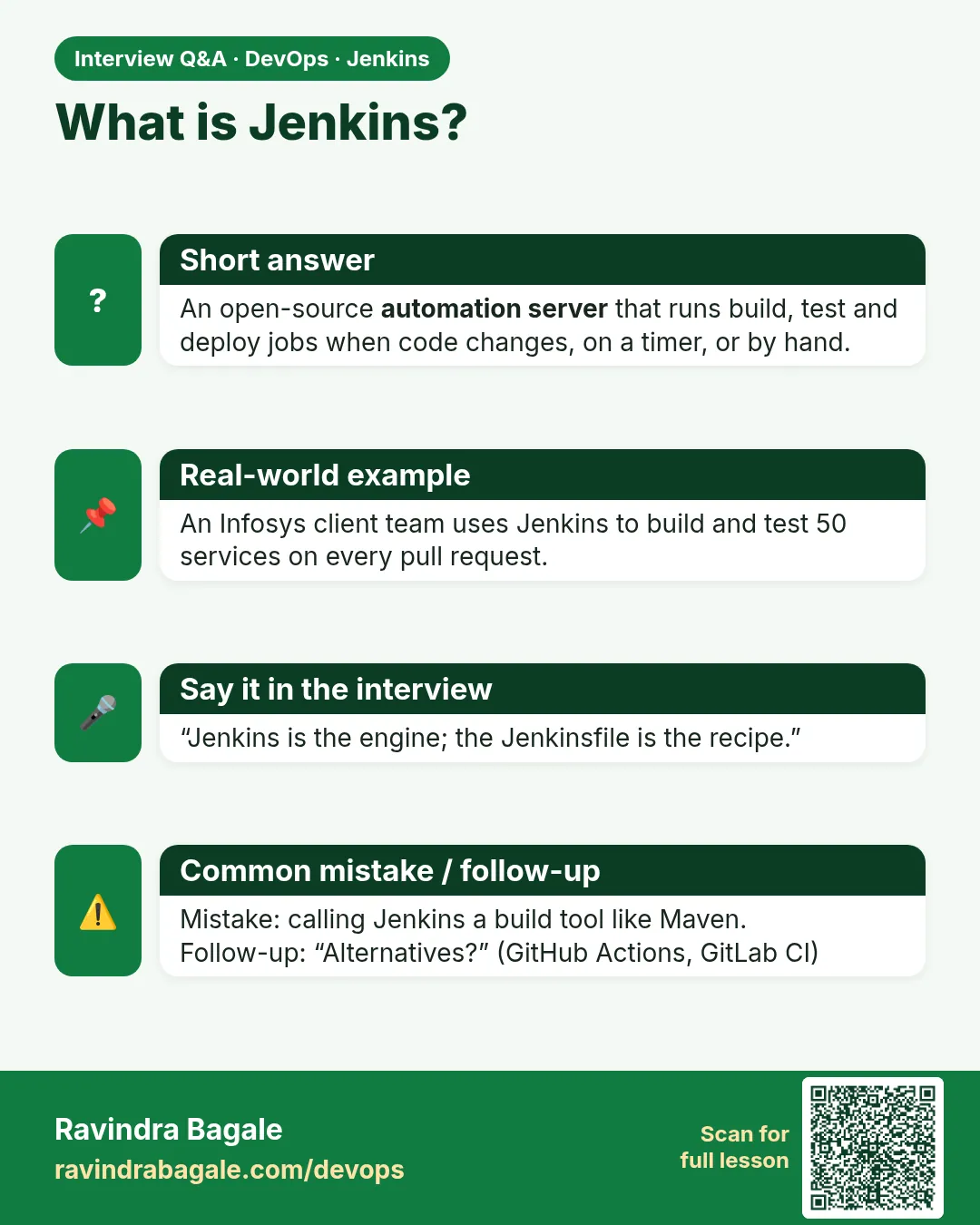 Interview card 1 of 8: What is Jenkins? · Download PNG · Open card page
Lesson: 23.1 What Jenkins is
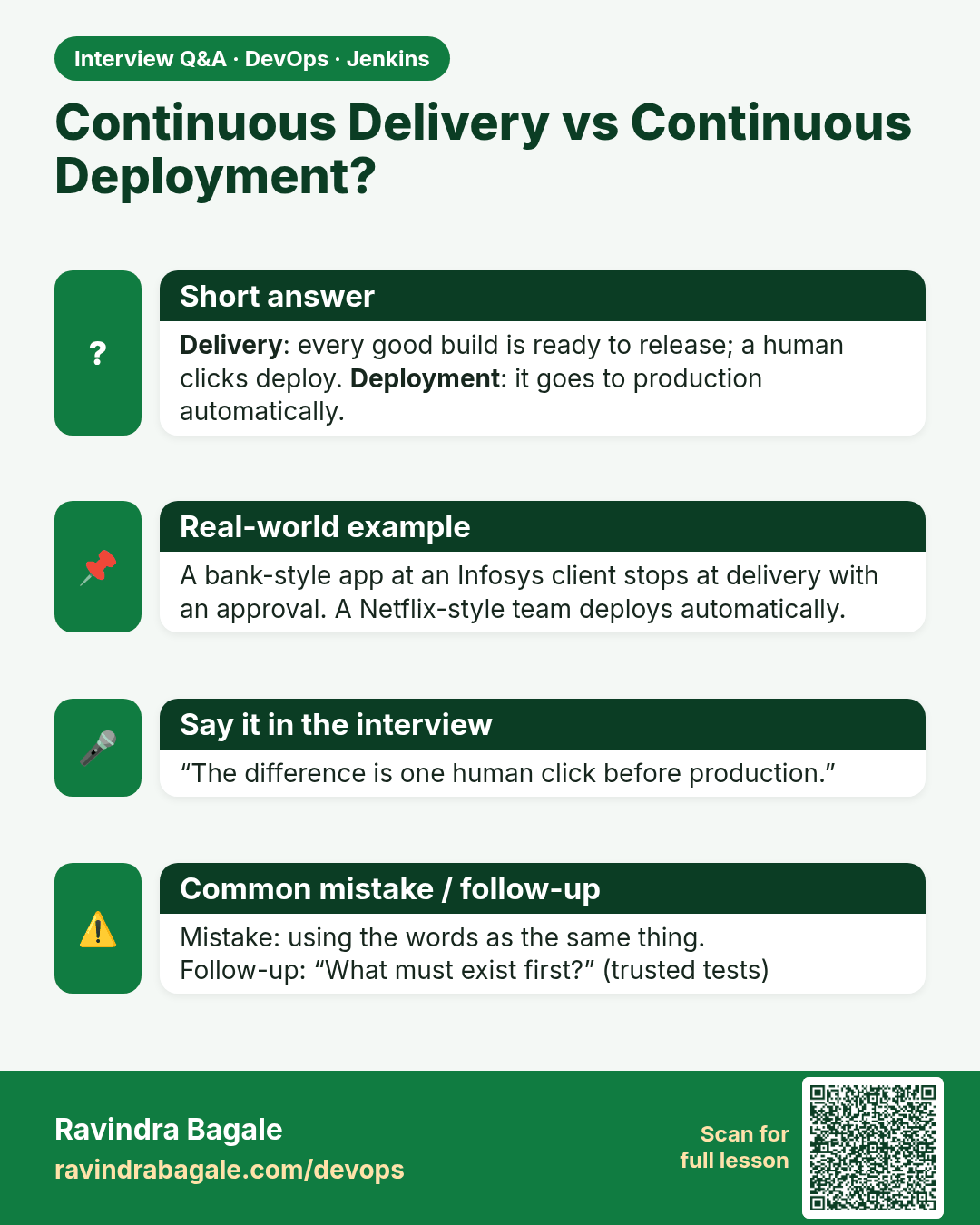
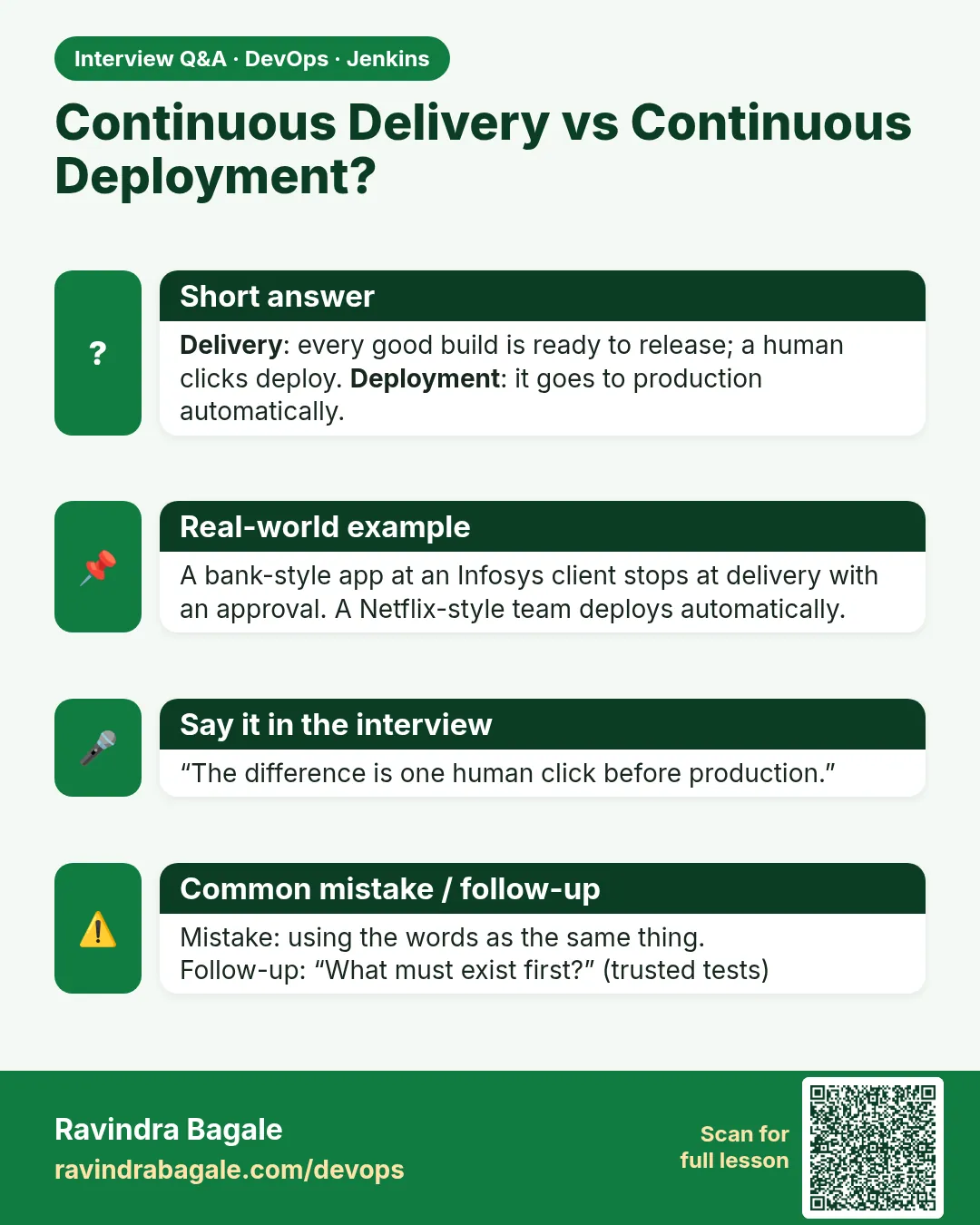 Interview card 2 of 8: Continuous Delivery vs Continuous Deployment? · Download PNG · Open card page
Lesson: 23.2 Integration, delivery, deployment
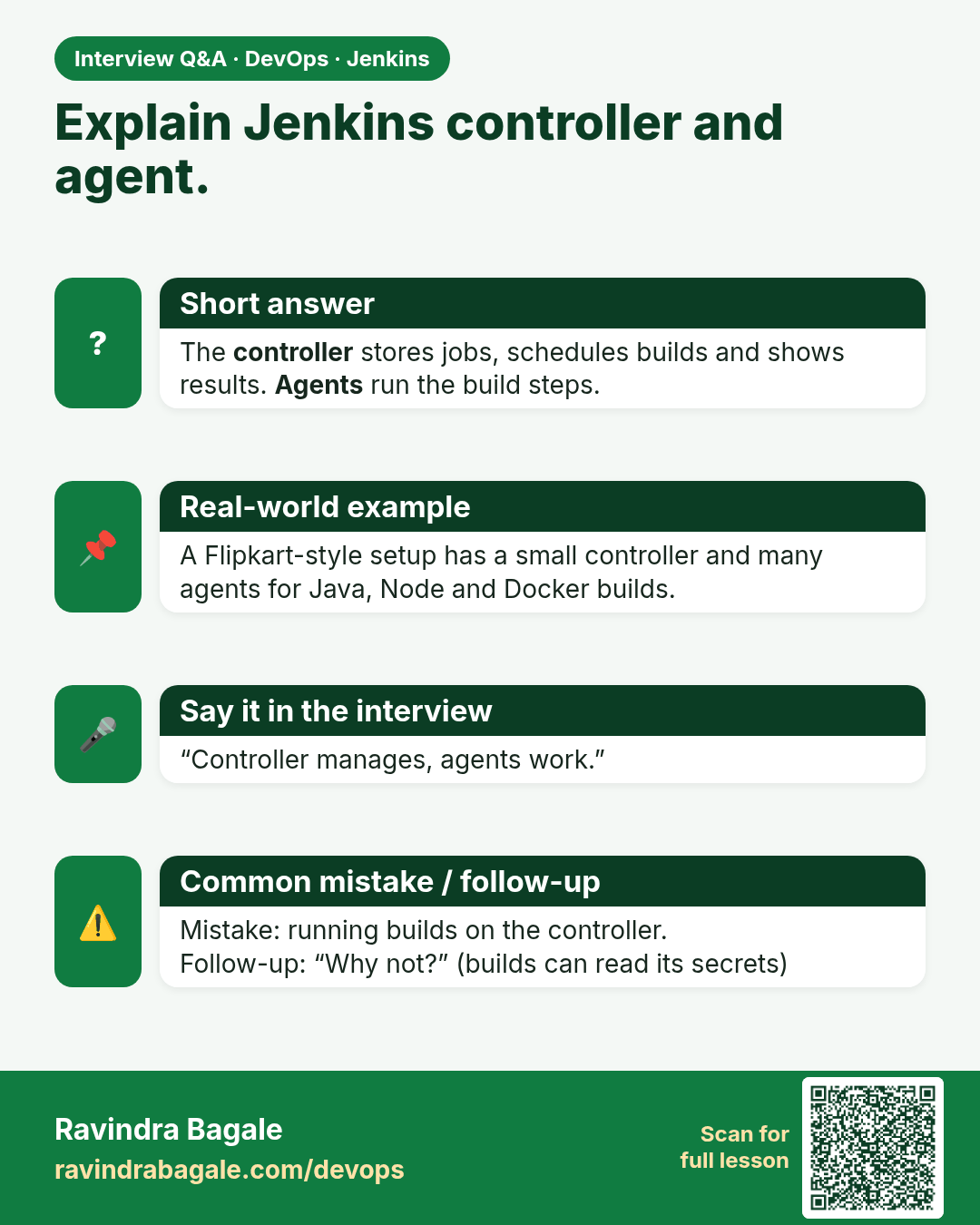
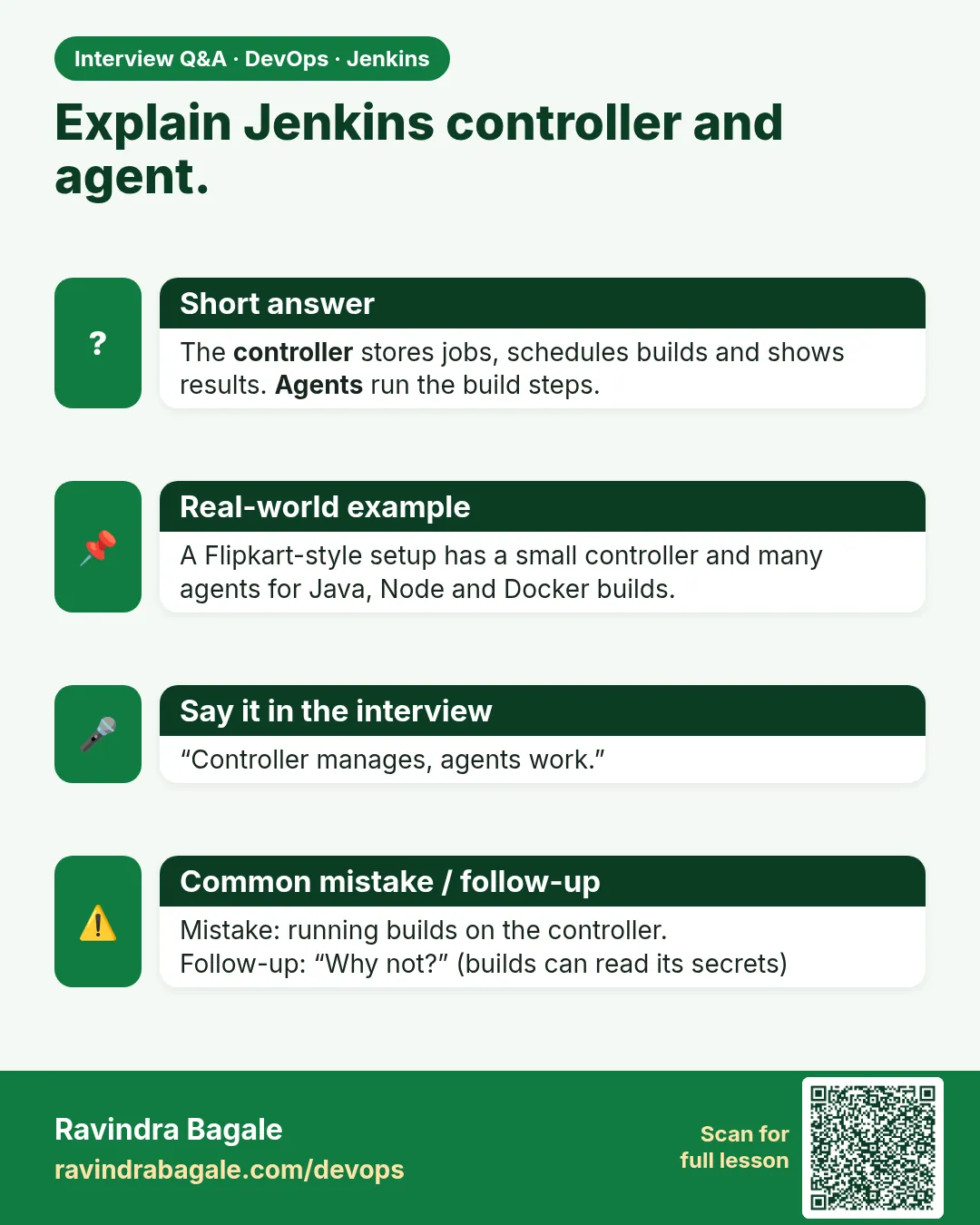 Interview card 3 of 8: Explain Jenkins controller and agent. · Download PNG · Open card page
Lesson: 23.3 Controller and agents
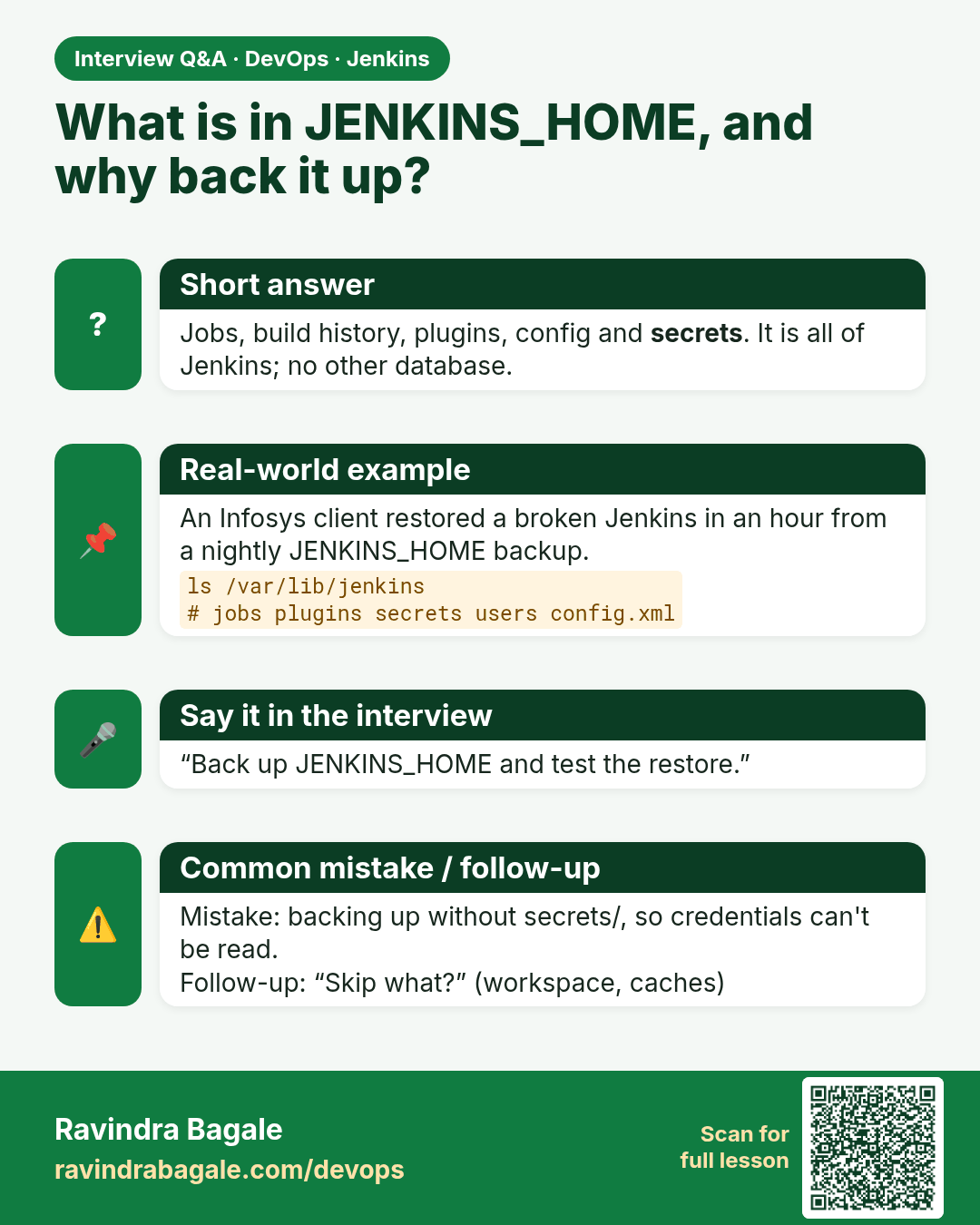
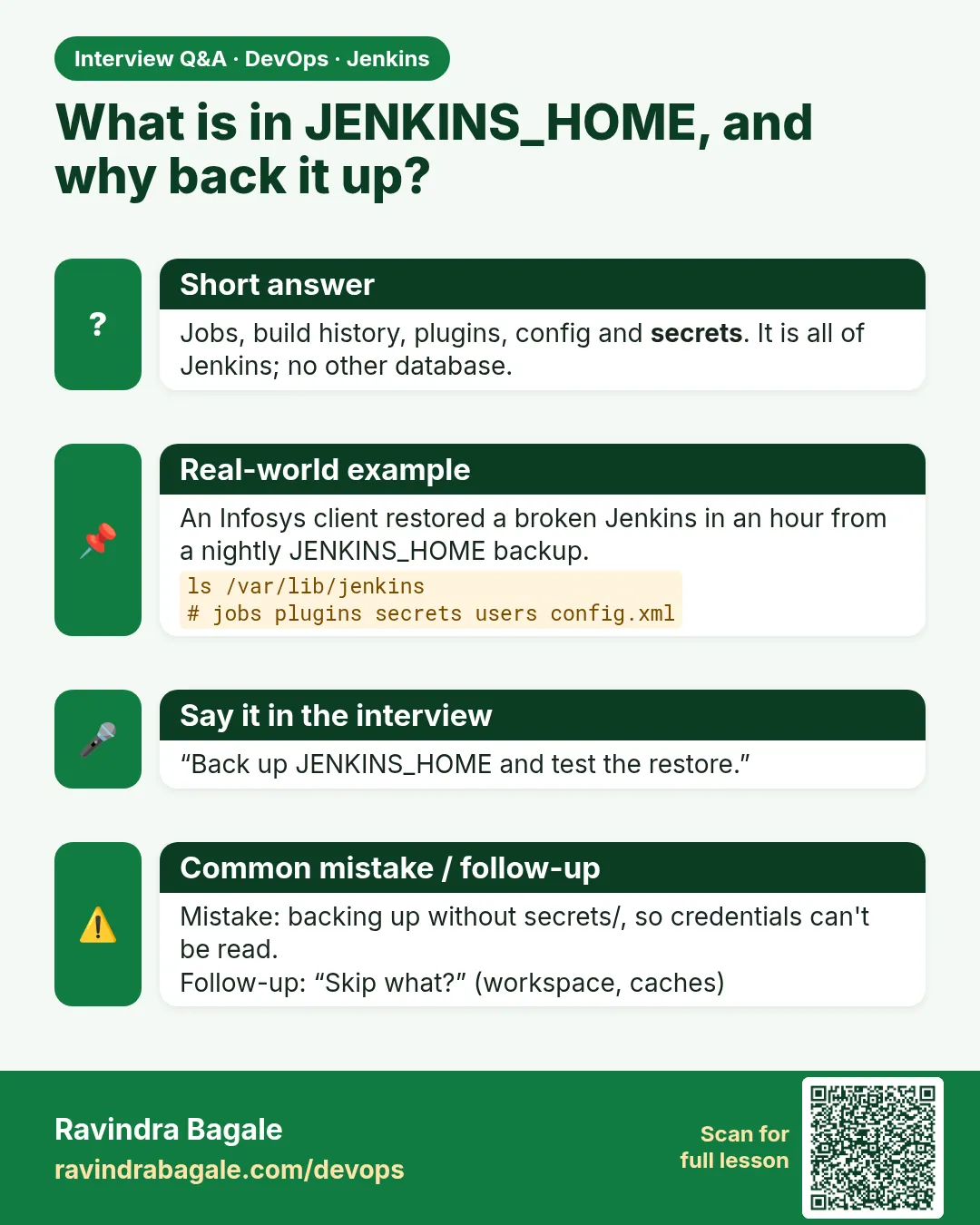 Interview card 4 of 8: What is in JENKINS_HOME, and why back it up? · Download PNG · Open card page
Lesson: 23.4 JENKINS_HOME
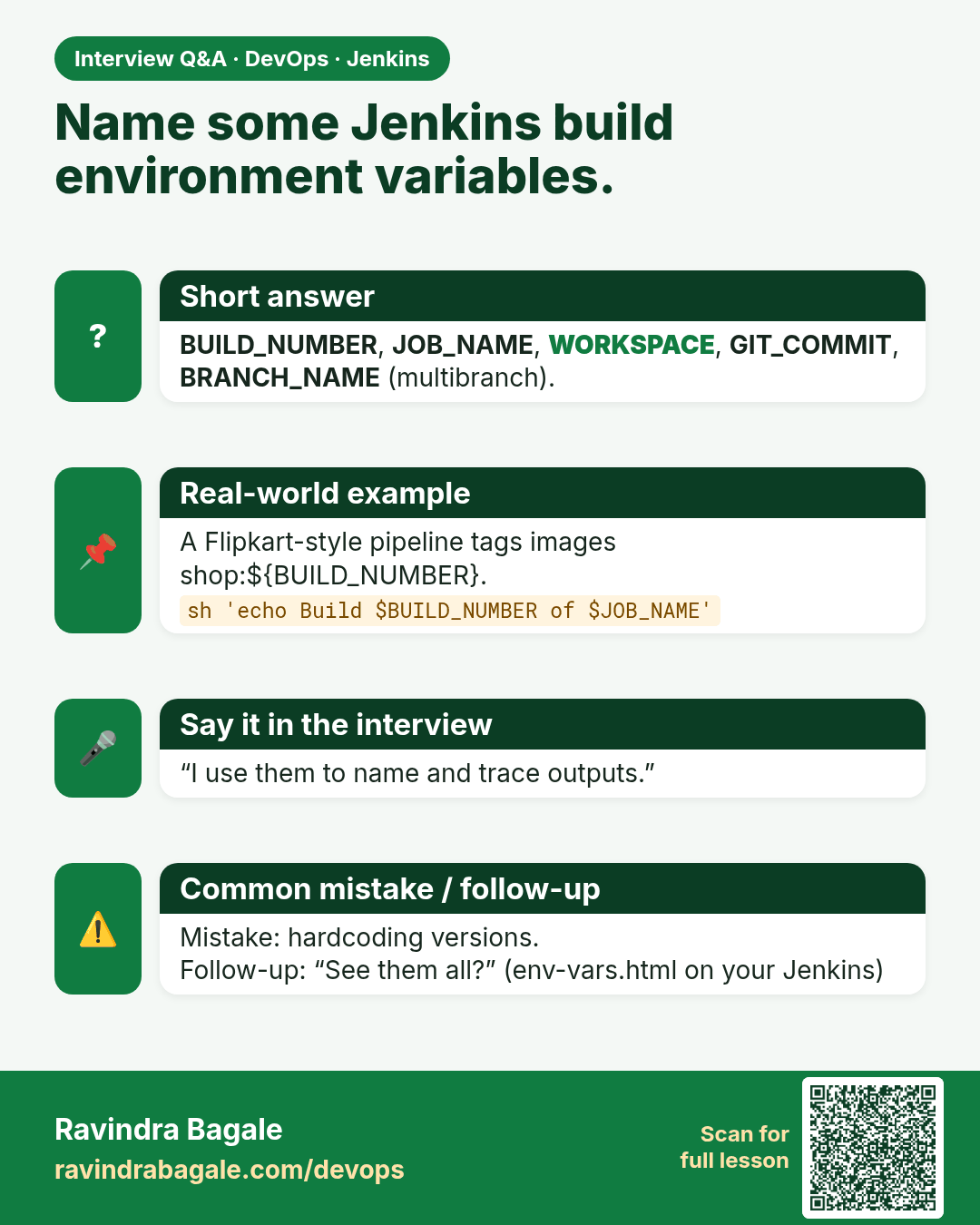
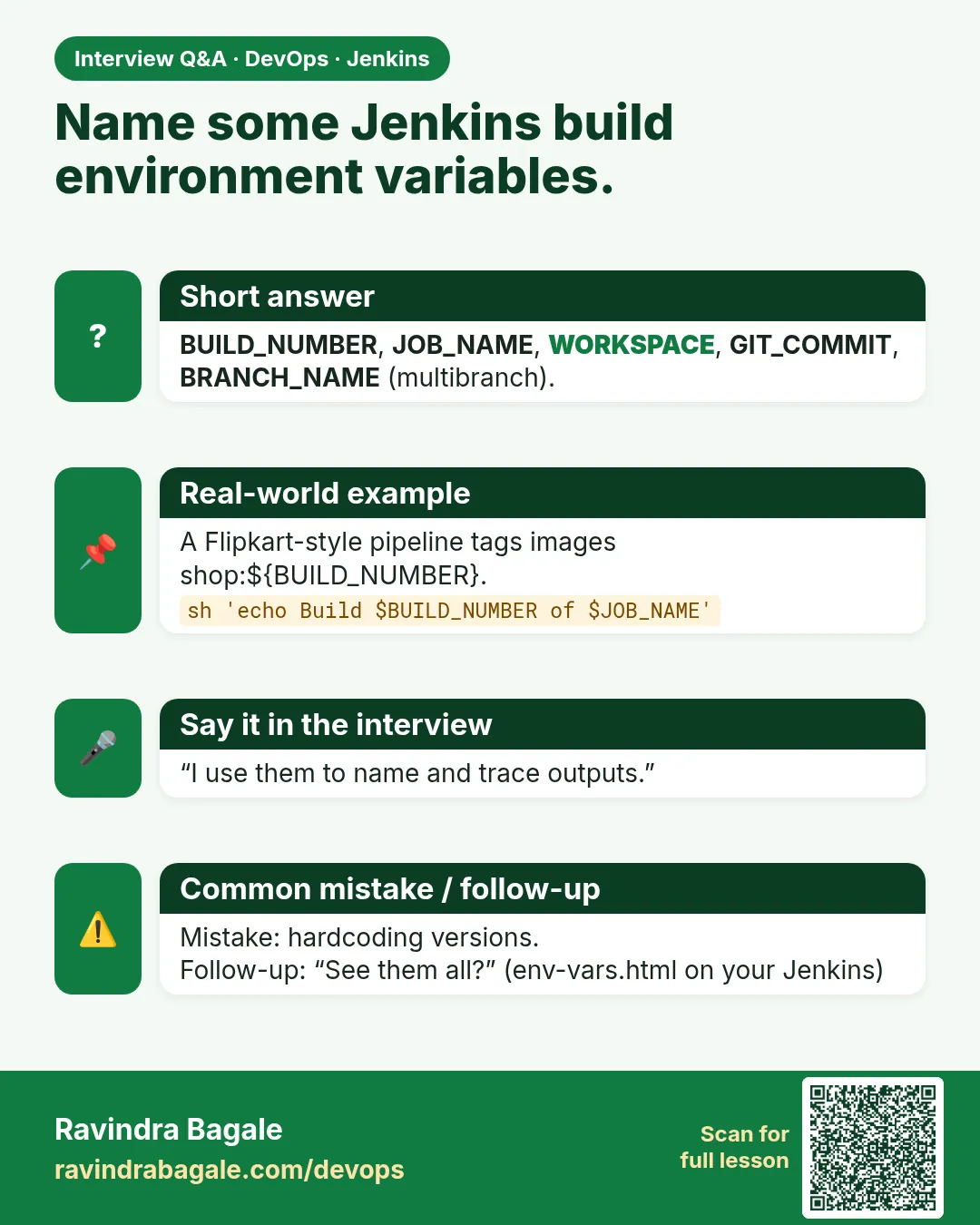 Interview card 5 of 8: Name some Jenkins build environment variables. · Download PNG · Open card page
Lesson: 23.5 Environment variables and artifacts
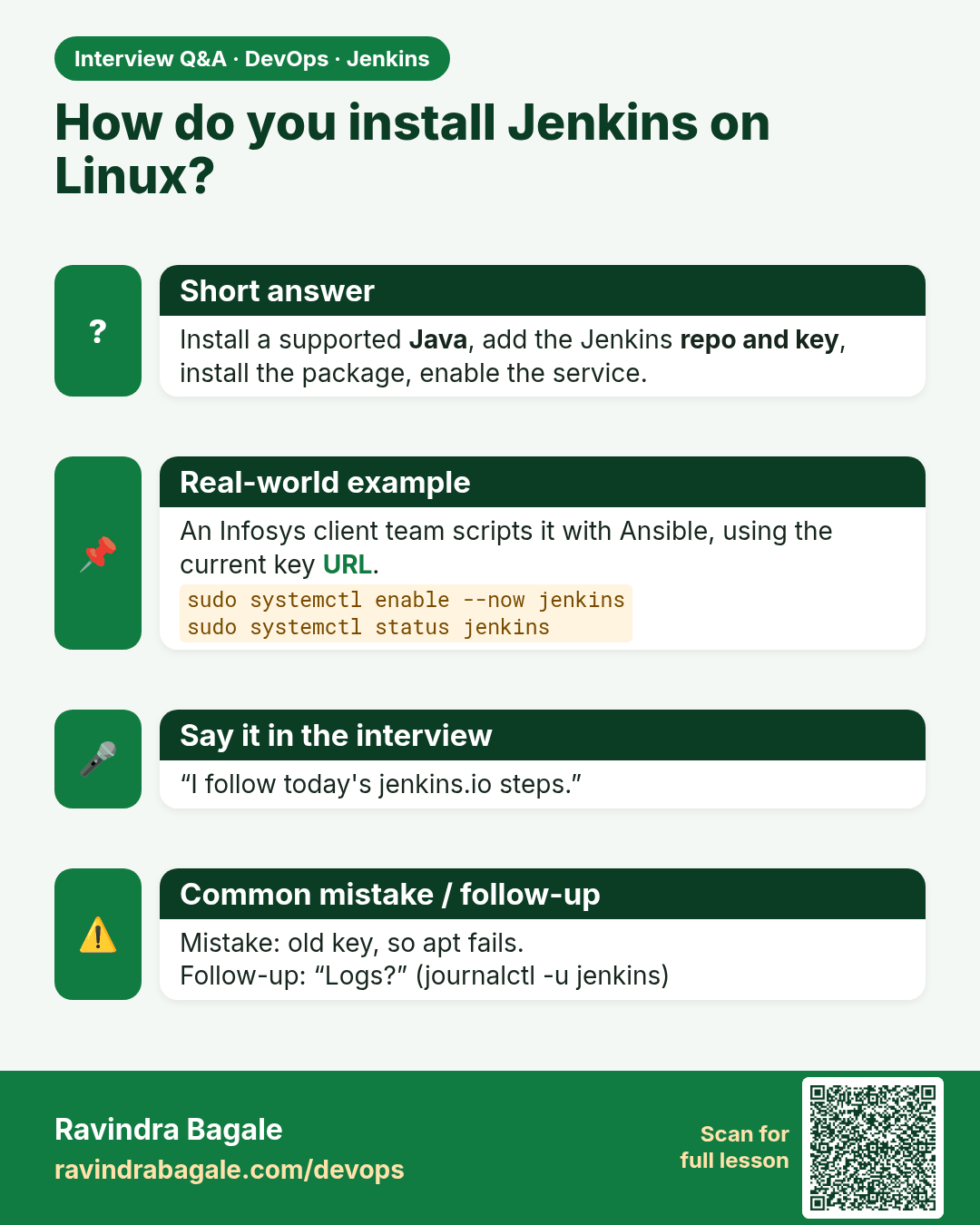
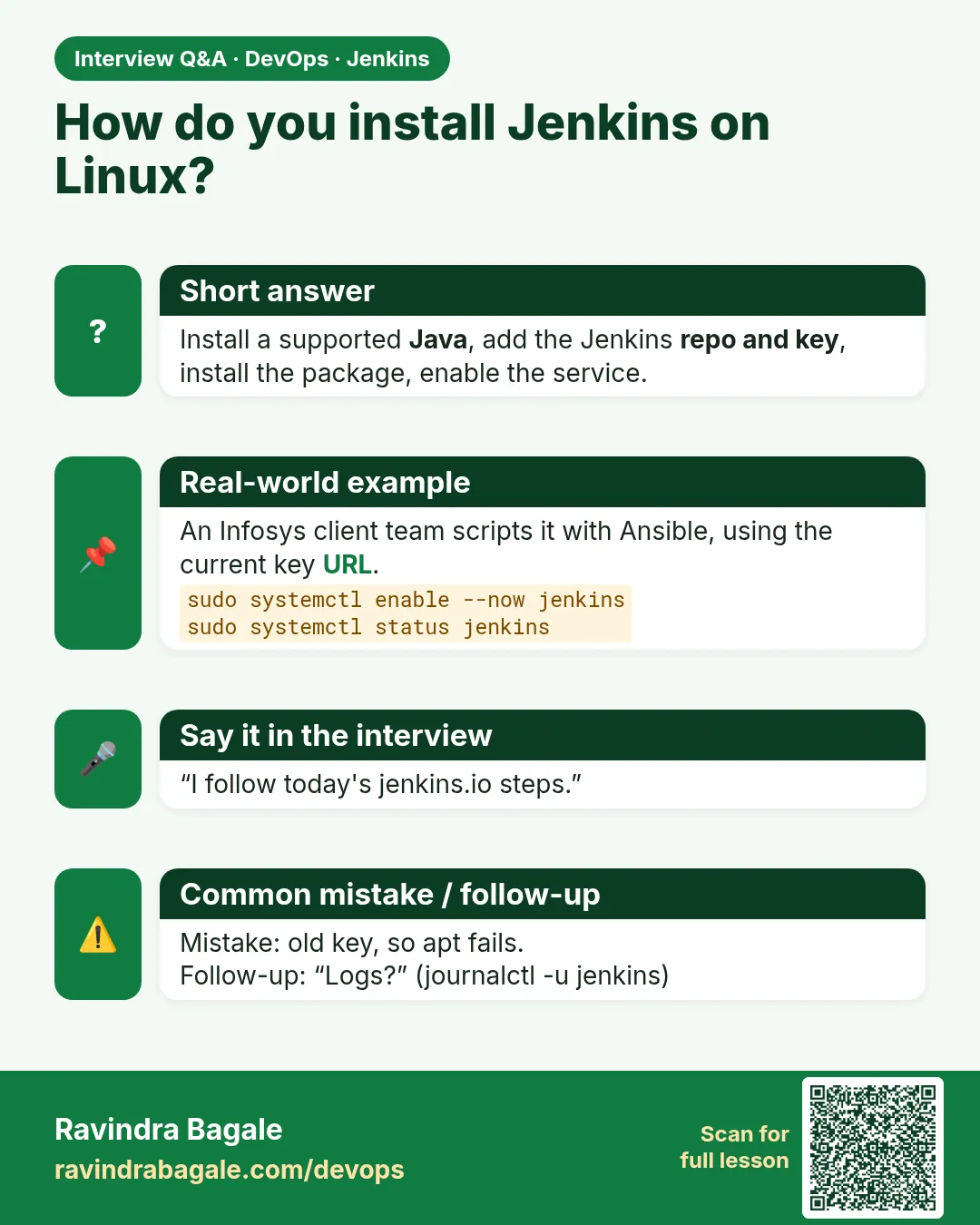 Interview card 6 of 8: How do you install Jenkins on Linux? · Download PNG · Open card page
Lesson: 23.6 Linux package install — follow today's docs
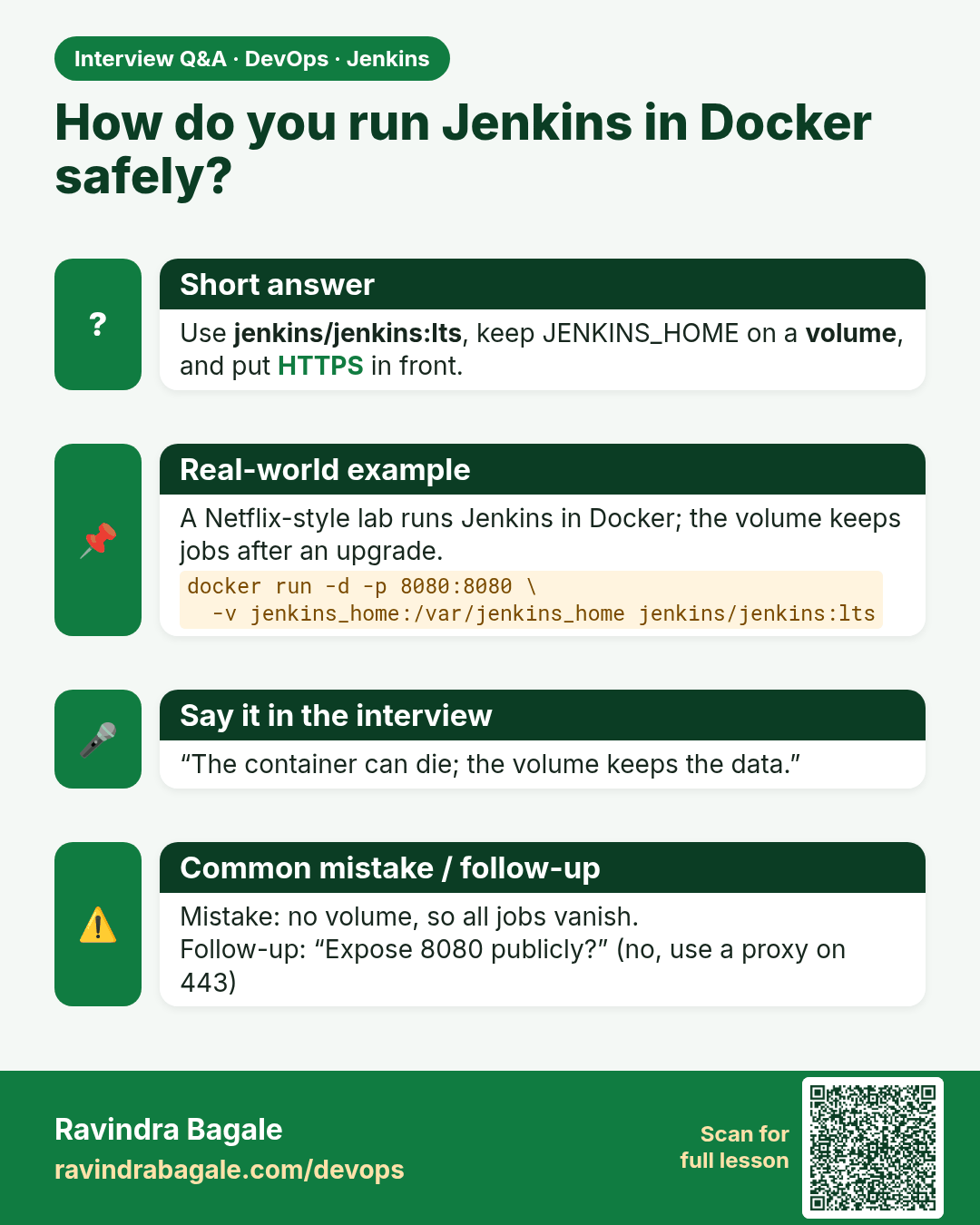
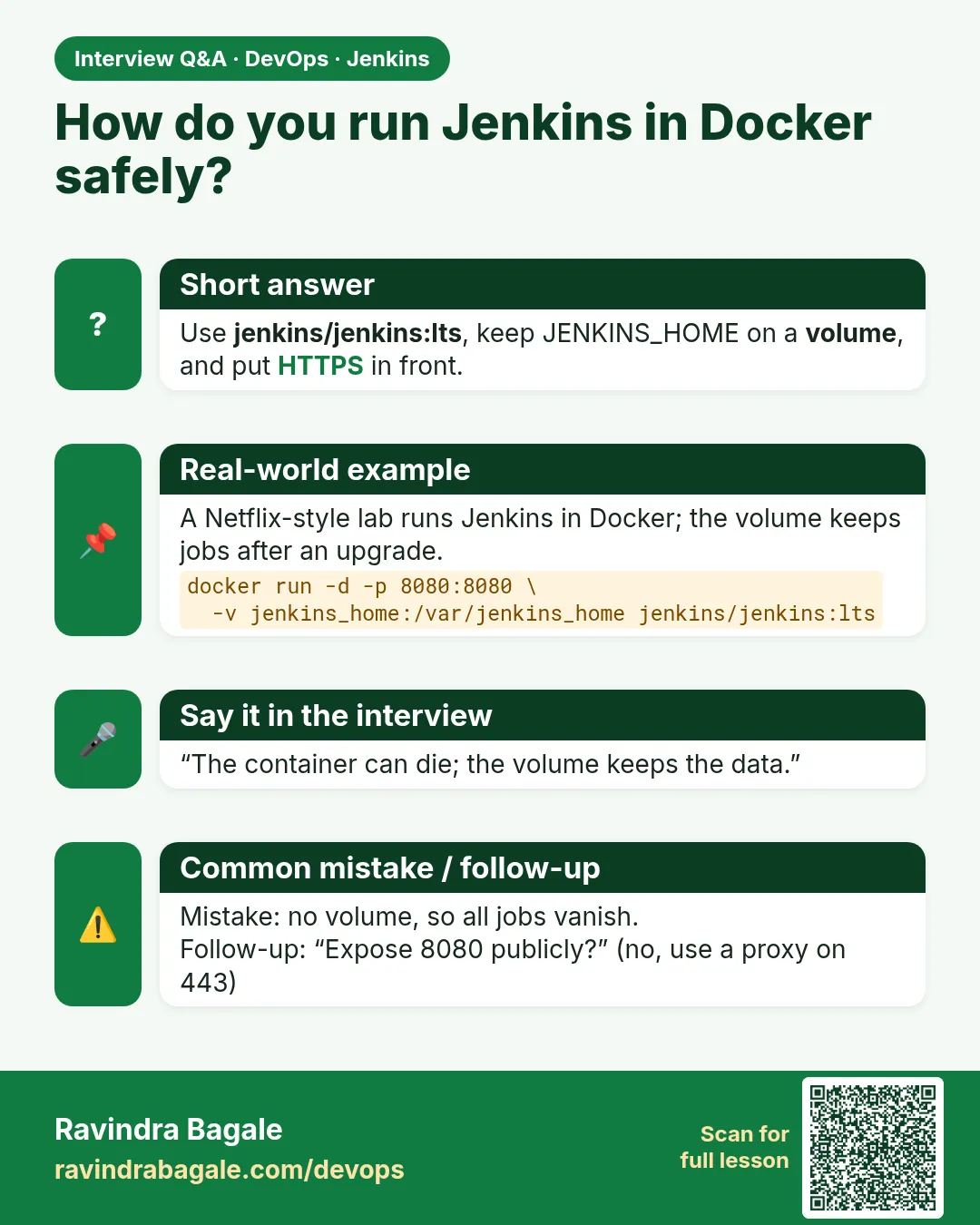 Interview card 7 of 8: How do you run Jenkins in Docker safely? · Download PNG · Open card page
Lesson: 23.7 WAR, Docker, Kubernetes, Nginx, firewall
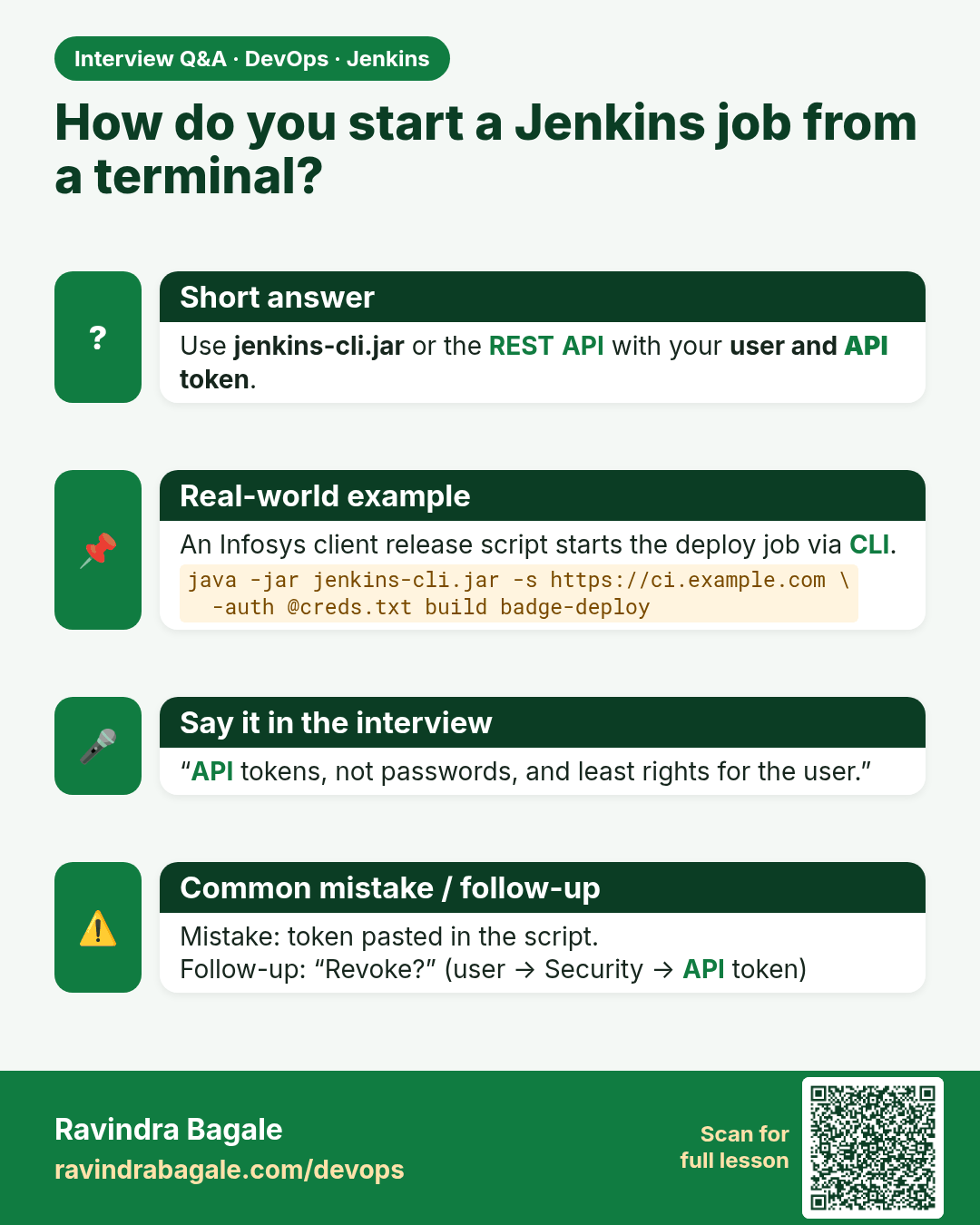
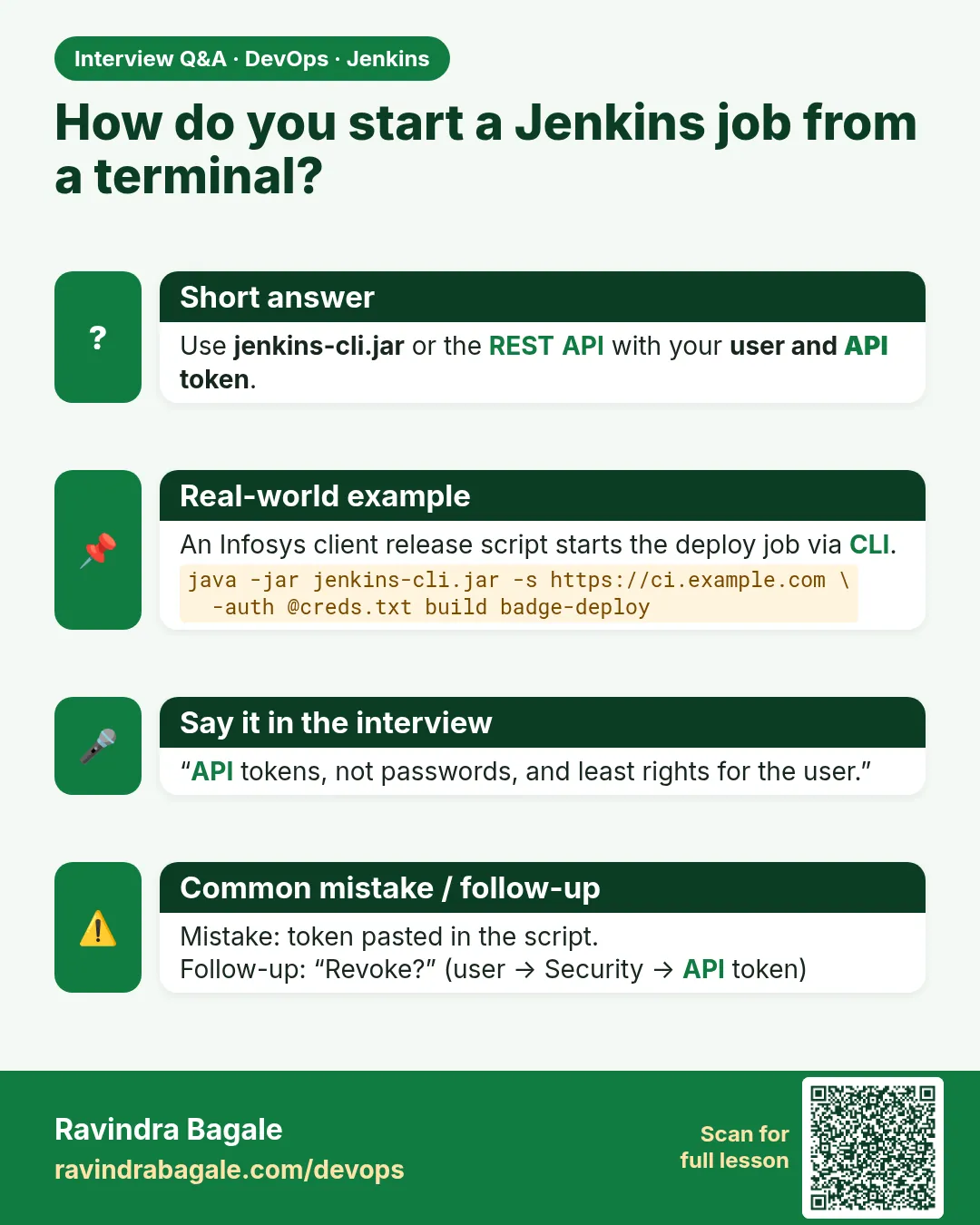 Interview card 8 of 8: How do you start a Jenkins job from a terminal? · Download PNG · Open card page
Lesson: 23.8 CLI, from your own controller
Comparison cards
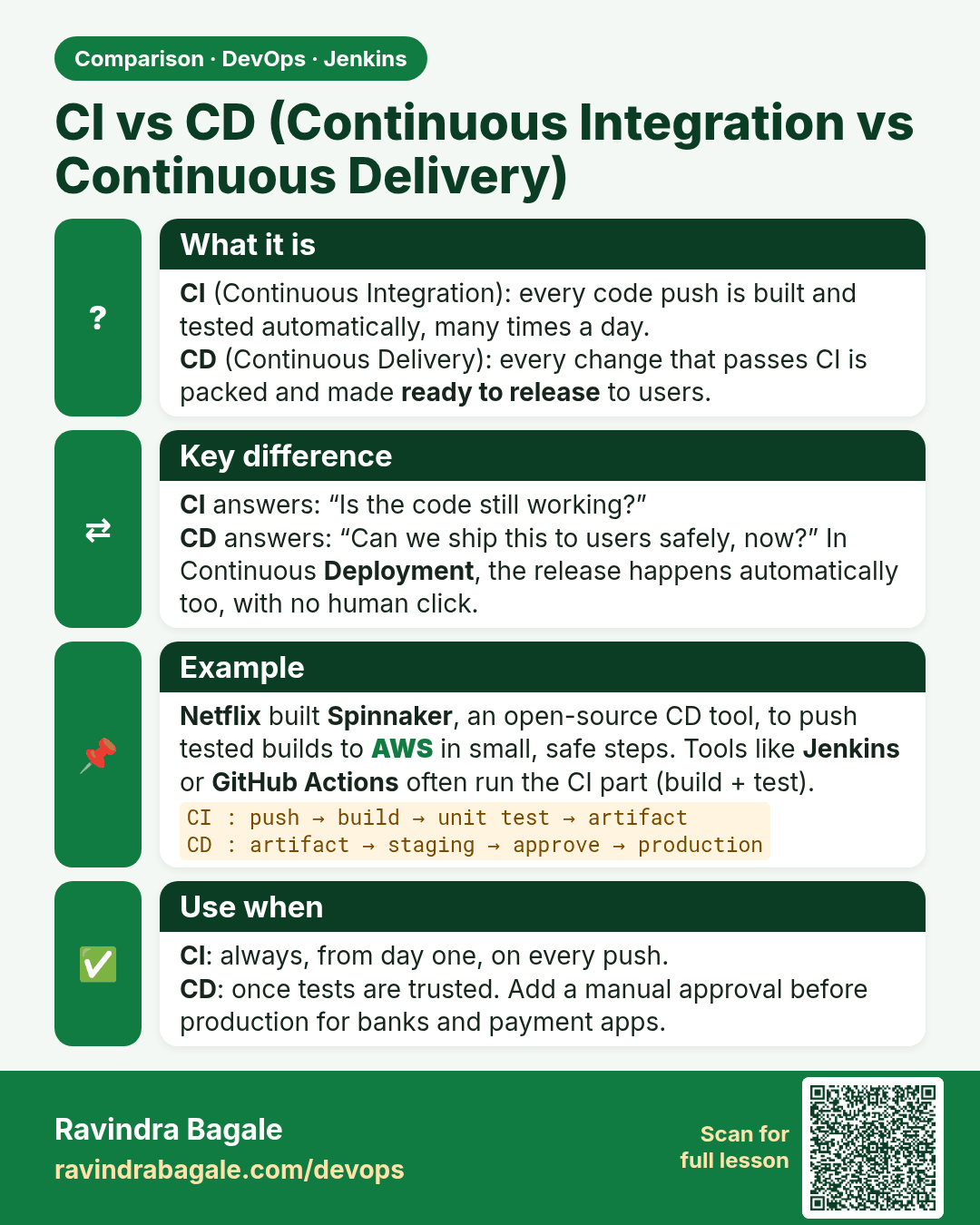
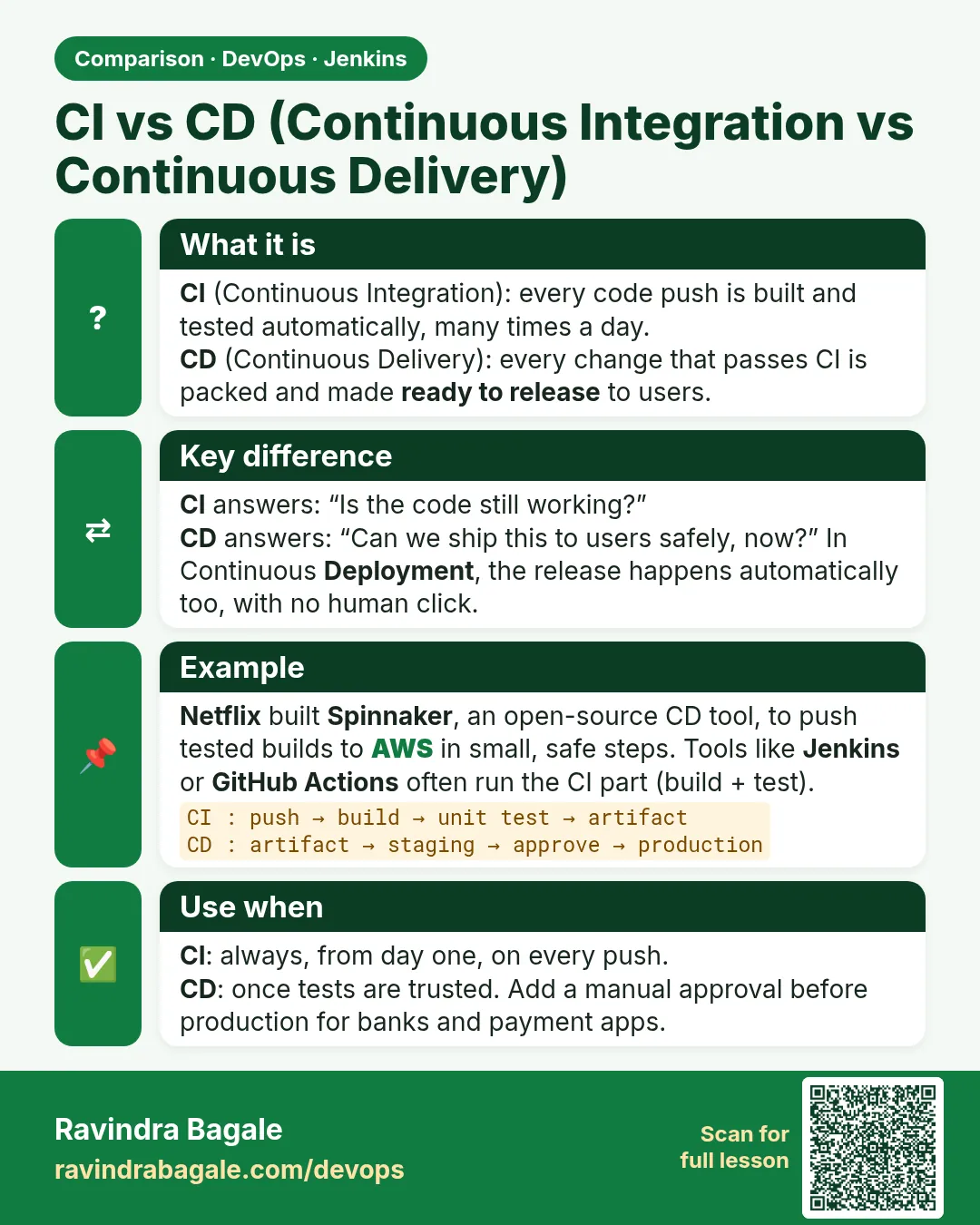 Comparison card 1 of 3: CI vs CD (Continuous Integration vs Continuous Delivery) · Download PNG · Open card page
Lesson: 23.2 Integration, delivery, deployment
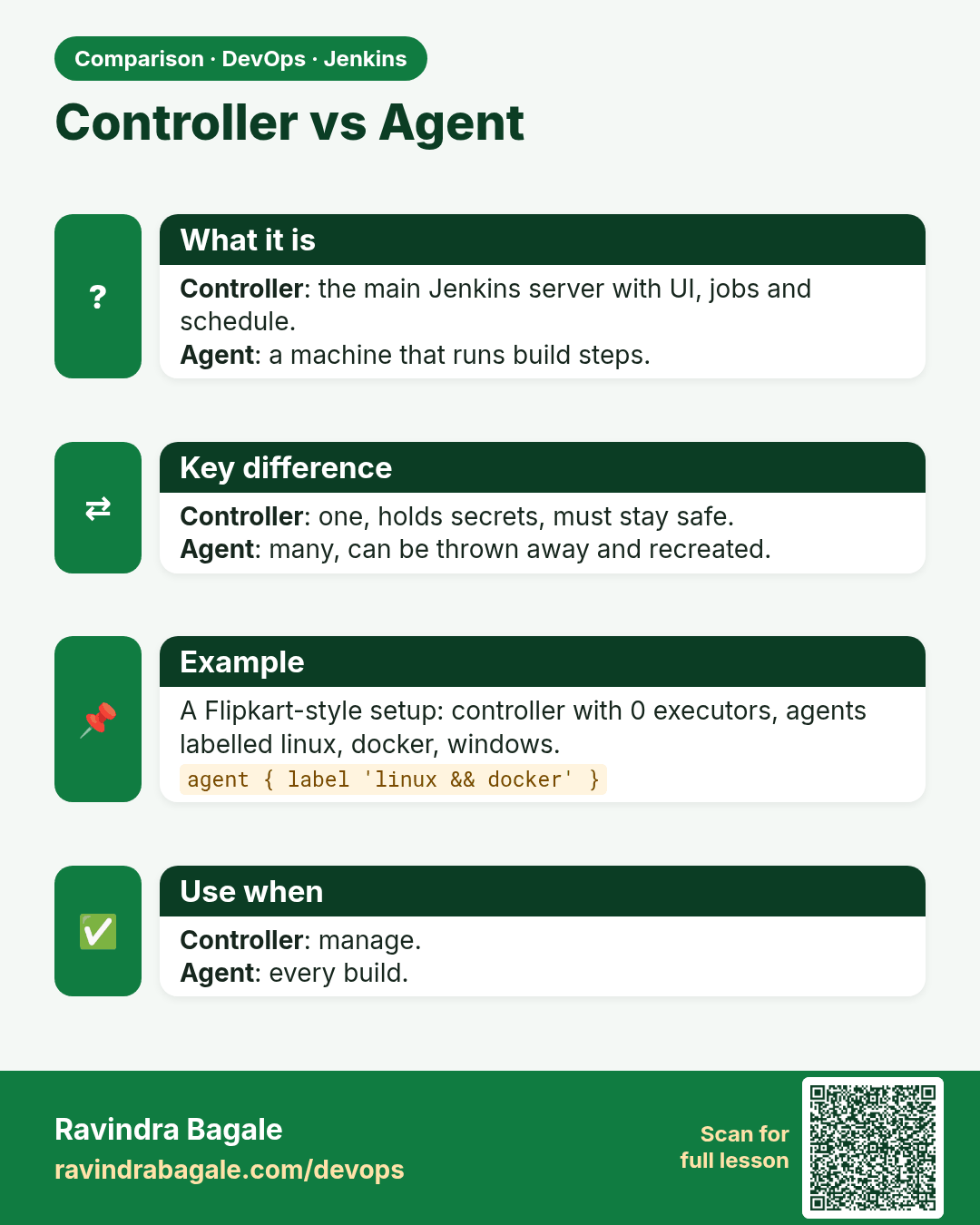
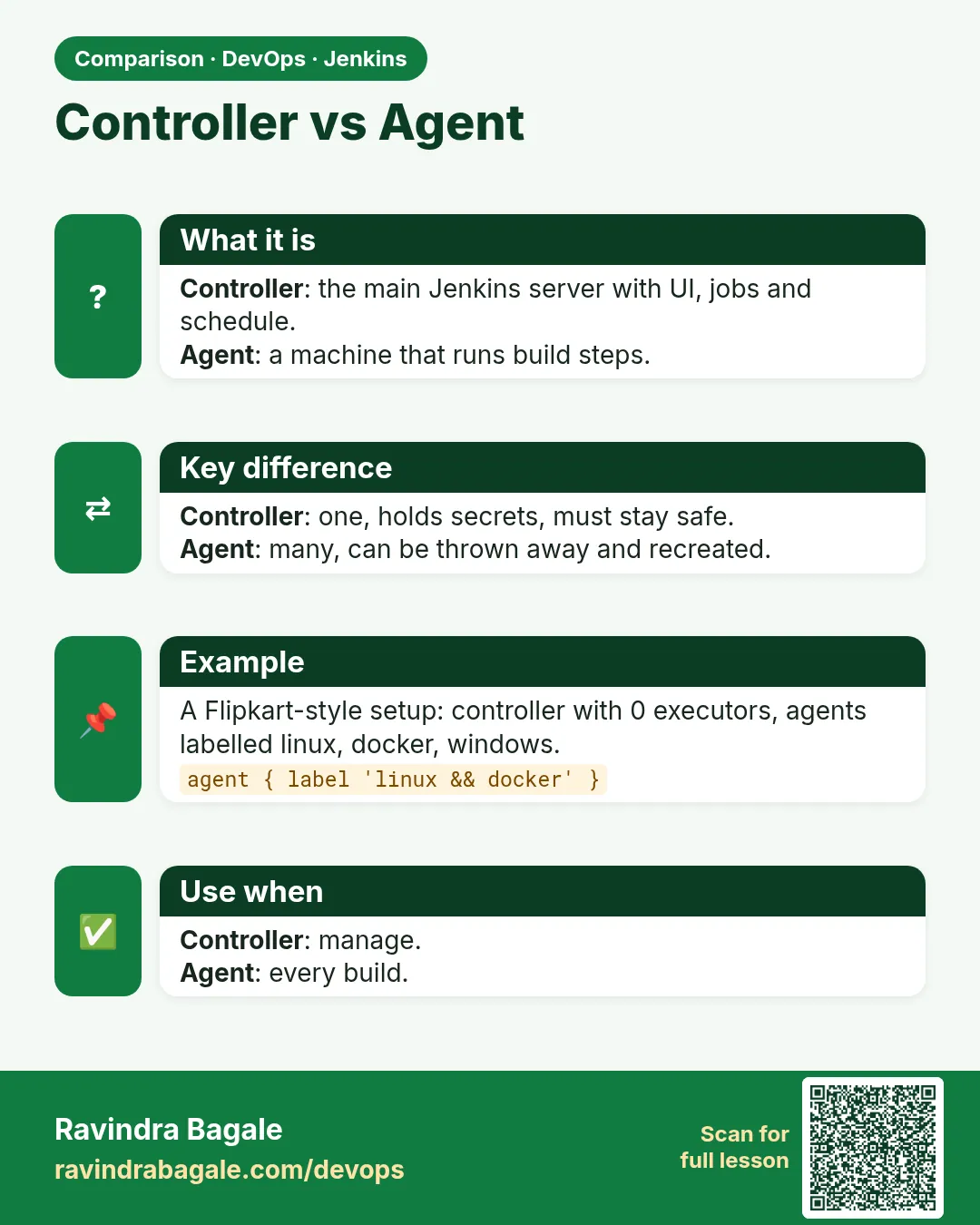 Comparison card 2 of 3: Controller vs Agent · Download PNG · Open card page
Lesson: 23.3 Controller and agents
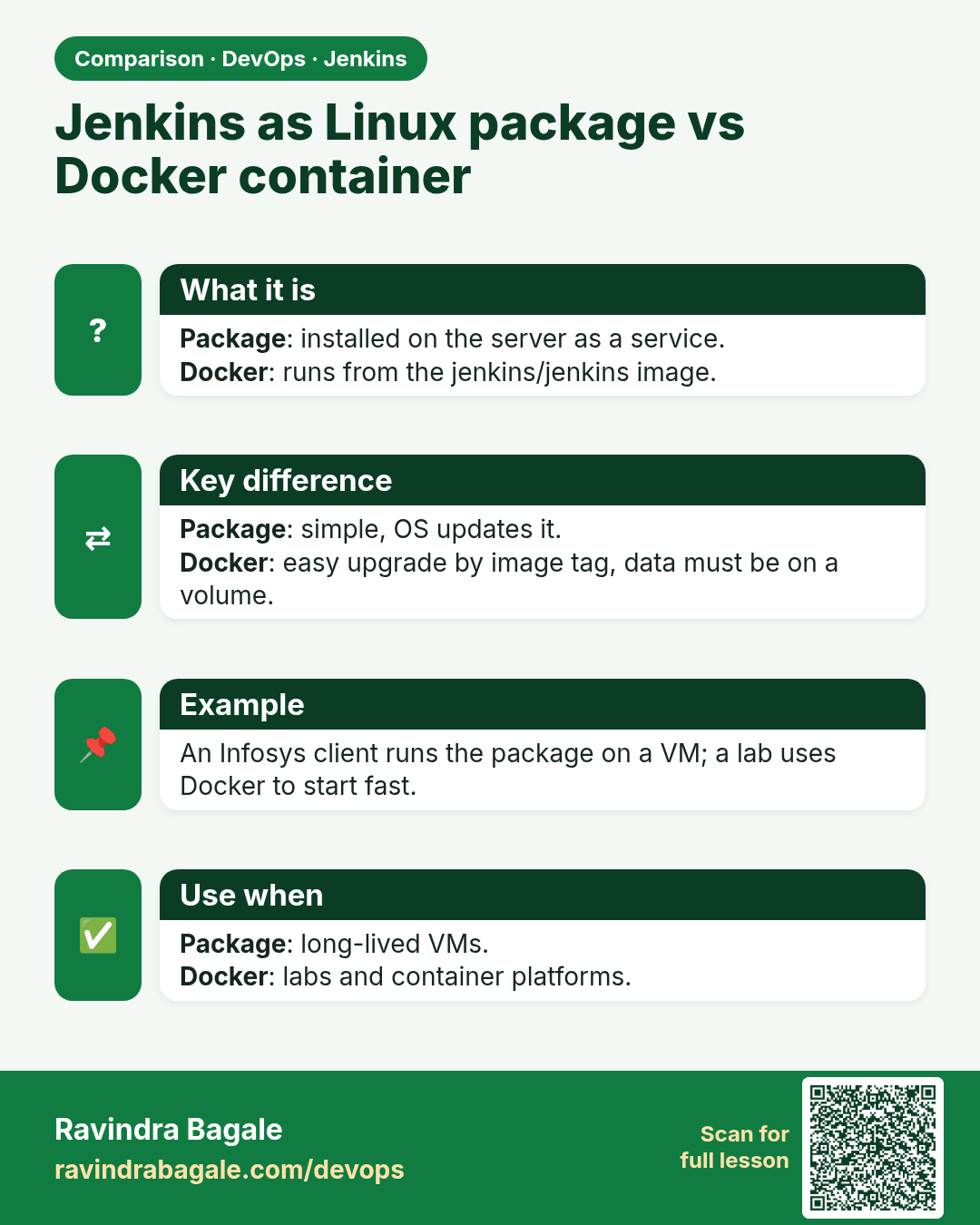
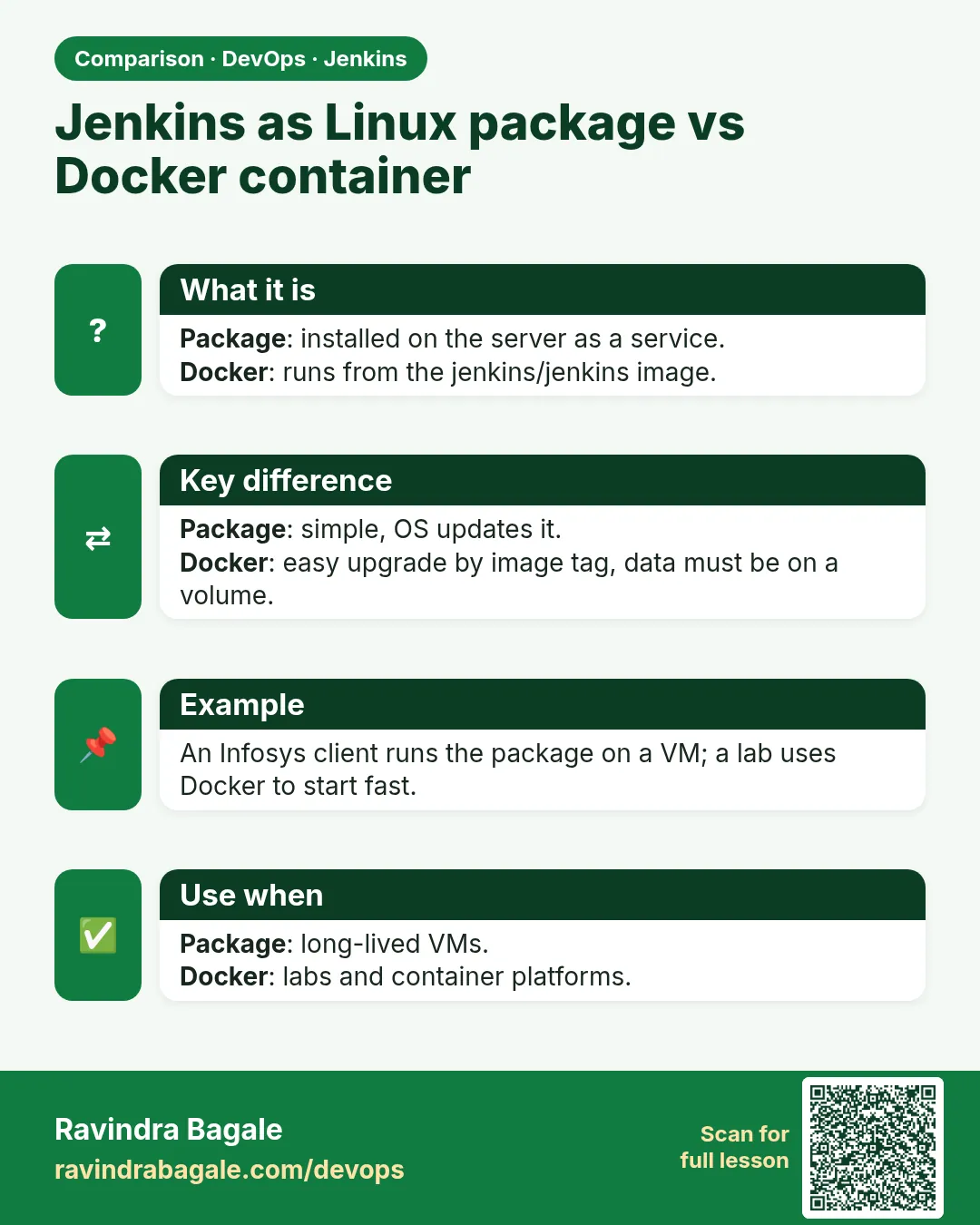 Comparison card 3 of 3: Jenkins as Linux package vs Docker container · Download PNG · Open card page
Lesson: 23.7 WAR, Docker, Kubernetes, Nginx, firewall