Chapter 23: Jenkins Fundamentals, Install and Architecture
23.1 What Jenkins is
Why: the problem
Think of Swiggy. Fifty developers push code every day. Each push must be tested. Each good build must reach the servers. If one person does this by hand, they run npm test on their laptop, copy files with scp, and restart the app. They forget a step on a busy Friday. The app breaks for lakhs of users at dinner time. This is the problem Jenkins solves. Jenkins is a free automation server. It watches your Git repository. When code changes, it runs the same steps every time, in the same order, on a clean machine. It keeps a log of every run. It shows green when all steps pass and red when one fails. It does not store your code; Git does that. It does not run your live app; servers or Kubernetes do that. Jenkins sits in the middle and does the boring, repeatable work. In this lesson you will start Jenkins, make your first job, and watch it go green and red.
What we will build
You will run Jenkins in Docker on your laptop. You will create a Freestyle job that runs shell commands. Then you will create a Pipeline job from a small Jenkinsfile for a Node.js app. Finally you will trigger a build from the command line with curl and an API token. At the end you will know the four words every Jenkins user uses daily: job, build, stage and console output.
What: every term in plain English
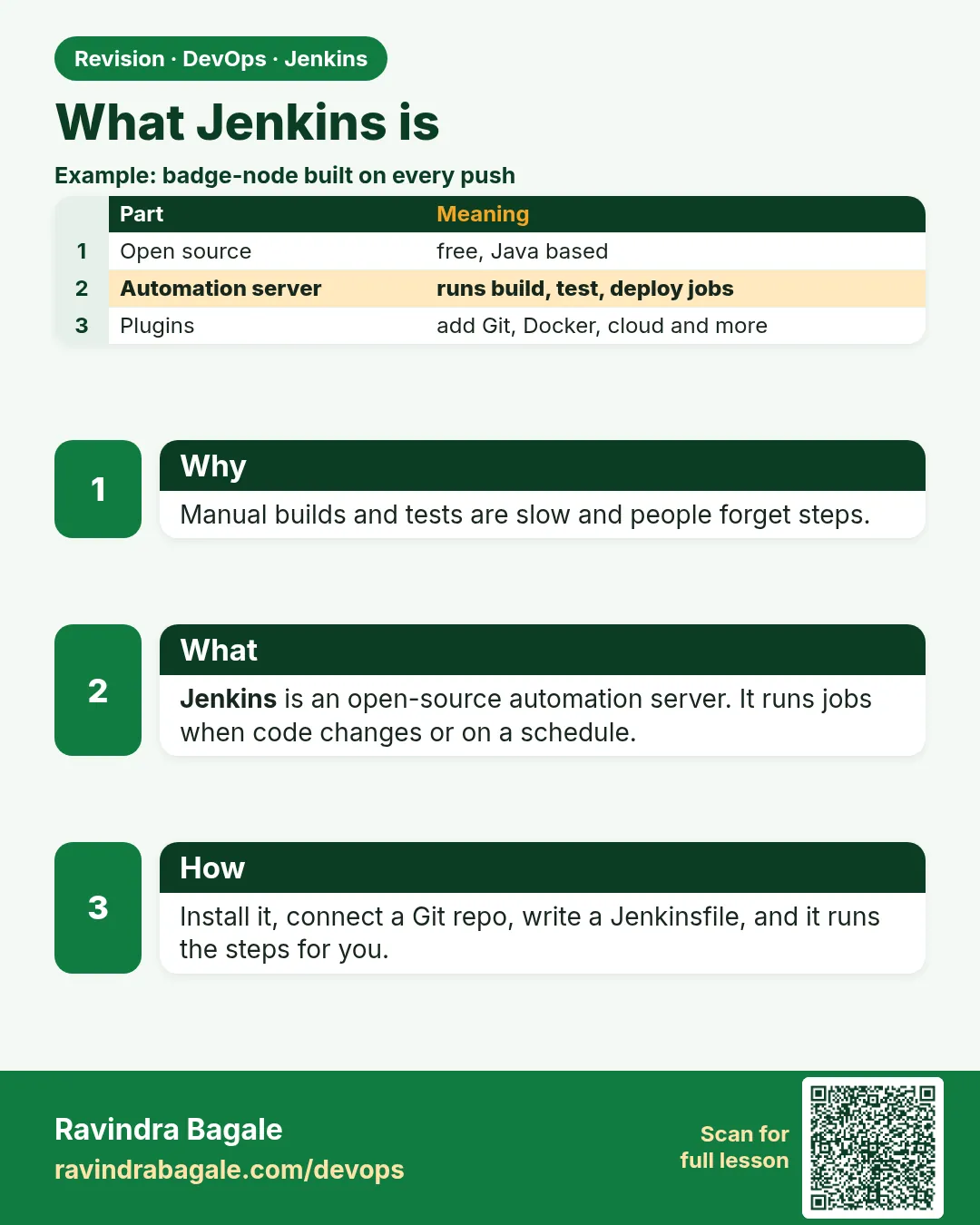
- Jenkins — A free, open source automation server written in Java. It runs your build, test and deploy steps.
- Job — A saved set of steps in Jenkins. For example "build the shop app".
- Build — One run of a job. Builds get numbers: #1, #2, #3.
- Freestyle job — The oldest job type. You fill boxes in the web page. Good for very simple tasks.
- Pipeline job — A job whose steps are written as code in a file called Jenkinsfile.
- Stage — A named block inside a pipeline, like Checkout, Test, or Deploy.
- Console output — The full log of one build. Your first place to look when it fails.
- Plugin — An add-on that gives Jenkins new features, like Git or Docker support.
How: step by step
-
Create a volume for Jenkins data
docker volume create jenkins_homeWhat it does: Makes a named disk area so jobs survive a container restart.
Output
jenkins_home -
Start Jenkins LTS
docker run -d --name jenkins -p 8080:8080 -p 50000:50000 -v jenkins_home:/var/jenkins_home jenkins/jenkins:lts-jdk17What it does: Starts the long term support version with Java 17.
Output
c41f0a9e2b7d... -
Read the unlock password
docker exec jenkins cat /var/jenkins_home/secrets/initialAdminPasswordWhat it does: Jenkins makes a one-time password for the first login.
Output
5e2a9c1f7b3d4e6a8f0c1b2d3e4f5a6b -
Finish the setup wizard
Open http://localhost:8080 > paste the password > Install suggested plugins > create admin user raviWhat it does: Installs Git, Pipeline and other common plugins.
Output
Jenkins is ready! -
Create a Freestyle job
New Item > name hello-freestyle > Freestyle project > Build Steps > Execute shellWhat it does: Your first job, with shell commands.
Output
Saved -
Run it
Click Build Now, then click #1 > Console OutputWhat it does: Runs the steps and shows the log.
Output
Started by user ravi ... Finished: SUCCESS -
Create a Pipeline job
New Item > hello-pipeline > Pipeline > Definition: Pipeline script > paste the JenkinsfileWhat it does: A job written as code with stages.
Output
Saved
Example 1: A Freestyle job that checks the machine and prints build details
Stack. Jenkins LTS in Docker, Freestyle job
Goal. A Freestyle job that checks the machine and prints build details.
Execute shell box
echo "Job name: $JOB_NAME"
echo "Build number: $BUILD_NUMBER"
echo "Running on: $(hostname)"
java -version 2>&1 | head -1
df -h / | tail -1
date
What each line does
$JOB_NAME— Jenkins fills this with the job name, here hello-freestyle.$BUILD_NUMBER— The number of this run. It goes up by one each time.$(hostname)— The machine name. Inside Docker it is the container ID.java -version 2>&1 | head -1— Java prints its version on the error stream, so 2>&1 joins it to normal output.df -h / | tail -1— Shows free disk space. Full disks are the top reason Jenkins builds fail.date— Prints the time, so you can match the log with other logs.
Green output
Started by user ravi
Running as SYSTEM
Building in workspace /var/jenkins_home/workspace/hello-freestyle
[hello-freestyle] $ /bin/sh -xe /tmp/jenkins4211.sh
+ echo Job name: hello-freestyle
Job name: hello-freestyle
+ echo Build number: 1
Build number: 1
Running on: c41f0a9e2b7d
openjdk version "17.0.12" 2024-07-16
overlay          59G   21G   36G  37% /
Sun Oct 25 10:15:02 UTC 2026
Finished: SUCCESS
Expected result. A blue or green ball next to build #1. Click Build Now again and the number becomes 2.
Example 2: A real Pipeline for a small Node
Stack. Jenkins Pipeline, Node.js 20, Git
Goal. A real Pipeline for a small Node.js app, with three stages.
Jenkinsfile
pipeline {
  agent any
  options { timestamps(); timeout(time: 10, unit: 'MINUTES') }
  stages {
    stage('Checkout') {
      steps { git url: 'https://gitlab.com/ravi-lab/hello-node.git', branch: 'main' }
    }
    stage('Test') {
      steps {
        sh 'node --version || echo "node missing on this agent"'
        sh 'npm ci'
        sh 'npm test'
      }
    }
    stage('Package') {
      steps {
        sh 'tar czf hello-node-${BUILD_NUMBER}.tgz package.json index.js'
        archiveArtifacts artifacts: '*.tgz', fingerprint: true
      }
    }
  }
  post {
    success { echo "Build ${BUILD_NUMBER} is green" }
    failure { echo "Build ${BUILD_NUMBER} failed. Open Console Output." }
  }
}
What each line does
pipeline { }— Every declarative Jenkinsfile starts with this block.agent any— Run on any free machine (agent) that Jenkins has.timestamps()— Adds the time to each log line. Needs the Timestamper plugin from the suggested list.timeout(time: 10 ...)— Stops a stuck build after 10 minutes so it does not block others.git url: ..., branch: 'main'— Downloads the code from Git into the workspace.npm ci— Installs exact versions from package-lock.json. Faster and safer than npm install in CI.npm test— Runs the tests. If any test fails, the stage turns red and later stages are skipped.archiveArtifacts— Saves the tgz file with the build, so you can download it later.post { success / failure }— Runs at the end, based on the result.
Green output
[Pipeline] stage (Checkout)
Cloning repository https://gitlab.com/ravi-lab/hello-node.git
[Pipeline] stage (Test)
+ node --version
v20.17.0
+ npm ci
added 42 packages in 3s
+ npm test
  PASS  test/app.test.js
  Tests: 3 passed, 3 total
[Pipeline] stage (Package)
+ tar czf hello-node-1.tgz package.json index.js
Archiving artifacts
Build 1 is green
Finished: SUCCESS
Expected result. Stage View shows three green boxes. The build page has a link to download hello-node-1.tgz. If node is not on the agent, use the NodeJS plugin or a Docker agent (lesson 23.3).
Example 3: Start a build from the terminal with curl and an API token
Stack. bash, curl, Jenkins REST API
Goal. Start a build from the terminal with curl and an API token.
trigger.sh
#!/usr/bin/env bash
# Usage: JENKINS_USER=ravi JENKINS_TOKEN=xxxx bash trigger.sh hello-pipeline
set -euo pipefail
J="http://localhost:8080"
JOB="$1"
curl -s -X POST -u "$JENKINS_USER:$JENKINS_TOKEN" "$J/job/$JOB/build" -o /dev/null -w "queued: %{http_code}\n"
sleep 15
curl -s -u "$JENKINS_USER:$JENKINS_TOKEN" "$J/job/$JOB/lastBuild/api/json?tree=number,result,duration" ; echo
What each line does
JENKINS_TOKEN— An API token made in your user page: click your name > Security > API Token > Add new Token. Never your password.-X POST .../build— Asks Jenkins to queue one build of the job.-w "queued: %{http_code}"— Prints the HTTP code. 201 means the build was queued.lastBuild/api/json?tree=...— Reads only the number, result and time of the last build.set -euo pipefail— Stop at the first error, and treat unset variables as errors.
Green output
$ JENKINS_USER=ravi JENKINS_TOKEN=11aa22bb33cc bash trigger.sh hello-pipeline
queued: 201
{"_class":"org.jenkinsci.plugins.workflow.job.WorkflowRun","duration":11873,"number":2,"result":"SUCCESS"}
Expected result. Build #2 appears in the job page, started by ravi. This is how other tools (and you) can start Jenkins without clicking.
Verify: did it work?
-
Jenkins is running
docker ps --filter name=jenkins --format "{{.Names}} {{.Status}} {{.Ports}}"What it does: Shows the container is up and port 8080 is open.
Output
jenkins Up 20 minutes 0.0.0.0:8080->8080/tcp, 0.0.0.0:50000->50000/tcp -
Jenkins answers on HTTP
curl -s -o /dev/null -w "%{http_code}\n" http://localhost:8080/loginWhat it does: The login page answers with 200.
Output
200 -
Jobs exist
curl -s -u ravi:$JENKINS_TOKEN "http://localhost:8080/api/json?tree=jobs[name,color]"What it does: Lists jobs and their colour. blue means last build passed.
Output
{"jobs":[{"name":"hello-freestyle","color":"blue"},{"name":"hello-pipeline","color":"blue"}]}
When it is red 1
docker: Error response from daemon: driver failed programming external connectivity: Bind for 0.0.0.0:8080 failed: port is already allocated
Cause. Another program, often an old Jenkins or Tomcat, already uses port 8080.
Fix, step by step
- Find it: docker ps and sudo ss -ltnp | grep 8080.
- Stop the old one, or use another port: -p 8090:8080.
- Open http://localhost:8090.
When it is red 2
npm: not found
script returned exit code 127
Cause. The agent has no Node.js installed. Exit code 127 means command not found.
Fix, step by step
- Install the NodeJS plugin and add a tool named node20.
- Add tools { nodejs "node20" } to the Jenkinsfile.
- Or run the stage in a node:20 Docker agent.
When it is red 3
Stage "Test" skipped due to earlier failure(s)
Cause. An earlier stage, usually Checkout, failed.
Fix, step by step
- Scroll up in Console Output to the first red line.
- For Git errors check the URL and the branch name.
- Fix it and click Build Now again.
Cleanup
-
Keep the lab, remove test jobs
Dashboard > hello-freestyle > Delete ProjectWhat it does: Removes the job and its builds. Keep hello-pipeline for later lessons.
Output
(job removed) -
Stop Jenkins when done
docker stop jenkinsWhat it does: Data stays in the jenkins_home volume. docker start jenkins brings it back.
Output
jenkins
Ravindra Bagale's Tip
Jenkins mhanje roj tech kaam, tyach kramane, swachh machine var. Pahila Console Output vacha, mag Google kara. Lakshat theva!
Practice tasks
Easy Count your builds
Why: Build numbers help you talk about runs clearly.
What to do: Run hello-pipeline three times and read each Console Output.
- Click Build Now three times.
- Open #1, #2, #3.
- Note the duration of each.
Check: You can say which build was fastest and why.
Medium Add a Lint stage
Why: Real pipelines check code style before tests.
What to do: Add a stage that runs npm run lint before Test.
- Add the stage.
- Add a lint script in package.json.
- Run the job.
Check: Stage View shows four stages.
Hard Trigger from Git
Why: Clicking is not automation.
What to do: Add pollSCM or a webhook so a push starts the job.
- Add triggers { pollSCM('H/5 * * * *') }.
- Push a commit.
- Wait up to 5 minutes.
Check: A build starts with the message Started by an SCM change.
Easy Say what Jenkins does in two lines
Why: If you can say it simply, you understand it. Juniors and interviewers want the short version first.
What to do: Write two short lines about what Jenkins does for a fresher who knows only Linux basics.
- Write what problem it solves.
- Write the one command or menu you use for it.
- Read it aloud to a friend.
Check: A fresher understands it without asking a question.
Easy Start a fresh lab Jenkins
Why: Practice needs a throwaway Jenkins. If you break it, you delete it and start again.
What to do: Run Jenkins LTS in Docker with a named volume.
- docker volume create jenkins_home
- docker run -d --name jenkins -p 8080:8080 -v jenkins_home:/var/jenkins_home jenkins/jenkins:lts-jdk17
- docker exec jenkins cat /var/jenkins_home/secrets/initialAdminPassword
Check: The Jenkins unlock page opens on localhost:8080.
Medium Break it on purpose
Why: You must know the red message by face. During an outage there is no time to read slowly.
What to do: Cause one error from the "When it is red" part of this lesson and fix it.
- Follow the error section.
- Copy the exact message into your notes.
- Write the fix in one line.
Check: You fixed it using only the steps, without searching the web.
Medium Write a one-page runbook
Why: At 2 a.m. nobody remembers where a file lives. A short page saves the on-call person.
What to do: Write a runbook page for this lesson.
- Title, when to use, exact command, how to check, how to undo.
Check: A teammate can follow it alone.
Medium Repeat it on a cloud VM
Why: A laptop is not a server. Real Jenkins runs on EC2 or a company VM.
What to do: Do the main steps of this lesson again on a small Ubuntu 22.04 EC2 instance.
- Launch t3.small with 20 GB disk.
- Open port 22 only to your IP.
- Repeat the steps and compare the output.
Check: Same green output on the VM as on your laptop.
Hard Explain it like an interview
Why: Interviewers want real stories, not definitions.
What to do: Record a 60 second answer about this lesson.
- Say the problem, the command you ran, and one error you hit.
Check: Your answer has a real command and a real error message.
Hard Draw the flow top to bottom
Why: A drawing shows who talks to whom and in what order.
What to do: Draw this lesson as boxes from top to bottom.
- Start at the developer push, go through the controller and agent, end at the result.
Check: Each box matches a real thing you saw on screen.
Homework: try at home
Try at home
At home, make a Pipeline job for any small app you have (Python, Java or Node). Add Checkout, Test and Package stages. Make it fail on purpose by breaking one test, then fix it. Save screenshots of the red and green Stage View.
Recap
- Jenkins runs the same steps for every change, in order, and keeps a log.
- A job is the recipe; a build is one run of it.
- Pipeline jobs keep steps as code in a Jenkinsfile.
- Console Output is the first place to look on red.
- You can start builds by click, by schedule, by webhook or by curl with a token.
FAQ
Is Jenkins only for Java?
No. It runs any shell command, so it builds Node, Python, Go, .NET, PHP and more.
Freestyle or Pipeline?
Pipeline. It lives in Git, gets reviewed, and supports stages. Use Freestyle only for tiny helpers.
Is Jenkins free?
Yes. It is open source under the MIT licence. CloudBees sells a paid version with support.
Do I need a big server?
A lab works with 2 CPUs and 4 GB RAM. Teams start at 4 CPUs, 8 GB RAM and a 50 GB disk.
Why do companies still use Jenkins when GitHub Actions exists?
It runs inside their own network, has 1,800+ plugins, and they have years of jobs already built.
Interview questions
-
What is Jenkins?
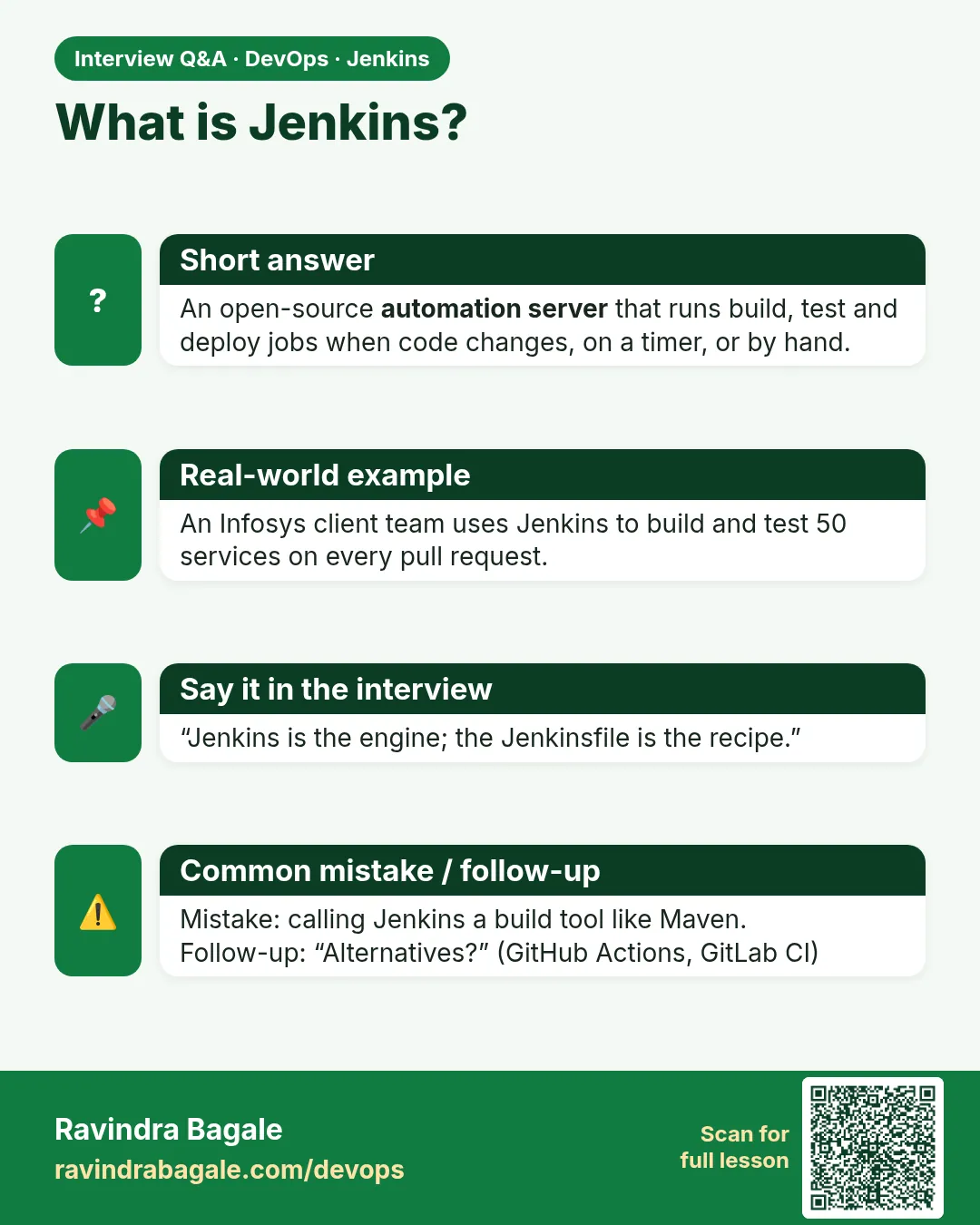
An open source automation server. It pulls code from Git and runs build, test and deploy steps on agents, with logs and results for each run.
-
Difference between a job and a build?
A job is the saved configuration. A build is one execution of that job, with a number and console output.
-
Why use a Jenkinsfile?
Pipeline as code: versioned in Git, reviewed in merge requests, same on every branch, easy to restore.
-
How can a build be triggered?
Manually, by cron schedule, by SCM polling, by a webhook from the Git server, by another job, or by the REST API with a token.
-
What does exit code 127 mean in a Jenkins log?
The command was not found on the agent, for example npm or mvn is not installed.
Quick quiz
Q1. What is a build?
One run of a job, with its own number and log.
Q2. Does Jenkins store your source code?
No. Git stores the code. Jenkins pulls a copy into a workspace.
Q3. Where do you look first when a build fails?
Console Output of that build.
Q4. What file holds a pipeline as code?
Jenkinsfile.
Q5. What HTTP code means a build was queued with curl?
201.
Samajla ka?
 Revision card
 Interview card