Chapter 23: Jenkins Fundamentals, Install and Architecture
23.8 CLI, from your own controller
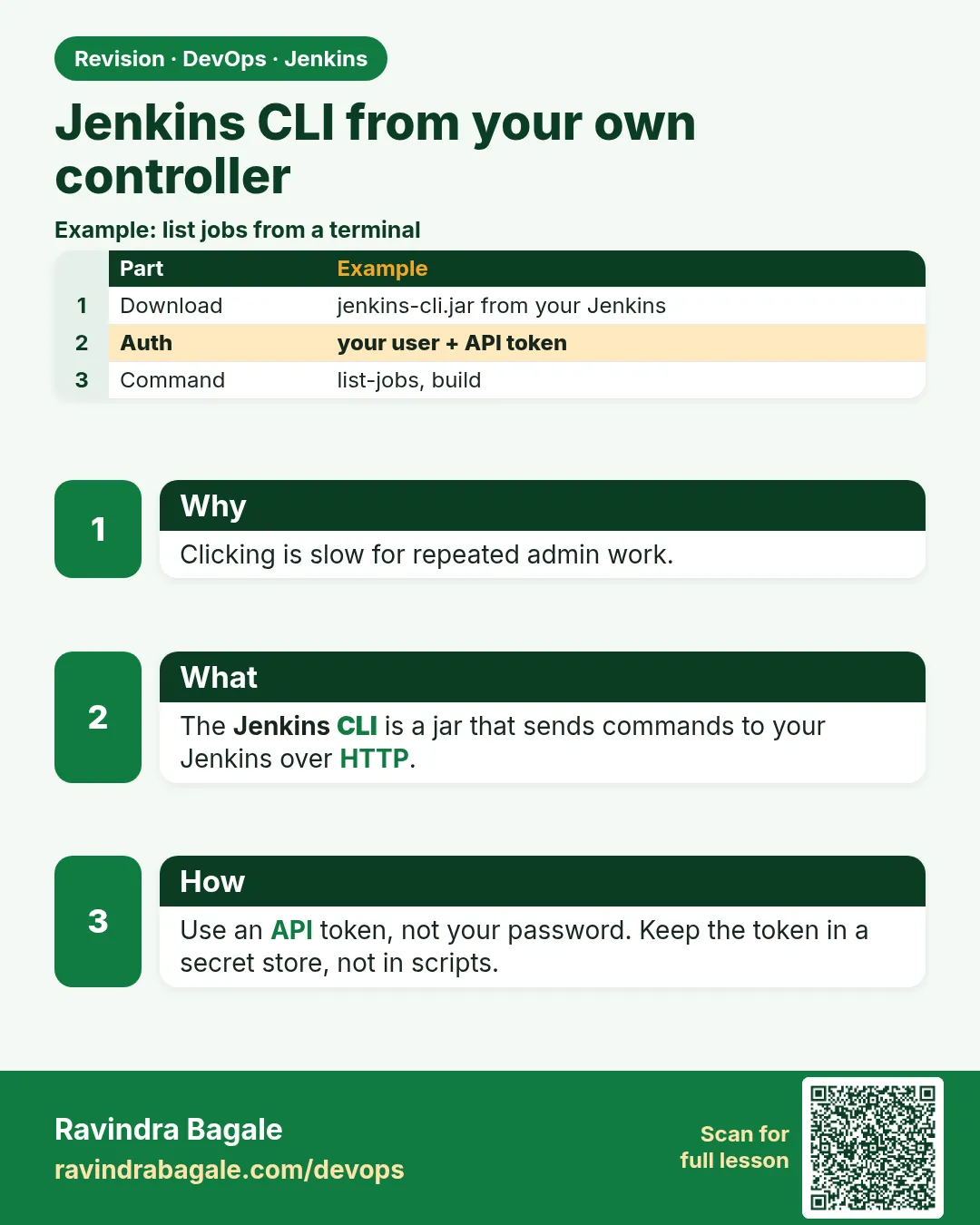
Why: the problem
Think of Infosys running 300 Jenkins jobs. A release manager needs to start 20 builds in a row every Friday night, check which ones failed, and disable old jobs. Clicking 20 times in a browser is slow and error-prone. Scripts are better. Jenkins has two ways to be controlled from the terminal. The Jenkins CLI is a small Java program, jenkins-cli.jar, that you download from your own Jenkins. The REST API is plain HTTP: you call URLs with curl and get JSON back. Both need a login, and the safe login is an API token kept in a file outside Git, never your password. In this lesson you will use both to build jobs, pass parameters, follow logs, copy jobs, install plugins and check status.
What we will build
You will create an API token for a bot user. You will save it in a file only you can read. You will download jenkins-cli.jar from your controller and run common commands: who-am-i, list-jobs, build with parameters and console following, get-job and create-job to copy a job, and install-plugin. Then you will do the same work with curl and the REST API, and write a small release script that builds several jobs and prints a result table.
What: every term in plain English
- Jenkins CLI — A command line tool, jenkins-cli.jar, that talks to your Jenkins.
- REST API — URLs that return JSON or XML. Add /api/json to almost any Jenkins page.
- API token — A long random key made per user. Use it instead of a password for scripts. You can revoke it any time.
- -auth @file — CLI option that reads user:token from a file, so it is not typed on the command line.
- Crumb — A CSRF protection value. Not needed when you use an API token.
- tree= — A URL filter that returns only the fields you ask for. Makes API calls small and fast.
- config.xml — The job definition. get-job prints it, create-job reads it.
- Bot user — A Jenkins user for scripts, like ci-bot, with only the rights it needs.
How: step by step
-
Make a token
Click your name > Security > API Token > Add new Token > name: cli-laptop > GenerateWhat it does: Copy it once; Jenkins does not show it again.
Output
Token created: 11a2b3c4d5e6f7a8b9c0d1e2f3a4b5c6d7 -
Save it in a private file
umask 077 && printf "ravi:%s" "PASTE_TOKEN" > ~/.jenkins-auth && ls -l ~/.jenkins-authWhat it does: umask 077 makes the file readable only by you.
Output
-rw------- 1 ravi ravi 40 Oct 25 12:01 /home/ravi/.jenkins-auth -
Download the CLI
curl -fsSLO http://localhost:8080/jnlpJars/jenkins-cli.jarWhat it does: The CLI version always matches your Jenkins.
Output
(jenkins-cli.jar saved) -
Make a short alias
alias jcli="java -jar ~/jenkins-cli.jar -s http://localhost:8080/ -auth @$HOME/.jenkins-auth"What it does: So you type jcli instead of the long line.
Output
(no output) -
Check who you are
jcli who-am-iWhat it does: Proves the token works.
Output
Authenticated as: ravi Authorities: authenticated -
List jobs
jcli list-jobsWhat it does: Prints every job name.
Output
env-demo flask-ci hello-pipeline -
Build and follow
jcli build hello-pipeline -s -vWhat it does: Starts a build, waits, and prints the console.
Output
Started hello-pipeline #9
...
Completed hello-pipeline #9 : SUCCESS
Example 1: Everyday CLI commands for a release manager
Stack. jenkins-cli.jar, Java 17
Goal. Everyday CLI commands for a release manager.
cli-demo.sh
#!/usr/bin/env bash
set -euo pipefail
J="java -jar $HOME/jenkins-cli.jar -s http://localhost:8080/ -auth @$HOME/.jenkins-auth"
$J version
$J list-jobs
$J build env-demo -p TARGET=qa -p APP_VERSION=2.4.0 -s -v | tail -5
$J console env-demo | tail -3
$J get-job hello-pipeline > hello-pipeline.xml
cat hello-pipeline.xml | $J create-job hello-pipeline-copy
$J disable-job hello-pipeline-copy
$J list-plugins | grep -E "^(git|workflow-aggregator) "
What each line does
version— Prints the Jenkins version.build env-demo -p NAME=value— Starts a parameterized build.-s -v— -s waits for the build to finish; -v prints the console output.console env-demo— Prints the console of the last build.get-job ... > file— Saves the job config.xml to a file.cat file | create-job name— Creates a new job from that XML. This is how you copy jobs between servers.disable-job— Stops a job from running without deleting it.list-plugins— Lists installed plugins and versions.
Green output
2.479.1
env-demo
flask-ci
hello-pipeline
App shop-api tag 2.4.0-7 to qa
Finished: SUCCESS
Completed env-demo #7 : SUCCESS
git 5.5.2
workflow-aggregator 600.vb_57cdd26fdd7
Expected result. A copy job exists and is disabled. The parameterized build used your values. All without opening the browser.
Example 2: The same work with curl and the REST API
Stack. curl, jq, Jenkins REST API
Goal. The same work with curl and the REST API.
api-demo.sh
#!/usr/bin/env bash
set -euo pipefail
J="http://localhost:8080"
AUTH="$(cat "$HOME/.jenkins-auth")"
api() { curl -fsS -u "$AUTH" "$@"; }
api "$J/api/json?tree=jobs[name,color]" | jq -r '.jobs[] | "\(.name)\t\(.color)"'
api -X POST "$J/job/env-demo/buildWithParameters?TARGET=dev&APP_VERSION=2.5.0" -o /dev/null -w "queued %{http_code}\n"
sleep 20
api "$J/job/env-demo/lastBuild/api/json?tree=number,result,duration" | jq .
api "$J/job/env-demo/lastBuild/consoleText" | tail -3
api "$J/job/hello-pipeline/config.xml" -o hello-pipeline.xml
api -X POST "$J/createItem?name=hello-api-copy" -H "Content-Type: application/xml" --data-binary @hello-pipeline.xml -o /dev/null -w "created %{http_code}\n"
What each line does
AUTH="$(cat ...)"— Reads user:token from the private file.?tree=jobs[name,color]— Ask for only names and colours. Faster than the full JSON.jq -r— Turns JSON into clean text lines.buildWithParameters?...— Starts a build with parameters through HTTP. 201 means queued./consoleText— The plain text log of a build./createItem?name=...— Creates a job from config.xml sent in the body.
Green output
env-demo    blue
flask-ci    blue
hello-pipeline  blue
queued 201
{
  "duration": 4120,
  "number": 8,
  "result": "SUCCESS"
}
App shop-api tag 2.5.0-8 to dev
Finished: SUCCESS
created 200
Expected result. Everything the CLI did, plain curl can do. Tools like Ansible, Python scripts and chat bots use this API.
Example 3: A Friday release script that builds several jobs and prints a table
Stack. bash, jenkins-cli.jar
Goal. A Friday release script that builds several jobs and prints a table.
release-friday.sh
#!/usr/bin/env bash
# Usage: bash release-friday.sh orders-api payments-api web-ui
set -uo pipefail
J="java -jar $HOME/jenkins-cli.jar -s https://jenkins.shop-lab.in/ -auth @$HOME/.jenkins-auth"
printf "%-16s %-8s\n" JOB RESULT
fail=0
for job in "$@"; do
  if $J build "$job" -s > "/tmp/$job.log" 2>&1; then r=SUCCESS; else r=FAILED; fail=1; fi
  printf "%-16s %-8s\n" "$job" "$r"
done
[ "$fail" -eq 0 ] && echo "All green. Ready to release." || echo "Some jobs failed. See /tmp/JOB.log"
exit $fail
What each line does
set -uo pipefail— No -e here, so one failed job does not stop the loop.for job in "$@"— Loops over all job names given to the script.build "$job" -s— Waits for each build. The CLI exit code is non-zero when the build fails.> /tmp/$job.log 2>&1— Keeps each output in its own file for later reading.printf "%-16s %-8s"— Prints a neat table with fixed column widths.exit $fail— The script itself fails if any job failed, so another tool can react.
Green output
$ bash release-friday.sh orders-api payments-api web-ui
JOB              RESULT
orders-api       SUCCESS
payments-api     FAILED
web-ui           SUCCESS
Some jobs failed. See /tmp/JOB.log
Expected result. One command checks the whole release. Open /tmp/payments-api.log to see why it failed.
Verify: did it work?
-
Token works by API
curl -s -u "$(cat ~/.jenkins-auth)" http://localhost:8080/whoAmI/api/json | jq -r .nameWhat it does: Prints your user name.
Output
ravi -
CLI help
jcli help | head -5What it does: Lists all CLI commands your Jenkins supports.
Output
add-job-to-view
build
cancel-quiet-down
clear-queue
connect-node
When it is red 1
ERROR: You must authenticate to access this Jenkins.
Cause. No -auth, or the auth file is empty or wrong.
Fix, step by step
- cat ~/.jenkins-auth and check it is user:token.
- Make a new token if it was revoked.
- Use -auth @$HOME/.jenkins-auth.
When it is red 2
HTTP ERROR 403 No valid crumb was included in the request
Cause. You sent a POST with a password and no crumb.
Fix, step by step
- Use an API token instead of a password.
- Tokens skip the crumb check.
When it is red 3
io.jenkins.cli.shaded.jakarta.websocket.DeploymentException: Handshake error.
Cause. The reverse proxy does not pass WebSocket headers, which the CLI uses by default.
Fix, step by step
- Add Upgrade and Connection headers in nginx.
- Or run the CLI with -http instead of the default WebSocket mode.
Cleanup
-
Delete copy jobs
jcli delete-job hello-pipeline-copy && jcli delete-job hello-api-copyWhat it does: Removes the test copies.
Output
(no output) -
Revoke the token when done
Your name > Security > API Token > RevokeWhat it does: Old tokens should not live forever.
Output
Token revoked
Ravindra Bagale's Tip
Token file madhe theva, command madhe nako. Bot user la kami adhikar dya. Lakshat theva!
Practice tasks
Easy Run five CLI commands
Why: Muscle memory helps in outages.
What to do: Run who-am-i, version, list-jobs, build, console.
- Use the jcli alias.
Check: Five outputs saved.
Medium Copy a job to a second Jenkins
Why: Migrations use this.
What to do: get-job from one Jenkins, create-job on another.
- Use two -s URLs.
Check: The job appears on the second Jenkins.
Hard Python API client
Why: Many tools are written in Python.
What to do: Use the python-jenkins library to list jobs and start a build.
- pip install python-jenkins.
- Read the token from the file.
Check: The script prints job names and a build number.
Easy Say Jenkins CLI and API in two lines
Why: If you can say it simply, you understand it. Juniors and interviewers want the short version first.
What to do: Write two short lines about Jenkins CLI and API for a fresher who knows only Linux basics.
- Write what problem it solves.
- Write the one command or menu you use for it.
- Read it aloud to a friend.
Check: A fresher understands it without asking a question.
Easy Start a fresh lab Jenkins
Why: Practice needs a throwaway Jenkins. If you break it, you delete it and start again.
What to do: Run Jenkins LTS in Docker with a named volume.
- docker volume create jenkins_home
- docker run -d --name jenkins -p 8080:8080 -v jenkins_home:/var/jenkins_home jenkins/jenkins:lts-jdk17
- docker exec jenkins cat /var/jenkins_home/secrets/initialAdminPassword
Check: The Jenkins unlock page opens on localhost:8080.
Medium Break it on purpose
Why: You must know the red message by face. During an outage there is no time to read slowly.
What to do: Cause one error from the "When it is red" part of this lesson and fix it.
- Follow the error section.
- Copy the exact message into your notes.
- Write the fix in one line.
Check: You fixed it using only the steps, without searching the web.
Medium Write a one-page runbook
Why: At 2 a.m. nobody remembers where a file lives. A short page saves the on-call person.
What to do: Write a runbook page for this lesson.
- Title, when to use, exact command, how to check, how to undo.
Check: A teammate can follow it alone.
Medium Repeat it on a cloud VM
Why: A laptop is not a server. Real Jenkins runs on EC2 or a company VM.
What to do: Do the main steps of this lesson again on a small Ubuntu 22.04 EC2 instance.
- Launch t3.small with 20 GB disk.
- Open port 22 only to your IP.
- Repeat the steps and compare the output.
Check: Same green output on the VM as on your laptop.
Hard Explain it like an interview
Why: Interviewers want real stories, not definitions.
What to do: Record a 60 second answer about this lesson.
- Say the problem, the command you ran, and one error you hit.
Check: Your answer has a real command and a real error message.
Hard Draw the flow top to bottom
Why: A drawing shows who talks to whom and in what order.
What to do: Draw this lesson as boxes from top to bottom.
- Start at the developer push, go through the controller and agent, end at the result.
Check: Each box matches a real thing you saw on screen.
Homework: try at home
Try at home
At home, create a bot user ci-bot with only Read and Build rights. Make a token for it, save it in ~/.jenkins-bot-auth, and run release-friday.sh with that file. Check that ci-bot cannot delete a job.
Recap
- Use jenkins-cli.jar from your own controller, or curl with the REST API.
- Log in with an API token kept in a private file, never a password on the command line.
- build -s -v waits and shows the log; buildWithParameters does it over HTTP.
- get-job and create-job copy jobs.
- Use a bot user with least rights for scripts.
FAQ
CLI or REST API?
Both are fine. CLI is short for humans; REST is easy from any language.
Can I script Jenkins with Python?
Yes, with requests or the python-jenkins library.
Is the old remoting CLI mode safe?
No. It was removed. Modern CLI uses WebSocket or HTTP.
Where do I find all API URLs?
Click the REST API link at the bottom of any Jenkins page.
Does the token expire?
Not by default. Revoke unused tokens, and use one token per tool.
Interview questions
-
How do you trigger Jenkins jobs remotely?
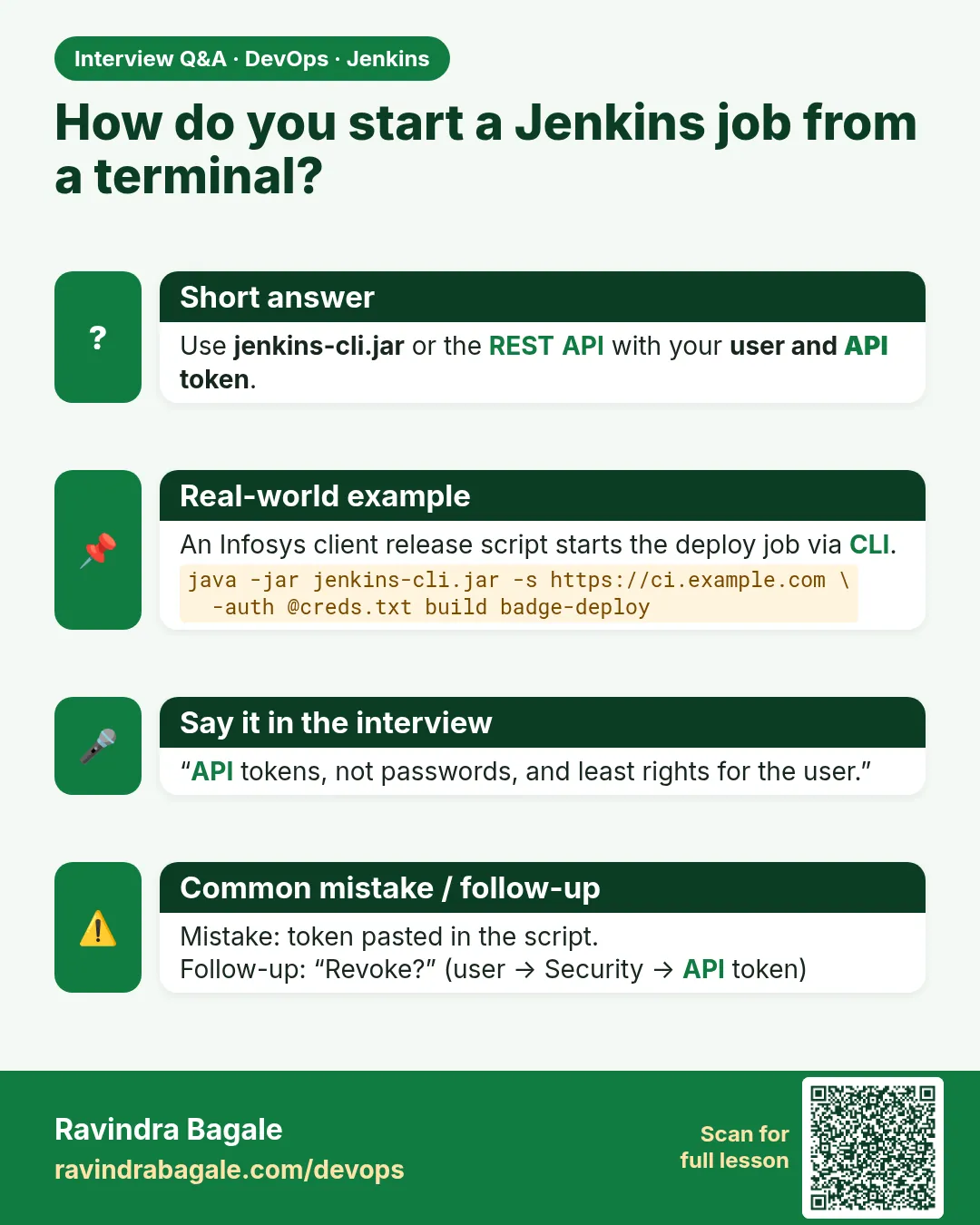
With the REST API (POST to /job/NAME/build or buildWithParameters) using a user API token, or with jenkins-cli.jar build.
-
How do you copy a job between Jenkins servers?
jenkins-cli get-job to save config.xml, then create-job on the other server. Better: keep jobs as Jenkinsfiles or Job DSL in Git.
-
Why do you get a 403 crumb error?
CSRF protection blocks POSTs with password auth and no crumb. Use an API token.
-
How do you read a build result from a script?
GET /job/NAME/lastBuild/api/json?tree=result,number.
-
How do you keep CLI credentials safe?
Store user:token in a file readable only by you and use -auth @file. Never paste tokens in commands or Git.
Quick quiz
Q1. Where do you download jenkins-cli.jar?
From your own Jenkins at /jnlpJars/jenkins-cli.jar.
Q2. Why use an API token instead of a password?
It can be revoked alone, is per tool, and needs no crumb.
Q3. How do you get JSON for a page?
Add /api/json to the URL.
Q4. Which CLI flags wait and show the log?
-s and -v.
Q5. How do you copy a job?
get-job to XML, then create-job from that XML.
Lab
- Find JENKINS_HOME on your install and list jobs/ without opening secrets/.
- Confirm controller vs agent: who runs npm?
- Start one badge build from the UI, then once from CLI with a token file outside Git.
Practice task
Name six words: controller, agent, executor, job, build, artifact — one sentence each with a badge example.
Ravindra Bagale's Tip
Controller UI thevto; agent kam karto. secrets/ Git madhe nako. Dhyan rakho!
In short
- Jenkins schedules CI for the badge; Git stays the source.
- Controller vs agent vs executor.
- JENKINS_HOME holds state; secrets stay out of Git.
- One install path; Nginx + firewall for HTTPS labs.
- CLI builds with auth file, not pasted tokens.
Samajla ka?
 Revision card
 Interview card