Chapter 23: Jenkins Fundamentals, Install and Architecture
23.5 Environment variables and artifacts
Why: the problem
Think of PhonePe building its Android app. Every build needs to know some facts: which build number this is, which branch, which commit. It also needs secrets, like the key that signs the app. And at the end it makes a file, the APK, that testers must download. If developers hard-code the build number, type the key into the script, and copy the APK by hand, three bad things happen. Versions get mixed up. The key leaks into the logs. Testers install the wrong file. Jenkins solves all three. It gives every build ready environment variables like BUILD_NUMBER and GIT_COMMIT. It injects secrets as variables that are hidden in logs. And it saves output files as artifacts, linked to the exact build that made them. In this lesson you will use all three in real pipelines.
What we will build
You will print all built-in variables in a build. You will add your own variables with an environment block and parameters. You will inject a secret with credentials() and see Jenkins mask it. Then you will build a Java jar, archive it with a fingerprint, pass files between stages with stash, and download the artifact with curl.
What: every term in plain English
- Environment variable — A name with a value that programs can read, like BUILD_NUMBER=42.
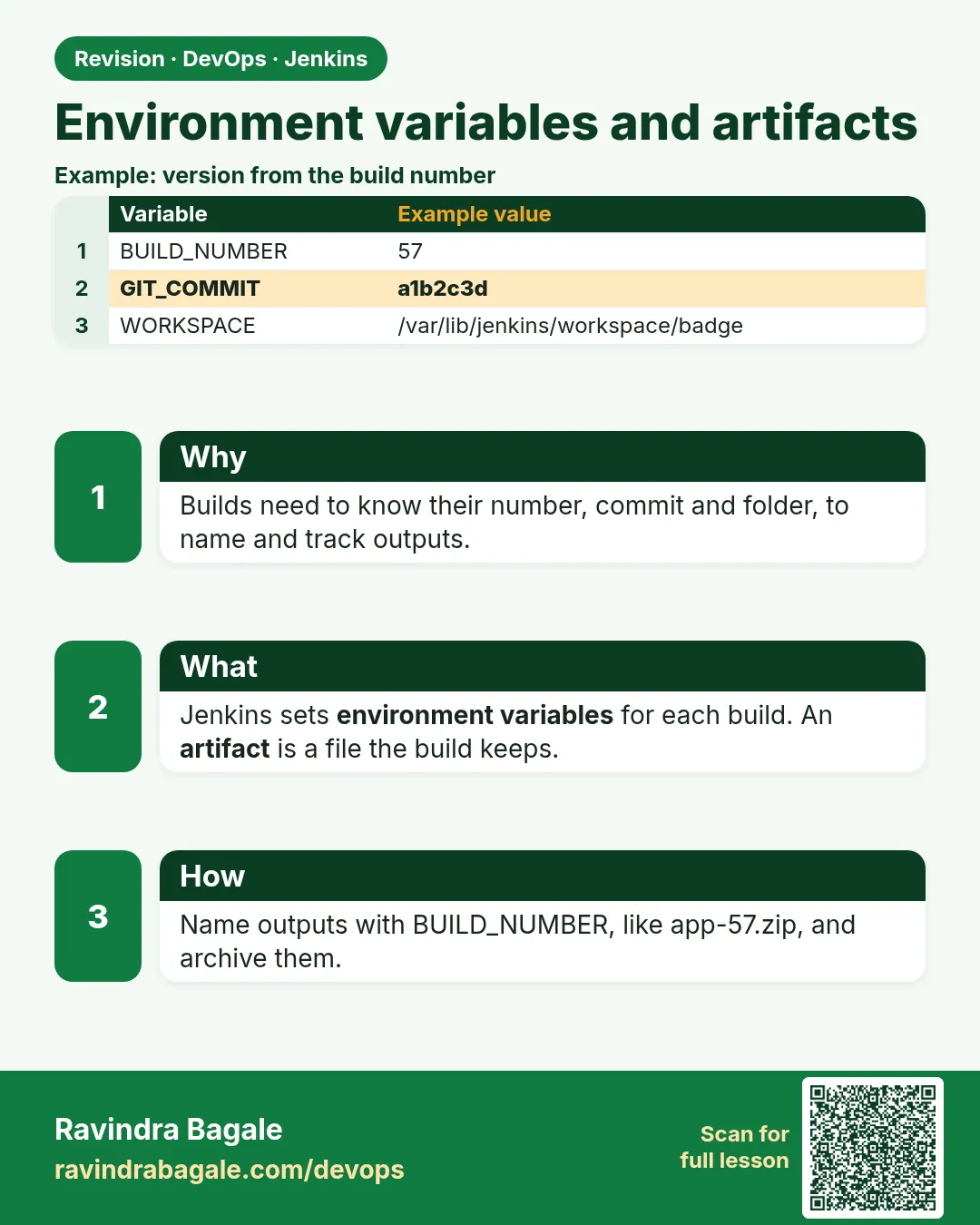
- Built-in variables — Variables Jenkins sets for every build: BUILD_NUMBER, JOB_NAME, WORKSPACE, BUILD_URL and more.
- environment block — A part of a Jenkinsfile where you set your own variables.
- Parameter — A value a person types or picks when starting the build, like a version or a target environment.
- credentials() — A helper that reads a saved Jenkins credential into a variable. The value is masked in logs.
- Artifact — A file a build produces and Jenkins keeps, like app.jar or app.apk.
- Fingerprint — An MD5 checksum Jenkins records, so you can find which build made a file.
- stash / unstash — Save files in one stage and get them back in another stage, even on another agent.
How: step by step
-
See the list of variables
Open http://localhost:8080/env-vars.htmlWhat it does: The full list of built-in variables with meanings.
Output
BUILD_NUMBER The current build number, such as "153" ... -
Print them in a build
Add a stage with sh "printenv | sort"What it does: Shows every variable the build gets.
Output
BUILD_NUMBER=5 JOB_NAME=env-demo WORKSPACE=/var/jenkins_home/workspace/env-demo -
Add a secret text credential
Manage Jenkins > Credentials > Global > Add > Secret text > ID: sonar-tokenWhat it does: A token saved encrypted in Jenkins.
Output
Credential sonar-token created -
Use it in a Jenkinsfile
environment { SONAR_TOKEN = credentials('sonar-token') }What it does: Jenkins puts the secret into SONAR_TOKEN for the build.
Output
Masking supported pattern matches of $SONAR_TOKEN -
Archive the output
archiveArtifacts artifacts: "target/*.jar", fingerprint: trueWhat it does: Saves the jar with the build.
Output
Archiving artifacts Recording fingerprints -
Download the artifact
curl -s -u ravi:$JENKINS_TOKEN -O http://localhost:8080/job/java-app/lastSuccessfulBuild/artifact/target/app.jarWhat it does: Gets the file from the last green build.
Output
(app.jar saved)
Example 1: Built-in, custom and parameter variables in one pipeline
Stack. Jenkins Declarative Pipeline
Goal. Built-in, custom and parameter variables in one pipeline.
Jenkinsfile
pipeline {
  agent any
  parameters {
    choice(name: 'TARGET', choices: ['dev', 'qa', 'prod'], description: 'Where to deploy')
    string(name: 'APP_VERSION', defaultValue: '1.0.0', description: 'Version label')
    booleanParam(name: 'RUN_E2E', defaultValue: false, description: 'Run slow tests?')
  }
  environment {
    APP = 'shop-api'
    FULL_TAG = "${params.APP_VERSION}-${BUILD_NUMBER}"
  }
  stages {
    stage('Show') {
      steps {
        echo "Job ${env.JOB_NAME} build ${env.BUILD_NUMBER}"
        echo "App ${APP} tag ${FULL_TAG} to ${params.TARGET}"
        sh 'echo "Commit: ${GIT_COMMIT:-no-git}"'
        sh 'echo "Build URL: $BUILD_URL"'
      }
    }
    stage('E2E') {
      when { expression { params.RUN_E2E } }
      steps { echo 'Running slow end to end tests' }
    }
  }
}
What each line does
parameters { choice ... }— Adds a Build with Parameters page with a dropdown.string / booleanParam— A text box and a tick box.environment { APP = 'shop-api' }— Your own variable, available in every stage."${params.APP_VERSION}-${BUILD_NUMBER}"— Double quotes let Groovy fill in values. Single quotes do not.${GIT_COMMIT:-no-git}— Shell syntax: print no-git if the variable is empty (no Git checkout in this job).when { expression { params.RUN_E2E } }— Run this stage only when the tick box was ticked.
Green output
Started by user ravi
[Pipeline] echo
Job env-demo build 6
App shop-api tag 2.3.1-6 to qa
+ echo Commit: no-git
Commit: no-git
+ echo Build URL: http://localhost:8080/job/env-demo/6/
[Pipeline] stage (E2E)
Stage "E2E" skipped due to when conditional
Finished: SUCCESS
Expected result. The first run creates the parameters. From the second run, the job shows Build with Parameters. The E2E stage runs only when ticked.
Example 2: Use a secret safely and see it masked
Stack. Jenkins Credentials Binding plugin
Goal. Use a secret safely and see it masked.
Jenkinsfile
pipeline {
  agent any
  environment {
    SONAR_TOKEN = credentials('sonar-token')
    NEXUS = credentials('nexus-login')
  }
  stages {
    stage('Use secrets') {
      steps {
        sh 'echo "token length: ${#SONAR_TOKEN}"'
        sh 'echo "nexus user: $NEXUS_USR"'
        sh 'curl -s -o /dev/null -w "%{http_code}\n" -u "$NEXUS_USR:$NEXUS_PSW" https://nexus.shop-lab.in/service/rest/v1/status'
        sh 'echo "do not do this: $SONAR_TOKEN"'
      }
    }
  }
}
What each line does
credentials('sonar-token')— For Secret text, the variable holds the token.credentials('nexus-login')— For Username with password, Jenkins makes NEXUS_USR and NEXUS_PSW too.${#SONAR_TOKEN}— Prints only the length, a safe way to check the secret exists.single quotes in sh— The shell reads the variable, not Groovy. This avoids the secret going into Groovy string logs.echo "do not do this"— Even if you print it, Jenkins replaces it with ****. But never rely on that.
Green output
+ echo token length: 40
token length: 40
+ echo nexus user: ci-bot
nexus user: ci-bot
+ curl -s -o /dev/null -w %{http_code} -u ****:**** https://nexus.shop-lab.in/service/rest/v1/status
200
+ echo do not do this: ****
do not do this: ****
Expected result. Secrets show as ****. Masking does not protect against base64 or writing to a file, so code reviews must block echo of secrets.
Example 3: Build a jar, archive it, and pass it between stages
Stack. Jenkins, Maven, Spring Boot, Docker agents
Goal. Build a jar, archive it, and pass it between stages.
Jenkinsfile
pipeline {
  agent none
  stages {
    stage('Build') {
      agent { docker { image 'maven:3.9-eclipse-temurin-17' } }
      steps {
        git url: 'https://gitlab.com/ravi-lab/spring-hello.git', branch: 'main'
        sh 'mvn -B -q package -DskipTests'
        sh 'ls -lh target/*.jar'
        stash name: 'jar', includes: 'target/*.jar'
        archiveArtifacts artifacts: 'target/*.jar', fingerprint: true
      }
    }
    stage('Smoke test') {
      agent { docker { image 'eclipse-temurin:17-jre' } }
      steps {
        unstash 'jar'
        sh 'java -jar target/*.jar --server.port=8081 & sleep 20; curl -fsS http://localhost:8081/actuator/health'
      }
    }
  }
}
What each line does
stash name: 'jar'— Saves the jar inside Jenkins for this build only.archiveArtifacts ... fingerprint: true— Keeps the jar on the build page for download, and records its checksum.unstash 'jar'— Brings the jar into the new stage, on a different container.& sleep 20— Starts the app in the background and waits for it to boot./actuator/health— Spring Boot health URL. Returns UP when the app works.mvn -DskipTests— Tests ran earlier in CI; here we only package.
Green output
+ mvn -B -q package -DskipTests
+ ls -lh target/spring-hello-0.0.1.jar
-rw-r--r-- 1 root root 19M target/spring-hello-0.0.1.jar
Stashed 1 file(s)
Archiving artifacts
Recording fingerprints
[Pipeline] stage (Smoke test)
Unstashed file(s) from jar
{"status":"UP"}
Finished: SUCCESS
Expected result. The build page shows Build Artifacts with the jar. Click See Fingerprints to see the MD5. Testers download the file from the exact build.
Verify: did it work?
-
List artifacts by API
curl -s -u ravi:$JENKINS_TOKEN "http://localhost:8080/job/java-app/lastSuccessfulBuild/api/json?tree=artifacts[fileName,relativePath]"What it does: Shows the saved files.
Output
{"artifacts":[{"fileName":"spring-hello-0.0.1.jar","relativePath":"target/spring-hello-0.0.1.jar"}]} -
Check the downloaded file
sha256sum app.jar && unzip -l app.jar | tail -1What it does: Proves the file is a valid jar.
Output
9c1d...  app.jar
  412 files
When it is red 1
groovy.lang.MissingPropertyException: No such property: APP_VERSION
Cause. You used APP_VERSION directly, but parameters live under params.
Fix, step by step
- Use params.APP_VERSION.
- Or run the build once so parameters are created.
When it is red 2
ERROR: sonar-token
Cause. The credential ID does not exist or the job cannot see it (wrong folder or scope).
Fix, step by step
- Check the exact ID in Manage Jenkins > Credentials.
- Check it is in Global or in this folder.
When it is red 3
ERROR: No artifacts found that match the file pattern "target/*.jar"
Cause. The build did not create the jar, or the path is wrong.
Fix, step by step
- Run ls -R target in a step to see what exists.
- Fix the pattern.
- Add allowEmptyArchive: true only if missing files are OK.
Cleanup
-
Delete old artifacts
Add buildDiscarder(logRotator(artifactNumToKeepStr: "5")) to optionsWhat it does: Keeps only 5 sets of artifacts.
Output
(older artifacts deleted on next build)
Ravindra Bagale's Tip
Secret kadhihi echo karu naka. Artifact la fingerprint dya, mhanje kontya build madhun aala te kalel. Dhyan dya!
Practice tasks
Easy Print five variables
Why: Variables help in every script.
What to do: Print BUILD_NUMBER, JOB_NAME, WORKSPACE, BUILD_URL, NODE_NAME.
- Add one sh step.
- Run the job.
Check: Five lines with values.
Medium Make a build-info file
Why: Testers need to know what they got.
What to do: Write version, commit and date into build-info.json and archive it.
- Use sh with echo.
- archiveArtifacts.
Check: The file downloads from the build page.
Hard Copy artifacts across jobs
Why: A deploy job should use the exact jar CI built.
What to do: Use the Copy Artifact plugin to pull the jar from java-app into deploy-app.
- Install Copy Artifact.
- Add copyArtifacts step.
Check: Fingerprints link both jobs.
Easy Say variables and artifacts in two lines
Why: If you can say it simply, you understand it. Juniors and interviewers want the short version first.
What to do: Write two short lines about variables and artifacts for a fresher who knows only Linux basics.
- Write what problem it solves.
- Write the one command or menu you use for it.
- Read it aloud to a friend.
Check: A fresher understands it without asking a question.
Easy Start a fresh lab Jenkins
Why: Practice needs a throwaway Jenkins. If you break it, you delete it and start again.
What to do: Run Jenkins LTS in Docker with a named volume.
- docker volume create jenkins_home
- docker run -d --name jenkins -p 8080:8080 -v jenkins_home:/var/jenkins_home jenkins/jenkins:lts-jdk17
- docker exec jenkins cat /var/jenkins_home/secrets/initialAdminPassword
Check: The Jenkins unlock page opens on localhost:8080.
Medium Break it on purpose
Why: You must know the red message by face. During an outage there is no time to read slowly.
What to do: Cause one error from the "When it is red" part of this lesson and fix it.
- Follow the error section.
- Copy the exact message into your notes.
- Write the fix in one line.
Check: You fixed it using only the steps, without searching the web.
Medium Write a one-page runbook
Why: At 2 a.m. nobody remembers where a file lives. A short page saves the on-call person.
What to do: Write a runbook page for this lesson.
- Title, when to use, exact command, how to check, how to undo.
Check: A teammate can follow it alone.
Medium Repeat it on a cloud VM
Why: A laptop is not a server. Real Jenkins runs on EC2 or a company VM.
What to do: Do the main steps of this lesson again on a small Ubuntu 22.04 EC2 instance.
- Launch t3.small with 20 GB disk.
- Open port 22 only to your IP.
- Repeat the steps and compare the output.
Check: Same green output on the VM as on your laptop.
Hard Explain it like an interview
Why: Interviewers want real stories, not definitions.
What to do: Record a 60 second answer about this lesson.
- Say the problem, the command you ran, and one error you hit.
Check: Your answer has a real command and a real error message.
Hard Draw the flow top to bottom
Why: A drawing shows who talks to whom and in what order.
What to do: Draw this lesson as boxes from top to bottom.
- Start at the developer push, go through the controller and agent, end at the result.
Check: Each box matches a real thing you saw on screen.
Homework: try at home
Try at home
At home, make a job with a choice parameter ENV (dev, qa) and a secret text credential. Print the ENV, print only the secret length, archive a small file named build-info.txt that holds BUILD_NUMBER and GIT_COMMIT, and download it with curl.
Recap
- Jenkins gives every build ready variables like BUILD_NUMBER and GIT_COMMIT.
- Use environment and parameters for your own values.
- Use credentials() or withCredentials for secrets; they are masked.
- archiveArtifacts keeps files; stash moves files between stages.
- Fingerprints trace a file back to its build.
FAQ
Can I change BUILD_NUMBER?
Do not. Use your own version variable instead.
Are artifacts a good place for long term storage?
No. For big or long-lived files use Nexus, Artifactory, S3 or a container registry.
Why single quotes around sh with secrets?
So the shell expands the secret, not Groovy. Jenkins warns about Groovy string interpolation of secrets.
Do parameters appear on the first run?
No. The first run creates them. Then use Build with Parameters.
Is stash slow for big files?
Yes. It goes through the controller. Keep stashes small.
Interview questions
-
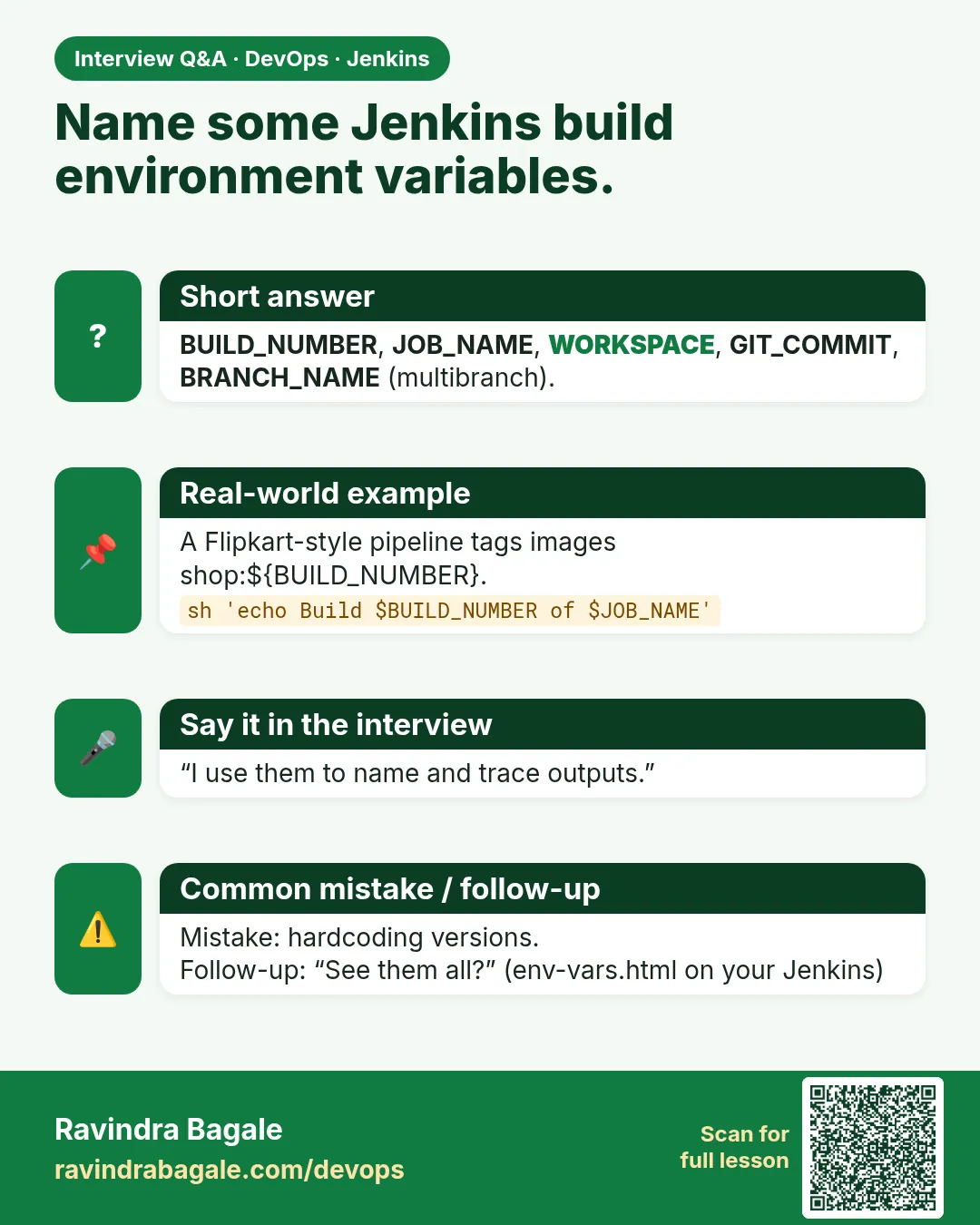
Name some built-in Jenkins variables.
BUILD_NUMBER, BUILD_ID, JOB_NAME, WORKSPACE, BUILD_URL, NODE_NAME, GIT_COMMIT and GIT_BRANCH.
-
How do you handle secrets in a Jenkins pipeline?
Store them as credentials and inject them with credentials() or withCredentials. Never echo them. Use single-quoted sh strings.
-
What is the difference between stash and archiveArtifacts?
stash moves files between stages within a build. archiveArtifacts stores files on the build for later download.
-
What is fingerprinting?
Jenkins records file checksums to track which build produced and which jobs used a file.
-
How do you pass values between stages?
Environment variables, files in the workspace, stash/unstash, or script variables in a script block.
Quick quiz
Q1. Which page lists built-in variables?
/env-vars.html on your Jenkins.
Q2. How do you read a parameter in a Jenkinsfile?
params.NAME.
Q3. What does credentials() make for a username-password credential?
VAR, VAR_USR and VAR_PSW.
Q4. What is the difference between stash and archiveArtifacts?
stash is for this build only; archive keeps the file for download.
Q5. Why fingerprint artifacts?
To trace which build made a file.
Samajla ka?
 Revision card
 Interview card