Chapter 23: Jenkins Fundamentals, Install and Architecture
23.4 JENKINS_HOME
Why: the problem
Think of a small team at TCS that runs Jenkins on one EC2 machine. One morning the disk fails. The machine is gone. Two hundred jobs, all credentials, all build history, all plugin settings: gone. Nobody knew where Jenkins kept them, so nobody backed them up. Everything Jenkins knows lives in one folder called JENKINS_HOME. Jobs, builds, users, plugins, credentials and the secret keys that unlock those credentials are all inside it. If you understand this one folder, you can back up Jenkins, move it to a new server, find why a job is broken, and clean a full disk. If you do not, one disk failure can wipe out months of work. In this lesson you will open JENKINS_HOME, learn what each folder does, write a backup script, and restore Jenkins on a fresh container.
What we will build
You will look inside JENKINS_HOME in your Docker Jenkins. You will find the config.xml of a job and of the whole server. You will see how big each folder is, and which ones grow. Then you will write backup-jenkins.sh that makes a tgz without workspaces and caches, restore it into a new container, and prove that jobs and credentials still work. Last, you will set build discard rules so the disk stops filling up.
What: every term in plain English
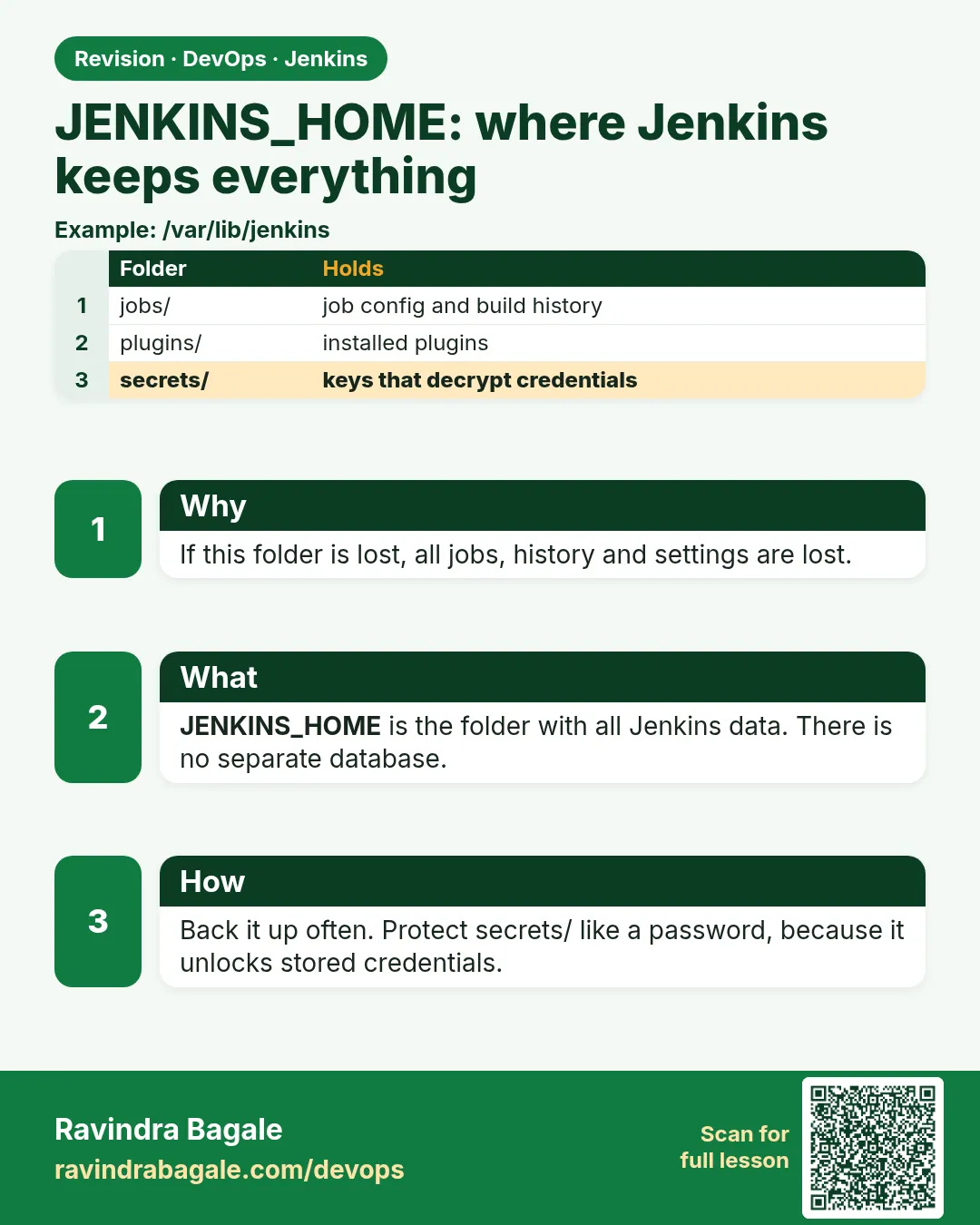
- JENKINS_HOME — The one folder where Jenkins keeps all its data. In Docker it is /var/jenkins_home; in a Linux package it is /var/lib/jenkins.
- config.xml — An XML file with settings. There is one for Jenkins itself and one inside each job folder.
- jobs/ — One folder per job, with its config.xml and a builds/ folder.
- builds/ — Old build logs and results. This folder grows the fastest.
- workspace/ — Checked-out code for builds on the controller. Safe to delete; it comes back on the next build.
- plugins/ — Installed plugin files (.jpi). Can be reinstalled, but back up the list.
- secrets/ — Keys that decrypt saved credentials. Without them, credentials.xml is useless. Never put this in Git.
- Build discarder — A rule that deletes old builds, for example keep the last 20.
How: step by step
-
Open a shell in Jenkins
docker exec -it jenkins bashWhat it does: You are now inside the Jenkins container as user jenkins.
Output
jenkins@c41f0a9e2b7d:/$ -
Print JENKINS_HOME
echo $JENKINS_HOME && ls $JENKINS_HOMEWhat it does: Shows the path and top folders.
Output
/var/jenkins_home config.xml credentials.xml jobs nodes plugins secrets users workspace ... -
See sizes
du -sh $JENKINS_HOME/* 2>/dev/null | sort -h | tail -6What it does: Shows which folders use the most disk.
Output
12M /var/jenkins_home/users 88M /var/jenkins_home/workspace 240M /var/jenkins_home/plugins 610M /var/jenkins_home/jobs -
Read a job config
cat $JENKINS_HOME/jobs/hello-pipeline/config.xml | head -20What it does: Every setting you clicked is here as XML.
Output
<flow-definition plugin="workflow-job@1436.v..."> -
List build folders
ls $JENKINS_HOME/jobs/hello-pipeline/builds/What it does: One folder per build number.
Output
1 2 3 legacyIds permalinks -
Exit the container
exitWhat it does: Back to your laptop shell.
Output
(no output) -
Find the volume on the host
docker volume inspect jenkins_home --format "{{.Mountpoint}}"What it does: Where Docker stores the folder on the host.
Output
/var/lib/docker/volumes/jenkins_home/_data
Example 1: Back up JENKINS_HOME without the junk
Stack. bash, Docker, Alpine tar
Goal. Back up JENKINS_HOME without the junk.
backup-jenkins.sh
#!/usr/bin/env bash
# Usage: bash backup-jenkins.sh   (run on the Docker host)
set -euo pipefail
STAMP=$(date +%Y%m%d-%H%M)
OUT="$HOME/jenkins-backups"
mkdir -p "$OUT"
docker run --rm -v jenkins_home:/data:ro -v "$OUT":/backup alpine \
  tar czf "/backup/jenkins-$STAMP.tgz" -C /data \
  --exclude='./workspace' --exclude='./caches' --exclude='./.cache' \
  --exclude='./jobs/*/workspace*' --exclude='./war' --exclude='./logs' .
ls -lh "$OUT" | tail -3
find "$OUT" -name 'jenkins-*.tgz' -mtime +14 -delete
What each line does
STAMP=$(date +%Y%m%d-%H%M)— A date and time in the file name, so backups never overwrite each other.-v jenkins_home:/data:ro— Mounts the Jenkins volume read only into a tiny Alpine container.tar czf ... -C /data— Makes a compressed archive of the folder.--exclude='./workspace'— Skips workspaces. They are rebuilt on the next build.--exclude='./war'— Skips the unpacked Jenkins program; the image has it.find ... -mtime +14 -delete— Deletes backups older than 14 days, so the backup folder does not fill the disk.
Green output
$ bash backup-jenkins.sh
-rw-r--r-- 1 root root 142M Oct 25 10:40 jenkins-20261025-1040.tgz
$ tar tzf ~/jenkins-backups/jenkins-20261025-1040.tgz | grep -c config.xml
37
Expected result. A 142 MB archive with all config files, builds, plugins and secrets. Copy it to S3 (aws s3 cp) so it is not on the same disk.
Example 2: Restore the backup into a brand new Jenkins
Stack. Docker, Jenkins LTS
Goal. Restore the backup into a brand new Jenkins.
restore-jenkins.sh
#!/usr/bin/env bash
# Usage: bash restore-jenkins.sh ~/jenkins-backups/jenkins-20261025-1040.tgz
set -euo pipefail
FILE="$1"
docker volume create jenkins_home_restore
docker run --rm -v jenkins_home_restore:/data -v "$(dirname "$FILE")":/backup alpine \
  sh -c "tar xzf /backup/$(basename "$FILE") -C /data && chown -R 1000:1000 /data"
docker run -d --name jenkins-restore -p 8090:8080 \
  -v jenkins_home_restore:/var/jenkins_home jenkins/jenkins:lts-jdk17
sleep 45
curl -s -o /dev/null -w "login page: %{http_code}\n" http://localhost:8090/login
What each line does
docker volume create jenkins_home_restore— A new, empty volume. We never restore over the live one in a test.tar xzf ... -C /data— Unpacks the archive into the new volume.chown -R 1000:1000— The jenkins user in the image has id 1000. Files must belong to it.-p 8090:8080— The restored Jenkins runs on port 8090 next to the old one.sleep 45— Jenkins needs time to load plugins and jobs.curl ... /login— Checks the login page answers.
Green output
$ bash restore-jenkins.sh ~/jenkins-backups/jenkins-20261025-1040.tgz
jenkins_home_restore
5d6e7f8a9b0c...
login page: 200
Expected result. Log in on http://localhost:8090 with your old user. All jobs and build numbers are there. Open a job that uses a credential and run it: it works, because secrets/ came with the backup.
Example 3: Stop the disk filling up with old builds
Stack. Jenkins Pipeline, bash
Goal. Stop the disk filling up with old builds.
Jenkinsfile (top part)
pipeline {
  agent any
  options {
    buildDiscarder(logRotator(numToKeepStr: '20', artifactNumToKeepStr: '5', daysToKeepStr: '30'))
    disableConcurrentBuilds()
  }
  stages {
    stage('Build') { steps { sh 'echo build' } }
  }
}
disk-report.sh
#!/usr/bin/env bash
docker exec jenkins sh -c 'cd /var/jenkins_home/jobs && du -sh */builds 2>/dev/null | sort -h | tail -5'
docker exec jenkins df -h /var/jenkins_home | tail -1
What each line does
numToKeepStr: '20'— Keep only the last 20 builds of this job.artifactNumToKeepStr: '5'— Keep downloaded artifacts only for the last 5 builds. Artifacts are big.daysToKeepStr: '30'— Also delete builds older than 30 days.disableConcurrentBuilds()— Only one build of this job at a time. Stops two deploys racing.du -sh */builds | sort -h— Lists which jobs keep the biggest build history.df -h— Free space on the Jenkins disk.
Green output
$ bash disk-report.sh
48M   hello-pipeline/builds
120M  shop-api/builds
1.9G  android-app/builds
overlay   59G   41G   16G  72% /var/jenkins_home
Expected result. android-app is the problem. Add buildDiscarder to its Jenkinsfile, run one build, and old builds are deleted. Disk use drops.
Verify: did it work?
-
Backup file is readable
tar tzf ~/jenkins-backups/jenkins-*.tgz | grep -E "^./(config.xml|credentials.xml|secrets/master.key)$"What it does: The most important files are inside.
Output
./config.xml ./credentials.xml ./secrets/master.key -
Restored Jenkins has the jobs
curl -s -u ravi:$JENKINS_TOKEN "http://localhost:8090/api/json?tree=jobs[name]"What it does: Same job list as the old Jenkins.
Output
{"jobs":[{"name":"hello-pipeline"},{"name":"flask-ci"}]}
When it is red 1
java.nio.file.AccessDeniedException: /var/jenkins_home/config.xml
Cause. Restored files belong to root, but Jenkins runs as user 1000.
Fix, step by step
- Run chown -R 1000:1000 on the volume data.
- Start the container again.
- Check docker logs jenkins-restore.
When it is red 2
Failed to load: Git plugin (git 5.2.2) - Plugin is missing: credentials
Cause. Plugins came back at old versions that do not match the new Jenkins version.
Fix, step by step
- Use the same Jenkins image tag as the old server.
- Or go to Manage Jenkins > Plugins and update all.
- Restart Jenkins.
When it is red 3
No space left on device
Cause. The Jenkins disk is full, usually from builds/ or workspaces.
Fix, step by step
- Run disk-report.sh.
- Delete old workspaces: rm -rf /var/jenkins_home/workspace/* while no build runs.
- Add buildDiscarder to the big jobs and grow the disk if needed.
Cleanup
-
Remove the restore test
docker rm -f jenkins-restore && docker volume rm jenkins_home_restoreWhat it does: Deletes the test copy only. The live volume is not touched.
Output
jenkins-restore
jenkins_home_restore
Ravindra Bagale's Tip
Jenkins che sagla ghar JENKINS_HOME madhe aahe. Roj backup ghya, ani restore karun bagha. Lakshat theva!
Practice tasks
Easy Map the folders
Why: Knowing the folders saves time in every outage.
What to do: Write one line for each top folder in JENKINS_HOME.
- ls $JENKINS_HOME
- Write what it holds.
Check: Ten folders, ten lines.
Medium Ship backups to S3
Why: A backup on the same disk dies with the disk.
What to do: Copy the newest backup to an S3 bucket.
- aws s3 cp the tgz to s3://your-bucket/jenkins/.
- Turn on bucket versioning.
Check: The file appears in the bucket.
Hard Jobs as code
Why: The best backup is not needing one.
What to do: Move one job config into Git with Job DSL or Configuration as Code.
- Install the Configuration as Code plugin.
- Export the config.
- Rebuild Jenkins from it.
Check: A new Jenkins gets the job without a restore.
Easy Say JENKINS_HOME in two lines
Why: If you can say it simply, you understand it. Juniors and interviewers want the short version first.
What to do: Write two short lines about JENKINS_HOME for a fresher who knows only Linux basics.
- Write what problem it solves.
- Write the one command or menu you use for it.
- Read it aloud to a friend.
Check: A fresher understands it without asking a question.
Easy Start a fresh lab Jenkins
Why: Practice needs a throwaway Jenkins. If you break it, you delete it and start again.
What to do: Run Jenkins LTS in Docker with a named volume.
- docker volume create jenkins_home
- docker run -d --name jenkins -p 8080:8080 -v jenkins_home:/var/jenkins_home jenkins/jenkins:lts-jdk17
- docker exec jenkins cat /var/jenkins_home/secrets/initialAdminPassword
Check: The Jenkins unlock page opens on localhost:8080.
Medium Break it on purpose
Why: You must know the red message by face. During an outage there is no time to read slowly.
What to do: Cause one error from the "When it is red" part of this lesson and fix it.
- Follow the error section.
- Copy the exact message into your notes.
- Write the fix in one line.
Check: You fixed it using only the steps, without searching the web.
Medium Write a one-page runbook
Why: At 2 a.m. nobody remembers where a file lives. A short page saves the on-call person.
What to do: Write a runbook page for this lesson.
- Title, when to use, exact command, how to check, how to undo.
Check: A teammate can follow it alone.
Medium Repeat it on a cloud VM
Why: A laptop is not a server. Real Jenkins runs on EC2 or a company VM.
What to do: Do the main steps of this lesson again on a small Ubuntu 22.04 EC2 instance.
- Launch t3.small with 20 GB disk.
- Open port 22 only to your IP.
- Repeat the steps and compare the output.
Check: Same green output on the VM as on your laptop.
Hard Explain it like an interview
Why: Interviewers want real stories, not definitions.
What to do: Record a 60 second answer about this lesson.
- Say the problem, the command you ran, and one error you hit.
Check: Your answer has a real command and a real error message.
Hard Draw the flow top to bottom
Why: A drawing shows who talks to whom and in what order.
What to do: Draw this lesson as boxes from top to bottom.
- Start at the developer push, go through the controller and agent, end at the result.
Check: Each box matches a real thing you saw on screen.
Homework: try at home
Try at home
At home, schedule backup-jenkins.sh every night at 1 a.m. with cron (crontab -e, then 0 1 * * * bash /home/ravi/backup-jenkins.sh). Next morning, restore the newest file on port 8090 and run one job.
Recap
- All Jenkins data lives in JENKINS_HOME.
- secrets/ unlocks credentials and must stay out of Git.
- Back up without workspaces and caches, and store it off the server.
- Always test a restore on a new volume.
- Use buildDiscarder to control disk growth.
FAQ
Can I copy JENKINS_HOME while Jenkins runs?
Yes for most files. For a perfect copy, stop Jenkins or use a disk snapshot.
Is there a backup plugin?
ThinBackup exists, but a simple tar script plus disk snapshots is easier to trust.
Should I back up plugins?
Yes, or keep a plugins.txt list so you can reinstall the same versions.
Where is JENKINS_HOME on Ubuntu package installs?
/var/lib/jenkins.
Can I change the location?
Yes, set JENKINS_HOME in the service override or mount a different volume.
Interview questions
-
What is JENKINS_HOME?
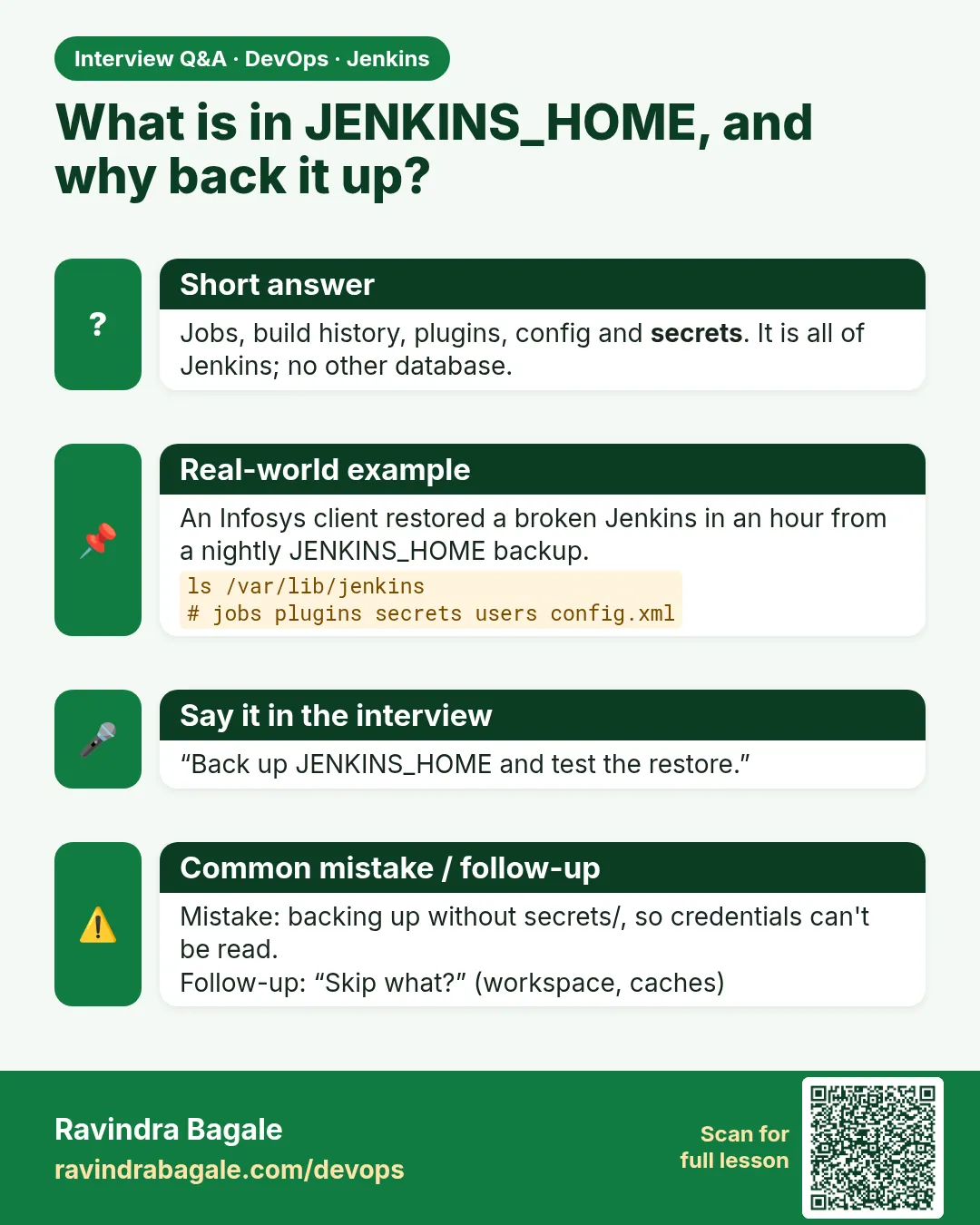
The single directory holding all Jenkins state: config, jobs, builds, users, plugins, credentials and secret keys.
-
How do you back up Jenkins?
Archive JENKINS_HOME without workspaces and caches, store it off the server, and test restores. Better still, keep config as code.
-
Why is secrets/master.key important?
It decrypts the stored credentials. Without it, restored credentials do not work.
-
How do you control Jenkins disk usage?
buildDiscarder with logRotator, cleaning workspaces, keeping artifacts in Nexus or S3, and monitoring disk.
-
How do you migrate Jenkins to a new server?
Same Jenkins version, copy JENKINS_HOME, fix ownership, start, then update plugins and agents.
Quick quiz
Q1. Where is JENKINS_HOME in the Docker image?
/var/jenkins_home.
Q2. Which folder must never go to Git?
secrets/ (and credentials.xml).
Q3. Which folder grows the fastest?
jobs/*/builds.
Q4. Is the workspace folder needed in a backup?
No. It is rebuilt.
Q5. Why restore to a new volume first?
To test the backup without risking the live Jenkins.
Samajla ka?
 Revision card
 Interview card