Chapter 29: Scan Pipeline in Jenkins
29.8 Checkov
Why: the problem
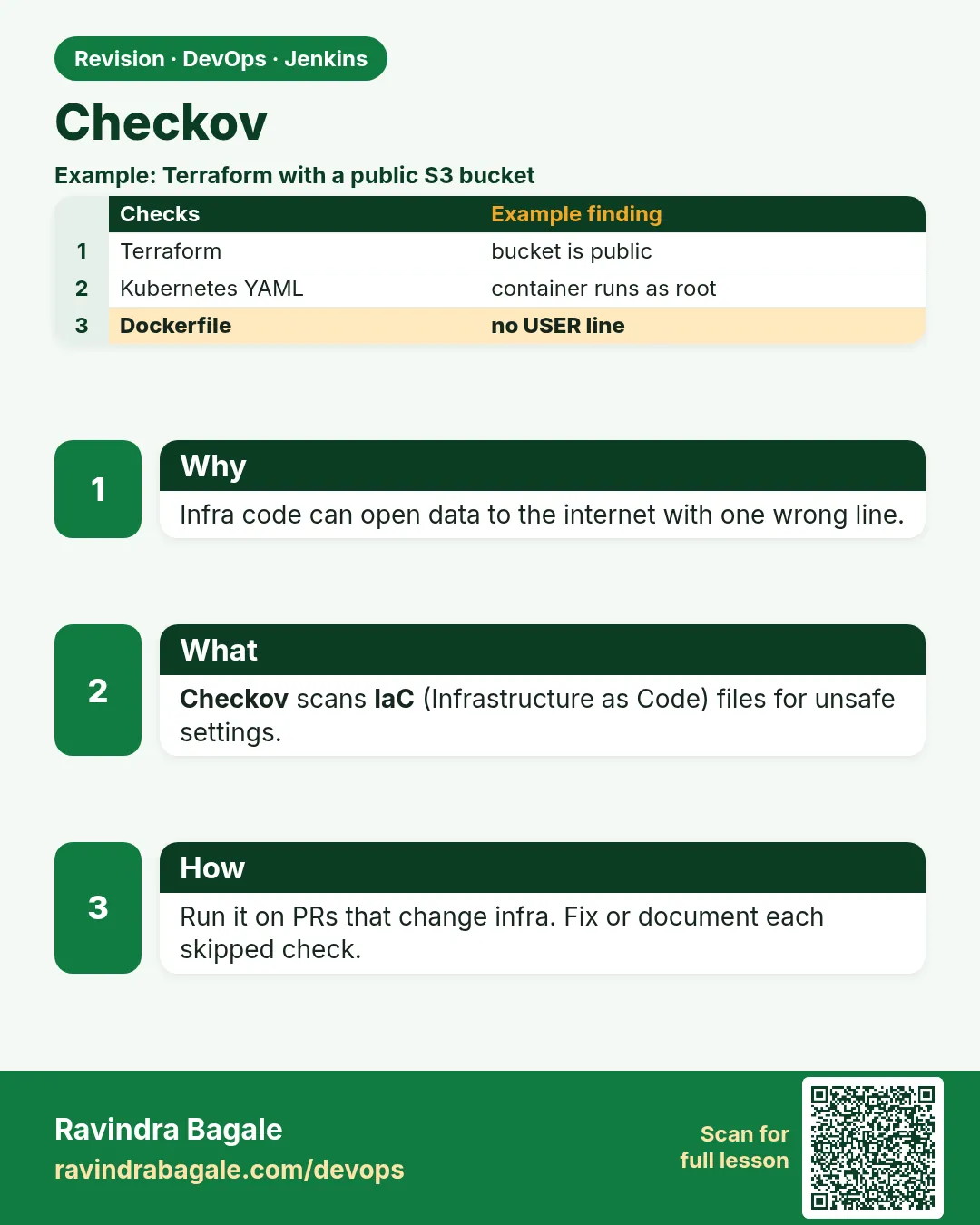
Suppose we are on an Infosys cloud team and we write Terraform to create an S3 bucket for user photos. It works. But the bucket has no encryption, public access is not blocked, and there is no versioning. Nothing breaks today. Six months later a news article says "Indian app leaks user photos". The code that created that risk passed every test, because tests check that the bucket exists, not that it is safe. Checkov reads infrastructure code (Terraform, Kubernetes YAML, Dockerfiles, CloudFormation) and checks it against hundreds of best-practice rules before anything is created. In this lesson it becomes a gate before terraform apply.
What we will build
A Checkov stage that scans the badge project's Terraform, Kubernetes YAML and Dockerfile. You will see failed checks with IDs, fix them in code, skip one check the right way with a reason, and publish results as JUnit in Jenkins.
What: every term in plain English
- IaC — Infrastructure as Code: servers, buckets and networks written as files (Terraform, YAML).
- Misconfiguration — A setting that works but is unsafe, like a public bucket.
- Checkov — A free scanner by Prisma Cloud (Bridgecrew) for IaC files.
- Check ID — A rule name, e.g. CKV_AWS_19 (S3 encryption) or CKV_DOCKER_3 (non-root user).
- --framework — Which file types to scan: terraform, kubernetes, dockerfile and more.
- Skip comment — #checkov:skip=ID:reason inside the code, to accept one check with a reason.
- --soft-fail — Never fail. Useful only while adopting; not for a gate.
How: step by step
-
Install Checkov
python3 -m pip install --user checkovWhat it does: Installs Checkov for the jenkins user.
Output
Successfully installed checkov-3.2.x -
Check the version
checkov --versionWhat it does: Prints the version.
Output
3.2.x -
Scan the Terraform folder
checkov -d infra/ --framework terraform --compactWhat it does: Scans .tf files and prints passed/failed checks.
Output
terraform scan results: Passed checks: 4, Failed checks: 5, Skipped checks: 0 Check: CKV_AWS_19: "Ensure all data stored in the S3 bucket is securely encrypted at rest" FAILED for resource: aws_s3_bucket.photos -
See the exit code
echo $?What it does: 1 because there are failed checks.
Output
1 -
Scan the Dockerfile
checkov -f Dockerfile --framework dockerfile --compactWhat it does: Checks Dockerfile rules like HEALTHCHECK and USER.
Output
Check: CKV_DOCKER_2: "Ensure that HEALTHCHECK instructions have been added to container images" FAILED for resource: /Dockerfile. -
Scan Kubernetes YAML
checkov -d k8s/ --framework kubernetes --compact --quietWhat it does: --quiet shows only failures.
Output
Check: CKV_K8S_8: "Liveness Probe Should be Configured" FAILED for resource: Deployment.default.badge-api -
Write JUnit for Jenkins
checkov -d . --compact -o cli -o junitxml --output-file-path console,reports/checkov.xmlWhat it does: Prints to the console and saves a JUnit file.
Output
(results printed; reports/checkov.xml written)
Example 1: Terraform (AWS): fix a photo bucket until Checkov passes
Stack. Terraform, AWS S3
Goal. Terraform (AWS): fix a photo bucket until Checkov passes.
infra/s3.tf (after the fix)
resource "aws_s3_bucket" "photos" {
  bucket = "ravi-badge-photos-lab"
}

resource "aws_s3_bucket_public_access_block" "photos" {
  bucket                  = aws_s3_bucket.photos.id
  block_public_acls       = true
  block_public_policy     = true
  ignore_public_acls      = true
  restrict_public_buckets = true
}

resource "aws_s3_bucket_server_side_encryption_configuration" "photos" {
  bucket = aws_s3_bucket.photos.id
  rule {
    apply_server_side_encryption_by_default { sse_algorithm = "aws:kms" }
  }
}

resource "aws_s3_bucket_versioning" "photos" {
  bucket = aws_s3_bucket.photos.id
  versioning_configuration { status = "Enabled" }
}
Jenkinsfile
pipeline {
  agent { label 'scan' }
  options { timestamps(); timeout(time: 30, unit: 'MINUTES') }
  stages {
    stage('Checkout') { steps { checkout scm } }
    stage('Checkov IaC') {
      steps {
        sh 'mkdir -p reports'
        sh 'checkov -d infra/ --framework terraform --compact -o cli -o junitxml --output-file-path console,reports/checkov.xml'
      }
      post { always { junit allowEmptyResults: true, testResults: 'reports/checkov.xml' } }
    }
    stage('Terraform plan') { steps { echo 'terraform plan runs only after Checkov is green (chapter 41)' } }
    stage('Live (lab)') {
      steps { echo 'All gates green: deploying badge-api to the lab' }
    }
  }
}
What each line does
aws_s3_bucket_public_access_block— Blocks every kind of public access. Fixes the public-access checks.sse_algorithm = "aws:kms"— Encrypts objects at rest with KMS.aws_s3_bucket_versioning— Keeps old versions, so a delete can be undone.-o cli -o junitxml --output-file-path console,reports/checkov.xml— Two outputs: console for people, JUnit for Jenkins.junit ... testResults: 'reports/checkov.xml'— Each check appears as a test; failed checks show as failed tests.
Green output
terraform scan results:
Passed checks: 9, Failed checks: 2, Skipped checks: 0
Check: CKV_AWS_18: "Ensure the S3 bucket has access logging enabled"   FAILED
Check: CKV_AWS_144: "Ensure that S3 bucket has cross-region replication enabled"   FAILED
Expected result. From 5 failed to 2. The last two are decided in Example 3 (one fixed, one skipped with reason).
Example 2: Dockerfile and Kubernetes for the Node badge API
Stack. Node.js, Dockerfile, Kubernetes
Goal. Dockerfile and Kubernetes for the Node badge API.
Dockerfile
FROM node:20-alpine
WORKDIR /app
COPY package*.json ./
RUN npm ci --omit=dev
COPY app/ ./app/
USER node
HEALTHCHECK --interval=30s --timeout=3s CMD wget -qO- http://localhost:3000/health || exit 1
CMD ["node", "app/server.js"]
k8s/deploy.yaml (container part)
containers:
  - name: badge-api
    image: registry.lab/badge-api:9c1e2f7
    securityContext:
      runAsNonRoot: true
      allowPrivilegeEscalation: false
      readOnlyRootFilesystem: true
    resources:
      requests: { cpu: 100m, memory: 128Mi }
      limits: { cpu: 500m, memory: 256Mi }
    livenessProbe: { httpGet: { path: /health, port: 3000 } }
    readinessProbe: { httpGet: { path: /health, port: 3000 } }
Command
checkov -f Dockerfile --framework dockerfile --compact && checkov -d k8s/ --framework kubernetes --compact --quiet
What each line does
USER node— Fixes CKV_DOCKER_3 (do not run as root).HEALTHCHECK— Fixes CKV_DOCKER_2.image: ...:9c1e2f7— A fixed tag, not latest (CKV_K8S_14).runAsNonRoot / allowPrivilegeEscalation— Kubernetes security checks.resources— CPU and memory requests and limits checks.livenessProbe / readinessProbe— Probe checks CKV_K8S_8 and CKV_K8S_9.
Green output
dockerfile scan results:
Passed checks: 21, Failed checks: 0, Skipped checks: 0
kubernetes scan results:
Passed checks: 79, Failed checks: 0
Expected result. Container and cluster files both clean.
Example 3: Skip one check honestly
Stack. Terraform skip comment
Goal. Skip one check honestly.
infra/s3.tf (bucket with skip)
resource "aws_s3_bucket" "photos" {
  # checkov:skip=CKV_AWS_144:Lab bucket in one region; replication not needed. SEC-181, review 2026-12-31
  bucket = "ravi-badge-photos-lab"
}
Command
checkov -d infra/ --framework terraform --compact
What each line does
# checkov:skip=CKV_AWS_144:reason— Skips only this check on this resource, with the reason in the code.SEC-181, review date— Lets a reviewer verify and revisit.
Green output
Passed checks: 10, Failed checks: 0, Skipped checks: 1
Check: CKV_AWS_144 ... SKIPPED for resource: aws_s3_bucket.photos
    Suppress comment: Lab bucket in one region; replication not needed. SEC-181
Expected result. Green with the skip visible in the output (CKV_AWS_18 fixed by adding an aws_s3_bucket_logging block).
Verify: did it work?
-
Count failed checks
checkov -d infra/ -o json --quiet | jq ".summary.failed"What it does: Number of failed checks.
Output
0 -
List check IDs that failed
checkov -d infra/ -o json --quiet | jq -r ".results.failed_checks[].check_id"What it does: Shows the IDs to look up.
Output
(empty) -
See JUnit in Jenkins
Open the build > Test ResultWhat it does: Each check is a test case.
Output
0 failures (±0)
When it is red 1
Passed checks: 4, Failed checks: 5
Finished: SUCCESS
Cause. --soft-fail was left in the command.
Fix, step by step
- Remove --soft-fail.
- Or use --soft-fail-on LOW only with team agreement, and --hard-fail-on HIGH.
- Rerun.
When it is red 2
checkov: command not found
Cause. pip installed it in ~/.local/bin, which is not on the jenkins PATH.
Fix, step by step
- Use python3 -m checkov.main or add ~/.local/bin to PATH in the agent config.
- Or run the bridgecrew/checkov Docker image.
When it is red 3
Check: CKV_AWS_18 FAILED ... (many teams want to skip everything)
Cause. Skipping all checks with --skip-check makes the gate useless.
Fix, step by step
- Fix what you can in code.
- Skip only with a skip comment and reason per resource.
- Review skips in PR.
Cleanup
-
Remove reports
rm -rf reports/What it does: Clean local outputs.
Output
(no output) -
No cloud cleanup needed
echo "Checkov only reads files; nothing was created in AWS"What it does: Checkov never creates resources.
Output
Checkov only reads files; nothing was created in AWS
Ravindra Bagale's Tip
Checkov green zalyashivay terraform apply nahi. Skip la kaaran lihaa.
Practice tasks
Easy Scan a bad bucket
Why: See real IDs.
What to do: Scan a plain aws_s3_bucket.
- Write the resource.
- checkov -d infra/ --compact
Check: Several FAILED checks with IDs.
Medium Fix the bucket
Why: Learn the fixes.
What to do: Add public block, encryption, versioning.
- Use Example 1.
Check: Failed checks drop.
Medium Dockerfile checks
Why: Containers are IaC too.
What to do: Scan and fix the badge Dockerfile.
- checkov -f Dockerfile
- Add USER and HEALTHCHECK.
Check: 0 failed.
Hard Gate before plan
Why: Unsafe infra must not reach AWS.
What to do: Put Checkov before Terraform plan in Jenkins.
- Use Example 1 Jenkinsfile.
- Break the bucket.
Check: Plan stage is skipped on red.
Easy Run Checkov by hand once
Why: Running a tool by hand first shows you what Jenkins will see.
What to do: Run Checkov on your laptop against the Node badge app, before Jenkins.
- Open a terminal in the badge-api folder.
- Run the Checkov command from step-by-step.
- Read the summary line.
Check: You can say how many findings there are and what the exit code was (echo $?).
Medium Make Checkov go red on purpose
Why: A gate you have never seen fail is a gate you do not trust.
What to do: Add one bad thing that Checkov should catch and run the build.
- Create a branch called break-scan.
- Add the bad change from the "When it is red" section.
- Push and watch the build.
Check: The scan stage is red and the Live (lab) stage is skipped.
Medium Archive the Checkov report
Why: Reviewers and auditors need the report file, not only the console.
What to do: Save the report as a build artifact in Jenkins.
- Write the report to reports/ in the scan command.
- Add post { always { archiveArtifacts artifacts: 'reports/**', allowEmptyArchive: true } }.
- Run the build and open the Artifacts link.
Check: The report file is downloadable from the build page.
Hard Explain Checkov in 60 seconds
Why: Interviewers ask "what does this stage do and why".
What to do: Record yourself explaining the stage to a fresher.
- Say the problem it solves.
- Say the command and the exit code rule.
- Say what you do when it is red.
Check: A friend can repeat back when the build should go red.
Homework: try at home
Try at home
Write a bad S3 bucket (no encryption, no public block), note the failed IDs, fix each one, and keep a before/after table of Passed/Failed.
Recap
- Checkov checks IaC files for misconfigurations before deploy.
- Scan Terraform, Kubernetes and Dockerfiles with --framework.
- Each failure has an ID you can look up and fix.
- Skip only per resource with a reason; avoid --soft-fail in gates.
- Publish JUnit so checks show as tests in Jenkins.
FAQ
Checkov or tfsec?
Both work; tfsec is now part of Trivy (trivy config). Checkov covers many frameworks.
Does it need AWS credentials?
No.
Can it scan a Terraform plan?
Yes: terraform show -json plan > plan.json; checkov -f plan.json.
Too many findings at first?
Start with --hard-fail-on HIGH and fix the rest over time.
Does it run offline?
Yes for built-in checks.
Interview questions
-
What is IaC scanning?
Static checks of infrastructure code for insecure settings before resources are created.
-
How do you integrate Checkov in Jenkins?
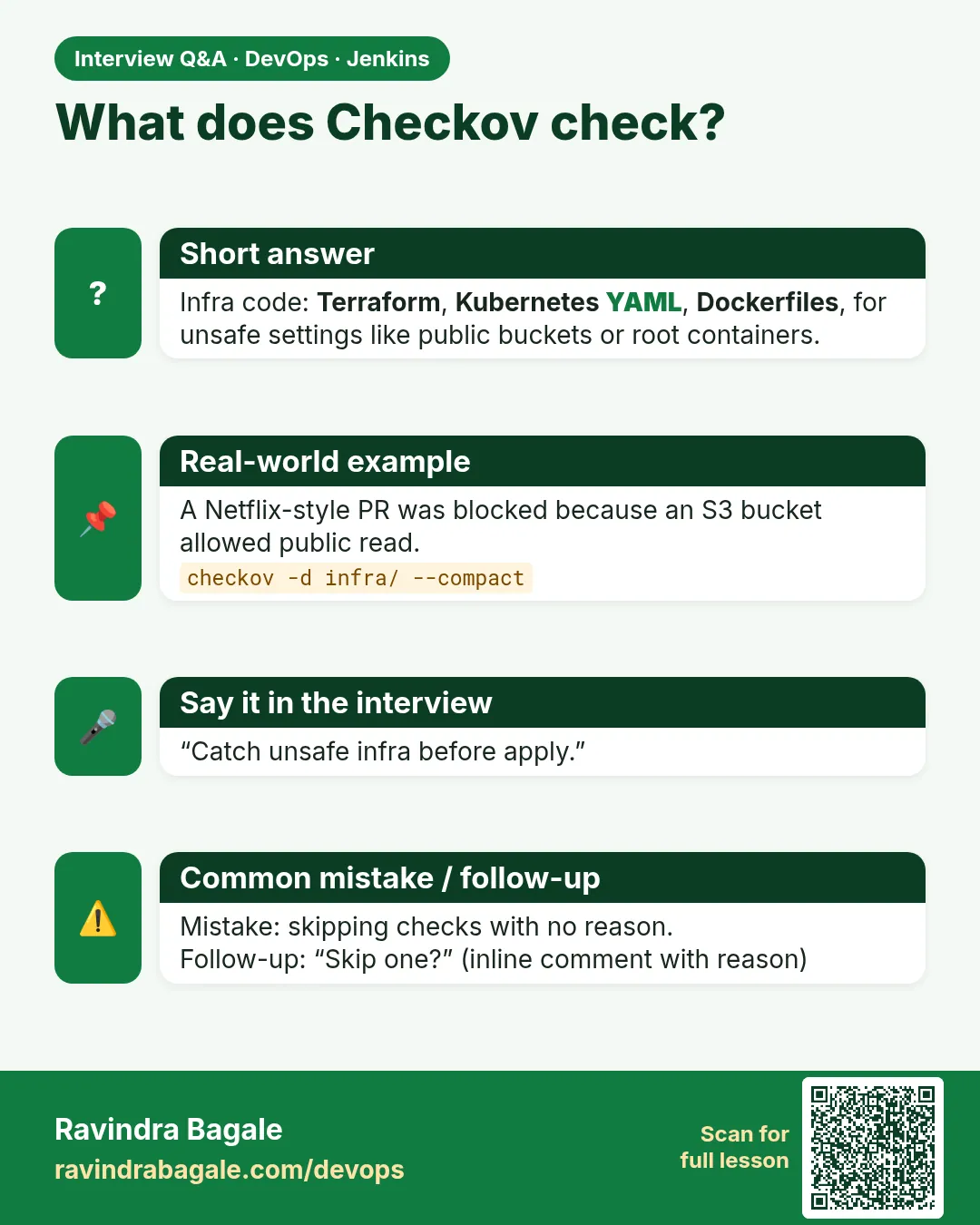
A stage before terraform plan/apply running checkov with junitxml output, published with junit; fails on failed checks.
-
How do you accept a risk?
Inline checkov:skip comment with ID and reason, reviewed in PR.
-
Name two S3 checks.
Encryption at rest (CKV_AWS_19), access logging (CKV_AWS_18).
-
Why scan Dockerfiles?
To catch root user, missing healthcheck, latest tags and similar issues.
Quick quiz
Q1. What does Checkov scan?
IaC files: Terraform, Kubernetes, Dockerfile and more.
Q2. Does Checkov create resources?
No, it only reads files.
Q3. How do you skip one check?
# checkov:skip=ID:reason on the resource.
Q4. Why not --soft-fail?
It never fails, so it is not a gate.
Q5. Which output does Jenkins junit read?
junitxml.
Samajla ka?
 Revision card
 Interview card