Chapter 29: Scan Pipeline in Jenkins
29.10 Cosign, as a concept, with no keys
Why: the problem
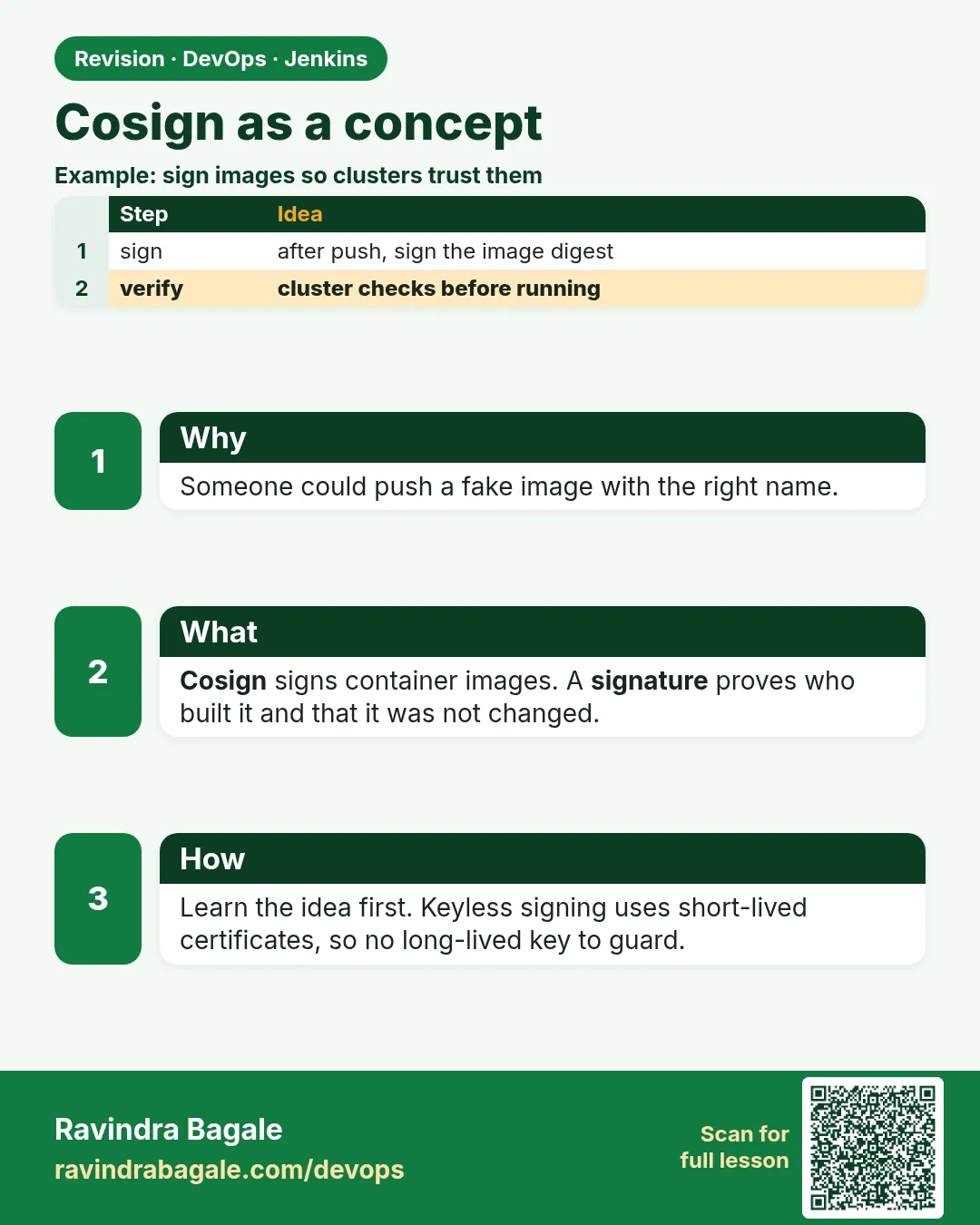
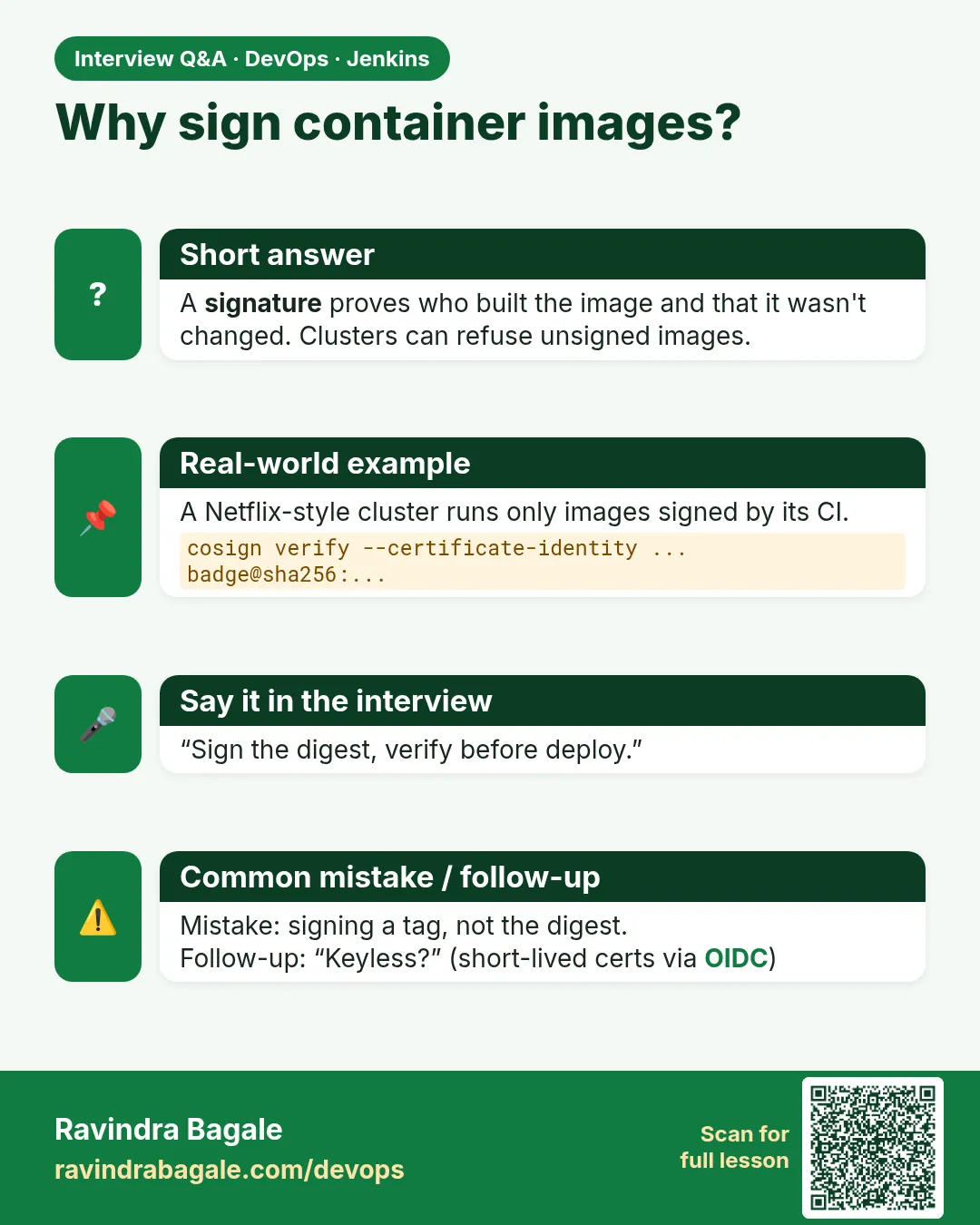
Suppose we are on a Netflix-style platform team. Our Kubernetes cluster pulls images from a registry. One night an attacker with stolen registry access pushes a new image with the same tag, badge-api:1.4, but with a crypto-miner inside. The cluster happily pulls it, because a tag is only a name. How can the cluster know the image really came from our Jenkins pipeline? The answer is a signature. Cosign (from the Sigstore project) signs an image digest and lets anyone verify it later. In this course we learn Cosign as a concept and practise only verification. We do not create, paste or store any private key. Modern Sigstore "keyless" signing does not need a long-lived key at all: the CI system proves its identity with a short-lived token, and the signature is recorded in a public log.
What we will build
You will verify real public signed images with Cosign, see what a failed verification looks like, write a Jenkins "verify before deploy" stage, and read a Kubernetes admission policy that refuses unsigned images. No private keys are created in this lesson.
What: every term in plain English
- Signature — Proof, made with cryptography, that a specific image digest was approved by a specific identity.
- Digest — The sha256 fingerprint of an image. Unlike a tag, it cannot change.
- Cosign — A Sigstore tool to sign and verify container images and other artifacts.
- Keyless signing — Signing with a short-lived certificate tied to an identity (e.g. a CI workflow), instead of a stored private key.
- OIDC issuer — The identity provider that vouches for the signer, e.g. GitHub Actions tokens.
- Rekor — Sigstore's public transparency log where signatures are recorded.
- Admission policy — A cluster rule (Kyverno, Sigstore policy-controller) that blocks images failing verification.
How: step by step
-
Install Cosign
VER=v2.2.4; curl -sLo cosign https://github.com/sigstore/cosign/releases/download/$VER/cosign-linux-amd64 && sudo install -m 0755 cosign /usr/local/bin/cosignWhat it does: Installs the single cosign binary.
Output
(no output) -
Check the version
cosign version | head -3What it does: Confirms install.
Output
______ ______ _______. __ _______ .__ __. GitVersion: v2.2.4 -
Find the digest of an image
docker buildx imagetools inspect cgr.dev/chainguard/static:latest --format "{{json .Manifest.Digest}}"What it does: Shows the sha256 digest. Signatures are attached to digests, not tags.
Output
"sha256:5f2e...c1a9" -
Verify a public signed image
cosign verify cgr.dev/chainguard/static:latest \
  --certificate-oidc-issuer=https://token.actions.githubusercontent.com \
  --certificate-identity=https://github.com/chainguard-images/images/.github/workflows/release.yaml@refs/heads/main | jq -r ".[0].critical.image"
What it does: Checks the signature, the certificate identity and the issuer. Prints the verified digest.
Output
Verification for cgr.dev/chainguard/static:latest -- The following checks were performed on each of these signatures: - The cosign claims were validated - Existence of the claims in the transparency log was verified offline - The code-signing certificate was verified using trusted certificate authority certificates {"docker-manifest-digest":"sha256:5f2e...c1a9"} -
Try a wrong identity
cosign verify cgr.dev/chainguard/static:latest --certificate-oidc-issuer=https://token.actions.githubusercontent.com --certificate-identity=https://github.com/someone-else/repo/.github/workflows/x.yml@refs/heads/main; echo "exit=$?"What it does: Same image, but we expect a different signer. Verification must fail.
Output
Error: no matching signatures: none of the expected identities matched what was in the certificate exit=1 -
Try an unsigned image
cosign verify --certificate-oidc-issuer-regexp ".*" --certificate-identity-regexp ".*" badge-api:1.1; echo "exit=$?"What it does: A local image nobody signed.
Output
Error: no signatures found exit=1 -
See what is attached to an image
cosign tree cgr.dev/chainguard/static:latestWhat it does: Lists signatures, attestations and SBOMs attached in the registry.
Output
📦 Supply Chain Security Related artifacts for an image: cgr.dev/chainguard/static:latest
└── 💾 Attestations for an image tag: ...att
└── 🔐 Signatures for an image tag: ...sig
Example 1: Jenkins: verify before deploy
Stack. Jenkins, Cosign verify
Goal. Jenkins: verify before deploy. The image is pinned by digest.
Jenkinsfile
pipeline {
  agent { label 'scan' }
  options { timestamps(); timeout(time: 30, unit: 'MINUTES') }
  stages {
    stage('Checkout') { steps { checkout scm } }
    stage('Verify signature') {
      environment {
        IMAGE    = 'registry.lab/badge-api@sha256:9c1e...e7'
        ISSUER   = 'https://token.actions.githubusercontent.com'
        IDENTITY = 'https://github.com/ravi/badge-api/.github/workflows/release.yml@refs/heads/main'
      }
      steps {
        sh 'cosign verify "$IMAGE" --certificate-oidc-issuer="$ISSUER" --certificate-identity="$IDENTITY" > reports/cosign-verify.json'
      }
    }
    stage('Live (lab)') {
      steps { echo 'All gates green: deploying badge-api to the lab' }
    }
  }
}
What each line does
IMAGE = '...@sha256:...'— Deploy by digest, so the verified image is exactly the deployed one.ISSUER / IDENTITY— Who we trust: only our release workflow on main.cosign verify ... > reports/...— Exit 0 only when a valid signature from that identity exists; output saved as evidence.stage('Live (lab)')— Runs only if every stage above it passed. A red scan means this stage never starts.
Green output
+ cosign verify registry.lab/badge-api@sha256:9c1e...e7 --certificate-oidc-issuer=... --certificate-identity=...
Verification for registry.lab/badge-api@sha256:9c1e...e7 --
  - The cosign claims were validated
  - The code-signing certificate was verified using trusted certificate authority certificates
[Pipeline] stage (Live (lab))
Finished: SUCCESS
Expected result. Live runs only for an image signed by our release workflow. A swapped image fails here.
Example 2: Concept only: how keyless signing looks in a CI workflow (read, do not run)
Stack. GitHub Actions, Sigstore keyless (concept)
Goal. Concept only: how keyless signing looks in a CI workflow (read, do not run).
release.yml (GitHub Actions, part)
permissions:
  id-token: write      # lets the job get a short-lived OIDC token
  packages: write
steps:
  - uses: sigstore/cosign-installer@v3
  - run: cosign sign --yes ghcr.io/ravi/badge-api@${{ steps.build.outputs.digest }}
What each line does
id-token: write— The CI job can ask GitHub for an identity token. No secret is stored anywhere.cosign sign --yes <image>@<digest>— Cosign gets a short-lived certificate for this workflow identity, signs the digest, and records it in Rekor.No key file— Nothing to leak, nothing to rotate. That is why this course never handles private keys.
Green output
(conceptual output)
Generating ephemeral keys...
Retrieving signed certificate...
tlog entry created with index: 112233445
Pushing signature to: ghcr.io/ravi/badge-api
Expected result. The signature identity is the workflow URL, which is exactly what Example 1 verifies.
Example 3: Kubernetes: refuse unsigned images with a Kyverno policy (read and discuss)
Stack. Kubernetes, Kyverno
Goal. Kubernetes: refuse unsigned images with a Kyverno policy (read and discuss).
verify-badge.yaml
apiVersion: kyverno.io/v1
kind: ClusterPolicy
metadata:
  name: verify-badge-signature
spec:
  validationFailureAction: Enforce
  rules:
    - name: badge-must-be-signed
      match:
        any:
          - resources: { kinds: [Pod] }
      verifyImages:
        - imageReferences: ["registry.lab/badge-api*"]
          attestors:
            - entries:
                - keyless:
                    issuer: https://token.actions.githubusercontent.com
                    subject: https://github.com/ravi/badge-api/.github/workflows/release.yml@refs/heads/main
What each line does
validationFailureAction: Enforce— Block the Pod, not just warn.imageReferences— Applies to badge-api images only.keyless issuer / subject— Same trust rule as the Jenkins stage, now enforced by the cluster itself.
Green output
Error from server: admission webhook "mutate.kyverno.svc-fail" denied the request:
policy Pod/default/badge for resource violation:
verify-badge-signature:
  badge-must-be-signed: 'failed to verify image registry.lab/badge-api:1.4: no matching signatures'
Expected result. An attacker-pushed image is refused at the cluster door, even if a pipeline was skipped.
Verify: did it work?
-
Verify again and check exit code
cosign verify cgr.dev/chainguard/static:latest \
  --certificate-oidc-issuer=https://token.actions.githubusercontent.com \
  --certificate-identity=https://github.com/chainguard-images/images/.github/workflows/release.yaml@refs/heads/main > /dev/null; echo "exit=$?"
What it does: 0 means verified.
Output
exit=0 -
Read the certificate identity
cosign verify cgr.dev/chainguard/static:latest \
  --certificate-oidc-issuer=https://token.actions.githubusercontent.com \
  --certificate-identity=https://github.com/chainguard-images/images/.github/workflows/release.yaml@refs/heads/main | jq -r ".[0].optional.Subject"
What it does: Shows who signed.
Output
https://github.com/chainguard-images/images/.github/workflows/release.yaml@refs/heads/main -
Confirm no key files exist
ls *.key cosign.* 2>/dev/null | wc -lWhat it does: This lesson creates no key files.
Output
0
When it is red 1
Error: no matching signatures: none of the expected identities matched
Cause. Signed, but by someone you do not trust, or a typo in identity.
Fix, step by step
- Read the real identity with cosign verify ... --certificate-identity-regexp ".*" (for diagnosis only).
- If it is truly yours, fix the identity string.
- If not, stop: do not deploy.
When it is red 2
Error: --certificate-identity or --certificate-identity-regexp is required for verification in keyless mode
Cause. Cosign v2 requires you to say who you trust.
Fix, step by step
- Add --certificate-identity and --certificate-oidc-issuer.
- Never use ".*" regexps in a real gate.
When it is red 3
Error: no signatures found
Cause. The image (or that digest) was never signed, or you used a tag that now points to a new digest.
Fix, step by step
- Verify by digest.
- Check the release pipeline signed that digest.
- Treat as red; do not deploy.
Cleanup
-
Remove the cosign download file
rm -f cosignWhat it does: The binary is installed; remove the downloaded copy.
Output
(no output) -
Nothing else to clean
echo "verification only, no keys, no signatures created"What it does: This lesson only read public data.
Output
verification only, no keys, no signatures created
Ravindra Bagale's Tip
Ya course madhe private key nahi. Fakt verify shika, digest ne deploy kara.
Practice tasks
Easy Verify a signed image
Why: See a green verification.
What to do: Run step 4.
- Install cosign.
- Run the verify command.
Check: Verification checks listed, exit 0.
Easy Fail on purpose
Why: Trust needs a failing case.
What to do: Change the identity and verify again.
- Run step 5.
Check: exit=1 with no matching signatures.
Medium Pin by digest
Why: Verified and deployed must be the same image.
What to do: Find a digest and use image@sha256 in a deploy YAML.
- docker buildx imagetools inspect ...
- Edit the image line.
Check: YAML uses @sha256:.
Hard Explain the Kyverno policy
Why: Interviewers ask about supply chain.
What to do: Explain each line of Example 3 to a friend.
- What it matches.
- Who it trusts.
- What Enforce does.
Check: Friend can say why an attacker image is refused.
Easy Run cosign verify by hand once
Why: Running a tool by hand first shows you what Jenkins will see.
What to do: Run cosign verify on your laptop against the Node badge app, before Jenkins.
- Open a terminal in the badge-api folder.
- Run the cosign verify command from step-by-step.
- Read the summary line.
Check: You can say how many findings there are and what the exit code was (echo $?).
Medium Make cosign verify go red on purpose
Why: A gate you have never seen fail is a gate you do not trust.
What to do: Add one bad thing that cosign verify should catch and run the build.
- Create a branch called break-scan.
- Add the bad change from the "When it is red" section.
- Push and watch the build.
Check: The scan stage is red and the Live (lab) stage is skipped.
Medium Archive the cosign verify report
Why: Reviewers and auditors need the report file, not only the console.
What to do: Save the report as a build artifact in Jenkins.
- Write the report to reports/ in the scan command.
- Add post { always { archiveArtifacts artifacts: 'reports/**', allowEmptyArchive: true } }.
- Run the build and open the Artifacts link.
Check: The report file is downloadable from the build page.
Hard Explain cosign verify in 60 seconds
Why: Interviewers ask "what does this stage do and why".
What to do: Record yourself explaining the stage to a fresher.
- Say the problem it solves.
- Say the command and the exit code rule.
- Say what you do when it is red.
Check: A friend can repeat back when the build should go red.
Homework: try at home
Try at home
Verify two public signed images (for example cgr.dev/chainguard/static and cgr.dev/chainguard/nginx). Write down the issuer and identity of each, then show a failing verify with a wrong identity.
Recap
- A tag is a name; a digest is the real identity of an image.
- Cosign verify proves a digest was signed by a trusted identity.
- Keyless signing uses short-lived certs and Rekor, no stored keys.
- Verify in Jenkins before deploy, and enforce in the cluster with Kyverno.
- This course never creates or pastes private keys.
FAQ
Can I sign with a key file?
Cosign supports it, but key handling is out of scope here; keyless is the modern default.
Does verification need internet?
It needs the registry; Rekor proof can be checked offline from the bundle.
Is signing the same as scanning?
No. Scanning says "is it safe?"; signing says "did it come from us?". You need both.
What is an attestation?
A signed statement about an image, like its SBOM or build provenance.
Does Docker Hub support this?
Yes, signatures are stored as OCI artifacts in most registries.
Interview questions
-
What problem does image signing solve?
Ensures the deployed image is exactly what the trusted pipeline produced, preventing tampered or swapped images.
-
Explain Sigstore keyless signing.
CI gets an OIDC token, Fulcio issues a short-lived certificate for that identity, cosign signs the digest, and the entry goes to the Rekor transparency log.
-
How do you enforce signatures in Kubernetes?
Admission controllers like Kyverno verifyImages or Sigstore policy-controller.
-
Why deploy by digest?
Tags are mutable; digests guarantee the verified image is the one run.
-
Signing vs SBOM vs scanning?
Signing proves origin, SBOM lists contents, scanning finds vulnerabilities.
Quick quiz
Q1. Why sign a digest, not a tag?
Tags can be moved; digests cannot.
Q2. What does keyless mean?
Short-lived certificate tied to an identity, no stored private key.
Q3. What must cosign verify be told?
The expected identity and OIDC issuer.
Q4. Where are signatures logged?
Rekor, the Sigstore transparency log.
Q5. Which cluster tool can enforce signatures?
Kyverno or Sigstore policy-controller.
Samajla ka?
 Revision card
 Interview card