Chapter 29: Scan Pipeline in Jenkins
29.1 Scans are gates, not decorations
Why: the problem
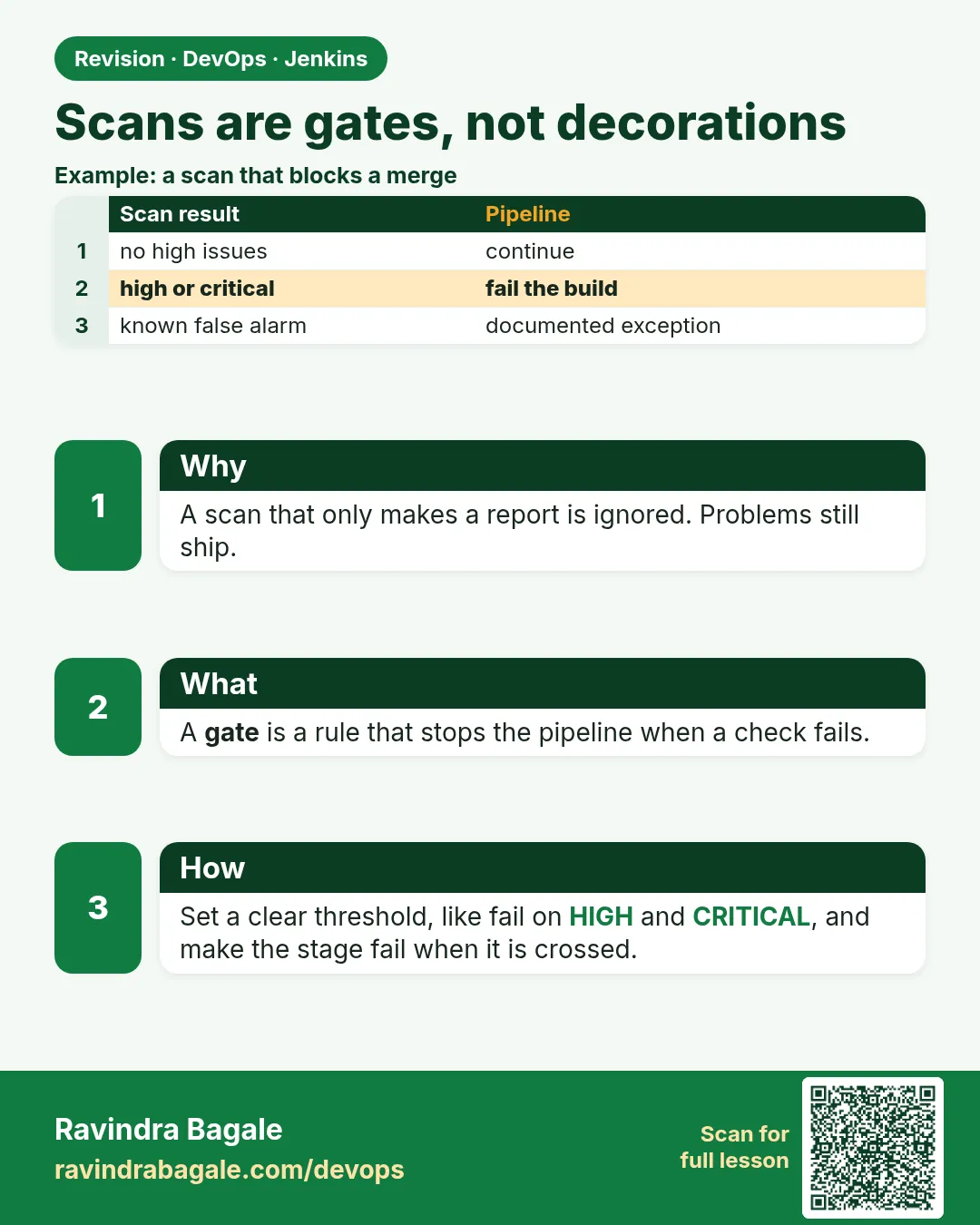
Suppose we are on the Swiggy payments team. A developer pushes a small change on Friday evening. All unit tests pass, so Jenkins deploys it. On Monday the security team finds that the new code used an old library with a known hole, and an AWS key was sitting in a config file. Tests only check "does the code do the right thing". They never ask "is the code safe?". That is the job of scans. But many teams add scans like stickers: the scan runs, prints a red report, and the pipeline still goes green. Nobody reads the report. In this lesson you will learn the one rule of this whole chapter: a scan is a gate. If the scan finds something serious, the build goes red, exactly like a failed test, and the deploy stage never runs.
What we will build
A Jenkins pipeline for the badge API with a test stage, one scan stage and a Live (lab) stage. You will first run it green. Then you will make the scan fail and prove that Live is skipped. You will do the same idea for three stacks: Node.js, Python and Java, so you see that the gate rule does not depend on the language.
What: every term in plain English
- Scan — A program that reads your code, image or config and looks for known problems.
- Gate — A stage that must pass before the next stage can run. Red gate = stop.
- Exit code — A number a command returns when it finishes. 0 means success. Anything else means failure. Jenkins
shfails the stage when it is not 0. - Finding — One problem a scanner reports, such as one vulnerable library.
- Severity — How bad a finding is: LOW, MEDIUM, HIGH or CRITICAL.
- Threshold — The line you choose. For example: fail only on HIGH and CRITICAL.
- Shift left — Find problems early (on the left of the timeline), in the pipeline, not after release.
How: step by step
-
Check that the scan agent is online
curl -s -u ravi:$JENKINS_TOKEN http://localhost:8080/computer/scan-agent-1/api/json | jq .offlineWhat it does: Asks Jenkins if the agent with label scan is connected. Use a token from your Jenkins user page, kept in an environment variable.
Output
false -
See how exit codes work
true; echo $?
false; echo $?
What it does: true always succeeds, false always fails. Every scanner behaves like one of these two.
Output
0 1 -
Run a tiny fake scan that passes
bash -c 'echo "0 findings"; exit 0'; echo "exit=$?"What it does: A pretend scanner that finds nothing. Exit code 0.
Output
0 findings exit=0 -
Run a tiny fake scan that fails
bash -c 'echo "1 CRITICAL finding"; exit 1'; echo "exit=$?"What it does: A pretend scanner that finds a CRITICAL problem. Exit code 1. Jenkins would stop here.
Output
1 CRITICAL finding exit=1 -
Create the Jenkinsfile
nano Jenkinsfile # paste Example 1What it does: Adds the pipeline with Test, Scan and Live stages to the badge-api repo.
Output
(no output - file saved) -
Commit and push
git add Jenkinsfile && git commit -m "ci: add scan gate" && git pushWhat it does: Jenkins (multibranch) sees the new commit and starts a build.
Output
[main 3f9c2ab] ci: add scan gate 1 file changed, 24 insertions(+) -
Watch the build
Open http://localhost:8080/job/badge-api/job/main/ and click the newest build, then Console OutputWhat it does: Shows each stage. All three should be green.
Output
[Pipeline] stage (Scan gate)
0 findings
[Pipeline] stage (Live (lab))
All gates green: deploying badge-api to the lab
Finished: SUCCESS
Example 1: Node
Stack. Node.js 20, Express, npm audit
Goal. Node.js: a scan gate that really stops the build. The scan step is npm audit, which is already in every Node project.
Jenkinsfile
pipeline {
  agent { label 'scan' }
  options { timestamps(); timeout(time: 30, unit: 'MINUTES') }
  stages {
    stage('Checkout') { steps { checkout scm } }
    stage('Test') { steps { sh 'npm ci && npm test' } }
    stage('Scan gate') {
      steps { sh 'npm audit --audit-level=high' }
    }
    stage('Live (lab)') {
      steps { echo 'All gates green: deploying badge-api to the lab' }
    }
  }
}
app/server.js
// app/server.js - badge API (Node.js + Express)
const express = require("express");
const app = express();
app.get("/health", (req, res) => res.json({ status: "ok" }));
app.get("/badge/:user", (req, res) => {
  const user = req.params.user;
  if (!/^[a-z0-9_]{3,30}$/.test(user)) return res.status(400).json({ error: "invalid username" });
  res.json({ user, badge: "verified-learner" });
});
app.listen(process.env.PORT || 3000);
What each line does
agent { label 'scan' }— Runs on the agent where the scanner tools are installed.timeout(time: 30, unit: 'MINUTES')— Stops a stuck scan so it cannot block the agent forever.checkout scm— Gets the same commit that triggered the build.stage('Live (lab)')— Runs only if every stage above it passed. A red scan means this stage never starts.npm audit --audit-level=high— Checks package-lock.json against known holes. Exits 1 only if a HIGH or CRITICAL hole is found. That exit code is the gate.
Green output
[Pipeline] stage (Scan gate)
+ npm audit --audit-level=high
found 0 vulnerabilities
[Pipeline] stage (Live (lab))
All gates green: deploying badge-api to the lab
Finished: SUCCESS
Expected result. Three green stages. Now run npm install express@4.17.0 (an old version with known issues), push, and see Scan gate red and Live skipped.
Example 2: Python: the same gate with pip-audit
Stack. Python 3.11, Flask, pip-audit
Goal. Python: the same gate with pip-audit. pip-audit reads requirements.txt and checks each package.
requirements.txt
flask==3.0.3
requests==2.32.3
app.py
# app.py - badge API (Python + Flask)
import re
from flask import Flask, jsonify
app = Flask(__name__)

@app.get("/health")
def health():
    return jsonify(status="ok")

@app.get("/badge/<user>")
def badge(user):
    if not re.fullmatch(r"[a-z0-9_]{3,30}", user):
        return jsonify(error="invalid username"), 400
    return jsonify(user=user, badge="verified-learner")
Jenkinsfile
pipeline {
  agent { label 'scan' }
  options { timestamps(); timeout(time: 30, unit: 'MINUTES') }
  stages {
    stage('Checkout') { steps { checkout scm } }
    stage('Test') { steps { sh 'python3 -m venv .venv && . .venv/bin/activate && pip install -r requirements.txt pytest && pytest -q' } }
    stage('Scan gate') {
      steps { sh '. .venv/bin/activate && pip install pip-audit && pip-audit -r requirements.txt --strict' }
    }
    stage('Live (lab)') {
      steps { echo 'All gates green: deploying badge-api to the lab' }
    }
  }
}
What each line does
python3 -m venv .venv— Makes a private Python folder for this build, so builds do not mix packages.pip-audit -r requirements.txt— Checks every pinned package in the file against the Python advisory database.--strict— Also fails if a package cannot be checked. A scan that silently skips is not a gate.agent { label 'scan' }— Runs on the agent where the scanner tools are installed.
Green output
+ pip-audit -r requirements.txt --strict
No known vulnerabilities found
[Pipeline] stage (Live (lab))
All gates green: deploying badge-api to the lab
Finished: SUCCESS
Expected result. Green. Change requests to 2.19.0 and push: pip-audit lists the advisory IDs and exits 1, so Live is skipped.
Example 3: Java: the same gate in Maven
Stack. Java 17, Spring Boot, Maven
Goal. Java: the same gate in Maven. The OWASP Maven plugin fails the build at a CVSS score you choose.
pom.xml (plugin part)
<plugin>
  <groupId>org.owasp</groupId>
  <artifactId>dependency-check-maven</artifactId>
  <version>10.0.3</version>
  <configuration>
    <failBuildOnCVSS>7</failBuildOnCVSS>
  </configuration>
</plugin>
BadgeController.java
// src/main/java/com/shipit/BadgeController.java - badge API (Java + Spring Boot)
package com.shipit;
import org.springframework.web.bind.annotation.*;
import java.util.Map;

@RestController
public class BadgeController {
  @GetMapping("/health")
  public Map<String, String> health() { return Map.of("status", "ok"); }

  @GetMapping("/badge/{user}")
  public Map<String, String> badge(@PathVariable String user) {
    if (!user.matches("[a-z0-9_]{3,30}")) throw new IllegalArgumentException("invalid username");
    return Map.of("user", user, "badge", "verified-learner");
  }
}
Jenkinsfile
pipeline {
  agent { label 'scan' }
  options { timestamps(); timeout(time: 30, unit: 'MINUTES') }
  stages {
    stage('Checkout') { steps { checkout scm } }
    stage('Test') { steps { sh 'mvn -B test' } }
    stage('Scan gate') {
      steps { sh 'mvn -B dependency-check:check' }
    }
    stage('Live (lab)') {
      steps { echo 'All gates green: deploying badge-api to the lab' }
    }
  }
}
What each line does
<failBuildOnCVSS>7</failBuildOnCVSS>— CVSS is a 0-10 score. 7 and above is HIGH. A library at 7+ fails Maven, so it fails Jenkins.mvn -B dependency-check:check— Runs the scan in batch mode (-B means no colours or questions, good for CI).
Green output
[INFO] --- dependency-check:10.0.3:check (default-cli) @ badge-api ---
[INFO] Analysis Complete (3 seconds)
[INFO] BUILD SUCCESS
[Pipeline] stage (Live (lab))
Finished: SUCCESS
Expected result. Green. Lesson 29.4 shows the full Dependency-Check setup; here you only see that Maven exit code = Jenkins gate.
Verify: did it work?
-
Confirm Live was skipped on a red build
Open the build page and look at the Stage ViewWhat it does: A red scan stage, and the Live (lab) box is grey, not green.
Output
Scan gate: failed (1s) Live (lab): skipped -
Confirm the build result
curl -s -u ravi:$JENKINS_TOKEN http://localhost:8080/job/badge-api/job/main/lastBuild/api/json | jq -r .resultWhat it does: Reads the result field of the last build.
Output
FAILURE -
Find which line failed
Console Output, search for "script returned exit code"What it does: Jenkins prints the exit code of the failing sh step.
Output
ERROR: script returned exit code 1
Finished: FAILURE
When it is red 1
+ npm audit --audit-level=high || true
found 2 high severity vulnerabilities
Finished: SUCCESS
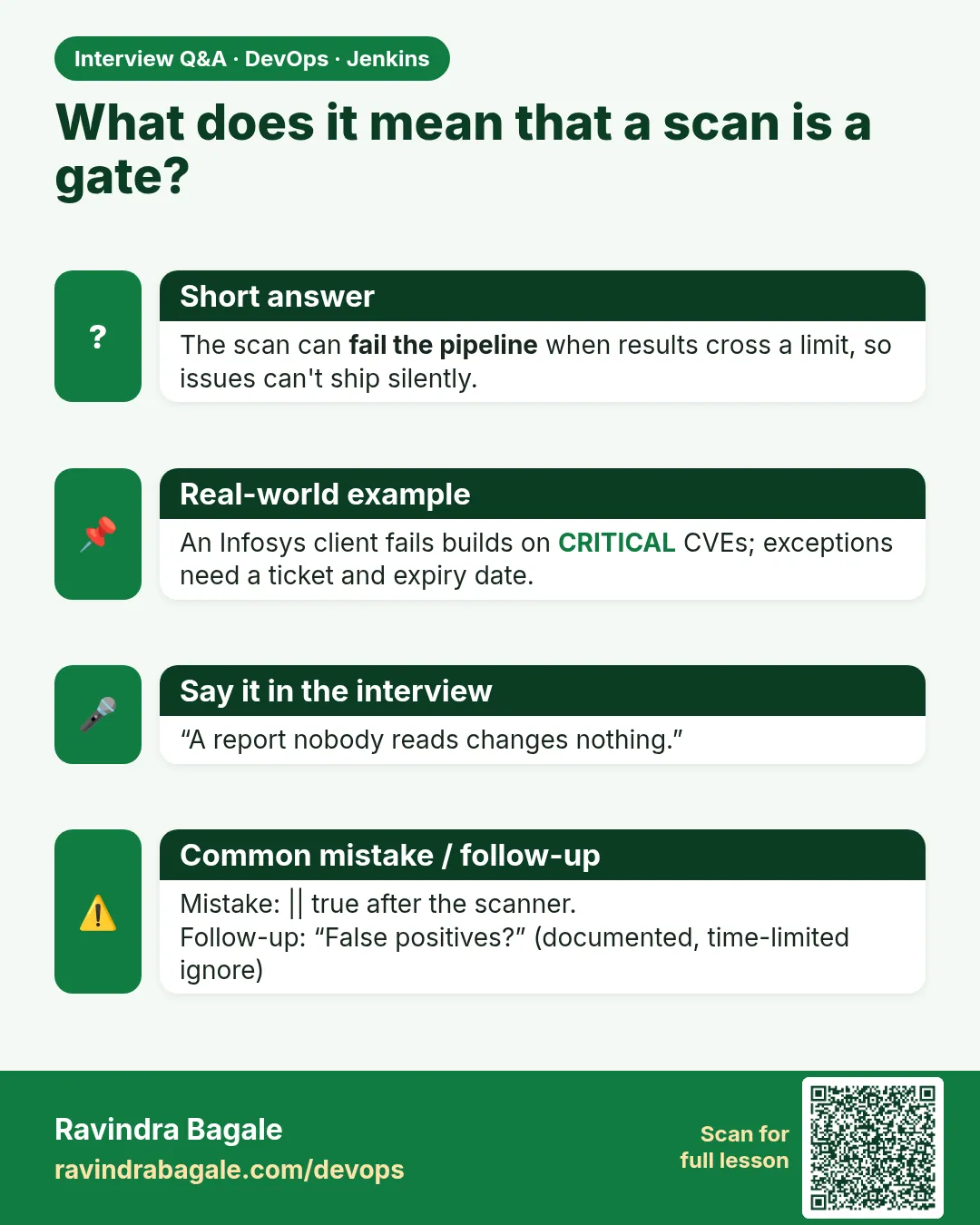
Cause. Someone added || true. That forces exit code 0, so the gate never closes. This is the "decoration" scan.
Fix, step by step
- Remove
|| truefrom the scan line. - If you need the report even when it fails, keep the report and fail later:
npm audit --json > reports/audit.json; npm audit --audit-level=high. - Push and confirm the build is now red.
- Fix the real problem:
npm audit fixor update the library.
When it is red 2
catchError(buildResult: 'SUCCESS', stageResult: 'FAILURE') { sh 'trivy ...' }
Finished: SUCCESS
Cause. catchError with buildResult SUCCESS hides the red stage from the build result. Live still runs.
Fix, step by step
- Remove catchError around scan steps, or set buildResult to FAILURE.
- Use catchError only for optional steps like sending a chat message.
- Rerun and check that Live is skipped.
When it is red 3
trivy: command not found
ERROR: script returned exit code 127
Cause. The tool is not installed on this agent. Exit code 127 means "command not found".
Fix, step by step
- Check the label: the stage must run on agent label scan.
- Install the tool on that agent (lessons 29.2 to 29.9 show how).
- Never comment the stage out to make it green. A missing tool must be red.
Cleanup
-
Remove the test branch
git push origin --delete break-scan && git branch -D break-scanWhat it does: Deletes the branch you used to break the scan.
Output
To github.com:ravi/badge-api.git - [deleted] break-scan Deleted branch break-scan. -
Clean the Jenkins workspace
Click "Wipe Out Current Workspace" on the job pageWhat it does: Removes old reports and node_modules from the agent disk.
Output
Workspace wiped.
Ravindra Bagale's Tip
Scan red mhanje deploy nahi. Report vachaycha, || true lavaycha nahi.
Practice tasks
Easy List every gate in your pipeline
Why: You cannot protect what you have not listed.
What to do: Write down each stage of your badge-api pipeline and mark which ones are gates.
- Open the Jenkinsfile.
- For each stage, ask: does a failure stop Live?
- Mark gate or not gate.
Check: You have a list with at least Test and Scan marked as gates.
Easy Find a hidden || true
Why: Old pipelines often hide failures.
What to do: Search your repos for scan lines that cannot fail.
- Run: grep -rn "|| true" Jenkinsfile*
- Read each match.
- Remove the ones on scan or test lines.
Check: No scan line ends in || true.
Medium Choose a threshold
Why: Failing on LOW makes people ignore scans; failing on nothing is useless.
What to do: Write the team threshold as a comment at the top of the Jenkinsfile.
- Discuss: HIGH and CRITICAL fail, MEDIUM warns.
- Add the comment.
- Apply it with --audit-level=high.
Check: The comment and the command say the same level.
Hard Same gate in three stacks
Why: Real companies (Infosys, TCS) have many languages in one team.
What to do: Build the gate for Node, Python and Java using the three examples.
- Create three small repos.
- Add each Jenkinsfile.
- Break each one once.
Check: Three red builds with Live skipped, then three green builds.
Easy Run npm audit by hand once
Why: Running a tool by hand first shows you what Jenkins will see.
What to do: Run npm audit on your laptop against the Node badge app, before Jenkins.
- Open a terminal in the badge-api folder.
- Run the npm audit command from step-by-step.
- Read the summary line.
Check: You can say how many findings there are and what the exit code was (echo $?).
Medium Make npm audit go red on purpose
Why: A gate you have never seen fail is a gate you do not trust.
What to do: Add one bad thing that npm audit should catch and run the build.
- Create a branch called break-scan.
- Add the bad change from the "When it is red" section.
- Push and watch the build.
Check: The scan stage is red and the Live (lab) stage is skipped.
Medium Archive the npm audit report
Why: Reviewers and auditors need the report file, not only the console.
What to do: Save the report as a build artifact in Jenkins.
- Write the report to reports/ in the scan command.
- Add post { always { archiveArtifacts artifacts: 'reports/**', allowEmptyArchive: true } }.
- Run the build and open the Artifacts link.
Check: The report file is downloadable from the build page.
Hard Explain npm audit in 60 seconds
Why: Interviewers ask "what does this stage do and why".
What to do: Record yourself explaining the stage to a fresher.
- Say the problem it solves.
- Say the command and the exit code rule.
- Say what you do when it is red.
Check: A friend can repeat back when the build should go red.
Homework: try at home
Try at home
Make a table of the three stacks (Node, Python, Java) with: scan command, what makes it red, the exit code. Then break each one once and screenshot the skipped Live stage.
Recap
- A scan is a gate: a serious finding turns the build red.
- Jenkins sh fails when the exit code is not 0; that is the gate.
- Choose a threshold (HIGH and CRITICAL) and write it down.
- Never hide scans with || true or catchError SUCCESS.
- A missing tool (exit 127) must be red, not commented out.
FAQ
Will scans slow my pipeline a lot?
Most take seconds to a few minutes. Run them in parallel (lesson 29.11) and cache databases.
Should LOW findings fail the build?
Usually no. Report them, fix them in normal work, and fail on HIGH and CRITICAL.
Can I skip scans on feature branches?
Run them everywhere. Finding a problem on a branch is cheaper than on main.
Who fixes a red scan?
The developer who changed the code, with help from security if needed. The pipeline only reports.
Is one scanner enough?
No. Each looks at a different thing: code, libraries, image, secrets, config. This chapter covers each one.
Interview questions
-
What is a security gate in CI?
A pipeline stage that fails the build when a scan finds issues above an agreed severity, so deployment stages do not run.
-
How does Jenkins know a scan failed?
The sh step returns the tool's exit code; any non-zero code marks the stage failed and stops the pipeline.
-
Why not fail on every finding?
Too many low findings cause alert fatigue; teams start bypassing the gate. A clear threshold keeps the gate respected.
-
What does shift-left security mean?
Finding security problems early in development and CI instead of after release.
-
How would you stop someone bypassing a scan?
Code review on the Jenkinsfile, a shared library that owns the scan stage, and branch protection that requires the build to pass.
Quick quiz
Q1. What should a HIGH finding do to the build?
Fail it, so Live does not run.
Q2. What exit code means success?
0.
Q3. Why is `|| true` dangerous in a scan line?
It forces success, so the gate never closes.
Q4. What does exit code 127 mean?
Command not found: the tool is not installed.
Q5. Who decides the threshold?
The team, written in the Jenkinsfile, e.g. HIGH and CRITICAL.
Samajla ka?
 Revision card
 Interview card