Chapter 29: Scan Pipeline in Jenkins
29.5 ZAP baseline
Why: the problem
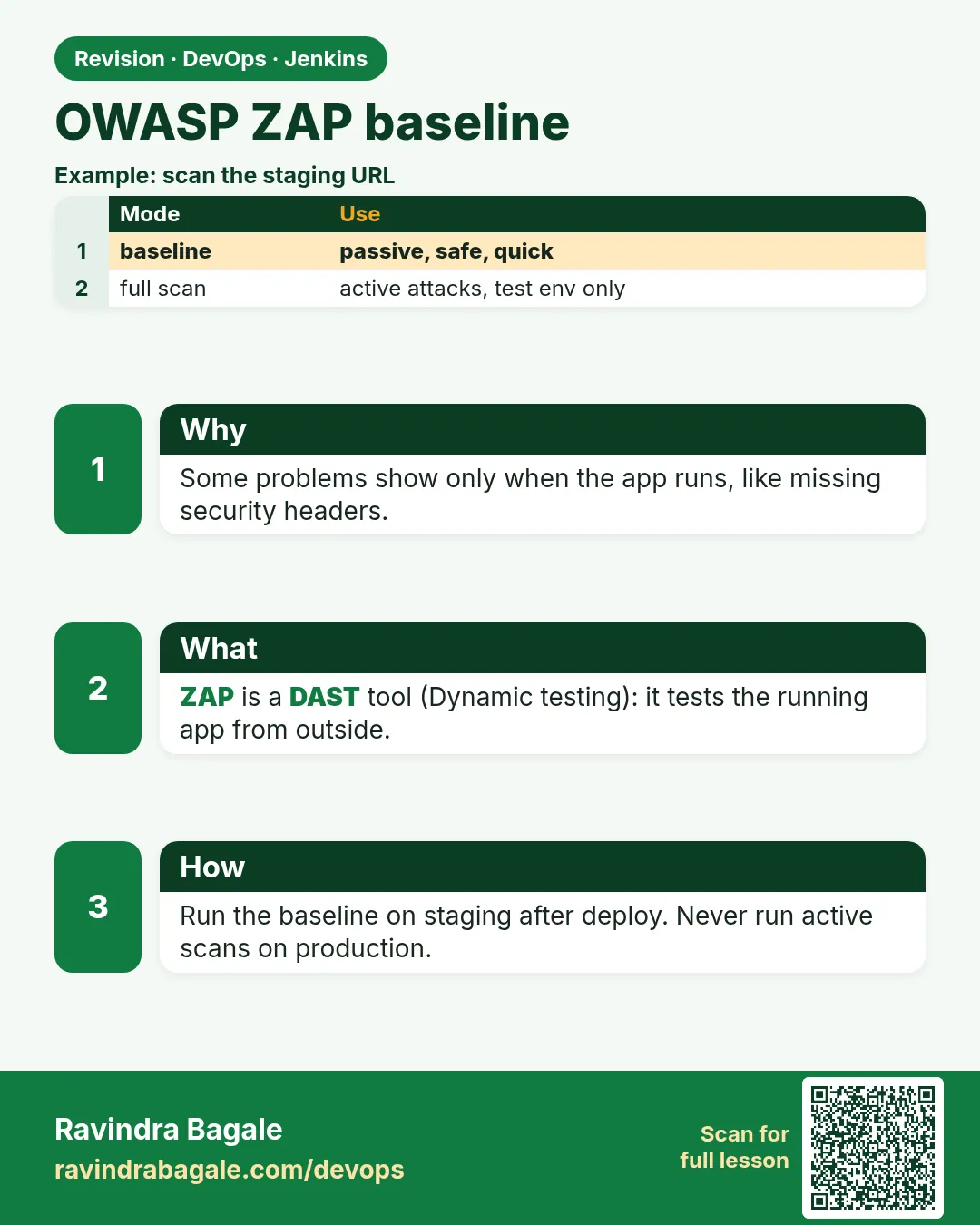
Suppose we are testing a Swiggy-style order page. The code is scanned, the libraries are scanned, the image is scanned. But some problems only show up when the app is running: a missing security header, a cookie without the Secure flag, a server that tells everyone its version number. To find these, someone must talk to the running app like a browser does. OWASP ZAP does this. Its baseline scan is a gentle, passive scan: it crawls the pages and reads the replies, but it does not attack. That makes it safe for a lab or test URL in CI. One firm rule: you only scan apps you own, at your own lab URL. Never point ZAP at someone else's site.
What we will build
A pipeline that starts the badge API in a Docker network, runs the ZAP baseline scan against it, reads the exit code, and fails on FAIL-level rules. You will scan a Node app, fix missing headers with helmet, scan a Python app with a rules file, and scan a Java app behind nginx.
What: every term in plain English
- DAST — Dynamic Application Security Testing: testing the running app from outside.
- ZAP — Zed Attack Proxy, a free OWASP tool for web app security testing.
- Baseline scan — A short spider plus passive checks only. It does not send attacks.
- Passive rule — A rule that only reads responses, e.g. "header X-Content-Type-Options missing".
- Rules file (-c) — A tab-separated file that sets each rule ID to IGNORE, WARN or FAIL.
- Exit codes — 0 = pass, 1 = at least one FAIL, 2 = at least one WARN, 3 = other error.
- Target — The URL you scan, e.g. http://badge:3000. Only your own lab.
How: step by step
-
Create a lab network
docker network create labWhat it does: A private Docker network so ZAP can reach the app by name.
Output
8d2f1c0e3b7a... -
Start the badge app
docker run -d --name badge --network lab badge-api:1.1What it does: Runs the app with DNS name badge on network lab.
Output
4a91c2... -
Check it answers
docker run --rm --network lab curlimages/curl -s http://badge:3000/healthWhat it does: Calls the app from inside the same network.
Output
{"status":"ok"} -
Pull ZAP
docker pull ghcr.io/zaproxy/zaproxy:stableWhat it does: Gets the official ZAP image.
Output
Status: Downloaded newer image for ghcr.io/zaproxy/zaproxy:stable -
Run the baseline scan
mkdir -p reports && setfacl -m u:1000:rwx reports
docker run --rm --network lab -v "$PWD/reports:/zap/wrk:rw" ghcr.io/zaproxy/zaproxy:stable zap-baseline.py -t http://badge:3000 -r zap.html -J zap.json; echo "exit=$?"
What it does: Spiders the app for 1 minute, runs passive rules, writes HTML and JSON reports. reports must be writable by the zap user (uid 1000) inside the container; setfacl gives only that user write access.
Output
Total of 4 URLs WARN-NEW: X-Content-Type-Options Header Missing [10021] x 3 WARN-NEW: Missing Anti-clickjacking Header [10020] x 1 FAIL-NEW: 0 FAIL-INPROG: 0 WARN-NEW: 3 WARN-INPROG: 0 INFO: 4 IGNORE: 0 PASS: 52 exit=2 -
Make a rules file
docker run --rm -v "$PWD:/zap/wrk:rw" ghcr.io/zaproxy/zaproxy:stable zap-baseline.py -t http://badge:3000 -g zap.conf --network lab || trueWhat it does: -g writes a file with every rule set to WARN. You then change the ones you care about to FAIL.
Output
(writes zap.conf) -
Gate on FAIL only
Use -c zap.conf and treat exit 1 as red, exit 2 as warningWhat it does: In the pipeline, rules you set to FAIL stop the build.
Output
FAIL-NEW: 1 ... exit=1
Example 1: Node
Stack. Node.js, helmet, ZAP in Docker
Goal. Node.js: ZAP finds missing headers; helmet fixes them.
app/server.js (top, after the fix)
const express = require("express");
const helmet = require("helmet");
const app = express();
app.use(helmet());          // adds X-Content-Type-Options, X-Frame-Options, CSP and more
app.disable("x-powered-by"); // do not tell the world we use Express
Jenkinsfile
pipeline {
  agent { label 'scan' }
  options { timestamps(); timeout(time: 30, unit: 'MINUTES') }
  stages {
    stage('Checkout') { steps { checkout scm } }
    stage('Start app for DAST') {
      steps {
        sh 'docker network create lab-${BUILD_NUMBER}'
        sh 'docker run -d --name badge-${BUILD_NUMBER} --network lab-${BUILD_NUMBER} --network-alias badge badge-api:${GIT_COMMIT}'
        sh 'sleep 5'
      }
    }
    stage('ZAP baseline') {
      steps {
        sh '''
          mkdir -p reports && setfacl -m u:1000:rwx reports
          set +e
          docker run --rm --network lab-${BUILD_NUMBER} -v "$PWD/reports:/zap/wrk:rw" \
            ghcr.io/zaproxy/zaproxy:stable zap-baseline.py -t http://badge:3000 -c zap.conf -r zap.html
          rc=$?
          set -e
          if [ $rc -eq 1 ] || [ $rc -eq 3 ]; then echo "ZAP gate failed (rc=$rc)"; exit 1; fi
          echo "ZAP rc=$rc (0 pass, 2 warnings only)"
        '''
      }
      post {
        always {
          archiveArtifacts artifacts: 'reports/zap.html', allowEmptyArchive: true
          sh 'docker rm -f badge-${BUILD_NUMBER} || true; docker network rm lab-${BUILD_NUMBER} || true'
        }
      }
    }
    stage('Live (lab)') {
      steps { echo 'All gates green: deploying badge-api to the lab' }
    }
  }
}
What each line does
app.use(helmet())— Adds a set of safe HTTP security headers to every reply.app.disable("x-powered-by")— Removes the header that reveals Express.lab-${BUILD_NUMBER}— A new network per build, so parallel builds do not clash.--network-alias badge— The app is reachable as http://badge:3000 inside that network.set +e ... rc=$?— Lets us read ZAP's exit code instead of failing at once, so we can treat 2 (warnings) differently from 1 (fail).if [ $rc -eq 1 ] || [ $rc -eq 3 ]— FAIL rules or a ZAP error stop the build.post { always { ... docker rm -f ... } }— Always removes the test container and network, even when red.
Green output
PASS: X-Content-Type-Options Header Missing [10021]
PASS: Missing Anti-clickjacking Header [10020]
PASS: Server Leaks Information via "X-Powered-By" [10037]
FAIL-NEW: 0 FAIL-INPROG: 0 WARN-NEW: 0 WARN-INPROG: 0 INFO: 3 IGNORE: 0 PASS: 55
ZAP rc=0 (0 pass, 2 warnings only)
Finished: SUCCESS
Expected result. Before helmet: 3 warnings. After: all pass. The report is archived.
Example 2: Python: a rules file decides what fails
Stack. Python, Flask, ZAP rules file
Goal. Python: a rules file decides what fails.
zap.conf (part)
# rule-id   action  (name)
10020   FAIL    (Anti-clickjacking Header)
10021   FAIL    (X-Content-Type-Options Header Missing)
10038   WARN    (Content Security Policy Header Not Set)
10036   IGNORE  (Server Leaks Version Information via "Server")
app.py (add headers)
@app.after_request
def security_headers(resp):
    resp.headers["X-Content-Type-Options"] = "nosniff"
    resp.headers["X-Frame-Options"] = "DENY"
    return resp
Command
docker run --rm --network lab -v "$PWD:/zap/wrk:rw" ghcr.io/zaproxy/zaproxy:stable zap-baseline.py -t http://badge-py:8000 -c zap.conf -r zap.html; echo "exit=$?"
What each line does
10020 FAIL— Missing clickjacking header becomes a build failure.10038 WARN— CSP is wanted but only a warning for now.10036 IGNORE— Accepted: the lab nginx Server header, with a comment in the team wiki.@app.after_request— Flask runs this on every reply and adds the headers.
Green output
(before the fix)
FAIL-NEW: X-Content-Type-Options Header Missing [10021] x 2
FAIL-NEW: 2 ... exit=1
(after the fix)
WARN-NEW: Content Security Policy (CSP) Header Not Set [10038] x 2
FAIL-NEW: 0 WARN-NEW: 1 ... exit=2
Expected result. Red before, then exit 2 (only a warning) after. The pipeline treats 2 as pass with warnings.
Example 3: Java behind nginx: scan the URL users really hit
Stack. Java Spring Boot, nginx, ZAP
Goal. Java behind nginx: scan the URL users really hit.
nginx.conf (server part)
server {
  listen 80;
  server_tokens off;                                  # hide nginx version
  add_header X-Content-Type-Options nosniff always;
  add_header X-Frame-Options DENY always;
  location / { proxy_pass http://badge-java:8080; }
}
Command
docker run --rm --network lab -v "$PWD:/zap/wrk:rw" ghcr.io/zaproxy/zaproxy:stable zap-baseline.py -t http://edge:80 -m 2 -c zap.conf -r zap.html
What each line does
server_tokens off— nginx stops printing its version.add_header ... always— Adds the header to error replies too.-t http://edge:80— Scans the proxy, because that is what users reach.-m 2— Spider for 2 minutes instead of the default 1.
Green output
PASS: Server Leaks Version Information via "Server" HTTP Response Header Field [10036]
FAIL-NEW: 0 WARN-NEW: 0 PASS: 56
exit=0
Expected result. Clean scan through the real front door.
Verify: did it work?
-
Open the HTML report
xdg-open reports/zap.htmlWhat it does: Shows each alert, the URL and how to fix it.
Output
(browser) ZAP Scanning Report - Summary of Alerts -
Count alerts from JSON
jq "[.site[].alerts[]] | length" reports/zap.jsonWhat it does: Number of alert types found.
Output
0 -
Confirm cleanup
docker ps -a --filter name=badge- --format "{{.Names}}"What it does: No leftover test containers.
Output
(empty)
When it is red 1
docker: ... open /zap/wrk/zap.html: permission denied
Cause. The zap user inside the container cannot write to the mounted folder.
Fix, step by step
- mkdir -p reports && setfacl -m u:1000:rwx reports before the run.
- Or create the folder owned by uid 1000 on the agent once.
- Rerun.
When it is red 2
[Errno -2] Name or service not known: badge
ERROR Failed to access the target URL
Cause. ZAP is not on the same Docker network as the app, or the alias is wrong.
Fix, step by step
- Add --network lab-${BUILD_NUMBER} to the ZAP run.
- Check docker network inspect lab-... lists the app.
- Wait until /health answers before scanning.
When it is red 3
ZAP rc=2
ERROR: script returned exit code 2
Cause. The shell treated warnings (2) as failure because the docker line was not wrapped.
Fix, step by step
- Use set +e and read rc=$? as in Example 1.
- Decide in writing: 1 and 3 fail, 2 warns.
- Or pass -I to zap-baseline.py to ignore warnings.
Cleanup
-
Remove lab container and network
docker rm -f badge && docker network rm labWhat it does: Stops the test app and removes the network.
Output
badge lab -
Remove the ZAP image (optional)
docker rmi ghcr.io/zaproxy/zaproxy:stableWhat it does: Frees about 1.5 GB if you do not need it.
Output
Untagged: ghcr.io/zaproxy/zaproxy:stable
Ravindra Bagale's Tip
ZAP fakt aaplya lab URL var. Dusryachya site var kadhihi nahi.
Practice tasks
Easy Run ZAP on your laptop
Why: See what alerts look like.
What to do: Run the baseline on the badge app in a lab network.
- docker network create lab
- Start badge.
- Run step 5.
Check: You see WARN lines and an HTML report.
Medium Fix headers in Node
Why: Most baseline alerts are headers.
What to do: Add helmet and rescan.
- npm install helmet
- app.use(helmet())
- Rescan.
Check: Warnings 10020 and 10021 become PASS.
Medium Write a rules file
Why: Teams choose what fails.
What to do: Generate and edit zap.conf.
- Run with -g zap.conf.
- Set two rules to FAIL.
- Run with -c zap.conf.
Check: A missing header gives exit 1.
Hard Exit code handling
Why: 2 should not break the build, 1 should.
What to do: Copy the set +e logic into your Jenkinsfile and test all cases.
- Remove helmet (expect 1 with FAIL rules).
- Keep only CSP warning (expect 2).
- Full fix (expect 0).
Check: Build red only for 1 and 3.
Easy Run ZAP baseline by hand once
Why: Running a tool by hand first shows you what Jenkins will see.
What to do: Run ZAP baseline on your laptop against the Node badge app, before Jenkins.
- Open a terminal in the badge-api folder.
- Run the ZAP baseline command from step-by-step.
- Read the summary line.
Check: You can say how many findings there are and what the exit code was (echo $?).
Medium Make ZAP baseline go red on purpose
Why: A gate you have never seen fail is a gate you do not trust.
What to do: Add one bad thing that ZAP baseline should catch and run the build.
- Create a branch called break-scan.
- Add the bad change from the "When it is red" section.
- Push and watch the build.
Check: The scan stage is red and the Live (lab) stage is skipped.
Medium Archive the ZAP baseline report
Why: Reviewers and auditors need the report file, not only the console.
What to do: Save the report as a build artifact in Jenkins.
- Write the report to reports/ in the scan command.
- Add post { always { archiveArtifacts artifacts: 'reports/**', allowEmptyArchive: true } }.
- Run the build and open the Artifacts link.
Check: The report file is downloadable from the build page.
Hard Explain ZAP baseline in 60 seconds
Why: Interviewers ask "what does this stage do and why".
What to do: Record yourself explaining the stage to a fresher.
- Say the problem it solves.
- Say the command and the exit code rule.
- Say what you do when it is red.
Check: A friend can repeat back when the build should go red.
Homework: try at home
Try at home
Generate zap.conf with -g, set 10020 and 10021 to FAIL, run against the badge app without helmet (red), then with helmet (green).
Recap
- ZAP baseline is a safe passive DAST scan of a running app.
- Run app and ZAP in a per-build Docker network; scan only your lab.
- Exit codes: 0 pass, 1 fail, 2 warn, 3 error.
- A rules file (-c) sets IGNORE/WARN/FAIL per rule.
- Always archive the report and clean up containers.
FAQ
How long does it take?
About 1-3 minutes for a small app.
Can it log in?
Baseline does not handle login well; the full scan with contexts can, later.
Is it safe for production?
Baseline is passive, but still scan test or lab environments in CI.
Why does it find nothing on an API?
Spiders follow links. For APIs use zap-api-scan.py with an OpenAPI file.
Where is the report?
In the mounted folder, then archived by Jenkins.
Interview questions
-
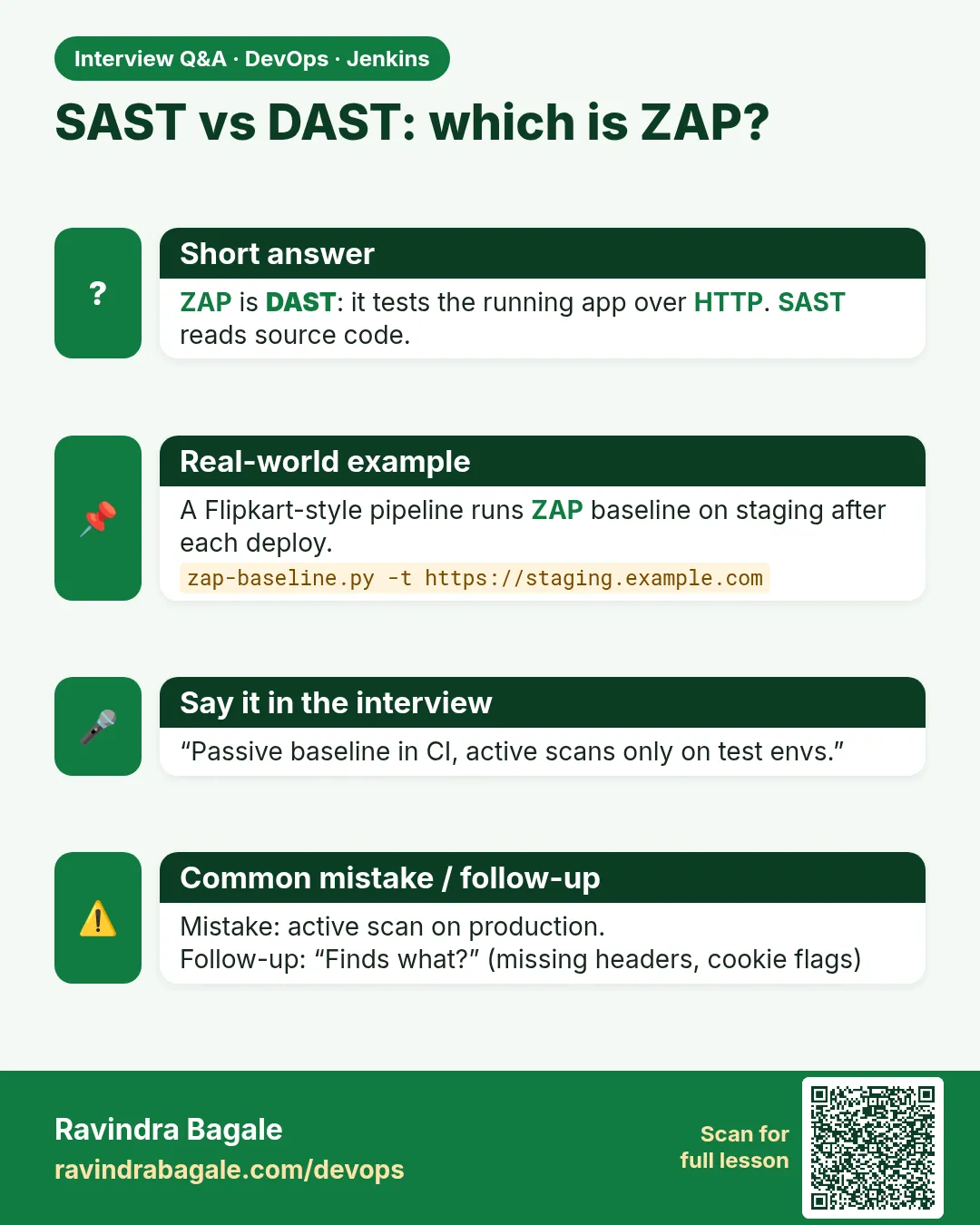
SAST vs DAST?
SAST reads source code without running it; DAST tests the running app from outside, like ZAP.
-
How do you run ZAP in Jenkins?
Start the app in a Docker network, run zap-baseline.py container against it, handle exit codes, archive the report, clean up.
-
Why is the baseline scan safe in CI?
It only spiders and applies passive rules; no attack payloads.
-
How do you tune ZAP rules?
Generate a config with -g, set rules to FAIL/WARN/IGNORE, pass with -c.
-
How do you scan a REST API?
zap-api-scan.py with the OpenAPI definition.
Quick quiz
Q1. Does baseline attack the app?
No, it is passive: spider plus reading responses.
Q2. What does exit 2 mean?
Only warnings were found.
Q3. Which flag writes a rules file?
-g zap.conf.
Q4. Why a network per build?
So parallel builds do not clash.
Q5. Which URLs may you scan?
Only your own lab URLs.
Samajla ka?
 Revision card
 Interview card