Chapter 29: Scan Pipeline in Jenkins
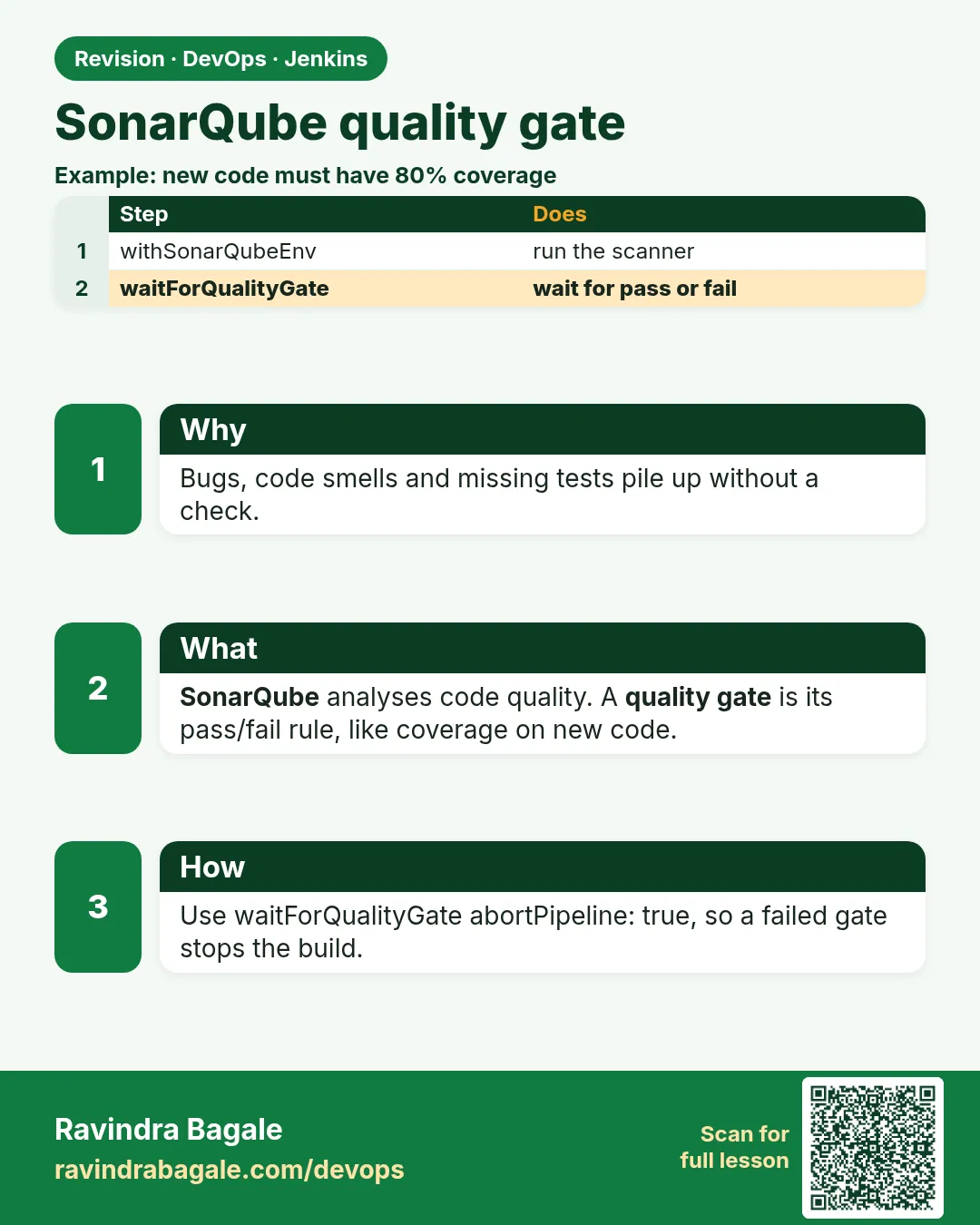
29.2 SonarQube quality gate
Why: the problem
Suppose we are at Infosys and the client says: "No code goes to production unless it passes our quality rules: no new bugs, no new security hotspots, and at least 80 percent test coverage on new code." Checking this by hand on every pull request is impossible. SonarQube does it. It reads the code, finds bugs, code smells and security hotspots, and gives a pass or fail called the quality gate. The trap is that many pipelines run the SonarQube scan but never wait for the gate result. The scan uploads, Jenkins goes green, and the gate fails later on a dashboard nobody opens. In this lesson the pipeline will wait for the gate and stop when it fails.
What we will build
A local SonarQube server in Docker, connected to Jenkins with a token stored as a Jenkins credential. Then three pipelines that scan and wait for the quality gate: Node.js with sonar-scanner, Python with coverage, and Java with Maven. You will break the gate on purpose and see Live skipped.
What: every term in plain English
- SonarQube — A server that analyses code quality and security and shows results on a web dashboard.
- Scanner — The client program (sonar-scanner, or the Maven/Gradle plugin) that reads code and sends results to the server.
- Quality gate — A set of pass/fail rules on the results, e.g. coverage on new code at least 80 percent.
- Webhook — A message SonarQube sends to Jenkins when analysis finishes, so Jenkins knows the gate result.
- Token — A secret string that lets the scanner log in. Stored in Jenkins as credential lab-sonar-token.
- Project key — The unique name of the project in SonarQube, e.g. badge-api.
- New code — Code changed since the last version. Good gates judge new code so old debt does not block you.
How: step by step
-
Start SonarQube in Docker
docker run -d --name sonarqube -p 9000:9000 sonarqube:lts-communityWhat it does: Starts the free community server on port 9000. The first start takes 1-2 minutes.
Output
Unable to find image 'sonarqube:lts-community' locally lts-community: Pulling from library/sonarqube Status: Downloaded newer image for sonarqube:lts-community 6b1f0c2e9a4d... -
Wait until it is up
until curl -s localhost:9000/api/system/status | grep -q UP; do sleep 5; done; curl -s localhost:9000/api/system/statusWhat it does: Polls the status API until the server says UP.
Output
{"id":"147B411E-AY...","version":"9.9.6.92038","status":"UP"} -
Log in and change the password
Open http://localhost:9000, log in as admin / admin, set a new strong passwordWhat it does: The first login forces a new password. Never leave admin/admin.
Output
(web page) Update your password -
Create a token
My Account > Security > Generate Tokens: name jenkins, type Global Analysis TokenWhat it does: Makes a token the scanner will use. Copy it once; it is shown only once.
Output
Token generated: squ_**************** (copy now) -
Save the token in Jenkins
Manage Jenkins > Credentials > System > Global > Add: Kind "Secret text", ID lab-sonar-tokenWhat it does: Stores the token encrypted in Jenkins. Pipelines use the ID, never the value.
Output
Credential lab-sonar-token created -
Connect Jenkins to the server
Manage Jenkins > System > SonarQube servers: Name lab-sonar, URL http://sonarqube:9000, token lab-sonar-tokenWhat it does: Needs the "SonarQube Scanner" plugin. withSonarQubeEnv('lab-sonar') will use this.
Output
Saved -
Add the webhook in SonarQube
Administration > Configuration > Webhooks > Create: URL http://jenkins:8080/sonarqube-webhook/What it does: Lets SonarQube tell Jenkins the gate result. Without it, waitForQualityGate waits until timeout.
Output
Webhook "jenkins" created
Example 1: Node
Stack. Node.js, Jest, sonar-scanner CLI
Goal. Node.js: scan with sonar-scanner and wait for the gate. Coverage comes from Jest.
sonar-project.properties
sonar.projectKey=badge-api
sonar.projectName=Badge API (Node)
sonar.sources=app
sonar.tests=test
sonar.javascript.lcov.reportPaths=coverage/lcov.info
sonar.exclusions=**/node_modules/**
Jenkinsfile
pipeline {
  agent { label 'scan' }
  options { timestamps(); timeout(time: 30, unit: 'MINUTES') }
  stages {
    stage('Checkout') { steps { checkout scm } }
    stage('Test') { steps { sh 'npm ci && npx jest --coverage' } }
    stage('SonarQube analysis') {
      steps {
        withSonarQubeEnv('lab-sonar') {
          sh 'sonar-scanner'
        }
      }
    }
    stage('Quality gate') {
      steps {
        timeout(time: 5, unit: 'MINUTES') {
          waitForQualityGate abortPipeline: true
        }
      }
    }
    stage('Live (lab)') {
      steps { echo 'All gates green: deploying badge-api to the lab' }
    }
  }
}
What each line does
sonar.projectKey=badge-api— The unique name in SonarQube.sonar.javascript.lcov.reportPaths— Where Jest wrote coverage. Without it coverage shows 0 percent and the gate fails.withSonarQubeEnv('lab-sonar')— Injects the server URL and token from Jenkins config into the scanner. No token in the file.waitForQualityGate abortPipeline: true— Waits for the webhook result. If the gate is ERROR, the pipeline stops here.timeout(time: 5, unit: 'MINUTES')— If the webhook never arrives, fail after 5 minutes instead of hanging.
Green output
INFO: Analysis report uploaded in 212ms
INFO: ANALYSIS SUCCESSFUL, you can find the results at: http://sonarqube:9000/dashboard?id=badge-api
[Pipeline] waitForQualityGate
Checking status of SonarQube task 'AY9x...' on server 'lab-sonar'
SonarQube task 'AY9x...' status is 'SUCCESS'
SonarQube task 'AY9x...' completed. Quality gate is 'OK'
[Pipeline] stage (Live (lab))
Finished: SUCCESS
Expected result. Gate OK, Live runs. The dashboard shows bugs, smells, coverage and duplication for badge-api.
Example 2: Python: coverage
Stack. Python 3.11, pytest-cov, sonar-scanner
Goal. Python: coverage.xml from pytest-cov feeds the gate.
sonar-project.properties
sonar.projectKey=badge-api-py
sonar.sources=.
sonar.exclusions=tests/**,.venv/**
sonar.tests=tests
sonar.python.version=3.11
sonar.python.coverage.reportPaths=coverage.xml
tests/test_app.py
from app import app

def test_health():
    r = app.test_client().get("/health")
    assert r.status_code == 200
    assert r.get_json()["status"] == "ok"

def test_bad_user():
    r = app.test_client().get("/badge/A!")
    assert r.status_code == 400
Jenkinsfile (stages)
stage('Test') {
  steps { sh '. .venv/bin/activate && pytest --cov=. --cov-report=xml' }
}
stage('SonarQube analysis') {
  steps { withSonarQubeEnv('lab-sonar') { sh 'sonar-scanner' } }
}
stage('Quality gate') {
  steps { timeout(time: 5, unit: 'MINUTES') { waitForQualityGate abortPipeline: true } }
}
What each line does
pytest --cov=. --cov-report=xml— Runs tests and writes coverage.xml in the format SonarQube reads.sonar.python.coverage.reportPaths=coverage.xml— Points SonarQube to that file.def test_bad_user— Tests the 400 path too, so coverage of new code goes up.
Green output
2 passed in 0.21s
Coverage XML written to file coverage.xml
INFO: Sensor Cobertura Sensor for Python coverage [python]
INFO: ANALYSIS SUCCESSFUL
Quality gate is 'OK'
Expected result. Gate OK with real coverage. Delete test_bad_user, push, and watch coverage on new code drop and the gate go red.
Example 3: Java: Maven runs the scan itself; no separate scanner needed
Stack. Java 17, Maven, JaCoCo
Goal. Java: Maven runs the scan itself; no separate scanner needed.
Jenkinsfile (stages)
stage('Test + coverage') {
  steps { sh 'mvn -B verify' }   // jacoco plugin writes target/site/jacoco/jacoco.xml
}
stage('SonarQube analysis') {
  steps {
    withSonarQubeEnv('lab-sonar') {
      sh 'mvn -B sonar:sonar -Dsonar.projectKey=badge-api-java'
    }
  }
}
stage('Quality gate') {
  steps { timeout(time: 5, unit: 'MINUTES') { waitForQualityGate abortPipeline: true } }
}
pom.xml (jacoco part)
<plugin>
  <groupId>org.jacoco</groupId>
  <artifactId>jacoco-maven-plugin</artifactId>
  <version>0.8.12</version>
  <executions>
    <execution><goals><goal>prepare-agent</goal></goals></execution>
    <execution><id>report</id><phase>verify</phase><goals><goal>report</goal></goals></execution>
  </executions>
</plugin>
What each line does
mvn -B verify— Compiles, runs tests and makes the JaCoCo coverage report.mvn -B sonar:sonar— The Sonar Maven plugin scans and uploads. It finds jacoco.xml by itself.prepare-agent— Attaches the coverage agent while tests run.
Green output
[INFO] ANALYSIS SUCCESSFUL, you can find the results at: http://sonarqube:9000/dashboard?id=badge-api-java
[INFO] BUILD SUCCESS
Quality gate is 'OK'
Finished: SUCCESS
Expected result. Same gate, Java style. All three stacks now stop on a failed gate.
Verify: did it work?
-
Read the gate from the API
curl -s -u "$SONAR_TOKEN:" "localhost:9000/api/qualitygates/project_status?projectKey=badge-api" | jq -r .projectStatus.statusWhat it does: Asks SonarQube for the gate status of the project.
Output
OK -
See the conditions
curl -s -u "$SONAR_TOKEN:" "localhost:9000/api/qualitygates/project_status?projectKey=badge-api" | jq -r '.projectStatus.conditions[] | "\(.metricKey) \(.status)"'What it does: Lists each rule in the gate and whether it passed.
Output
new_reliability_rating OK new_security_rating OK new_coverage OK new_duplicated_lines_density OK -
Check the webhook delivery
Administration > Webhooks > jenkins > Last deliveryWhat it does: Shows if Jenkins got the message. 200 means delivered.
Output
Response: 200 Duration: 34ms
When it is red 1
Timeout set to expire in 5 min 0 sec
Checking status of SonarQube task 'AY9x...'
SonarQube task 'AY9x...' status is 'PENDING'
Timeout has been exceeded
Cause. The webhook to Jenkins is missing or points to the wrong URL, so Jenkins never hears the result.
Fix, step by step
- In SonarQube, open Administration > Webhooks.
- Set URL to http://
:8080/sonarqube-webhook/ (the trailing slash matters). - From the SonarQube container run: curl -I http://jenkins:8080/ to check the network.
- Rerun the build.
When it is red 2
ERROR: Not authorized. Analyzing this project requires authentication.
Please provide a user token in sonar.login or other credentials in sonar.login and sonar.password.
Cause. The scanner ran outside withSonarQubeEnv, or the credential is wrong/expired.
Fix, step by step
- Put the sonar-scanner step inside withSonarQubeEnv('lab-sonar').
- Check that lab-sonar uses credential lab-sonar-token.
- Generate a new token if it was revoked and update the credential.
When it is red 3
SonarQube task 'AY9x...' completed. Quality gate is 'ERROR'
ERROR: Pipeline aborted due to quality gate failure: ERROR
Cause. Good news: the gate works. Code broke a rule, e.g. coverage on new code is below 80 percent.
Fix, step by step
- Open the dashboard link from the log.
- Look at the failed condition (for example "Coverage on New Code 41%").
- Add tests or fix the bug, then push again.
- Do not lower the gate to make it pass without team agreement.
Cleanup
-
Stop and remove SonarQube
docker rm -f sonarqubeWhat it does: Stops the lab server. Data is lost unless you used a volume.
Output
sonarqube -
Revoke the lab token
My Account > Security > Revoke "jenkins"What it does: A token you no longer use should not exist.
Output
Token revoked
Ravindra Bagale's Tip
Scan chalvla mhanje kaam sampla nahi. waitForQualityGate shivay SonarQube fakt sajavat aahe.
Practice tasks
Easy Run SonarQube locally
Why: You need a server before any gate.
What to do: Start SonarQube in Docker and log in.
- docker run -d --name sonarqube -p 9000:9000 sonarqube:lts-community
- Wait for status UP.
- Change the admin password.
Check: The dashboard opens at localhost:9000.
Medium Wire the webhook
Why: Without it the gate step times out.
What to do: Create the Jenkins webhook in SonarQube.
- Administration > Webhooks > Create.
- URL http://jenkins:8080/sonarqube-webhook/
- Run a build and check Last delivery.
Check: Last delivery shows 200.
Medium Feed coverage
Why: A gate on coverage needs a coverage file.
What to do: Make Jest, pytest or JaCoCo write coverage and point SonarQube to it.
- Add the coverage flag to tests.
- Set the reportPaths property.
- Check coverage on the dashboard is not 0%.
Check: Coverage shows a real number.
Hard Create a strict gate
Why: Different projects need different rules.
What to do: Make the badge-strict gate and assign it.
- Quality Gates > Create.
- Add Coverage on New Code is less than 90.
- Project settings > Quality Gate > badge-strict.
Check: A build with low coverage is red; with good tests it is green.
Easy Run SonarQube by hand once
Why: Running a tool by hand first shows you what Jenkins will see.
What to do: Run SonarQube on your laptop against the Node badge app, before Jenkins.
- Open a terminal in the badge-api folder.
- Run the SonarQube command from step-by-step.
- Read the summary line.
Check: You can say how many findings there are and what the exit code was (echo $?).
Medium Make SonarQube go red on purpose
Why: A gate you have never seen fail is a gate you do not trust.
What to do: Add one bad thing that SonarQube should catch and run the build.
- Create a branch called break-scan.
- Add the bad change from the "When it is red" section.
- Push and watch the build.
Check: The scan stage is red and the Live (lab) stage is skipped.
Medium Archive the SonarQube report
Why: Reviewers and auditors need the report file, not only the console.
What to do: Save the report as a build artifact in Jenkins.
- Write the report to reports/ in the scan command.
- Add post { always { archiveArtifacts artifacts: 'reports/**', allowEmptyArchive: true } }.
- Run the build and open the Artifacts link.
Check: The report file is downloadable from the build page.
Hard Explain SonarQube in 60 seconds
Why: Interviewers ask "what does this stage do and why".
What to do: Record yourself explaining the stage to a fresher.
- Say the problem it solves.
- Say the command and the exit code rule.
- Say what you do when it is red.
Check: A friend can repeat back when the build should go red.
Homework: try at home
Try at home
Create a custom quality gate named "badge-strict" with coverage on new code 90 percent, assign it to badge-api, and show one red and one green build.
Recap
- SonarQube checks bugs, smells, hotspots and coverage, and gives a gate result.
- withSonarQubeEnv injects URL and token; the token lives in Jenkins credentials.
- waitForQualityGate abortPipeline: true is the real gate; wrap it in timeout.
- The webhook to /sonarqube-webhook/ is required.
- Fix red gates by improving code, not by lowering the gate.
FAQ
Is SonarQube free?
The Community edition is free and enough for learning. Branch and PR analysis need paid editions or SonarCloud.
Why does my coverage show 0%?
The report path property is missing or wrong, or tests ran after the scan.
Can I use SonarCloud instead?
Yes. The pipeline is nearly the same; the server is hosted.
Does SonarQube find vulnerable libraries?
Not really. Use Dependency-Check or Trivy for that (lessons 29.3 and 29.4).
How long should the timeout be?
Usually 5 minutes is plenty for small projects.
Interview questions
-
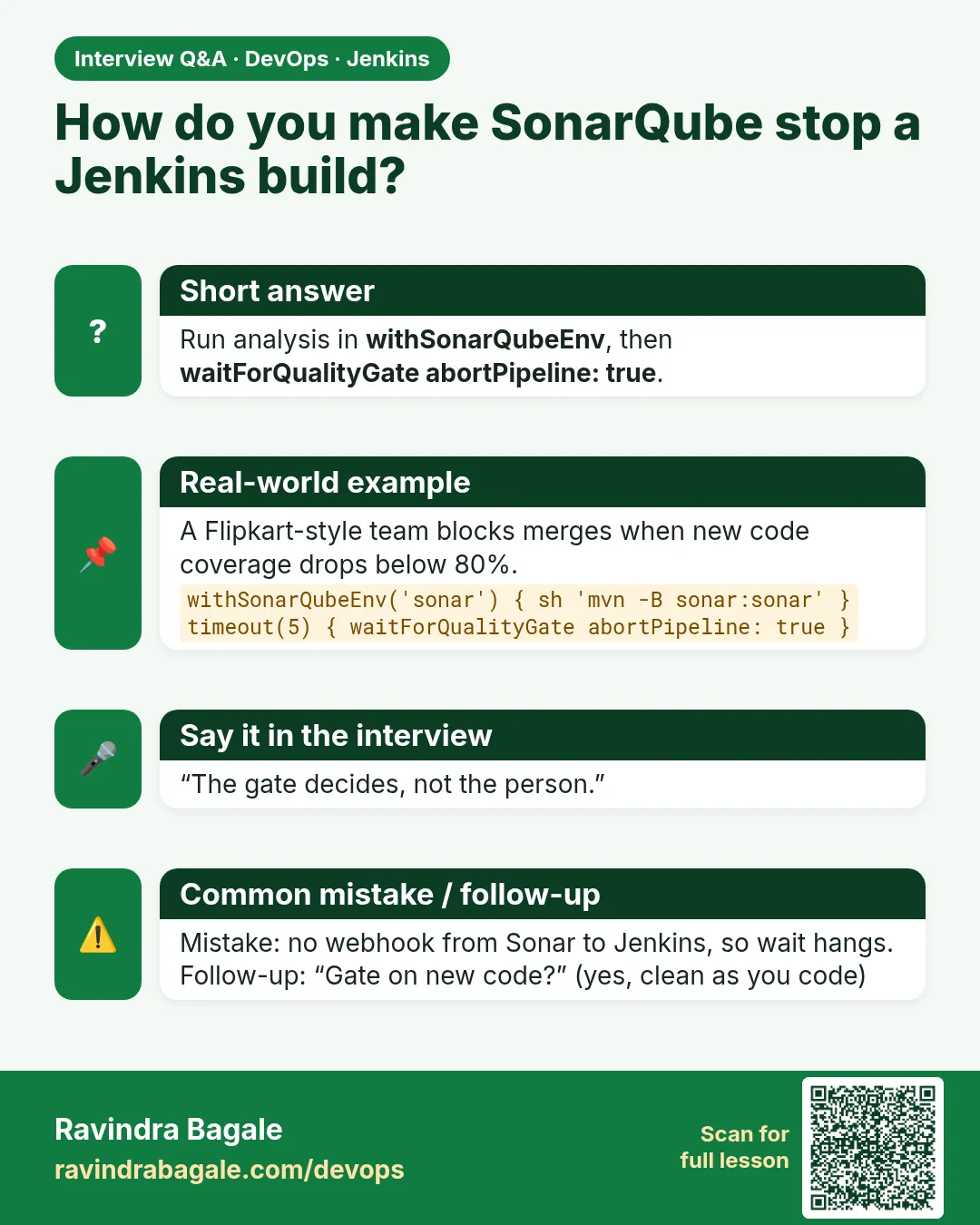
How do you enforce a SonarQube quality gate in Jenkins?
Run the scan inside withSonarQubeEnv, then waitForQualityGate abortPipeline: true inside a timeout; configure a SonarQube webhook to Jenkins.
-
What is "clean as you code"?
Judging the quality gate on new code only, so new changes are clean while old debt is fixed gradually.
-
Why does waitForQualityGate hang?
Usually the webhook is missing or unreachable; Jenkins never receives the analysis result.
-
Bug vs code smell vs security hotspot?
A bug is likely wrong behaviour, a smell is maintainability trouble, a hotspot is security-sensitive code a human must review.
-
How do you keep the token safe?
Store as Jenkins secret text credential; use withSonarQubeEnv; never in the repo or console.
Quick quiz
Q1. What step makes Jenkins wait for the gate?
waitForQualityGate abortPipeline: true.
Q2. Why add a timeout?
So a missing webhook does not hang the build forever.
Q3. Where does the token live?
In Jenkins credentials (lab-sonar-token), injected by withSonarQubeEnv.
Q4. Why judge new code?
So old debt does not block every change, but new code stays clean.
Q5. What is the webhook path on Jenkins?
/sonarqube-webhook/
Samajla ka?
 Revision card
 Interview card