Excel Interview Prep — Sales / Operations
Friends, sales & ops: conversion, targets, TAT, fill rate, OTIF and action lists. Definitions before dashboards.
चला मित्रांनो — sales & ops: conversion, targets, TAT, fill rate, OTIF. आधी definitions, मग dashboard.
चलो दोस्तों — sales & ops: conversion, targets, TAT, fill rate, OTIF. पहले definitions, फिर dashboard.
Why → What → How
Why: Excel interviews are not memory tests of every function name. They check if you can clean a small sheet, write a correct formula, and explain the result in plain English.
What: This page has 28 real interview-style questions for Sales / Operations. Each one has a short answer, vertical steps, a tiny example, a common wrong answer, and a follow-up question.
How — study plan:
- Skim all question titles once (10 minutes).
- Download the practice workbook and open sheet
About this data. - Answer aloud, then type the formula in the file.
- Check the yellow cells on sheet
Answersonly after you try. - Revise with the three cards and take the quiz.
Download practice file: practice-sales-interview.xlsx (includes About this data, practice sheets, Answers).
Ravindra Bagale's Tip
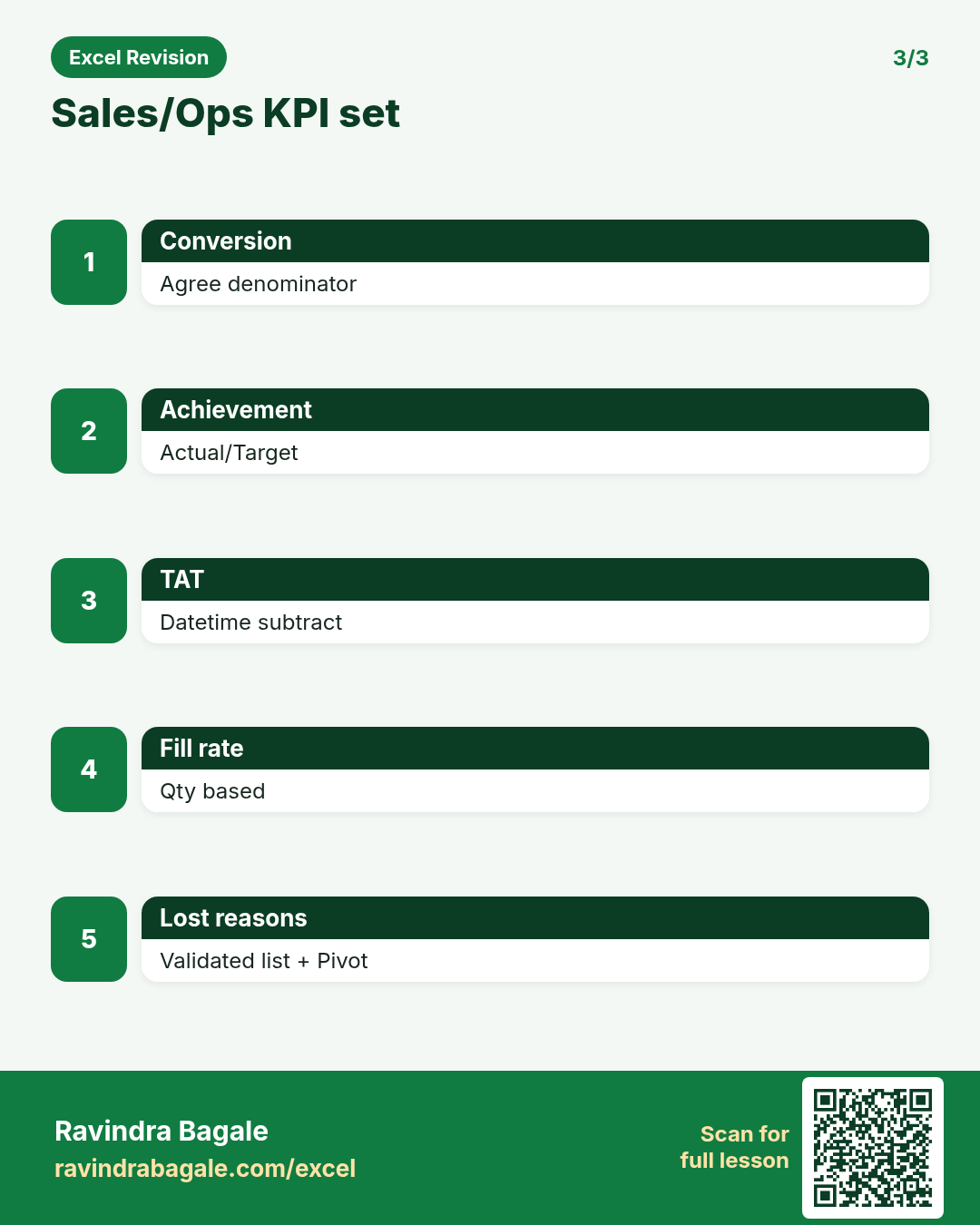
Friends, agree the denominator for conversion before you debate the percentage.
Ravindra Bagale's Tip – मराठी
मित्रांनो, conversion % वर भांडण्याआधी denominator ठरवा.
Ravindra Bagale's Tip – हिंदी
दोस्तों, conversion % पर बहस से पहले denominator तय करो.
Ravindra Bagale's Tip
OTIF means On Time and In Full — missing either fails the KPI.
Ravindra Bagale's Tip – मराठी
OTIF = On Time आणि In Full — एक चुकले तरी KPI fail.
Ravindra Bagale's Tip – हिंदी
OTIF = On Time और In Full — एक भी छूटा तो KPI fail.
Questions (28)
Conversion % for a pipeline stage?
Why interviewers ask: To see if you understand the idea, not only the button clicks.
What (short answer): Won / Qualified (or Leads) — agree denominator. Format as %.
How — tiny example (vertical steps):
- =Won/Qualified.
Formula: =C2/B2
Result: 24%
What it means: Conversion KPI.
Target vs achievement %?
Why interviewers ask: To see if you understand the idea, not only the button clicks.
What (short answer): Actual/Target. Guard divide by zero; CF red under 100%.
How — tiny example (vertical steps):
- =IF(Target=0,"n/a",Actual/Target).
Formula: =C2/B2
Result: 92%
What it means: Achievement.
Pipeline stages you expect in Excel?
Why interviewers ask: To see if you understand the idea, not only the button clicks.
What (short answer): Lead → Qualified → Proposal → Won/Lost with amount and close date.
How — tiny example (vertical steps):
- One row per opportunity.
Formula: (stages)
Result: CRM extract
What it means: Sales MIS.
Weighted pipeline value?
Why interviewers ask: To see if you understand the idea, not only the button clicks.
What (short answer): Amount * probability by stage.
How — tiny example (vertical steps):
- =Amount*Prob.
Formula: =E2*F2
Result: weighted
What it means: Forecast input.
Cohort of orders — meaning?
Why interviewers ask: To see if you understand the idea, not only the button clicks.
What (short answer): Group customers by first order month and track repeat behaviour in later months.
How — tiny example (vertical steps):
- First-order month helper.
- Pivot cohort × activity month.
Formula: (cohort)
Result: retention view
What it means: Ops insight.
Delivery TAT = delivered time - order time.
Why interviewers ask: To see if you understand the idea, not only the button clicks.
What (short answer): Store as datetime; difference in days or hours [*24].
How — tiny example (vertical steps):
- =(Delivered-Ordered)*24 hours.
Formula: =(E2-D2)*24
Result: 14.5 hrs
What it means: TAT.
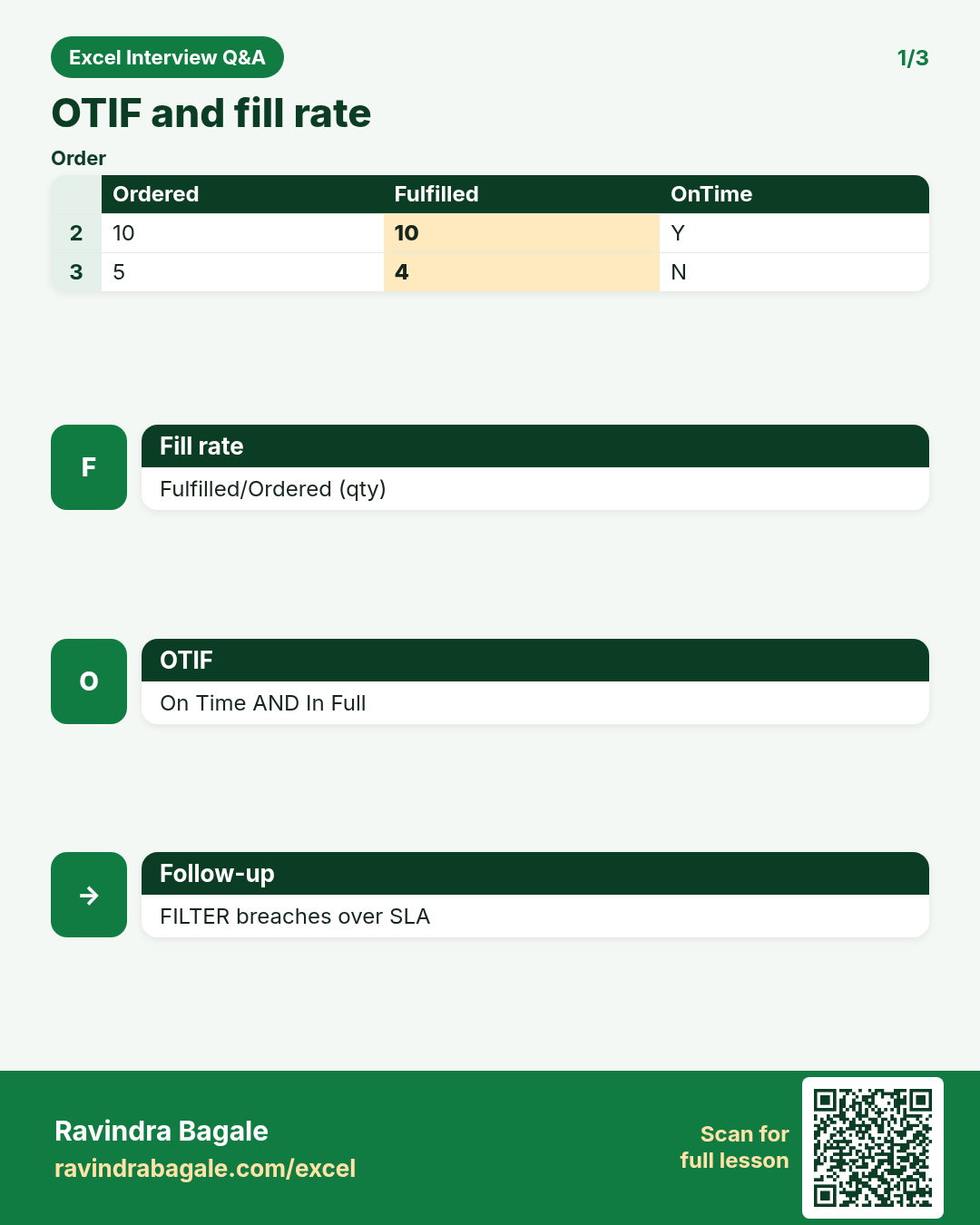
Fill rate = fulfilled qty / ordered qty.
Why interviewers ask: To see if you understand the idea, not only the button clicks.
What (short answer): SUMIFS fulfilled / SUMIFS ordered by SKU or order.
How — tiny example (vertical steps):
- =Fulfilled/Ordered.
Formula: =C2/B2
Result: 96%
What it means: Fill rate.
Inventory days cover idea?
Why interviewers ask: To see if you understand the idea, not only the button clicks.
What (short answer): Stock / average daily sales. Higher can mean slow movers.
How — tiny example (vertical steps):
- =Stock/AvgDailySales.
Formula: =B2/C2
Result: days cover
What it means: Inventory KPI.
Cost per km for a route?
Why interviewers ask: To see if you understand the idea, not only the button clicks.
What (short answer): Total trip cost / km.
How — tiny example (vertical steps):
- =Cost/Km.
Formula: =E2/F2
Result: ₹/km
What it means: Route efficiency.
Salesman leaderboard with SORTBY.
Why interviewers ask: To see if you understand the idea, not only the button clicks.
What (short answer): SORTBY(names, sales, -1) or Pivot sort.
How — tiny example (vertical steps):
- Top performers first.
Formula: =SORTBY(A2:A50,B2:B50,-1)
Result: leaderboard
What it means: Motivation + MIS.
Lost-order reasons Pivot?
Why interviewers ask: To see if you understand the idea, not only the button clicks.
What (short answer): Rows: Reason; Values: COUNT or SUM Amount; filter period.
How — tiny example (vertical steps):
- Action on top reasons.
Formula: (Pivot)
Result: loss analysis
What it means: Improve win rate.
Sudden drop in conversion — debug steps?
Why interviewers ask: To see if you understand the idea, not only the button clicks.
What (short answer): Check stage definition changes, data delay, channel mix, and sales capacity before blaming people.
How — tiny example (vertical steps):
- Control totals.
- Compare cohorts.
Formula: (debug)
Result: root cause
What it means: Calm analysis.
SUMIFS sales for channel and city.
Why interviewers ask: To see if you understand the idea, not only the button clicks.
What (short answer): Classic multi-filter actuals.
How — tiny example (vertical steps):
- =SUMIFS(Amount,Channel,G1,City,G2).
Formula: =SUMIFS(E:E,C:C,G1,D:D,G2)
Result: slice
What it means: Territory MIS.
Build target vs actual by region sheet.
Why interviewers ask: To see if you understand the idea, not only the button clicks.
What (short answer): Region, Target, Actual, %, Gap. CF on %.
How — tiny example (vertical steps):
- XLOOKUP actuals from fact table.
Formula: =XLOOKUP(A2,Fact[Region],Fact[Sales])
Result: actual
What it means: Region pack.
OTIF meaning for interviews?
Why interviewers ask: To see if you understand the idea, not only the button clicks.
What (short answer): On Time In Full — delivered by promise date with full quantity.
How — tiny example (vertical steps):
- Flag OnTime and InFull; OTIF = both.
Formula: =(OnTime)*(InFull)
Result: OTIF
What it means: Service KPI.
Moving average 7-day sales.
Why interviewers ask: To see if you understand the idea, not only the button clicks.
What (short answer): AVERAGE of last 7 days; or AVERAGEIFS with date window.
How — tiny example (vertical steps):
- =AVERAGE(B2:B8) copied carefully.
Formula: =AVERAGE(B2:B8)
Result: 7d MA
What it means: Smooth demand.
SKU stockout during promo.
Why interviewers ask: To see if you understand the idea, not only the button clicks.
What (short answer): Check forecast vs actual, fill rate, lead time, and safety stock. Document lost sales estimate.
How — tiny example (vertical steps):
- Lost = Demand-Fulfilled when stock=0.
Formula: (lost sales)
Result: ops learning
What it means: Better planning.
Hit rate = meetings that became proposals / meetings.
Why interviewers ask: To see if you understand the idea, not only the button clicks.
What (short answer): Agree definitions; COUNTIFS.
How — tiny example (vertical steps):
- =Proposals/Meetings.
Formula: =C2/B2
Result: hit rate
What it means: Sales activity KPI.
Why map Region → Manager with XLOOKUP?
Why interviewers ask: To see if you understand the idea, not only the button clicks.
What (short answer): Dimension table keeps ownership clear when people move; fact table stores Region only.
How — tiny example (vertical steps):
- XLOOKUP Region to Manager.
Formula: =XLOOKUP(D2,Map[Region],Map[Manager])
Result: manager
What it means: Clean star-like sheet.
TAT breach list with FILTER.
Why interviewers ask: To see if you understand the idea, not only the button clicks.
What (short answer): FILTER rows where hours > SLA.
How — tiny example (vertical steps):
- SLA in a cell.
Formula: =FILTER(A2:F100,G2:G100>$H$1)
Result: breaches
What it means: Ops action list.
Share of sales % with absolute total.
Why interviewers ask: To see if you understand the idea, not only the button clicks.
What (short answer): =Amount/$H$2 where H2 is grand total.
How — tiny example (vertical steps):
- Lock total with $.
Formula: =E2/$E$100
Result: share %
What it means: Mix analysis.
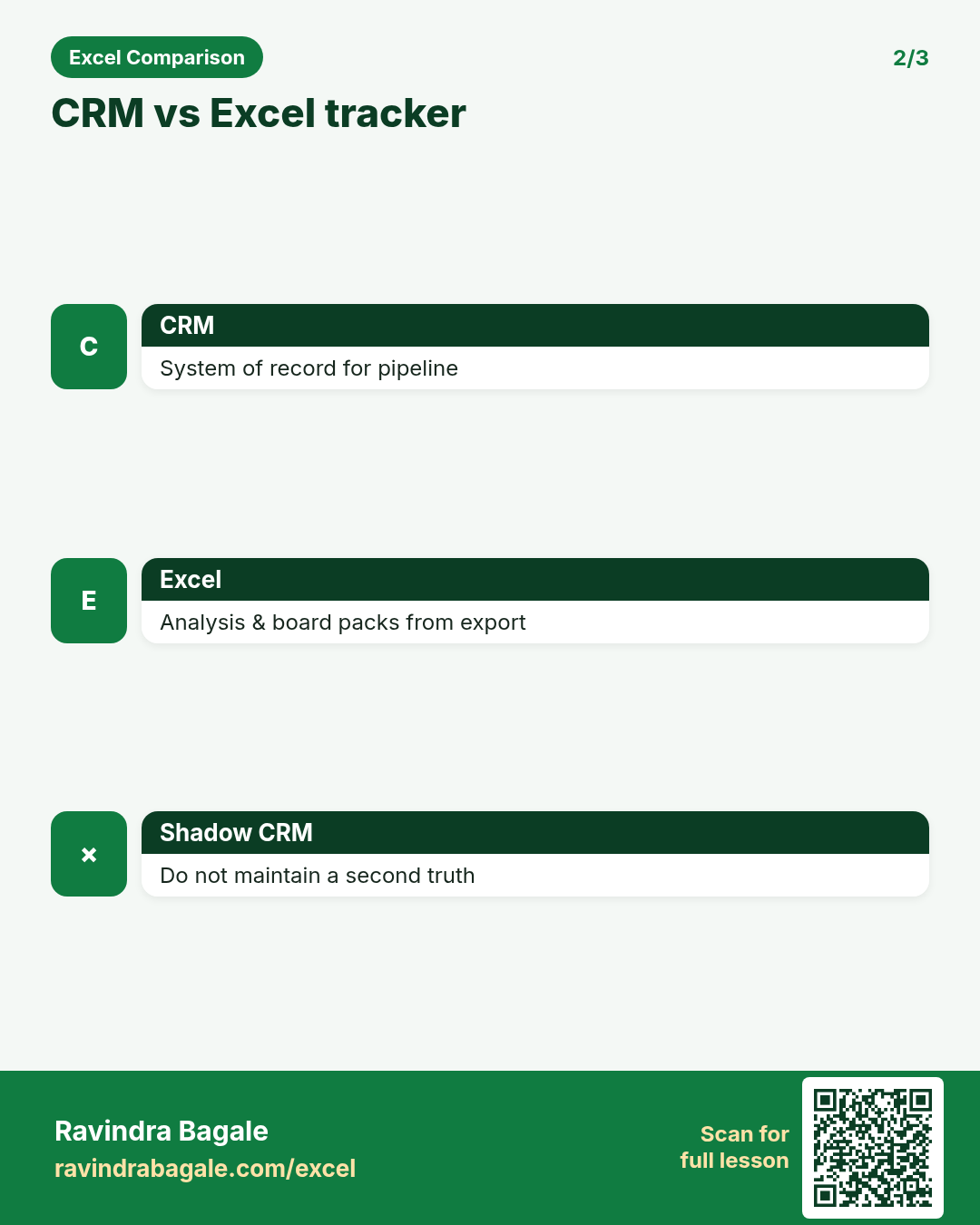
CRM vs Excel sales tracker boundary?
Why interviewers ask: To see if you understand the idea, not only the button clicks.
What (short answer): CRM is system of record for pipeline; Excel for custom analysis and board packs from exports.
How — tiny example (vertical steps):
- Do not maintain a shadow CRM.
Formula: (CRM+Excel)
Result: right tool
What it means: Mature answer.
Two salespeople claim the same deal.
Why interviewers ask: To see if you understand the idea, not only the button clicks.
What (short answer): Emp ID + opportunity ID rules; credit policy documented; Excel should not invent a second truth.
How — tiny example (vertical steps):
- Escalate to sales ops policy.
Formula: (credit)
Result: governance
What it means: Fair MIS.
Lost reason + amount top 5.
Why interviewers ask: To see if you understand the idea, not only the button clicks.
What (short answer): Pivot or SUMIF by reason; SORT top 5.
How — tiny example (vertical steps):
- Action owners.
Formula: =TAKE(SORT(...),5)
Result: top losses
What it means: Win-plan input.
On-time % = ontime deliveries / total deliveries.
Why interviewers ask: To see if you understand the idea, not only the button clicks.
What (short answer): COUNTIFS OnTime="Y" / COUNTA deliveries.
How — tiny example (vertical steps):
- Exclude cancelled.
Formula: =COUNTIF(H:H,"Y")/COUNTA(H:H)
Result: OT%
What it means: Logistics KPI.
Safety stock talk-track in Excel terms?
Why interviewers ask: To see if you understand the idea, not only the button clicks.
What (short answer): Buffer stock based on demand variability and lead time — model inputs clearly; do not fake precision.
How — tiny example (vertical steps):
- Show assumptions on About.
Formula: (safety stock)
Result: buffer
What it means: Ops planning.
INDEX/MATCH latest status by Order ID.
Why interviewers ask: To see if you understand the idea, not only the button clicks.
What (short answer): If log has many rows, XLOOKUP last match or MAXIFS date + INDEX.
How — tiny example (vertical steps):
- =XLOOKUP(id,A:A,Status,,0,-1).
Formula: =XLOOKUP(G2,A:A,F:F,,0,-1)
Result: latest status
What it means: Ops tracking.
Interview closer for sales ops Excel?
Why interviewers ask: To see if you understand the idea, not only the button clicks.
What (short answer): Clean stage data, clear KPIs, control totals, and action lists — not only colourful funnels.
How — tiny example (vertical steps):
- Show an exception FILTER.
Formula: (closer)
Result: ops mindset
What it means: Hire signal.
Practice tasks (12)
- 1. Conversion % with definition note (easy)Hint: Write denominator on About.
- 2. Achievement % + CF under 100% (easy)Hint: Guard divide by zero.
- 3. Weighted pipeline column (medium)Hint: Amount × probability.
- 4. TAT hours formula (medium)Hint: Subtract datetimes * 24.
- 5. Fill rate by SKU SUMIFS (medium)Hint: Fulfilled/Ordered.
- 6. SORTBY salesman leaderboard (easy)Hint: Sort key descending -1.
- 7. Lost reasons Pivot (medium)Hint: COUNT and Sum Amount.
- 8. Region manager XLOOKUP map (easy)Hint: Dimension table.
- 9. FILTER TAT breaches (medium)Hint: SLA threshold cell.
- 10. Share of sales with $ total (easy)Hint: Absolute reference on grand total.
- 11. On-time % exclude Cancelled (medium)Hint: COUNTIFS with status filter.
- 12. Top 5 lost amount reasons (hard)Hint: SORT then TAKE.
Quiz (8 questions)
1. Fill rate usually uses quantities, not only order counts.
2. OTIF includes both on-time and in-full.
3. Shadow CRM in Excel should replace the real CRM.
4. Weighted pipeline multiplies amount by probability.
5. TAT needs real datetime values, not text.
6. Lost-reason codes should be validated lists.
7. Achievement % is Actual/Target.
8. Control totals are optional in sales ops packs.
Interview, comparison and revision cards
Standalone cards (no tip or photo strip). Each has a QR to this lesson. Download the PNG and revise offline.
Next: back to the Interview Prep hub · related lesson Formulas and Functions.