Excel Interview Prep — HR / Admin
Friends, hR Excel: attendance COUNTIF, leave balance, payroll pieces, headcount Pivot, and privacy habits.
चला मित्रांनो — HR Excel: attendance, leave, payroll, headcount Pivot, privacy.
चलो दोस्तों — HR Excel: attendance, leave, payroll, headcount Pivot, privacy.
Why → What → How
Why: Excel interviews are not memory tests of every function name. They check if you can clean a small sheet, write a correct formula, and explain the result in plain English.
What: This page has 28 real interview-style questions for HR / Admin. Each one has a short answer, vertical steps, a tiny example, a common wrong answer, and a follow-up question.
How — study plan:
- Skim all question titles once (10 minutes).
- Download the practice workbook and open sheet
About this data. - Answer aloud, then type the formula in the file.
- Check the yellow cells on sheet
Answersonly after you try. - Revise with the three cards and take the quiz.
Download practice file: practice-hr-interview.xlsx (includes About this data, practice sheets, Answers).
Ravindra Bagale's Tip
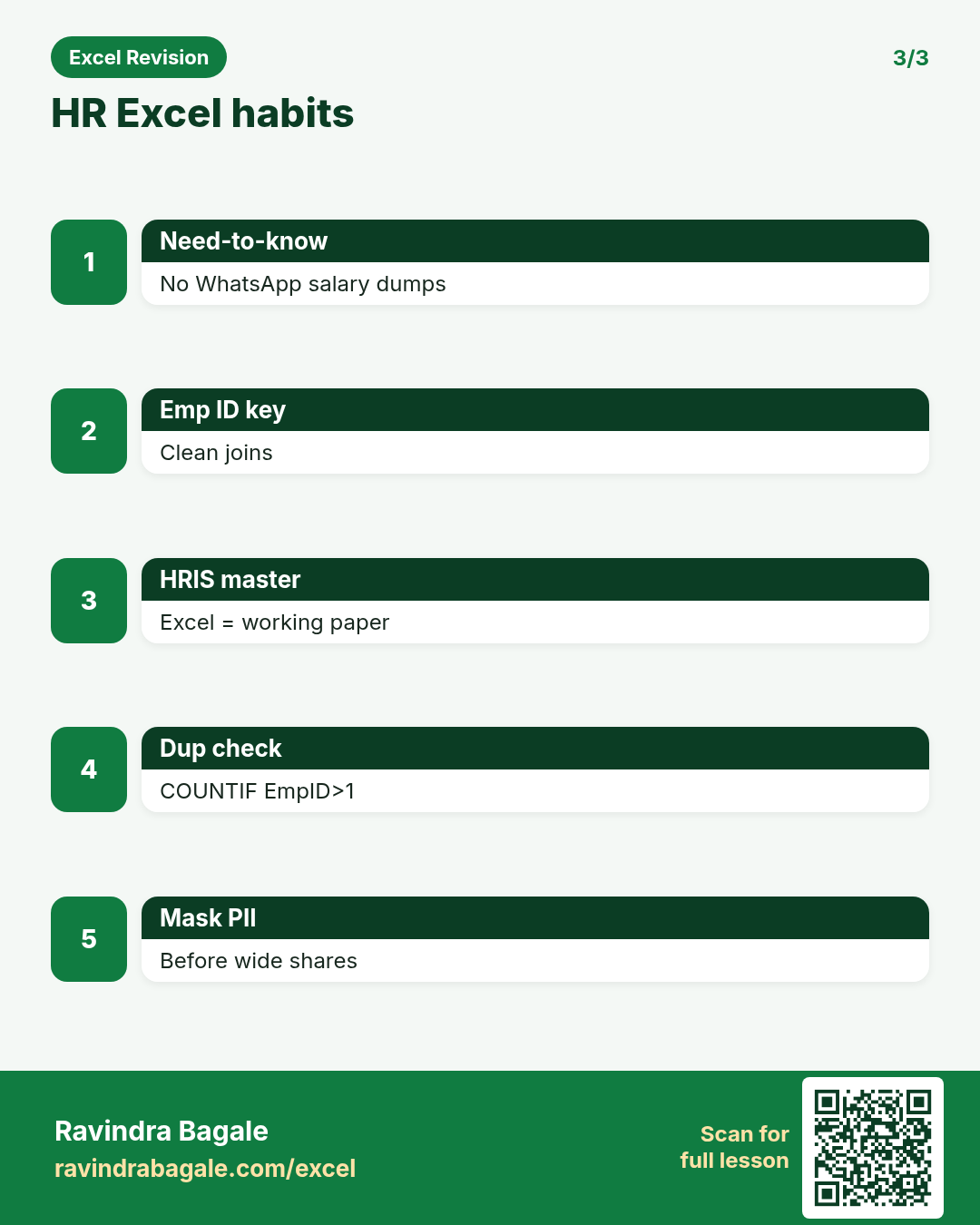
Friends, never WhatsApp the salary register — share need-to-know only.
Ravindra Bagale's Tip – मराठी
मित्रांनो, salary register WhatsApp करू नका — need-to-know only.
Ravindra Bagale's Tip – हिंदी
दोस्तों, salary register WhatsApp मत करो — need-to-know only.
Ravindra Bagale's Tip
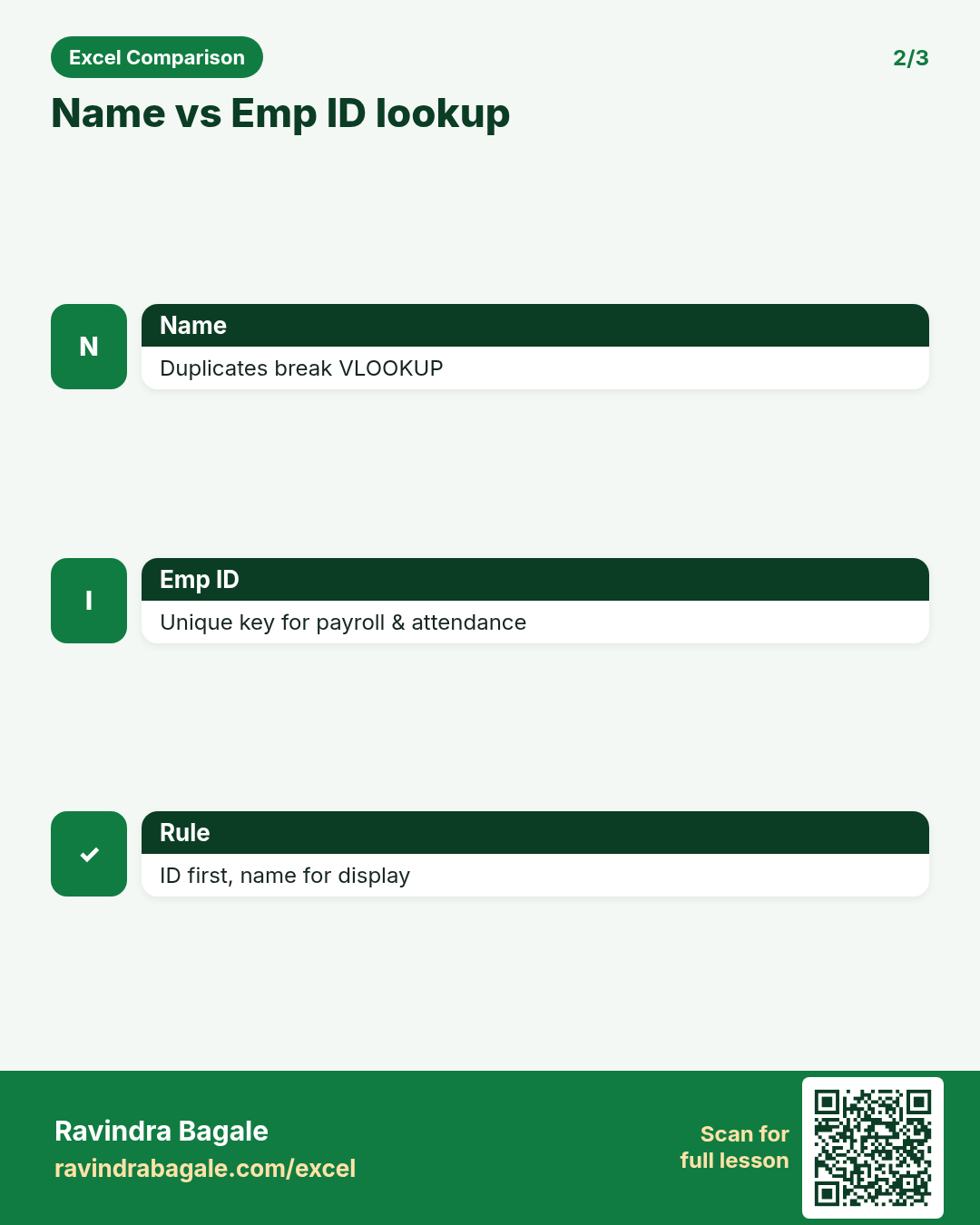
Emp ID first, name second — duplicates in names break VLOOKUP.
Ravindra Bagale's Tip – मराठी
आधी Emp ID, नंतर नाव — duplicate names VLOOKUP तोडतात.
Ravindra Bagale's Tip – हिंदी
पहले Emp ID, फिर नाम — duplicate names VLOOKUP तोड़ते हैं.
Questions (28)
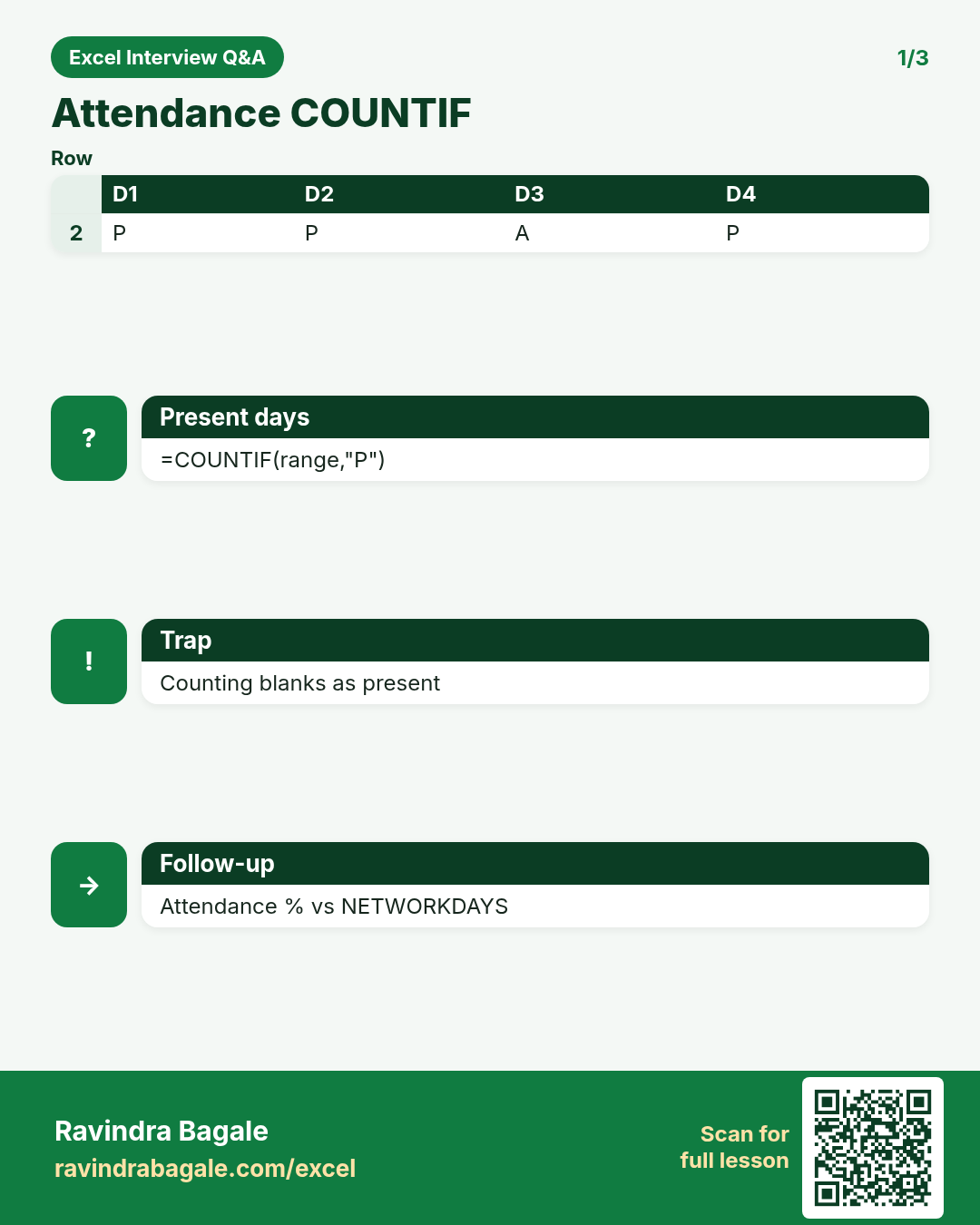
Present days with COUNTIF on attendance grid?
Why interviewers ask: To see if you understand the idea, not only the button clicks.
What (short answer): COUNTIF each row for "P" or tick mark across date columns.
How — tiny example (vertical steps):
- =COUNTIF(C2:AG2,"P").
Formula: =COUNTIF(C2:AG2,"P")
Result: 22
What it means: Present days.
Leave balance basic formula?
Why interviewers ask: To see if you understand the idea, not only the button clicks.
What (short answer): Opening + accrued - taken = balance. Keep types (CL/SL/EL) separate.
How — tiny example (vertical steps):
- =B2+C2-D2.
Formula: =B2+C2-D2
Result: balance
What it means: Leave ledger.
Salary components you model in Excel?
Why interviewers ask: To see if you understand the idea, not only the button clicks.
What (short answer): Basic, HRA, allowances, PF employee, professional tax, net = gross - deductions.
How — tiny example (vertical steps):
- Gross then deductions then net.
Formula: =Gross-PF-PT
Result: Net
What it means: Payslip line.
Overtime pay simple model?
Why interviewers ask: To see if you understand the idea, not only the button clicks.
What (short answer): OT hours * OT rate; OT rate may be 1.5*hourly.
How — tiny example (vertical steps):
- =OT_Hours*Hourly*1.5.
Formula: =E2*F2*1.5
Result: OT pay
What it means: Payroll input.
Headcount Pivot — what fields?
Why interviewers ask: To see if you understand the idea, not only the button clicks.
What (short answer): Rows: Department or Location; Values: COUNT of Employee ID; Filters: Active status.
How — tiny example (vertical steps):
- Active = Yes filter.
Formula: (Pivot COUNT)
Result: HC
What it means: Workforce MIS.
Simple attrition rate?
Why interviewers ask: To see if you understand the idea, not only the button clicks.
What (short answer): Exits in period / average headcount (or opening). Confirm definition with HRBP.
How — tiny example (vertical steps):
- =Exits/((Open+Close)/2).
Formula: =B2/((B3+B4)/2)
Result: attrition %
What it means: HR KPI.
Roster with INDEX/MOD idea?
Why interviewers ask: To see if you understand the idea, not only the button clicks.
What (short answer): Cycle shifts across people using INDEX on a shift list with MOD of row number.
How — tiny example (vertical steps):
- =INDEX(Shifts, MOD(row-1,n)+1).
Formula: =INDEX($H$2:$H$4,MOD(ROW()-2,3)+1)
Result: Shift A
What it means: Roster pattern.
Offer CTC breakup sheet?
Why interviewers ask: To see if you understand the idea, not only the button clicks.
What (short answer): Annual and monthly for Basic, HRA, Special, PF employer, Gratuity estimate, CTC total.
How — tiny example (vertical steps):
- Monthly = Annual/12.
Formula: =Annual/12
Result: monthly
What it means: Offer clarity.
Clean employee master: TRIM and PROPER.
Why interviewers ask: To see if you understand the idea, not only the button clicks.
What (short answer): Helper columns =TRIM(PROPER(Name)) then replace values.
How — tiny example (vertical steps):
- Fix spaces and casing.
Formula: =TRIM(PROPER(A2))
Result: Priya Sharma
What it means: Clean master.
Birthday reminder with DATEDIF/TEXT?
Why interviewers ask: To see if you understand the idea, not only the button clicks.
What (short answer): Next birthday date from DOB; flag if within 7 days.
How — tiny example (vertical steps):
- Use DATE(YEAR(TODAY()),MONTH(DOB),DAY(DOB)) and adjust if passed.
Formula: =DATE(YEAR(TODAY()),MONTH(B2),DAY(B2))
Result: next bday
What it means: Engagement list.
Attendance vs timesheet difference?
Why interviewers ask: To see if you understand the idea, not only the button clicks.
What (short answer): Attendance is present/absent; timesheet may capture hours and projects. Different controls.
How — tiny example (vertical steps):
- Do not mix without mapping.
Formula: (definitions)
Result: clear data
What it means: HR ops clarity.
COUNTIFS for late marks by department.
Why interviewers ask: To see if you understand the idea, not only the button clicks.
What (short answer): COUNTIFS(Dept,G2,LateFlag,"Y").
How — tiny example (vertical steps):
- Department late KPI.
Formula: =COUNTIFS(D:D,G2,L:L,"Y")
Result: late count
What it means: Discipline MIS.
Payroll file has duplicate Emp IDs.
Why interviewers ask: To see if you understand the idea, not only the button clicks.
What (short answer): UNIQUE/COUNTIF to find duplicates; freeze pay until resolved; fix master.
How — tiny example (vertical steps):
- =COUNTIF(ID,A2)>1 helper.
Formula: =COUNTIF($A$2:$A$500,A2)
Result: dup flag
What it means: Payroll safety.
Data privacy in HR Excel files?
Why interviewers ask: To see if you understand the idea, not only the button clicks.
What (short answer): Mask PAN/Aadhaar, restrict access, no open WhatsApp of salary sheets, password or OneDrive ACL.
How — tiny example (vertical steps):
- Share need-to-know only.
Formula: (privacy)
Result: safe HR
What it means: Compliance mindset.
Pivot gender × department headcount.
Why interviewers ask: To see if you understand the idea, not only the button clicks.
What (short answer): COUNT Emp ID; filter Active.
How — tiny example (vertical steps):
- Check totals to master.
Formula: (Pivot)
Result: diversity MIS
What it means: HC view.
Probation end date = join + 90 days / EDATE.
Why interviewers ask: To see if you understand the idea, not only the button clicks.
What (short answer): =EDATE(Join,3) or Join+90 per policy.
How — tiny example (vertical steps):
- Flag if TODAY()>probation end and status still Probation.
Formula: =EDATE(B2,3)
Result: probation end
What it means: HR ops reminder.
Full and final checklist in Excel?
Why interviewers ask: To see if you understand the idea, not only the button clicks.
What (short answer): Assets returned, leave encashment, notice recovery, last working day, approvals — tick columns.
How — tiny example (vertical steps):
- One row per exit.
Formula: (FnF)
Result: exit control
What it means: No missed steps.
HRA exemption rough helper (conceptual)?
Why interviewers ask: To see if you understand the idea, not only the button clicks.
What (short answer): Interview: know Excel can model min of rules; final tax advice is not from a rough sheet alone.
How — tiny example (vertical steps):
- Show inputs and formula transparently.
Formula: (model)
Result: working paper
What it means: Not tax advice.
Manager asks average experience by team.
Why interviewers ask: To see if you understand the idea, not only the button clicks.
What (short answer): DATEDIF or year fraction from DOJ to TODAY; AVERAGEIFS by team.
How — tiny example (vertical steps):
- =AVERAGEIFS(Exp,Team,G2).
Formula: =AVERAGEIFS(E:E,C:C,G2)
Result: avg years
What it means: Talent MIS.
Build attendance calendar month with P/A validation.
Why interviewers ask: To see if you understand the idea, not only the button clicks.
What (short answer): Data Validation list P/A/L/H; COUNTIF summaries.
How — tiny example (vertical steps):
- Protect formula totals.
Formula: (DV)
Result: clean attendance
What it means: Ops ready.
TEXTJOIN of skills for a role search.
Why interviewers ask: To see if you understand the idea, not only the button clicks.
What (short answer): TEXTJOIN comma across skill columns; FILTER people with ISNUMBER(SEARCH()).
How — tiny example (vertical steps):
- Search "Python".
Formula: =TEXTJOIN(", ",TRUE,H2:L2)
Result: skills
What it means: Talent search.
Why Emp ID as primary key?
Why interviewers ask: To see if you understand the idea, not only the button clicks.
What (short answer): Names duplicate; IDs stay unique for payroll, attendance and VLOOKUP maps.
How — tiny example (vertical steps):
- Never reuse IDs casually.
Formula: (Emp ID)
Result: unique key
What it means: Clean joins.
Working days in month with NETWORKDAYS.
Why interviewers ask: To see if you understand the idea, not only the button clicks.
What (short answer): =NETWORKDAYS(month_start,month_end,holidays) for expected attendance base.
How — tiny example (vertical steps):
- Compare present to working days.
Formula: =NETWORKDAYS(A1,B1,Holidays)
Result: wdays
What it means: Attendance % base.
HRIS export vs Excel tracker out of sync.
Why interviewers ask: To see if you understand the idea, not only the button clicks.
What (short answer): Treat HRIS as master; Excel is working paper. Reconcile weekly with Emp ID MATCH.
How — tiny example (vertical steps):
- List Unmatched.
Formula: MATCH Emp ID
Result: gaps
What it means: Data sync.
Salary register net pay column and bank upload sheet.
Why interviewers ask: To see if you understand the idea, not only the button clicks.
What (short answer): Net formula; separate sheet EmpID, Name, Account, IFSC, Amount for bank.
How — tiny example (vertical steps):
- Validate account length.
Formula: =Gross-Deductions
Result: Net
What it means: Bank file.
Interview: confidentiality example you follow?
Why interviewers ask: To see if you understand the idea, not only the button clicks.
What (short answer): Need-to-know salary access, locked sheets, no screenshots on personal phone.
How — tiny example (vertical steps):
- State a concrete habit.
Formula: (habit)
Result: trust
What it means: HR fit.
Age from DOB with DATEDIF.
Why interviewers ask: To see if you understand the idea, not only the button clicks.
What (short answer): =DATEDIF(DOB,TODAY(),"Y").
How — tiny example (vertical steps):
- Check odd DOB values.
Formula: =DATEDIF(B2,TODAY(),"Y")
Result: age
What it means: Demographics.
What belongs in HR Excel vs HRMS?
Why interviewers ask: To see if you understand the idea, not only the button clicks.
What (short answer): HRMS for official records; Excel for analysis, what-ifs, and temporary trackers with clear expiry.
How — tiny example (vertical steps):
- Do not parallel unofficial salary masters.
Formula: (boundary)
Result: right system
What it means: Mature answer.
Practice tasks (12)
- 1. COUNTIF present days row (easy)Hint: Count "P" across the month columns.
- 2. Leave balance CL/SL columns (easy)Hint: Opening+accrued−taken.
- 3. Net salary from components (medium)Hint: Gross minus each deduction.
- 4. Headcount Pivot by dept (medium)Hint: COUNT of Emp ID, filter Active.
- 5. Attrition % with agreed formula (medium)Hint: Document definition on About.
- 6. TRIM PROPER name clean (easy)Hint: Helper column then paste values.
- 7. Duplicate Emp ID flag (medium)Hint: COUNTIF > 1.
- 8. EDATE probation end (easy)Hint: EDATE(join,3).
- 9. NETWORKDAYS month base (medium)Hint: Pass holiday list.
- 10. Bank upload sheet from register (medium)Hint: Filter Active and Amount>0.
- 11. Birthday within 7 days flag (hard)Hint: Compute next birthday then subtract TODAY.
- 12. Gender × Dept Pivot (easy)Hint: COUNT not SUM.
Quiz (8 questions)
1. Emp ID is a better lookup key than name.
2. Attrition definitions should be agreed before reporting.
3. Salary sheets can be freely WhatsApp-forwarded.
4. COUNTIF can count Present marks across a row.
5. HRIS should be the system of record over shadow Excel masters.
6. DATEDIF can compute age in years.
7. Headcount Pivots should COUNT employee IDs.
8. Duplicate Emp IDs are safe to pay twice.
Interview, comparison and revision cards
Standalone cards (no tip or photo strip). Each has a QR to this lesson. Download the PNG and revise offline.
Next: back to the Interview Prep hub · related lesson Formulas and Functions.