47.9 Alternatives to Docker Desktop
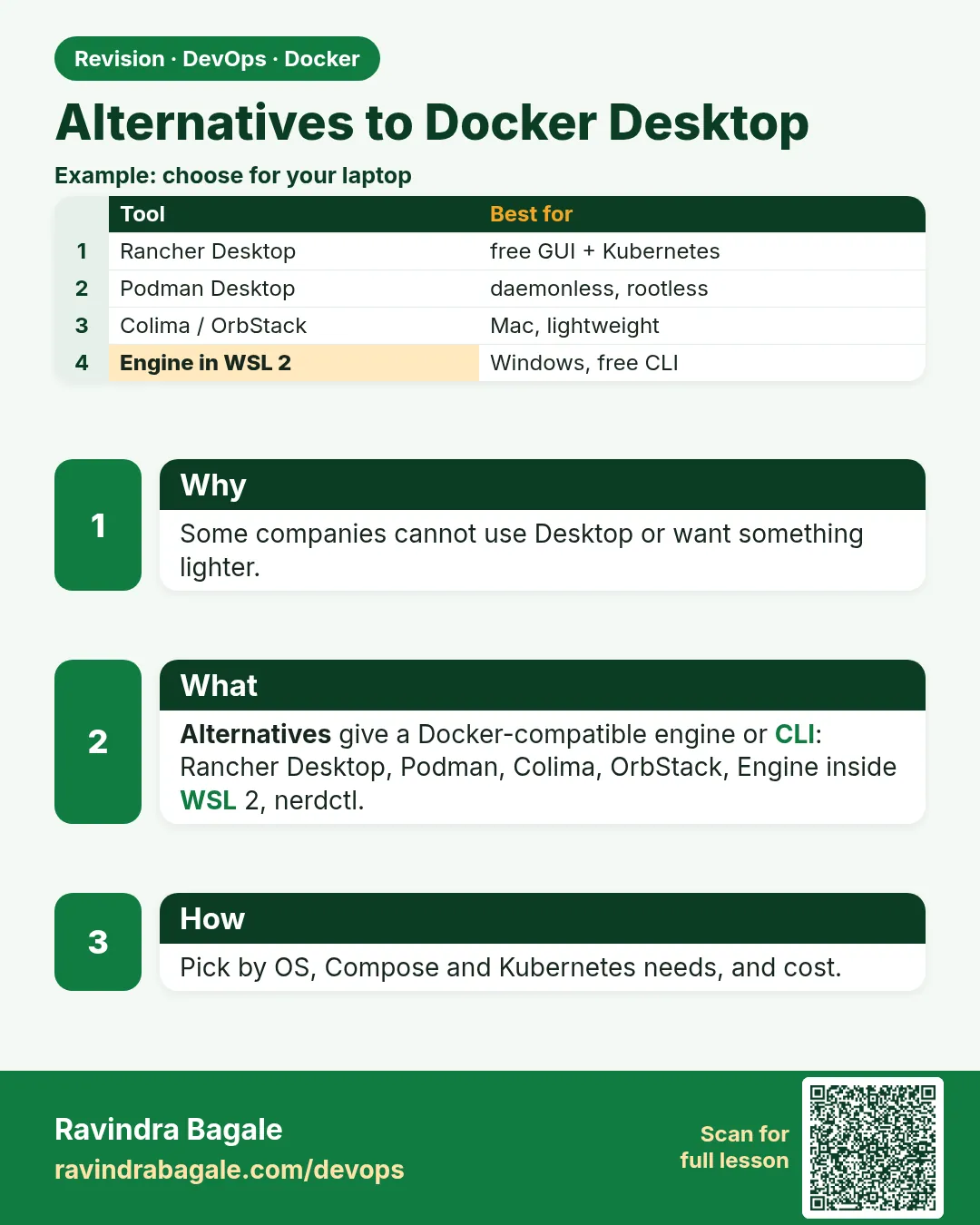
Chala mitrano! What if your company has no budget for Docker Desktop? Do not worry. There are free options: Rancher Desktop, Podman Desktop, Colima and Docker Engine inside WSL. Today we install each and run one container.
चला मित्रांनो! Company मध्ये Docker Desktop साठी पैसे नसले तर? घाबरू नका. Free पर्याय आहेत: Rancher Desktop, Podman Desktop, Colima, आणि WSL मधला Docker Engine. आज प्रत्येक install करून एक container चालवू.
चलो दोस्तों! Company में Docker Desktop का budget न हो तो? घबराइए मत. Free विकल्प हैं: Rancher Desktop, Podman Desktop, Colima, और WSL वाला Docker Engine. आज हर एक install करके एक container चलाएँगे.
1. Start from choosing a cab
To go from Hinjewadi to Pune station you can take Uber, Ola or Rapido. The cars are different, but you reach the same station.
Docker Desktop is one car. Other free tools also run the same containers from the same images. Your Dockerfile and docker commands keep working; only the app around the engine changes.
Big firms like Infosys, Wipro and Accenture often give developers one of these free tools to avoid the Docker Desktop licence fee. We try each one and run the same nginx test on all of them.
2. Rancher Desktop
Step 1: Rancher Desktop
Why: You want a free app with a window, plus Kubernetes, on Windows, Mac or Linux.
What: Rancher Desktop, made by SUSE, runs a hidden Linux VM with either the Docker engine (called dockerd/moby) or containerd. It also gives a light Kubernetes called k3s.
Example 1: Install on Windows
Type this:
winget install -e --id SUSE.RancherDesktop
You will see:
Successfully installed
What it means: On Mac: brew install --cask rancher.
Example 2: Choose the Docker engine
Type this:
rdctl set --container-engine.name=moby
rdctl list-settings | grep -A1 containerEngine
You will see:
"containerEngine": {
    "name": "moby"
What it means: rdctl is Rancher Desktop's command tool. moby means the normal Docker engine, so the docker command works.
Example 3: Run the nginx test
Type this:
docker run -d --name web -p 8080:80 nginx:1.27
curl -s localhost:8080 | grep title
docker rm -f web
You will see:
<title>Welcome to nginx!</title>
web
What it means: The same command, the same result, no licence fee.
Step 2: Rancher Desktop with containerd and nerdctl
Why: Some teams want to learn the engine that Kubernetes uses, containerd.
What: With containerd chosen, you use nerdctl, a tool whose commands look almost exactly like docker commands.
Example 4: Switch engines
Type this:
rdctl set --container-engine.name=containerd
You will see:
(Rancher Desktop restarts)
What it means: Now the engine is containerd.
Example 5: Run with nerdctl
Type this:
nerdctl run -d --name web -p 8080:80 nginx:1.27
nerdctl ps
You will see:
CONTAINER ID    IMAGE                             COMMAND                   STATUS    PORTS                   NAMES
3a1b...         docker.io/library/nginx:1.27      "/docker-entrypoint.…"    Up        0.0.0.0:8080->80/tcp    web
What it means: Same flags as docker. Only the first word changed.
Example 6: Clean up
Type this:
nerdctl rm -f web
You will see:
web
What it means: Switch back to moby if your team uses docker commands.
3. Podman Desktop
Step 3: Podman Desktop
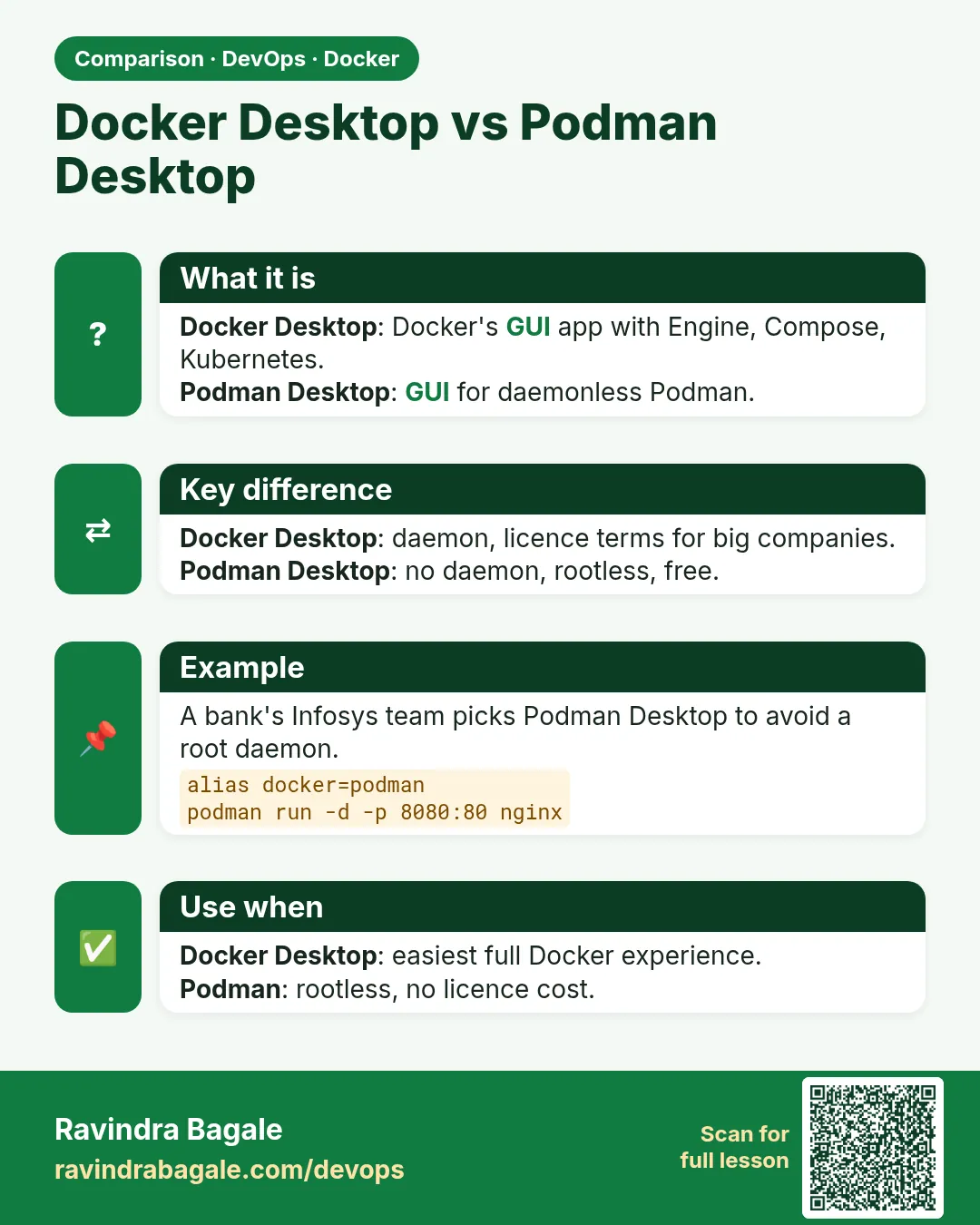
Why: Red Hat shops, like many banks, prefer Podman. It needs no background daemon.
What: Podman runs containers without a central daemon and can run them without root. Podman Desktop is its free window app. Chapter 68 covers Podman in depth.
Example 7: Install on Windows
Type this:
winget install -e --id RedHat.Podman-Desktop
podman machine init
podman machine start
You will see:
Machine init complete
Machine "podman-machine-default" started successfully
What it means: podman machine makes the small Linux VM that Podman needs on Windows or Mac.
Example 8: Run the nginx test
Type this:
podman run -d --name web -p 8080:80 docker.io/library/nginx:1.27
curl -s localhost:8080 | grep title
You will see:
<title>Welcome to nginx!</title>
What it means: Podman pulls from Docker Hub too. Give the full name with docker.io to be clear.
Example 9: Use docker as a nickname
Type this:
alias docker=podman
docker ps --format '{{.Names}}'
podman rm -f web
You will see:
web
web
What it means: An alias makes the word docker run podman. Most daily commands work the same.
4. Colima on Mac
Step 4: Colima
Why: Many Mac developers at startups like Zerodha want something light with no window at all.
What: Colima starts a small Linux VM on a Mac with the Docker engine inside. You keep using the normal docker command.
Example 10: Install
Type this:
brew install colima docker docker-compose
You will see:
==> Pouring colima--0.7.5.arm64_sonoma.bottle.tar.gz
colima was successfully installed!
What it means: We also install the docker client and compose, since Colima gives only the engine.
Example 11: Start with chosen size
Type this:
colima start --cpu 2 --memory 4 --disk 40
colima status
You will see:
INFO[0001] starting colima
INFO[0035] done
colima is running using macOS Virtualization.Framework
What it means: The VM gets 2 CPUs, 4 GB and 40 GB disk.
Example 12: Run the nginx test
Type this:
docker run -d --name web -p 8080:80 nginx:1.27
curl -s localhost:8080 | grep title
docker rm -f web
You will see:
<title>Welcome to nginx!</title>
web
What it means: Same docker commands on a free tool.
Step 5: Stop and remove Colima
Why: When the laptop needs its memory back, stop the VM.
What: colima stop pauses the VM. colima delete removes it and its images.
Example 13: Stop
Type this:
colima stop
You will see:
INFO[0002] stopping colima
INFO[0005] done
What it means: Memory is free again; images are kept.
Example 14: List VMs
Type this:
colima list
You will see:
PROFILE    STATUS     ARCH       CPUS    MEMORY    DISK
default    Stopped    aarch64    2       4GiB      40GiB
What it means: One VM, stopped.
Example 15: Delete
Type this:
colima delete -f
You will see:
INFO[0001] deleting colima
INFO[0002] done
What it means: Everything is removed.
Step 6: Kubernetes in Rancher Desktop
Why: Your team at Swiggy deploys to Kubernetes and you want to practise for free on your laptop.
What: Rancher Desktop includes k3s, a small Kubernetes. You pick the version in Preferences, then Kubernetes. kubectl comes with it.
Example 16: Turn it on
Type this:
rdctl set --kubernetes.enabled=true --kubernetes.version=1.30.4
You will see:
(Rancher Desktop restarts with Kubernetes)
What it means: Pick the same version your company runs.
Example 17: Check the node
Type this:
kubectl get nodes
You will see:
NAME                   STATUS   ROLES                  AGE   VERSION
lima-rancher-desktop   Ready    control-plane,master   1m    v1.30.4+k3s1
What it means: One node, ready, version matches.
Example 18: Use an image you just built
Type this:
docker build -t myapp:dev .
kubectl run myapp --image=myapp:dev --image-pull-policy=Never
kubectl get pod myapp
You will see:
NAME    READY   STATUS    RESTARTS   AGE
myapp   1/1     Running   0          5s
What it means: With the moby engine, Kubernetes sees your local images directly. Never tells it not to download.
Step 7: Podman Compose
Why: Your project has a compose.yaml and you moved to Podman.
What: Podman can run Compose files with podman compose, which calls a Compose tool for you.
Example 19: Write a small Compose file
Type this:
printf 'services:\n  web:\n    image: docker.io/library/nginx:1.27\n    ports: [\"8081:80\"]\n' > compose.yaml
cat compose.yaml
You will see:
services:
  web:
    image: docker.io/library/nginx:1.27
    ports: ["8081:80"]
What it means: The same file Docker Compose reads.
Example 20: Start it
Type this:
podman compose up -d
podman ps --format '{{.Names}} {{.Ports}}'
You will see:
demo_web_1 0.0.0.0:8081->80/tcp
What it means: The web service is up on port 8081.
Example 21: Stop it
Type this:
podman compose down
You will see:
demo_web_1
demo_default
What it means: Container and network removed.
Step 8: OrbStack on Mac
Why: Some Mac users at startups like Groww choose OrbStack because it starts fast and uses little battery.
What: OrbStack is a Mac app that runs the Docker engine in a light VM. Its pricing page (checked October 2026) says it is free for personal, non-commercial use, and business use needs the Pro plan at 8 US dollars per user per month.
Example 22: Install
Type this:
brew install --cask orbstack
You will see:
orbstack was successfully installed!
What it means: Open it once; it sets up the docker command for you.
Example 23: Check the context
Type this:
docker context ls --format '{{.Name}} {{.Current}}'
You will see:
default false
orbstack true
What it means: docker now talks to OrbStack.
Example 24: Run the nginx test
Type this:
docker run -d --name web -p 8080:80 nginx:1.27
curl -s localhost:8080 | grep title
docker rm -f web
You will see:
<title>Welcome to nginx!</title>
web
What it means: Same command, same result.
Step 9: Which tool is docker talking to?
Why: With two tools installed, commands may go to the wrong engine and your images seem missing.
What: The docker command talks to one engine at a time, chosen by the current context. docker context use switches it.
Example 25: List contexts
Type this:
docker context ls --format '{{.Name}} {{.Current}}'
You will see:
default false
rancher-desktop true
colima false
What it means: Rancher Desktop is in use now.
Example 26: Switch to Colima
Type this:
docker context use colima
You will see:
colima
Current context is now "colima"
What it means: Next commands go to Colima.
Example 27: Prove it
Type this:
docker info --format '{{.Name}}'
You will see:
colima
What it means: The engine name confirms the switch. Lesson 47.14 explains contexts in depth.
Ravindra Bagale's Tip
Whichever tool you pick, the Dockerfile and image stay the same. So learn docker commands well once; changing the tool then makes no difference. That is the real skill.
Tool कोणतंही घ्या, Dockerfile आणि image सारखेच राहतात. म्हणून एकदा docker commands नीट शिका, मग tool बदललं तरी फरक पडत नाही. हेच खरं skill आहे.
Tool कोई भी लीजिए, Dockerfile और image वही रहते हैं. इसलिए एक बार docker commands अच्छे से सीखिए, फिर tool बदलने से फ़र्क नहीं पड़ता. यही असली skill है.
5. Docker Engine inside WSL 2
Step 10: Docker Engine in WSL 2
Why: On Windows, the simplest free choice is the real Docker Engine inside WSL 2.
What: It is exactly the Linux install from lesson 47.5, inside WSL. No window, but everything else works.
Example 28: Check it runs
Type this:
docker version --format '{{.Server.Version}}'
You will see:
27.3.1
What it means: Same engine as servers in production.
Example 29: Use Compose
Type this:
printf 'services:\n  web:\n    image: nginx:1.27\n    ports: ["8080:80"]\n' > compose.yaml
docker compose up -d
You will see:
[+] Running 2/2
 ✔ Network demo_default  Created
 ✔ Container demo-web-1  Started
What it means: printf writes a tiny Compose file. Chapter 53 explains Compose.
Example 30: Stop it
Type this:
docker compose down
You will see:
[+] Running 2/2
 ✔ Container demo-web-1  Removed
 ✔ Network demo_default  Removed
What it means: Everything is removed.
6. Pick one
Step 11: Compare them with one script
Why: Do not guess which is faster. Measure.
What: We run the same three checks on any tool: version, start time and image list.
Example 31: Version check
Type this:
docker version --format '{{.Server.Version}} {{.Server.Os}}'
You will see:
27.3.1 linux
What it means: Shows the engine is Linux, whichever tool you use.
Example 32: Start time
Type this:
time docker run --rm alpine true
You will see:
real 0m0.71s
What it means: Write this down for each tool and compare.
Example 33: Image list
Type this:
docker images --format '{{.Repository}}:{{.Tag}}'
You will see:
nginx:1.27
alpine:latest
What it means: Each tool keeps its own images. Moving tools means pulling again.
Step 12: Move images between tools
Why: After switching, you may want an image you built yourself, without rebuilding.
What: docker save writes an image to a file, and docker load reads it back into another engine.
Example 34: Save from the old tool
Type this:
docker save -o myapp.tar myapp:1.0
ls -lh myapp.tar
You will see:
-rw-r--r-- 1 ravi staff 142M Oct 25 10:20 myapp.tar
What it means: The whole image is one file.
Example 35: Load into the new tool
Type this:
docker load -i myapp.tar
You will see:
Loaded image: myapp:1.0
What it means: Now the new tool has it.
Example 36: Load into Podman
Type this:
podman load -i myapp.tar
You will see:
Loaded image: localhost/myapp:1.0
What it means: Podman reads the same file. Images follow a common standard (OCI).
Check yourself
Q1. Name two free alternatives with a window.
Rancher Desktop and Podman Desktop.
Q2. Which tool is a light, terminal-only choice on Mac?
Colima.
Q3. What is nerdctl?
A docker-like command for the containerd engine.
Q4. Do you need to change your Dockerfile when you switch tools?
No.
Q5. How do you move a built image to another tool?
docker save to a file, then docker load or podman load.
Friends, the train may change but the station is the same: Rancher, Podman, Colima or Docker Engine in WSL. Did you understand? Let us try it once more. If not, run the nginx test on two tools. Next: rootless mode and settings after install.
मित्रांनो, गाडी बदलली तरी स्टेशन तेच: Rancher, Podman, Colima, किंवा WSL मधला Docker Engine. समजलं का? चला, पुन्हा एकदा करून पाहू. नसेल तर nginx चा test दोन tools वर चालवून बघा. पुढे rootless mode आणि install नंतरचे settings.
दोस्तों, गाड़ी बदले पर स्टेशन वही: Rancher, Podman, Colima, या WSL वाला Docker Engine. समझ आया? चलिए, एक बार फिर करके देखते हैं। नहीं तो nginx वाला test दो tools पर चलाकर देखिए. आगे rootless mode और install के बाद की settings.
Lab: try at home
- Pick one free tool for your laptop and install it.
- Run the nginx test on port 8080 and open it in a browser.
- Run
time docker run --rm alpine trueand note the time. - Save an image with docker save and load it in another tool.
- Write one line on which tool you would give a new joiner at your company, and why.
Recap
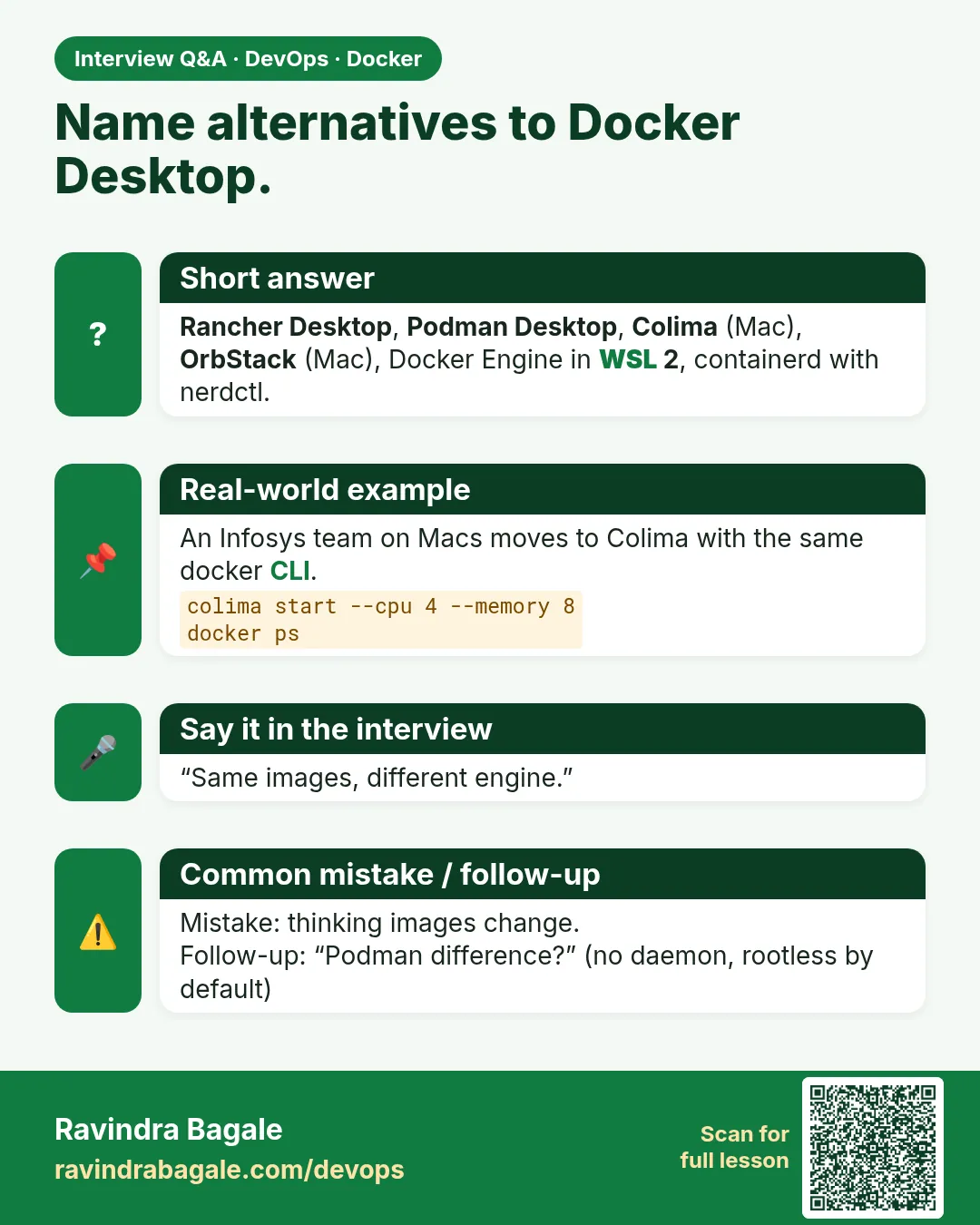
- Free alternatives: Rancher Desktop, Podman Desktop, Colima, Docker Engine in WSL 2.
- Images and Dockerfiles stay the same across tools.
- nerdctl and podman commands look like docker commands.
- docker save and docker load move images between tools.
- Measure, then choose.
 Revision card
 Interview card
 Comparison card