47.2 Virtual machines vs containers
Chala mitrano! In lesson 47.1 we ran a container. Today's question: a virtual machine also gives a box, so why a container? We put both side by side and see every difference by running a command.
चला मित्रांनो! 47.1 मध्ये आपण container चालवला. आजचा प्रश्न: virtual machine पण असा डबा देतेच ना, मग container का? आज दोन्ही बाजूबाजूला ठेवून प्रत्येक फरक command चालवून बघू.
चलो दोस्तों! 47.1 में हमने container चलाया. आज का सवाल: virtual machine भी तो ऐसा डिब्बा देती है, फिर container क्यों? आज दोनों को साथ रखकर हर फ़र्क command चलाकर देखेंगे.
1. Start from something you know: a building of flats
Think of a big building in Pune. You can give every family its own separate bungalow, with its own walls, water tank and electricity meter. Or you can give every family a flat in one building, where they share the foundation, the water line and the lift, but each flat has its own locked door.
A bungalow is like a virtual machine. A flat is like a container. Both give a family a private home. But flats are much cheaper, faster to build and you can fit many more on the same land.
Netflix runs thousands of small services. If each service needed its own bungalow, the bill would be huge. This lesson shows why companies pick containers for most apps, and when they still pick virtual machines.
2. What is a virtual machine?
Step 1: Virtual machine (VM)
Why: Before containers, the way to split one server into many was the VM. We must know it to compare.
What: A virtual machine is a full pretend computer made by software. It has its own operating system, its own kernel and its own boot. The kernel is the core part of an operating system that talks to the CPU, memory and disk. Software called a hypervisor (like VMware or the system AWS uses for EC2) runs many VMs on one real server.
Example 1: See that an EC2 instance is a VM
Type this:
cat /sys/class/dmi/id/sys_vendor
You will see:
Amazon EC2
What it means: Every EC2 server you rent from AWS is a virtual machine. The hardware is shared with other customers, but you get your own full operating system.
Example 2: See the VM's own kernel
Type this:
uname -r
You will see:
6.1.112-122.189.amzn2023.x86_64
What it means: uname -r prints the kernel version. This VM booted its own kernel when it started.
Example 3: See how long the VM has been up
Type this:
uptime -p
You will see:
up 3 days, 4 hours, 12 minutes
What it means: A VM boots like a real computer, which takes about a minute. Then it stays up for days. Starting a new VM for every small task is too slow.
Step 2: Cost of a VM
Why: A full operating system is heavy. We should see the weight with our own eyes.
What: Every VM carries a whole operating system: hundreds of programs, a kernel and system services. They use memory and disk even when your app is tiny.
Example 4: See memory used by the OS alone
Type this:
free -h | head -2
You will see:
               total        used        free
Mem:           1.9Gi       410Mi       1.2Gi
What it means: The VM is doing nothing yet, but about 400 MB is already used by its own operating system.
Example 5: Count the background programs
Type this:
ps -e --no-headers | wc -l
You will see:
112
What it means: More than 100 programs run before your app even starts. Each VM has its own copy of all of them.
Example 6: See the disk size of the OS
Type this:
df -h / | tail -1
You will see:
/dev/nvme0n1p1 8.0G 1.8G 6.2G 23% /
What it means: The operating system alone takes almost 2 GB of disk. Ten VMs means about 18 GB just for ten copies of the same OS.
3. What is a container, compared to a VM?
Step 3: Shared kernel
Why: This is the single biggest difference between a VM and a container.
What: Containers do not boot their own kernel. All containers on a server use the one kernel of that server. Each container only brings the app and its libraries. That is why it is small and starts in under a second.
Example 7: Compare kernels inside and outside
Type this:
uname -r
docker run --rm alpine uname -r
You will see:
6.1.112-122.189.amzn2023.x86_64
6.1.112-122.189.amzn2023.x86_64
What it means: Both lines are the same. The container is using the host kernel. A VM would print its own different kernel.
Example 8: Even a different Linux shares the kernel
Type this:
docker run --rm ubuntu:24.04 uname -r
docker run --rm debian:12 uname -r
You will see:
6.1.112-122.189.amzn2023.x86_64
6.1.112-122.189.amzn2023.x86_64
What it means: Ubuntu and Debian files are inside the containers, but the kernel is still the host kernel. Only the files change, not the kernel.
Example 9: See which Linux files a container has
Type this:
docker run --rm ubuntu:24.04 grep PRETTY /etc/os-release
docker run --rm alpine grep PRETTY /etc/os-release
You will see:
PRETTY_NAME="Ubuntu 24.04.1 LTS"
PRETTY_NAME="Alpine Linux v3.20"
What it means: Each container has its own set of Linux files (called a userland), so it looks like Ubuntu or Alpine. Underneath, one shared kernel does the work.
Step 4: Start time
Why: Companies like Swiggy add more copies of an app in seconds during the dinner rush. Speed of start matters.
What: A container is just a process with walls around it, so it starts almost instantly. A VM must boot a whole operating system first.
Example 10: Time one container
Type this:
time docker run --rm alpine echo ready
You will see:
ready
real    0m0.58s
What it means: The container was created, ran, and was removed in about half a second.
Example 11: Time ten containers
Type this:
time (for i in 1 2 3 4 5 6 7 8 9 10; do docker run --rm alpine true; done)
You will see:
real 0m5.40s
What it means: Ten full containers in about five seconds. Ten VMs would take several minutes to boot.
Example 12: Compare with a VM boot
Type this:
aws ec2 run-instances --image-id ami-0abcd1234example --instance-type t3.micro --count 1 --query 'Instances[0].State.Name'
You will see:
"pending" (about 40-90 seconds until running)
What it means: An EC2 VM sits in "pending" while it boots. This is fine for long-lived servers, but too slow for fast scaling of small apps.
Step 5: Size
Why: Smaller packages download faster and fit more on one server.
What: A container image holds only what the app needs, so it is measured in megabytes. A VM image holds a full OS and is measured in gigabytes.
Example 13: See image sizes
Type this:
docker images --format '{{.Repository}}:{{.Tag}} {{.Size}}' | grep -E 'alpine|nginx|python'
You will see:
alpine:latest  7.8MB
nginx:1.27  192MB
python:3.12-slim  124MB
What it means: Alpine Linux is under 8 MB. A VM disk is usually 8 GB or more, about a thousand times bigger.
Example 14: Count how many containers fit
Type this:
for i in $(seq 1 20); do docker run -d --name n$i nginx:1.27 >/dev/null; done
docker stats --no-stream --format '{{.Name}} {{.MemUsage}}' | head -3
You will see:
n1 3.1MiB / 1.9GiB
n2 3.0MiB / 1.9GiB
n3 3.2MiB / 1.9GiB
What it means: Twenty web servers on a small 2 GB machine, each using about 3 MB of memory. Twenty VMs would never fit.
Example 15: Clean up the twenty containers
Type this:
docker rm -f $(docker ps -aq --filter name=n)
You will see:
n1
n2
...
n20
What it means: docker ps -aq --filter name=n prints the IDs of every container whose name has "n" in it, and docker rm -f removes them all.
Ravindra Bagale's Tip
Interviewers ask: does a container have its own kernel? The answer: no, it uses the host's kernel. A VM has its own kernel. Once this is clear, the rest is easy.
Interview मध्ये विचारतात: container ला स्वतःचा kernel असतो का? उत्तर: नाही, तो host चा kernel वापरतो. VM ला स्वतःचा kernel असतो. हा एक मुद्दा clear झाला की बाकी सोपं.
Interview में पूछते हैं: क्या container का अपना kernel होता है? जवाब: नहीं, वह host का kernel इस्तेमाल करता है. VM का अपना kernel होता है. यह बात साफ़ हो गई तो बाकी आसान.
4. Isolation: how separate is each one?
Step 6: Isolation
Why: When two customers share one server, each must not see the other. This is called isolation.
What: A VM is isolated by the hypervisor, so even a kernel bug in one VM does not reach another. A container is isolated by features of the shared Linux kernel. That is strong enough for your own apps, but a bit weaker for strangers who do not trust each other.
Example 16: A container cannot see host processes
Type this:
docker run --rm alpine ps
You will see:
PID   USER     TIME  COMMAND
    1 root      0:00 ps
What it means: Inside the container only one process is visible: ps itself. The 100+ host programs are hidden.
Example 17: The host can see the container's process
Type this:
docker run -d --name sleeper alpine sleep 300
ps -ef | grep 'sleep 300' | grep -v grep
You will see:
root 48211 48190 0 10:02 ? 00:00:00 sleep 300
What it means: From outside, the container is just a normal process on the host. That is why it is so light. Remove it with docker rm -f sleeper.
Example 18: Limit what a container may use
Type this:
docker run --rm --memory 64m --cpus 0.5 alpine sh -c 'cat /sys/fs/cgroup/memory.max'
You will see:
67108864
What it means: --memory 64m caps memory at 64 MB and --cpus 0.5 gives half a CPU. The number printed is 64 MB in bytes. One greedy container cannot starve the others. Lesson 47.4 explains how this works.
5. When to use which
Step 7: Choosing VM or container
Why: In real projects you use both. You must know which job each is good for.
What: Use a VM when you need a different kernel, full control of the operating system, or very strong walls between strangers. Use containers for your own apps, microservices and quick test setups. Most companies run containers on top of VMs: Docker runs inside EC2.
Example 19: Containers inside a VM, the common setup
Type this:
cat /sys/class/dmi/id/sys_vendor
docker ps --format '{{.Names}}'
You will see:
Amazon EC2
api
worker
nginx
What it means: This EC2 VM runs three containers. Flipkart and Netflix work like this: VMs give servers, containers pack apps.
Example 20: A Windows app needs a VM on Linux
Type this:
docker run --rm mcr.microsoft.com/windows/servercore:ltsc2022 cmd /c ver
You will see:
docker: no matching manifest for linux/amd64 in the manifest list entries.
What it means: A Windows container needs a Windows kernel. A Linux host cannot give it one. For this, you need a Windows VM.
Example 21: A throwaway test database
Type this:
docker run -d --name testdb -e POSTGRES_PASSWORD=example postgres:16
docker rm -f testdb
You will see:
8c2e...
testdb
What it means: For a quick test, a container wins easily: seconds to create, one command to delete. A VM would take minutes and cost money per hour.
Step 8: Same app, both ways
Why: Let us run one real app first the VM way and then the container way, and compare the work.
What: The VM way means: get a server, install the software by hand, configure it. The container way means: one docker run. We use a Redis cache, which Twitter and Instagram use to keep hot data in memory.
Example 22: The VM way: install Redis by hand
Type this:
sudo dnf install -y redis6
sudo systemctl start redis6
redis6-cli ping
You will see:
Installed: redis6-6.2.14-1.amzn2023.x86_64
PONG
What it means: Three commands, root access, and Redis is now installed into the server itself. Removing it later means uninstalling packages and leftover files.
Example 23: The container way: one command
Type this:
docker run -d --name cache -p 6380:6379 redis:7
docker exec cache redis-cli ping
You will see:
5d1e...
PONG
What it means: Same answer, PONG, with nothing installed on the host. We used outside port 6380 so it does not clash with the Redis we installed by hand.
Example 24: Remove both and compare
Type this:
sudo dnf remove -y redis6
docker rm -f cache
You will see:
Removed: redis6-6.2.14-1.amzn2023.x86_64
cache
What it means: The container left no trace on the host. With many apps and many versions, this clean add and remove is why teams at Razorpay and Zomato prefer containers for apps.
Check yourself
Q1. Does a container have its own kernel?
No. It shares the host kernel. A VM has its own.
Q2. Why does a container start faster than a VM?
It does not boot an operating system; it is just a process with walls.
Q3. Name one case where a VM is the better choice.
Running a different kernel, such as Windows on a Linux host, or strong isolation between untrusted customers.
Q4. What do --memory and --cpus do?
They limit how much memory and CPU one container can use.
Q5. Is an EC2 instance a VM or a container?
A VM. Docker containers often run inside it.
Friends, remember: a VM is an independent bungalow, a container is a flat in a building. Both are useful, but for daily apps the flat is cheaper and quicker. Did you understand? Let us try it once more. If not, look at Picture 2 again and rerun the uname -r example. Next lesson: Docker's inner parts.
मित्रांनो, लक्षात ठेवा: VM म्हणजे स्वतंत्र बंगला, container म्हणजे building मधला flat. दोन्ही उपयोगी, पण रोजच्या apps साठी flat स्वस्त आणि झटपट. समजलं का? चला, पुन्हा एकदा करून पाहू. नसेल तर Picture 2 पुन्हा बघा आणि uname -r चं उदाहरण परत चालवा. पुढे Docker चे आतले भाग.
दोस्तों, याद रखिए: VM मतलब अलग बंगला, container मतलब building का flat. दोनों काम के हैं, पर रोज़ के apps के लिए flat सस्ता और जल्दी. समझ आया? चलिए, एक बार फिर करके देखते हैं। नहीं तो Picture 2 फिर देखिए और uname -r वाला उदाहरण दोबारा चलाइए. आगे Docker के अंदर के हिस्से.
Lab: try at home
- Run
uname -ron your computer, thendocker run --rm alpine uname -r. Are they the same? - Run
docker run --rm ubuntu:24.04 grep PRETTY /etc/os-releaseand the same withdebian:12. - Time one container with
time docker run --rm alpine echo ready. - Start five nginx containers and check memory with
docker stats --no-stream. - Remove them all with one
docker rm -fcommand.
Recap
- A VM is a full pretend computer with its own kernel; a container shares the host kernel.
- Containers start in under a second and use megabytes; VMs take a minute and use gigabytes.
- VMs have stronger walls; containers are strong enough for your own apps.
- Use --memory and --cpus to limit a container.
- Most companies run containers inside VMs.
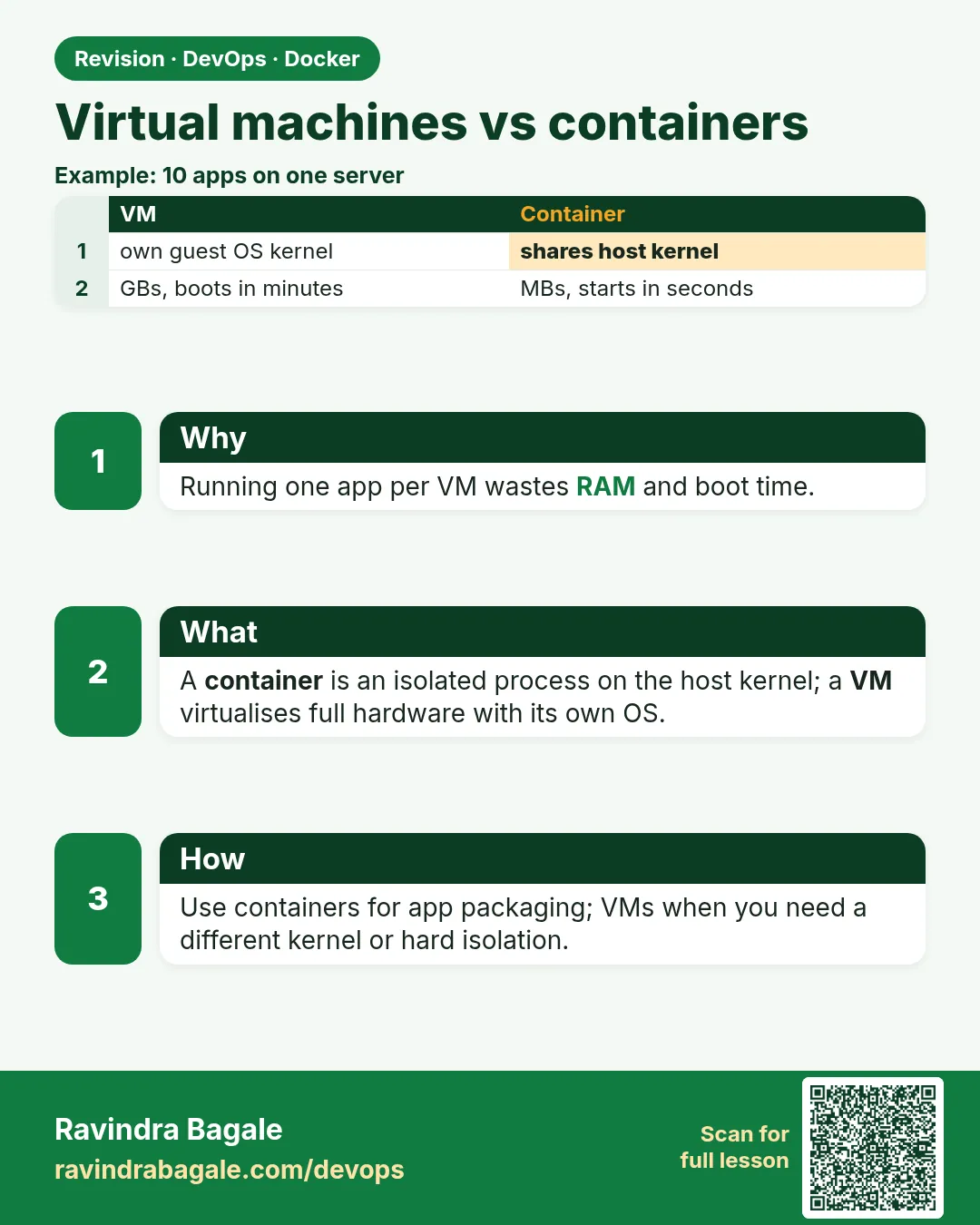 Revision card
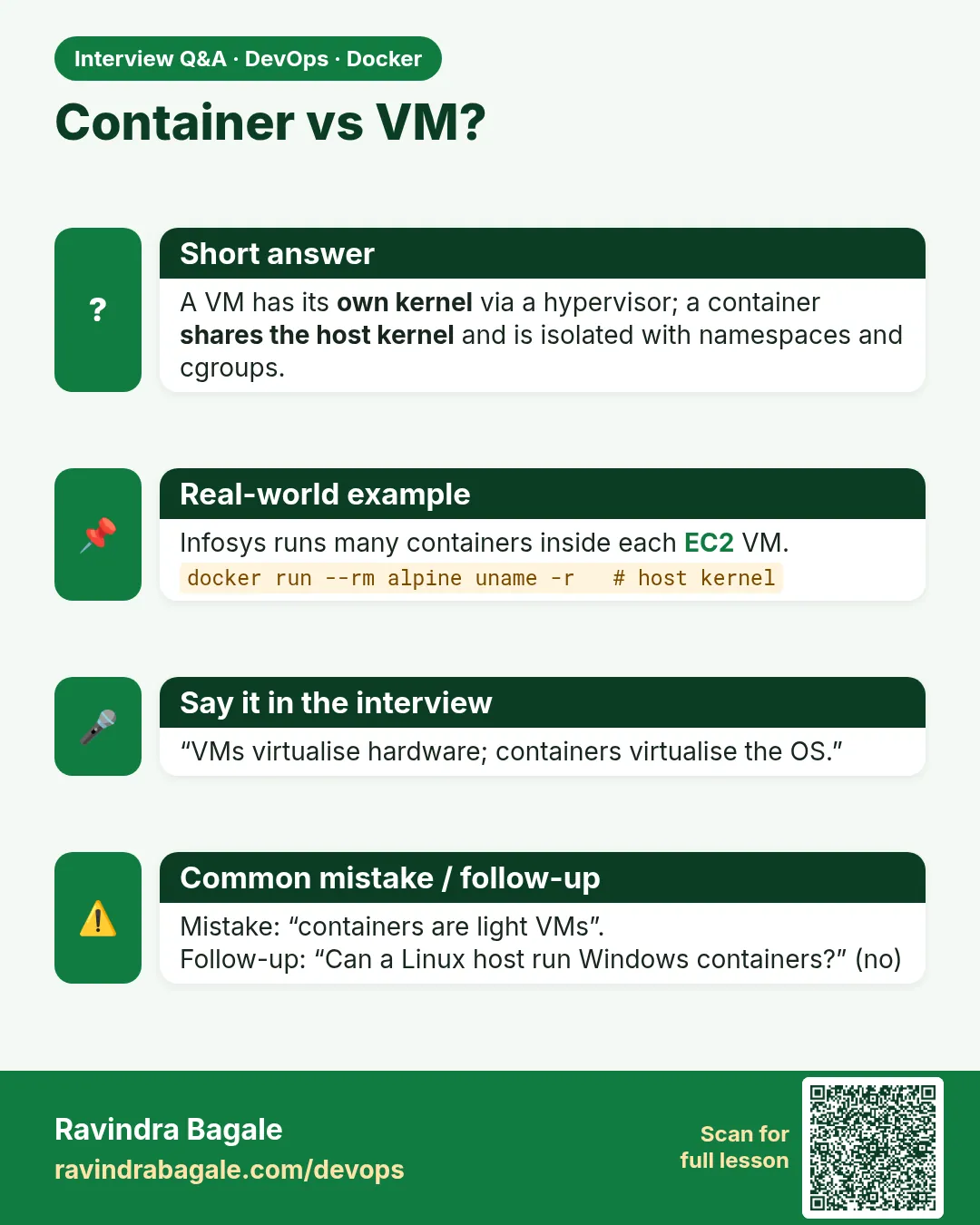 Interview card
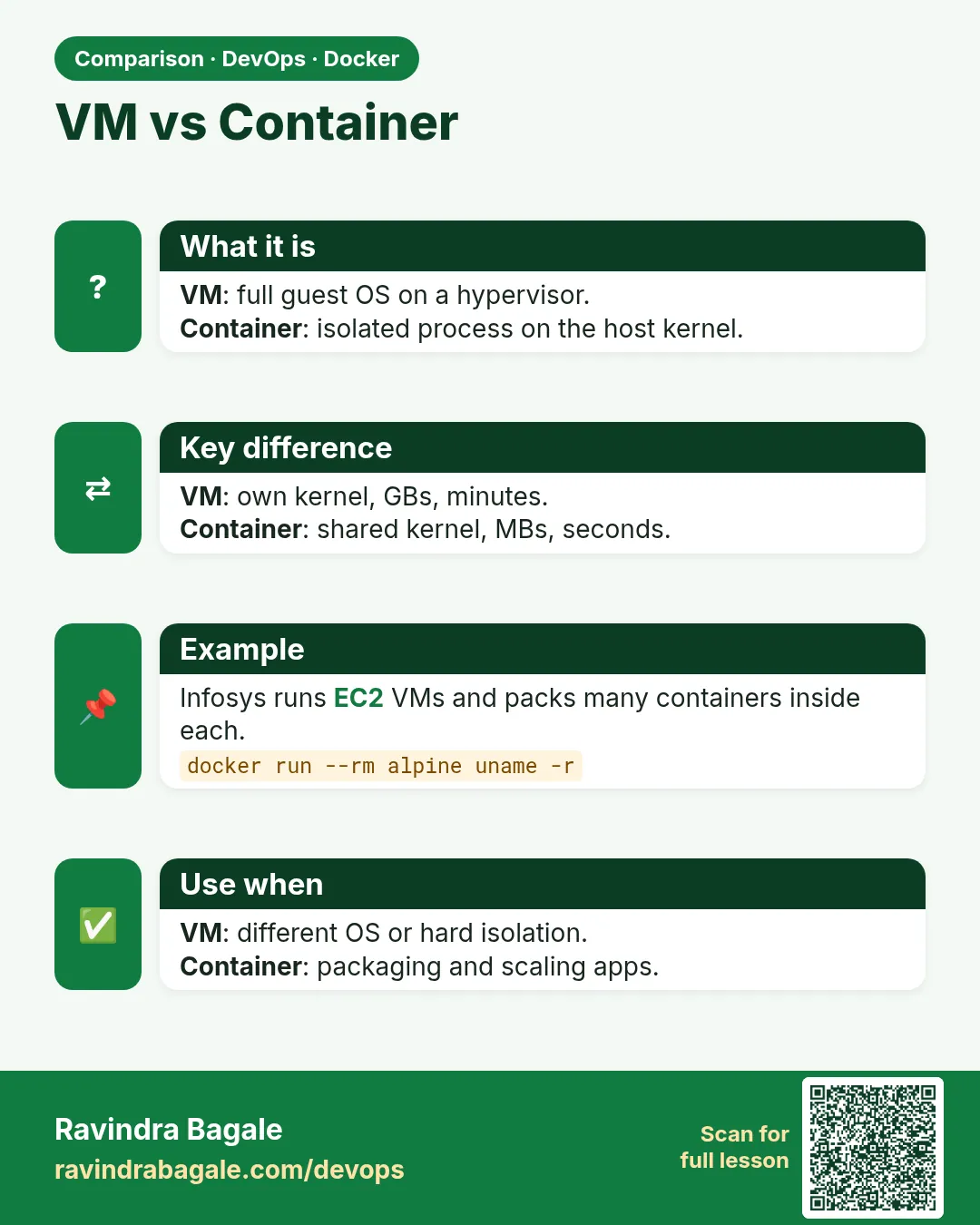 Comparison card