Chapter 22: Jenkins Language Projects — Java to Python
22.8 Gradle — start to end
Why: the problem
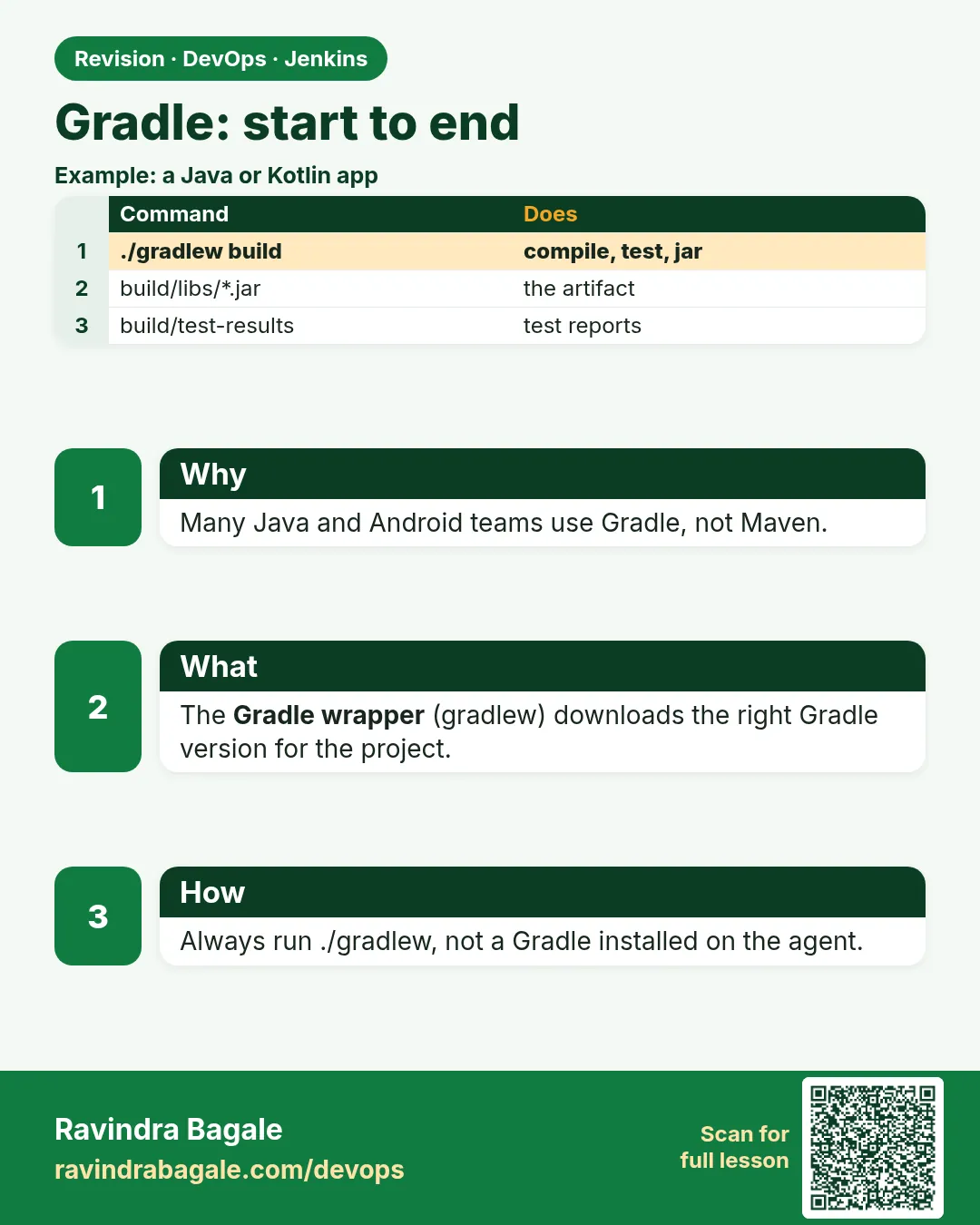
Think of the PhonePe Android team, or a Kotlin backend team at Zerodha. They use Gradle, not Maven. Gradle builds Java, Kotlin and Android apps. Its build file is code (build.gradle.kts), and it has the Gradle wrapper: a small script called gradlew that downloads the exact Gradle version the project needs. That means the Jenkins agent only needs Java; never install Gradle by hand. In this lesson you build the badge rule with Gradle and JUnit, use the wrapper locally and in Jenkins, publish test reports, cache Gradle files to speed up builds, and read the common red messages.
What we will build
You will create a Gradle Java project with the wrapper, run ./gradlew test build, push with a Jenkinsfile that uses only gradlew, publish JUnit results and the jar, and add a build cache.
What: every term in plain English
- Gradle — A build tool for Java, Kotlin and Android.
- build.gradle.kts — The Gradle build file written in Kotlin.
- Gradle wrapper — gradlew plus a small jar that downloads the right Gradle version.
- Task — A unit of work, like test or jar.
- build — A task that compiles, tests and makes the jar.
- Daemon — A background Gradle process that speeds up local builds.
- ~/.gradle — Cache of Gradle and libraries.
- build/ — Output folder: classes, reports, libs.
How: step by step
-
Make the project
mkdir -p ~/devops-lab/ch22/badge-gradle && cd ~/devops-lab/ch22/badge-gradle && gradle init --type java-application --dsl kotlin --test-framework junit-jupiter --project-name badge-gradle --package lab --no-split-project --java-version 17What it does: Gradle creates the layout and the wrapper.
Output
BUILD SUCCESSFUL in 4s -
See the wrapper
ls gradlew gradle/wrapperWhat it does: Commit these files.
Output
gradlew gradle-wrapper.jar gradle-wrapper.properties -
Write the code
Replace App.java and AppTest.java with Example 1What it does: Our rule.
Output
(no output) -
Build
./gradlew buildWhat it does: Compile, test, jar.
Output
BUILD SUCCESSFUL in 6s 7 actionable tasks: 7 executed -
See the jar
ls app/build/libsWhat it does: Artifact.
Output
app.jar -
Run
./gradlew -q run --args=120What it does: Through Gradle.
Output
gold -
Gradle version
./gradlew --version | grep "^Gradle"What it does: Pinned by the wrapper.
Output
Gradle 8.10.2
Example 1: Gradle build file and code
Stack. Gradle 8, Java 17
Goal. Gradle build file and code.
app/build.gradle.kts
plugins {
    application
}

repositories { mavenCentral() }

dependencies {
    testImplementation("org.junit.jupiter:junit-jupiter:5.10.2")
    testRuntimeOnly("org.junit.platform:junit-platform-launcher")
}

java { toolchain { languageVersion.set(JavaLanguageVersion.of(17)) } }

application { mainClass.set("lab.App") }

tasks.test { useJUnitPlatform() }

tasks.jar { manifest { attributes["Main-Class"] = "lab.App" } }
app/src/main/java/lab/App.java
package lab;

public class App {
    static String level(int p) { return p >= 100 ? "gold" : p >= 50 ? "silver" : "bronze"; }
    public static void main(String[] args) {
        System.out.println(level(args.length == 0 ? 0 : Integer.parseInt(args[0])));
    }
}
app/src/test/java/lab/AppTest.java
package lab;

import static org.junit.jupiter.api.Assertions.assertEquals;
import org.junit.jupiter.api.Test;

class AppTest {
    @Test void gold()   { assertEquals("gold", App.level(100)); }
    @Test void silver() { assertEquals("silver", App.level(50)); }
    @Test void bronze() { assertEquals("bronze", App.level(0)); }
}
What each line does
application plugin— Adds run and a start script.testImplementation— JUnit only for tests.toolchain 17— Gradle uses Java 17.useJUnitPlatform()— Run JUnit 5 tests.Main-Class— java -jar works.
Green output
> Task :app:test
> Task :app:jar
BUILD SUCCESSFUL in 6s
Expected result. Same rule, same tests, different build tool.
Example 2: Jenkinsfile with the wrapper only
Stack. Jenkins, Gradle
Goal. Jenkinsfile with the wrapper only.
Jenkinsfile
pipeline {
  agent any
  tools { jdk 'jdk17' }
  environment { GRADLE_OPTS = '-Dorg.gradle.daemon=false' }
  options { timestamps() }
  stages {
    stage('Checkout') { steps { checkout scm } }
    stage('Test')     { steps { sh './gradlew --no-daemon test' } }
    stage('Package')  { steps { sh './gradlew --no-daemon jar' } }
    stage('Live') {
      steps {
        sh 'mkdir -p "$HOME/lab-live/badge-gradle" && cp app/build/libs/app.jar "$HOME/lab-live/badge-gradle/"'
        sh 'java -jar "$HOME/lab-live/badge-gradle/app.jar" 75'
      }
    }
  }
  post {
    always  { junit 'app/build/test-results/test/*.xml' }
    success { archiveArtifacts artifacts: 'app/build/libs/*.jar', fingerprint: true }
  }
}
What each line does
Only jdk tool— The wrapper downloads Gradle itself.--no-daemon— No background process left on CI agents.test-results/test/*.xml— Gradle JUnit XML path.java -jar ... 75— Smoke test.
Green output
Downloading https://services.gradle.org/distributions/gradle-8.10.2-bin.zip
> Task :app:test
BUILD SUCCESSFUL in 38s
silver
Finished: SUCCESS
Expected result. First build downloads Gradle once; later builds are faster.
Example 3: Permission denied on gradlew
Stack. Git
Goal. Permission denied on gradlew.
console
+ ./gradlew --no-daemon test
/var/jenkins_home/workspace/badge-gradle-pipeline@tmp/durable-1/script.sh: 1: ./gradlew: Permission denied
script returned exit code 126
fix.sh
git update-index --chmod=+x gradlew
git commit -qm "Make gradlew executable" && git push -q
git ls-files -s gradlew
What each line does
126— Found but not executable.update-index --chmod=+x— Store the execute bit in Git. Works even from Windows.100755— Mode that means executable.
Green output
100755 3c6e2a... 0 gradlew
Expected result. Push and the next build runs. This is the most common Gradle CI error.
Example 4: Cache Gradle in a Docker agent
Stack. Docker, Gradle
Goal. Cache Gradle in a Docker agent.
Jenkinsfile
pipeline {
  agent {
    docker {
      image 'eclipse-temurin:17-jdk'
      args '-v gradle-cache:/home/gradle/.gradle -e GRADLE_USER_HOME=/home/gradle/.gradle'
    }
  }
  stages {
    stage('Build') { steps { sh './gradlew --no-daemon --build-cache build' } }
  }
}
What each line does
gradle-cache volume— Named Docker volume keeps downloads.GRADLE_USER_HOME— Where Gradle stores its cache.--build-cache— Reuse task outputs when inputs did not change.
Green output
First run:  BUILD SUCCESSFUL in 41s
Second run: BUILD SUCCESSFUL in 7s
7 actionable tasks: 2 executed, 5 from cache
Expected result. 5 of 7 tasks came from cache.
Verify: did it work?
-
Wrapper committed
git ls-files gradlew gradle/wrapperWhat it does: All three.
Output
gradle/wrapper/gradle-wrapper.jar gradle/wrapper/gradle-wrapper.properties gradlew -
Test XML
ls app/build/test-results/testWhat it does: For junit step.
Output
TEST-lab.AppTest.xml -
Jar runs
java -jar app/build/libs/app.jar 10What it does: Smoke.
Output
bronze
When it is red 1
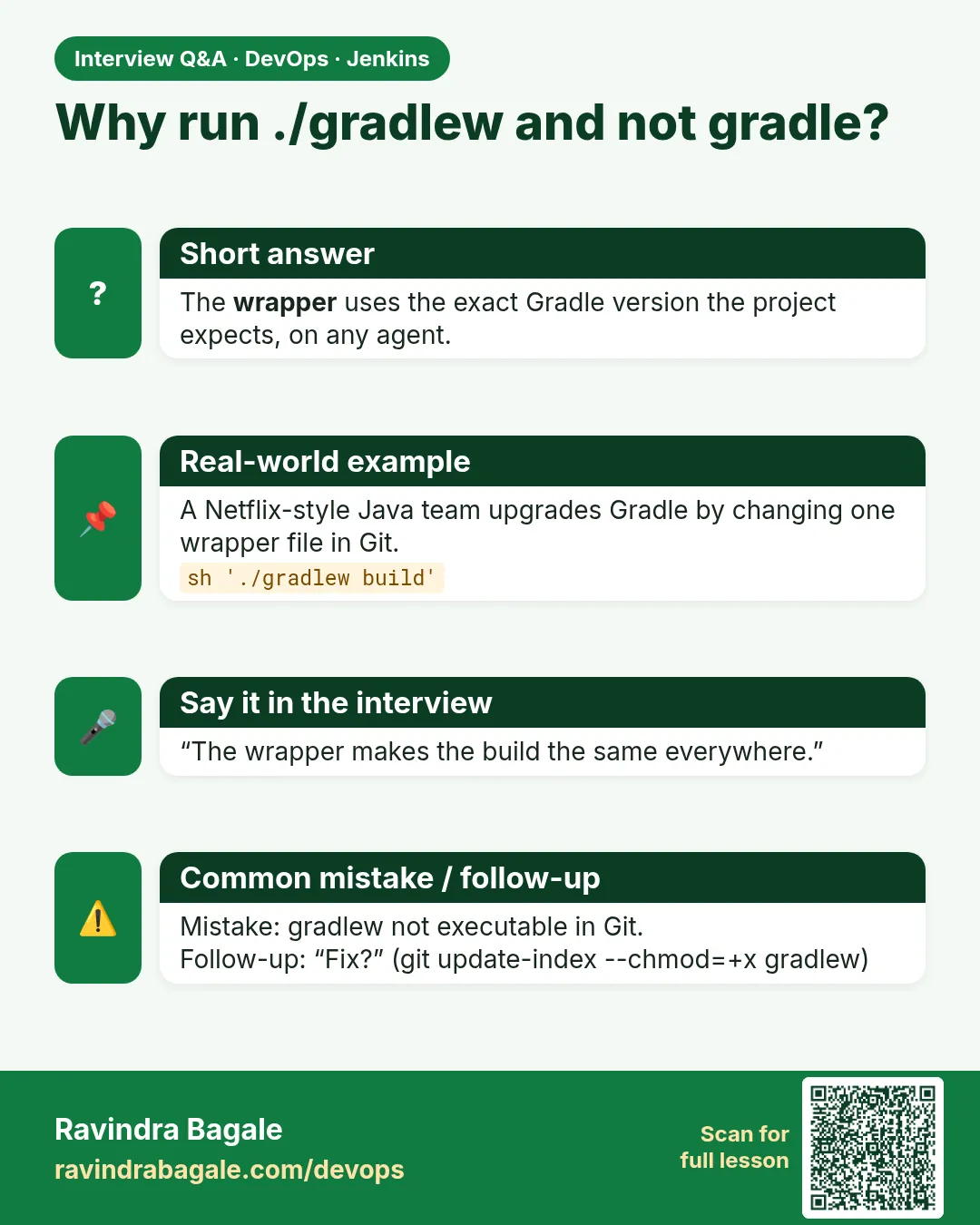
./gradlew: Permission denied
Cause. Execute bit missing in Git.
Fix, step by step
- git update-index --chmod=+x gradlew and push.
When it is red 2
Could not find or load main class org.gradle.wrapper.GradleWrapperMain
Cause. gradle-wrapper.jar not committed, often blocked by *.jar in .gitignore.
Fix, step by step
- Add !gradle/wrapper/gradle-wrapper.jar to .gitignore and commit it.
When it is red 3
Unsupported class file major version 65
Cause. Gradle version too old for Java 21.
Fix, step by step
- Use Java 17, or update the wrapper: ./gradlew wrapper --gradle-version 8.10.2.
When it is red 4
Gradle build daemon disappeared unexpectedly
Cause. Agent ran out of memory.
Fix, step by step
- Use --no-daemon.
- Set org.gradle.jvmargs=-Xmx1g in gradle.properties.
Cleanup
-
Clean
./gradlew -q cleanWhat it does: Removes build/.
Output
(no output)
Ravindra Bagale's Tip
Gradle install karu naka. gradlew commit kara ani tyalach chalva, version sagalikade same rahte!
Practice tasks
Easy Run gradlew build
Why: Base line.
What to do: Build locally.
- ./gradlew build
Check: BUILD SUCCESSFUL.
Medium Pipeline
Why: CI.
What to do: Add the Jenkinsfile.
- jdk tool only
Check: Green with test results.
Hard Build cache
Why: Speed.
What to do: Add the Docker cache agent.
- named volume
Check: Tasks FROM-CACHE shown.
Easy Say Gradle pipelines in two lines
Why: If you can say it simply, you understand it. Interviewers want the short version first.
What to do: Write two short lines about Gradle pipelines for a fresher who knows only basic Linux.
- Write the problem it solves.
- Write one real command or file that shows it.
- Read it aloud to a friend.
Check: A fresher understands it without asking a question.
Easy Make a safe lab folder
Why: Practice needs a place you can throw away. Then mistakes cost nothing.
What to do: Create a lab folder for this chapter and work only inside it.
- mkdir -p ~/devops-lab && cd ~/devops-lab
- Run every command of this lesson from here.
- Check with pwd before you delete anything.
Check: All lab files live in ~/devops-lab.
Medium Repeat it in a container
Why: Your laptop is not the server. A clean Ubuntu container shows what a fresh server needs.
What to do: Run the main steps of this lesson again inside an Ubuntu container.
- docker run --rm -it -v "$PWD":/lab -w /lab ubuntu:24.04 bash
- apt update and install what is missing.
- Note every missing tool.
Check: Same result inside the container, or a list of what you had to install.
Medium Break it on purpose
Why: You must know the red message by face. In an outage there is no time to read slowly.
What to do: Cause one error from the "When it is red" part of this lesson and fix it.
- Follow the error section.
- Copy the exact message into your notes.
- Write the fix in one line.
Check: You fixed it using only the steps, without searching the web.
Medium Write a one-page runbook
Why: At 2 a.m. nobody remembers the right command. A short page saves the on-call person.
What to do: Write a runbook page for this lesson.
- Title, when to use, exact command, how to check, how to undo.
Check: A teammate can follow it alone.
Hard Explain it like an interview
Why: Interviewers want real stories, not definitions.
What to do: Record a 60 second answer about this lesson.
- Say the problem, the command or file you used, and one error you hit.
Check: Your answer has a real command and a real error message.
Hard Draw the flow top to bottom
Why: A drawing shows who does what and in which order.
What to do: Draw this lesson as boxes from top to bottom.
- Start at the developer laptop, end at the user on the website.
Check: Each box matches a real thing you ran.
Homework: try at home
Try at home
Add a test for 99 points. Break gradlew permissions on purpose, see exit 126, fix it with update-index, and get green.
Recap
- Gradle builds Java, Kotlin and Android.
- Commit the wrapper and use it in CI.
- Agent needs only Java.
- Publish build/test-results XML.
- Cache ~/.gradle.
FAQ
Maven or Gradle?
Use what the team uses; Jenkins does not care.
Can Gradle build Android apps in Jenkins?
Yes, with the Android SDK on the agent; ./gradlew assembleRelease.
Should I install Gradle on the agent?
No. Use the wrapper.
What is build.gradle vs build.gradle.kts?
Groovy vs Kotlin syntax; same features.
Where is the version of Gradle set?
gradle/wrapper/gradle-wrapper.properties.
How to see all tasks?
./gradlew tasks
Interview questions
-
What is the Gradle wrapper and why use it?
A committed script that downloads a pinned Gradle version, so builds are reproducible.
-
How do you speed up Gradle in CI?
Cache GRADLE_USER_HOME, build cache, parallel builds.
-
Why disable the daemon in CI?
Short-lived agents; daemons waste memory.
-
How do you fix gradlew permission denied?
git update-index --chmod=+x gradlew.
-
Gradle vs Maven?
Gradle is code-based and incremental; Maven is XML and convention-based.
Quick quiz
Q1. Why use gradlew instead of gradle?
It pins the Gradle version for everyone.
Q2. What does ./gradlew build do?
Compile, test and jar.
Q3. Where are Gradle test XML files?
build/test-results/test/
Q4. Why --no-daemon in CI?
No background process left on agents.
Q5. What exit code is permission denied?
126.
Samajla ka?
 Revision card
 Interview card