Chapter 22: Jenkins Language Projects — Java to Python
22.4 Spring Boot — start to end
Why: the problem
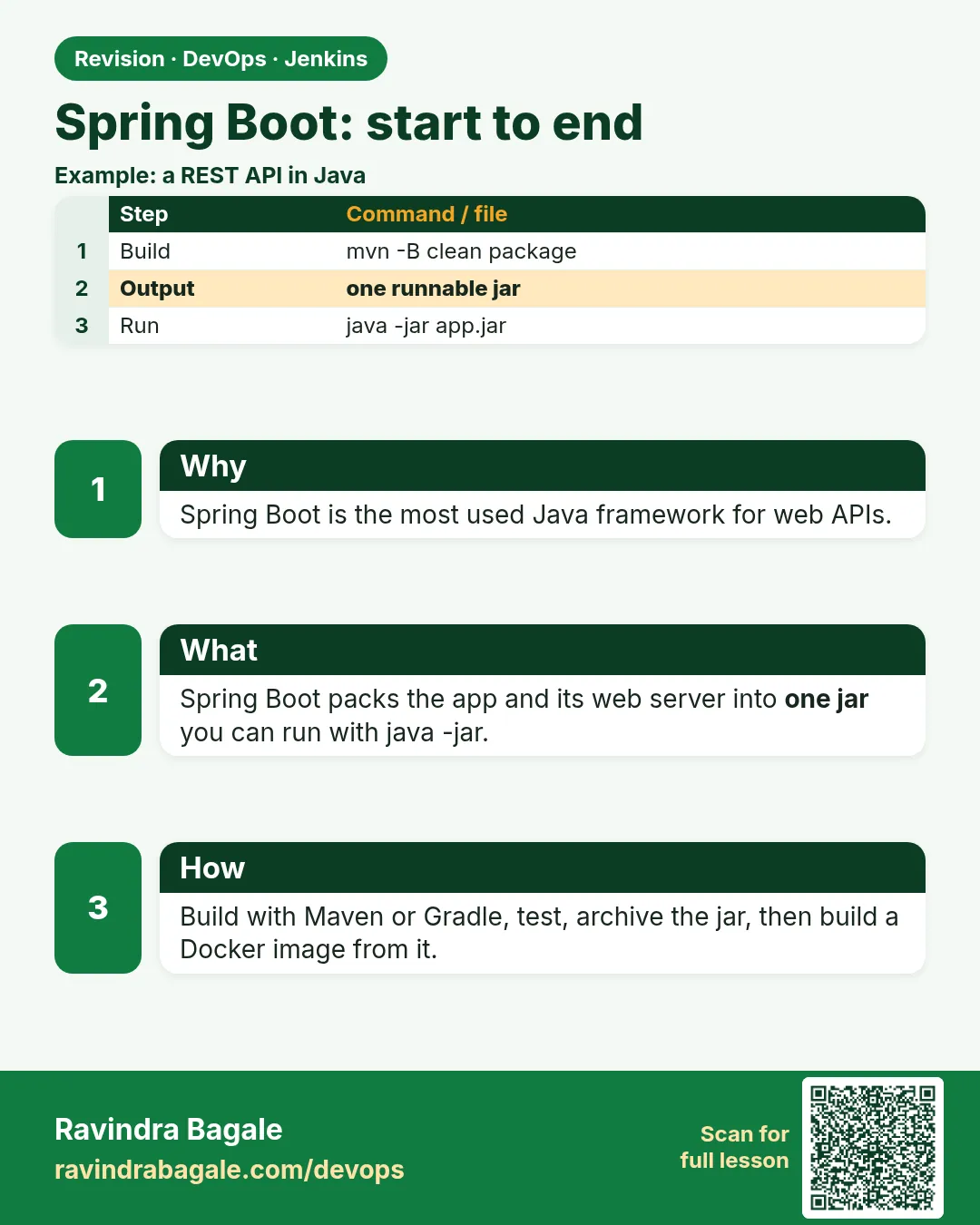
Think of the Swiggy order service. It is a Spring Boot app. Spring Boot is a Java framework that gives you a web server inside the jar, so you run one file and get a REST API on port 8080. CI for Spring Boot is Maven plus two extra worries. First, the tests start the whole app, so they are slower. Second, the jar is big, so we want a Docker image for production. Teams at Swiggy and Paytm run this exact flow: test, package a fat jar, start it once in CI to check the health URL, then build an image. In this lesson you build a badge REST API in Spring Boot and walk it from laptop to a green Jenkins run with a health check.
What we will build
You will write a Spring Boot badge API with one endpoint and Actuator health, test it with MockMvc, run it locally, push it with a Jenkinsfile that starts the jar and curls the health URL, then build a Docker image in CI.
What: every term in plain English
- Spring Boot — A Java framework for web apps with a built-in server.
- Fat jar — One jar with the app and all libraries inside.
- Controller — The Java class that answers HTTP requests.
- Actuator — A Spring module that adds /actuator/health and other admin URLs.
- MockMvc — Calls the controller in tests without a real network.
- @SpringBootTest — Starts the Spring app inside a test.
- Smoke test — A quick check that the app starts and answers.
- Port 8080 — The default port of Spring Boot.
How: step by step
-
Make the folders
mkdir -p ~/devops-lab/ch22/badge-spring/src/main/java/lab ~/devops-lab/ch22/badge-spring/src/test/java/lab && cd ~/devops-lab/ch22/badge-springWhat it does: Maven layout.
Output
(no output) -
Add the files
pom.xml, BadgeApp.java, BadgeAppTest.java from Example 1What it does: Copy exactly.
Output
(no output) -
Package
mvn -B -q packageWhat it does: Tests start the app.
Output
(no output) -
Run
java -jar target/badge-spring-1.0.0.jar &What it does: Starts on 8080.
Output
Started BadgeApp in 1.9 seconds -
Call it
curl -s localhost:8080/badge?points=120What it does: The API.
Output
{"points":120,"level":"gold"} -
Health
curl -s localhost:8080/actuator/healthWhat it does: Actuator.
Output
{"status":"UP"} -
Stop
kill %1What it does: Free the port.
Output
(no output)
Example 1: The Spring Boot project
Stack. Spring Boot 3, Maven
Goal. The Spring Boot project.
pom.xml
<project xmlns="http://maven.apache.org/POM/4.0.0">
  <modelVersion>4.0.0</modelVersion>
  <parent>
    <groupId>org.springframework.boot</groupId>
    <artifactId>spring-boot-starter-parent</artifactId>
    <version>3.3.4</version>
  </parent>
  <groupId>com.example</groupId>
  <artifactId>badge-spring</artifactId>
  <version>1.0.0</version>
  <properties><java.version>17</java.version></properties>
  <dependencies>
    <dependency><groupId>org.springframework.boot</groupId><artifactId>spring-boot-starter-web</artifactId></dependency>
    <dependency><groupId>org.springframework.boot</groupId><artifactId>spring-boot-starter-actuator</artifactId></dependency>
    <dependency><groupId>org.springframework.boot</groupId><artifactId>spring-boot-starter-test</artifactId><scope>test</scope></dependency>
  </dependencies>
  <build>
    <plugins>
      <plugin><groupId>org.springframework.boot</groupId><artifactId>spring-boot-maven-plugin</artifactId></plugin>
    </plugins>
  </build>
</project>
src/main/java/lab/BadgeApp.java
package lab;

import java.util.Map;
import org.springframework.boot.SpringApplication;
import org.springframework.boot.autoconfigure.SpringBootApplication;
import org.springframework.web.bind.annotation.*;

@SpringBootApplication
@RestController
public class BadgeApp {
    public static void main(String[] args) { SpringApplication.run(BadgeApp.class, args); }

    static String level(int p) { return p >= 100 ? "gold" : p >= 50 ? "silver" : "bronze"; }

    @GetMapping("/badge")
    public Map<String, Object> badge(@RequestParam int points) {
        return Map.of("points", points, "level", level(points));
    }
}
src/test/java/lab/BadgeAppTest.java
package lab;

import static org.springframework.test.web.servlet.request.MockMvcRequestBuilders.get;
import static org.springframework.test.web.servlet.result.MockMvcResultMatchers.*;
import org.junit.jupiter.api.Test;
import org.springframework.beans.factory.annotation.Autowired;
import org.springframework.boot.test.autoconfigure.web.servlet.AutoConfigureMockMvc;
import org.springframework.boot.test.context.SpringBootTest;
import org.springframework.test.web.servlet.MockMvc;

@SpringBootTest
@AutoConfigureMockMvc
class BadgeAppTest {
    @Autowired MockMvc mvc;
    @Test void gold() throws Exception {
        mvc.perform(get("/badge").param("points", "100"))
           .andExpect(status().isOk())
           .andExpect(jsonPath("$.level").value("gold"));
    }
}
What each line does
spring-boot-starter-parent— Gives tested library versions.starter-web— Web server and JSON.starter-actuator— Adds /actuator/health.spring-boot-maven-plugin— Makes the fat jar.@GetMapping("/badge")— GET /badge calls this method.jsonPath("$.level")— Check one field in the JSON.
Green output
[INFO] Tests run: 1, Failures: 0, Errors: 0, Skipped: 0
[INFO] --- spring-boot:3.3.4:repackage (repackage) @ badge-spring ---
[INFO] BUILD SUCCESS
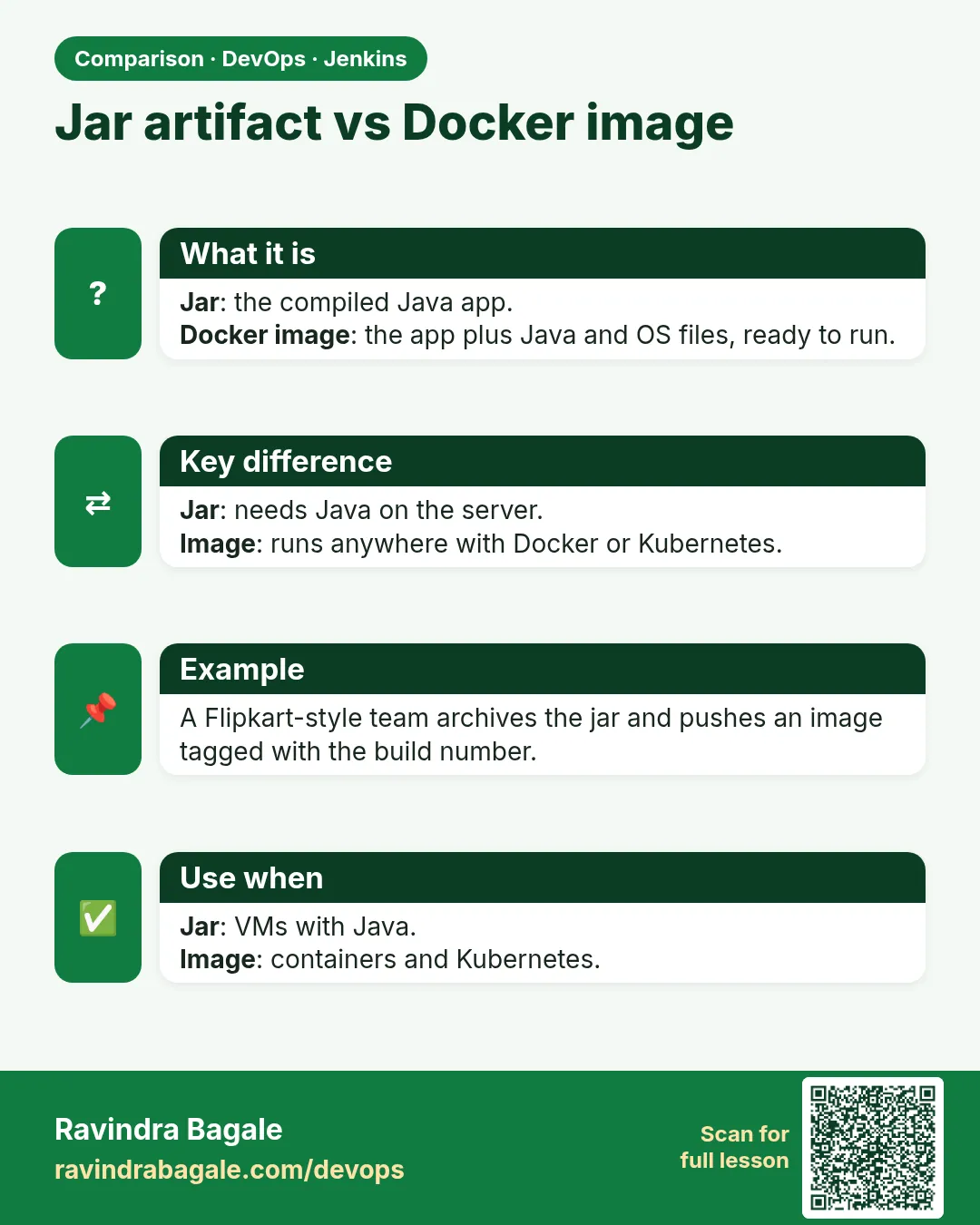
Expected result. A fat jar about 20 MB that runs anywhere with Java 17.
Example 2: A Jenkinsfile with a real smoke test
Stack. Jenkins, Spring Boot
Goal. A Jenkinsfile with a real smoke test.
Jenkinsfile
pipeline {
  agent any
  tools { maven 'M3'; jdk 'jdk17' }
  environment { PORT = '18080' }
  stages {
    stage('Checkout') { steps { checkout scm } }
    stage('Test')     { steps { sh 'mvn -B test' } }
    stage('Package')  { steps { sh 'mvn -B -DskipTests package' } }
    stage('Smoke') {
      steps {
        sh 'nohup java -jar target/badge-spring-1.0.0.jar --server.port=$PORT > app.log 2>&1 & echo $! > app.pid'
        sh 'for i in $(seq 1 30); do curl -fs localhost:$PORT/actuator/health && break; sleep 1; done'
        sh 'curl -fs "localhost:$PORT/badge?points=120" | grep gold'
      }
    }
  }
  post {
    always  { sh 'kill $(cat app.pid) || true'; junit 'target/surefire-reports/*.xml' }
    success { archiveArtifacts 'target/*.jar' }
    failure { sh 'tail -50 app.log || true' }
  }
}
What each line does
PORT 18080— Avoid clashing with Jenkins on 8080.nohup ... &— Start the app in the background.app.pid— Save the process id to stop it later.seq 1 30 loop— Wait up to 30 seconds for health.curl -f— Fail on HTTP errors, so the stage goes red.failure tail app.log— Show why it did not start.
Green output
{"status":"UP"}
{"points":120,"level":"gold"}
Recording test results
Finished: SUCCESS
Expected result. The pipeline proves the jar really starts and answers, not just compiles.
Example 3: Build a Docker image after green tests
Stack. Docker, Jenkins
Goal. Build a Docker image after green tests.
Dockerfile
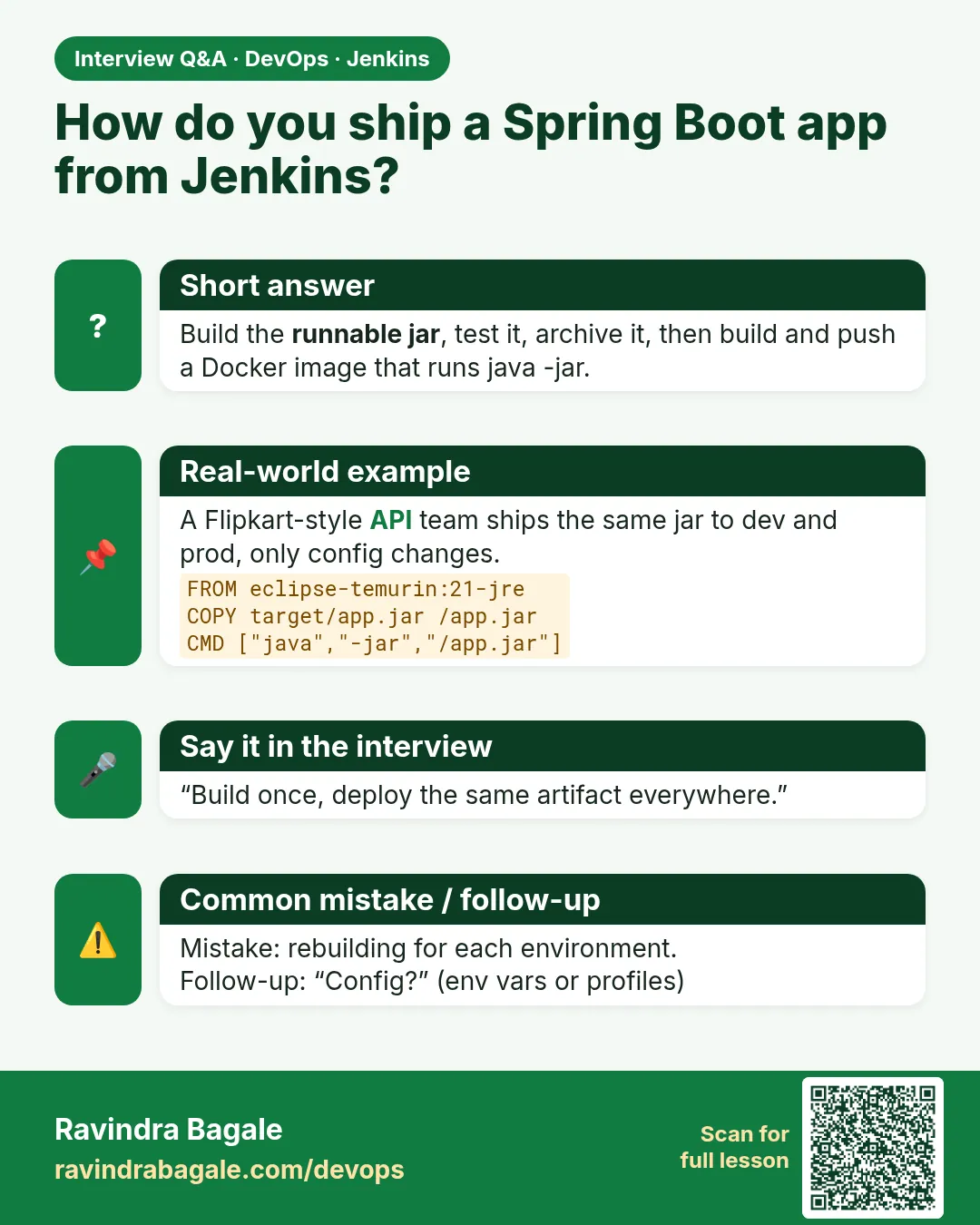
FROM eclipse-temurin:17-jre
WORKDIR /app
COPY target/badge-spring-1.0.0.jar app.jar
USER 1000
EXPOSE 8080
ENTRYPOINT ["java", "-jar", "/app/app.jar"]
stage
stage('Image') {
  steps {
    sh 'docker build -t badge-spring:${BUILD_NUMBER} .'
    sh 'docker run -d --rm --name bs-$BUILD_NUMBER -p 18081:8080 badge-spring:${BUILD_NUMBER}'
    sh 'sleep 8 && curl -fs localhost:18081/actuator/health'
    sh 'docker stop bs-$BUILD_NUMBER'
  }
}
What each line does
temurin:17-jre— Only the runtime, smaller than a JDK image.USER 1000— Do not run as root.BUILD_NUMBER— Tag the image with the Jenkins build number.
Green output
Successfully tagged badge-spring:14
{"status":"UP"}
bs-14
Expected result. The same jar, now as an image ready for a registry (chapter 28).
Example 4: Read a port clash red build
Stack. Linux
Goal. Read a port clash red build.
console
***************************
APPLICATION FAILED TO START
***************************
Description:
Web server failed to start. Port 18080 was already in use.
What each line does
Port in use— An old app from a killed build is still running.Fix— post always kill, and ss -ltnp | grep 18080 to find it.
Green output
ss -ltnp | grep 18080
LISTEN 0 100 *:18080 *:* users:(("java",pid=4411,fd=9))
kill 4411
Expected result. Always stop what you start in CI.
Verify: did it work?
-
Health in CI
grep UP "$WORKSPACE/app.log" || curl -s localhost:18080/actuator/healthWhat it does: During the stage.
Output
{"status":"UP"} -
Jar size
ls -lh target/*.jarWhat it does: Fat jar.
Output
-rw-r--r-- 1 jenkins jenkins 20M target/badge-spring-1.0.0.jar -
Image
docker images badge-springWhat it does: Built.
Output
badge-spring 14 3f2a... 180MB
When it is red 1
Port 8080 was already in use
Cause. Jenkins itself uses 8080.
Fix, step by step
- Start the app with --server.port=18080.
When it is red 2
curl: (7) Failed to connect to localhost port 18080
Cause. The app was still starting.
Fix, step by step
- Use the wait loop, not a fixed sleep 2.
When it is red 3
java.lang.UnsupportedClassVersionError: class file version 61.0
Cause. Built with Java 17, run with an older Java.
Fix, step by step
- Use JDK 17 on the agent or a temurin-17 image.
When it is red 4
Failed to load ApplicationContext
Cause. A test could not start Spring, often a missing database setting.
Fix, step by step
- Read the Caused by line.
- Use an in-memory test config or Testcontainers.
Cleanup
-
Stop and clean
kill %1 2>/dev/null; mvn -q cleanWhat it does: Port free, target gone.
Output
(no output)
Ravindra Bagale's Tip
App start kela tar post always madhe kill kara. Nahi tar pudhcha build la port milnar nahi!
Practice tasks
Easy Call the API
Why: Feel it.
What to do: Run the jar and call /badge three times.
- curl localhost:8080/badge?points=10
Check: bronze, silver, gold.
Medium Smoke stage
Why: Proof it starts.
What to do: Add the Smoke stage.
- Use the wait loop.
Check: Green with UP in console.
Hard Image stage
Why: Ready for Kubernetes.
What to do: Add the Docker image stage.
- docker build with BUILD_NUMBER
Check: Image listed with that tag.
Easy Say Spring Boot pipelines in two lines
Why: If you can say it simply, you understand it. Interviewers want the short version first.
What to do: Write two short lines about Spring Boot pipelines for a fresher who knows only basic Linux.
- Write the problem it solves.
- Write one real command or file that shows it.
- Read it aloud to a friend.
Check: A fresher understands it without asking a question.
Easy Make a safe lab folder
Why: Practice needs a place you can throw away. Then mistakes cost nothing.
What to do: Create a lab folder for this chapter and work only inside it.
- mkdir -p ~/devops-lab && cd ~/devops-lab
- Run every command of this lesson from here.
- Check with pwd before you delete anything.
Check: All lab files live in ~/devops-lab.
Medium Repeat it in a container
Why: Your laptop is not the server. A clean Ubuntu container shows what a fresh server needs.
What to do: Run the main steps of this lesson again inside an Ubuntu container.
- docker run --rm -it -v "$PWD":/lab -w /lab ubuntu:24.04 bash
- apt update and install what is missing.
- Note every missing tool.
Check: Same result inside the container, or a list of what you had to install.
Medium Break it on purpose
Why: You must know the red message by face. In an outage there is no time to read slowly.
What to do: Cause one error from the "When it is red" part of this lesson and fix it.
- Follow the error section.
- Copy the exact message into your notes.
- Write the fix in one line.
Check: You fixed it using only the steps, without searching the web.
Medium Write a one-page runbook
Why: At 2 a.m. nobody remembers the right command. A short page saves the on-call person.
What to do: Write a runbook page for this lesson.
- Title, when to use, exact command, how to check, how to undo.
Check: A teammate can follow it alone.
Hard Explain it like an interview
Why: Interviewers want real stories, not definitions.
What to do: Record a 60 second answer about this lesson.
- Say the problem, the command or file you used, and one error you hit.
Check: Your answer has a real command and a real error message.
Hard Draw the flow top to bottom
Why: A drawing shows who does what and in which order.
What to do: Draw this lesson as boxes from top to bottom.
- Start at the developer laptop, end at the user on the website.
Check: Each box matches a real thing you ran.
Homework: try at home
Try at home
Add a /badge test for 49 points expecting bronze, and add a Smoke curl for points=50 expecting silver. Push and get green.
Recap
- Spring Boot is Maven plus a web server.
- Tests can start the app.
- Smoke test the jar with curl on health.
- Stop what you start.
- Package a small JRE image.
FAQ
Why are Spring tests slow?
They start the Spring context. Keep most tests plain unit tests.
Do I need Actuator?
Yes for production; Kubernetes probes use /actuator/health.
Can I use Gradle with Spring Boot?
Yes. See 22.8.
Should the image use JDK or JRE?
JRE. It is smaller and has fewer tools for an attacker.
How do I pass DB passwords?
Environment variables from Jenkins credentials, never in application.properties in Git.
What is a profile?
A named set of settings, like dev or prod, chosen with SPRING_PROFILES_ACTIVE.
Interview questions
-
How do you smoke test a Spring Boot app in CI?
Start the jar on a free port, poll /actuator/health, curl one endpoint, then stop it.
-
What does spring-boot-maven-plugin do?
Repackages into an executable fat jar.
-
Why run containers as non-root?
Less damage if the app is hacked.
-
What is MockMvc?
A way to test controllers without a network.
-
How do you avoid port clashes on shared agents?
Random or per-build ports and always cleanup in post.
-
What is UnsupportedClassVersionError?
Runtime Java is older than the compile target.
Quick quiz
Q1. Which module gives /actuator/health?
spring-boot-starter-actuator
Q2. Why port 18080 in CI?
Jenkins already uses 8080.
Q3. Why curl -f?
So HTTP errors fail the stage.
Q4. What makes the fat jar?
spring-boot-maven-plugin.
Q5. Why kill in post always?
Stop the app even when the build fails.
Samajla ka?
 Revision card
 Interview card
 Comparison card