Chapter 22: Jenkins Language Projects — Java to Python
22.6 PHP — start to end
Why: the problem
Think of a Zomato restaurant partner portal, or the many WordPress and Laravel sites that Indian agencies build. They are written in PHP. PHP code does not compile to a jar, so learners think there is nothing to build. But there is: Composer installs the libraries into a vendor folder, PHPUnit runs the tests, and php -l checks every file for syntax errors. A broken comma in one file can take a whole site down, so CI must catch it before the copy to the server. In this lesson you build the badge rule in PHP with Composer and PHPUnit, run a lint over all files, and make Jenkins test, package a zip, and copy it to a lab live folder.
What we will build
You will create composer.json, a Badge class and a PHPUnit test, run lint and tests locally, write a Jenkinsfile using the composer Docker image, package a release zip without dev libraries, and see red for a syntax error.
What: every term in plain English
- PHP — A language for web pages and APIs, used by WordPress and Laravel.
- Composer — The PHP library manager. Reads composer.json.
- composer.lock — Exact library versions. Commit it so CI installs the same.
- vendor/ — Folder where Composer puts libraries. Do not commit it.
- PHPUnit — The PHP test tool.
- php -l — Lint: checks a file for syntax errors.
- PSR-4 autoload — A rule that maps a namespace to a folder.
- --no-dev — Skip test libraries for production.
How: step by step
-
Make the folder
mkdir -p ~/devops-lab/ch22/badge-php/src ~/devops-lab/ch22/badge-php/tests && cd ~/devops-lab/ch22/badge-phpWhat it does: Project root.
Output
(no output) -
Add the files
composer.json, src/Badge.php, tests/BadgeTest.php, phpunit.xml from Example 1What it does: Copy exactly.
Output
(no output) -
Add the PHP open tag
for f in src/Badge.php tests/BadgeTest.php; do printf "\x3c?php\n" | cat - "$f" > "$f.tmp" && mv "$f.tmp" "$f"; done; head -1 src/Badge.phpWhat it does: Every PHP file must start with the open tag. printf writes it for us.
Output
(the PHP open tag) -
Install
composer installWhat it does: Creates vendor and composer.lock.
Output
Generating autoload files -
Lint
find src tests -name "*.php" -print0 | xargs -0 -n1 php -lWhat it does: Syntax check.
Output
No syntax errors detected in src/Badge.php No syntax errors detected in tests/BadgeTest.php -
Test
vendor/bin/phpunitWhat it does: Run tests.
Output
OK (3 tests, 3 assertions) -
Run once
php -r "require \"vendor/autoload.php\"; echo App\\Badge::level(120), PHP_EOL;"What it does: The rule works.
Output
gold
Example 1: The PHP project
Stack. PHP 8.3, Composer, PHPUnit 11
Goal. The PHP project. Line 1 of each .php file is the PHP open tag added in step 3.
composer.json
{
  "name": "example/badge-php",
  "require": { "php": ">=8.2" },
  "require-dev": { "phpunit/phpunit": "^11.0" },
  "autoload": { "psr-4": { "App\\": "src/" } }
}
src/Badge.php
namespace App;

final class Badge
{
    public static function level(int $points): string
    {
        if ($points >= 100) { return 'gold'; }
        if ($points >= 50)  { return 'silver'; }
        return 'bronze';
    }
}
tests/BadgeTest.php
use App\Badge;
use PHPUnit\Framework\TestCase;

final class BadgeTest extends TestCase
{
    public function testGold(): void   { $this->assertSame('gold', Badge::level(100)); }
    public function testSilver(): void { $this->assertSame('silver', Badge::level(50)); }
    public function testBronze(): void { $this->assertSame('bronze', Badge::level(0)); }
}
phpunit.xml
<phpunit bootstrap="vendor/autoload.php" colors="false">
  <testsuites>
    <testsuite name="unit"><directory>tests</directory></testsuite>
  </testsuites>
</phpunit>
What each line does
require-dev— PHPUnit only for development and CI.psr-4 App to src/— App\Badge is loaded from src/Badge.php.final class— Cannot be extended; simple and safe.assertSame— Value and type must match.bootstrap autoload— Tests can find App classes.
Green output
PHPUnit 11.4.0 by Sebastian Bergmann and contributors.

...                                                                 3 / 3 (100%)

OK (3 tests, 3 assertions)
Expected result. Three dots mean three passing tests.
Example 2: Jenkinsfile with lint, tests and a release zip
Stack. Jenkins, Docker, PHP
Goal. Jenkinsfile with lint, tests and a release zip.
Jenkinsfile
pipeline {
  agent { docker { image 'composer:2'; args '-e COMPOSER_HOME=/tmp/composer' } }
  options { timestamps() }
  stages {
    stage('Checkout') { steps { checkout scm } }
    stage('Install')  { steps { sh 'composer install --no-interaction --prefer-dist' } }
    stage('Lint')     { steps { sh 'find src tests -name "*.php" -print0 | xargs -0 -n1 php -l' } }
    stage('Test')     { steps { sh 'vendor/bin/phpunit --log-junit junit.xml' } }
    stage('Package') {
      steps {
        sh 'rm -rf vendor && composer install --no-dev --no-interaction --optimize-autoloader'
        sh 'mkdir -p dist && zip -qr dist/badge-php-${BUILD_NUMBER}.zip src vendor composer.json'
      }
    }
    stage('Live') { steps { sh 'mkdir -p "$HOME/lab-live/badge-php" && cp dist/*.zip "$HOME/lab-live/badge-php/"' } }
  }
  post {
    always  { junit 'junit.xml' }
    success { archiveArtifacts 'dist/*.zip' }
  }
}
What each line does
composer:2 image— Has PHP and Composer.--prefer-dist— Download zips, faster than git clones.Lint stage— Catch syntax errors in every file.--log-junit— PHPUnit writes JUnit XML for Jenkins.--no-dev— Production zip without PHPUnit.--optimize-autoloader— Faster class loading in production.
Green output
[Pipeline] stage (Lint)
No syntax errors detected in src/Badge.php
[Pipeline] stage (Test)
OK (3 tests, 3 assertions)
[Pipeline] stage (Package)
Archiving artifacts
Finished: SUCCESS
Expected result. A tested zip ready to unpack on the web server.
Example 3: A syntax error caught by lint
Stack. PHP
Goal. A syntax error caught by lint.
break.sh
sed -i "s/return 'bronze';/return 'bronze'/" src/Badge.php
php -l src/Badge.php
What each line does
Missing semicolon— A one-character mistake.php -l— Finds it without running the site.
Green output
PHP Parse error:  syntax error, unexpected token "}" in src/Badge.php on line 10
Errors parsing src/Badge.php
script returned exit code 255
Expected result. Lint stage red. Fix line 10, push again. Without lint, this would be a white page on the live site.
Example 4: Run the PHP app behind the built-in server for a smoke test
Stack. PHP
Goal. Run the PHP app behind the built-in server for a smoke test.
public/index.php body
require __DIR__ . '/../vendor/autoload.php';
header('Content-Type: application/json');
$p = (int)($_GET['points'] ?? 0);
echo json_encode(['points' => $p, 'level' => App\Badge::level($p)]);
smoke.sh
php -S 127.0.0.1:18090 -t public > php.log 2>&1 &
sleep 1
curl -fs "127.0.0.1:18090/?points=60"
kill %1
What each line does
php -S— Built-in dev server, fine for CI smoke tests.-t public— Serve from public/.json_encode— Return JSON.
Green output
{"points":60,"level":"silver"}
Expected result. The page answers before you copy anything to a real server.
Verify: did it work?
-
vendor ignored
grep vendor .gitignoreWhat it does: Not committed.
Output
vendor/ -
Lock committed
git ls-files composer.lockWhat it does: Same versions in CI.
Output
composer.lock -
Zip content
unzip -l dist/*.zip | tail -1What it does: Has files.
Output
412 37 files
When it is red 1
composer: command not found
Cause. No Composer on the agent.
Fix, step by step
- Use the composer:2 Docker agent.
When it is red 2
Your lock file does not contain a compatible set of packages
Cause. composer.lock made with a different PHP version.
Fix, step by step
- Run composer update locally with the same PHP version as CI, commit the lock.
When it is red 3
Class "App\\Badge" not found
Cause. Autoload not built or wrong namespace path.
Fix, step by step
- Check psr-4 in composer.json.
- Run composer dump-autoload.
When it is red 4
PHP Parse error: syntax error, unexpected token
Cause. Typo in a PHP file.
Fix, step by step
- Open the file at the line number.
- Fix and run php -l again.
Cleanup
-
Clean
rm -rf vendor dist junit.xmlWhat it does: Fresh folder.
Output
(no output)
Ravindra Bagale's Tip
PHP madhe ek semicolon chukla tar site pandhri hote. php -l lint stage nehmi theva!
Practice tasks
Easy Run tests locally
Why: Base line.
What to do: Run phpunit.
- vendor/bin/phpunit
Check: OK 3 tests.
Medium Lint everything
Why: Catch typos.
What to do: Add the Lint stage.
- find ... php -l
Check: Lint stage green.
Hard Production zip
Why: Smaller release.
What to do: Package with --no-dev.
- zip -qr
Check: Zip has no phpunit folder.
Easy Say PHP pipelines in two lines
Why: If you can say it simply, you understand it. Interviewers want the short version first.
What to do: Write two short lines about PHP pipelines for a fresher who knows only basic Linux.
- Write the problem it solves.
- Write one real command or file that shows it.
- Read it aloud to a friend.
Check: A fresher understands it without asking a question.
Easy Make a safe lab folder
Why: Practice needs a place you can throw away. Then mistakes cost nothing.
What to do: Create a lab folder for this chapter and work only inside it.
- mkdir -p ~/devops-lab && cd ~/devops-lab
- Run every command of this lesson from here.
- Check with pwd before you delete anything.
Check: All lab files live in ~/devops-lab.
Medium Repeat it in a container
Why: Your laptop is not the server. A clean Ubuntu container shows what a fresh server needs.
What to do: Run the main steps of this lesson again inside an Ubuntu container.
- docker run --rm -it -v "$PWD":/lab -w /lab ubuntu:24.04 bash
- apt update and install what is missing.
- Note every missing tool.
Check: Same result inside the container, or a list of what you had to install.
Medium Break it on purpose
Why: You must know the red message by face. In an outage there is no time to read slowly.
What to do: Cause one error from the "When it is red" part of this lesson and fix it.
- Follow the error section.
- Copy the exact message into your notes.
- Write the fix in one line.
Check: You fixed it using only the steps, without searching the web.
Medium Write a one-page runbook
Why: At 2 a.m. nobody remembers the right command. A short page saves the on-call person.
What to do: Write a runbook page for this lesson.
- Title, when to use, exact command, how to check, how to undo.
Check: A teammate can follow it alone.
Hard Explain it like an interview
Why: Interviewers want real stories, not definitions.
What to do: Record a 60 second answer about this lesson.
- Say the problem, the command or file you used, and one error you hit.
Check: Your answer has a real command and a real error message.
Hard Draw the flow top to bottom
Why: A drawing shows who does what and in which order.
What to do: Draw this lesson as boxes from top to bottom.
- Start at the developer laptop, end at the user on the website.
Check: Each box matches a real thing you ran.
Homework: try at home
Try at home
Add tests for 49 and 99 points. Make lint fail on purpose, read the line number, fix it, and get green again.
Recap
- PHP has a build too: install, lint, test, package.
- Commit composer.lock, not vendor.
- php -l catches typos.
- Use --no-dev for production.
- Publish JUnit XML.
FAQ
Why does PHP need CI if it does not compile?
Tests and lint still catch bugs before users see them.
Laravel or WordPress?
Same stages; Laravel adds php artisan test.
Can I deploy with rsync instead of zip?
Yes. The zip is easy to archive and roll back.
Which PHP version in CI?
The same as production. Pin it with the image tag.
Where do .env secrets go?
On the server or in Jenkins credentials, never in Git.
Why is the open tag added with printf?
Only for this page; in your editor just type it as line 1.
Interview questions
-
How do you build a PHP project in CI?
composer install, lint, phpunit, then composer install --no-dev and package.
-
Why commit composer.lock?
Reproducible installs.
-
How do you catch syntax errors early?
php -l over all files.
-
What is PSR-4?
Namespace to folder autoload standard.
-
How do you show PHPUnit results in Jenkins?
--log-junit and the junit step.
Quick quiz
Q1. Which file pins exact versions?
composer.lock
Q2. Which command checks syntax?
php -l
Q3. What does --no-dev skip?
Development libraries like PHPUnit.
Q4. Should vendor/ be committed?
No.
Q5. Which flag writes JUnit XML?
--log-junit
Samajla ka?
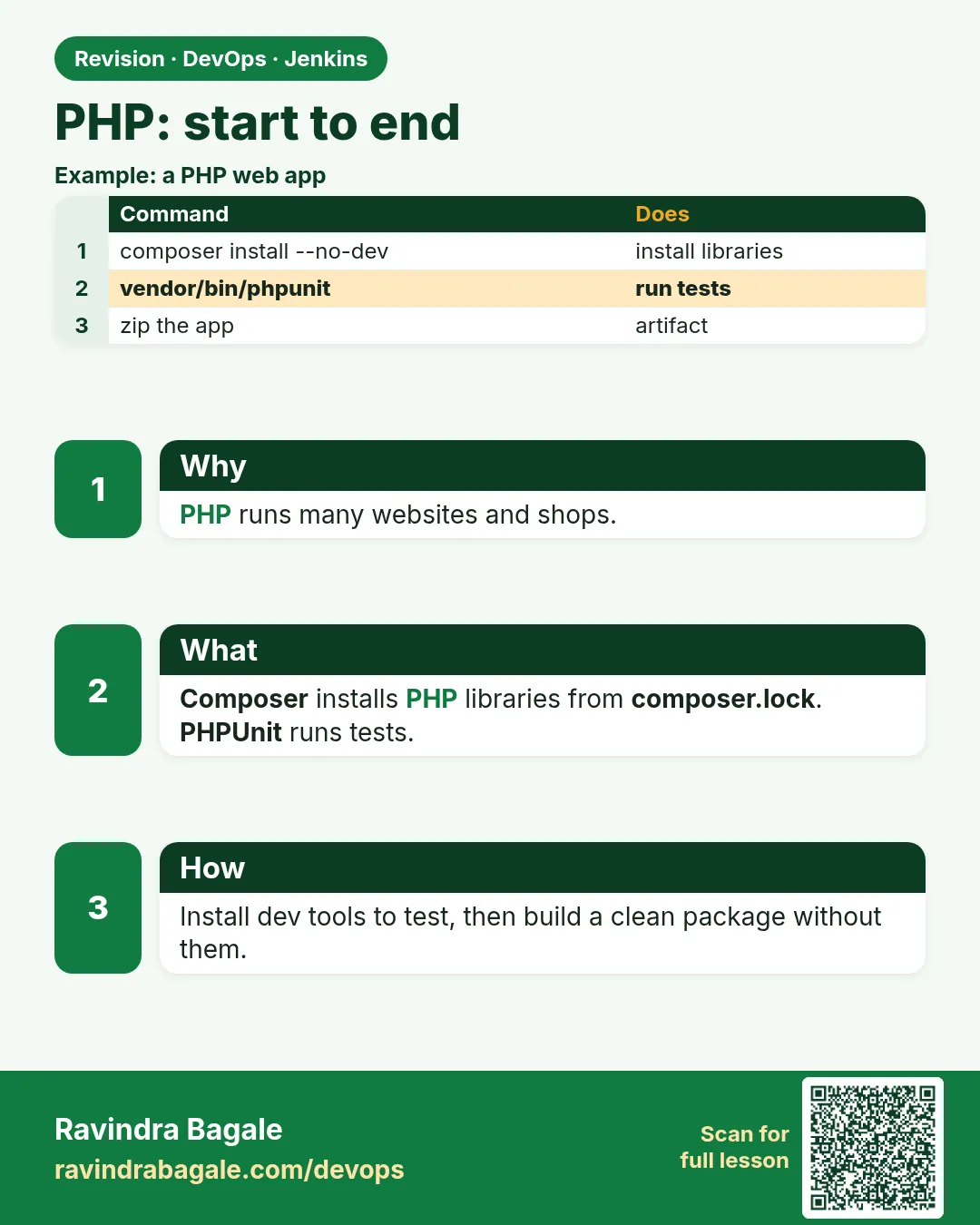 Revision card
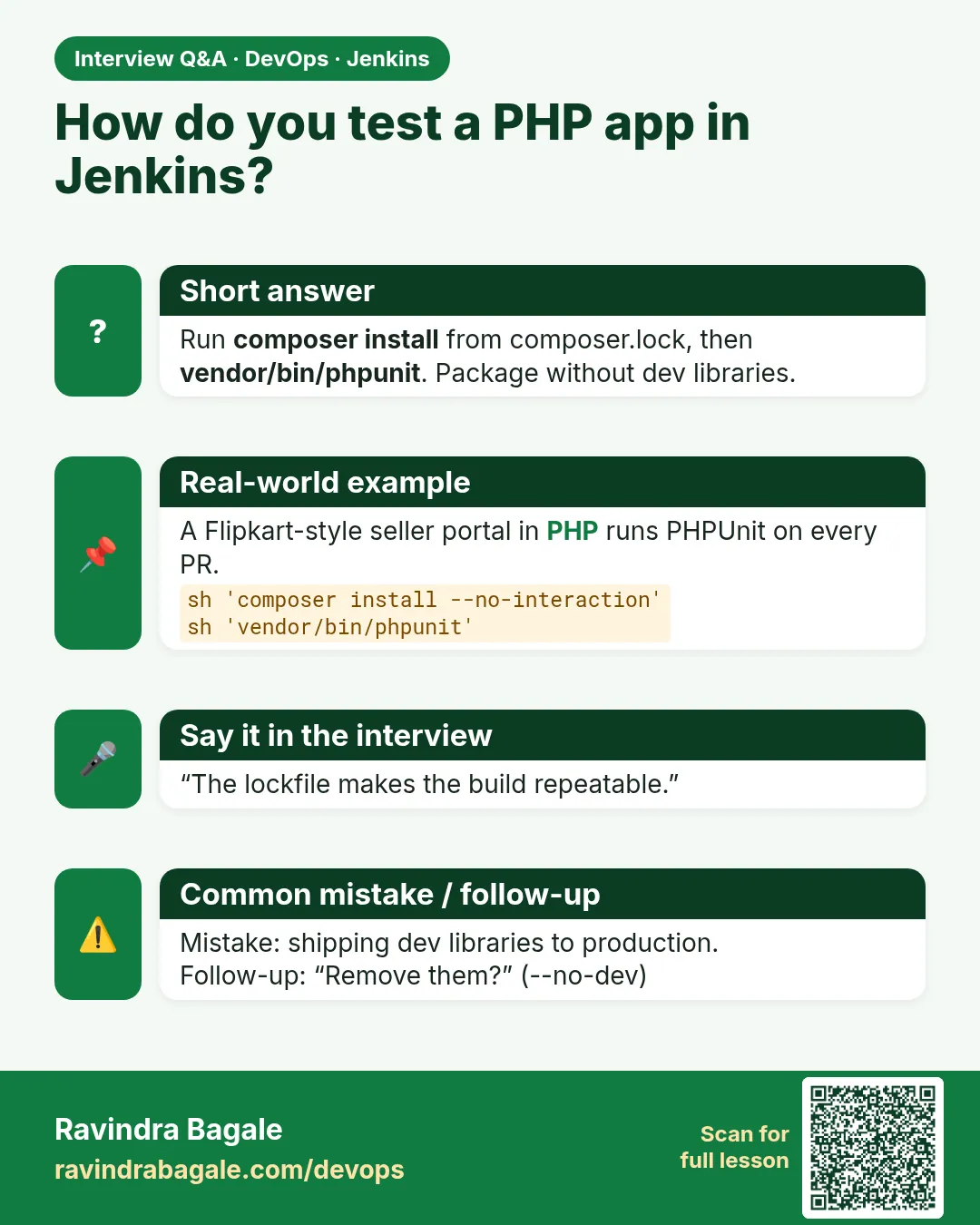 Interview card