Chapter 22: Jenkins Language Projects — Java to Python
22.5 .NET — start to end
Why: the problem
Think of the ICICI Bank branch software team. Many Indian banks and insurance companies, like ICICI and LIC vendors, write their backend in C# on .NET. Earlier .NET ran only on Windows, so teams thought Jenkins on Linux could not build it. Today .NET 8 runs on Linux, and the dotnet command does everything: restore libraries, build, test and publish. Publish makes a folder with the app dll and everything it needs. In this lesson you build the badge rule as a small .NET web API with an xUnit test project, run it on Linux, and push it so a Jenkins agent with the .NET SDK, or the official SDK Docker image, does the same.
What we will build
You will create a solution with a web API project and an xUnit test project, run dotnet test and dotnet publish, write a Jenkinsfile that uses the Microsoft SDK image as the agent, publish TRX test results, and smoke test the published app.
What: every term in plain English
- .NET SDK — The tools to build .NET apps: the dotnet command.
- Solution (.sln) — A file that groups projects, like an app and its tests.
- Project (.csproj) — One app or library and its settings.
- NuGet — The .NET library store, like Maven Central.
- dotnet restore — Downloads NuGet packages.
- xUnit — A common .NET test framework.
- dotnet publish — Makes a ready-to-run folder.
- TRX — The .NET test result file format.
How: step by step
-
Make the solution
mkdir -p ~/devops-lab/ch22/badge-dotnet && cd ~/devops-lab/ch22/badge-dotnet && dotnet new sln -n BadgeWhat it does: Groups projects.
Output
The template "Solution File" was created successfully. -
Web API project
dotnet new web -n Badge.Api -o src/Badge.Api && dotnet sln add src/Badge.ApiWhat it does: Minimal API.
Output
Project `src/Badge.Api/Badge.Api.csproj` added to the solution. -
Test project
dotnet new xunit -n Badge.Tests -o tests/Badge.Tests && dotnet sln add tests/Badge.Tests && dotnet add tests/Badge.Tests reference src/Badge.ApiWhat it does: Tests can see the app code.
Output
Reference `..\..\src\Badge.Api\Badge.Api.csproj` added to the project. -
Write the code
Replace Program.cs and add BadgeRules.cs and BadgeTests.cs from Example 1What it does: Our rule.
Output
(no output) -
Test
dotnet testWhat it does: Restore, build, test.
Output
Passed! - Failed: 0, Passed: 3, Skipped: 0, Total: 3 -
Publish
dotnet publish src/Badge.Api -c Release -o outWhat it does: Ready folder.
Output
Badge.Api -> /home/ravi/devops-lab/ch22/badge-dotnet/out/ -
Run
dotnet out/Badge.Api.dll --urls http://localhost:5080 & sleep 3; curl -s "localhost:5080/badge?points=60"What it does: It answers.
Output
{"points":60,"level":"silver"}
Example 1: The C# code and tests
Stack. .NET 8, C#, xUnit
Goal. The C# code and tests.
src/Badge.Api/BadgeRules.cs
namespace Badge.Api;

public static class BadgeRules
{
    public static string Level(int points) =>
        points >= 100 ? "gold" : points >= 50 ? "silver" : "bronze";
}
src/Badge.Api/Program.cs
using Badge.Api;

var builder = WebApplication.CreateBuilder(args);
var app = builder.Build();

app.MapGet("/health", () => Results.Ok(new { status = "UP" }));
app.MapGet("/badge", (int points) => new { points, level = BadgeRules.Level(points) });

app.Run();
tests/Badge.Tests/BadgeTests.cs
using Badge.Api;
using Xunit;

public class BadgeTests
{
    [Theory]
    [InlineData(100, "gold")]
    [InlineData(50, "silver")]
    [InlineData(0, "bronze")]
    public void Level_is_right(int points, string expected) =>
        Assert.Equal(expected, BadgeRules.Level(points));
}
What each line does
static class BadgeRules— Pure rule, easy to test.MapGet("/badge")— GET /badge returns JSON./health— For smoke tests and load balancers.[Theory] + [InlineData]— One test, three inputs.Assert.Equal— Fails if values differ.
Green output
Passed! - Failed: 0, Passed: 3, Skipped: 0, Total: 3, Duration: 12 ms - Badge.Tests.dll (net8.0)
Expected result. Three test cases pass on Linux.
Example 2: Jenkinsfile with the SDK image as agent
Stack. Jenkins, Docker, .NET
Goal. Jenkinsfile with the SDK image as agent.
Jenkinsfile
pipeline {
  agent {
    docker {
      image 'mcr.microsoft.com/dotnet/sdk:8.0'
      args '-v $HOME/.nuget:/root/.nuget -e DOTNET_CLI_HOME=/tmp -e HOME=/tmp'
    }
  }
  options { timestamps() }
  environment { DOTNET_CLI_TELEMETRY_OPTOUT = '1'; DOTNET_NOLOGO = '1' }
  stages {
    stage('Restore') { steps { sh 'dotnet restore' } }
    stage('Build')   { steps { sh 'dotnet build -c Release --no-restore' } }
    stage('Test')    { steps { sh 'dotnet test -c Release --no-build --logger "trx;LogFileName=results.trx" --results-directory TestResults' } }
    stage('Publish') { steps { sh 'dotnet publish src/Badge.Api -c Release --no-restore -o out' } }
  }
  post {
    always  { mstest testResultsFile: 'TestResults/*.trx' }
    success { archiveArtifacts 'out/**' }
  }
}
What each line does
sdk:8.0— Official image; no .NET install on the agent..nuget mount— Cache packages.HOME=/tmp— The container user can write its cache.--no-restore / --no-build— Do not repeat earlier work.--logger trx— Write test results.mstest— Plugin step that reads TRX files.
Green output
[Pipeline] stage (Test)
Passed!  - Failed: 0, Passed: 3, Skipped: 0, Total: 3
[Pipeline] stage (Publish)
Badge.Api -> /var/jenkins_home/workspace/badge-dotnet-pipeline/out/
Archiving artifacts
Finished: SUCCESS
Expected result. Green build with test results and a downloadable publish folder.
Example 3: Smoke test the published app in CI
Stack. Jenkins, .NET
Goal. Smoke test the published app in CI.
stage
stage('Smoke') {
  steps {
    sh 'nohup dotnet out/Badge.Api.dll --urls http://localhost:15080 > app.log 2>&1 & echo $! > app.pid'
    sh 'for i in $(seq 1 20); do curl -fs localhost:15080/health && break; sleep 1; done'
    sh 'curl -fs "localhost:15080/badge?points=120" | grep gold'
    sh 'kill $(cat app.pid)'
  }
}
What each line does
--urls— Choose the port.wait loop— App needs a second or two.grep gold— Fail if the answer is wrong.
Green output
{"status":"UP"}
{"points":120,"level":"gold"}
Expected result. The publish folder really runs.
Example 4: A small runtime image for production
Stack. Docker, .NET
Goal. A small runtime image for production.
Dockerfile
FROM mcr.microsoft.com/dotnet/sdk:8.0 AS build
WORKDIR /src
COPY . .
RUN dotnet publish src/Badge.Api -c Release -o /out

FROM mcr.microsoft.com/dotnet/aspnet:8.0
WORKDIR /app
COPY --from=build /out .
USER app
ENV ASPNETCORE_URLS=http://+:8080
EXPOSE 8080
ENTRYPOINT ["dotnet", "Badge.Api.dll"]
What each line does
AS build— First stage has the SDK.aspnet:8.0— Runtime only, much smaller.USER app— Non-root user that the image already has.ASPNETCORE_URLS— Listen on 8080 inside the container.
Green output
docker build -t badge-dotnet:1 .
docker images badge-dotnet
badge-dotnet   1   9a1b...   222MB
Expected result. SDK image is about 850 MB; the final image is about 220 MB.
Verify: did it work?
-
Tests pass
dotnet test --nologo -v qWhat it does: All green.
Output
Passed! - Failed: 0, Passed: 3 -
Publish folder
ls out | grep Badge.Api.dllWhat it does: App dll.
Output
Badge.Api.dll -
TRX exists
ls TestResultsWhat it does: For Jenkins.
Output
results.trx
When it is red 1
dotnet: command not found
Cause. No SDK on the agent.
Fix, step by step
- Use the mcr.microsoft.com/dotnet/sdk:8.0 Docker agent.
- Or install with apt install dotnet-sdk-8.0 on Ubuntu 24.04.
When it is red 2
Access to the path '/.dotnet' is denied
Cause. Container user has no home folder.
Fix, step by step
- Set HOME=/tmp and DOTNET_CLI_HOME=/tmp in args.
When it is red 3
error NU1301: Unable to load the service index for source https://api.nuget.org/v3/index.json
Cause. No internet or proxy to NuGet.
Fix, step by step
- Check the proxy.
- Add a company feed in nuget.config.
When it is red 4
error NETSDK1045: The current .NET SDK does not support targeting .NET 9.0
Cause. Project targets a newer .NET than the SDK image.
Fix, step by step
- Use sdk:9.0, or set TargetFramework to net8.0.
Cleanup
-
Stop app and clean
kill %1 2>/dev/null; rm -rf out TestResultsWhat it does: Free the port.
Output
(no output)
Ravindra Bagale's Tip
.NET la aata Windows lagat nahi. sdk image agent ghya ani dotnet test chalva, sopa aahe!
Practice tasks
Easy Run the API
Why: Feel it.
What to do: Run Badge.Api and call /badge.
- dotnet run --project src/Badge.Api
Check: JSON answer.
Medium Docker agent
Why: No install.
What to do: Use the SDK image agent.
- Docker Pipeline plugin.
Check: Green build.
Hard Multi-stage image
Why: Small and safe.
What to do: Build the Dockerfile.
- docker build
Check: Image near 220 MB.
Easy Say .NET pipelines in two lines
Why: If you can say it simply, you understand it. Interviewers want the short version first.
What to do: Write two short lines about .NET pipelines for a fresher who knows only basic Linux.
- Write the problem it solves.
- Write one real command or file that shows it.
- Read it aloud to a friend.
Check: A fresher understands it without asking a question.
Easy Make a safe lab folder
Why: Practice needs a place you can throw away. Then mistakes cost nothing.
What to do: Create a lab folder for this chapter and work only inside it.
- mkdir -p ~/devops-lab && cd ~/devops-lab
- Run every command of this lesson from here.
- Check with pwd before you delete anything.
Check: All lab files live in ~/devops-lab.
Medium Repeat it in a container
Why: Your laptop is not the server. A clean Ubuntu container shows what a fresh server needs.
What to do: Run the main steps of this lesson again inside an Ubuntu container.
- docker run --rm -it -v "$PWD":/lab -w /lab ubuntu:24.04 bash
- apt update and install what is missing.
- Note every missing tool.
Check: Same result inside the container, or a list of what you had to install.
Medium Break it on purpose
Why: You must know the red message by face. In an outage there is no time to read slowly.
What to do: Cause one error from the "When it is red" part of this lesson and fix it.
- Follow the error section.
- Copy the exact message into your notes.
- Write the fix in one line.
Check: You fixed it using only the steps, without searching the web.
Medium Write a one-page runbook
Why: At 2 a.m. nobody remembers the right command. A short page saves the on-call person.
What to do: Write a runbook page for this lesson.
- Title, when to use, exact command, how to check, how to undo.
Check: A teammate can follow it alone.
Hard Explain it like an interview
Why: Interviewers want real stories, not definitions.
What to do: Record a 60 second answer about this lesson.
- Say the problem, the command or file you used, and one error you hit.
Check: Your answer has a real command and a real error message.
Hard Draw the flow top to bottom
Why: A drawing shows who does what and in which order.
What to do: Draw this lesson as boxes from top to bottom.
- Start at the developer laptop, end at the user on the website.
Check: Each box matches a real thing you ran.
Homework: try at home
Try at home
Add a test case for 99 points. Add the Smoke stage. Push and check the Test Result page in Jenkins shows 4 tests.
Recap
- .NET 8 runs on Linux.
- dotnet does restore, build, test, publish.
- Use the SDK image as agent.
- Publish TRX results.
- Ship the aspnet runtime image.
FAQ
Do I need Windows agents for .NET?
Not for .NET 6 and newer. Old .NET Framework 4.x still needs Windows.
Where do NuGet packages come from?
nuget.org or a company feed in nuget.config.
What is Release vs Debug?
Release is optimised for production.
Can I use MSBuild directly?
Yes, but dotnet build calls it for you.
How do I store connection strings?
Environment variables from Jenkins credentials or a secret manager.
Is Visual Studio needed on the agent?
No. Only the SDK.
Interview questions
-
How do you build .NET in Linux CI?
Use the dotnet SDK, restore, build, test with a logger, publish.
-
Difference between sdk and aspnet images?
sdk builds; aspnet only runs.
-
How do you show .NET tests in Jenkins?
TRX logger plus the mstest or xunit plugin.
-
What does NETSDK1045 mean?
SDK older than the target framework.
-
How do you cache NuGet in CI?
Mount or cache ~/.nuget/packages.
Quick quiz
Q1. Which command runs .NET tests?
dotnet test
Q2. What does dotnet publish make?
A ready-to-run folder.
Q3. Which image has the SDK?
mcr.microsoft.com/dotnet/sdk:8.0
Q4. What file format are .NET test results?
TRX.
Q5. Why --no-build in Test?
Build already happened.
Samajla ka?
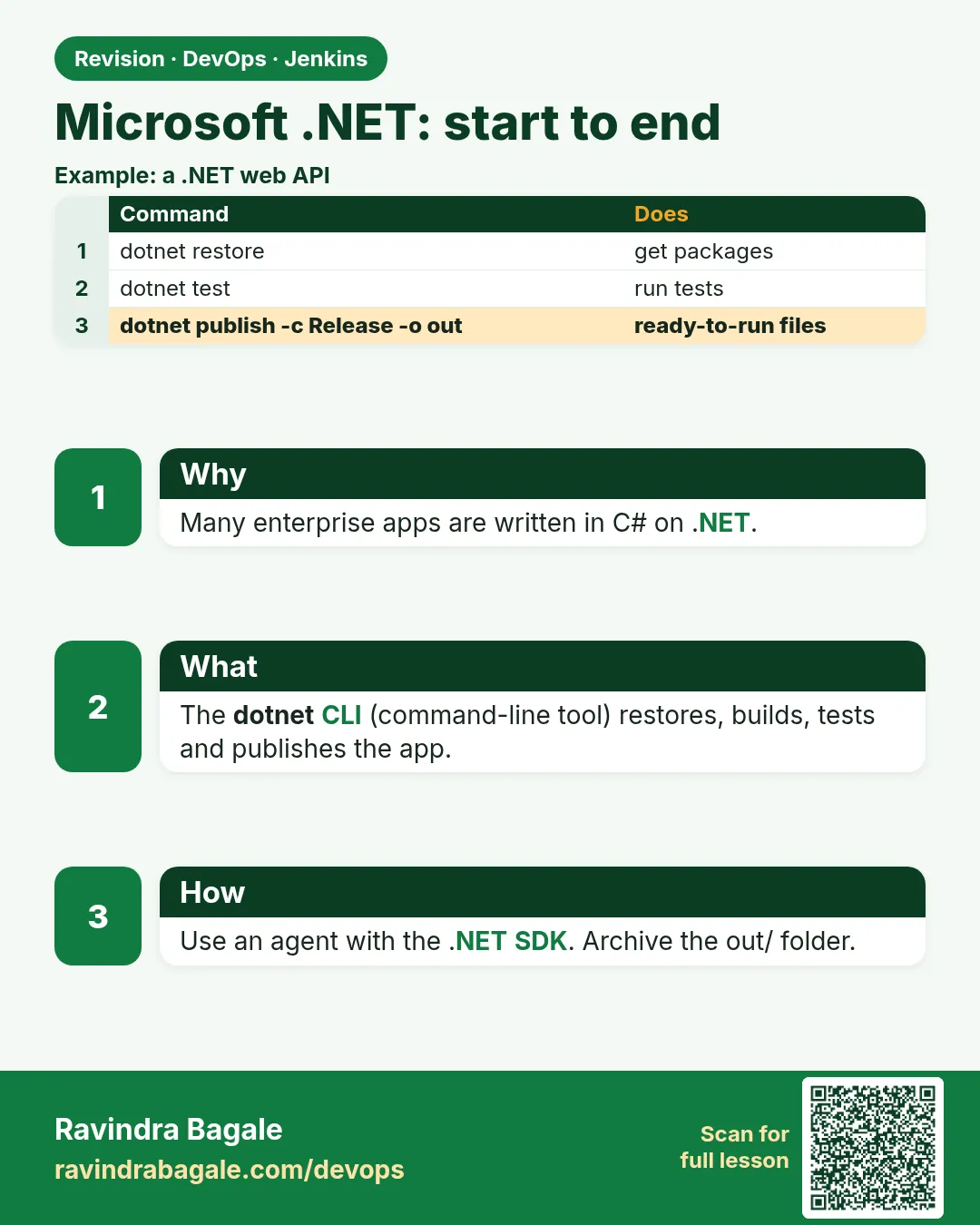 Revision card
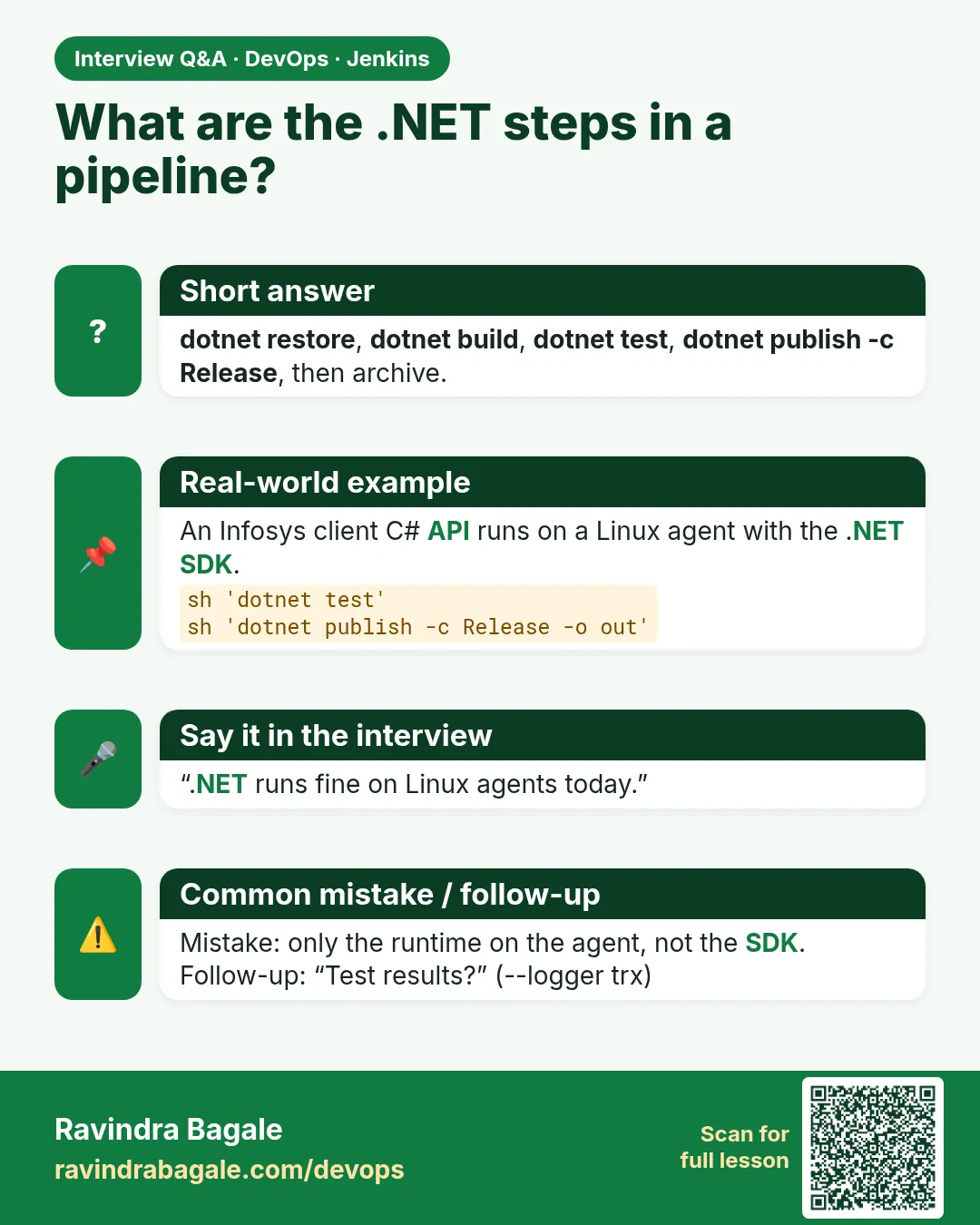 Interview card