Chapter 22: Jenkins Language Projects — Java to Python
22.2 Shared Pipeline job reminder
Why: the problem
Think of the Flipkart platform team. Ten product teams want CI. If each team clicks a Freestyle job by hand, every job looks different, nobody can review the changes, and when Jenkins dies the jobs are gone. So the team uses one pattern for every language: a Pipeline job that reads the Jenkinsfile from the repo. This is called Pipeline script from SCM. SCM means source control, like Git. The job only knows three things: the repo URL, the branch, and the path of the Jenkinsfile. Everything else lives in Git, where it is reviewed like code. In this lesson you create that job once, by hand and then as code, and reuse it for Java, Python and every other language in this chapter.
What we will build
You will push a small repo with a Jenkinsfile to a local Git server, create the Pipeline job from SCM, run it, copy the job for a second language by changing only the repo URL, and add a poll trigger so pushes start builds.
What: every term in plain English
- Pipeline job — A Jenkins job type that runs a Jenkinsfile.
- Pipeline script from SCM — Jenkins reads the Jenkinsfile from Git, not from a text box.
- Repository URL — Where Jenkins clones from.
- Branch Specifier — Which branch to build, like */main.
- Script Path — Where the Jenkinsfile is inside the repo. Usually Jenkinsfile.
- Credentials — A saved token or SSH key Jenkins uses for private repos.
- Poll SCM — Jenkins checks Git on a schedule and builds when there is a new commit.
- Webhook — Git tells Jenkins about a push at once. Faster than polling.
How: step by step
-
Make a bare Git server
mkdir -p ~/devops-lab/ch22/git && git init -q --bare -b main ~/devops-lab/ch22/git/badge-python.gitWhat it does: A local remote for the lab.
Output
(no output) -
Clone it
cd ~/devops-lab/ch22 && git clone -q git/badge-python.git && cd badge-pythonWhat it does: Working copy.
Output
(no output) -
Add a Jenkinsfile
printf "pipeline {\n agent any\n stages { stage(\x27Hi\x27) { steps { sh \x27echo hello from SCM\x27 } } }\n}\n" > Jenkinsfile && cat JenkinsfileWhat it does: A tiny pipeline.
Output
pipeline { agent any stages { stage('Hi') { steps { sh 'echo hello from SCM' } } } } -
Push
git add . && git commit -qm "Add Jenkinsfile" && git push -q origin mainWhat it does: Now Jenkins can read it.
Output
(no output) -
Create the job in the UI
New Item, name badge-python-pipeline, Pipeline, OKWhat it does: Choose Pipeline, not Freestyle.
Output
Job created -
Point it at Git
Definition: Pipeline script from SCM; SCM: Git; URL: file:///home/ravi/devops-lab/ch22/git/badge-python.git; Branch: */main; Script Path: JenkinsfileWhat it does: Only these fields matter.
Output
Saved -
Build Now
Click Build Now, then Console OutputWhat it does: First run.
Output
hello from SCM
Finished: SUCCESS
Example 1: The same job as code with Job DSL
Stack. Jenkins Job DSL
Goal. The same job as code with Job DSL.
jobs.groovy
['java', 'python', 'dotnet', 'php'].each { lang ->
  pipelineJob("badge-${lang}-pipeline") {
    definition {
      cpsScm {
        scm {
          git {
            remote { url("file:///home/ravi/devops-lab/ch22/git/badge-${lang}.git") }
            branch('*/main')
          }
        }
        scriptPath('Jenkinsfile')
      }
    }
    triggers { scm('H/5 * * * *') }
  }
}
What each line does
each { lang ->— Loop over four languages.pipelineJob— Make a Pipeline job.cpsScm— Pipeline script from SCM.scriptPath— Path of the Jenkinsfile.scm H/5— Poll Git about every 5 minutes.
Green output
Processing provided DSL script
Added items:
    GeneratedJob{name='badge-java-pipeline'}
    GeneratedJob{name='badge-python-pipeline'}
    GeneratedJob{name='badge-dotnet-pipeline'}
    GeneratedJob{name='badge-php-pipeline'}
Finished: SUCCESS
Expected result. Four identical jobs from ten lines. A new language is one word in the list.
Example 2: Start a build from the command line
Stack. Jenkins REST
Goal. Start a build from the command line.
trigger.sh
JENKINS=http://localhost:8080
USER=ravi
TOKEN="$(cat ~/.jenkins-token)"
curl -s -X POST -u "$USER:$TOKEN" "$JENKINS/job/badge-python-pipeline/build" -o /dev/null -w "%{http_code}\n"
sleep 8
curl -s -u "$USER:$TOKEN" "$JENKINS/job/badge-python-pipeline/lastBuild/api/json?tree=number,result"
What each line does
~/.jenkins-token— Your API token in a file only you can read (chmod 600). Never paste it in the script./build— Queue a build.201— Queued.lastBuild/api/json— Ask for the result.
Green output
201
{"_class":"org.jenkinsci.plugins.workflow.job.WorkflowRun","number":2,"result":"SUCCESS"}
Expected result. Scripts and release tools can start any language job the same way.
Example 3: Poll SCM so a push starts a build
Stack. Jenkins
Goal. Poll SCM so a push starts a build.
Jenkinsfile
pipeline {
  agent any
  triggers { pollSCM('H/2 * * * *') }
  stages {
    stage('Hi') { steps { sh 'echo "commit $(git rev-parse --short HEAD)"' } }
  }
}
push.sh
git commit -qam "Poll every 2 minutes" && git push -q
echo "change" >> README.md && git add . && git commit -qm "Trigger" && git push -q
What each line does
pollSCM— Jenkins asks Git for new commits on a schedule.H/2— About every 2 minutes, spread out with H.git rev-parse --short— Print which commit was built.
Green output
Started by an SCM change
commit 7c1d2e9
Finished: SUCCESS
Expected result. On a real server use a webhook from GitLab or Bitbucket; polling is fine for a local lab.
Example 4: A Jenkinsfile in a sub folder of a monorepo
Stack. Jenkins
Goal. A Jenkinsfile in a sub folder of a monorepo.
tree
shop/
  services/badge-java/Jenkinsfile
  services/badge-python/Jenkinsfile
job setting
Script Path: services/badge-python/Jenkinsfile
Jenkinsfile
pipeline {
  agent any
  stages {
    stage('Test') {
      steps { dir('services/badge-python') { sh 'python3 -m pytest -q' } }
    }
  }
}
What each line does
Script Path— Can be any path, not only the root.dir()— Run the commands inside that folder.
Green output
3 passed in 0.04s
Finished: SUCCESS
Expected result. One repo, many services, one job each.
Verify: did it work?
-
Job exists
curl -s -u "ravi:$(cat ~/.jenkins-token)" http://localhost:8080/job/badge-python-pipeline/api/json?tree=nameWhat it does: Name returned.
Output
{"name":"badge-python-pipeline"} -
Last result
curl -s -u "ravi:$(cat ~/.jenkins-token)" "http://localhost:8080/job/badge-python-pipeline/lastBuild/api/json?tree=result"What it does: Green.
Output
{"result":"SUCCESS"} -
Remote has the file
git -C ~/devops-lab/ch22/badge-python ls-filesWhat it does: Jenkinsfile is tracked.
Output
Jenkinsfile
When it is red 1
ERROR: Unable to find Jenkinsfile from git file:///...
Cause. Script Path is wrong, or the file was never pushed.
Fix, step by step
- git ls-files on your clone.
- Fix Script Path; it is case sensitive.
When it is red 2
fatal: '/home/ravi/devops-lab/ch22/git/badge-python.git' does not appear to be a git repository
Cause. Jenkins runs as the jenkins user and cannot read your home folder.
Fix, step by step
- Use a real Git server like GitLab for the lab.
- Or put the bare repo in a folder the jenkins user can read.
When it is red 3
Checking out a local repository is not allowed
Cause. Newer Git plugin blocks file:// URLs by default.
Fix, step by step
- Prefer a real Git server.
- For a throwaway lab only: start Jenkins with -Dhudson.plugins.git.GitSCM.ALLOW_LOCAL_CHECKOUT=true.
When it is red 4
HTTP ERROR 403 No valid crumb was included in the request
Cause. You called the API without a token.
Fix, step by step
- Use user:API-token in curl, not your password.
Cleanup
-
Delete the test job
Job page, Delete PipelineWhat it does: Keep only jobs you need.
Output
Deleted
Ravindra Bagale's Tip
Job madhe fakt URL, branch ani Script Path. Baki sagla Jenkinsfile madhe, Git madhe. Asa kela ki Jenkins mela tari job parat yeto!
Practice tasks
Easy Make one job by hand
Why: The UI teaches the fields.
What to do: Create badge-java-pipeline by hand.
- New Item, Pipeline.
- SCM Git, Script Path Jenkinsfile.
Check: Build Now works.
Medium Generate four jobs
Why: Code beats clicks.
What to do: Run the Job DSL example.
- Install Job DSL plugin.
- Seed job with jobs.groovy.
Check: Four jobs appear.
Easy Say Pipeline script from SCM in two lines
Why: If you can say it simply, you understand it. Interviewers want the short version first.
What to do: Write two short lines about Pipeline script from SCM for a fresher who knows only basic Linux.
- Write the problem it solves.
- Write one real command or file that shows it.
- Read it aloud to a friend.
Check: A fresher understands it without asking a question.
Easy Make a safe lab folder
Why: Practice needs a place you can throw away. Then mistakes cost nothing.
What to do: Create a lab folder for this chapter and work only inside it.
- mkdir -p ~/devops-lab && cd ~/devops-lab
- Run every command of this lesson from here.
- Check with pwd before you delete anything.
Check: All lab files live in ~/devops-lab.
Medium Repeat it in a container
Why: Your laptop is not the server. A clean Ubuntu container shows what a fresh server needs.
What to do: Run the main steps of this lesson again inside an Ubuntu container.
- docker run --rm -it -v "$PWD":/lab -w /lab ubuntu:24.04 bash
- apt update and install what is missing.
- Note every missing tool.
Check: Same result inside the container, or a list of what you had to install.
Medium Break it on purpose
Why: You must know the red message by face. In an outage there is no time to read slowly.
What to do: Cause one error from the "When it is red" part of this lesson and fix it.
- Follow the error section.
- Copy the exact message into your notes.
- Write the fix in one line.
Check: You fixed it using only the steps, without searching the web.
Medium Write a one-page runbook
Why: At 2 a.m. nobody remembers the right command. A short page saves the on-call person.
What to do: Write a runbook page for this lesson.
- Title, when to use, exact command, how to check, how to undo.
Check: A teammate can follow it alone.
Hard Explain it like an interview
Why: Interviewers want real stories, not definitions.
What to do: Record a 60 second answer about this lesson.
- Say the problem, the command or file you used, and one error you hit.
Check: Your answer has a real command and a real error message.
Hard Draw the flow top to bottom
Why: A drawing shows who does what and in which order.
What to do: Draw this lesson as boxes from top to bottom.
- Start at the developer laptop, end at the user on the website.
Check: Each box matches a real thing you ran.
Homework: try at home
Try at home
Create Pipeline-from-SCM jobs for two languages by changing only the repo URL. Write down every field you touched. It should be four fields.
Recap
- One job pattern for every language.
- The Jenkinsfile lives in Git.
- Change only the repo URL.
- Use webhooks on real servers.
- Use API tokens, never passwords.
FAQ
Why not paste the pipeline into the job text box?
It is not in Git, so no review and no history.
Can one repo have many Jenkinsfiles?
Yes. Set a different Script Path per job.
What is a Multibranch Pipeline?
A job that finds every branch with a Jenkinsfile. Chapter 24 covers it.
Is Job DSL required?
No, but it helps when you have many jobs.
Do I need credentials for public repos?
No. Private repos need a token or SSH key saved in Jenkins.
Why H in cron?
It spreads jobs so they do not all start at the same minute.
Interview questions
-
Explain Pipeline script from SCM.
The job stores only the repo, branch and path; the pipeline itself is versioned in Git.
-
How do you create many similar jobs?
Job DSL, Configuration as Code, or Multibranch / Organization folders.
-
Polling versus webhooks?
Polling asks on a schedule; webhooks push events instantly and save load.
-
How do you trigger a job from a script?
POST to /job/NAME/build with user and API token.
-
Where do you keep Jenkins API tokens?
In a protected file or a secret manager, never in code.
Quick quiz
Q1. What does Pipeline script from SCM mean?
Jenkins reads the Jenkinsfile from Git.
Q2. Which field changes per language?
The repository URL.
Q3. What is Script Path?
The Jenkinsfile location in the repo.
Q4. Webhook or polling: which is faster?
Webhook.
Q5. What is 403 No valid crumb?
A call without a valid token.
Samajla ka?
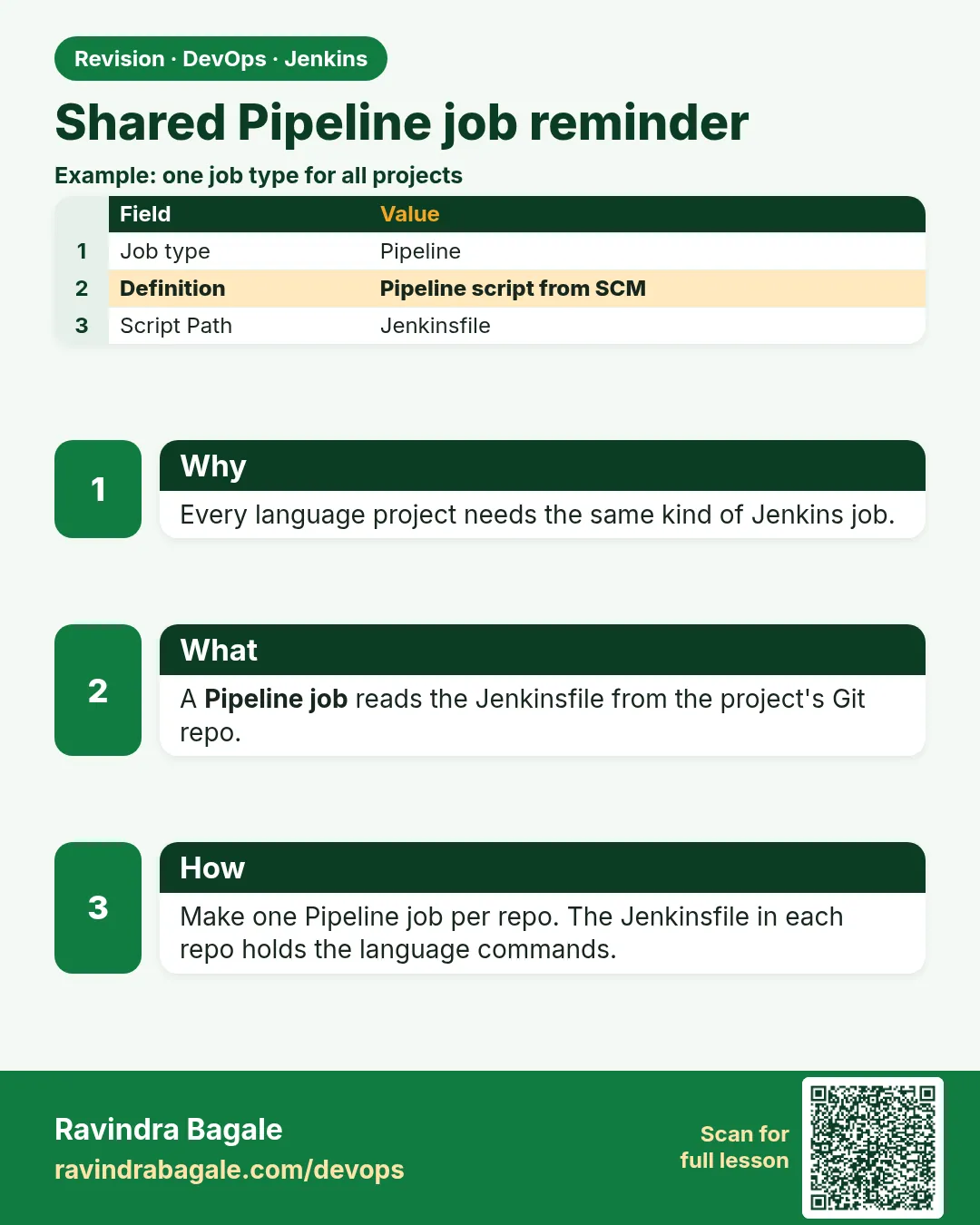 Revision card
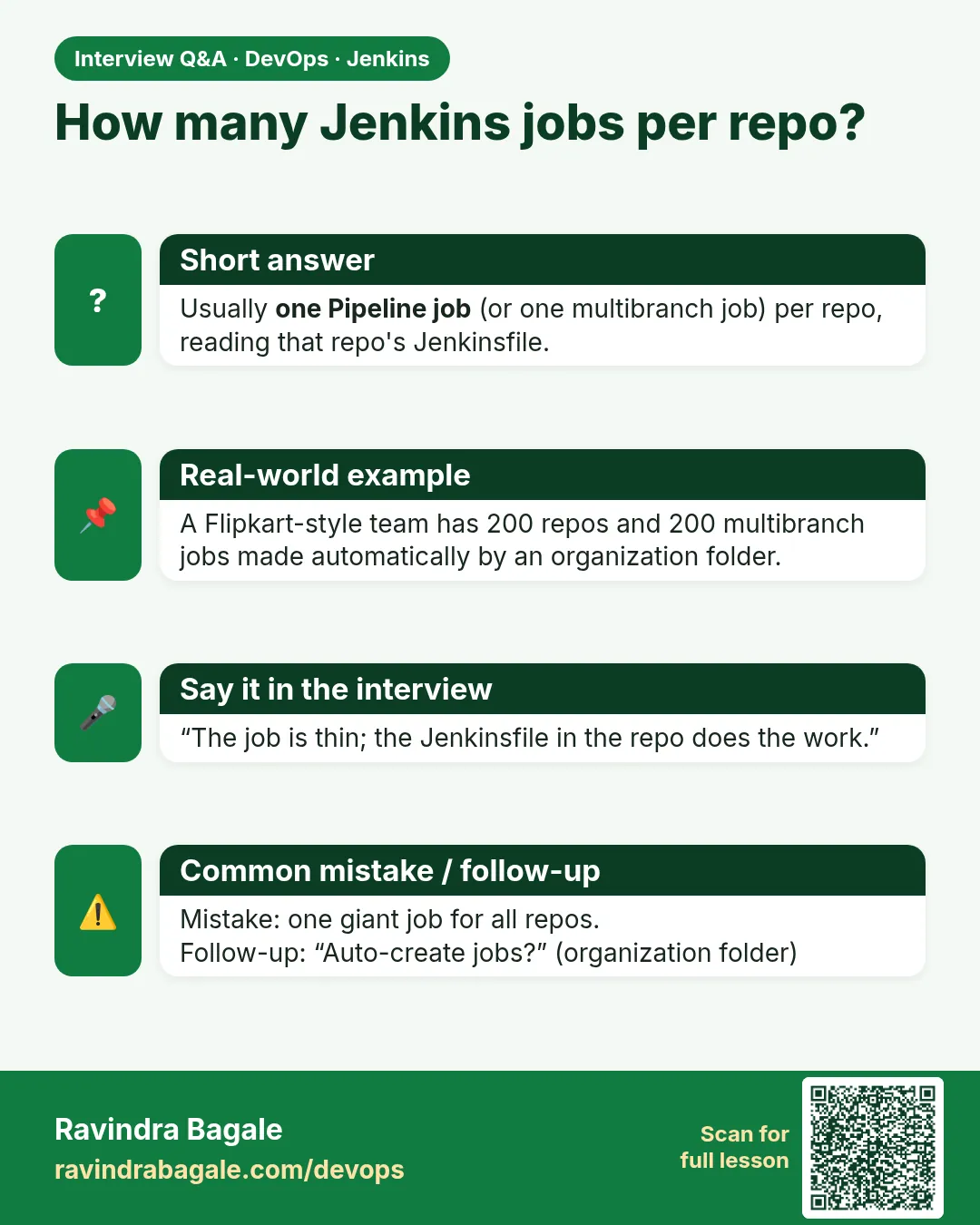 Interview card