Excel INDIRECT Function
Chala mitrano — iNDIRECT reads an address written as text and opens that cell. Great for sheet name in a cell; volatile and brittle across closed files.
चला मित्रांनो — INDIRECT मजकूर म्हणून लिहिलेला address वाचून ती cell उघडते. sheet नाव cell मध्ये ठेवण्यासाठी उत्तम; volatile आणि बंद files सोबत नाजूक.
चलो दोस्तों — INDIRECT टेक्स्ट में लिखा address पढ़कर वह cell खोलता है. sheet नाम cell में रखने के लिए बढ़िया; volatile और बंद files के साथ नाज़ुक.
Purpose
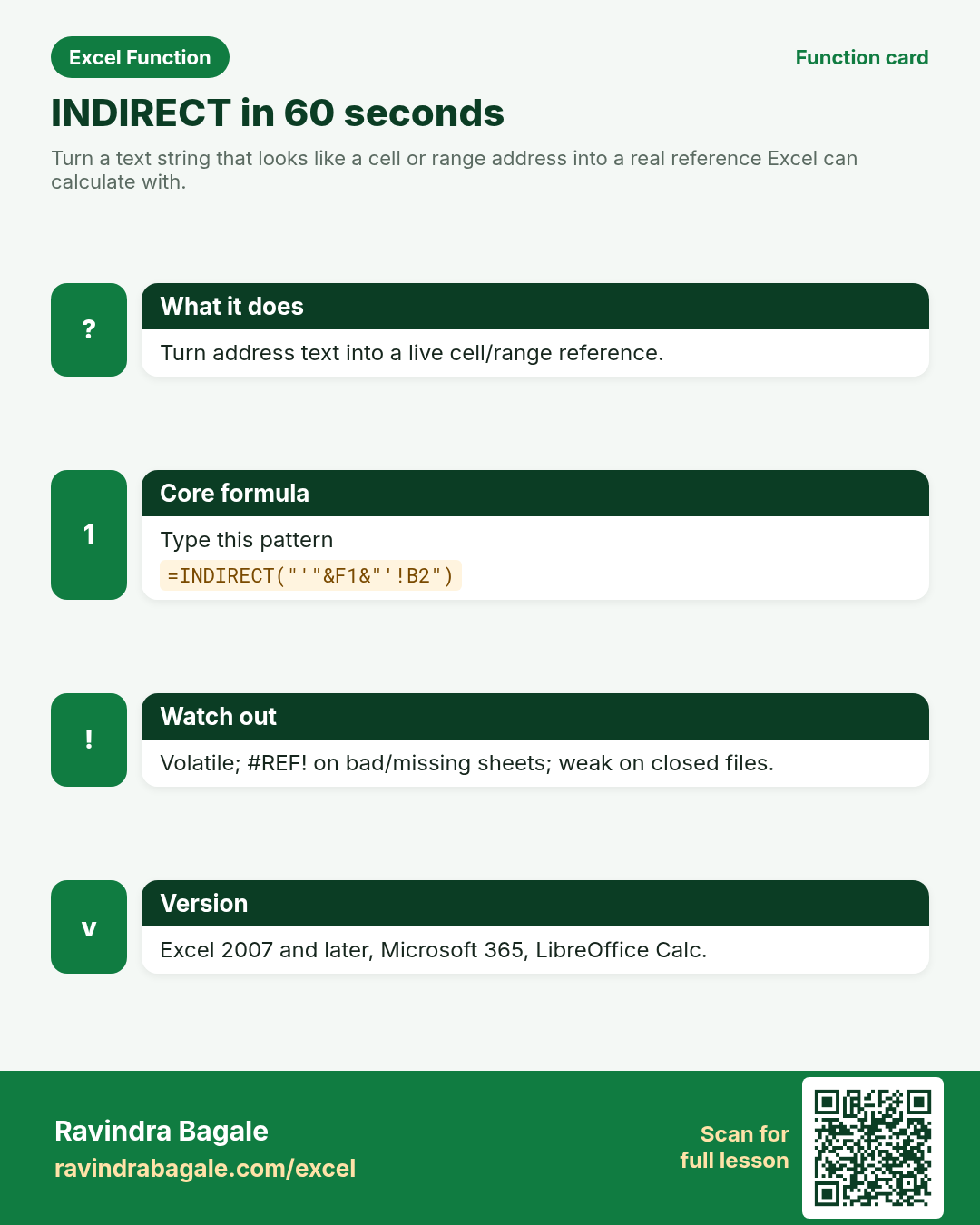
Turn a text string that looks like a cell or range address into a real reference Excel can calculate with.
Return value
A live reference to the cell/range named in the text (value depends on what you wrap it with).
Syntax
Arguments
| Argument | Required? | Description |
|---|---|---|
ref_text | Required | Text that looks like A1, Sheet1!B2, or a named range. |
a1 | Optional | TRUE or omitted = A1 style. FALSE = R1C1 style. |
Version
Excel 2007 and later, Microsoft 365, LibreOffice Calc. Volatile. Broken links to closed workbooks are a common foot-gun.
How to use — Why → What → How
Why: Managers want to type a city name and see that branch sheet total without rewriting formulas. INDIRECT turns address text into a live reference. Type a city in F1 and pull that branch sheet total — Vadodara today, Glasgow tomorrow. Sheet names with spaces need single quotes...
What: INDIRECT converts ref_text into a reference, then Excel reads that cell. Read the arguments table carefully; each one changes the answer in a specific way.
How — numbered steps:
- Put the sheet name in a cell (example F1).
- Build text that joins quotes, the name, and !B2.
- Wrap with INDIRECT(...).
- Wrap again in SUM if needed.
- Test by changing F1 to another sheet name.
- Compare your result with the Answers sheet only after you attempt it.
- Write one sentence in your own words explaining when you would use this function at work.
Ravindra Bagale's Tip
Friends, wrap sheet names that have spaces in single quotes inside the text, for example the Vadodara sheet address pattern.
Ravindra Bagale's Tip – मराठी
मित्रांनो, spaces असलेल्या sheet नावांभोवती text मध्ये single quotes द्या — उदाहरण Vadodara sheet.
Ravindra Bagale's Tip – हिंदी
दोस्तों, spaces वाले sheet नामों के चारों ओर text में single quotes दो — उदाहरण Vadodara sheet.
Ravindra Bagale's Tip
Prefer INDEX/FILTER on one tidy table when you can — fewer broken references than many INDIRECTs.
Ravindra Bagale's Tip – मराठी
शक्य असल्यास एका स्वच्छ table वर INDEX/FILTER — अनेक INDIRECT पेक्षा कमी तुटलेले references.
Ravindra Bagale's Tip – हिंदी
हो सके तो एक साफ़ table पर INDEX/FILTER — कई INDIRECT से कम टूटे references.
Ravindra Bagale's Tip
Friends, after class open a blank sheet and rebuild one INDIRECT example without looking. That memory test beats re-reading the page.
Ravindra Bagale's Tip – मराठी
मित्रांनो, class नंतर रिकाम्या sheet वर INDIRECT चे एक उदाहरण न पाहता पुन्हा लिहा. हे memory test पृष्ठ पुन्हा वाचण्यापेक्षा जास्त मदत करते.
Ravindra Bagale's Tip – हिंदी
दोस्तों, class के बाद खाली sheet पर INDIRECT का एक उदाहरण बिना देखे फिर से लिखो. यह memory test पेज दोबारा पढ़ने से ज़्यादा मदद करता है.
Download practice file: practice-indirect.xlsx (includes sheet About this data, practice sheets, and Answers).
Worked examples
1) Simple cell from text
Text A2 holds address B2.
| Addr | Sales (₹) |
|---|---|
| B2 | 5000 |
Result: 5000
What it means: Reads the address written in A2 and returns that cell value.
2) Sheet name in a cell
F1 = Vadodara; pull B2 from that sheet.
| City |
|---|
| Vadodara |
Result: (value of Vadodara!B2)
What it means: Builds a sheet-qualified address as text, then opens it.
3) Glasgow £ sheet
Same pattern for a UK branch sheet name.
| City |
|---|
| Glasgow |
Result: (value of Glasgow!B2)
What it means: Changing the city cell retargets the formula.
4) #REF! bad address
Typo address ZZZ1.
| Addr |
|---|
| ZZZ1 |
Result: #REF!
What it means: That address is not valid on the sheet.
5) Sum a text range
A2 holds B2:B4 as text.
| Addr |
|---|
| B2:B4 |
Result: (sum of B2:B4)
What it means: INDIRECT supplies the range; SUM totals it.
6) Classroom recap
Quick check before you close the INDIRECT lesson.
| Addr | Sales (₹) |
|---|---|
| B2 | 5000 |
Result: 5000
What it means: Same pattern as example 1 — rebuild it from memory on the Practice sheet, then check Answers.
Common errors and fixes
Notes and tips
- INDIRECT does not see data in closed external workbooks.
- a1=FALSE switches to R1C1 text like R2C2.
- Named ranges work with INDIRECT.
- INDIRECT turns address text into a live reference. Type a city in F1 and pull that branch sheet total — Vadodara today, Glasgow tomorrow. Sheet names with spaces need single quotes inside the text. INDIRECT is volatile and cannot read closed external workbooks, a frequent support ticket. Prefer one tidy table with INDEX/FILTER when the business allows; reserve INDIRECT for genuine sheet-name switching.
- INDIRECT vs INDEX: INDEX stays on known ranges and is stabler. INDIRECT is for addresses that change as text (sheet names, R1C1 built in cells).
- Fictional sample data only — practice amounts and names are made for learning.
- After you finish the 10 tasks, re-read the errors table once; most class mistakes are listed there.
- Keep ranges locked with absolute references when you copy formulas down a column of inputs.
- Say the business question in plain words before you type the equals sign — it prevents wrong arguments.
In real work
INDIRECT turns address text into a live reference. Type a city in F1 and pull that branch sheet total — Vadodara today, Glasgow tomorrow. Sheet names with spaces need single quotes inside the text. INDIRECT is volatile and cannot read closed external workbooks, a frequent support ticket. Prefer one tidy table with INDEX/FILTER when the business allows; reserve INDIRECT for genuine sheet-name switching.
How it compares
INDIRECT vs INDEX: INDEX stays on known ranges and is stabler. INDIRECT is for addresses that change as text (sheet names, R1C1 built in cells).
Interview corner
- What does INDIRECT do?
- Converts address text into a real reference.
- Closed workbook limitation?
- Often returns #REF! until the source is open.
- Is it volatile?
- Yes.
Related functions
OFFSET, INDEX, CHOOSE, FORMULATEXT
Practice tasks (10)
- Task 1. Return the value of the address written in A2.Hint: =INDIRECT(A2).
- Task 2. Pull B2 from the sheet named in F1.Hint: concatenate quotes and !B2.
- Task 3. Point F1 at Glasgow and confirm the value changes.Hint: same formula.
- Task 4. Cause #REF! with a bad address, then fix it.Hint: ZZZ1.
- Task 5. SUM a range address stored as text.Hint: SUM(INDIRECT(...)).
- Task 6. Write why INDIRECT is volatile.Hint: recalculates often.
- Task 7. Try a named range with INDIRECT.Hint: define a name first.
- Task 8. Document the closed-workbook limitation.Hint: one sentence in About sheet.
- Task 9. Compare with INDEX on the same data.Hint: interview talking point.
- Task 10. Bonus: dropdown of city names driving INDIRECT.Hint: data validation list.
Quick quiz
Answers: Q1=A live reference, Q2=Single quotes in the text, Q3=Volatile, Q4=#REF!, Q5=INDEX/FILTER (check after you try).
Revision card
Standalone card (no tip or photo strip). QR opens this lesson. Download the PNG and revise offline.