Excel FORMULATEXT Function
Chala mitrano — fORMULATEXT prints the formula as text so students can read it next to the answer. Great for answer keys and audit columns.
चला मित्रांनो — FORMULATEXT सूत्र मजकूर म्हणून दाखवते जेणेकरून विद्यार्थी उत्तरानंतर वाचू शकतील. Answer keys आणि audit columns साठी उत्तम.
चलो दोस्तों — FORMULATEXT फ़ॉर्मूला को टेक्स्ट की तरह दिखाता है ताकि छात्र जवाब के साथ पढ़ सकें. Answer keys और audit columns के लिए बढ़िया.
Purpose
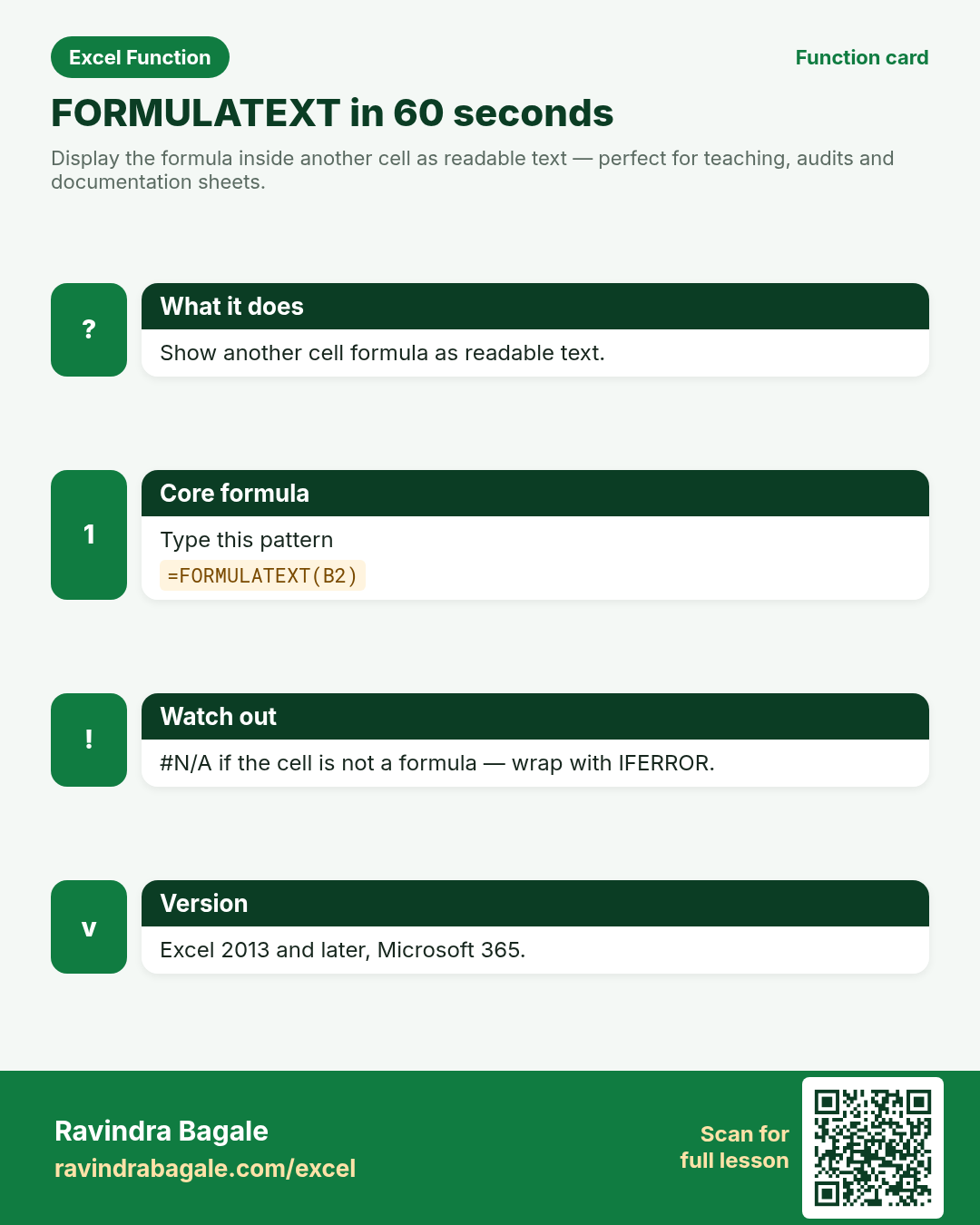
Display the formula inside another cell as readable text — perfect for teaching, audits and documentation sheets.
Return value
A text string of the formula (including the leading =), or #N/A if the cell has no formula.
Syntax
Arguments
| Argument | Required? | Description |
|---|---|---|
reference | Required | A single cell that contains a formula (or may be empty / constant). |
Version
Excel 2013 and later, Microsoft 365. LibreOffice Calc: support varies — check your version.
How to use — Why → What → How
Why: Teachers and auditors need to see the formula without clicking every cell. FORMULATEXT is a teaching and audit tool: put the answer in column B and FORMULATEXT in column C so Pune coaching students (or a London analyst checklist) can read the working. Con...
What: FORMULATEXT returns the formula in reference as text. Read the arguments table carefully; each one changes the answer in a specific way.
How — numbered steps:
- Click the documentation cell.
- Type =FORMULATEXT(.
- Click the cell that holds the formula.
- Press Enter.
- Optional: IFERROR with a (no formula) message.
- Compare your result with the Answers sheet only after you attempt it.
- Write one sentence in your own words explaining when you would use this function at work.
Ravindra Bagale's Tip
Friends, put answers in column B and =FORMULATEXT(B2) in column C for a live show-your-working sheet.
Ravindra Bagale's Tip – मराठी
मित्रांनो, उत्तरे column B मध्ये आणि C मध्ये =FORMULATEXT(B2) — live show-your-working sheet.
Ravindra Bagale's Tip – हिंदी
दोस्तों, जवाब column B में और C में =FORMULATEXT(B2) — live show-your-working sheet.
Ravindra Bagale's Tip
If the cell holds a typed number (not a formula), FORMULATEXT returns #N/A — wrap with IFERROR for clean docs.
Ravindra Bagale's Tip – मराठी
Cell मध्ये साधी संख्या असेल (सूत्र नाही) तर #N/A — दस्तऐवजासाठी IFERROR वापरा.
Ravindra Bagale's Tip – हिंदी
Cell में सादी संख्या हो (फ़ॉर्मूला नहीं) तो #N/A — दस्तावेज़ के लिए IFERROR इस्तेमाल करो.
Ravindra Bagale's Tip
Friends, after class open a blank sheet and rebuild one FORMULATEXT example without looking. That memory test beats re-reading the page.
Ravindra Bagale's Tip – मराठी
मित्रांनो, class नंतर रिकाम्या sheet वर FORMULATEXT चे एक उदाहरण न पाहता पुन्हा लिहा. हे memory test पृष्ठ पुन्हा वाचण्यापेक्षा जास्त मदत करते.
Ravindra Bagale's Tip – हिंदी
दोस्तों, class के बाद खाली sheet पर FORMULATEXT का एक उदाहरण बिना देखे फिर से लिखो. यह memory test पेज दोबारा पढ़ने से ज़्यादा मदद करता है.
Download practice file: practice-formulatext.xlsx (includes sheet About this data, practice sheets, and Answers).
Worked examples
1) Show a SUM formula
B2 contains =SUM(A2:A4).
| A | B |
|---|---|
| 10 | =SUM(A2:A4) |
| 20 | |
| 30 |
Result: =SUM(A2:A4)
What it means: Returns the formula text from B2.
2) No formula → #N/A
B2 is the number 50 typed directly.
| B |
|---|
| 50 |
Result: #N/A
What it means: Constants are not formulas.
3) Friendly docs with IFERROR
Same constant case for a handout.
| B |
|---|
| 50 |
Result: (no formula)
What it means: IFERROR hides #N/A for printable sheets.
4) XLOOKUP lesson cell
Student cell holds an XLOOKUP.
| B |
|---|
| =XLOOKUP("A1", A2:A5, B2:B5) |
Result: =XLOOKUP("A1", A2:A5, B2:B5)
What it means: Documents exactly what the student wrote.
5) London checklist (£)
Audit column next to a GBP total formula.
| Total (£) | Show formula |
|---|---|
| =B2*1.2 |
Result: =B2*1.2
What it means: Auditors see the markup formula as text.
6) Classroom recap
Quick check before you close the FORMULATEXT lesson.
| A | B |
|---|---|
| 10 | =SUM(A2:A4) |
| 20 | |
| 30 |
Result: =SUM(A2:A4)
What it means: Same pattern as example 1 — rebuild it from memory on the Practice sheet, then check Answers.
Common errors and fixes
Notes and tips
- FORMULATEXT may not see formulas in a closed workbook.
- Protected sheets may block formula visibility depending on rights.
- Show Formulas mode (Ctrl+`) toggles the whole sheet.
- FORMULATEXT is a teaching and audit tool: put the answer in column B and FORMULATEXT in column C so Pune coaching students (or a London analyst checklist) can read the working. Constants return #N/A — wrap with IFERROR for handouts. It does not replace Show Formulas mode for whole-sheet review, but it is perfect for printable answer keys beside live results.
- FORMULATEXT documents one cell. Show Formulas mode toggles the entire sheet. Use both in class.
- Fictional sample data only — practice amounts and names are made for learning.
- After you finish the 10 tasks, re-read the errors table once; most class mistakes are listed there.
- Keep ranges locked with absolute references when you copy formulas down a column of inputs.
- Say the business question in plain words before you type the equals sign — it prevents wrong arguments.
In real work
FORMULATEXT is a teaching and audit tool: put the answer in column B and FORMULATEXT in column C so Pune coaching students (or a London analyst checklist) can read the working. Constants return #N/A — wrap with IFERROR for handouts. It does not replace Show Formulas mode for whole-sheet review, but it is perfect for printable answer keys beside live results.
How it compares
FORMULATEXT documents one cell. Show Formulas mode toggles the entire sheet. Use both in class.
Interview corner
- What does FORMULATEXT return?
- The formula as text, including the equals sign.
- Typed number with no equals?
- #N/A
- Since which Excel version on Windows?
- Excel 2013 and later.
Related functions
INDIRECT, ISERROR, IFERROR, NA
Practice tasks (10)
- Task 1. Show the formula in B2 as text in C2.Hint: FORMULATEXT(B2).
- Task 2. Point at a constant and record #N/A.Hint: type a number without =.
- Task 3. Wrap with IFERROR for (no formula).Hint: second argument is text.
- Task 4. Document a student XLOOKUP with FORMULATEXT.Hint: click their formula cell.
- Task 5. Add an audit column for the £ total.Hint: next to the GBP formula.
- Task 6. Compare Show Formulas mode vs FORMULATEXT.Hint: whole sheet vs one cell.
- Task 7. Explain one limitation (closed workbook / protection).Hint: Notes section.
- Task 8. Build a 5-row answer key with live FORMULATEXT.Hint: fill down.
- Task 9. What happens on a blank cell? Write it down.Hint: try A1 empty.
- Task 10. Bonus: conditional format C column when it starts with =.Hint: formula text detection.
Quick quiz
Answers: Q1=The formula as text, Q2=#N/A, Q3=Answer column + FORMULATEXT beside it, Q4=Excel 2013, Q5=IFERROR (check after you try).
Revision card
Standalone card (no tip or photo strip). QR opens this lesson. Download the PNG and revise offline.