Excel OFFSET Function
Chala mitrano — oFFSET moves from a start cell like a chess piece, then can resize the block. Powerful for rolling ranges; volatile, so use carefully.
चला मित्रांनो — OFFSET सुरुवातीच्या cell पासून chess piece सारखे हलते, नंतर ब्लॉक resize करू शकते. Rolling ranges साठी शक्तिशाली; volatile — काळजीपूर्वक वापरा.
चलो दोस्तों — OFFSET शुरू cell से शतरंज की मोहर जैसे चलता है, फिर ब्लॉक resize कर सकता है. Rolling ranges के लिए शक्तिशाली; volatile — सावधानी से.
Purpose
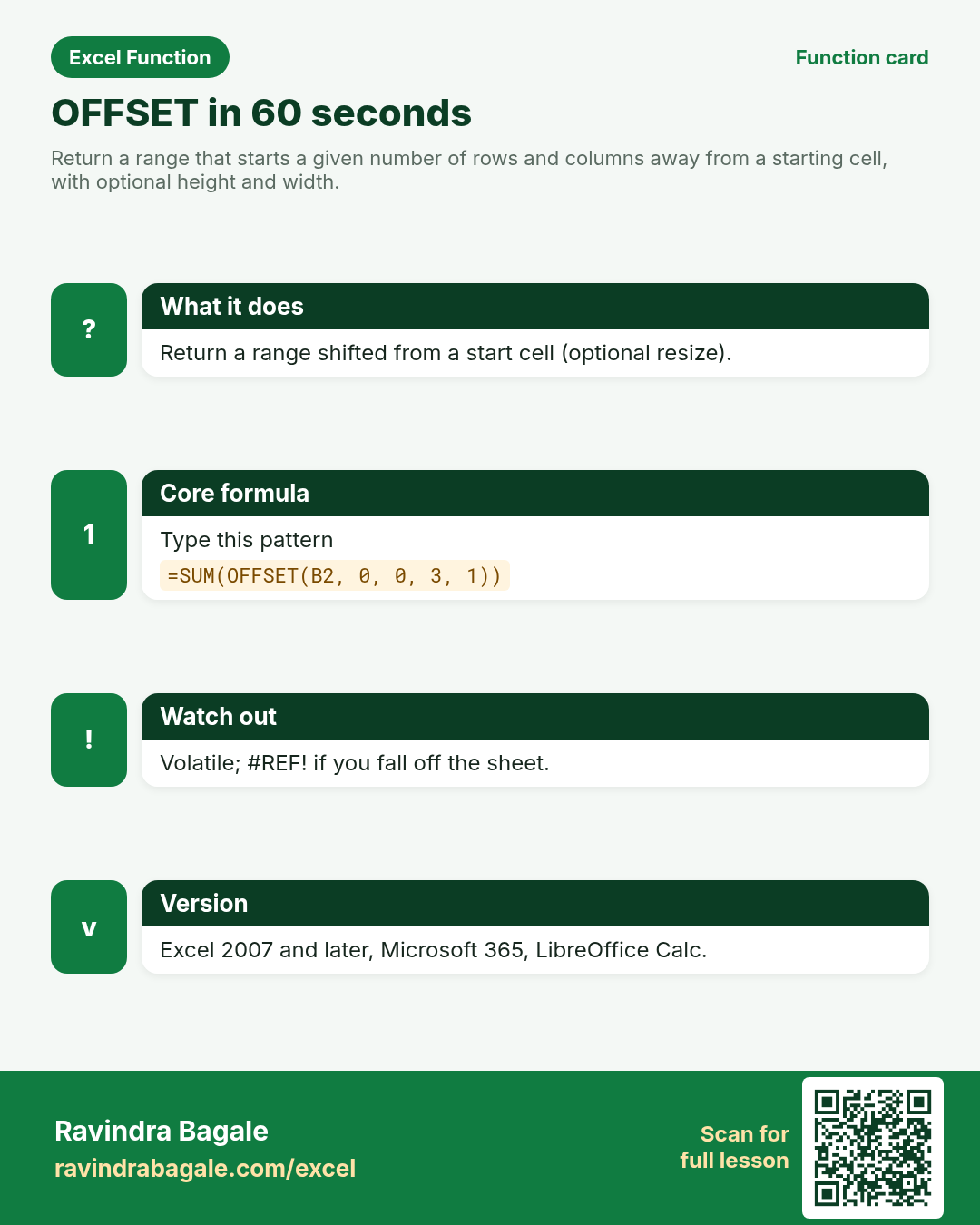
Return a range that starts a given number of rows and columns away from a starting cell, with optional height and width.
Return value
A reference (range) you can wrap in SUM, AVERAGE, or INDEX — not always a single number by itself.
Syntax
Arguments
| Argument | Required? | Description |
|---|---|---|
reference | Required | Starting cell or range. |
rows | Required | Rows to move down (negative = up). |
cols | Required | Columns to move right (negative = left). |
height | Optional | How many rows tall the returned range should be. |
width | Optional | How many columns wide the returned range should be. |
Version
Excel 2007 and later, Microsoft 365, LibreOffice Calc. Volatile — recalculates often; prefer INDEX for speed on huge models.
How to use — Why → What → How
Why: Rolling last-3-months totals need a range that moves when new months appear. OFFSET builds a moving window: from the first month cell, height 3 totals Jan through Mar for an Indore FMCG pack or a Chicago dollar distributor sheet. It is volatile — Excel reca...
What: OFFSET returns a reference shifted from reference by rows/cols, sized by height/width. Read the arguments table carefully; each one changes the answer in a specific way.
How — numbered steps:
- Pick the anchor cell (first month amount).
- Type =SUM(OFFSET(.
- Enter rows/cols shift (often 0,0 to start at anchor).
- Set height to the window size (e.g. 3).
- Close brackets and check the total.
- Compare your result with the Answers sheet only after you attempt it.
- Write one sentence in your own words explaining when you would use this function at work.
Ravindra Bagale's Tip
Friends, wrap OFFSET in SUM to total a moving window: SUM(OFFSET(first, 0, 0, 3, 1)) for three rows.
Ravindra Bagale's Tip – मराठी
मित्रांनो, हलणाऱ्या window साठी OFFSET ला SUM मध्ये गुंडाळा: तीन rows साठी SUM(OFFSET(...)).
Ravindra Bagale's Tip – हिंदी
दोस्तों, चलती window के लिए OFFSET को SUM में लपेटो: तीन rows के लिए SUM(OFFSET(...)).
Ravindra Bagale's Tip
On very large workbooks INDEX usually recalculates faster than OFFSET. Mentors mention this in interviews.
Ravindra Bagale's Tip – मराठी
मोठ्या workbooks वर INDEX सहसा OFFSET पेक्षा वेगाने calculate होते. Interviews मध्ये हे सांगितले जाते.
Ravindra Bagale's Tip – हिंदी
बड़ी workbooks पर INDEX अक्सर OFFSET से तेज़ calculate होता है. Interviews में यह कहा जाता है.
Ravindra Bagale's Tip
Friends, after class open a blank sheet and rebuild one OFFSET example without looking. That memory test beats re-reading the page.
Ravindra Bagale's Tip – मराठी
मित्रांनो, class नंतर रिकाम्या sheet वर OFFSET चे एक उदाहरण न पाहता पुन्हा लिहा. हे memory test पृष्ठ पुन्हा वाचण्यापेक्षा जास्त मदत करते.
Ravindra Bagale's Tip – हिंदी
दोस्तों, class के बाद खाली sheet पर OFFSET का एक उदाहरण बिना देखे फिर से लिखो. यह memory test पेज दोबारा पढ़ने से ज़्यादा मदद करता है.
Download practice file: practice-offset.xlsx (includes sheet About this data, practice sheets, and Answers).
Worked examples
1) Single cell shift
Indore sheet; start at B2, move 2 rows down.
| Month | Sales (₹) |
|---|---|
| Jan | 100 |
| Feb | 120 |
| Mar | 140 |
| Apr | 130 |
Result: 140
What it means: From B2, down 2 rows → Mar sales.
2) Rolling 3-month SUM
Total Jan–Mar starting at B2.
| Month | Sales (₹) |
|---|---|
| Jan | 100 |
| Feb | 120 |
| Mar | 140 |
| Apr | 130 |
Result: 360
What it means: Height 3 grabs Jan+Feb+Mar = 100+120+140.
3) Shift window to Feb–Apr
Same list; start one row lower.
| Month | Sales (₹) |
|---|---|
| Jan | 100 |
| Feb | 120 |
| Mar | 140 |
| Apr | 130 |
Result: 390
What it means: Rows shift 1 → Feb+Mar+Apr = 120+140+130.
4) Chicago $ column
USD monthly figures in column C.
| Month | INR | USD |
|---|---|---|
| Jan | 100 | 12 |
| Feb | 120 | 14 |
| Mar | 140 | 15 |
Result: 41
What it means: Three USD months: 12+14+15.
5) #REF! beyond sheet
Shift too far down from B2.
| Sales |
|---|
| 100 |
Result: #REF!
What it means: Reference lands outside the sheet.
6) Classroom recap
Quick check before you close the OFFSET lesson.
| Month | Sales (₹) |
|---|---|
| Jan | 100 |
| Feb | 120 |
| Mar | 140 |
Result: 140
What it means: Same pattern as example 1 — rebuild it from memory on the Practice sheet, then check Answers.
Common errors and fixes
Notes and tips
- OFFSET is volatile: it recalculates whenever anything calculates.
- Height and width must be positive (Excel).
- Dynamic arrays reduce the need for OFFSET in modern Excel.
- OFFSET builds a moving window: from the first month cell, height 3 totals Jan through Mar for an Indore FMCG pack or a Chicago dollar distributor sheet. It is volatile — Excel recalculates it often — so heavy dashboards may prefer INDEX for speed. Negative rows move up; landing outside the sheet yields #REF!. Dynamic array functions reduce how often you need OFFSET today, but rolling-window interview questions still appear.
- OFFSET vs INDEX: both can describe ranges; INDEX is non-volatile and usually preferred on large models.
- Fictional sample data only — practice amounts and names are made for learning.
- After you finish the 10 tasks, re-read the errors table once; most class mistakes are listed there.
- Keep ranges locked with absolute references when you copy formulas down a column of inputs.
- Say the business question in plain words before you type the equals sign — it prevents wrong arguments.
In real work
OFFSET builds a moving window: from the first month cell, height 3 totals Jan through Mar for an Indore FMCG pack or a Chicago dollar distributor sheet. It is volatile — Excel recalculates it often — so heavy dashboards may prefer INDEX for speed. Negative rows move up; landing outside the sheet yields #REF!. Dynamic array functions reduce how often you need OFFSET today, but rolling-window interview questions still appear.
How it compares
OFFSET vs INDEX: both can describe ranges; INDEX is non-volatile and usually preferred on large models.
Interview corner
- Is OFFSET volatile?
- Yes.
- How do you total three rows starting at B2?
- SUM(OFFSET(B2,0,0,3,1)).
- Non-volatile alternative?
- INDEX-based ranges.
Related functions
Practice tasks (10)
- Task 1. Return Mar sales with OFFSET from B2.Hint: rows = 2.
- Task 2. Sum Jan–Mar with height 3.Hint: wrap in SUM.
- Task 3. Sum Feb–Apr by shifting rows by 1.Hint: rows argument.
- Task 4. Sum three USD months.Hint: anchor on the USD column.
- Task 5. Create a #REF! on purpose, then fix it.Hint: huge row shift.
- Task 6. Write one sentence on volatility.Hint: recalculates often.
- Task 7. Rebuild the 3-month sum with INDEX instead.Hint: interview comparison.
- Task 8. Use a cell for the height so the window is adjustable.Hint: height references G1.
- Task 9. Offset one column right and return that cell.Hint: cols = 1.
- Task 10. Bonus: chart the rolling total.Hint: helper column of OFFSET sums.
Quick quiz
Answers: Q1=False, Q2=360, Q3=Volatile, Q4=Move up, Q5=INDEX (check after you try).
Revision card
Standalone card (no tip or photo strip). QR opens this lesson. Download the PNG and revise offline.