Excel MATCH Function
Chala mitrano — mATCH does not return the value; it returns the place number. Hand that number to INDEX to fetch the real answer.
चला मित्रांनो — MATCH मूल्य देत नाही; जागेचा क्रमांक देते. तो क्रमांक INDEX ला द्या आणि खरे उत्तर मिळवा.
चलो दोस्तों — MATCH मान नहीं देता; जगह का नंबर देता है. वह नंबर INDEX को दो और असली जवाब लो.
Purpose
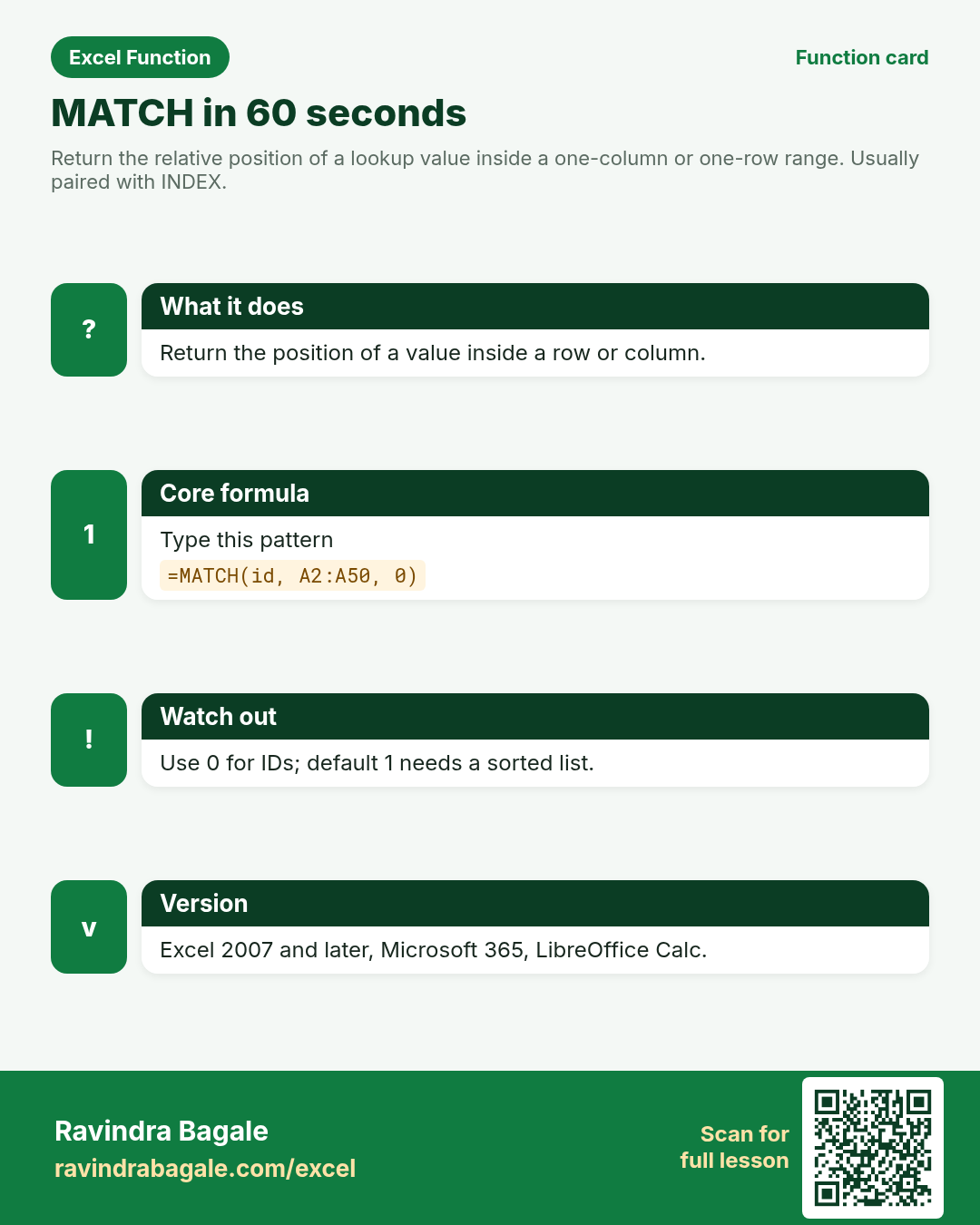
Return the relative position of a lookup value inside a one-column or one-row range. Usually paired with INDEX.
Return value
A 1-based position number inside the lookup array, or #N/A if not found (exact mode).
Syntax
Arguments
| Argument | Required? | Description |
|---|---|---|
lookup_value | Required | The value to find. |
lookup_array | Required | One row or one column to search. |
match_type | Optional | 0 exact (use for IDs). 1 approximate ≤ (array ascending). -1 approximate ≥ (array descending). |
Version
Excel 2007 and later, Microsoft 365, LibreOffice Calc.
How to use — Why → What → How
Why: You often need “where is this ID?” so another function can pick the matching city or amount. MATCH answers where, not what. Courier sheets in Jaipur and Berlin store tracking IDs; MATCH returns position 2 or 3 so INDEX can pull City or COD. Always pass 0 for unsorted IDs —...
What: MATCH scans lookup_array and returns the position of lookup_value. Read the arguments table carefully; each one changes the answer in a specific way.
How — numbered steps:
- Click the answer cell.
- Type =MATCH( and the value to find.
- Select the single column (or row) of keys.
- Type 0 for exact match.
- Enter — you get a number like 3, not the city itself.
- Compare your result with the Answers sheet only after you attempt it.
- Write one sentence in your own words explaining when you would use this function at work.
Ravindra Bagale's Tip
Friends, for tracking IDs always use match_type 0. Leaving it blank defaults to 1 and needs a sorted list — a common silent bug.
Ravindra Bagale's Tip – मराठी
मित्रांनो, tracking IDs साठी नेहमी match_type 0. रिकामे सोडले तर default 1 होतो आणि sorted list लागते — शांत bug.
Ravindra Bagale's Tip – हिंदी
दोस्तों, tracking IDs के लिए हमेशा match_type 0. खाली छोड़ोगे तो default 1 होगा और sorted list चाहिए — चुपचाप bug.
Ravindra Bagale's Tip
MATCH is case-insensitive for text. Trim spaces on both sides if keys look equal but fail.
Ravindra Bagale's Tip – मराठी
MATCH text साठी case-insensitive आहे. Keys समान दिसूनही fail होतील तर दोन्हीकडील spaces TRIM करा.
Ravindra Bagale's Tip – हिंदी
MATCH text के लिए case-insensitive है. Keys समान दिखें पर fail हों तो दोनों तरफ TRIM करो.
Ravindra Bagale's Tip
Friends, after class open a blank sheet and rebuild one MATCH example without looking. That memory test beats re-reading the page.
Ravindra Bagale's Tip – मराठी
मित्रांनो, class नंतर रिकाम्या sheet वर MATCH चे एक उदाहरण न पाहता पुन्हा लिहा. हे memory test पृष्ठ पुन्हा वाचण्यापेक्षा जास्त मदत करते.
Ravindra Bagale's Tip – हिंदी
दोस्तों, class के बाद खाली sheet पर MATCH का एक उदाहरण बिना देखे फिर से लिखो. यह memory test पेज दोबारा पढ़ने से ज़्यादा मदद करता है.
Download practice file: practice-match.xlsx (includes sheet About this data, practice sheets, and Answers).
Worked examples
1) Exact position of a tracking ID
Jaipur courier list.
| Track | City | COD (₹) |
|---|---|---|
| TR-101 | Jaipur | 450 |
| TR-108 | Udaipur | 0 |
| TR-112 | Jaipur | 320 |
Result: 2
What it means: TR-108 is the second key in the range.
2) Not found
Bad scan TR-999.
| Track |
|---|
| TR-101 |
| TR-108 |
Result: #N/A
What it means: Exact mode returns #N/A when missing.
3) Feed INDEX — city for TR-112
Position → city.
| Track | City |
|---|---|
| TR-101 | Jaipur |
| TR-108 | Udaipur |
| TR-112 | Jaipur |
Result: Jaipur
What it means: MATCH returns 3; INDEX picks the 3rd city.
4) Berlin € row position
Euro prepaid parcel in the same list.
| Track | City | Fee |
|---|---|---|
| TR-101 | Jaipur | ₹450 |
| TR-200 | Berlin | €6.50 |
| TR-112 | Jaipur | ₹320 |
Result: 2
What it means: Position 2 is the Berlin row.
5) Approximate match on sorted scores
Passing band: find band for score 78 (sorted ascending).
| Score from | Band |
|---|---|
| 0 | Fail |
| 40 | Pass |
| 60 | Merit |
| 80 | Dist |
Result: 3
What it means: Largest value ≤ 78 is 60 → position 3 (Merit band when fed to INDEX).
6) Classroom recap
Quick check before you close the MATCH lesson.
| Track | City | COD (₹) |
|---|---|---|
| TR-101 | Jaipur | 450 |
| TR-108 | Udaipur | 0 |
| TR-112 | Jaipur | 320 |
Result: 2
What it means: Same pattern as example 1 — rebuild it from memory on the Practice sheet, then check Answers.
Common errors and fixes
Notes and tips
- XMATCH is the modern twin with search modes and wildcards.
- MATCH with 0 does not require sorting.
- Wildcard support: with match_type 0 you can use * and ? in lookup_value.
- MATCH answers where, not what. Courier sheets in Jaipur and Berlin store tracking IDs; MATCH returns position 2 or 3 so INDEX can pull City or COD. Always pass 0 for unsorted IDs — the default 1 is approximate and needs ascending sort, a silent bug that wastes hours. Wildcards work with match_type 0. XMATCH adds reverse search and clearer modes on Microsoft 365.
- MATCH vs XMATCH: XMATCH adds search_mode and match_mode options and needs 365/2021. MATCH remains the compatible classic.
- Fictional sample data only — practice amounts and names are made for learning.
- After you finish the 10 tasks, re-read the errors table once; most class mistakes are listed there.
- Keep ranges locked with absolute references when you copy formulas down a column of inputs.
- Say the business question in plain words before you type the equals sign — it prevents wrong arguments.
In real work
MATCH answers where, not what. Courier sheets in Jaipur and Berlin store tracking IDs; MATCH returns position 2 or 3 so INDEX can pull City or COD. Always pass 0 for unsorted IDs — the default 1 is approximate and needs ascending sort, a silent bug that wastes hours. Wildcards work with match_type 0. XMATCH adds reverse search and clearer modes on Microsoft 365.
How it compares
MATCH vs XMATCH: XMATCH adds search_mode and match_mode options and needs 365/2021. MATCH remains the compatible classic.
Interview corner
- What does MATCH return?
- A 1-based position inside the lookup array.
- Which match_type for employee codes?
- 0 for exact.
- Can MATCH search a 2D block?
- No — one row or one column only.
Related functions
INDEX, XMATCH, XLOOKUP, VLOOKUP
Practice tasks (10)
- Task 1. Find the position of TR-108.Hint: match_type 0.
- Task 2. Return City for TR-112 using INDEX+MATCH.Hint: MATCH inside INDEX.
- Task 3. Show Not found for TR-999 via IFNA.Hint: wrap MATCH or the full INDEX+MATCH.
- Task 4. Find position of the Berlin tracking ID.Hint: exact match on Track.
- Task 5. On the Score sheet, MATCH 78 with type 1 and note the position.Hint: sorted ascending list.
- Task 6. Explain why blank match_type can mis-read unsorted IDs.Hint: default is 1.
- Task 7. Use a cell reference as lookup_value (F2).Hint: do not quote the cell.
- Task 8. Try MATCH on a 2D range and write the error.Hint: should be one row or one column.
- Task 9. Return COD amount for TR-101 via INDEX+MATCH.Hint: INDEX the COD column.
- Task 10. Bonus: wildcard MATCH for tracks starting TR-1 using TR-1*.Hint: match_type 0 supports *.
Quick quiz
Answers: Q1=The position number, Q2=0, Q3=1, Q4=False, Q5=VLOOKUP (check after you try).
Revision card
Standalone card (no tip or photo strip). QR opens this lesson. Download the PNG and revise offline.