Excel INDEX Function
Chala mitrano — iNDEX is “give me the cell at row r, column c”. Alone it needs numbers; with MATCH it becomes a powerful lookup.
चला मित्रांनो — INDEX म्हणजे “row r, column c वरील cell दे”. एकटे असताना संख्या लागतात; MATCH सोबत हे शक्तिशाली lookup होते.
चलो दोस्तों — INDEX मतलब “row r, column c वाली cell दो”. अकेले संख्या चाहिए; MATCH के साथ यह शक्तिशाली lookup बनता है.
Purpose
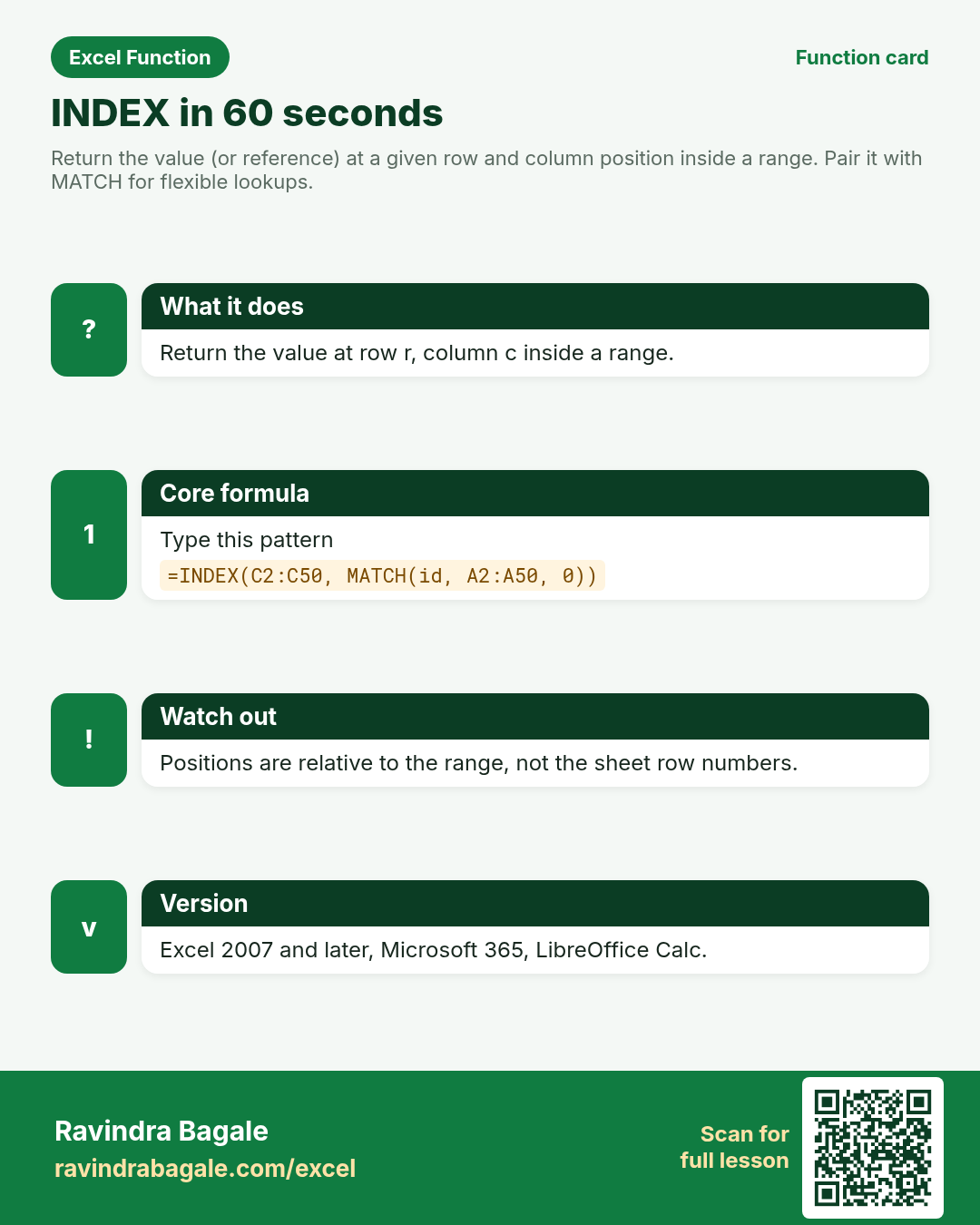
Return the value (or reference) at a given row and column position inside a range. Pair it with MATCH for flexible lookups.
Return value
The value at that position, or a reference you can feed into other formulas.
Syntax
Arguments
| Argument | Required? | Description |
|---|---|---|
array | Required | The range or array to pick from. |
row_num | Required | Which row inside array (1 = first row of the range). |
column_num | Optional | Which column inside array (1 = first column). Required when array has more than one column. |
Version
Excel 2007 and later, Microsoft 365, LibreOffice Calc.
How to use — Why → What → How
Why: Sometimes you know the position (3rd employee, 2nd column). Sometimes MATCH finds the position and INDEX fetches the value. INDEX is the quiet engine behind many interview solutions. Alone it needs a row (and maybe column) number. With MATCH it becomes a lookup that can return left, right, up or down. I...
What: INDEX returns the cell at row_num / column_num inside array. Read the arguments table carefully; each one changes the answer in a specific way.
How — numbered steps:
- Select the answer cell.
- Type =INDEX( and select the data range.
- Type the row number (or a MATCH that returns it).
- If needed, type the column number.
- Close and press Enter.
- Compare your result with the Answers sheet only after you attempt it.
- Write one sentence in your own words explaining when you would use this function at work.
Ravindra Bagale's Tip
Friends, row_num is relative to the range you selected — not the sheet row number. INDEX(A2:A10, 1) returns A2.
Ravindra Bagale's Tip – मराठी
मित्रांनो, row_num ही selected range सापेक्ष आहे — sheet row नाही. INDEX(A2:A10, 1) हे A2 देते.
Ravindra Bagale's Tip – हिंदी
दोस्तों, row_num चयनित range के सापेक्ष है — sheet row नहीं. INDEX(A2:A10, 1) A2 देता है.
Ravindra Bagale's Tip
INDEX+MATCH can look left, right, up, or down. That is why interviewers still love it next to XLOOKUP.
Ravindra Bagale's Tip – मराठी
INDEX+MATCH डावीकडे, उजवीकडे, वर किंवा खाली शोधू शकते. म्हणूनच interviews मध्ये XLOOKUP सोबत हे विचारले जाते.
Ravindra Bagale's Tip – हिंदी
INDEX+MATCH बाएँ, दाएँ, ऊपर या नीचे खोज सकता है. इसलिए interviews में XLOOKUP के साथ यह पूछा जाता है.
Ravindra Bagale's Tip
Friends, after class open a blank sheet and rebuild one INDEX example without looking. That memory test beats re-reading the page.
Ravindra Bagale's Tip – मराठी
मित्रांनो, class नंतर रिकाम्या sheet वर INDEX चे एक उदाहरण न पाहता पुन्हा लिहा. हे memory test पृष्ठ पुन्हा वाचण्यापेक्षा जास्त मदत करते.
Ravindra Bagale's Tip – हिंदी
दोस्तों, class के बाद खाली sheet पर INDEX का एक उदाहरण बिना देखे फिर से लिखो. यह memory test पेज दोबारा पढ़ने से ज़्यादा मदद करता है.
Download practice file: practice-index.xlsx (includes sheet About this data, practice sheets, and Answers).
Worked examples
1) Value at row 2, column 3
Ahmedabad roster. Pick city for the second employee.
| Emp | Name | City | Salary (₹) |
|---|---|---|---|
| E01 | Neha Shah | Ahmedabad | 72000 |
| E02 | Omar Khan | Surat | 68000 |
| E03 | Priya Desai | Ahmedabad | 75000 |
Result: Surat
What it means: Row 2 inside the range is Omar; column 3 is City.
2) Single-column INDEX
Just the salary list. Third salary.
| Salary (₹) |
|---|
| 72000 |
| 68000 |
| 75000 |
Result: 75000
What it means: Third cell in the salary column.
3) INDEX + MATCH — salary for Emp E03
Look up by ID without VLOOKUP’s left-column rule.
| Emp | Name | Salary (₹) |
|---|---|---|
| E01 | Neha Shah | 72000 |
| E02 | Omar Khan | 68000 |
| E03 | Priya Desai | 75000 |
Result: 75000
What it means: MATCH finds position 3; INDEX returns the 3rd salary.
4) Left-side return (name from city)
City is on the right; return Name for Surat.
| Name | City |
|---|---|
| Neha Shah | Ahmedabad |
| Omar Khan | Surat |
| Liam Brooks | Austin |
Result: Omar Khan
What it means: MATCH on City, INDEX on Name — classic left lookup.
5) US row — $ salary label
Austin support row stored as text label for demo.
| Emp | City | Pay |
|---|---|---|
| E01 | Ahmedabad | ₹72,000 |
| E09 | Austin | $4,200 |
| E03 | Ahmedabad | ₹75,000 |
Result: $4,200
What it means: INDEX returns the pay cell as stored for E09.
6) Classroom recap
Quick check before you close the INDEX lesson.
| Emp | Name | City | Salary (₹) |
|---|---|---|---|
| E01 | Neha Shah | Ahmedabad | 72000 |
| E02 | Omar Khan | Surat | 68000 |
| E03 | Priya Desai | Ahmedabad | 75000 |
Result: Surat
What it means: Same pattern as example 1 — rebuild it from memory on the Practice sheet, then check Answers.
Common errors and fixes
Notes and tips
- INDEX can return a whole row or column when row_num or column_num is 0 (Excel). Keep beginner examples on single cells first.
- Array form vs reference form — for class, treat INDEX as “pick a cell”.
- On dynamic arrays, INDEX still works on spilled ranges.
- INDEX is the quiet engine behind many interview solutions. Alone it needs a row (and maybe column) number. With MATCH it becomes a lookup that can return left, right, up or down. In an Ahmedabad roster, Emp IDs stay in column A while City sits in column C; INDEX+MATCH returns City without VLOOKUP left-key rule. Relative positions matter: INDEX(A2:A10, 1) is A2, not A1. On Microsoft 365 you may still use INDEX on spilled arrays from FILTER.
- INDEX+MATCH vs XLOOKUP: both can look left. XLOOKUP is shorter on 365/2021. INDEX+MATCH works on older Excel and is still a favourite interview pair.
- Fictional sample data only — practice amounts and names are made for learning.
- After you finish the 10 tasks, re-read the errors table once; most class mistakes are listed there.
- Keep ranges locked with absolute references when you copy formulas down a column of inputs.
- Say the business question in plain words before you type the equals sign — it prevents wrong arguments.
In real work
INDEX is the quiet engine behind many interview solutions. Alone it needs a row (and maybe column) number. With MATCH it becomes a lookup that can return left, right, up or down. In an Ahmedabad roster, Emp IDs stay in column A while City sits in column C; INDEX+MATCH returns City without VLOOKUP left-key rule. Relative positions matter: INDEX(A2:A10, 1) is A2, not A1. On Microsoft 365 you may still use INDEX on spilled arrays from FILTER.
How it compares
INDEX+MATCH vs XLOOKUP: both can look left. XLOOKUP is shorter on 365/2021. INDEX+MATCH works on older Excel and is still a favourite interview pair.
Interview corner
- What does INDEX return?
- The value (or reference) at a given position inside a range.
- Why pair it with MATCH?
- MATCH finds the position; INDEX fetches the value — together they replace many VLOOKUPs.
- Is INDEX volatile?
- No. That is one reason mentors prefer INDEX over OFFSET on large models.
Related functions
MATCH, XLOOKUP, VLOOKUP, CHOOSE
Practice tasks (10)
- Task 1. Return City for the second row of the roster with INDEX only.Hint: row_num 2, column_num for City.
- Task 2. Return Salary for Emp E03 using INDEX+MATCH.Hint: MATCH on Emp, INDEX on Salary.
- Task 3. Return Name for City = Surat (left lookup).Hint: MATCH on City column.
- Task 4. Return Pay for Emp E09.Hint: exact MATCH type 0.
- Task 5. Deliberately use row_num 9 on a 3-row range and note the error.Hint: watch for #REF!.
- Task 6. Explain in one line how INDEX row numbers relate to the sheet.Hint: relative to the selected range.
- Task 7. Return the first employee name with INDEX.Hint: row_num 1.
- Task 8. Build INDEX+MATCH that shows Not found via IFNA when Emp is missing.Hint: wrap the whole INDEX+MATCH.
- Task 9. Return Salary column position 2 only with INDEX (no MATCH).Hint: single-column range.
- Task 10. Bonus: return City for Liam Brooks.Hint: MATCH on Name.
Quick quiz
Answers: Q1=A2, Q2=True, Q3=row_num and column_num, Q4=0, Q5=Position outside the array (check after you try).
Revision card
Standalone card (no tip or photo strip). QR opens this lesson. Download the PNG and revise offline.