52.8 Build cache and .dockerignore
Friends, a good Dockerfile builds in seconds, a bad one takes ten minutes every time. The difference is the build cache. Today we learn how Docker decides to reuse a step, how to order steps so the cache works, and how .dockerignore keeps the context small.
मित्रांनो, चांगली Dockerfile काही सेकंदात build होते, वाईट प्रत्येक वेळी दहा मिनिटं घेते. फरक आहे build cache चा. आज Docker step कधी reuse करतो, cache चालावा म्हणून steps कशा क्रमाने लावायच्या, आणि .dockerignore context लहान कसा ठेवतो ते शिकू.
दोस्तों, अच्छी Dockerfile कुछ सेकंड में build होती है, खराब हर बार दस मिनट लेती है. फ़र्क है build cache का. आज सीखेंगे कि Docker step कब reuse करता है, cache काम करे इसके लिए steps किस क्रम में लगाएँ, और .dockerignore context को छोटा कैसे रखता है.
1. Start from a story
Karan's team at CRED complained that every small code change took nine minutes to build in Jenkins. Developers waited, lost focus and pushed fewer fixes.
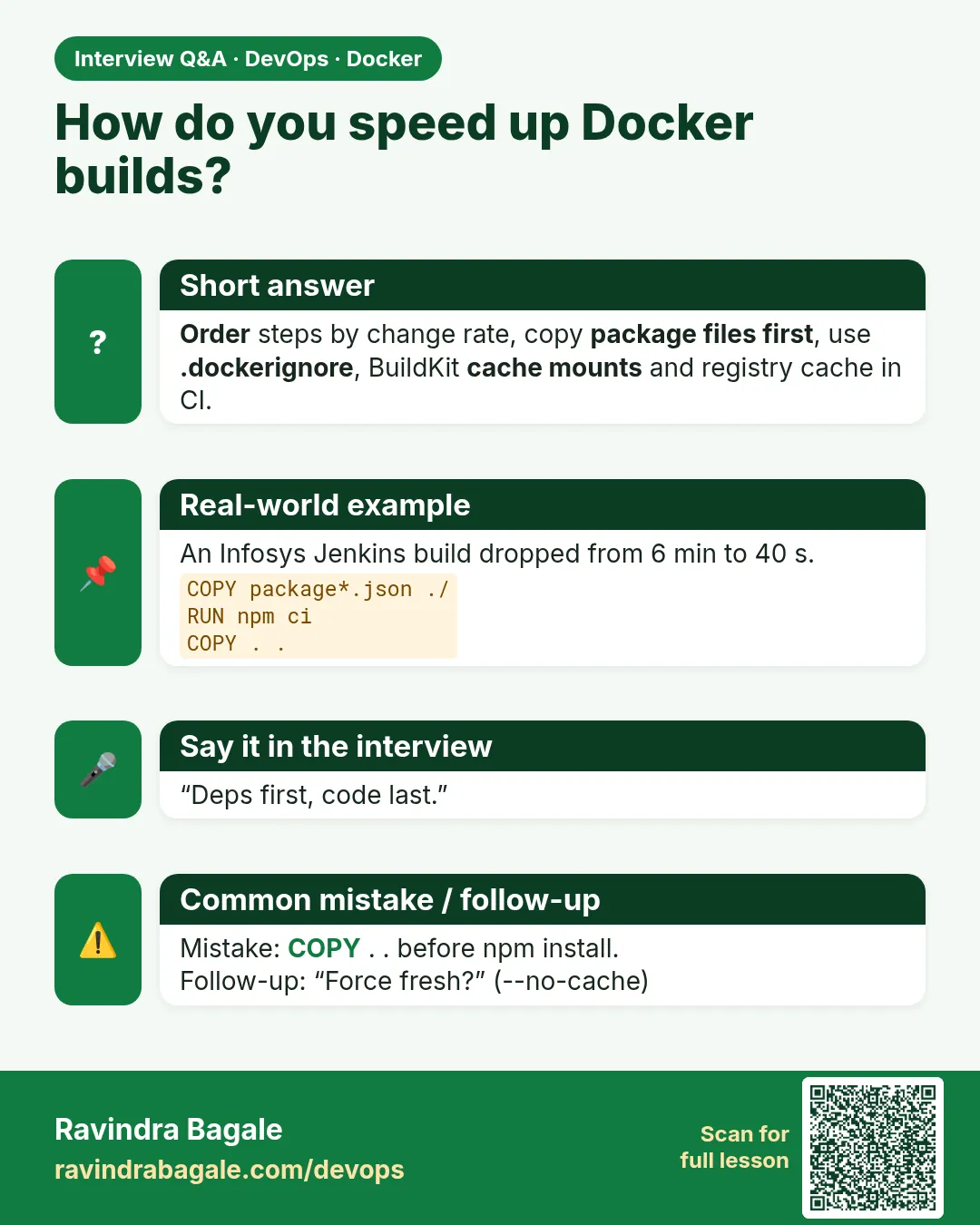
Karan read the Dockerfile. The second line was COPY . . and the third was npm ci. Any change to any file, even a README, changed the COPY step, so npm downloaded every package again.
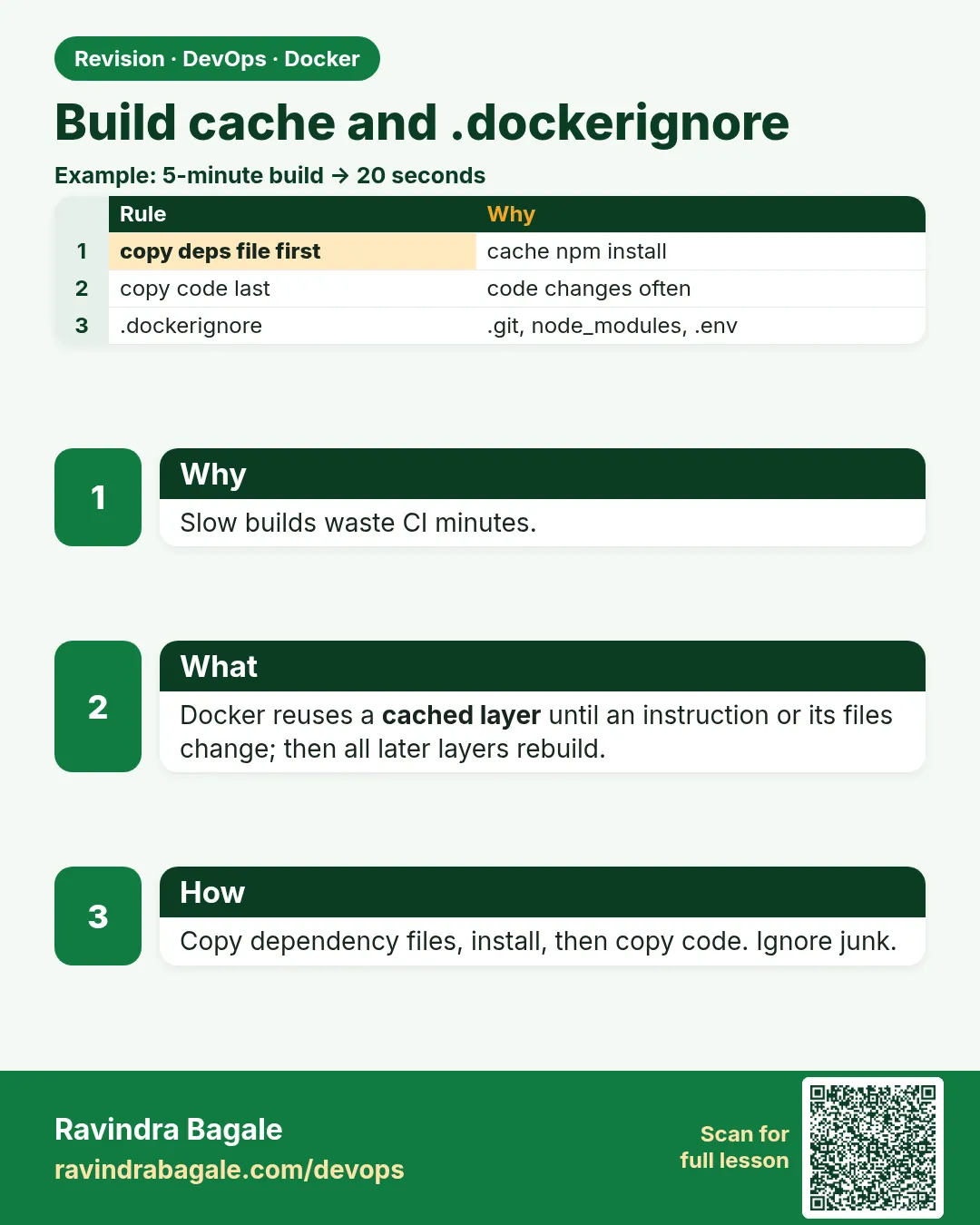
He moved two lines. First COPY package.json and package-lock.json, then npm ci, then COPY the rest. He also added node_modules and .git to .dockerignore.
Code-only builds dropped from nine minutes to forty seconds. Nothing else changed. Today we do the same reordering with our own app.
2. How the cache decides
Step 1: Instruction text
Why: Docker compares each line with the last build.
What: If the instruction text and its parent layer are the same, the step is reused.
Example 1: First build
Type this:
printf 'FROM alpine:3.20\nRUN echo one\nRUN echo two\n' > Dockerfile
docker build -t k1 .
You will see:
=> [2/3] RUN echo one
=> [3/3] RUN echo two
What it means: Both ran.
Example 2: Again
Type this:
docker build -t k1 .
You will see:
=> CACHED [2/3] RUN echo one
=> CACHED [3/3] RUN echo two
What it means: Both reused.
Example 3: Edit line 3
Type this:
sed -i 's/two/TWO/' Dockerfile && docker build -t k1 .
You will see:
=> CACHED [2/3] RUN echo one
=> [3/3] RUN echo TWO
What it means: Only the changed step ran.
Step 2: A change breaks everything below
Why: The order matters.
What: Once a step misses the cache, every later step runs again.
Example 4: Edit line 2
Type this:
sed -i 's/one/ONE/' Dockerfile && docker build -t k1 .
You will see:
=> [2/3] RUN echo ONE
=> [3/3] RUN echo TWO
What it means: Line 3 ran too, though unchanged.
Example 5: Count
Type this:
docker build --progress=plain -t k1 . 2>&1 | grep -c CACHED
You will see:
2
What it means: Now all cached again.
Example 6: Rule
Type this:
printf 'Put slow, rarely changing steps at the top.\n'
You will see:
Put slow, rarely changing steps at the top.
What it means: Top is stable, bottom changes often.
Step 3: COPY uses file content
Why: Touching a file is not a change; editing it is.
What: For COPY and ADD, Docker hashes the files. Same content means cache hit.
Example 7: Copy
Type this:
printf 'v1\n' > a.txt && printf 'FROM alpine:3.20\nCOPY a.txt /\nRUN echo after\n' > Dockerfile
docker build -t k2 .
You will see:
=> [2/3] COPY a.txt /
What it means: First time.
Example 8: Touch
Type this:
touch a.txt && docker build -t k2 . 2>&1 | grep COPY
You will see:
=> CACHED [2/3] COPY a.txt /
What it means: Same content, cached.
Example 9: Edit
Type this:
printf 'v2\n' > a.txt && docker build -t k2 . 2>&1 | grep -E 'COPY|after'
You will see:
=> [2/3] COPY a.txt /
=> [3/3] RUN echo after
What it means: Content changed, both re-ran.
Step 4: RUN does not look outside
Why: A cached RUN can hide new versions.
What: Docker does not know a remote package changed. Use --no-cache or a cache-busting ARG.
Example 10: Stale download
Type this:
printf 'FROM alpine:3.20\nRUN wget -qO /v.txt https://example.com/version.txt\n' > Dockerfile
docker build -t k3 . 2>&1 | grep RUN
You will see:
=> CACHED [2/2] RUN wget ...
What it means: Old file kept even if remote changed.
Example 11: Bust with ARG
Type this:
printf 'FROM alpine:3.20\nARG CACHEBUST=1\nRUN wget -qO /v.txt https://example.com/version.txt\n' > Dockerfile
docker build --build-arg CACHEBUST=$(date +%s) -t k3 . 2>&1 | grep RUN
You will see:
=> [3/3] RUN wget ...
What it means: New ARG value, new run.
Example 12: Bust one stage
Type this:
docker build --no-cache-filter build -t k3 .
You will see:
=> [build 2/4] RUN ...
What it means: Re-run only the named stage.
3. Order steps for the cache
Step 5: Dependencies before code
Why: Packages change rarely; code changes all the time.
What: Copy only the dependency files, install, then copy the code.
Example 13: Bad order
Type this:
printf 'FROM node:22-slim\nWORKDIR /app\nCOPY . .\nRUN npm ci\nCMD ["node","server.js"]\n' > Dockerfile
echo '// edit' >> server.js && time docker build -t bad .
You will see:
=> [4/4] RUN npm ci 52.1s
real 0m55.0s
What it means: npm ran because code changed.
Example 14: Good order
Type this:
printf 'FROM node:22-slim\nWORKDIR /app\nCOPY package.json package-lock.json ./\nRUN npm ci\nCOPY . .\nCMD ["node","server.js"]\n' > Dockerfile
docker build -t good . && echo '// edit' >> server.js && time docker build -t good .
You will see:
=> CACHED [4/5] RUN npm ci
real 0m1.6s
What it means: Only COPY . . re-ran.
Example 15: Python
Type this:
printf 'FROM python:3.12-slim\nWORKDIR /app\nCOPY requirements.txt .\nRUN pip install --no-cache-dir -r requirements.txt\nCOPY . .\n' > Dockerfile && grep -n COPY Dockerfile
You will see:
3:COPY requirements.txt .
5:COPY . .
What it means: Same pattern for pip.
Step 6: Java and Go
Why: Every language has a dependency file.
What: Maven: pom.xml and dependency:go-offline. Go: go.mod, go.sum and go mod download.
Example 16: Maven
Type this:
printf 'FROM maven:3.9-eclipse-temurin-21 AS build\nWORKDIR /src\nCOPY pom.xml .\nRUN mvn -q dependency:go-offline\nCOPY src ./src\nRUN mvn -q package -DskipTests\n' > Dockerfile && grep -c RUN Dockerfile
You will see:
2
What it means: Dependencies cached separately.
Example 17: Go
Type this:
printf 'FROM golang:1.23 AS build\nWORKDIR /src\nCOPY go.mod go.sum ./\nRUN go mod download\nCOPY . .\nRUN go build -o /app .\n' > Dockerfile && grep 'go mod' Dockerfile
You will see:
RUN go mod download
What it means: Modules cached.
Example 18: Time it
Type this:
echo '// edit' >> main.go && time docker build -t goapp .
You will see:
=> CACHED [3/5] RUN go mod download
real 0m6.2s
What it means: Only compile ran.
Step 7: Cache mounts for package managers
Why: Even a missed cache should not download everything.
What: RUN --mount=type=cache keeps the package cache between builds.
Example 19: npm
Type this:
printf 'FROM node:22-slim\nWORKDIR /app\nCOPY package*.json ./\nRUN --mount=type=cache,target=/root/.npm npm ci\n' > Dockerfile && docker build -t nc .
You will see:
=> [4/4] RUN --mount=type=cache,target=/root/.npm npm ci 48.0s
What it means: First fill.
Example 20: Add a package
Type this:
npm install --package-lock-only dayjs && time docker build -t nc .
You will see:
=> [4/4] RUN --mount=type=cache,target=/root/.npm npm ci 6.3s
What it means: Most packages came from the cache.
Example 21: Go
Type this:
printf 'FROM golang:1.23\nRUN --mount=type=cache,target=/go/pkg/mod --mount=type=cache,target=/root/.cache/go-build go build ./...\n' > Dockerfile && tail -1 Dockerfile
You will see:
RUN --mount=type=cache,target=/go/pkg/mod --mount=type=cache,target=/root/.cache/go-build go build ./...
What it means: Module and compile caches.
4. .dockerignore and the context
Step 8: What is the context
Why: Docker sends a folder to the builder first.
What: The last argument of docker build is the context. Everything in it is sent, unless ignored.
Example 22: Big context
Type this:
docker build -t big . 2>&1 | grep transferring
You will see:
=> => transferring context: 412.6MB
What it means: node_modules and .git were sent.
Example 23: Add ignore
Type this:
printf 'node_modules\n.git\n*.log\n.env\ndist\ncoverage\n' > .dockerignore && docker build -t big . 2>&1 | grep transferring
You will see:
=> => transferring context: 1.9MB
What it means: From 412 MB to 1.9 MB.
Example 24: Ignore affects cache
Type this:
echo debug >> app.log && docker build -t big . 2>&1 | grep -c CACHED
You will see:
4
What it means: Log changes no longer break COPY . .
Step 9: .dockerignore patterns
Why: Patterns work like .gitignore, with small differences.
What: Use **, wildcards and ! to include back.
Example 25: Deep pattern
Type this:
printf '**/*.test.js\n' >> .dockerignore && docker build -t p . && docker run --rm p find . -name '*.test.js' | wc -l
You will see:
0
What it means: Tests in any folder ignored.
Example 26: Include back
Type this:
printf '*.md\n!README.md\n' >> .dockerignore && docker run --rm $(docker build -q .) ls *.md
You will see:
README.md
What it means: Only README kept.
Example 27: Per Dockerfile
Type this:
cp .dockerignore api.Dockerfile.dockerignore && docker build -f api.Dockerfile -t api . 2>&1 | grep transferring
You will see:
=> => transferring context: 820kB
What it means: Each Dockerfile can have its own ignore file.
Step 10: Share cache in CI
Why: CI runners start empty.
What: --cache-to and --cache-from store the cache in a registry so the next runner reuses it.
Example 28: Push cache
Type this:
docker buildx build --cache-to type=registry,ref=registry.example.com/shop/api:cache,mode=max -t registry.example.com/shop/api:1.0 --push .
You will see:
=> exporting cache to registry
What it means: Cache saved.
Example 29: Use cache
Type this:
docker buildx build --cache-from type=registry,ref=registry.example.com/shop/api:cache -t registry.example.com/shop/api:1.1 --push .
You will see:
=> CACHED [4/6] RUN npm ci
What it means: New runner, still cached.
Example 30: Local disk use
Type this:
docker buildx du | tail -1
You will see:
Total: 2.31GB
What it means: Check and prune the cache when large.
Step 11: Combine RUN lines wisely
Why: Separate RUN lines can leave stale package lists.
What: Keep apt-get update and apt-get install in the same RUN, so a cached update never pairs with a new install list.
Example 31: Bad split
Type this:
printf 'FROM ubuntu:24.04\nRUN apt-get update\nRUN apt-get install -y curl\n' > Dockerfile && docker build -t a1 . 2>&1 | grep CACHED
You will see:
=> CACHED [2/3] RUN apt-get update
What it means: Weeks later the old list may point to removed packages.
Example 32: Good
Type this:
printf 'FROM ubuntu:24.04\nRUN apt-get update && apt-get install -y --no-install-recommends curl && rm -rf /var/lib/apt/lists/*\n' > Dockerfile && docker build -t a2 . 2>&1 | tail -1
You will see:
=> naming to docker.io/library/a2
What it means: One step, always consistent.
Example 33: Size check
Type this:
docker images a1 a2 --format '{{.Repository}} {{.Size}}'
You will see:
a1 132MB
a2 118MB
What it means: Cleaning lists in the same step also saves space.
Step 12: Read the cache in the log
Why: You can only fix what you can see.
What: --progress=plain shows every step, CACHED marks and timings. docker history shows layer sizes.
Example 34: Plain log
Type this:
docker build --progress=plain -t good . 2>&1 | grep -E 'CACHED|DONE' | head -4
You will see:
#6 CACHED
#7 CACHED
#8 [5/5] COPY . .
#8 DONE 0.3s
What it means: Find the first non-cached step.
Example 35: History
Type this:
docker history good --format '{{.Size}} {{.CreatedBy}}' | head -3
You will see:
1.2MB COPY . . # buildkit
86MB RUN npm ci # buildkit
0B WORKDIR /app
What it means: See which layer is heavy.
Example 36: Prune
Type this:
docker builder prune -f --filter until=72h
You will see:
Total reclaimed space: 1.4GB
What it means: Remove old cache safely.
5. Common mistakes and how Karan avoids them
Mistake one: COPY . . before installing dependencies. Karan copies dependency files first.
Mistake two: no .dockerignore. Huge contexts and broken caches. Karan writes it on day one.
Mistake three: thinking --no-cache is the fix for everything. It makes every build slow. Karan uses a cache-busting ARG or --no-cache-filter only where needed.
Mistake four: CI with no shared cache. Every build starts cold. Karan uses registry cache or the CI system's cache.
Mistake five: a changing line near the top, such as an ARG with the build time. Karan keeps such lines near the bottom.
Check yourself
Q1. What happens to steps after a cache miss?
They all run again.
Q2. How does COPY decide a cache hit?
By the content of the files.
Q3. Why copy package.json before the code?
So npm ci is cached when only code changes.
Q4. How do CI runners share cache?
--cache-to and --cache-from with a registry.
Friends, rarely changing at the top, often changing at the bottom, and a .dockerignore always. Did you understand? Let us try it once more. Time one build of your project before and after reordering and tell your team the difference.
मित्रांनो, क्वचित बदलणारं वर, सतत बदलणारं खाली, आणि .dockerignore नेहमी. समजलं का? चला, पुन्हा एकदा करून पाहू. तुमच्या project चा एक build क्रम बदलण्याआधी आणि नंतर time करा आणि team ला फरक सांगा.
दोस्तों, कम बदलने वाला ऊपर, अक्सर बदलने वाला नीचे, और .dockerignore हमेशा. समझ आया? चलिए, एक बार फिर करके देखते हैं। अपने project का एक build क्रम बदलने से पहले और बाद में time कीजिए और team को फ़र्क बताइए.
Ravindra Bagale's Tip
Look at the transferring context line in every build log. If it is more than a few MB, your .dockerignore is missing something.
प्रत्येक build log मध्ये transferring context ओळ बघा. ती काही MB पेक्षा जास्त असेल तर तुमच्या .dockerignore मध्ये काहीतरी राहिलंय.
हर build log में transferring context लाइन देखिए. अगर वह कुछ MB से ज़्यादा है तो आपके .dockerignore में कुछ छूट गया है.
Lab: try at home
- Build twice and read CACHED lines.
- Change line 2 and see later steps rerun.
- Touch and then edit a copied file.
- Reorder a Node Dockerfile and time it.
- Add .dockerignore and compare context size.
- Use a cache mount and add one package.
Recap
- Same text and parent means cached.
- A miss reruns everything below.
- COPY checks file content.
- Dependencies before code.
- Cache mounts and registry cache speed CI.
- .dockerignore shrinks the context.
 Revision card
 Interview card