52.1 FROM and ARG: choose the base image
Friends, every Dockerfile starts with one line: FROM. Today we learn how to choose that first line well, because a wrong base image makes your image big, slow and unsafe. We also learn ARG, the only instruction allowed before FROM.
मित्रांनो, प्रत्येक Dockerfile एकाच ओळीने सुरू होते: FROM. आज ती पहिली ओळ नीट कशी निवडायची ते शिकू, कारण चुकीची base image तुमची image मोठी, हळू आणि असुरक्षित करते. आपण ARG पण शिकू, FROM च्या आधी चालणारी एकमेव instruction.
दोस्तों, हर Dockerfile एक ही लाइन से शुरू होती है: FROM. आज वह पहली लाइन ठीक से चुनना सीखेंगे, क्योंकि गलत base image आपकी image को बड़ी, धीमी और असुरक्षित बनाती है. हम ARG भी सीखेंगे, जो FROM से पहले चलने वाली अकेली instruction है.
1. Start from a story
Sneha joined the platform team at Swiggy. Her first task was simple: the order-tracking service image was 1.2 GB and took four minutes to pull on every new server during the dinner rush.
She opened the Dockerfile. The first line said FROM ubuntu:latest. After that came forty lines installing Python, compilers and tools the app never used at run time.
Her lead told her one rule: the base image is the floor of your house. Everything you build sits on top of it. If the floor is heavy, the whole house is heavy, and nothing you do later can make it light again.
Sneha changed one line to a pinned slim Python image. The image dropped to 180 MB and pulls took twenty seconds. In this lesson we do the same thing step by step, and we learn every way to write FROM and ARG.
2. What FROM does
Step 1: FROM with a name and tag
Why: Docker must know which ready-made filesystem to start from.
What: FROM name:tag picks an image from a registry. The tag is the version. Docker pulls it if it is not on your machine.
Example 1: Smallest Dockerfile
Type this:
printf 'FROM alpine:3.20\nCMD ["echo","hello from alpine"]\n' > Dockerfile
docker build -t hello:1 .
docker run --rm hello:1
You will see:
[+] Building 2.1s (5/5) FINISHED
 => [1/1] FROM docker.io/library/alpine:3.20
 => naming to docker.io/library/hello:1
hello from alpine
What it means: FROM gave the filesystem; CMD said what to run.
Example 2: See the base in history
Type this:
docker history hello:1 --format '{{.CreatedBy}}' | tail -2
You will see:
/bin/sh -c #(nop) ADD file:5e1f... in /
/bin/sh -c #(nop)  CMD ["/bin/sh"]
What it means: The lowest layers came from alpine itself.
Example 3: Check the OS inside
Type this:
docker run --rm alpine:3.20 cat /etc/os-release | head -2
You will see:
NAME="Alpine Linux"
ID=alpine
What it means: The base decides the OS your app sees.
Step 2: Pin the tag, never latest
Why: latest changes silently; your build changes with it.
What: A fixed tag like 3.12-slim gives the same base today and next month. latest can jump a major version overnight.
Example 4: latest moves
Type this:
docker pull python:latest | tail -1
docker image inspect python:latest -f '{{index .Config.Env 2}}'
You will see:
docker.io/library/python:latest
PYTHON_VERSION=3.13.0
What it means: Today latest is 3.13; tomorrow it may be 3.14.
Example 5: Pinned tag
Type this:
docker pull python:3.12-slim | tail -1
You will see:
docker.io/library/python:3.12-slim
What it means: You know exactly which Python you get.
Example 6: Compare versions
Type this:
docker run --rm python:3.12-slim python --version
You will see:
Python 3.12.7
What it means: Pinned, predictable, repeatable.
Step 3: Pin by digest
Why: A tag can be re-pushed; a digest can never change.
What: The digest is the sha256 fingerprint of the image. FROM name@sha256:... gives the exact same bytes forever.
Example 7: Find the digest
Type this:
docker image inspect python:3.12-slim -f '{{index .RepoDigests 0}}'
You will see:
python@sha256:4f1a9c2e7b...
What it means: This is the fingerprint.
Example 8: Use it in FROM
Type this:
printf 'FROM python:3.12-slim@sha256:4f1a9c2e7b...\nCMD ["python","--version"]\n' > Dockerfile
docker build -t pinned:1 .
You will see:
=> [1/1] FROM docker.io/library/python:3.12-slim@sha256:4f1a9c2e7b...
What it means: Tag for humans, digest for machines.
Example 9: Banks do this
Type this:
grep FROM Dockerfile
You will see:
FROM python:3.12-slim@sha256:4f1a9c2e7b...
What it means: Teams at Razorpay pin digests so audits can prove what ran.
3. Choosing the right kind of base
Step 4: Full, slim and alpine variants
Why: Same language, very different sizes.
What: Full images have compilers and tools. slim removes most extras. alpine uses a tiny libc called musl.
Example 10: Pull three
Type this:
docker pull -q python:3.12 && docker pull -q python:3.12-slim && docker pull -q python:3.12-alpine
You will see:
docker.io/library/python:3.12
docker.io/library/python:3.12-slim
docker.io/library/python:3.12-alpine
What it means: Three variants of one language.
Example 11: Compare sizes
Type this:
docker images python --format '{{.Tag}} {{.Size}}'
You will see:
3.12 1.02GB
3.12-slim 130MB
3.12-alpine 57MB
What it means: Full is eight times the size of slim.
Example 12: Alpine catch
Type this:
docker run --rm python:3.12-alpine ldd --version 2>&1 | head -1
You will see:
musl libc (x86_64)
What it means: musl can break some Python wheels; slim is the safe default.
Step 5: Distroless and scratch
Why: At run time the app needs almost nothing.
What: distroless has the runtime but no shell. scratch is completely empty and fits static binaries such as Go.
Example 13: scratch with a static file
Type this:
printf 'FROM scratch\nCOPY hello /hello\nCMD ["/hello"]\n' > Dockerfile
docker build -t tiny:1 . && docker images tiny:1 --format '{{.Size}}'
You will see:
1.9MB
What it means: Only your binary is inside.
Example 14: No shell in distroless
Type this:
docker run --rm --entrypoint sh gcr.io/distroless/python3-debian12
You will see:
docker: Error response from daemon: ... exec: "sh": executable file not found
What it means: Fewer tools means fewer attack paths.
Example 15: Run distroless
Type this:
docker run --rm gcr.io/distroless/python3-debian12 -c 'print(42)'
You will see:
42
What it means: The runtime is there, nothing else.
Step 6: Official and verified images
Why: Unknown publishers can ship malware.
What: Prefer Docker Official Images, Verified Publishers or your company registry such as ECR.
Example 16: Search official
Type this:
docker search --filter is-official=true nginx --limit 2
You will see:
NAME      DESCRIPTION                OFFICIAL
nginx     Official build of Nginx.   [OK]
What it means: The [OK] mark means official.
Example 17: Company mirror
Type this:
printf 'FROM 123456789012.dkr.ecr.ap-south-1.amazonaws.com/base/python:3.12-slim\n' > Dockerfile
docker build -t app:1 .
You will see:
=> [1/1] FROM 123456789012.dkr.ecr.ap-south-1.amazonaws.com/base/python:3.12-slim
What it means: Teams at TCS keep approved bases in ECR.
Example 18: Check who built it
Type this:
docker image inspect nginx:1.27 -f '{{index .Config.Labels "maintainer"}}'
You will see:
NGINX Docker Maintainers
What it means: Labels tell you the publisher.
Step 7: Platform with --platform
Why: Mac M-series laptops are arm64; most servers are amd64.
What: FROM --platform or docker build --platform picks the CPU architecture.
Example 19: See your platform
Type this:
docker version -f '{{.Server.Arch}}'
You will see:
arm64
What it means: This laptop is arm.
Example 20: Build for servers
Type this:
docker build --platform linux/amd64 -t api:amd64 .
You will see:
=> [internal] load metadata for docker.io/library/python:3.12-slim (linux/amd64)
What it means: Image will run on EC2 x86.
Example 21: Check result
Type this:
docker image inspect api:amd64 -f '{{.Architecture}}'
You will see:
amd64
What it means: No more exec format error on the server.
4. ARG before and after FROM
Step 8: ARG to choose the version
Why: One Dockerfile, many versions.
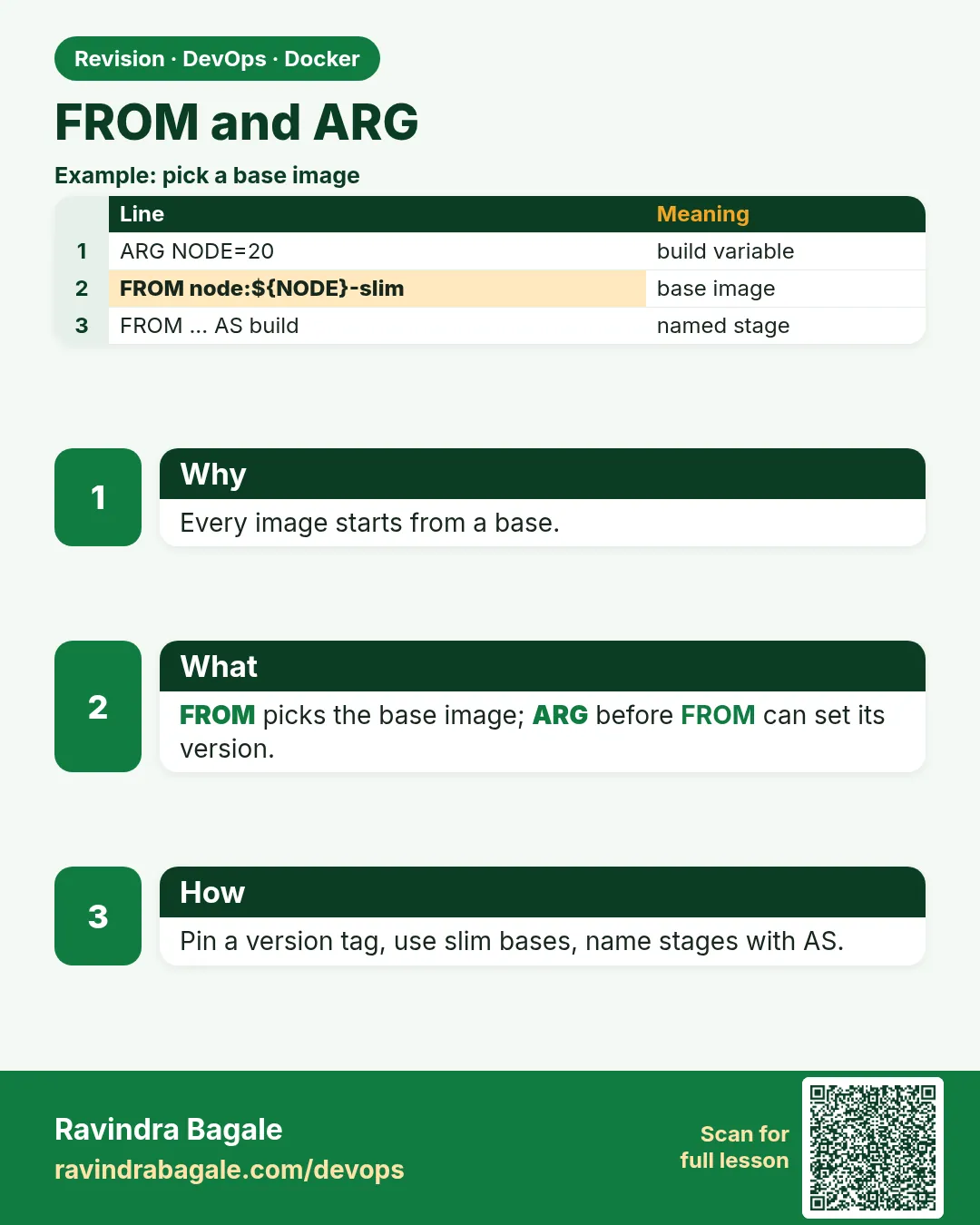
What: ARG declared before FROM can be used inside FROM. Pass a new value with --build-arg.
Example 22: Variable base
Type this:
printf 'ARG PY=3.12\nFROM python:${PY}-slim\nCMD ["python","--version"]\n' > Dockerfile
docker build -t py:def . && docker run --rm py:def
You will see:
Python 3.12.7
What it means: Default value used.
Example 23: Override
Type this:
docker build --build-arg PY=3.11 -t py:311 . && docker run --rm py:311
You will see:
Python 3.11.10
What it means: Same file, other version.
Example 24: Bad value
Type this:
docker build --build-arg PY=9.9 -t py:bad .
You will see:
ERROR: failed to solve: python:9.9-slim: not found
What it means: Docker tells you the tag does not exist.
Step 9: ARG scope resets after FROM
Why: Many people expect the value inside RUN and get nothing.
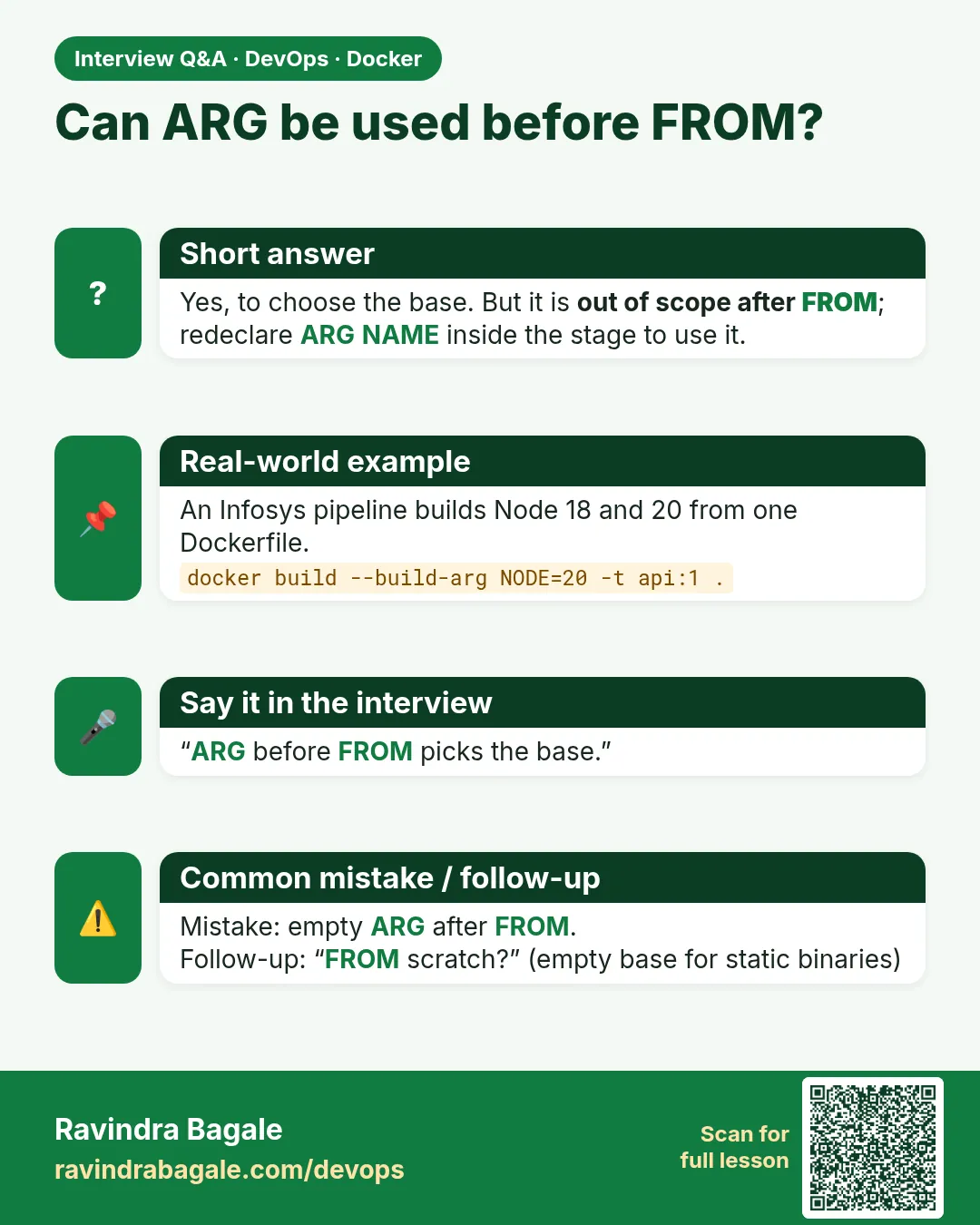
What: An ARG before FROM is only for FROM. Declare ARG again after FROM to use it in RUN.
Example 25: Empty value
Type this:
printf 'ARG PY=3.12\nFROM python:${PY}-slim\nRUN echo version=$PY\n' > Dockerfile
docker build --progress=plain . 2>&1 | grep version=
You will see:
#5 0.2 version=
What it means: Empty: scope ended at FROM.
Example 26: Redeclare
Type this:
printf 'ARG PY=3.12\nFROM python:${PY}-slim\nARG PY\nRUN echo version=$PY\n' > Dockerfile
docker build --progress=plain . 2>&1 | grep version=
You will see:
#5 0.2 version=3.12
What it means: ARG PY without value brings it back.
Example 27: Not in the container
Type this:
docker build -t argtest . && docker run --rm argtest sh -c 'echo [$PY]'
You will see:
[]
What it means: ARG exists only while building.
Step 10: Predefined platform ARGs
Why: BuildKit gives you free variables.
What: TARGETPLATFORM, TARGETARCH and BUILDPLATFORM tell you what you are building for.
Example 28: Print target
Type this:
printf 'FROM alpine:3.20\nARG TARGETARCH\nRUN echo arch=$TARGETARCH\n' > Dockerfile
docker build --progress=plain --platform linux/arm64 . 2>&1 | grep arch=
You will see:
#5 0.1 arch=arm64
What it means: Filled automatically.
Example 29: Download the right binary
Type this:
printf 'FROM alpine:3.20\nARG TARGETARCH\nRUN wget -qO /usr/local/bin/kubectl https://dl.k8s.io/release/v1.31.0/bin/linux/${TARGETARCH}/kubectl\n' > Dockerfile
docker build -t tools:1 .
You will see:
=> [2/2] RUN wget -qO /usr/local/bin/kubectl .../linux/amd64/kubectl
What it means: One file works on both CPUs.
Example 30: Build platform
Type this:
docker build --progress=plain --build-arg X=1 . 2>&1 | grep -c FINISHED
You will see:
1
What it means: The build machine and target can differ.
Step 11: Several FROM lines
Why: A Dockerfile can have more than one stage.
What: Each FROM starts a new stage. AS gives it a name. Only the last stage becomes the image unless you pick --target.
Example 31: Two stages
Type this:
printf 'FROM golang:1.23 AS build\nRUN echo building\nFROM alpine:3.20\nCMD ["echo","final"]\n' > Dockerfile
docker build -t two:1 . && docker run --rm two:1
You will see:
final
What it means: The last stage is the image.
Example 32: Pick a stage
Type this:
docker build --target build -t two:build . && docker images two --format '{{.Tag}} {{.Size}}'
You will see:
build 853MB
1 7.8MB
What it means: --target stops at a named stage.
Example 33: Lowercase names
Type this:
grep ' AS ' Dockerfile
You will see:
FROM golang:1.23 AS build
What it means: Stage names are short and clear: build, test, run.
Step 12: Check what FROM pulled
Why: Always verify before shipping.
What: docker image inspect shows OS, architecture, size and the base layers.
Example 34: OS and arch
Type this:
docker image inspect two:1 -f '{{.Os}}/{{.Architecture}}'
You will see:
linux/amd64
What it means: Matches your servers.
Example 35: Layers count
Type this:
docker image inspect two:1 -f '{{len .RootFS.Layers}}'
You will see:
1
What it means: Only the alpine layer; build tools are gone.
Example 36: Size
Type this:
docker images two:1 --format '{{.Size}}'
You will see:
7.8MB
What it means: Small floor, small house.
5. Common mistakes and how Sneha avoids them
Mistake one: FROM ubuntu:latest for a Python app. You get a heavy base and a moving version. Sneha uses the official language image with a pinned slim tag.
Mistake two: choosing alpine for everything. Alpine is small, but musl libc can make Python and Node native modules fail or build slowly. Sneha tries slim first and uses alpine only when she has tested it.
Mistake three: using an ARG from before FROM inside RUN and getting an empty value. Sneha redeclares ARG after FROM every time.
Mistake four: building on a Mac M-series laptop and pushing to x86 EC2. The container fails with exec format error. Sneha adds --platform linux/amd64 or builds in CI.
Mistake five: trusting an unknown image because it has many stars. Sneha pulls only official, verified or company-mirrored images and pins them by digest.
Check yourself
Q1. Which instruction may come before FROM?
ARG.
Q2. Why avoid latest?
It changes silently, so builds stop being repeatable.
Q3. What is the safest pin?
A digest, sha256 of the image.
Q4. Why is ARG empty inside RUN?
An ARG before FROM ends at FROM; declare it again after.
Friends, remember: the base image is the floor of the house. Pin it, keep it slim, and redeclare ARG after FROM. Did you understand? Let us try it once more. Change one of your Dockerfiles to a slim pinned base and compare the size.
मित्रांनो, लक्षात ठेवा: base image म्हणजे घराचा पाया. तो pin करा, slim ठेवा, आणि FROM नंतर ARG परत लिहा. समजलं का? चला, पुन्हा एकदा करून पाहू. तुमच्या एका Dockerfile ला slim pinned base द्या आणि size compare करा.
दोस्तों, याद रखिए: base image घर की नींव है. उसे pin कीजिए, slim रखिए, और FROM के बाद ARG फिर से लिखिए. समझ आया? चलिए, एक बार फिर करके देखते हैं। अपनी एक Dockerfile को slim pinned base दीजिए और size compare कीजिए.
Ravindra Bagale's Tip
In code review, read the FROM line first. If it says latest or a full image for run time, fix that before anything else.
Code review मध्ये आधी FROM ओळ वाचा. त्यात latest किंवा run time साठी full image असेल तर आधी ते सुधारा.
Code review में सबसे पहले FROM लाइन पढ़िए. उसमें latest या run time के लिए full image हो तो पहले वही ठीक कीजिए.
Lab: try at home
- Build the same app on python:3.12, 3.12-slim and 3.12-alpine and compare sizes.
- Pin the slim image by digest.
- Add ARG PY before FROM and build 3.11 and 3.12.
- Prove that ARG is empty in RUN, then fix it.
- Build for linux/amd64 and check the architecture.
- Make a two-stage file and use --target.
Recap
- FROM picks the base filesystem.
- Pin a tag, and a digest for audits.
- slim is the safe default; alpine needs testing.
- distroless and scratch for run time only.
- ARG before FROM is only for FROM.
- --platform fixes arm vs amd64.
 Revision card
 Interview card