48.4 Push to Amazon ECR
Chala mitrano! Companies keep images not on Docker Hub but in AWS ECR. Today: create a repository, log in, push, pull, scan, immutable tags, lifecycle policy, and pull on EC2 with an IAM role, all in order.
चला मित्रांनो! Company मध्ये images Docker Hub वर नाही तर AWS च्या ECR मध्ये ठेवतात. आज repository बनवणं, login, push, pull, scan, immutable tags, lifecycle policy आणि EC2 वर IAM role ने pull, सगळं क्रमाने करू.
चलो दोस्तों! Companies images Docker Hub पर नहीं, AWS के ECR में रखती हैं. आज repository बनाना, login, push, pull, scan, immutable tags, lifecycle policy और EC2 पर IAM role से pull, सब क्रम से करेंगे.
1. Start from a company locker
Docker Hub is like a public library: easy, but outside your company. A bank like Kotak or a broker like Zerodha wants images in its own locker, inside its own AWS account, where only its own staff and servers can open it.
Amazon ECR, Elastic Container Registry, is that locker. It is a private registry in your AWS account. Access is controlled by IAM, the same permission system that controls EC2 and S3. It can scan images for known security bugs and stop anyone from overwriting a release tag.
You need the AWS CLI version 2, an AWS account and a user or role allowed to use ECR. We use region ap-south-1 (Mumbai) and the sample account 111122223333.
How is ECR different from Docker Hub? First, the images stay inside your AWS account and region, so servers in the same region pull fast and the traffic stays on the AWS network. Second, there are no passwords to share: people and servers get access through IAM users and roles, and you can remove that access in one click. Third, ECR can scan images and expire old ones by itself.
The price is small: you pay for the storage your images use and for data that leaves the region. A team with a few services usually pays a few dollars a month. Keep that in mind when we set a lifecycle policy at the end.
2. Set up
Step 1: Check the AWS CLI and who you are
Why: Most ECR errors are really AWS login errors.
What: aws sts get-caller-identity prints which account and user the CLI is using.
Example 1: CLI version
Type this:
aws --version
You will see:
aws-cli/2.18.5 Python/3.12.6 Linux/6.8.0 exe/x86_64.ubuntu.24
What it means: Version 2 is needed for get-login-password.
Example 2: Who am I
Type this:
aws sts get-caller-identity
You will see:
{
  "UserId": "AIDA...",
  "Account": "111122223333",
  "Arn": "arn:aws:iam::111122223333:user/ravi"
}
What it means: Right account, right user.
Example 3: Set the region
Type this:
aws configure set region ap-south-1
aws configure get region
You will see:
ap-south-1
What it means: All commands now use Mumbai.
Step 2: Create a repository
Why: An image needs a repository before you can push.
What: aws ecr create-repository makes one. Turn on scan on push and immutable tags from day one.
Example 4: Create
Type this:
aws ecr create-repository --repository-name shop-api --image-scanning-configuration scanOnPush=true --image-tag-mutability IMMUTABLE --query 'repository.repositoryUri' --output text
You will see:
111122223333.dkr.ecr.ap-south-1.amazonaws.com/shop-api
What it means: This URI is the full image name to use.
Example 5: List repositories
Type this:
aws ecr describe-repositories --query 'repositories[].repositoryName' --output text
You will see:
shop-api
What it means: One repository.
Example 6: Create twice
Type this:
aws ecr create-repository --repository-name shop-api
You will see:
An error occurred (RepositoryAlreadyExistsException) ...
What it means: Safe to see; nothing breaks. In scripts, check with describe-repositories first.
Step 3: Log Docker in to ECR
Why: Docker cannot push to ECR without a token.
What: ECR tokens last 12 hours. The username is always AWS. Pipe the token into docker login.
Example 7: Log in
Type this:
aws ecr get-login-password | docker login --username AWS --password-stdin 111122223333.dkr.ecr.ap-south-1.amazonaws.com
You will see:
Login Succeeded
What it means: Valid for 12 hours.
Example 8: Save the registry in a variable
Type this:
REG=111122223333.dkr.ecr.ap-south-1.amazonaws.com
echo $REG
You will see:
111122223333.dkr.ecr.ap-south-1.amazonaws.com
What it means: Shorter commands from now on.
Example 9: Wrong region
Type this:
aws ecr get-login-password --region us-east-1 | docker login -u AWS --password-stdin $REG
You will see:
Error response from daemon: ... 400 Bad Request
What it means: The token's region must match the registry's region.
3. Push and pull
Step 4: Tag and push
Why: This is the daily job of every CI pipeline.
What: Tag the local image with the repository URI and a version, then push.
Example 10: Tag
Type this:
docker tag shop-api:1.0 $REG/shop-api:1.0
You will see:
(no output)
What it means: Same image, ECR name.
Example 11: Push
Type this:
docker push $REG/shop-api:1.0
You will see:
The push refers to repository [111122223333.dkr.ecr.ap-south-1.amazonaws.com/shop-api]
5f70bf18a086: Pushed
1.0: digest: sha256:4b8e... size: 1987
What it means: Uploaded to your account.
Example 12: List images in ECR
Type this:
aws ecr list-images --repository-name shop-api --query 'imageIds[].imageTag' --output text
You will see:
1.0
What it means: The tag is there.
Step 5: Immutable tags
Why: At a payments company, someone re-pushed 1.0 with untested code, and prod pulled it.
What: With IMMUTABLE set, ECR refuses a push that would move an existing tag to new content.
Example 13: Change code, same tag
Type this:
printf 'hotfix\n' >> index.html
docker build -q -t $REG/shop-api:1.0 .
docker push $REG/shop-api:1.0
You will see:
tag invalid: The image tag '1.0' already exists in the 'shop-api' repository and cannot be overwritten because the repository is immutable.
What it means: Blocked, as planned.
Example 14: Use a new tag
Type this:
docker tag $REG/shop-api:1.0 $REG/shop-api:1.0.1
docker push $REG/shop-api:1.0.1 | tail -1
You will see:
1.0.1: digest: sha256:a3c4... size: 1987
What it means: Every change gets a new version.
Example 15: Check the setting
Type this:
aws ecr describe-repositories --repository-names shop-api --query 'repositories[0].imageTagMutability' --output text
You will see:
IMMUTABLE
What it means: Confirmed.
Step 6: Pull from ECR
Why: Servers need to pull the image you pushed.
What: Any machine with ECR read rights logs in the same way and pulls.
Example 16: Pull
Type this:
docker pull $REG/shop-api:1.0.1 | tail -1
You will see:
111122223333.dkr.ecr.ap-south-1.amazonaws.com/shop-api:1.0.1
What it means: Downloaded.
Example 17: Run
Type this:
docker run -d -p 80:80 --name shop $REG/shop-api:1.0.1
curl -s localhost | tail -1
You will see:
hotfix
What it means: Running the ECR image.
Example 18: Without login
Type this:
docker logout $REG
docker pull $REG/shop-api:1.0.1
You will see:
Error response from daemon: pull access denied ... no basic auth credentials
What it means: ECR has no anonymous pulls for private repositories.
Step 7: EC2 pulls with an IAM role
Why: Putting access keys on servers is how keys leak.
What: Attach an IAM role to the EC2 with the AWS managed policy AmazonEC2ContainerRegistryReadOnly. The CLI on the server picks up temporary credentials by itself.
Example 19: Attach the policy to the role
Type this:
aws iam attach-role-policy --role-name shop-ec2-role --policy-arn arn:aws:iam::aws:policy/AmazonEC2ContainerRegistryReadOnly
You will see:
(no output)
What it means: The role can now read from ECR.
Example 20: On the EC2, check identity
Type this:
aws sts get-caller-identity --query Arn --output text
You will see:
arn:aws:sts::111122223333:assumed-role/shop-ec2-role/i-0abc123
What it means: No keys on disk; the role is used.
Example 21: Log in and pull
Type this:
aws ecr get-login-password | docker login -u AWS --password-stdin $REG
docker pull $REG/shop-api:1.0.1 | tail -1
You will see:
Login Succeeded
111122223333.dkr.ecr.ap-south-1.amazonaws.com/shop-api:1.0.1
What it means: Works with the role alone.
Step 8: Auto login with the credential helper
Why: Tokens expire after 12 hours, and night jobs fail.
What: The Amazon ECR credential helper gets a fresh token every time Docker needs one.
Example 22: Install
Type this:
sudo apt-get install -y amazon-ecr-credential-helper
docker-credential-ecr-login version
You will see:
Setting up amazon-ecr-credential-helper ...
0.8.0
What it means: A small program Docker calls.
Example 23: Tell Docker to use it
Type this:
mkdir -p ~/.docker
printf '{\n  "credHelpers": {"111122223333.dkr.ecr.ap-south-1.amazonaws.com": "ecr-login"}\n}\n' > ~/.docker/config.json
You will see:
(no output)
What it means: Only this registry uses the helper.
Example 24: Pull with no docker login
Type this:
docker pull $REG/shop-api:1.0.1 | tail -1
You will see:
111122223333.dkr.ecr.ap-south-1.amazonaws.com/shop-api:1.0.1
What it means: No login step, and no expiry problems.
4. Keep it safe and tidy
Step 9: Scan on push
Why: Security teams at HDFC want to know about known bugs before deploy.
What: With scanOnPush=true, ECR scans each new image for known security problems (CVEs) in its packages.
Example 25: Wait for the scan
Type this:
aws ecr wait image-scan-complete --repository-name shop-api --image-id imageTag=1.0.1
You will see:
(no output)
What it means: Returns when the scan is done.
Example 26: Read the summary
Type this:
aws ecr describe-image-scan-findings --repository-name shop-api --image-id imageTag=1.0.1 --query 'imageScanFindings.findingSeverityCounts'
You will see:
{
  "HIGH": 2,
  "MEDIUM": 7,
  "LOW": 12
}
What it means: Two high problems. Your counts will differ.
Example 27: List the high ones
Type this:
aws ecr describe-image-scan-findings --repository-name shop-api --image-id imageTag=1.0.1 --query 'imageScanFindings.findings[?severity==`HIGH`].name' --output text
You will see:
CVE-YYYY-NNNNN CVE-YYYY-MMMMM
What it means: Placeholders here; your output shows real CVE numbers. Update the base image and rebuild.
Step 10: Lifecycle policy
Why: CI pushes every commit; after a year, ECR holds thousands of images and costs money.
What: A lifecycle policy deletes old images by rules, for example keep only the last 20.
Example 28: Write the policy
Type this:
printf '{"rules":[{"rulePriority":1,"description":"keep last 20","selection":{"tagStatus":"any","countType":"imageCountMoreThan","countNumber":20},"action":{"type":"expire"}}]}\n' > lc.json
You will see:
(no output)
What it means: One rule: more than 20 images, expire the oldest.
Example 29: Apply it
Type this:
aws ecr put-lifecycle-policy --repository-name shop-api --lifecycle-policy-text file://lc.json --query repositoryName --output text
You will see:
shop-api
What it means: ECR runs it by itself.
Example 30: Preview first
Type this:
aws ecr start-lifecycle-policy-preview --repository-name shop-api --query status --output text
You will see:
IN_PROGRESS
What it means: The preview lists what would be deleted, without deleting.
Step 11: Clean up
Why: Practice repositories cost a little every month.
What: Delete images, then the repository.
Example 31: Delete one image
Type this:
aws ecr batch-delete-image --repository-name shop-api --image-ids imageTag=1.0 --query 'imageIds[].imageTag' --output text
You will see:
1.0
What it means: Only that tag.
Example 32: Delete the repository
Type this:
aws ecr delete-repository --repository-name shop-api --force --query repository.repositoryName --output text
You will see:
shop-api
What it means: --force removes it with all images. Only for practice repos.
Example 33: Local cleanup
Type this:
docker rm -f shop
docker rmi $REG/shop-api:1.0.1 $REG/shop-api:1.0
You will see:
shop
Untagged: ...
What it means: Done.
Ravindra Bagale's Tip
Never keep access keys on an EC2. Attach AmazonEC2ContainerRegistryReadOnly to its IAM role. When you create a repository, turn on immutable tags and scan on push right away.
EC2 वर access keys कधीही ठेवू नका. IAM role ला AmazonEC2ContainerRegistryReadOnly जोडा. Repository बनवताना immutable tags आणि scan on push लगेच चालू करा.
EC2 पर access keys कभी मत रखिए. IAM role में AmazonEC2ContainerRegistryReadOnly जोड़िए. Repository बनाते समय immutable tags और scan on push तुरंत चालू कीजिए.
Check yourself
Q1. What username does ECR login use?
AWS.
Q2. How long does an ECR login token last?
12 hours.
Q3. What does IMMUTABLE stop?
Pushing new content to an existing tag.
Q4. How should EC2 get pull rights?
An IAM role with ECR read-only policy.
Q5. What does a lifecycle policy do?
Deletes old images by rules, such as keeping the last 20.
Friends, ECR is the company locker: protected by IAM, checked by scans, kept stable by immutable tags. Did you understand? Let us try it once more. If not, look at Pictures 1 and 2 again.
मित्रांनो, ECR म्हणजे company चा locker: IAM ने सुरक्षित, scan ने तपासलेला, immutable tags ने स्थिर. समजलं का? चला, पुन्हा एकदा करून पाहू. नसेल तर Picture 1 आणि 2 परत बघा.
दोस्तों, ECR मतलब company का locker: IAM से सुरक्षित, scan से जाँचा हुआ, immutable tags से स्थिर. समझ आया? चलिए, एक बार फिर करके देखते हैं। नहीं तो Picture 1 और 2 फिर देखिए.
Lab: try at home
- Create shop-api in ECR with scan on push and immutable tags.
- Log in, tag and push version 1.0.
- Try to overwrite 1.0 and read the error.
- Give an EC2 a read-only role and pull without keys.
- Add a keep-last-20 lifecycle policy and preview it.
Recap
- ECR is a private registry in your AWS account.
- Login uses get-login-password, valid for 12 hours.
- Immutable tags stop overwrites.
- Servers pull with IAM roles, not keys.
- Scan on push and lifecycle policies keep it safe and cheap.
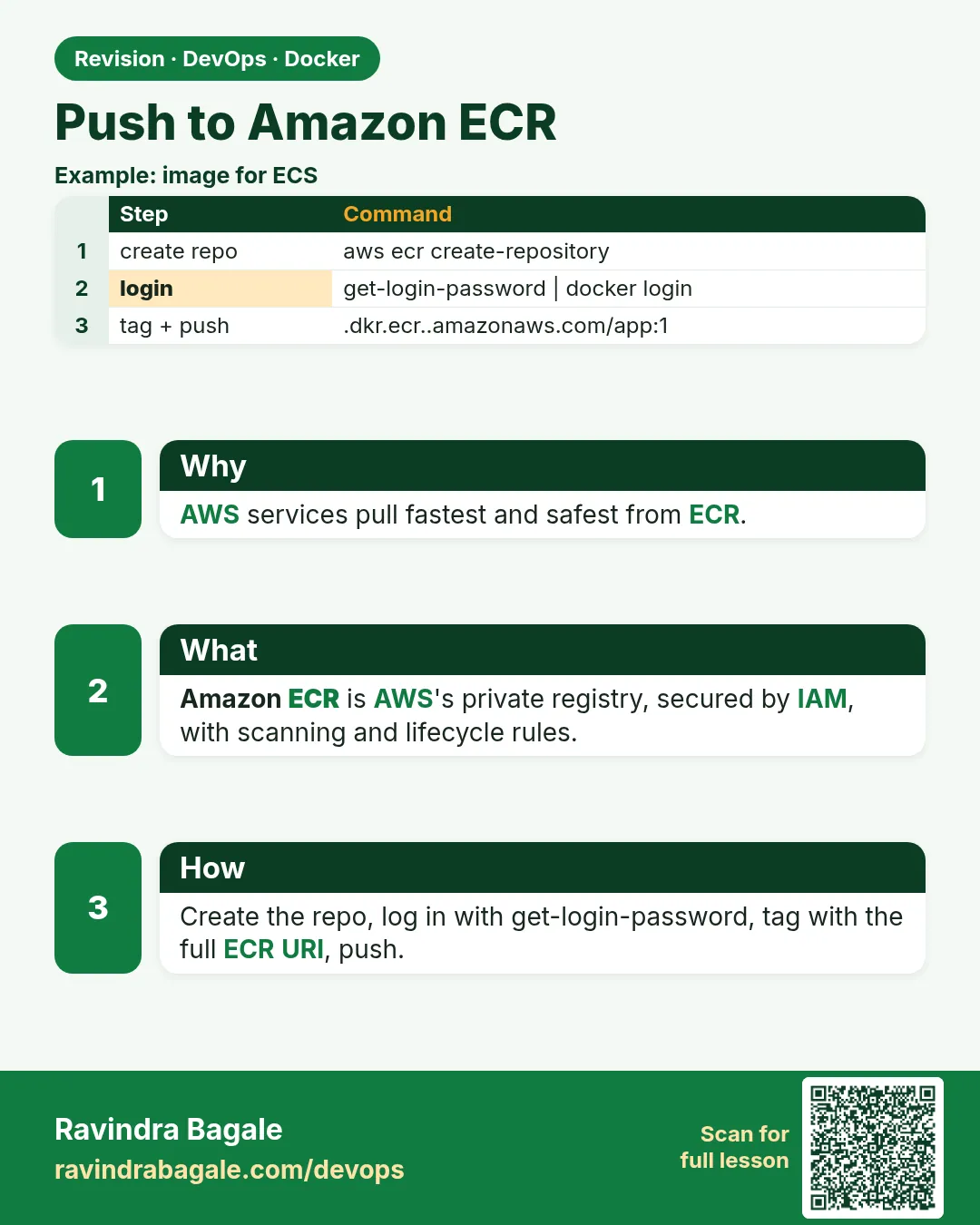 Revision card
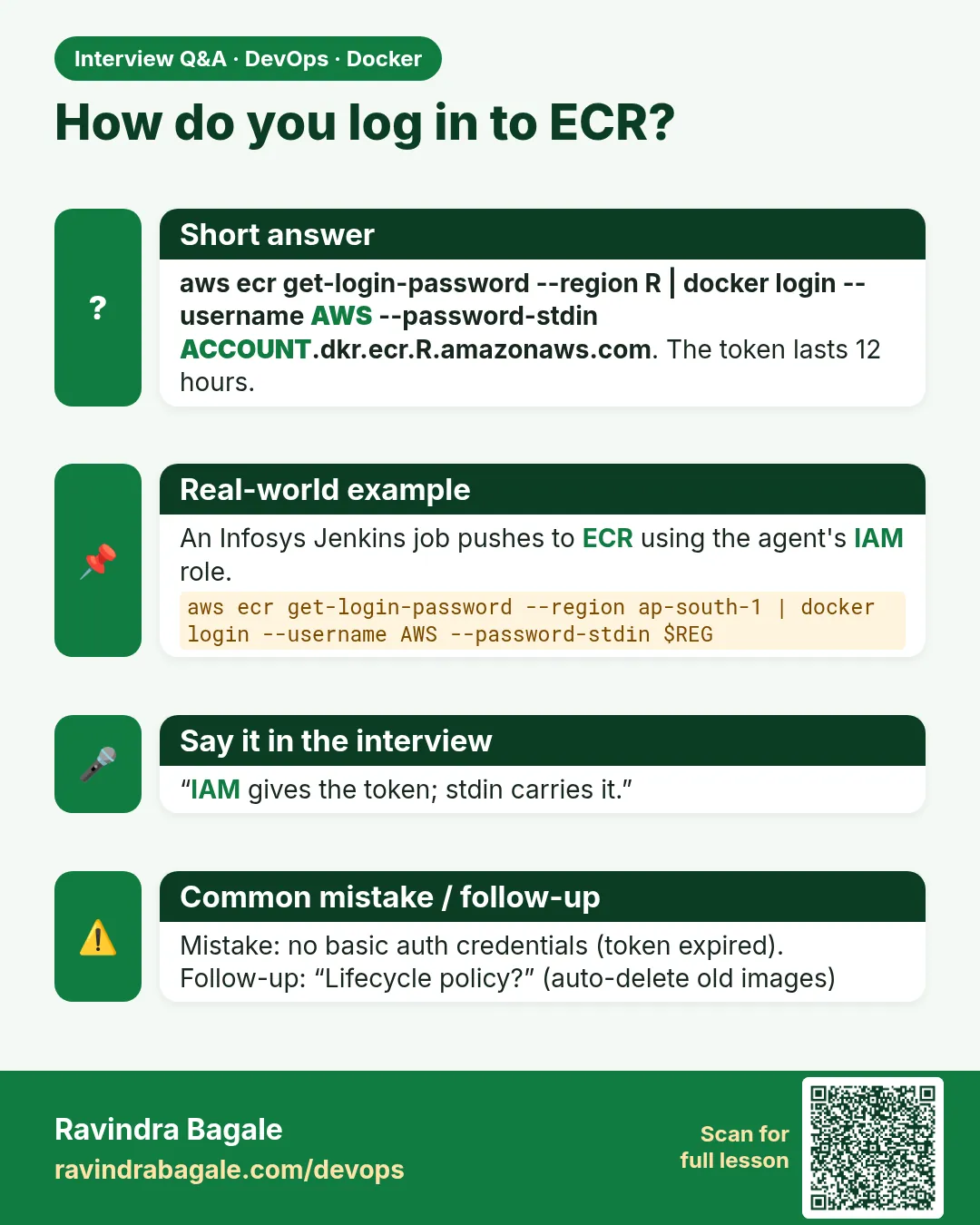 Interview card
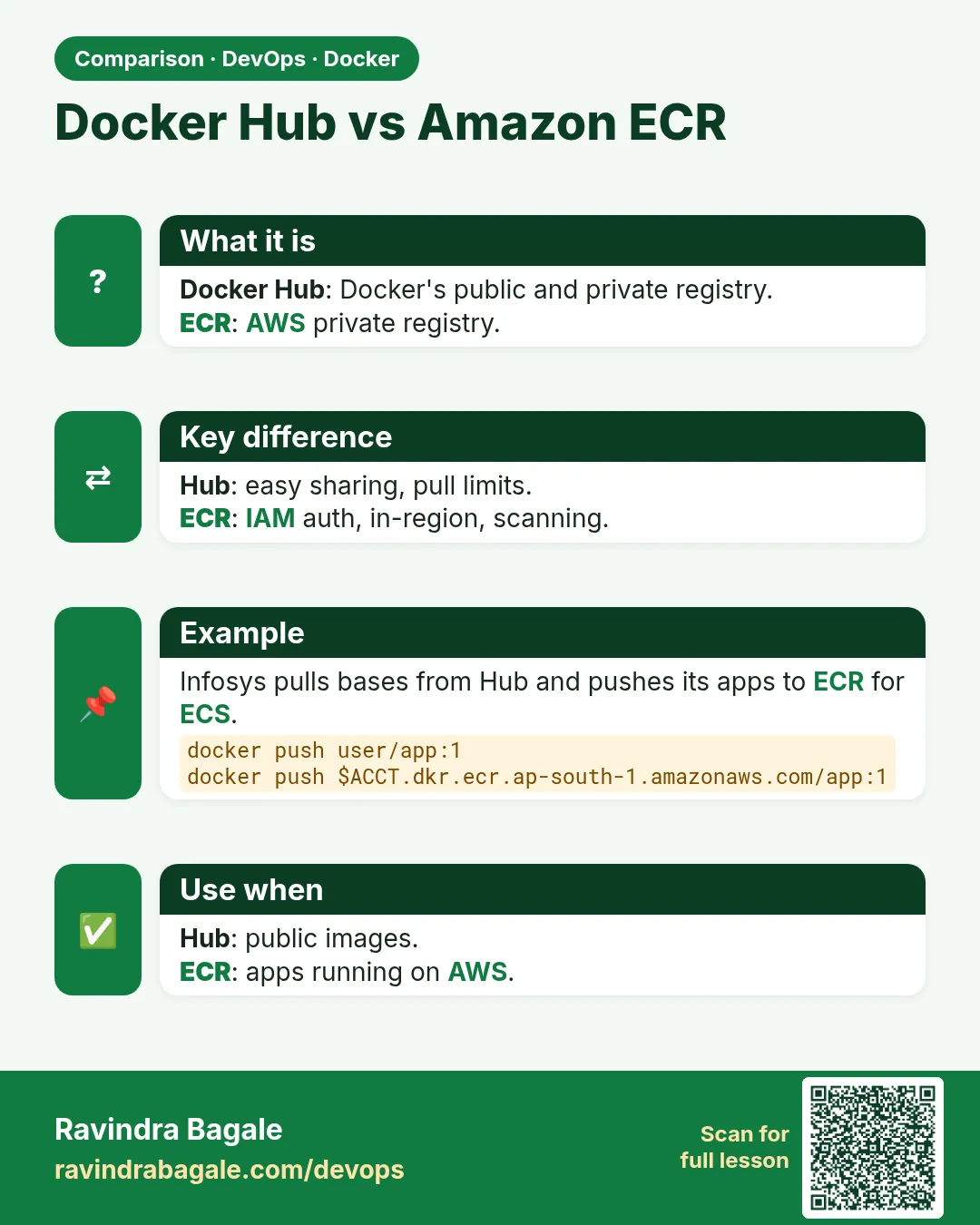 Comparison card