Excel HLOOKUP Function
Chala mitrano — hLOOKUP is VLOOKUP lying on its side. Keys across the top row, answer in a row below, and use FALSE for exact month names.
चला मित्रांनो — HLOOKUP म्हणजे बाजूला झोपलेले VLOOKUP. Keys वरच्या row मध्ये, उत्तर खालच्या row मध्ये, आणि महिन्यांसाठी FALSE वापरा.
चलो दोस्तों — HLOOKUP मतलब बगल में लेटा VLOOKUP. Keys ऊपरी row में, जवाब नीचे की row में, और महीनों के लिए FALSE इस्तेमाल करो.
Purpose
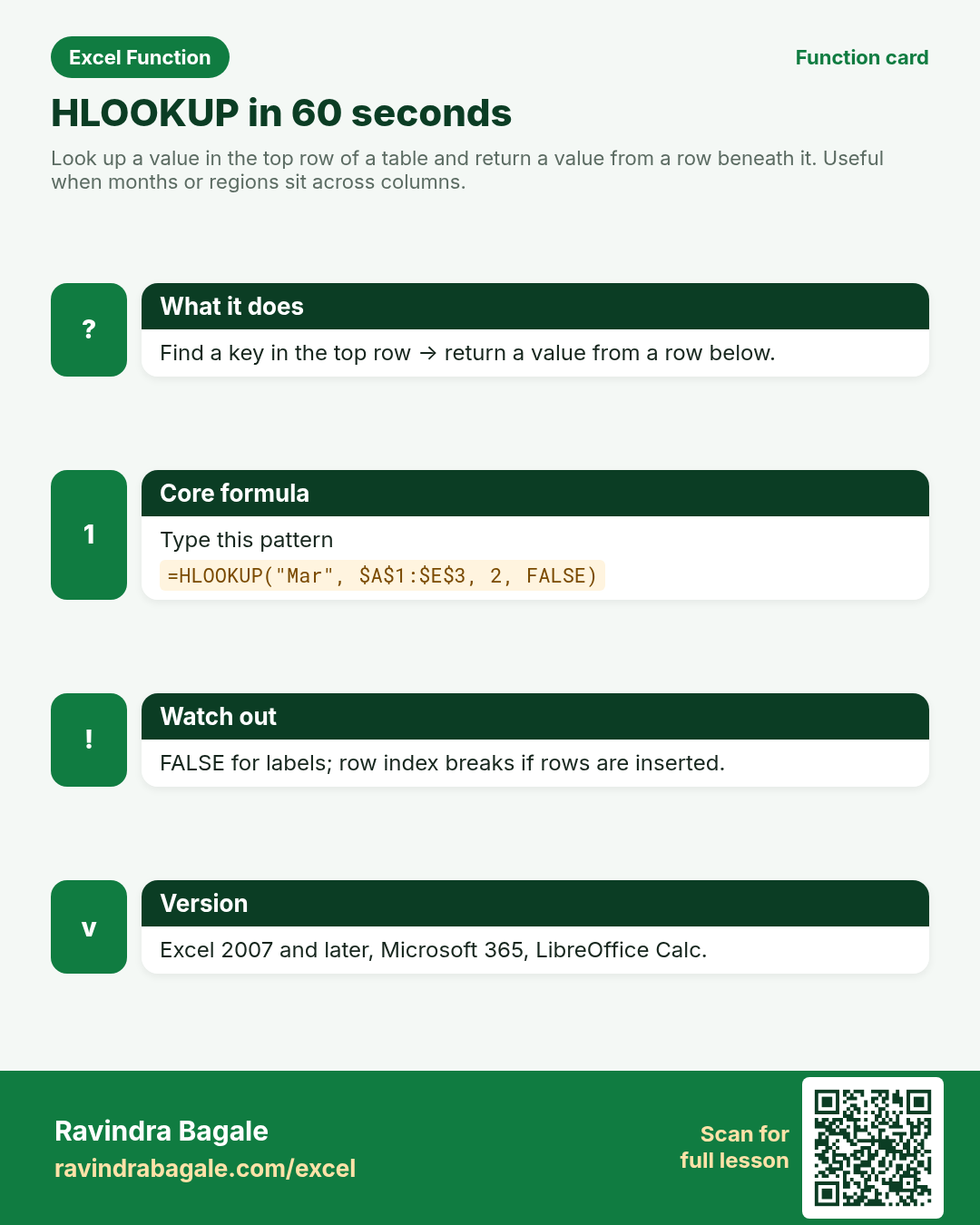
Look up a value in the top row of a table and return a value from a row beneath it. Useful when months or regions sit across columns.
Return value
The value from the chosen row of the matching column, or #N/A if nothing matches (exact mode).
Syntax
Arguments
| Argument | Required? | Description |
|---|---|---|
lookup_value | Required | The value to find in the first row of table_array (month name, region code, or a cell). |
table_array | Required | The table. Top row holds keys; return rows sit below. |
row_index_num | Required | Which row to return, counting from 1 at the top of table_array. |
range_lookup | Optional | FALSE = exact (preferred). TRUE = approximate; top row must be sorted ascending. |
Version
Excel 2007 and later, Microsoft 365, LibreOffice Calc. For modern work prefer XLOOKUP on a vertical list.
How to use — Why → What → How
Why: Dashboards often put Jan–Dec across columns. You need “Sales for Mar” without scanning every header. HLOOKUP shines on wide month grids — Jan to Dec across the top — common in textile MIS sheets from Surat and in UK showroom packs from Leeds. Row index 2 often holds Sales; row 3 h...
What: HLOOKUP finds lookup_value in the first row of table_array and returns the cell from row row_index_num of that column. Read the arguments table carefully; each one changes the answer in a specific way.
How — numbered steps:
- Click the answer cell.
- Type =HLOOKUP( then the month or region to find.
- Select the wide table (keys on the top row). Lock with F4.
- Type the row number to return (2 = first data row under the headers).
- Type FALSE, close, Enter.
- Compare your result with the Answers sheet only after you attempt it.
- Write one sentence in your own words explaining when you would use this function at work.
Ravindra Bagale's Tip
Friends, wide month headers are the classic HLOOKUP case. If your data is tall instead, transpose or use XLOOKUP — do not fight the shape.
Ravindra Bagale's Tip – मराठी
मित्रांनो, रुंद month headers हे HLOOKUP चे क्लासिक उदाहरण. Data उभा असेल तर transpose किंवा XLOOKUP वापरा.
Ravindra Bagale's Tip – हिंदी
दोस्तों, चौड़े month headers HLOOKUP का क्लासिक केस हैं. Data सीधा हो तो transpose या XLOOKUP इस्तेमाल करो.
Ravindra Bagale's Tip
Lock the table with $ before filling across. Row index is a number — inserting a row above the return row breaks it.
Ravindra Bagale's Tip – मराठी
Fill करण्यापूर्वी table ला $ लावा. Row index संख्या आहे — वर row insert झाली तर चुकीचे उत्तर येते.
Ravindra Bagale's Tip – हिंदी
Fill से पहले table को $ से लॉक करो. Row index संख्या है — ऊपर row insert हो तो गलत जवाब आता है.
Ravindra Bagale's Tip
Friends, after class open a blank sheet and rebuild one HLOOKUP example without looking. That memory test beats re-reading the page.
Ravindra Bagale's Tip – मराठी
मित्रांनो, class नंतर रिकाम्या sheet वर HLOOKUP चे एक उदाहरण न पाहता पुन्हा लिहा. हे memory test पृष्ठ पुन्हा वाचण्यापेक्षा जास्त मदत करते.
Ravindra Bagale's Tip – हिंदी
दोस्तों, class के बाद खाली sheet पर HLOOKUP का एक उदाहरण बिना देखे फिर से लिखो. यह memory test पेज दोबारा पढ़ने से ज़्यादा मदद करता है.
Download practice file: practice-hlookup.xlsx (includes sheet About this data, practice sheets, and Answers).
Worked examples
1) Exact — March sales
Surat textile monthly grid. Get Mar sales.
| Metric | Jan | Feb | Mar | Apr |
|---|---|---|---|---|
| Sales (₹) | 120000 | 135000 | 142000 | 128000 |
Result: 142000
What it means: Mar is found in the top row; row 2 of that column is returned.
2) Missing month → #N/A
Typo: May instead of Mar.
| Metric | Jan | Feb | Mar |
|---|---|---|---|
| Sales (₹) | 120000 | 135000 | 142000 |
Result: #N/A
What it means: No May header. Use IFNA for reports.
3) UK showroom — £ row
Same layout; Leeds showroom stores pounds on row 3.
| Metric | Jan | Feb | Mar |
|---|---|---|---|
| Sales (₹) | 120000 | 135000 | 142000 |
| Sales (£) | 1100 | 980 | 1250 |
Result: 980
What it means: Row index 3 returns the £ line for February.
4) IFNA friendly text
Manager typed Aug on a Q1-only sheet.
| Metric | Jan | Feb | Mar |
|---|---|---|---|
| Sales (₹) | 120000 | 135000 | 142000 |
Result: No month
What it means: IFNA replaces #N/A with clean wording.
5) Target row under the same months
Row 2 = Sales, row 3 = Target. Pull Mar target.
| Metric | Jan | Feb | Mar |
|---|---|---|---|
| Sales | 120000 | 135000 | 142000 |
| Target | 125000 | 130000 | 140000 |
Result: 140000
What it means: Same key row; different row_index_num picks Target.
6) Classroom recap
Quick check before you close the HLOOKUP lesson.
| Metric | Jan | Feb | Mar | Apr |
|---|---|---|---|---|
| Sales (₹) | 120000 | 135000 | 142000 | 128000 |
Result: 142000
What it means: Same pattern as example 1 — rebuild it from memory on the Practice sheet, then check Answers.
Common errors and fixes
Notes and tips
- HLOOKUP only returns rows below the key row — never above.
- For vertical lists, VLOOKUP / XLOOKUP are clearer; use HLOOKUP when the sheet is already wide.
- Duplicate headers: first match wins.
- HLOOKUP shines on wide month grids — Jan to Dec across the top — common in textile MIS sheets from Surat and in UK showroom packs from Leeds. Row index 2 often holds Sales; row 3 holds Target or a pound line. Exact FALSE is mandatory for month names because TRUE expects sorted ascending headers and text months are a poor fit. If your data is tall (months down column A), do not force HLOOKUP; use XLOOKUP or INDEX+MATCH on the vertical layout instead.
- HLOOKUP is to rows what VLOOKUP is to columns. Same pitfalls: numeric index, insert/delete shifts, approximate default. Prefer XLOOKUP when you can reshape.
- Fictional sample data only — practice amounts and names are made for learning.
- After you finish the 10 tasks, re-read the errors table once; most class mistakes are listed there.
- Keep ranges locked with absolute references when you copy formulas down a column of inputs.
- Say the business question in plain words before you type the equals sign — it prevents wrong arguments.
In real work
HLOOKUP shines on wide month grids — Jan to Dec across the top — common in textile MIS sheets from Surat and in UK showroom packs from Leeds. Row index 2 often holds Sales; row 3 holds Target or a pound line. Exact FALSE is mandatory for month names because TRUE expects sorted ascending headers and text months are a poor fit. If your data is tall (months down column A), do not force HLOOKUP; use XLOOKUP or INDEX+MATCH on the vertical layout instead.
How it compares
HLOOKUP is to rows what VLOOKUP is to columns. Same pitfalls: numeric index, insert/delete shifts, approximate default. Prefer XLOOKUP when you can reshape.
Interview corner
- When is HLOOKUP the right tool?
- When keys already sit across the top row and you need a value from a row beneath.
- What is the modern alternative?
- XLOOKUP on a vertical list, or INDEX+MATCH.
- Why is FALSE important for month labels?
- Omitting it defaults to approximate match, which mis-reads unsorted text headers.
Related functions
VLOOKUP, XLOOKUP, INDEX, MATCH
Practice tasks (10)
- Task 1. Return Mar sales (₹) from the Monthly sheet.Hint: keys are on row 1; sales on row 2.
- Task 2. Return Feb sales in £.Hint: £ line is a lower row — change row_index_num.
- Task 3. Look up Aug and show No month when missing.Hint: IFNA around HLOOKUP.
- Task 4. Return Mar Target (not Sales).Hint: Target is one row below Sales.
- Task 5. Lock the table and copy the formula across for Jan–Mar.Hint: F4 on table_array; lookup value can be a header cell.
- Task 6. Explain when you would prefer XLOOKUP instead of HLOOKUP.Hint: think about data shape and left/right returns.
- Task 7. Deliberately omit FALSE and write what happens on this sheet.Hint: compare side by side.
- Task 8. Return Jan sales with a cell reference as lookup_value (not typed text).Hint: point at the Jan header cell.
- Task 9. Fix a #REF! caused by row_index_num = 9 on a 3-row table.Hint: count real rows in the selection.
- Task 10. Bonus: return Apr sales if the column exists.Hint: extend table_array to include Apr.
Quick quiz
Answers: Q1=Top row, Q2=FALSE, Q3=The key row itself, Q4=False, Q5=XLOOKUP (check after you try).
Revision card
Standalone card (no tip or photo strip). QR opens this lesson. Download the PNG and revise offline.