54.9 Redis container with persistence and a password
Friends, Redis is the fast memory store behind sessions, caches, rate limits and queues. The default Redis container has no password and keeps data only in memory. Today we make it production-like, step by step: a config file, a password from a file, RDB and AOF persistence, a memory limit with an eviction policy, a healthcheck and dangerous commands turned off.
मित्रांनो, sessions, caches, rate limits आणि queues मागे असणारा वेगवान memory store म्हणजे Redis. Default Redis container ला password नसतो आणि data फक्त memory मध्ये असतो. आज त्याला production सारखा बनवूया, step by step: config file, file मधून password, RDB आणि AOF persistence, eviction policy सह memory limit, healthcheck आणि धोकादायक commands बंद.
दोस्तों, sessions, caches, rate limits और queues के पीछे रहने वाला तेज़ memory store है Redis. Default Redis container में password नहीं होता और data सिर्फ़ memory में रहता है. आज उसे production जैसा बनाएँगे, step by step: config file, file से password, RDB और AOF persistence, eviction policy के साथ memory limit, healthcheck और खतरनाक commands बंद.
1. Start from a story
At Ola, a pricing team keeps surge multipliers and user sessions in Redis. In a test environment it ran as plain docker run redis with port 6379 open.
One night an automated scanner on the internet found the open port, ran FLUSHALL and left a ransom note key. Another day the container restarted and every user was logged out because nothing was saved to disk.
Then memory filled up and Redis started refusing writes with OOM command not allowed.
Anil, the SRE, rebuilt it: a mounted redis.conf, requirepass from a secret file, AOF persistence on a named volume, maxmemory with an LRU policy, FLUSHALL renamed away, no public port and a healthcheck. Today we follow Anil's steps.
2. Run, secure and persist
Step 1: Plain Redis first
Why: Know the default.
What: Start Redis and use redis-cli inside the container.
Example 1: Run
Type this:
docker run -d --name r1 redis:7.4-alpine && docker exec r1 redis-cli PING
You will see:
PONG
What it means: It answers.
Example 2: Set and get
Type this:
docker exec r1 redis-cli SET city Pune && docker exec r1 redis-cli GET city
You will see:
OK
Pune
What it means: A key and a value.
Example 3: No password
Type this:
docker exec r1 redis-cli CONFIG GET requirepass
You will see:
requirepass
What it means: Empty: anyone who can reach it can do anything.
Step 2: Mount a config file
Why: All settings in one place.
What: The image starts with no config file. We write redis.conf and start redis-server with it.
Example 4: Write redis.conf
Type this:
mkdir -p redis && printf '%s\n' 'bind 0.0.0.0' 'protected-mode yes' 'port 6379' 'dir /data' > redis/redis.conf && cat redis/redis.conf
You will see:
bind 0.0.0.0
protected-mode yes
port 6379
dir /data
What it means: bind 0.0.0.0 is fine inside a private Docker network.
Example 5: Start with it
Type this:
docker rm -f r1 && docker run -d --name r1 -v "$PWD/redis/redis.conf":/usr/local/etc/redis/redis.conf:ro redis:7.4-alpine redis-server /usr/local/etc/redis/redis.conf && docker exec r1 redis-cli CONFIG GET dir
You will see:
dir
/data
What it means: Our file is loaded.
Example 6: Read-only mount
Type this:
docker exec r1 sh -c 'echo x >> /usr/local/etc/redis/redis.conf' 2>&1
You will see:
sh: can't create /usr/local/etc/redis/redis.conf: Read-only file system
What it means: :ro protects the config.
Step 3: A password from a secret file
Why: No password in the command line.
What: redis.conf can include another file. We keep the requirepass line in a separate secret file with 0600 mode.
Example 7: Secret file
Type this:
printf 'requirepass example-only-redis\n' > redis/secret.conf && chmod 600 redis/secret.conf && printf '%s\n' 'include /run/secrets/redis_secret' >> redis/redis.conf && tail -1 redis/redis.conf
You will see:
include /run/secrets/redis_secret
What it means: Example value only.
Example 8: Mount and test
Type this:
docker rm -f r1 && docker run -d --name r1 -v "$PWD/redis/redis.conf":/usr/local/etc/redis/redis.conf:ro -v "$PWD/redis/secret.conf":/run/secrets/redis_secret:ro redis:7.4-alpine redis-server /usr/local/etc/redis/redis.conf && docker exec r1 redis-cli PING
You will see:
NOAUTH Authentication required.
What it means: Now a password is required.
Example 9: Authenticate
Type this:
docker exec -e REDISCLI_AUTH=example-only-redis r1 redis-cli PING
You will see:
PONG
What it means: REDISCLI_AUTH keeps the password out of shell history and ps.
Step 4: ACL users
Why: Different rights for different apps.
What: Redis 6 and newer support users. The pricing app can read and write, a reporting tool can only read.
Example 10: Create users
Type this:
docker exec -e REDISCLI_AUTH=example-only-redis r1 redis-cli ACL SETUSER pricing on '>example-only-pricing' '~surge:*' '+@read' '+@write' && docker exec -e REDISCLI_AUTH=example-only-redis r1 redis-cli ACL SETUSER report on '>example-only-report' '~*' '+@read'
You will see:
OK
OK
What it means: pricing may only touch keys starting with surge:.
Example 11: Test limits
Type this:
docker exec r1 redis-cli --user report --pass example-only-report SET x 1 2>/dev/null
You will see:
NOPERM User report has no permissions to run the 'set' command
What it means: Read-only works.
Example 12: List users
Type this:
docker exec -e REDISCLI_AUTH=example-only-redis r1 redis-cli ACL LIST | cut -d' ' -f1-3
You will see:
user default on
user pricing on
user report on
What it means: Save them with ACL SAVE and an aclfile in real setups.
Step 5: RDB snapshots
Why: Point-in-time copies.
What: RDB saves the whole dataset to dump.rdb on a schedule. Put /data on a named volume.
Example 13: Add save rules
Type this:
printf '%s\n' 'save 900 1' 'save 300 100' 'dbfilename dump.rdb' >> redis/redis.conf && grep save redis/redis.conf
You will see:
save 900 1
save 300 100
What it means: After 900 s if 1 key changed, after 300 s if 100 changed.
Example 14: Volume
Type this:
docker rm -f r1 && docker run -d --name r1 -v redis-data:/data -v "$PWD/redis/redis.conf":/usr/local/etc/redis/redis.conf:ro -v "$PWD/redis/secret.conf":/run/secrets/redis_secret:ro redis:7.4-alpine redis-server /usr/local/etc/redis/redis.conf && docker exec -e REDISCLI_AUTH=example-only-redis r1 redis-cli SET session:42 ravi && docker exec -e REDISCLI_AUTH=example-only-redis r1 redis-cli SAVE
You will see:
OK
OK
What it means: SAVE forces a snapshot now.
Example 15: Survives recreate
Type this:
docker rm -f r1 && docker run -d --name r1 -v redis-data:/data -v "$PWD/redis/redis.conf":/usr/local/etc/redis/redis.conf:ro -v "$PWD/redis/secret.conf":/run/secrets/redis_secret:ro redis:7.4-alpine redis-server /usr/local/etc/redis/redis.conf && sleep 1 && docker exec -e REDISCLI_AUTH=example-only-redis r1 redis-cli GET session:42
You will see:
ravi
What it means: Loaded from dump.rdb.
Step 6: AOF for less data loss
Why: Every write logged.
What: RDB can lose minutes of writes. The append-only file logs every write; with everysec you lose at most one second.
Example 16: Enable AOF
Type this:
printf '%s\n' 'appendonly yes' 'appendfsync everysec' >> redis/redis.conf && docker restart r1 && docker exec -e REDISCLI_AUTH=example-only-redis r1 redis-cli CONFIG GET appendonly
You will see:
appendonly
yes
What it means: Both RDB and AOF on is the common choice.
Example 17: Files on the volume
Type this:
docker exec r1 ls /data /data/appendonlydir
You will see:
/data:
appendonlydir
dump.rdb

/data/appendonlydir:
appendonly.aof.1.base.rdb
appendonly.aof.1.incr.aof
appendonly.aof.manifest
What it means: Redis 7 uses a folder of AOF files.
Example 18: Crash test
Type this:
docker exec -e REDISCLI_AUTH=example-only-redis r1 redis-cli SET surge:pune 1.4 && sleep 2 && docker kill r1 && docker start r1 && sleep 1 && docker exec -e REDISCLI_AUTH=example-only-redis r1 redis-cli GET surge:pune
You will see:
OK
r1
r1
1.4
What it means: Even after a hard kill the key is back.
3. Memory, safety and Compose
Step 7: maxmemory and eviction
Why: Never fill the host.
What: Set maxmemory below the container limit and pick a policy. For a cache, allkeys-lru is the usual choice.
Example 19: Set it
Type this:
printf '%s\n' 'maxmemory 256mb' 'maxmemory-policy allkeys-lru' >> redis/redis.conf && docker restart r1 && docker exec -e REDISCLI_AUTH=example-only-redis r1 redis-cli CONFIG GET maxmemory-policy
You will see:
maxmemory-policy
allkeys-lru
What it means: Old keys are removed when full.
Example 20: Container limit
Type this:
docker update --memory 384m --memory-swap 384m r1 && docker inspect r1 --format '{{.HostConfig.Memory}}'
You will see:
402653184
What it means: 384 MB leaves room for forks during saves.
Example 21: Watch evictions
Type this:
docker exec -e REDISCLI_AUTH=example-only-redis r1 redis-cli INFO stats | grep evicted_keys
You will see:
evicted_keys:0
What it means: Grows when Redis removes keys to make room.
Step 8: Key expiry with TTL
Why: Sessions that clean themselves.
What: Most cache and session keys should expire. Set a TTL when you write them.
Example 22: Set with expiry
Type this:
docker exec -e REDISCLI_AUTH=example-only-redis r1 redis-cli SET session:77 asha EX 1800
You will see:
OK
What it means: Gone after 30 minutes.
Example 23: Check TTL
Type this:
docker exec -e REDISCLI_AUTH=example-only-redis r1 redis-cli TTL session:77
You will see:
(integer) 1799
What it means: Seconds left.
Example 24: Keys without TTL
Type this:
docker exec -e REDISCLI_AUTH=example-only-redis r1 redis-cli TTL session:42
You will see:
(integer) -1
What it means: -1 means it never expires. Find these with SCAN in a quiet hour.
Step 9: Disable dangerous commands
Why: Stop FLUSHALL accidents.
What: Rename FLUSHALL, FLUSHDB and CONFIG to an empty string so they cannot be run. Better still, use ACLs that deny them.
Example 25: Rename
Type this:
printf '%s\n' 'rename-command FLUSHALL ""' 'rename-command FLUSHDB ""' >> redis/redis.conf && docker restart r1 && docker exec -e REDISCLI_AUTH=example-only-redis r1 redis-cli FLUSHALL
You will see:
ERR unknown command 'FLUSHALL', with args beginning with:
What it means: The scanner from the story would fail now.
Example 26: ACL way
Type this:
docker exec -e REDISCLI_AUTH=example-only-redis r1 redis-cli ACL SETUSER pricing '-@dangerous'
You will see:
OK
What it means: Removes FLUSHALL, KEYS, DEBUG and more for this user.
Example 27: Never publish 6379
Type this:
docker port r1 || echo 'no published ports'
You will see:
no published ports
What it means: Apps on the same network reach redis:6379.
Step 10: Redis in Compose with a healthcheck
Why: The full service.
What: Put everything together. The healthcheck uses REDISCLI_AUTH from the secret file.
Example 28: Service
Type this:
printf '%s\n' 'services:' ' redis:' ' image: redis:7.4-alpine' ' command: ["redis-server", "/usr/local/etc/redis/redis.conf"]' ' volumes:' ' - redis-data:/data' ' - ./redis/redis.conf:/usr/local/etc/redis/redis.conf:ro' ' secrets: [redis_secret]' ' healthcheck:' ' test: ["CMD-SHELL", "REDISCLI_AUTH=$$(cut -d\" \" -f2 /run/secrets/redis_secret) redis-cli ping | grep -q PONG"]' ' interval: 5s' ' deploy: {resources: {limits: {memory: 384m}}}' 'secrets: {redis_secret: {file: ./redis/secret.conf}}' 'volumes: {redis-data: {}}' > compose.yaml && docker compose config -q && echo valid
You will see:
valid
What it means: $$ stops Compose from treating it as its own variable.
Example 29: Up
Type this:
docker rm -f r1 && docker compose up -d --wait 2>&1 | tail -1
You will see:
✔ Container cache-redis-1 Healthy
What it means: Healthy only after AUTH and PING succeed.
Example 30: App connection string
Type this:
printf 'REDIS_URL=redis://pricing:example-only-pricing@redis:6379/0\n'
You will see:
REDIS_URL=redis://pricing:example-only-pricing@redis:6379/0
What it means: Example only; keep the real one in a secret.
Step 11: Monitor and back up
Why: See problems early.
What: INFO shows memory and clients. Copying dump.rdb from the volume is a simple backup.
Example 31: Memory
Type this:
docker compose exec redis sh -c 'REDISCLI_AUTH=example-only-redis redis-cli INFO memory' | grep -E 'used_memory_human|maxmemory_human'
You will see:
used_memory_human:1.02M
maxmemory_human:256.00M
What it means: Well under the limit.
Example 32: Slow log
Type this:
docker compose exec redis sh -c 'REDISCLI_AUTH=example-only-redis redis-cli SLOWLOG GET 2'
You will see:
(empty array)
What it means: Commands slower than 10 ms show up here.
Example 33: Backup
Type this:
docker compose exec redis sh -c 'REDISCLI_AUTH=example-only-redis redis-cli BGSAVE' && sleep 2 && docker run --rm -v cache_redis-data:/data -v "$PWD":/backup alpine cp /data/dump.rdb /backup/redis-$(date +%F).rdb && ls redis-*.rdb
You will see:
Background saving started
redis-2026-10-25.rdb
What it means: Copy it off the host afterwards.
Step 12: Redis Stack and Valkey
Why: Know the options.
What: redis/redis-stack adds JSON, search and a browser UI for development. Valkey is the open source fork of Redis used by AWS ElastiCache.
Example 34: Redis Stack
Type this:
docker run -d --name stack -p 127.0.0.1:8001:8001 redis/redis-stack:latest && sleep 3 && curl -s -o /dev/null -w '%{http_code}\n' localhost:8001
You will see:
200
What it means: RedisInsight UI on localhost only.
Example 35: Valkey
Type this:
docker run -d --name vk valkey/valkey:8-alpine && docker exec vk valkey-cli PING
You will see:
PONG
What it means: Same commands, same protocol.
Example 36: Managed in AWS
Type this:
printf 'Production on AWS: ElastiCache for Valkey or Redis OSS, with TLS and AUTH on.\n'
You will see:
Production on AWS: ElastiCache for Valkey or Redis OSS, with TLS and AUTH on.
What it means: Containers for dev and test, managed for big production.
4. Common mistakes and how Anil avoids them
Mistake one: no password and an open port. Anil uses requirepass from a secret and never publishes 6379.
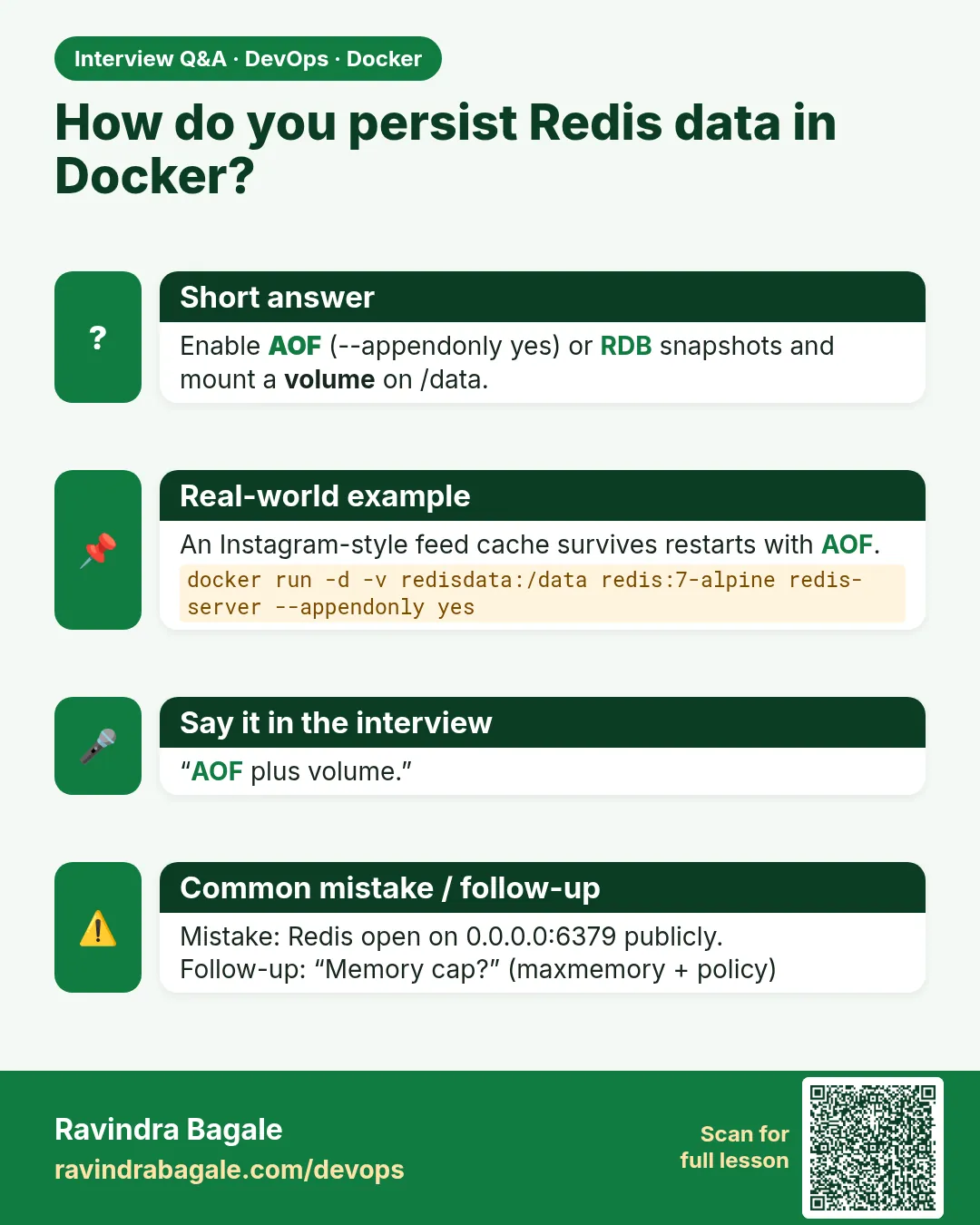
Mistake two: no volume, so a restart logs everyone out. He uses AOF and RDB on /data.
Mistake three: no maxmemory. He sets it with a policy that matches the use.
Mistake four: keys without TTL that grow forever. He sets EX on every cache write.
Mistake five: FLUSHALL available to every client. He renames it and limits users with ACLs.
Check yourself
Q1. What is the difference between RDB and AOF?
RDB is a periodic snapshot; AOF logs every write.
Q2. Which policy suits a cache?
allkeys-lru.
Q3. How do you pass the password to redis-cli safely?
The REDISCLI_AUTH environment variable.
Q4. Where does the official image keep data?
/data.
Friends, config file mounted read-only, password from a secret, ACL users, RDB plus AOF on a volume, maxmemory with a policy, TTLs, dangerous commands off and no public port. Did you understand? Let us try it once more. Kill your Redis container and prove the keys come back.
मित्रांनो, read-only config file, secret मधून password, ACL users, volume वर RDB आणि AOF, policy सह maxmemory, TTL, धोकादायक commands बंद आणि public port नाही. समजलं का? चला, पुन्हा एकदा करून पाहू. Redis container kill करा आणि keys परत येतात हे सिद्ध करा.
दोस्तों, read-only config file, secret से password, ACL users, volume पर RDB और AOF, policy के साथ maxmemory, TTL, खतरनाक commands बंद और public port नहीं. समझ आया? चलिए, एक बार फिर करके देखते हैं। Redis container kill कीजिए और साबित कीजिए कि keys वापस आती हैं.
Ravindra Bagale's Tip
Decide first: is this Redis a cache or a database? A cache can lose data and uses allkeys-lru. A queue or session store must not, so use AOF and noeviction.
आधी ठरवा: हा Redis cache आहे की database? Cache चा data गेला तरी चालतो, allkeys-lru वापरा. Queue किंवा session store चा data जाऊ नये, म्हणून AOF आणि noeviction वापरा.
पहले तय कीजिए: यह Redis cache है या database? Cache का data जाए तो चलता है, allkeys-lru इस्तेमाल कीजिए. Queue या session store का data नहीं जाना चाहिए, इसलिए AOF और noeviction इस्तेमाल कीजिए.
Lab: try at home
- Run plain Redis and confirm there is no password.
- Mount redis.conf and a secret file with requirepass.
- Create a read-only ACL user and test it.
- Enable AOF, kill the container and check your keys.
- Set maxmemory and allkeys-lru, then watch evicted_keys.
- Write the Compose service with a healthcheck and back up dump.rdb.
Recap
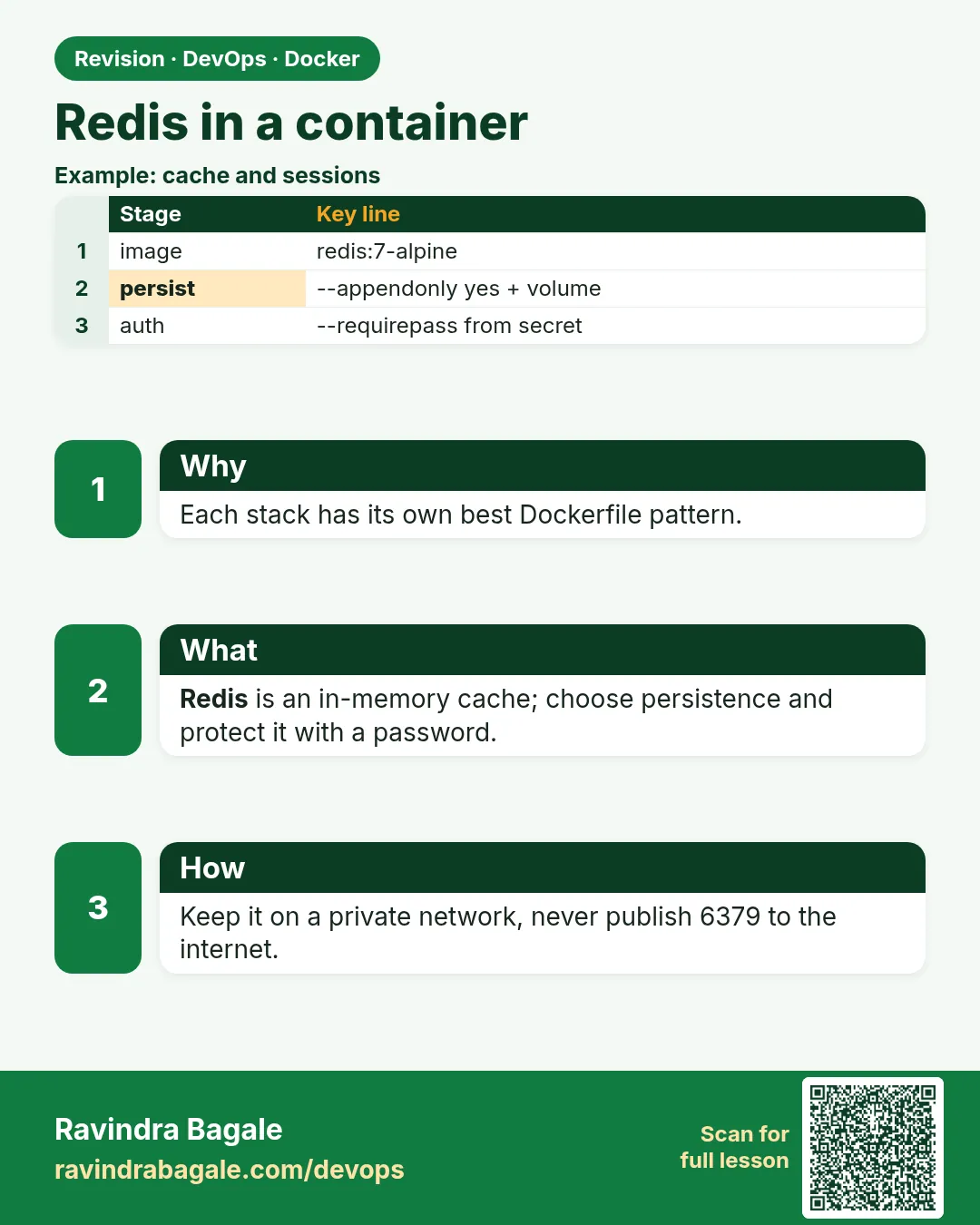
- Mount redis.conf read-only.
- requirepass from a secret, REDISCLI_AUTH for the CLI.
- RDB plus AOF on a named /data volume.
- maxmemory with the right eviction policy.
- TTLs on cache keys, dangerous commands disabled.
- No public port; healthcheck in Compose.
 Revision card
 Interview card