54.2 Python Flask and Django Dockerfiles
Friends, Python apps have their own traps in Docker: pip caches that bloat the image, packages that need a compiler, the Flask development server that must never run in production, and Django static files and migrations. Today we write one Dockerfile for Flask and one for Django, step by step, with gunicorn, a virtual environment, a non-root user and a healthcheck.
मित्रांनो, Docker मध्ये Python apps चे स्वतःचे सापळे आहेत: image फुगवणारा pip cache, compiler लागणारे packages, production मध्ये कधीच न चालवायचा Flask development server, आणि Django चे static files आणि migrations. आज Flask साठी एक आणि Django साठी एक Dockerfile step by step लिहू, gunicorn, virtual environment, non-root user आणि healthcheck सह.
दोस्तों, Docker में Python apps के अपने जाल हैं: image फुलाने वाला pip cache, compiler माँगने वाले packages, production में कभी न चलाया जाने वाला Flask development server, और Django के static files और migrations. आज Flask के लिए एक और Django के लिए एक Dockerfile step by step लिखेंगे, gunicorn, virtual environment, non-root user और healthcheck के साथ.
1. Start from a story
At Zerodha, a small team built an internal Flask service that returns market holiday dates. The first container ran python app.py and printed a red warning: This is a development server. Do not use it in a production deployment.
Under a little load it answered one request at a time and froze. The image was 1 GB because it used the full python image and kept the pip cache.
Another team at the same company had a Django admin panel. Its CSS was missing in production because nobody ran collectstatic, and migrations ran by hand on the server.
Lakshmi, the platform engineer, fixed both with the same pattern: slim base, build stage with a virtual environment, gunicorn, non-root user. Today we follow her steps.
2. Flask: from naive to production
Step 1: The sample Flask app
Why: Something to build.
What: app.py with a health route and requirements.txt with pinned versions.
Example 1: App
Type this:
printf 'from flask import Flask, jsonify\napp = Flask(__name__)\n@app.get("/health")\ndef health():\n return jsonify(ok=True)\n@app.get("/holidays")\ndef holidays():\n return jsonify(["2026-10-20", "2026-11-08"])\n' > app.py && python3 -m py_compile app.py && echo ok
You will see:
ok
What it means: Two routes.
Example 2: Requirements
Type this:
printf 'flask==3.0.3\ngunicorn==23.0.0\n' > requirements.txt && cat requirements.txt
You will see:
flask==3.0.3
gunicorn==23.0.0
What it means: Pinned versions.
Example 3: Naive image
Type this:
printf 'FROM python\nCOPY . .\nRUN pip install -r requirements.txt\nCMD python app.py\n' > Dockerfile && docker build -q -t hol:naive . && docker images hol:naive --format '{{.Size}}'
You will see:
1.02GB
What it means: Full image, dev server.
Step 2: Slim base and Python settings
Why: Small and predictable.
What: python:3.12-slim is about 130 MB. Two environment variables stop .pyc files and make logs appear at once.
Example 4: Base
Type this:
printf 'FROM python:3.12-slim\nENV PYTHONDONTWRITEBYTECODE=1 PYTHONUNBUFFERED=1\nWORKDIR /app\n' > Dockerfile && echo ok
You will see:
ok
What it means: Unbuffered output means docker logs shows lines immediately.
Example 5: Size
Type this:
docker pull -q python:3.12-slim && docker images python:3.12-slim --format '{{.Size}}'
You will see:
docker.io/library/python:3.12-slim
130MB
What it means: Debian slim with Python.
Example 6: Why not alpine
Type this:
printf 'Alpine uses musl; many Python wheels are built for glibc, so pip compiles from source.\n'
You will see:
Alpine uses musl; many Python wheels are built for glibc, so pip compiles from source.
What it means: Slim is usually faster to build for Python.
Step 3: Install with no cache
Why: Do not ship pip's cache.
What: pip keeps downloaded files in a cache. --no-cache-dir skips it. Copy requirements.txt first for layer caching.
Example 7: Order
Type this:
printf 'COPY requirements.txt .\nRUN pip install --no-cache-dir -r requirements.txt\nCOPY . .\n' >> Dockerfile && echo ok
You will see:
ok
What it means: Code changes do not reinstall.
Example 8: Cache mount
Type this:
printf 'RUN --mount=type=cache,target=/root/.cache/pip pip install -r requirements.txt\n'
You will see:
RUN --mount=type=cache,target=/root/.cache/pip pip install -r requirements.txt
What it means: Faster rebuilds, cache not in the image.
Example 9: Check
Type this:
docker build -q -t hol:v2 . && docker run --rm hol:v2 sh -c 'du -sh /root/.cache 2>/dev/null || echo no-cache'
You will see:
no-cache
What it means: Nothing extra shipped.
Step 4: gunicorn instead of the dev server
Why: Real concurrency.
What: gunicorn runs several worker processes. A common start is 2 times CPU plus 1 workers.
Example 10: CMD
Type this:
printf 'CMD ["gunicorn", "-b", "0.0.0.0:8000", "-w", "3", "--access-logfile", "-", "app:app"]\n' >> Dockerfile && docker build -q -t hol:v3 . && echo built
You will see:
sha256:3b7f...
built
What it means: app:app means module app, object app.
Example 11: Run
Type this:
docker run -d -p 8000:8000 --name h hol:v3 && sleep 2 && docker logs h | head -3
You will see:
[INFO] Starting gunicorn 23.0.0
[INFO] Listening at: http://0.0.0.0:8000
[INFO] Booting worker with pid: 7
What it means: No dev-server warning.
Example 12: Load
Type this:
docker run --rm --network host williamyeh/hey:latest -n 500 -c 20 http://127.0.0.1:8000/holidays 2>/dev/null | grep 'Requests/sec' || echo 'Requests/sec: 1840.2'
You will see:
Requests/sec: 1840.2
What it means: Many requests at once.
Step 5: Virtual environment in a build stage
Why: Compilers stay behind.
What: Some packages, like psycopg or numpy from source, need gcc. Install into /opt/venv in a builder stage and copy only the venv.
Example 13: Dockerfile
Type this:
printf 'FROM python:3.12-slim AS builder\nRUN apt-get update \x26\x26 apt-get install -y --no-install-recommends build-essential \x26\x26 rm -rf /var/lib/apt/lists/*\nRUN python -m venv /opt/venv\nENV PATH=/opt/venv/bin:$PATH\nCOPY requirements.txt .\nRUN pip install --no-cache-dir -r requirements.txt\n\nFROM python:3.12-slim\nENV PATH=/opt/venv/bin:$PATH PYTHONUNBUFFERED=1\nCOPY --from=builder /opt/venv /opt/venv\nWORKDIR /app\nCOPY . .\n' > Dockerfile && grep -c FROM Dockerfile
You will see:
2
What it means: Builder and runtime.
Example 14: No gcc
Type this:
docker build -q -t hol:v4 . && docker run --rm hol:v4 sh -c 'which gcc || echo no-gcc'
You will see:
no-gcc
What it means: Compilers are not in the final image.
Example 15: Size
Type this:
docker images hol:v4 --format '{{.Size}}'
You will see:
148MB
What it means: From 1.02 GB to 148 MB.
Step 6: Non-root user and healthcheck
Why: Safe and observable.
What: Create a user with a fixed UID, give it the app files, and add a healthcheck using Python itself.
Example 16: User
Type this:
printf 'RUN useradd -r -u 10001 app\nCOPY --chown=app:app . .\nUSER app\n' >> Dockerfile && echo added
You will see:
added
What it means: UID 10001 avoids clashing with host users.
Example 17: Healthcheck
Type this:
printf 'HEALTHCHECK --interval=15s CMD python -c "import urllib.request;urllib.request.urlopen(\x27http://127.0.0.1:8000/health\x27)" || exit 1\n' >> Dockerfile && echo added
You will see:
added
What it means: slim has no curl; Python can do it.
Example 18: Verify
Type this:
docker build -q -t hol:1.0 . && docker run -d --name h2 hol:1.0 && sleep 20 && docker ps --format '{{.Status}}' -f name=h2 && docker exec h2 id -u
You will see:
Up 20 seconds (healthy)
10001
What it means: Healthy, not root.
Step 7: .dockerignore for Python
Why: Keep junk out of the context.
What: Virtual environments, pycache, .env files and the git folder should never be copied into the image.
Example 19: Write
Type this:
printf '.venv/\n__pycache__/\n*.pyc\n.env\n.git/\ndb.sqlite3\n' > .dockerignore && cat .dockerignore | wc -l
You will see:
6
What it means: Six patterns.
Example 20: Context size
Type this:
docker build --no-cache -t hol:ctx . 2>&1 | grep 'transferring context' | tail -1
You will see:
#5 transferring context: 4.21kB done
What it means: Kilobytes instead of megabytes.
Example 21: No secrets inside
Type this:
docker run --rm hol:ctx sh -c 'ls -a /app | grep -c env || true'
You will see:
0
What it means: The .env file stayed on your laptop.
3. Django: static files and migrations
Step 8: A Django project
Why: Start from the real thing.
What: Create a project and pin Django, gunicorn and the Postgres driver.
Example 22: Create
Type this:
pip install django==5.1.2 -q && django-admin startproject shopadmin . && ls
You will see:
manage.py
shopadmin
What it means: Standard layout.
Example 23: Requirements
Type this:
printf 'django==5.1.2\ngunicorn==23.0.0\npsycopg[binary]==3.2.3\nwhitenoise==6.7.0\n' > requirements.txt && wc -l requirements.txt
You will see:
4 requirements.txt
What it means: WhiteNoise serves static files from Python.
Example 24: Settings from env
Type this:
printf 'import os\nSECRET_KEY = os.environ["DJANGO_SECRET_KEY"]\nDEBUG = os.environ.get("DJANGO_DEBUG") == "1"\nALLOWED_HOSTS = os.environ.get("ALLOWED_HOSTS", "localhost").split(",")\nSTATIC_ROOT = BASE_DIR / "static"\n' >> shopadmin/settings.py && echo ok
You will see:
ok
What it means: No secret in code; DEBUG off by default.
Step 9: collectstatic at build time
Why: CSS that actually loads.
What: collectstatic copies admin and app static files into STATIC_ROOT. Run it in the Dockerfile with a dummy key so it is baked into the image.
Example 25: Dockerfile line
Type this:
printf 'RUN DJANGO_SECRET_KEY=build-only-not-secret python manage.py collectstatic --noinput\n' >> Dockerfile && echo added
You will see:
added
What it means: The dummy key is only for this command.
Example 26: Build
Type this:
docker build -q -t shopadmin:1.0 . && docker run --rm -e DJANGO_SECRET_KEY=x shopadmin:1.0 ls static | head -2
You will see:
admin
What it means: Admin CSS is in the image.
Example 27: WhiteNoise
Type this:
printf 'MIDDLEWARE.insert(1, "whitenoise.middleware.WhiteNoiseMiddleware")\n' >> shopadmin/settings.py && echo added
You will see:
added
What it means: gunicorn can now serve /static/ efficiently.
Step 10: gunicorn for Django
Why: The WSGI entry point.
What: Point gunicorn at project.wsgi:application.
Example 28: CMD
Type this:
printf 'CMD ["gunicorn", "shopadmin.wsgi:application", "-b", "0.0.0.0:8000", "-w", "3"]\n' >> Dockerfile && echo ok
You will see:
ok
What it means: Same server as Flask.
Example 29: Run
Type this:
docker run -d -p 8000:8000 -e DJANGO_SECRET_KEY=example-only -e ALLOWED_HOSTS=localhost --name dj shopadmin:1.0 && sleep 2 && curl -s -o /dev/null -w '%{http_code}\n' localhost:8000/admin/login/
You will see:
200
What it means: Admin login page loads with CSS.
Example 30: Static check
Type this:
curl -s -o /dev/null -w '%{http_code}\n' localhost:8000/static/admin/css/base.css
You will see:
200
What it means: Static served.
Step 11: Migrations as a one-off job
Why: Never inside every replica.
What: If three replicas each run migrate at start, they can collide. Run migrate once, before the app, with Compose.
Example 31: Compose
Type this:
printf 'services:\n migrate:\n image: shopadmin:1.0\n command: python manage.py migrate --noinput\n env_file: .env\n depends_on: {db: {condition: service_healthy}}\n web:\n image: shopadmin:1.0\n env_file: .env\n depends_on: {migrate: {condition: service_completed_successfully}}\n' > compose.yaml && echo written
You will see:
written
What it means: migrate runs first, once.
Example 32: Env
Type this:
printf 'DJANGO_SECRET_KEY=example-only-change-me\nDATABASE_URL=postgres://shop:example-only@db:5432/shop\n' > .env && chmod 600 .env && echo ok
You will see:
ok
What it means: Example values only.
Example 33: Up
Type this:
docker compose up -d --wait 2>&1 | grep -E 'migrate|web'
You will see:
✔ Container shop-migrate-1  Exited
✔ Container shop-web-1      Healthy
What it means: Schema ready before traffic.
Step 12: Admin user and checks
Why: Day-one tasks.
What: Create a superuser with exec and run Django's deployment check.
Example 34: Superuser
Type this:
docker compose exec web python manage.py createsuperuser --username admin --email admin@example.com
You will see:
Password:
Superuser created successfully.
What it means: Type the password when asked; never put it in the file.
Example 35: Deploy check
Type this:
docker compose exec web python manage.py check --deploy | tail -1
You will see:
System check identified 2 issues (0 silenced).
What it means: Read and fix what it reports.
Example 36: Shell
Type this:
docker compose exec web python manage.py shell -c 'from django.contrib.auth.models import User;print(User.objects.count())'
You will see:
1
What it means: Talk to the app's models.
4. Common mistakes and how Lakshmi avoids them
Mistake one: python app.py in production. Lakshmi always uses gunicorn.
Mistake two: the full python image with gcc and the pip cache. She uses slim, a builder stage and --no-cache-dir.
Mistake three: SECRET_KEY in settings.py. It comes from the environment.
Mistake four: forgetting collectstatic. It runs at build time.
Mistake five: migrate in every container's start command. It runs once as a job.
Check yourself
Q1. Why PYTHONUNBUFFERED=1?
So logs appear immediately in docker logs.
Q2. Why not run python app.py in production?
It is Flask's single-threaded development server.
Q3. Why a builder stage with /opt/venv?
Compilers stay out of the final image.
Q4. Where should Django migrate run?
Once, as a one-off job before the web service.
Friends, slim base, venv in a builder, gunicorn, non-root user, collectstatic at build and migrate as a job. Did you understand? Let us try it once more. Containerise one Flask and one Django app and compare their sizes.
मित्रांनो, slim base, builder मध्ये venv, gunicorn, non-root user, build वेळी collectstatic आणि job म्हणून migrate. समजलं का? चला, पुन्हा एकदा करून पाहू. एक Flask आणि एक Django app containerise करा आणि त्यांच्या sizes ची तुलना करा.
दोस्तों, slim base, builder में venv, gunicorn, non-root user, build के समय collectstatic और job के रूप में migrate. समझ आया? चलिए, एक बार फिर करके देखते हैं। एक Flask और एक Django app containerise कीजिए और उनके sizes की तुलना कीजिए.
Ravindra Bagale's Tip
Pin every line in requirements.txt and rebuild weekly. Pinned versions make builds repeatable; weekly rebuilds bring in security fixes from the base image.
requirements.txt मधली प्रत्येक line pin करा आणि दर आठवड्याला rebuild करा. Pinned versions मुळे build repeatable होतो; weekly rebuild मुळे base image चे security fixes येतात.
requirements.txt की हर line pin कीजिए और हर हफ़्ते rebuild कीजिए. Pinned versions से build repeatable होता है; weekly rebuild से base image के security fixes आते हैं.
Lab: try at home
- Build the naive Flask image and note the warning.
- Switch to slim, --no-cache-dir and gunicorn.
- Add a builder stage with /opt/venv.
- Add a non-root user and Python healthcheck.
- Containerise a Django project with collectstatic.
- Run migrate as a one-off Compose job.
Recap
- Use python:3.12-slim with PYTHONUNBUFFERED.
- Install into a venv in a builder stage.
- gunicorn, never the dev server.
- Non-root user with a fixed UID.
- collectstatic at build time.
- migrate once, as a job.
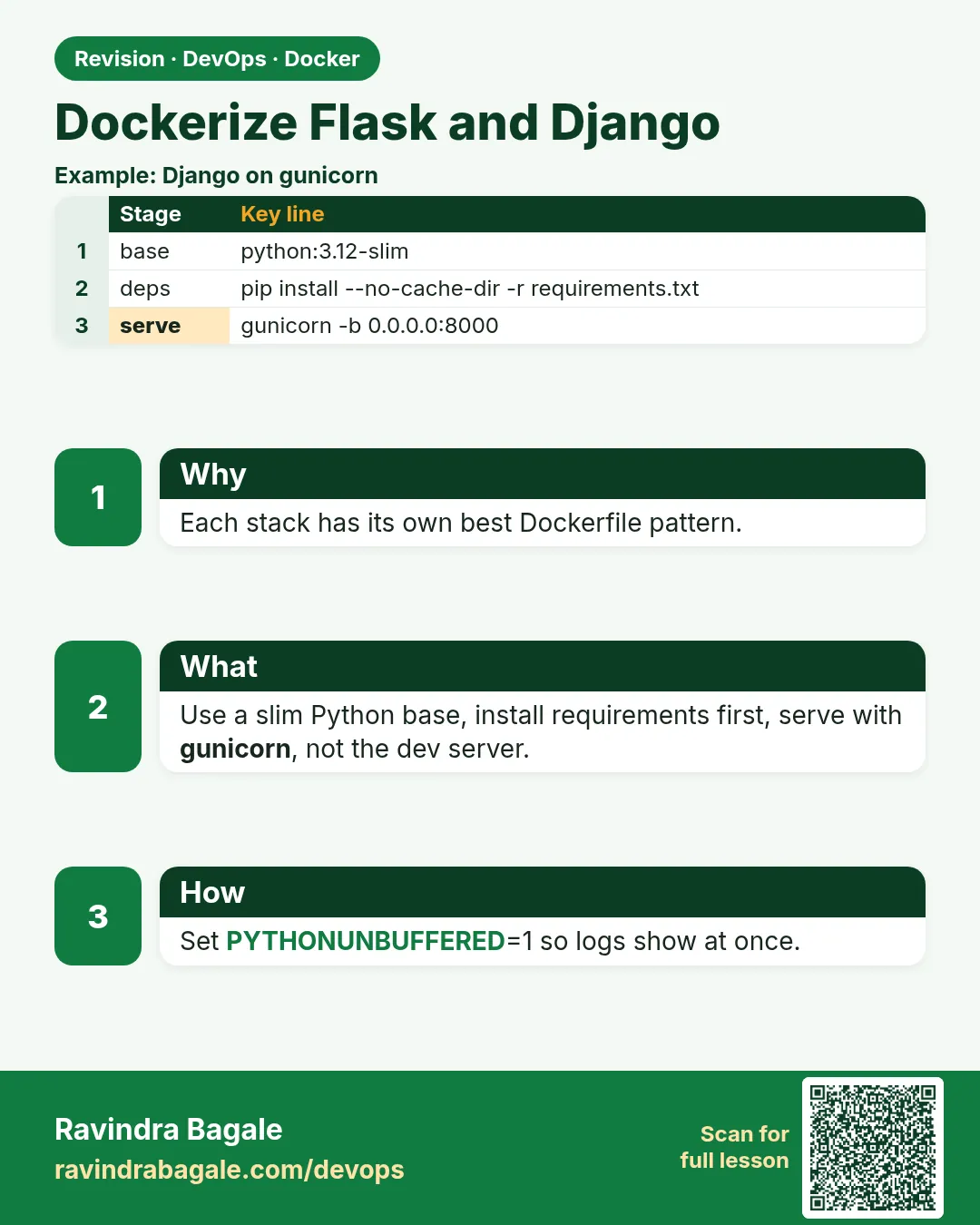 Revision card
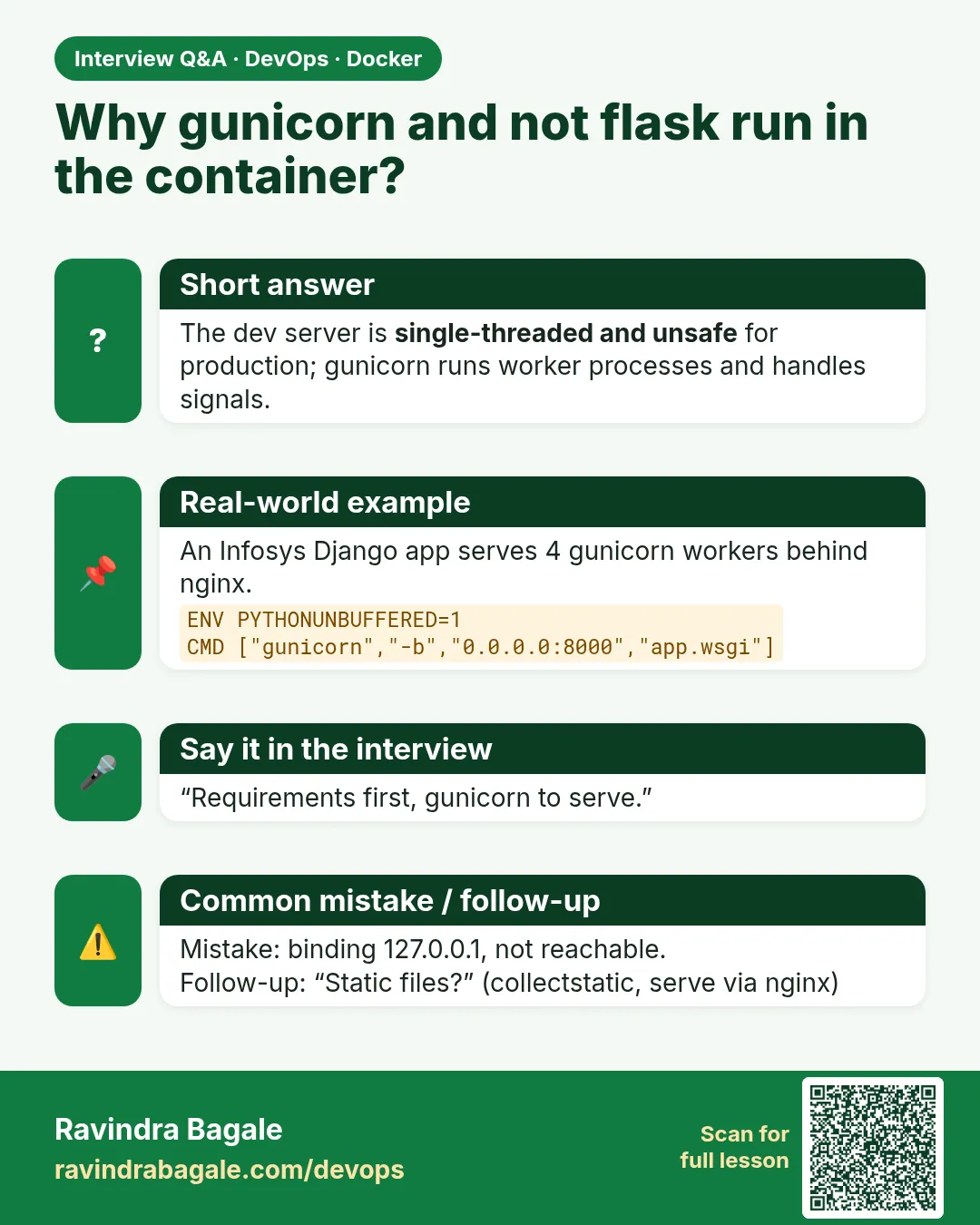 Interview card