54.3 Java Spring Boot Dockerfile with layered jars
Friends, a Spring Boot app is one big fat jar. If we copy that jar into an image as one file, every small code change uploads 80 MB again. Today we learn layered jars: split the jar into dependencies and our code, so only our small code layer changes. Step by step, with Maven, a JRE base, a non-root user, memory settings and a healthcheck.
मित्रांनो, Spring Boot app म्हणजे एक मोठा fat jar. तो jar एकाच file सारखा image मध्ये copy केला, तर code मधल्या छोट्या बदलासाठी पण पुन्हा 80 MB upload होतात. आज layered jar शिकूया: jar ला dependencies आणि आपल्या code मध्ये तोडायचं, म्हणजे फक्त आपला छोटा code layer बदलतो. Maven, JRE base, non-root user, memory settings आणि healthcheck सह step by step.
दोस्तों, Spring Boot app यानी एक बड़ा fat jar. वह jar एक ही file की तरह image में copy किया, तो code के छोटे बदलाव पर भी फिर से 80 MB upload होते हैं. आज layered jar सीखेंगे: jar को dependencies और हमारे code में बाँटना, ताकि सिर्फ़ हमारा छोटा code layer बदले. Maven, JRE base, non-root user, memory settings और healthcheck के साथ step by step.
1. Start from a story
At Paytm, a payments team runs a Spring Boot service that checks wallet balances. Their first Dockerfile used the full JDK image, ran mvn package inside it, and copied the whole 85 MB jar as one layer.
Every pull request built a 520 MB image. Every deploy pushed 85 MB to the registry even when one line of Java changed. On busy days the nodes downloaded the same libraries again and again.
Worse, the container got killed with exit code 137 on small machines, because the JVM did not respect the container memory limit the way the team expected.
Arjun, the senior engineer, fixed it in one afternoon: a Maven build stage, a JRE runtime, layered jar extraction, MaxRAMPercentage and a non-root user. The image became 210 MB and code-only deploys pushed about 200 KB. Today we follow his steps.
2. Build the jar in a container
Step 1: The sample Spring Boot app
Why: Something real to package.
What: We use a tiny Spring Boot app with a web endpoint and actuator health. Spring Initializr can create it from the command line.
Example 1: Create project
Type this:
curl -s https://start.spring.io/starter.tgz -d dependencies=web,actuator -d javaVersion=21 -d artifactId=wallet -d type=maven-project | tar -xzf - && ls
You will see:
HELP.md mvnw mvnw.cmd pom.xml src
What it means: A standard Maven project.
Example 2: Add an endpoint
Type this:
printf '%s\n' 'package com.example.wallet;' 'import org.springframework.web.bind.annotation.*;' '@RestController' 'class BalanceController {' ' @GetMapping("/balance") String b() { return "{\"balance\":500}"; }' '}' > src/main/java/com/example/wallet/BalanceController.java && echo ok
You will see:
ok
What it means: One simple route.
Example 3: Enable health
Type this:
printf '%s\n' 'management.endpoints.web.exposure.include=health' 'management.endpoint.health.probes.enabled=true' >> src/main/resources/application.properties && cat src/main/resources/application.properties
You will see:
spring.application.name=wallet
management.endpoints.web.exposure.include=health
management.endpoint.health.probes.enabled=true
What it means: Actuator gives /actuator/health.
Step 2: A Maven build stage
Why: No Java needed on your laptop.
What: The build stage uses an image that already has Maven and JDK 21. We copy pom.xml first and download dependencies, so the cache survives code changes.
Example 4: Stage 1
Type this:
printf '%s\n' '# syntax=docker/dockerfile:1' 'FROM maven:3.9-eclipse-temurin-21 AS build' 'WORKDIR /src' 'COPY pom.xml .' 'RUN mvn -q dependency:go-offline' 'COPY src ./src' 'RUN mvn -q package -DskipTests' > Dockerfile && cat Dockerfile | wc -l
You will see:
7
What it means: pom.xml is copied before src on purpose.
Example 5: Build only stage 1
Type this:
docker build -q --target build -t wallet:build . && docker run --rm wallet:build ls -lh target/*.jar
You will see:
-rw-r--r-- 1 root root 21M wallet-0.0.1-SNAPSHOT.jar
What it means: The fat jar is built inside the container.
Example 6: Cache proof
Type this:
touch src/main/java/com/example/wallet/BalanceController.java && docker build --target build -t wallet:build . 2>&1 | grep -c CACHED
You will see:
3
What it means: Dependency download is reused; only compile reruns.
Step 3: Cache the Maven repository
Why: Faster rebuilds.
What: BuildKit cache mounts keep the ~/.m2 folder between builds without putting it into the image.
Example 7: Use a cache mount
Type this:
sed -i 's#RUN mvn -q package#RUN --mount=type=cache,target=/root/.m2 mvn -q package#' Dockerfile && grep package Dockerfile
You will see:
RUN --mount=type=cache,target=/root/.m2 mvn -q package -DskipTests
What it means: Same idea as the npm and pip cache mounts.
Example 8: Time a rebuild
Type this:
time docker build -q --target build -t wallet:build . 2>&1 | tail -1
You will see:
real 0m9.412s
What it means: Second builds are much faster.
Example 9: Check the image
Type this:
docker run --rm wallet:build sh -c 'ls /root/.m2 2>/dev/null | wc -l'
You will see:
0
What it means: The cache is not baked into the layer.
Step 4: Why a fat jar is a problem
Why: One file, one big layer.
What: A fat jar packs our 200 KB of code together with 20 MB or more of libraries. Docker sees one file. If any byte changes, the whole layer changes.
Example 10: Naive runtime
Type this:
printf '%s\n' 'FROM eclipse-temurin:21-jre' 'COPY --from=build /src/target/*.jar /app.jar' 'CMD ["java","-jar","/app.jar"]' >> Dockerfile && docker build -q -t wallet:naive . && echo built
You will see:
sha256:91c2...
built
What it means: It works, but look at the layers.
Example 11: Layer sizes
Type this:
docker history wallet:naive --format '{{.Size}} {{.CreatedBy}}' | head -2
You will see:
21.4MB  COPY /src/target/*.jar /app.jar
0B      CMD ["java" "-jar" "/app.jar"]
What it means: The whole jar is one 21 MB layer.
Example 12: Change one line, rebuild
Type this:
sed -i 's/500/600/' src/main/java/com/example/wallet/BalanceController.java && docker build -q -t wallet:naive2 . && docker history wallet:naive2 --format '{{.Size}}' | head -1
You will see:
21.4MB
What it means: Another full 21 MB to push.
3. Layered jars, the right way
Step 5: List the layers
Why: See what Spring Boot gives us.
What: Spring Boot 3.3 and newer include a tools jar mode. It can list and extract the layers of the jar.
Example 13: List
Type this:
docker run --rm wallet:build java -Djarmode=tools -jar target/wallet-0.0.1-SNAPSHOT.jar list-layers
You will see:
dependencies
spring-boot-loader
snapshot-dependencies
application
What it means: Four layers, in order from rarely changing to often changing.
Example 14: Extract
Type this:
docker run --rm wallet:build sh -c 'java -Djarmode=tools -jar target/*.jar extract --layers --launcher --destination /tmp/x && ls /tmp/x'
You will see:
application
dependencies
snapshot-dependencies
spring-boot-loader
What it means: One folder per layer.
Example 15: Sizes
Type this:
docker run --rm wallet:build sh -c 'java -Djarmode=tools -jar target/*.jar extract --layers --launcher --destination /tmp/x >/dev/null && du -sh /tmp/x/*'
You will see:
12K   /tmp/x/application
21M   /tmp/x/dependencies
4.0K  /tmp/x/snapshot-dependencies
320K  /tmp/x/spring-boot-loader
What it means: Our code is tiny; the libraries are big.
Step 6: Extract in the build stage
Why: Prepare layers once.
What: Add an extract step after mvn package. On older Spring Boot (2.3 to 3.2) the command was java -Djarmode=layertools -jar app.jar extract.
Example 16: Add extract
Type this:
printf '%s\n' 'RUN java -Djarmode=tools -jar target/*.jar extract --layers --launcher --destination /extracted' > extract.part && sed -i '/mvn -q package/r extract.part' Dockerfile && grep -n extract Dockerfile
You will see:
8:RUN java -Djarmode=tools -jar target/*.jar extract --layers --launcher --destination /extracted
What it means: Inserted right after the package line.
Example 17: Old Boot version
Type this:
printf '%s\n' 'RUN java -Djarmode=layertools -jar target/*.jar extract --destination /extracted'
You will see:
RUN java -Djarmode=layertools -jar target/*.jar extract --destination /extracted
What it means: Use this only on Spring Boot 3.2 or older.
Example 18: Check
Type this:
docker build -q --target build -t wallet:build . && docker run --rm wallet:build ls /extracted
You will see:
application
dependencies
snapshot-dependencies
spring-boot-loader
What it means: Ready for the runtime stage.
Step 7: Copy the layers in order
Why: Slowest change first.
What: The runtime stage copies each folder as its own layer. Docker reuses every layer above the one that changed.
Example 19: Runtime stage
Type this:
sed -i '/^FROM eclipse-temurin:21-jre/,$d' Dockerfile && printf '%s\n' 'FROM eclipse-temurin:21-jre' 'WORKDIR /app' 'COPY --from=build /extracted/dependencies/ ./' 'COPY --from=build /extracted/spring-boot-loader/ ./' 'COPY --from=build /extracted/snapshot-dependencies/ ./' 'COPY --from=build /extracted/application/ ./' 'ENTRYPOINT ["java","org.springframework.boot.loader.launch.JarLauncher"]' >> Dockerfile && grep -c COPY Dockerfile
You will see:
6
What it means: Four COPY lines for layers, plus pom and src in stage 1.
Example 20: Build and run
Type this:
docker build -q -t wallet:1.0 . && docker run -d -p 8080:8080 --name w wallet:1.0 && sleep 8 && curl -s localhost:8080/balance
You will see:
{"balance":600}
What it means: JarLauncher starts the app from the folders.
Example 21: Change code, check layers
Type this:
sed -i 's/600/700/' src/main/java/com/example/wallet/BalanceController.java && docker build -q -t wallet:1.1 . && docker history wallet:1.1 --format '{{.Size}}' | head -4
You will see:
13.1kB
0B
322kB
21.3MB
What it means: Only a 13 kB layer is new; 21 MB is reused.
Step 8: JRE base, not JDK
Why: Smaller and safer runtime.
What: Running an app needs only the JRE. The JDK adds the compiler and tools we never use in production.
Example 22: Compare bases
Type this:
docker pull -q eclipse-temurin:21-jdk && docker pull -q eclipse-temurin:21-jre && docker images eclipse-temurin --format '{{.Tag}} {{.Size}}'
You will see:
21-jdk 457MB
21-jre 268MB
What it means: Almost 200 MB saved.
Example 23: Alpine JRE
Type this:
docker pull -q eclipse-temurin:21-jre-alpine && docker images eclipse-temurin:21-jre-alpine --format '{{.Size}}'
You will see:
190MB
What it means: Smaller still; test your app on musl first.
Example 24: Final size
Type this:
docker images wallet:1.1 --format '{{.Size}}'
You will see:
290MB
What it means: Compared with 520 MB in the story.
Step 9: Memory settings in containers
Why: Avoid exit 137.
What: Modern JVMs read the container limit. MaxRAMPercentage tells the heap how much of that limit to use, leaving room for threads and metaspace.
Example 25: Set it
Type this:
printf '%s\n' 'ENV JAVA_TOOL_OPTIONS="-XX:MaxRAMPercentage=75 -XX:+ExitOnOutOfMemoryError"' > mem.part && sed -i '/^WORKDIR \/app/r mem.part' Dockerfile && grep JAVA_TOOL Dockerfile
You will see:
ENV JAVA_TOOL_OPTIONS="-XX:MaxRAMPercentage=75 -XX:+ExitOnOutOfMemoryError"
What it means: Heap is 75 percent of the limit.
Example 26: See the heap
Type this:
docker build -q -t wallet:1.2 . && docker run --rm -m 512m wallet:1.2 java -XX:+PrintFlagsFinal -version 2>/dev/null | grep -w MaxHeapSize
You will see:
size_t MaxHeapSize = 402653184
What it means: About 384 MB of a 512 MB limit.
Example 27: Run with a limit
Type this:
docker rm -f w && docker run -d -m 512m -p 8080:8080 --name w wallet:1.2 && sleep 8 && docker stats --no-stream --format '{{.MemUsage}}' w
You will see:
182MiB / 512MiB
What it means: Stays well inside the limit.
Step 10: Non-root user and healthcheck
Why: Safe and observable.
What: Create a system user, own the files, and check the actuator endpoint. The JRE image has no curl, so we use wget from busybox or install curl in the build only if needed.
Example 28: User
Type this:
printf '%s\n' 'RUN groupadd -r spring && useradd -r -g spring spring' 'USER spring' > user.part && sed -i '/^WORKDIR \/app/r user.part' Dockerfile && grep -n 'USER' Dockerfile
You will see:
12:USER spring
What it means: Before the COPY lines would also need --chown if the app writes files.
Example 29: Healthcheck
Type this:
printf '%s\n' 'HEALTHCHECK --interval=20s --start-period=40s CMD ["sh","-c","wget -qO- localhost:8080/actuator/health | grep -q UP"]' > hc.part && sed -i '/^ENTRYPOINT/e cat hc.part' Dockerfile && grep HEALTH Dockerfile
You will see:
HEALTHCHECK --interval=20s --start-period=40s CMD ["sh","-c","wget -qO- localhost:8080/actuator/health | grep -q UP"]
What it means: start-period gives the JVM time to boot.
Example 30: Verify
Type this:
docker build -q -t wallet:1.3 . && docker rm -f w && docker run -d -p 8080:8080 --name w wallet:1.3 && sleep 45 && docker ps --format '{{.Names}} {{.Status}}' && docker exec w id -un
You will see:
w Up 46 seconds (healthy)
spring
What it means: Healthy and not root.
Step 11: Graceful shutdown
Why: Finish payments before stopping.
What: Exec-form ENTRYPOINT makes java PID 1, so it receives SIGTERM. Spring Boot can finish in-flight requests first.
Example 31: Enable
Type this:
printf '%s\n' 'server.shutdown=graceful' 'spring.lifecycle.timeout-per-shutdown-phase=20s' >> src/main/resources/application.properties && echo ok
You will see:
ok
What it means: Up to 20 seconds to drain.
Example 32: Stop
Type this:
docker build -q -t wallet:1.4 . && docker rm -f w && docker run -d --name w wallet:1.4 && sleep 15 && time docker stop w
You will see:
w
real    0m1.3s
What it means: Stops quickly and cleanly, no 10 second kill.
Example 33: Logs
Type this:
docker logs w 2>&1 | tail -2
You will see:
Commencing graceful shutdown. Waiting for active requests to complete
Graceful shutdown complete
What it means: The app saw the signal.
Step 12: Buildpacks alternative
Why: No Dockerfile at all.
What: Spring Boot can build a layered OCI image with Cloud Native Buildpacks. Good for teams that do not want to maintain a Dockerfile.
Example 34: Build image
Type this:
./mvnw -q spring-boot:build-image -Dspring-boot.build-image.imageName=wallet:bp && docker images wallet:bp --format '{{.Size}}'
You will see:
312MB
What it means: Uses Paketo buildpacks.
Example 35: Run
Type this:
docker run -d -p 8081:8080 --name wbp wallet:bp && sleep 10 && curl -s localhost:8081/actuator/health
You will see:
{"status":"UP"}
What it means: Same app, different build tool.
Example 36: Who runs it
Type this:
docker exec wbp id -u
You will see:
1002
What it means: Buildpacks also run as non-root.
4. Common mistakes and how Arjun avoids them
Mistake one: the full JDK and Maven in the final image. Arjun builds in one stage and runs on a JRE.
Mistake two: copying the fat jar as one layer. He extracts the four layers and copies them slowest first.
Mistake three: shell-form CMD like java -jar app.jar in a shell string. The shell becomes PID 1 and SIGTERM never reaches Java. He uses exec form.
Mistake four: no memory flags. He sets MaxRAMPercentage and a container limit together.
Mistake five: running as root. He adds the spring user and a healthcheck with a start period.
Check yourself
Q1. Why split the jar into layers?
So a code change only rebuilds and pushes the small application layer.
Q2. Which command extracts layers on Spring Boot 3.3+?
java -Djarmode=tools -jar app.jar extract --layers --launcher.
Q3. Why the JRE and not the JDK?
The runtime needs no compiler; the image is about 200 MB smaller.
Q4. What does MaxRAMPercentage=75 do?
Lets the heap use 75 percent of the container memory limit.
Friends, Maven in a build stage, extract the layers, copy them slowest first, JRE base, memory percentage, non-root user and a healthcheck. Did you understand? Let us try it once more. Change one line of Java and prove that only a small layer is pushed.
मित्रांनो, build stage मध्ये Maven, layers extract करा, सगळ्यात कमी बदलणारे आधी copy करा, JRE base, memory percentage, non-root user आणि healthcheck. समजलं का? चला, पुन्हा एकदा करून पाहू. Java ची एक line बदला आणि सिद्ध करा की फक्त छोटा layer push होतो.
दोस्तों, build stage में Maven, layers extract कीजिए, सबसे कम बदलने वाले पहले copy कीजिए, JRE base, memory percentage, non-root user और healthcheck. समझ आया? चलिए, एक बार फिर करके देखते हैं। Java की एक line बदलिए और साबित कीजिए कि सिर्फ़ छोटा layer push होता है.
Ravindra Bagale's Tip
Always watch docker history after a code change. If a 20 MB layer changed for a one-line fix, your layer order is wrong.
Code बदलल्यानंतर नेहमी docker history बघा. एका line च्या fix साठी 20 MB layer बदलला, तर तुमचा layer order चुकीचा आहे.
Code बदलने के बाद हमेशा docker history देखिए. एक line के fix के लिए 20 MB layer बदला, तो आपका layer order गलत है.
Lab: try at home
- Create the wallet app with Spring Initializr.
- Build it in a Maven stage with a cache mount.
- Build the naive fat jar image and read docker history.
- Extract layers and copy them in four steps.
- Add MaxRAMPercentage, a spring user and a healthcheck.
- Change one line and compare the new layer size.
Recap
- Build with Maven in a separate stage.
- Extract four layers with jarmode tools.
- Copy dependencies first, application last.
- Run on a JRE, not a JDK.
- Set MaxRAMPercentage with a memory limit.
- Exec-form ENTRYPOINT, non-root user, healthcheck.
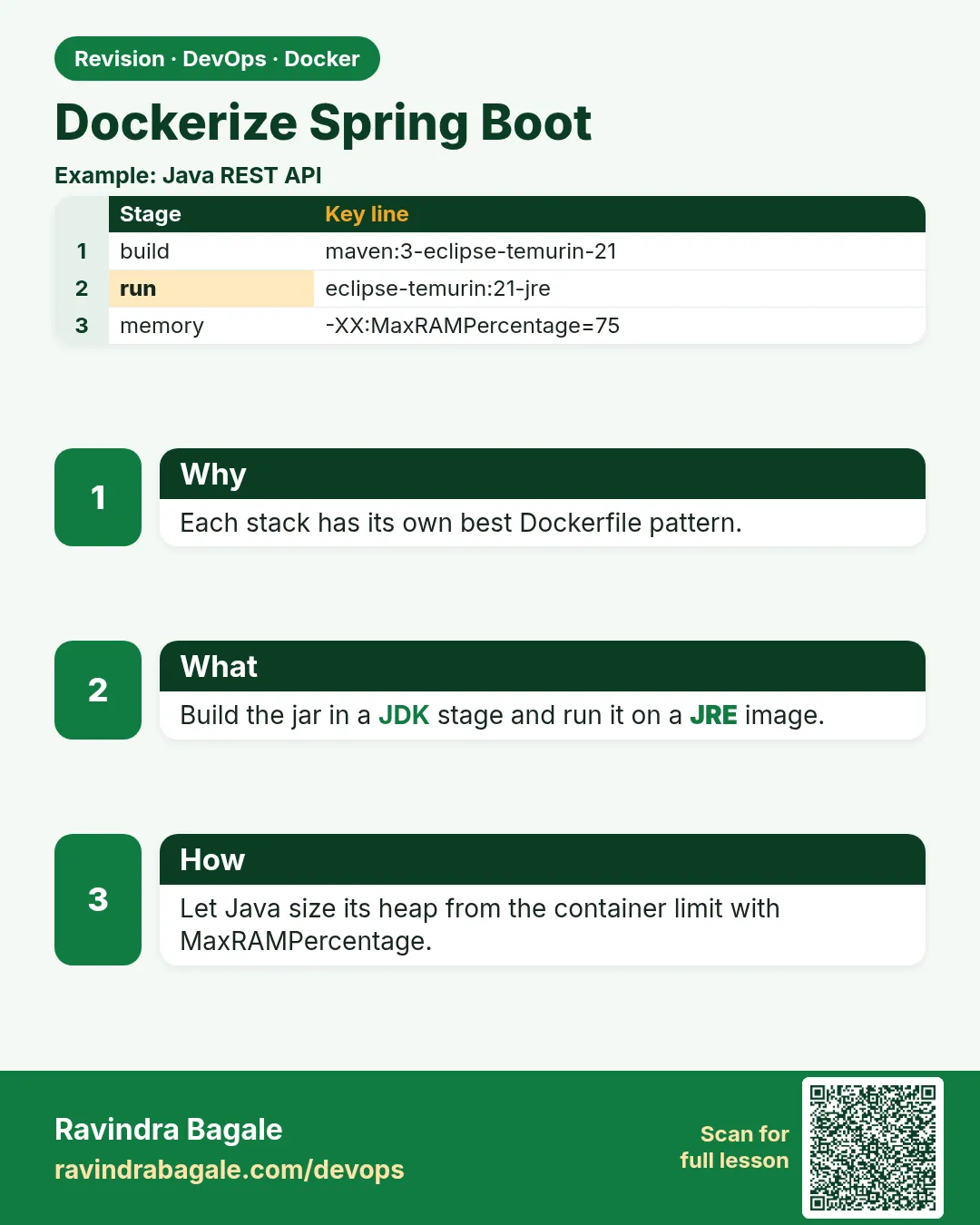 Revision card
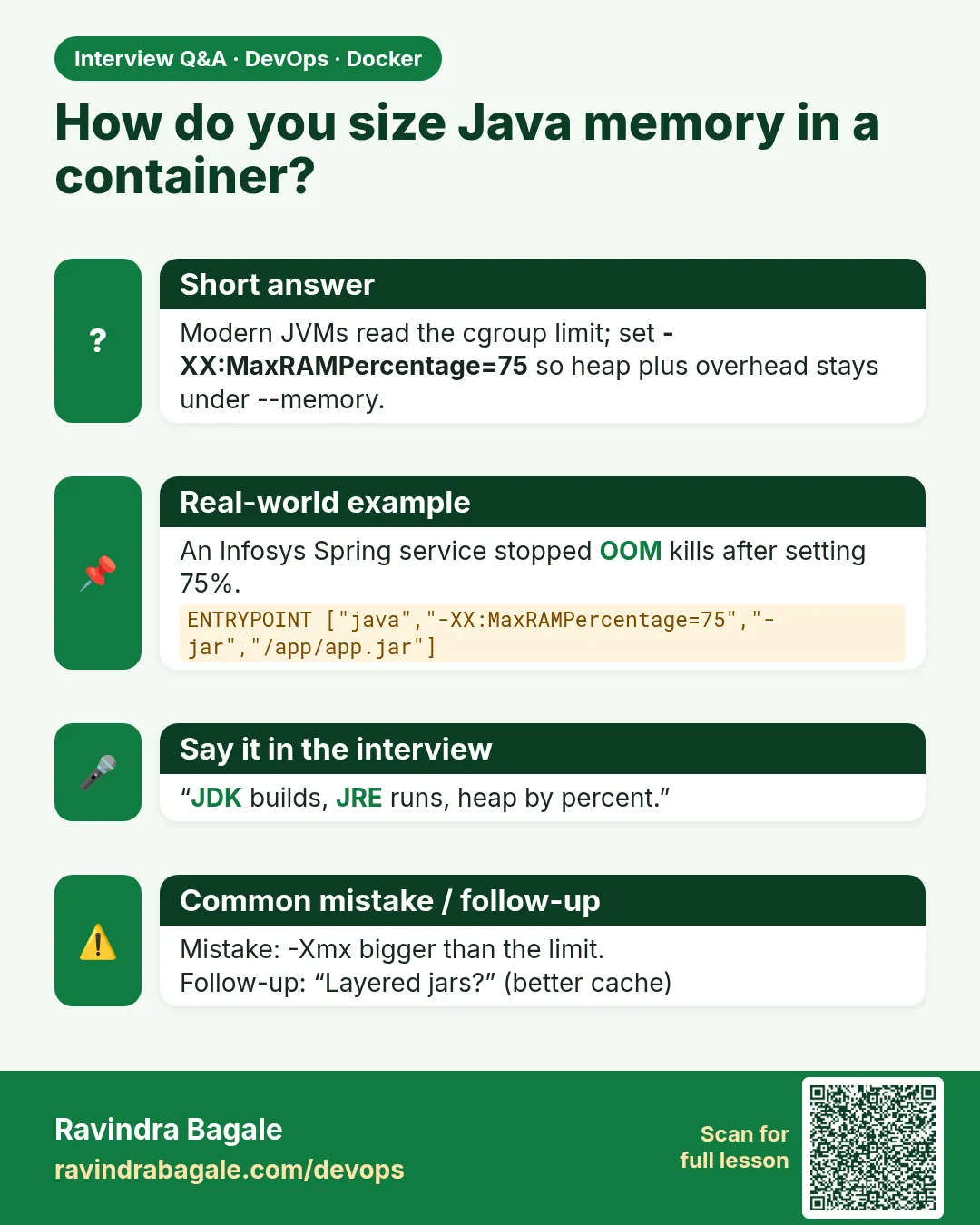 Interview card
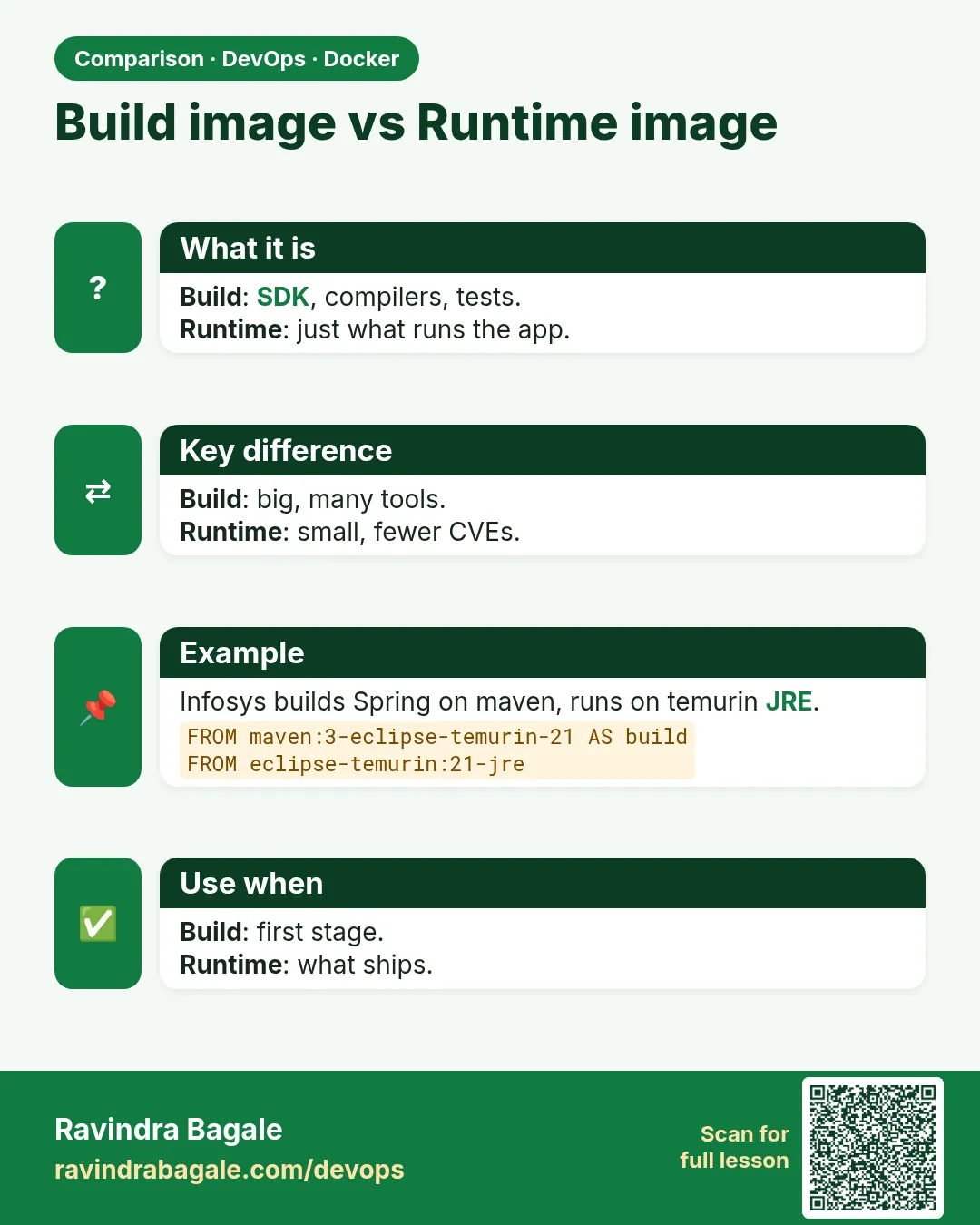 Comparison card