54.5 Go Dockerfile with scratch or distroless
Friends, Go is the friendliest language for Docker. It compiles to one single file with no runtime needed. So the final image can be almost empty: scratch, or distroless. Today we build a Go API step by step, from a 900 MB image to a 7 MB image, and we handle the three traps: CGO, certificates and time zones.
मित्रांनो, Docker साठी Go ही सगळ्यात सोपी भाषा आहे. ती एकाच file मध्ये compile होते, runtime लागत नाही. म्हणून final image जवळजवळ रिकामी असू शकते: scratch किंवा distroless. आज Go API step by step build करूया, 900 MB image पासून 7 MB image पर्यंत, आणि तीन सापळे सांभाळूया: CGO, certificates आणि time zones.
दोस्तों, Docker के लिए Go सबसे आसान भाषा है. वह एक ही file में compile होती है, runtime नहीं चाहिए. इसलिए final image लगभग खाली हो सकती है: scratch या distroless. आज Go API step by step build करेंगे, 900 MB image से 7 MB image तक, और तीन जाल संभालेंगे: CGO, certificates और time zones.
1. Start from a story
At Razorpay, a small team wrote a Go service that converts currency amounts and calls an exchange rate API over HTTPS.
The first image used the golang image as the runtime. It was 880 MB and a security scan listed more than 200 packages with known issues, none of which the service used.
They moved to scratch and the image became 8 MB, but production calls failed with x509: certificate signed by unknown authority, and the time showed UTC instead of IST.
Kiran, the platform engineer, fixed it: a static build with CGO turned off, CA certificates and time zone data copied in, a non-root user, and later distroless for an easier life. Today we follow Kiran's steps.
2. Build a static binary
Step 1: The sample Go API
Why: Something to ship.
What: A tiny API with a health route and a route that calls an HTTPS site, so we can see the certificate trap.
Example 1: Init module
Type this:
docker run --rm -v "$PWD":/src -w /src golang:1.23 go mod init example.com/fx && cat go.mod
You will see:
module example.com/fx

go 1.23
What it means: No Go needed on the laptop.
Example 2: Write main.go
Type this:
printf '%s\n' 'package main' 'import ("fmt";"net/http";"time")' 'func main() {' ' http.HandleFunc("/healthz", func(w http.ResponseWriter, r *http.Request) { fmt.Fprint(w, "ok") })' ' http.HandleFunc("/time", func(w http.ResponseWriter, r *http.Request) { l, _ := time.LoadLocation("Asia/Kolkata"); fmt.Fprint(w, time.Now().In(l).Format(time.Kitchen)) })' ' http.HandleFunc("/ping-out", func(w http.ResponseWriter, r *http.Request) { _, err := http.Get("https://example.com"); fmt.Fprint(w, err) })' ' http.ListenAndServe(":8080", nil)' '}' > main.go && echo ok
You will see:
ok
What it means: Three routes: health, time and an outgoing HTTPS call.
Example 3: Naive image
Type this:
printf '%s\n' 'FROM golang:1.23' 'WORKDIR /src' 'COPY . .' 'RUN go build -o /fx' 'CMD ["/fx"]' > Dockerfile && docker build -q -t fx:naive . && docker images fx:naive --format '{{.Size}}'
You will see:
884MB
What it means: The whole Go toolchain ships with the app.
Step 2: Download modules first
Why: Cache dependencies.
What: Copy go.mod and go.sum, run go mod download, then copy the code. A code change does not re-download modules.
Example 4: Stage 1
Type this:
printf '%s\n' '# syntax=docker/dockerfile:1' 'FROM golang:1.23 AS build' 'WORKDIR /src' 'COPY go.mod go.sum* ./' 'RUN go mod download' 'COPY . .' > Dockerfile && wc -l Dockerfile
You will see:
6 Dockerfile
What it means: go.sum* works even when there are no dependencies yet.
Example 5: Cache mounts
Type this:
printf '%s\n' 'RUN --mount=type=cache,target=/root/.cache/go-build --mount=type=cache,target=/go/pkg/mod CGO_ENABLED=0 go build -trimpath -ldflags="-s -w" -o /out/fx .' >> Dockerfile && tail -1 Dockerfile | cut -c1-60
You will see:
RUN --mount=type=cache,target=/root/.cache/go-build --mount
What it means: Build cache and module cache stay outside the image.
Example 6: Build stage
Type this:
docker build -q --target build -t fx:build . && docker run --rm fx:build ls -lh /out/fx
You will see:
-rwxr-xr-x 1 root root 5.6M /out/fx
What it means: One 5.6 MB file.
Step 3: CGO_ENABLED=0
Why: Truly static.
What: With CGO on, Go may link to the C library of the build image. On scratch there is no C library, so the binary fails to start. CGO_ENABLED=0 makes it fully static.
Example 7: Check static
Type this:
docker run --rm fx:build sh -c 'apt-get -qq update >/dev/null; file /out/fx' | cut -d, -f1-5
You will see:
/out/fx: ELF 64-bit LSB executable, x86-64, version 1 (SYSV), statically linked
What it means: statically linked is what we want.
Example 8: The failure without it
Type this:
printf 'With CGO on, a scratch container prints: exec /fx: no such file or directory\n'
You will see:
With CGO on, a scratch container prints: exec /fx: no such file or directory
What it means: Confusing message: the missing file is the C loader, not your binary.
Example 9: ldflags
Type this:
printf '%s\n' '-s removes the symbol table' '-w removes debug info' '-trimpath removes local paths'
You will see:
-s removes the symbol table
-w removes debug info
-trimpath removes local paths
What it means: Smaller binary, no laptop paths inside.
Step 4: Build for another CPU
Why: Graviton and Apple silicon.
What: Go cross-compiles easily. With buildx, TARGETOS and TARGETARCH arrive as build arguments and we pass them to go build.
Example 10: Use the args
Type this:
sed -i 's#^FROM golang:1.23 AS build#FROM --platform=$BUILDPLATFORM golang:1.23 AS build\nARG TARGETOS TARGETARCH#' Dockerfile && sed -i 's#CGO_ENABLED=0 go build#CGO_ENABLED=0 GOOS=$TARGETOS GOARCH=$TARGETARCH go build#' Dockerfile && grep -c TARGET Dockerfile
You will see:
2
What it means: The compiler runs natively and outputs for the target.
Example 11: Build two platforms
Type this:
docker buildx build --platform linux/amd64,linux/arm64 --target build -t fx:multi . 2>&1 | grep -c 'go build'
You will see:
2
What it means: One build per platform, both fast.
Example 12: Why it matters
Type this:
printf 'AWS Graviton (arm64) instances cost about 20 percent less for the same work.\n'
You will see:
AWS Graviton (arm64) instances cost about 20 percent less for the same work.
What it means: Real savings for Go services.
Step 5: Stamp the version into the binary
Why: Know what is running.
What: -ldflags -X sets a string variable at build time. We pass the Git commit as a build argument, so every image can tell us its version.
Example 13: Variable in code
Type this:
printf '%s\n' 'var version = "dev"' 'http.HandleFunc("/version", func(w http.ResponseWriter, r *http.Request) { fmt.Fprint(w, version) })'
You will see:
var version = "dev"
http.HandleFunc("/version", func(w http.ResponseWriter, r *http.Request) { fmt.Fprint(w, version) })
What it means: dev is the default for local runs.
Example 14: Pass it in
Type this:
sed -i 's#-ldflags="-s -w"#-ldflags="-s -w -X main.version=$VERSION"#' Dockerfile && sed -i 's#^ARG TARGETOS TARGETARCH#ARG TARGETOS TARGETARCH VERSION=dev#' Dockerfile && grep -c VERSION Dockerfile
You will see:
2
What it means: ARG plus the ldflags use.
Example 15: Build with the commit
Type this:
docker build -q --build-arg VERSION=$(git rev-parse --short HEAD) -t fx:v . && docker run -d -p 8085:8080 --name fxv fx:v && curl -s localhost:8085/version
You will see:
a1b2c3d
What it means: Support teams can now see exactly which commit is live.
3. scratch and distroless runtimes
Step 6: A scratch runtime
Why: Nothing but our file.
What: scratch is an empty image. We copy only the binary.
Example 16: Final stage
Type this:
printf '%s\n' 'FROM scratch' 'COPY --from=build /out/fx /fx' 'EXPOSE 8080' 'ENTRYPOINT ["/fx"]' >> Dockerfile && docker build -q -t fx:scratch . && docker images fx:scratch --format '{{.Size}}'
You will see:
5.6MB
What it means: From 884 MB to 5.6 MB.
Example 17: Run it
Type this:
docker run -d -p 8080:8080 --name fx fx:scratch && curl -s localhost:8080/healthz
You will see:
ok
What it means: It works.
Example 18: No shell
Type this:
docker exec fx sh 2>&1 | head -1
You will see:
OCI runtime exec failed: exec: "sh": executable file not found in $PATH
What it means: Nothing to attack, nothing to log into.
Step 7: Trap 1: HTTPS certificates
Why: x509 errors.
What: scratch has no CA certificate bundle, so outgoing HTTPS calls fail. Copy the bundle from the build stage.
Example 19: See the error
Type this:
curl -s localhost:8080/ping-out
You will see:
Get "https://example.com": tls: failed to verify certificate: x509: certificate signed by unknown authority
What it means: Exactly Kiran's production error.
Example 20: Copy certs
Type this:
sed -i 's#^COPY --from=build /out/fx /fx#COPY --from=build /etc/ssl/certs/ca-certificates.crt /etc/ssl/certs/\nCOPY --from=build /out/fx /fx#' Dockerfile && grep ssl Dockerfile
You will see:
COPY --from=build /etc/ssl/certs/ca-certificates.crt /etc/ssl/certs/
What it means: The golang image already has the bundle.
Example 21: Test again
Type this:
docker build -q -t fx:scratch2 . && docker rm -f fx && docker run -d -p 8080:8080 --name fx fx:scratch2 && curl -s localhost:8080/ping-out
You will see:
<nil>
What it means: No error now. Go prints nil when err is empty.
Step 8: Trap 2: time zones
Why: UTC instead of IST.
What: time.LoadLocation needs zoneinfo files. scratch has none. Copy them, or embed them with the timetzdata package.
Example 22: See the problem
Type this:
curl -s localhost:8080/time
You will see:
5:12AM
What it means: Looks like UTC: the location failed to load.
Example 23: Copy zoneinfo
Type this:
sed -i 's#^COPY --from=build /out/fx /fx#COPY --from=build /usr/share/zoneinfo /usr/share/zoneinfo\nCOPY --from=build /out/fx /fx#' Dockerfile && grep zoneinfo Dockerfile
You will see:
COPY --from=build /usr/share/zoneinfo /usr/share/zoneinfo
What it means: About 450 KB of data.
Example 24: Or embed
Type this:
printf '%s\n' 'import _ "time/tzdata"' '// adds about 450 KB to the binary, no files needed'
You will see:
import _ "time/tzdata"
// adds about 450 KB to the binary, no files needed
What it means: Either way the time is now 10:42AM IST.
Step 9: Trap 3: non-root on scratch
Why: No useradd on an empty image.
What: scratch has no useradd and no /etc/passwd. Just set a numeric USER. 65532 is the common nonroot ID.
Example 25: Set USER
Type this:
sed -i 's#^ENTRYPOINT \["/fx"\]#USER 65532:65532\nENTRYPOINT ["/fx"]#' Dockerfile && grep USER Dockerfile
You will see:
USER 65532:65532
What it means: A number works without any passwd file.
Example 26: Check
Type this:
docker build -q -t fx:scratch3 . && docker inspect fx:scratch3 --format '{{.Config.User}}'
You will see:
65532:65532
What it means: Recorded in the image config.
Example 27: Port rule
Type this:
printf 'Non-root users cannot bind ports below 1024, so listen on 8080.\n'
You will see:
Non-root users cannot bind ports below 1024, so listen on 8080.
What it means: Our app already uses 8080.
Step 10: distroless/static
Why: All three traps solved for you.
What: Google's distroless static image already has certificates, time zones and a nonroot user. The nonroot tag sets USER 65532.
Example 28: Swap the base
Type this:
sed -i '/^FROM scratch/,$d' Dockerfile && printf '%s\n' 'FROM gcr.io/distroless/static-debian12:nonroot' 'COPY --from=build /out/fx /fx' 'EXPOSE 8080' 'ENTRYPOINT ["/fx"]' >> Dockerfile && tail -4 Dockerfile | head -1
You will see:
FROM gcr.io/distroless/static-debian12:nonroot
What it means: Four short lines.
Example 29: Size and user
Type this:
docker build -q -t fx:dl . && docker images fx:dl --format '{{.Size}}' && docker inspect fx:dl --format '{{.Config.User}}'
You will see:
7.6MB
65532
What it means: Just 2 MB more than scratch.
Example 30: Everything works
Type this:
docker rm -f fx && docker run -d -p 8080:8080 --name fx fx:dl && curl -s localhost:8080/ping-out; echo; curl -s localhost:8080/time
You will see:
<nil>
10:44AM
What it means: HTTPS and IST both fine.
Step 11: Healthcheck without curl
Why: Use the binary itself.
What: There is no curl in scratch or distroless. Add a small health flag to the program, or let Kubernetes probes call the HTTP route.
Example 31: Add a flag
Type this:
printf '%s\n' 'if len(os.Args) > 1 && os.Args[1] == "health" {' ' r, err := http.Get("http://127.0.0.1:8080/healthz")' ' if err != nil || r.StatusCode != 200 { os.Exit(1) }' ' os.Exit(0)' '}'
You will see:
if len(os.Args) > 1 && os.Args[1] == "health" {
  r, err := http.Get("http://127.0.0.1:8080/healthz")
  if err != nil || r.StatusCode != 200 { os.Exit(1) }
  os.Exit(0)
}
What it means: Put this at the top of main and import os.
Example 32: HEALTHCHECK
Type this:
sed -i 's#^ENTRYPOINT#HEALTHCHECK --interval=10s CMD ["/fx","health"]\nENTRYPOINT#' Dockerfile && grep HEALTH Dockerfile
You will see:
HEALTHCHECK --interval=10s CMD ["/fx","health"]
What it means: Exec form, no shell needed.
Example 33: Status
Type this:
docker build -q -t fx:dl2 . && docker rm -f fx && docker run -d -p 8080:8080 --name fx fx:dl2 && sleep 12 && docker ps --filter name=fx --format '{{.Status}}'
You will see:
Up 12 seconds (healthy)
What it means: Healthy with zero extra tools.
Step 12: Debugging a tiny image
Why: When there is no shell.
What: Use the debug tag of distroless, docker debug, or a temporary container sharing the same namespaces.
Example 34: Debug tag
Type this:
docker run --rm --entrypoint sh gcr.io/distroless/static-debian12:debug -c 'ls /etc/ssl/certs | head -1'
You will see:
ca-certificates.crt
What it means: The debug tag adds busybox for testing only.
Example 35: Share namespaces
Type this:
docker run --rm -it --pid container:fx --network container:fx busybox sh -c 'ps; wget -qO- localhost:8080/healthz'
You will see:
PID   USER     COMMAND
    1 65532    /fx
ok
What it means: busybox sees the fx process and network.
Example 36: Copy files out
Type this:
docker cp fx:/fx ./fx-from-container && ls -lh fx-from-container
You will see:
-rwxr-xr-x 1 user user 5.6M fx-from-container
What it means: docker cp works without a shell.
4. Common mistakes and how Kiran avoids them
Mistake one: shipping the golang image. Kiran ships scratch or distroless.
Mistake two: forgetting CGO_ENABLED=0. The binary then fails on scratch with no such file or directory.
Mistake three: no CA certificates. HTTPS calls fail with x509 errors.
Mistake four: no zoneinfo. Times are silently wrong.
Mistake five: running as root. Kiran sets USER 65532 or uses the nonroot tag.
Check yourself
Q1. Why can Go use scratch?
It builds one static binary that needs no runtime.
Q2. What error appears without CA certs?
x509: certificate signed by unknown authority.
Q3. How do you set non-root on scratch?
USER 65532:65532, a numeric ID.
Q4. What does distroless/static add over scratch?
Certificates, time zone data and a nonroot user.
Friends, go mod download first, CGO off, strip the binary, then scratch with certs and zoneinfo, or simply distroless nonroot. Did you understand? Let us try it once more. Build the naive image and the distroless image and write both sizes in your notebook.
मित्रांनो, आधी go mod download, CGO बंद, binary strip, मग certs आणि zoneinfo सह scratch, किंवा सरळ distroless nonroot. समजलं का? चला, पुन्हा एकदा करून पाहू. Naive image आणि distroless image दोन्ही build करा आणि दोन्ही sizes वहीत लिहा.
दोस्तों, पहले go mod download, CGO बंद, binary strip, फिर certs और zoneinfo के साथ scratch, या सीधे distroless nonroot. समझ आया? चलिए, एक बार फिर करके देखते हैं। Naive image और distroless image दोनों build कीजिए और दोनों sizes notebook में लिखिए.
Ravindra Bagale's Tip
For most Go services choose distroless static nonroot. You get almost the size of scratch without the certificate and time zone surprises.
बहुतेक Go services साठी distroless static nonroot निवडा. Scratch एवढीच size मिळते, आणि certificate व time zone चे surprises येत नाहीत.
ज़्यादातर Go services के लिए distroless static nonroot चुनिए. लगभग scratch जितनी size मिलती है, और certificate व time zone वाले surprises नहीं आते.
Lab: try at home
- Write the fx API and build the naive image.
- Add a build stage with go mod download and cache mounts.
- Ship it on scratch and hit /ping-out to see the x509 error.
- Copy certs and zoneinfo, then set USER 65532.
- Switch to distroless nonroot and compare sizes.
- Add the health flag and a HEALTHCHECK.
Recap
- Copy go.mod first and download modules.
- CGO_ENABLED=0 for a static binary.
- -trimpath and -ldflags -s -w for a smaller file.
- scratch needs certs, zoneinfo and a numeric USER.
- distroless static nonroot has them already.
- Health check with the binary itself.
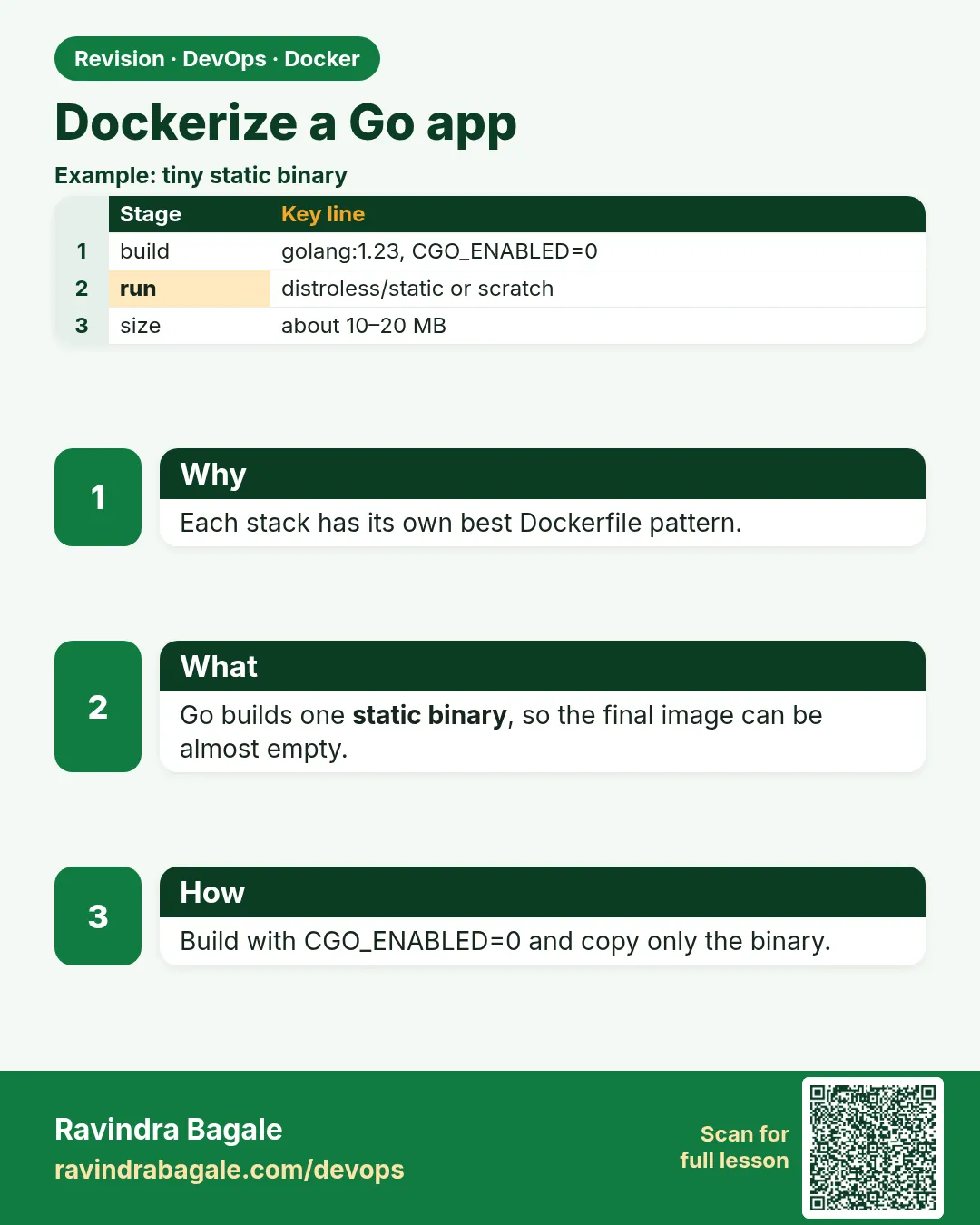 Revision card
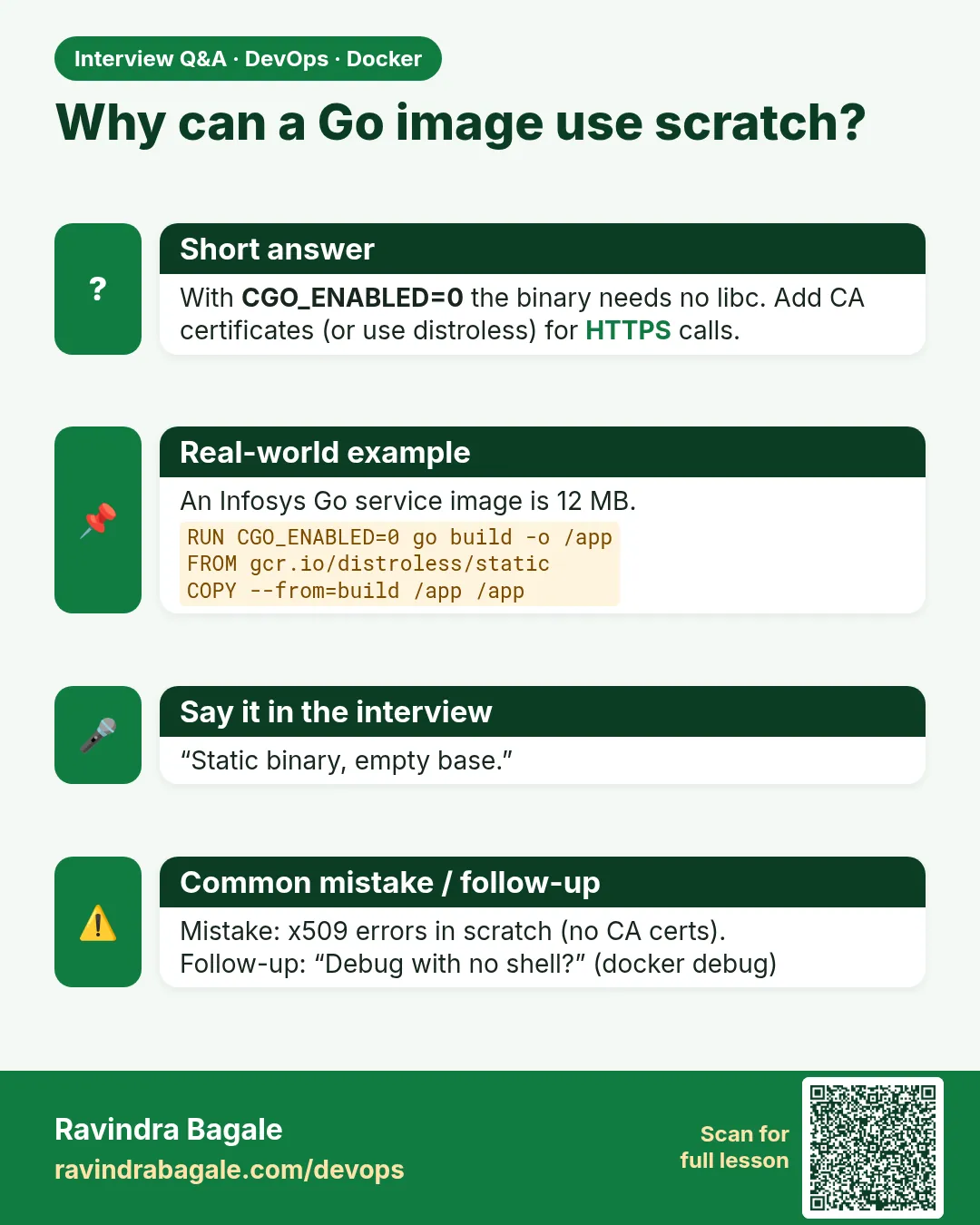 Interview card
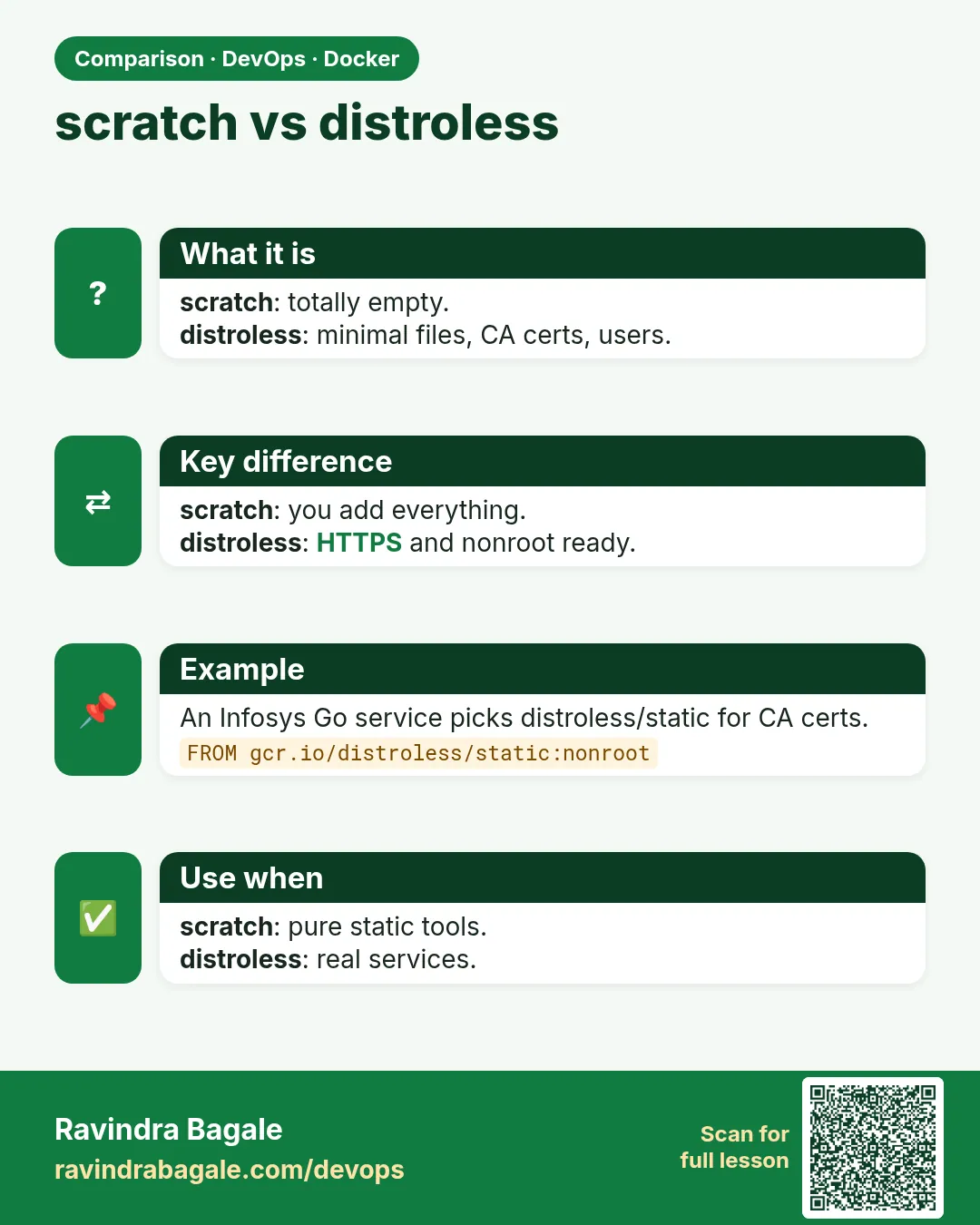 Comparison card